High Brightness Mode
flar2- Rating 3+Batasan usia
- Alat Kategori
- 13/8/2024Diperbarui
- Rp 10.000Harga
Tertaut ke halaman resmi flar2.hbmwidget di Google Play. Terakhir diperiksa pada 14/11/2026.

Tangkapan layar

Tentang aplikasi ini
Terjemahan otomatis oleh Google. Bahasa asli: Inggris (Amerika Serikat).
Melihat layar Anda di bawah sinar matahari cerah. modus kecerahan tinggi untuk ponsel Anda
Tidak dapat melihat layar Anda di bawah sinar matahari yang cerah?
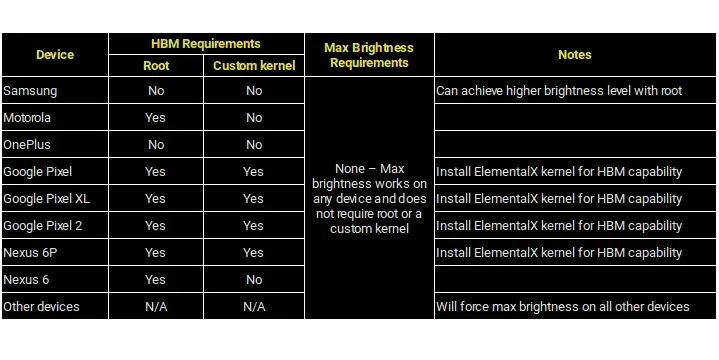
Aplikasi ini memicu mode kecerahan ekstra tinggi yang tertanam di dalam banyak ponsel dengan layar AMOLED, termasuk sebagian besar ponsel Samsung, Motorola, dan OnePlus. Lihat di bawah untuk daftar perangkat dengan kemampuan mode kecerahan tinggi (HBM).
Bahkan jika ponsel Anda tidak memiliki pengaturan perangkat keras HBM khusus, aplikasi ini akan memaksakan kecerahan layar maksimum, yang sangat berguna ketika Anda berada di luar di bawah sinar matahari.
HBM tidak memerlukan root pada perangkat Samsung, tetapi layarnya akan lebih terang jika perangkat Anda di-root. Dengan root, aplikasi ini dapat memaksa kecerahan maksimum melampaui apa yang tersedia di pengaturan sistem.
HBM sekarang membutuhkan root pada perangkat OnePlus!
HBM membutuhkan root pada ponsel Nexus 6 / 6P, Pixel, Pixel XL, Pixel 2 dan Motorola. Root diperlukan karena HBM adalah pengaturan perangkat keras khusus, itu TIDAK hanya meningkatkan slider kecerahan Anda ke max. Ini secara signifikan lebih terang daripada kecerahan maks pada perangkat yang kompatibel.
Empat cara untuk mengaktifkan mode kecerahan tinggi:
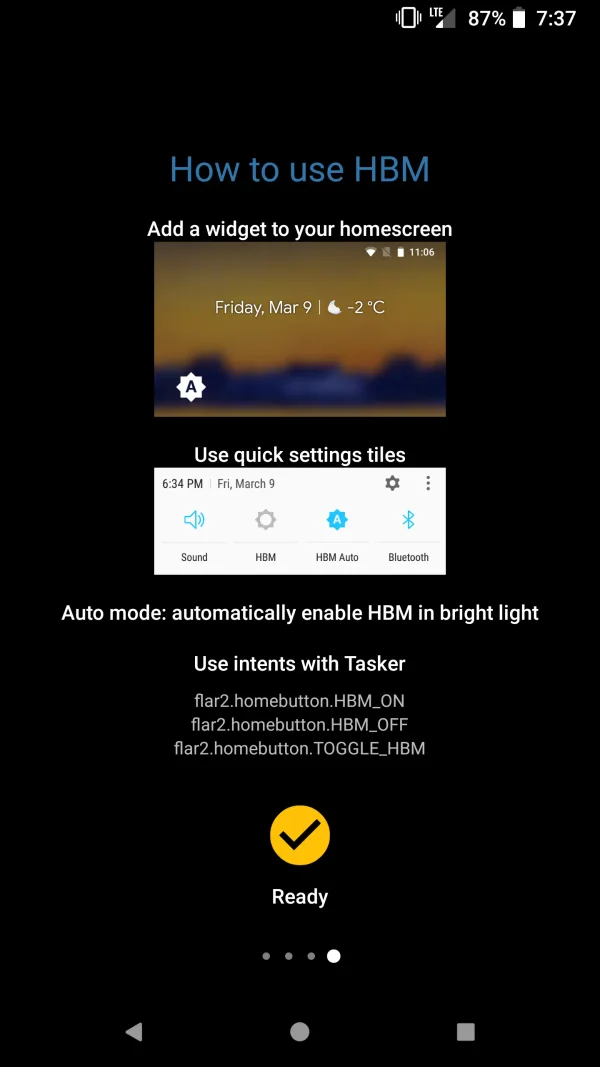
-Auto mode, yang mengaktifkan atau menonaktifkan mode kecerahan tinggi tergantung pada pencahayaan sekitar
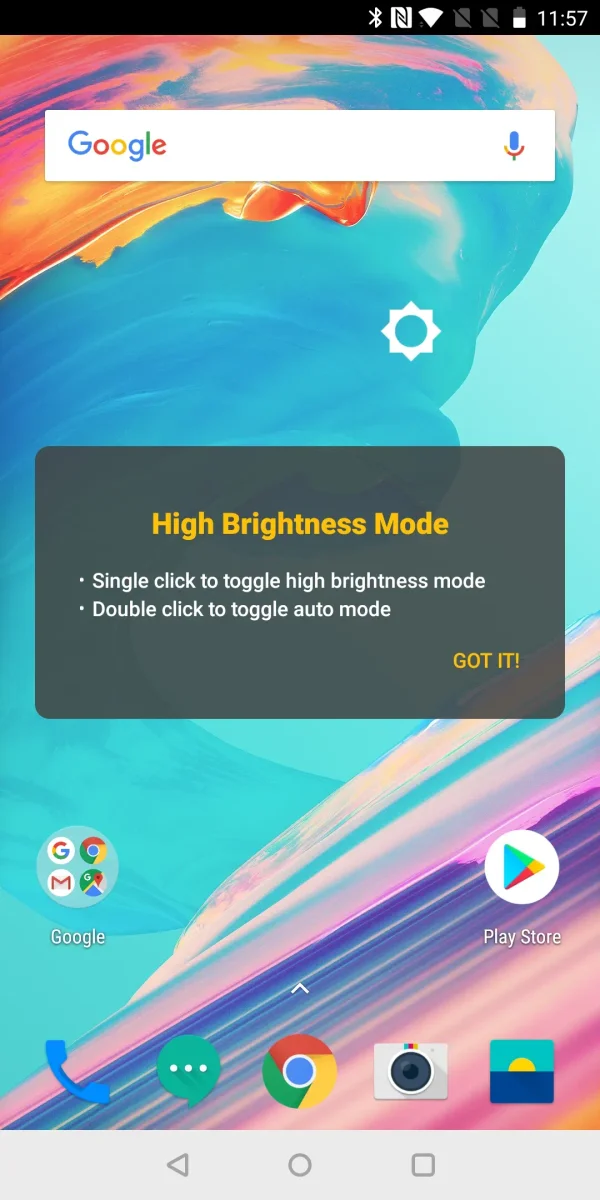
-Biarkan untuk homescreen Anda
Ubin Pengaturan Cepat (Android Nougat atau yang lebih baru)
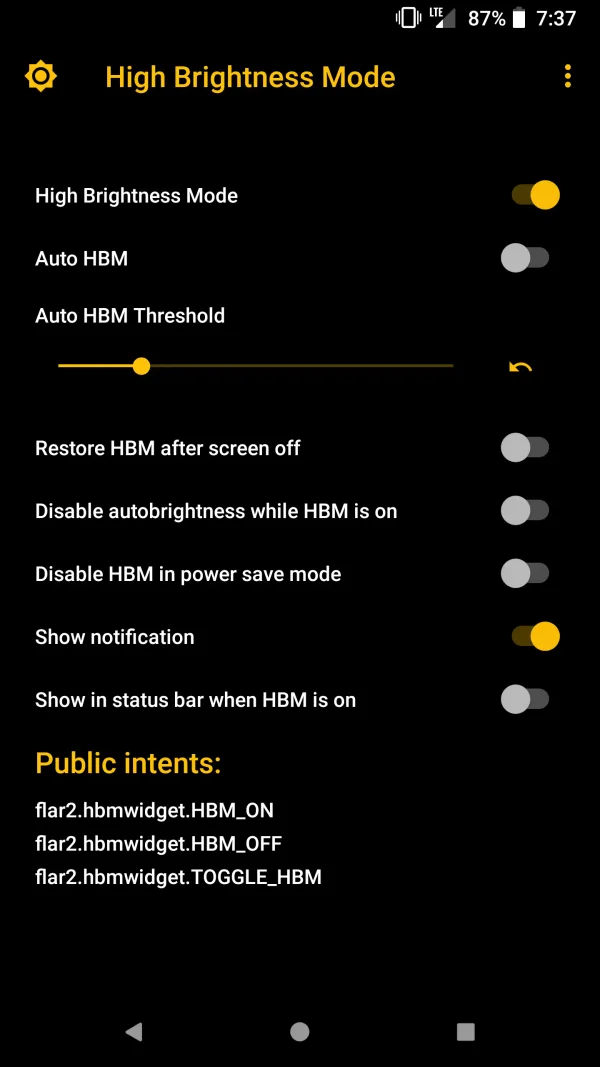
Secara manual di dalam aplikasi
Perangkat yang kompatibel:
-Sebagian besar ponsel Samsung, termasuk Galaxy S6 / S7 / S8 dan Note 6/7/8. Bekerja tanpa root pada ponsel Samsung, tetapi akan lebih cerah pada perangkat yang di-root
-Sebagian besar ponsel Motorola dengan layar AMOLED. Membutuhkan root.
-Nexus 6. Membutuhkan root untuk pengaturan perangkat keras HBM
-Nexus 6P, Pixel, Pixel XL, Pixel 2, Pixel 2XL, Pixel 3, Pixel 3XL, Pixel 3a, Pixel 3a XL: Membutuhkan kernel khusus seperti ElementalX atau Kirisakura dan root.
-OnePlus 3 / 3T / 5 / 5T / 6 / 6T / 7: membutuhkan root
Pada ponsel dengan pengaturan perangkat keras HBM, aplikasi ini dapat membuat layar Anda hingga 20% lebih terang daripada pengaturan kecerahan tertinggi. Widget Mode Kecerahan Tinggi menggunakan pengaturan perangkat keras tersembunyi untuk mengeluarkan potensi penuh layar AMOLED Anda.
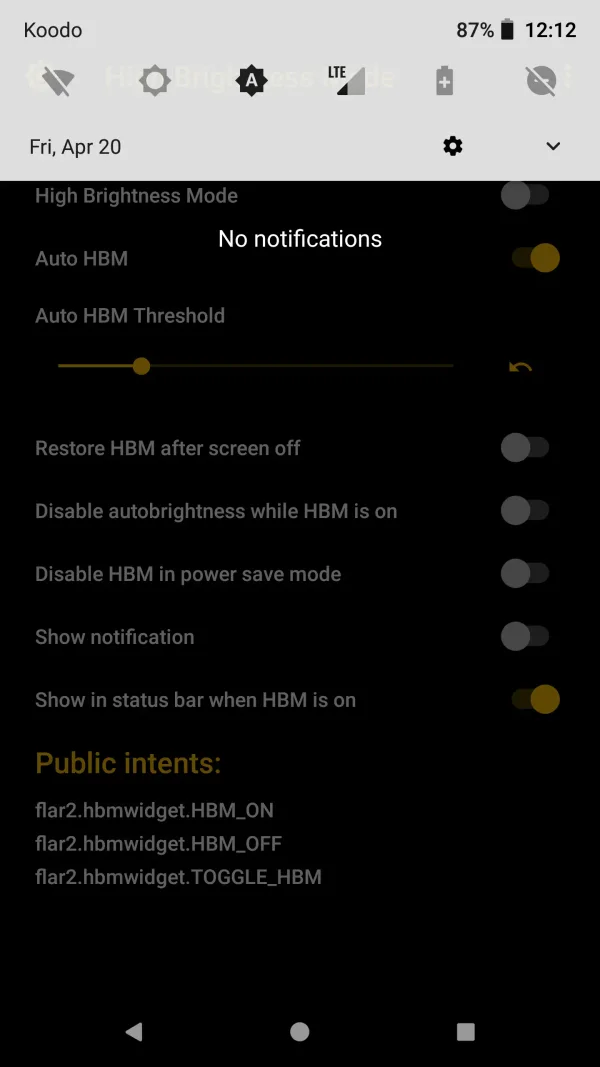
Mode otomatis akan secara otomatis menghidupkan atau mematikan mode kecerahan tinggi tergantung pada kecerahan (cahaya sekitar) di sekitar Anda. Anda dapat menyesuaikan ambang batas untuk memicu mode kecerahan tinggi dan mengatur mode otomatis menggunakan aplikasi, widget, atau ubin pengaturan cepat.
Aplikasi ini dapat mempertahankan mode kecerahan tinggi bahkan jika Anda mematikan dan menghidupkan layar Anda (dan bahkan saat reboot!)
Untuk ponsel Samsung dan OnePlus, disarankan untuk memilih opsi "Nonaktifkan autobrightness saat HBM aktif" jika Anda menggunakan kecerahan otomatis sistem. Pengaturan ini akan mencegah sistem mematikan HBM jika Anda mengaktifkannya, tetapi masih memungkinkan Anda untuk menggunakan kecerahan otomatis sepanjang waktu.
Integrasi Tasker dengan maksud ini:
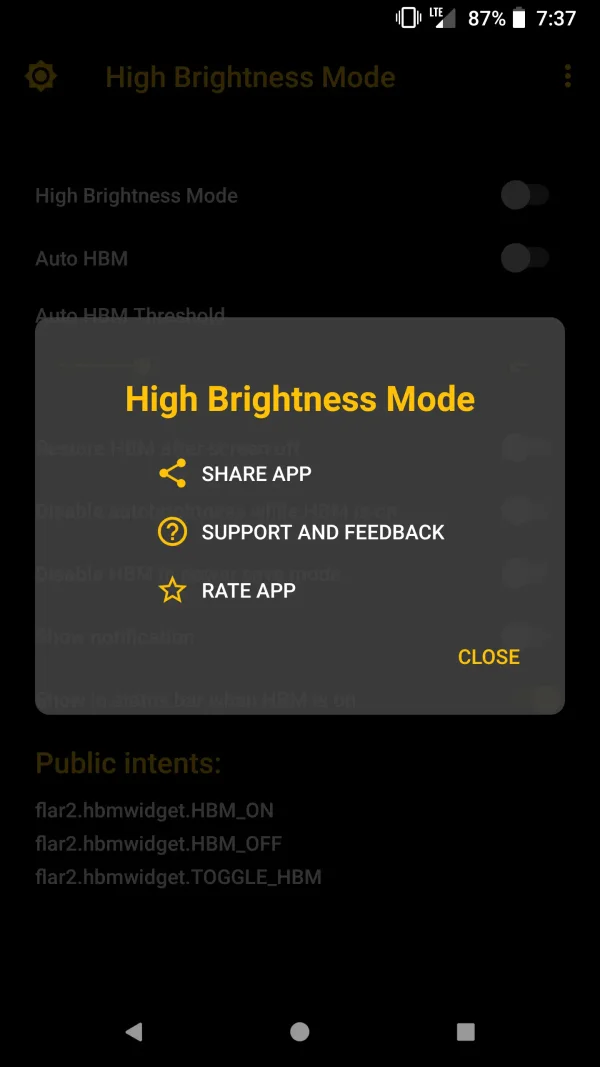
flar2.hbmwidget.TOGGLE_HBM (ini mengubah mode kecerahan tinggi)
flar2.hbmwidget.HBM_ON (mengaktifkan mode kecerahan tinggi)
flar2.hbmwidget.HBM_OFF (mematikan mode kecerahan tinggi)
Tampilkan teks asli
Can't see your screen in the bright sunshine?
This app triggers an extra high brightness mode that is built in to many phones with AMOLED screens, including most Samsung, Motorola and OnePlus phones. See below for a list of devices with high brightness mode (HBM) capability.
Even if your phone does not have the special HBM hardware setting, this app will force maximum screen brightness, which is really handy when you are outside in the sun.
HBM does not require root on Samsung devices, but the screen can will be brighter if your device is rooted. With root, this app can force maximum brightness beyond what is available in system settings.
HBM now requires root on OnePlus devices!
HBM requires root on the Nexus 6/6P, Pixel, Pixel XL, Pixel 2 and Motorola phones. Root is required because HBM is a special hardware setting, it does NOT simply increase your brightness slider to max. This is significantly brighter than max brightness on compatible devices.
Four ways to activate high brightness mode:
-Auto mode, which turns high brightness mode on or off depending on ambient lighting
-Widget for your homescreen
-Quick Settings tile (Android Nougat or later)
-Manually in the app
Compatible devices:
-Most Samsung phones, including Galaxy S6/S7/S8 and Note 6/7/8. Works without root on Samsung phones, but will get brighter on rooted devices
-Most Motorola phones with AMOLED screens. Requires root.
-Nexus 6. Requires root for HBM hardware setting
-Nexus 6P, Pixel, Pixel XL, Pixel 2, Pixel 2XL, Pixel 3, Pixel 3XL, Pixel 3a, Pixel 3a XL: Requires a custom kernel such as ElementalX or Kirisakura and root.
-OnePlus 3/3T/5/5T/6/6T/7: requires root
On phones with the HBM hardware setting, this app can make your screen up to 20% brighter than the highest brightness setting. High Brightness Mode Widget uses a hidden hardware setting to unleash the full potential of your AMOLED screen.
Auto mode will automatically turn high brightness mode on or off depending on the brightness (ambient light) of your surroundings. You can adjust the threshold for triggering high brightness mode and set auto mode using either the app, widget or quick settings tile.
This app can maintain high brightness mode even if you turn your screen off and on (and even across reboots!)
For Samsung and OnePlus phones, it is recommended to select the "Disable autobrightness when HBM is on" option if you use the system's auto brightness. This setting will prevent the system from turning off HBM if you enable it, but still allow you to use auto brightness the rest of the time.
Tasker integration with these intents:
flar2.hbmwidget.TOGGLE_HBM (this toggles high brightness mode)
flar2.hbmwidget.HBM_ON (turns on high brightness mode)
flar2.hbmwidget.HBM_OFF (turns off high brightness mode)
Keamanan data
Yang dinyatakan flar2 di Google Play tentang data yang dikumpulkan dan dibagikan aplikasi ini.
- Tidak ada data yang dibagikan kepada pihak ketigaPelajari lebih lanjut cara developer menyatakan pembagian data
- Tidak ada data yang dikumpulkanPelajari lebih lanjut cara developer menyatakan pengumpulan data
Yang baru
Versi 6.02 · 13/8/2024
-Supports Pixel 4, 5, 6, 7 and 8 series (requires root)
-Supports OnePlus 5, 6, 7 and 8 series (and maybe later) (requires root)
-Supports most (not all) Samsung devices without root
-Other devices do not have High Brightness Mode! This app will only set the display to max brightness, no extra brightness. Still useful if you want to force maximum brightness
Version 6.02:
-update for new devices
-bug fixes and improvements
Kontak pengembang
- Situs webelementalx.org
- Emailasegaert@gmail.com
- Kebijakan Privasielementalx.org
- Alamat9093 West Ridge Line Blenheim, ON N0P 1A0 Canada
Informasi
- Ditawarkan oleh
- flar2
- Kategori
- Alat
- Versi
- 6.02
- Diperbarui
- 13/8/2024
- Dirilis
- 21/7/2015
- Memerlukan
- Android 5.0 atau yang lebih baru
- Batasan usia
- Rating 3+
- Harga
- Rp 10.000
- Nama paket
- flar2.hbmwidget