High Brightness Mode
flar2- 3 歳以上対象年齢
- ツールカテゴリ
- 2024/8/13更新日
- ¥150価格
flar2.hbmwidgetのGoogle Play公式ページにリンクしています。最終確認:2026/11/14。

スクリーンショット

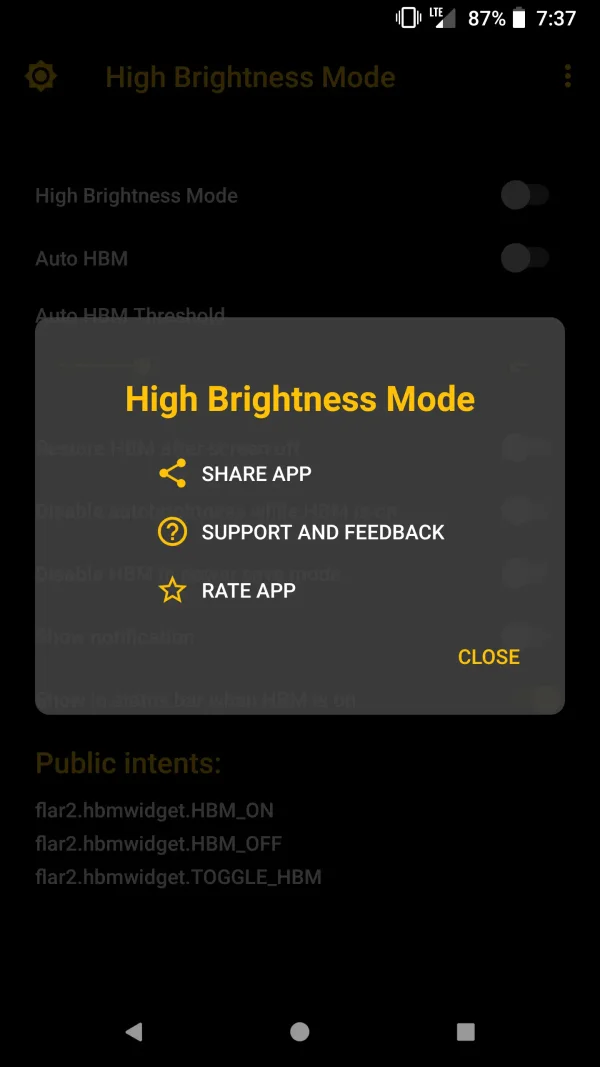
このアプリについて
Googleによる英語 (アメリカ合衆国)からの自動翻訳です。
明るい日差しの中で自分の画面を参照してください。 お使いの携帯電話用高輝度モード
明るい日差しの中で画面が見えませんか?
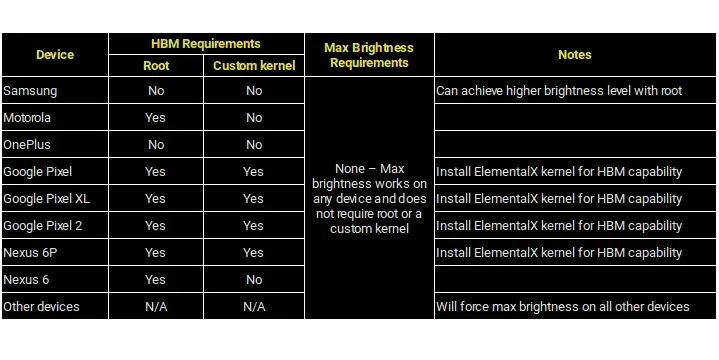
このアプリは、ほとんどのSamsung、Motorola、OnePlus電話など、AMOLED画面を備えた多くの電話に組み込まれている特別な高輝度モードをトリガーします。高輝度モード(HBM)機能を備えたデバイスのリストについては、以下を参照してください。
お使いの携帯電話に特別なHBMハードウェア設定がない場合でも、このアプリは画面の最大輝度を強制します。これは、太陽の外にいるときに本当に便利です。
HBMはSamsungデバイスのルートを必要としませんが、デバイスがルート化されている場合は画面が明るくなることがあります。ルートを使用すると、このアプリはシステム設定で利用できる輝度を超えて最大輝度を強制できます。
HBMでは、OnePlusデバイスのルートが必要になりました!
HBMには、Nexus 6 / 6P、Pixel、Pixel XL、Pixel 2、およびMotorolaの電話のルートが必要です。 HBMは特別なハードウェア設定であるため、ルートが必要になります。輝度スライダーを単純に最大値に上げるわけではありません。これは、互換性のあるデバイスの最大輝度よりもかなり明るいです。
高輝度モードを有効にする4つの方法:
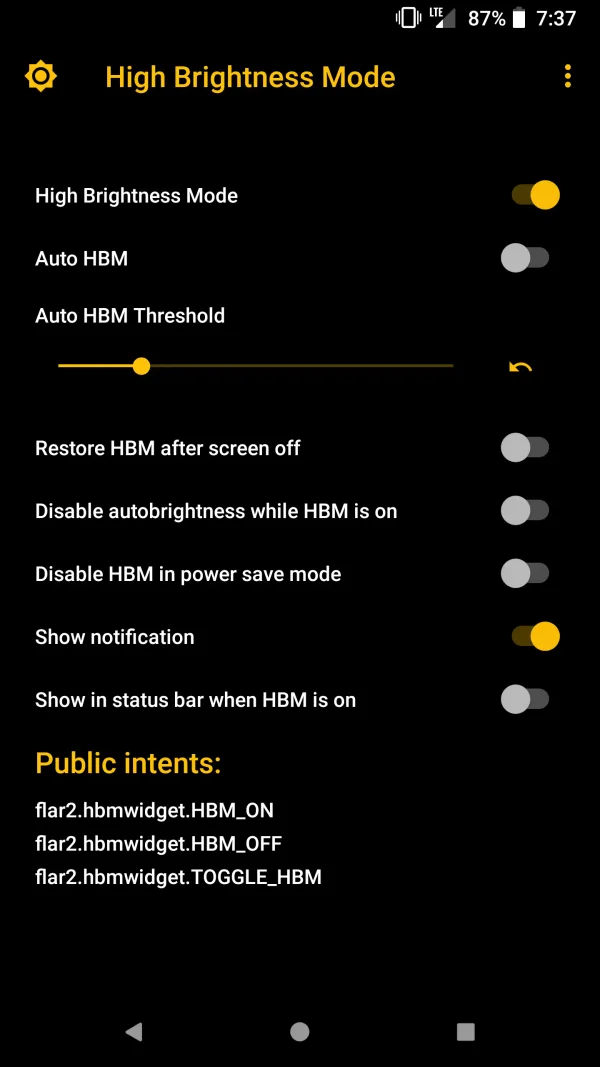
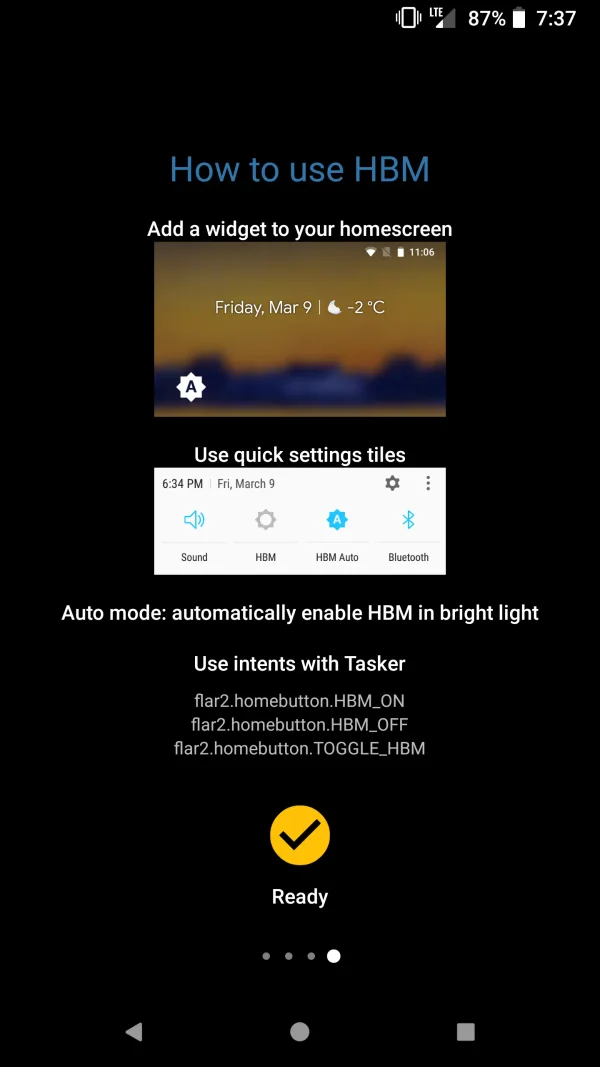
-周囲光に応じて高輝度モードをオンまたはオフにする自動モード
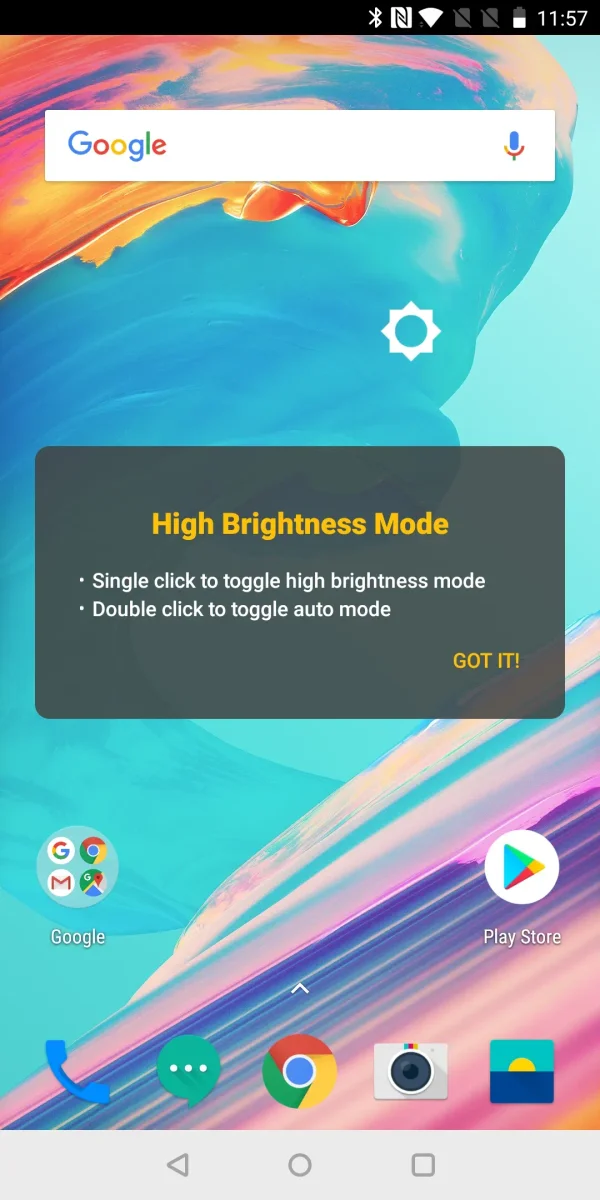
-ホーム画面用のウィジェット
-クイック設定タイル(Android Nougat以降)
-アプリで手動で
互換性のあるデバイス:
-Galaxy S6 / S7 / S8およびNote 6/7/8を含むほとんどのSamsung電話。 Samsung携帯電話ではルートなしで動作しますが、ルート化されたデバイスでは明るくなります
-AMOLEDスクリーンを備えたほとんどのMotorola電話。ルートが必要です。
-Nexus6。HBMハードウェア設定にルートが必要
-Nexus 6P、Pixel、Pixel XL、Pixel 2、Pixel 2XL、Pixel 3、Pixel 3XL、Pixel 3a、Pixel 3a XL:ElementalXやKirisakuraなどのカスタムカーネルとルートが必要です。
-OnePlus 3 / 3T / 5 / 5T / 6 / 6T / 7:ルートが必要
HBMハードウェア設定の携帯電話では、このアプリは画面を最高輝度設定よりも最大20%明るくすることができます。高輝度モードウィジェットは、隠されたハードウェア設定を使用して、AMOLED画面の可能性を最大限に引き出します。
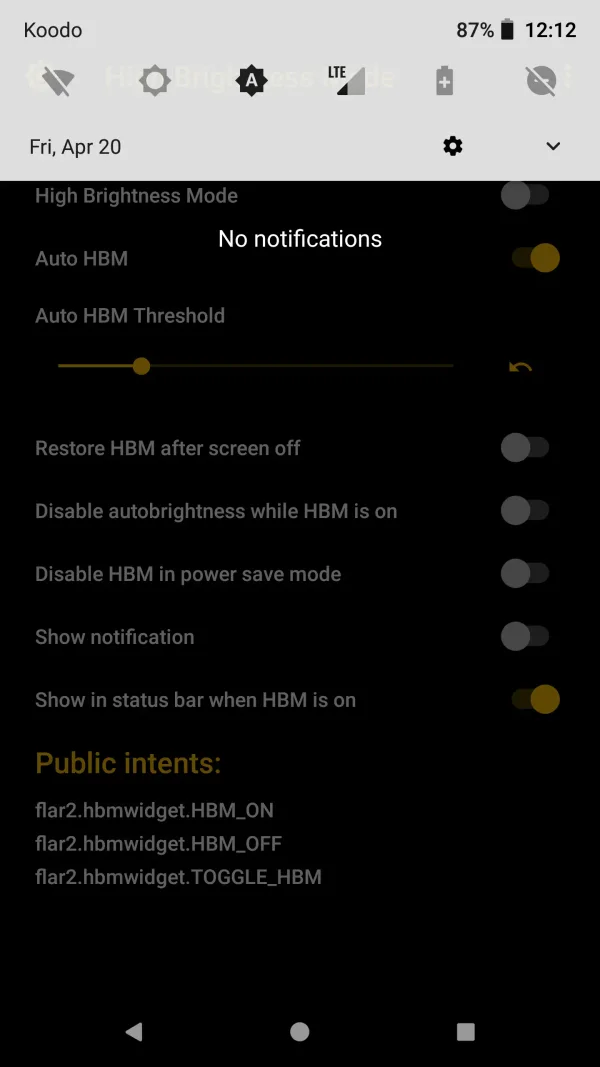
自動モードは、周囲の明るさ(周囲の光)に応じて、高輝度モードを自動的にオンまたはオフにします。アプリ、ウィジェット、またはクイック設定タイルのいずれかを使用して、高輝度モードをトリガーするためのしきい値を調整し、自動モードを設定できます。
このアプリは、画面のオン/オフを切り替えても(さらに再起動しても)高輝度モードを維持できます。
SamsungおよびOnePlus電話では、システムの自動輝度を使用する場合は、「HBMがオンのときは自動輝度を無効にする」オプションを選択することをお勧めします。この設定により、HBMを有効にした場合にシステムがHBMをオフにできなくなりますが、それ以外の時間は自動輝度を使用できます。
これらのインテントとタスカーの統合:
flar2.hbmwidget.TOGGLE_HBM(これは高輝度モードを切り替えます)
flar2.hbmwidget.HBM_ON(高輝度モードをオンにします)
flar2.hbmwidget.HBM_OFF(高輝度モードをオフにします)
原文を表示
Can't see your screen in the bright sunshine?
This app triggers an extra high brightness mode that is built in to many phones with AMOLED screens, including most Samsung, Motorola and OnePlus phones. See below for a list of devices with high brightness mode (HBM) capability.
Even if your phone does not have the special HBM hardware setting, this app will force maximum screen brightness, which is really handy when you are outside in the sun.
HBM does not require root on Samsung devices, but the screen can will be brighter if your device is rooted. With root, this app can force maximum brightness beyond what is available in system settings.
HBM now requires root on OnePlus devices!
HBM requires root on the Nexus 6/6P, Pixel, Pixel XL, Pixel 2 and Motorola phones. Root is required because HBM is a special hardware setting, it does NOT simply increase your brightness slider to max. This is significantly brighter than max brightness on compatible devices.
Four ways to activate high brightness mode:
-Auto mode, which turns high brightness mode on or off depending on ambient lighting
-Widget for your homescreen
-Quick Settings tile (Android Nougat or later)
-Manually in the app
Compatible devices:
-Most Samsung phones, including Galaxy S6/S7/S8 and Note 6/7/8. Works without root on Samsung phones, but will get brighter on rooted devices
-Most Motorola phones with AMOLED screens. Requires root.
-Nexus 6. Requires root for HBM hardware setting
-Nexus 6P, Pixel, Pixel XL, Pixel 2, Pixel 2XL, Pixel 3, Pixel 3XL, Pixel 3a, Pixel 3a XL: Requires a custom kernel such as ElementalX or Kirisakura and root.
-OnePlus 3/3T/5/5T/6/6T/7: requires root
On phones with the HBM hardware setting, this app can make your screen up to 20% brighter than the highest brightness setting. High Brightness Mode Widget uses a hidden hardware setting to unleash the full potential of your AMOLED screen.
Auto mode will automatically turn high brightness mode on or off depending on the brightness (ambient light) of your surroundings. You can adjust the threshold for triggering high brightness mode and set auto mode using either the app, widget or quick settings tile.
This app can maintain high brightness mode even if you turn your screen off and on (and even across reboots!)
For Samsung and OnePlus phones, it is recommended to select the "Disable autobrightness when HBM is on" option if you use the system's auto brightness. This setting will prevent the system from turning off HBM if you enable it, but still allow you to use auto brightness the rest of the time.
Tasker integration with these intents:
flar2.hbmwidget.TOGGLE_HBM (this toggles high brightness mode)
flar2.hbmwidget.HBM_ON (turns on high brightness mode)
flar2.hbmwidget.HBM_OFF (turns off high brightness mode)
データ セーフティ
このアプリが収集・共有するデータについて、flar2がGoogle Playで申告している内容です。
- 第三者と共有されるデータはありません詳しくは、デベロッパーが共有を申告する方法についての説明をご覧ください
- データは収集されません詳しくは、デベロッパーが収集を申告する方法についての説明をご覧ください
新機能
バージョン 6.02 · 2024/8/13
-Supports Pixel 4, 5, 6, 7 and 8 series (requires root)
-Supports OnePlus 5, 6, 7 and 8 series (and maybe later) (requires root)
-Supports most (not all) Samsung devices without root
-Other devices do not have High Brightness Mode! This app will only set the display to max brightness, no extra brightness. Still useful if you want to force maximum brightness
Version 6.02:
-update for new devices
-bug fixes and improvements
開発元の連絡先
- ウェブサイトelementalx.org
- メールasegaert@gmail.com
- プライバシーポリシーelementalx.org
- 住所9093 West Ridge Line Blenheim, ON N0P 1A0 Canada
情報
- 提供元
- flar2
- カテゴリ
- ツール
- バージョン
- 6.02
- 更新日
- 2024/8/13
- リリース
- 2015/7/21
- 必要条件
- Android 5.0以降
- 対象年齢
- 3 歳以上
- 価格
- ¥150
- パッケージ名
- flar2.hbmwidget