ONLYOFFICE Documents
Ascensio System SIA- Rating 3+Batasan usia
- ProduktivitasKategori
- 26/10/2026Diperbarui
- GratisHarga
Tertaut ke halaman resmi com.onlyoffice.documents di Google Play. Terakhir diperiksa pada 20/11/2026.

Tangkapan layar
Tentang aplikasi ini
Terjemahan otomatis oleh Google. Bahasa asli: Inggris (Amerika Serikat).
Dokumen ONLYOFFICE - paket office pocket gratis
ONLYOFFICE Documents - Paket aplikasi perkantoran seluler terbaik untuk Android
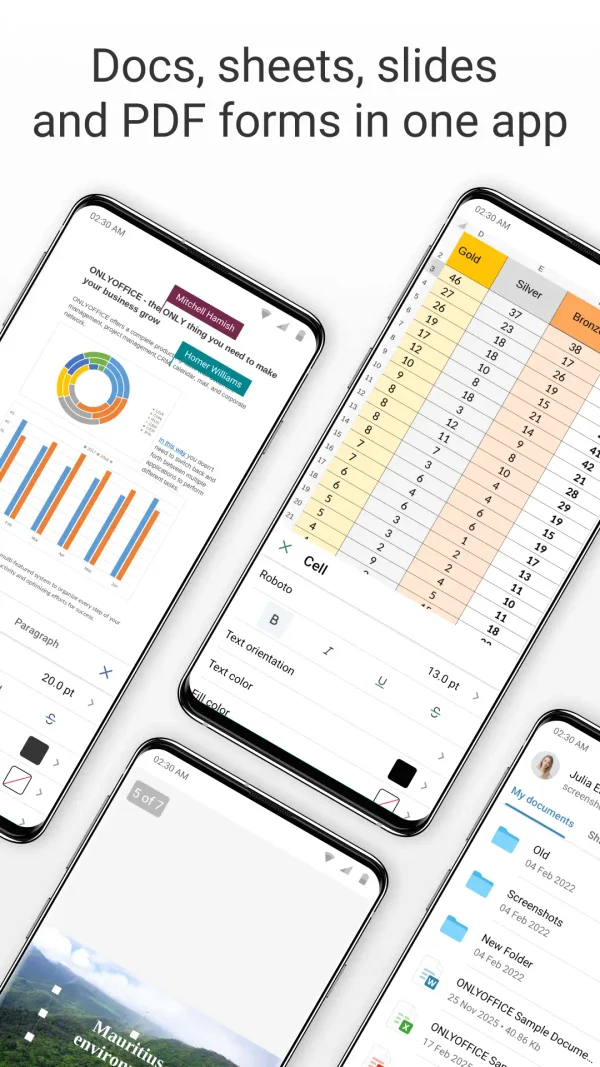
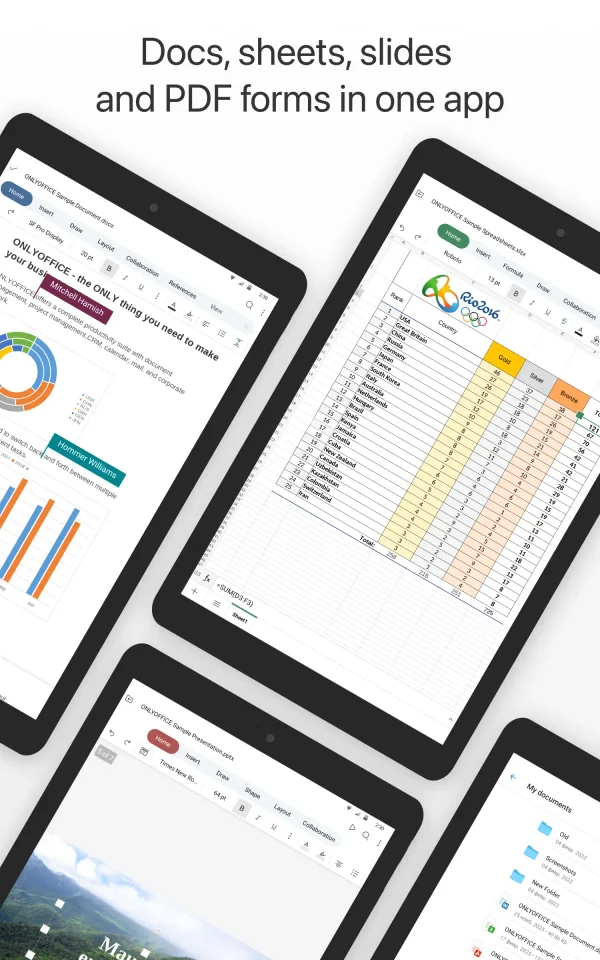
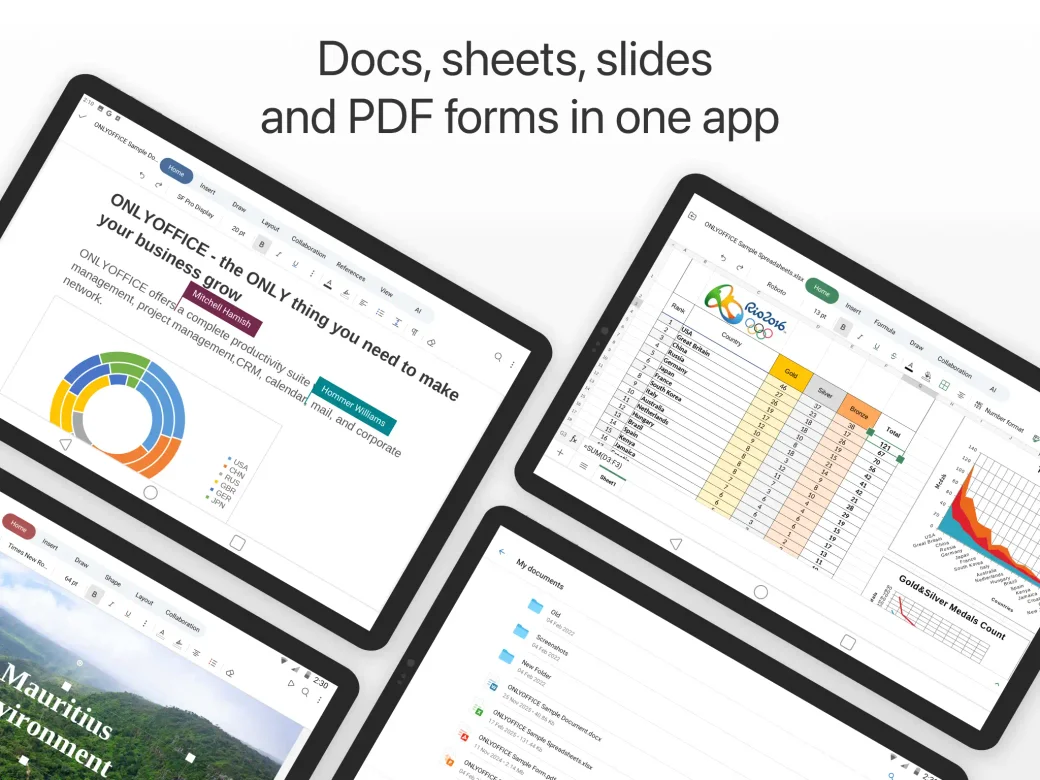
ONLYOFFICE Documents adalah paket aplikasi perkantoran gratis untuk Android yang memungkinkan Anda mengedit teks, spreadsheet, presentasi, PDF, dan mengisi formulir online. Sepenuhnya kompatibel dengan format MS Office, aplikasi ini mendukung kolaborasi waktu nyata dan akses offline. Atur, edit, dan bagikan dokumen dari perangkat seluler Anda.
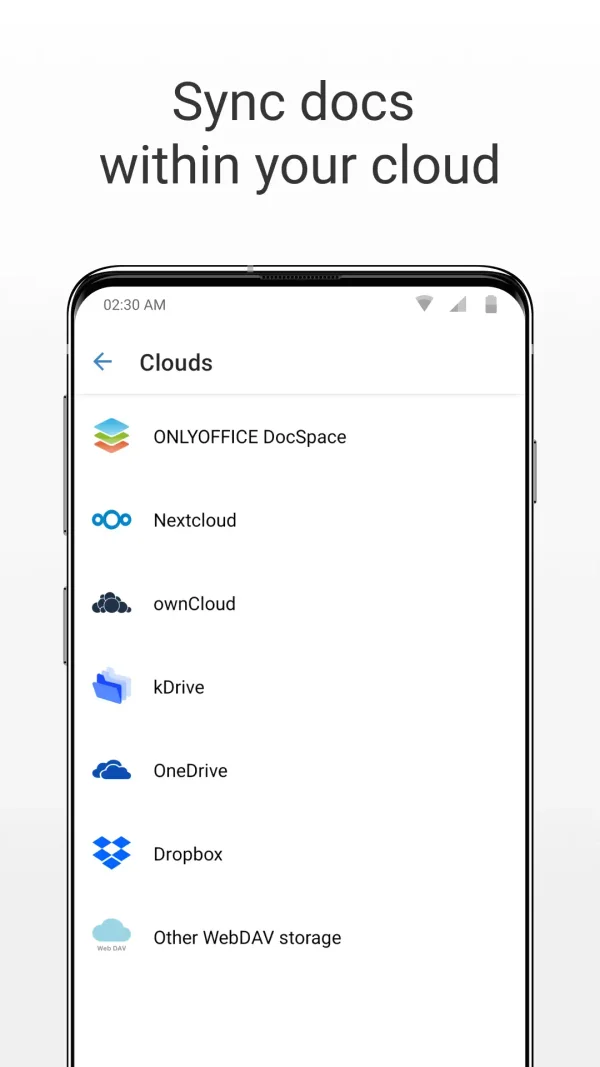
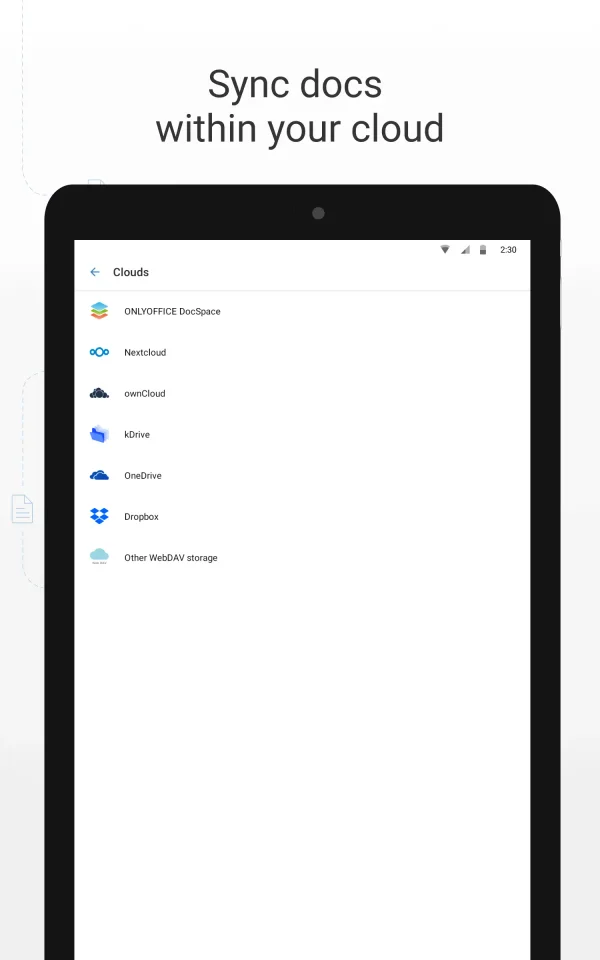
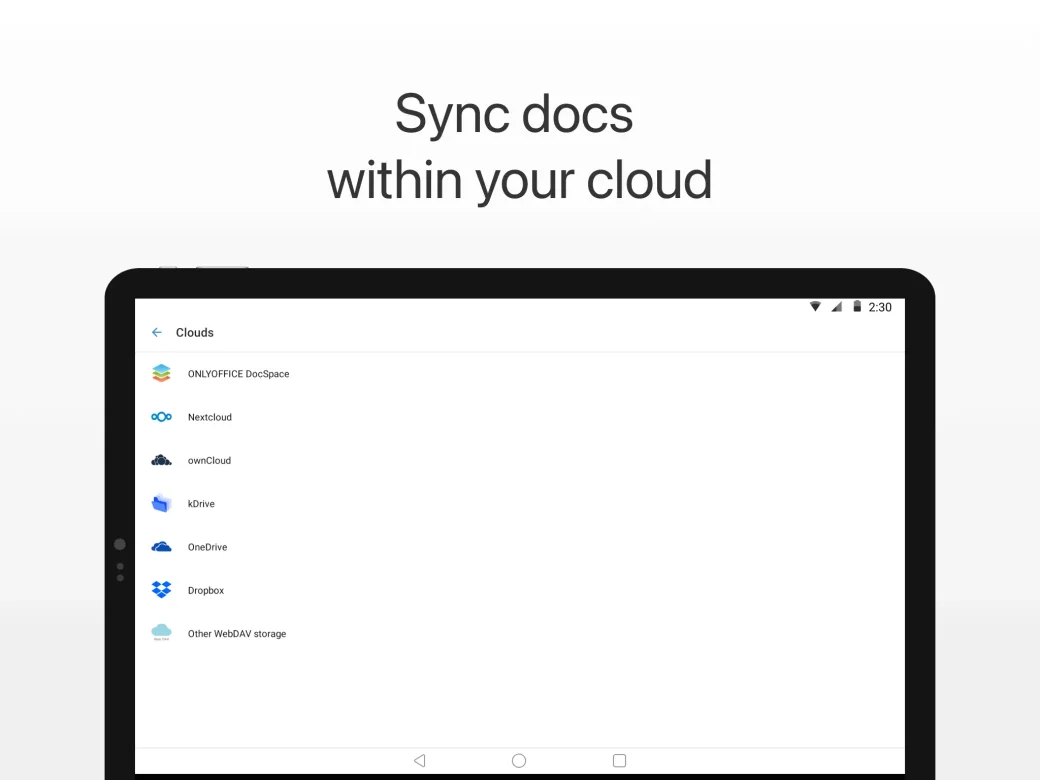
Sinkronkan layanan cloud Anda: ONLYOFFICE, Nextcloud, OneDrive, ownCloud, kDrive, Dropbox, atau WebDAV untuk akses instan ke file Anda.
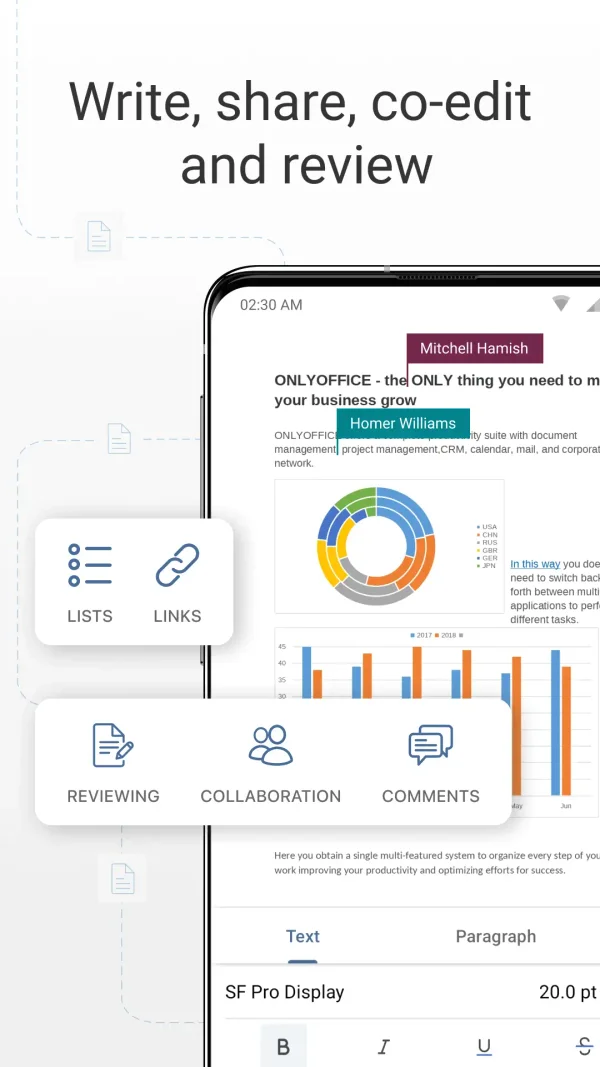
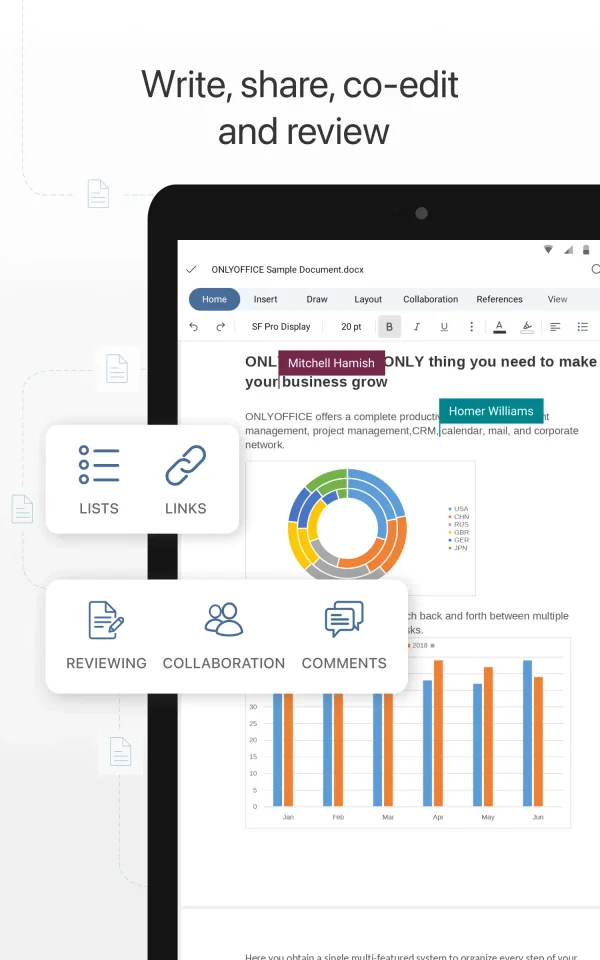
Saat terhubung ke cloud ONLYOFFICE Anda, bekerja secara kolaboratif dengan rekan tim secara real-time: tinggalkan komentar, lacak perubahan, kelola versi dokumen, dan tetapkan hak akses yang fleksibel untuk melihat, memberi komentar, atau mengedit.
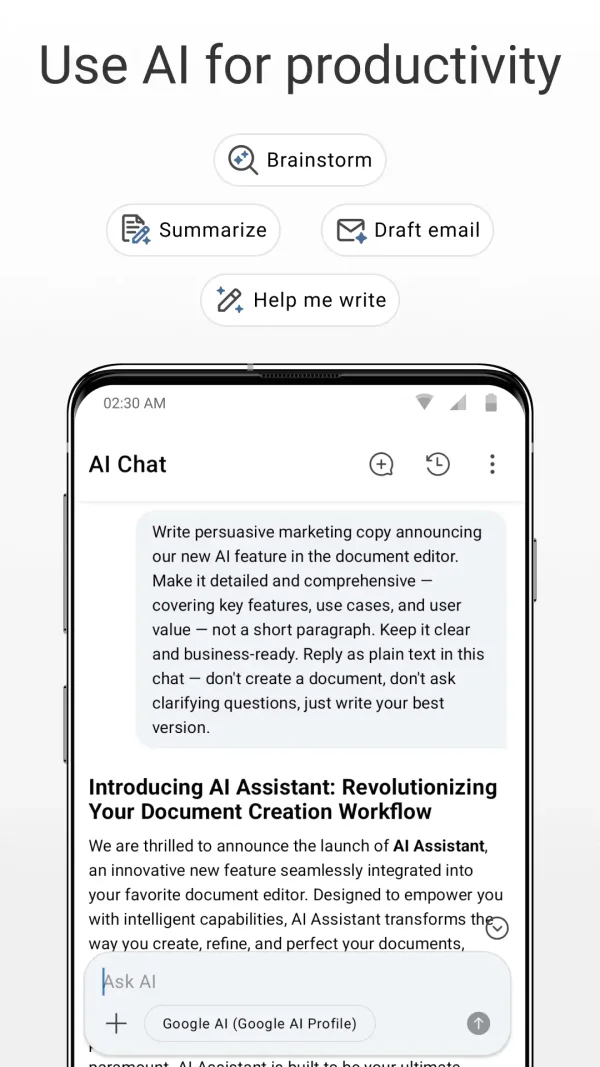
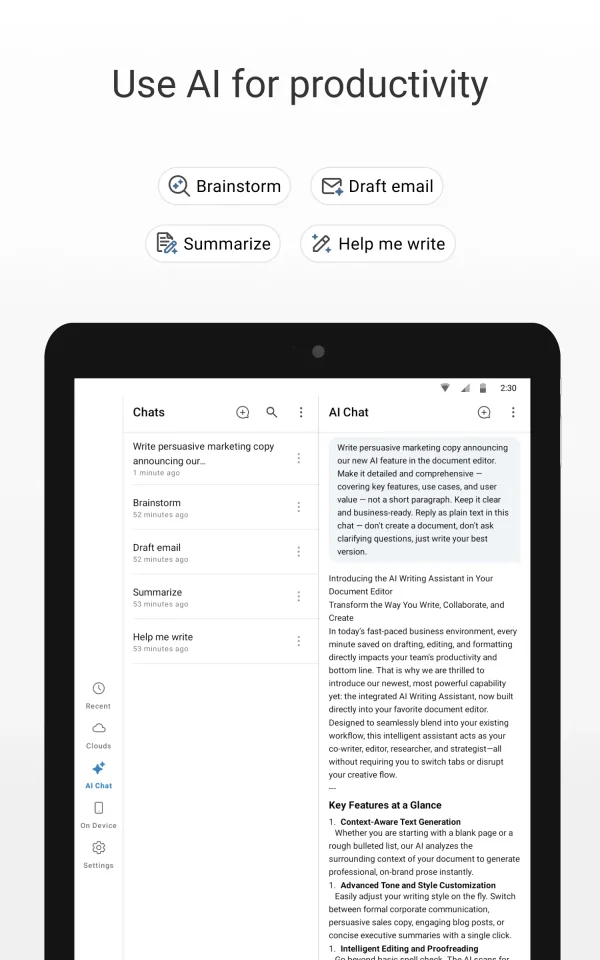
Bekerja lebih cepat dengan AI: mengobrol dengan asisten AI, dapatkan bantuan AI langsung di dalam editor dokumen, spreadsheet, dan presentasi, buat presentasi, isi formulir secara otomatis dengan Isi Otomatis, dan dengarkan respons AI yang dibacakan di perangkat Anda. Pilih dari beberapa penyedia AI. Pindai dokumen dengan kamera Anda, ekstrak teks, dan ubah menjadi file yang dapat diedit. ONLYOFFICE Documents menggabungkan alat pengeditan yang canggih dan fitur kolaborasi untuk menjaga produktivitas Anda saat bepergian.
Fitur Utama
Melihat dan mengedit dokumen Office
• Format utama yang didukung: DOCX, XLSX, PPTX
• Format populer lainnya: DOC, XLS, PPT, ODT, ODS, ODP, DOTX
• Melihat file PDF standar dan yang dilindungi
• Bekerja dengan dokumen Apple (Pages, Numbers, Keynote) dan HWP
• Membuka file ODG/Markdown
• Menyimpan file sebagai PDF, TXT, CSV, HTML
Bekerja secara online atau offline
ONLYOFFICE Documents memungkinkan Anda mengakses dan mengedit file dokumen secara lokal di perangkat Anda, bahkan tanpa koneksi internet. Sinkronkan semua perubahan dengan mudah setelah Anda kembali online.
• Edit dokumen teks dan spreadsheet
• Lihat presentasi, PDF, foto, dan video
• Urutkan, ganti nama, pindahkan, dan buat folder
• Tandai file sebagai favorit di portal Anda
Untuk menggunakan aplikasi di cloud, cukup buat akun cloud ONLYOFFICE gratis langsung dari aplikasi jika Anda belum memilikinya.
Kolaborasi Real-time
Saat bekerja di cloud ONLYOFFICE, nikmati fitur kolaborasi yang praktis:
• Beri komentar, lacak, dan tinjau perubahan
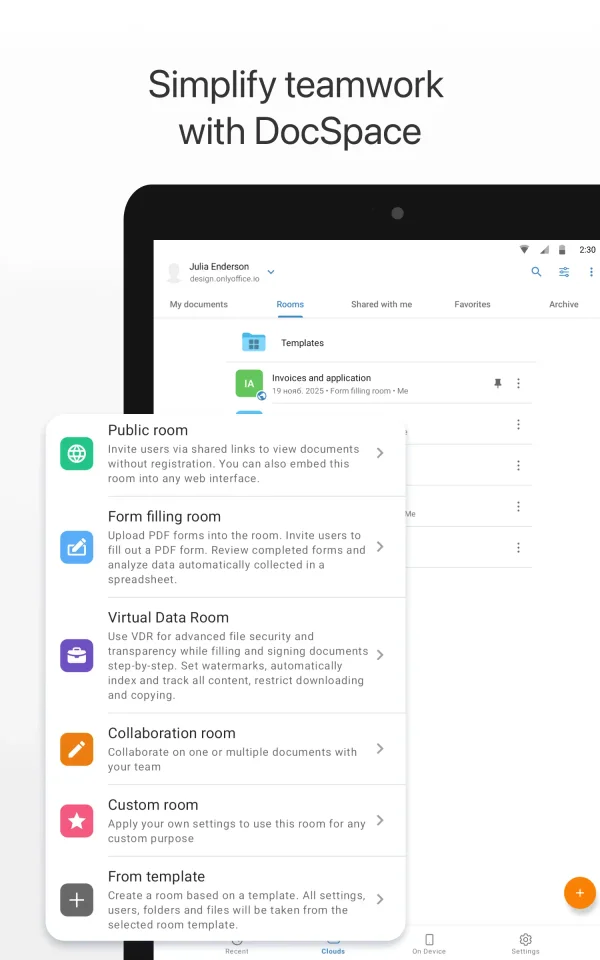
• Isi formulir berbasis peran di VDR
• Berbagi dengan mudah, bahkan dengan kolaborator eksternal
• Bagikan dan berikan hak akses yang berbeda
Izin akses dokumen meliputi:
• Pengeditan – akses penuh
• Tinjau – perubahan memerlukan persetujuan
• Filter kustom – lihat spreadsheet dengan filter pribadi
• Pengisian formulir – hanya mengisi formulir
• Komentar – tambahkan komentar tanpa mengubah konten asli
• Hanya baca – hanya melihat file
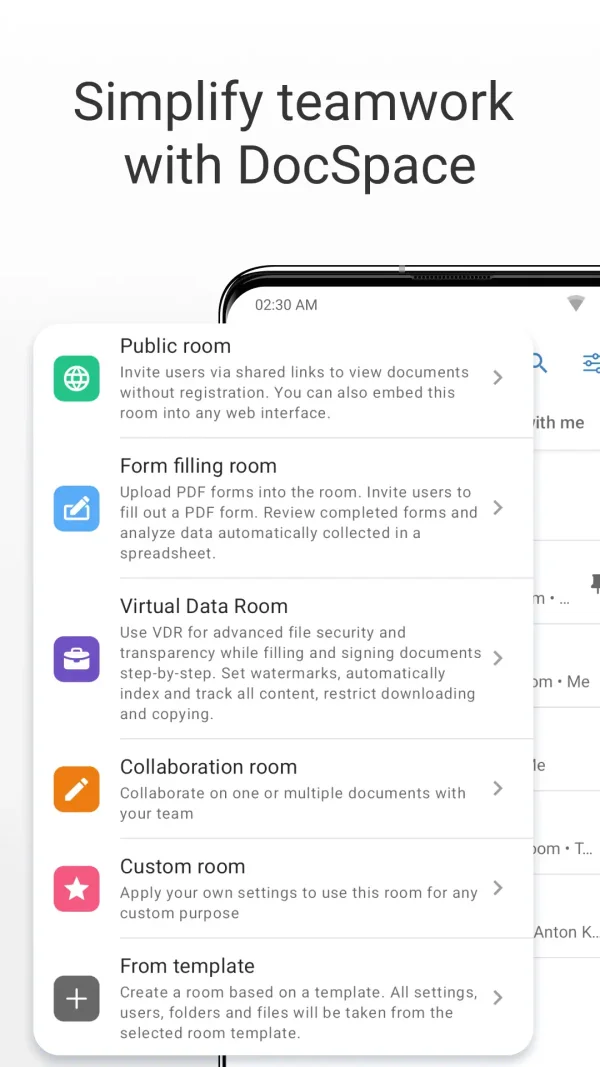
Gunakan berbagi publik untuk mengundang pengguna melalui tautan eksternal untuk melihat dokumen tanpa registrasi.
Editor Dokumen
• Sisipkan tabel, bentuk otomatis, gambar, bagan
• Sisipkan catatan kaki, catatan akhir, nomor halaman, pemisah bagian
• Atur jenis, ukuran, dan warna font
• Ubah pembungkus teks
• Gunakan pemeriksa ejaan
• Lindungi dokumen dengan kata sandi
• Tambahkan hyperlink
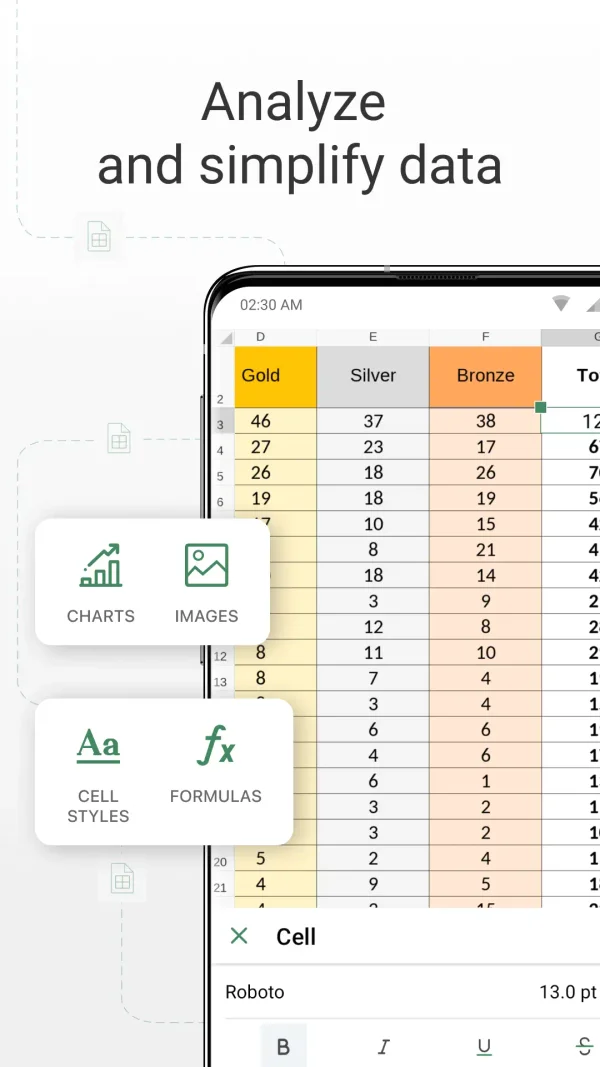
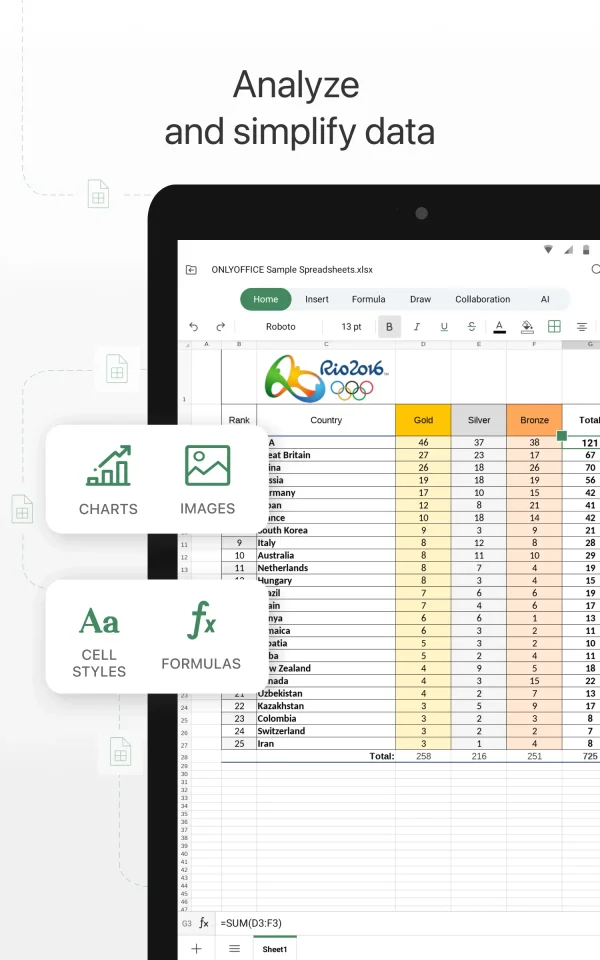
Editor Spreadsheet
• Pilih, potong, salin, tempel data
• Atur jenis, ukuran, dan warna font
• Terapkan gaya sel, tambahkan batas sel, sejajarkan data dalam sel
• Bungkus teks dalam sel
• Sisipkan tabel, bentuk otomatis, gambar, bagan
• Lindungi spreadsheet dengan kata sandi
• Urutkan dan filter data
• Bekerja secara kolaboratif pada spreadsheet
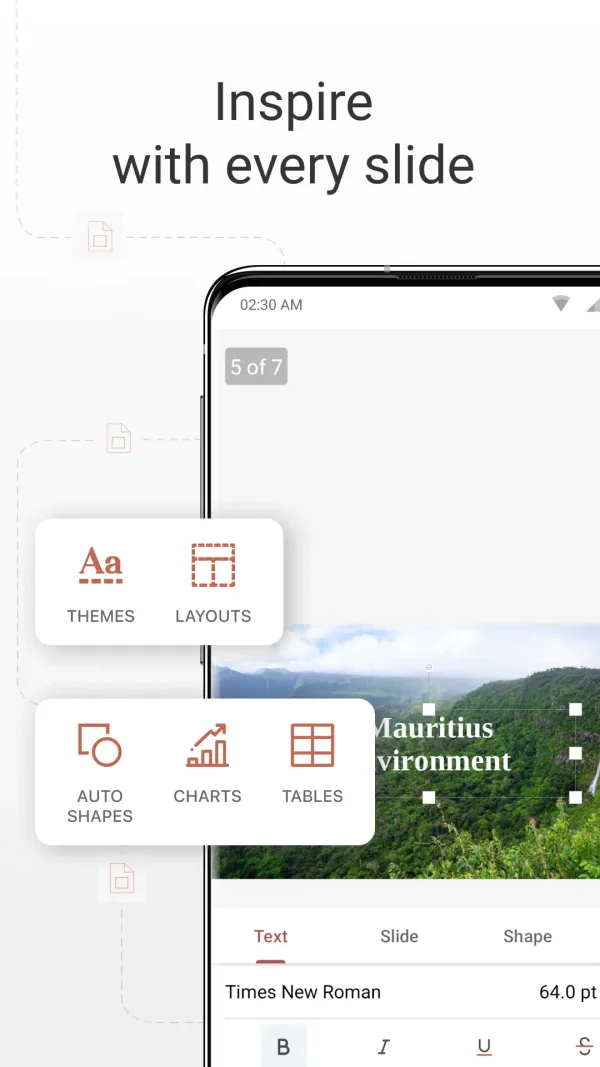
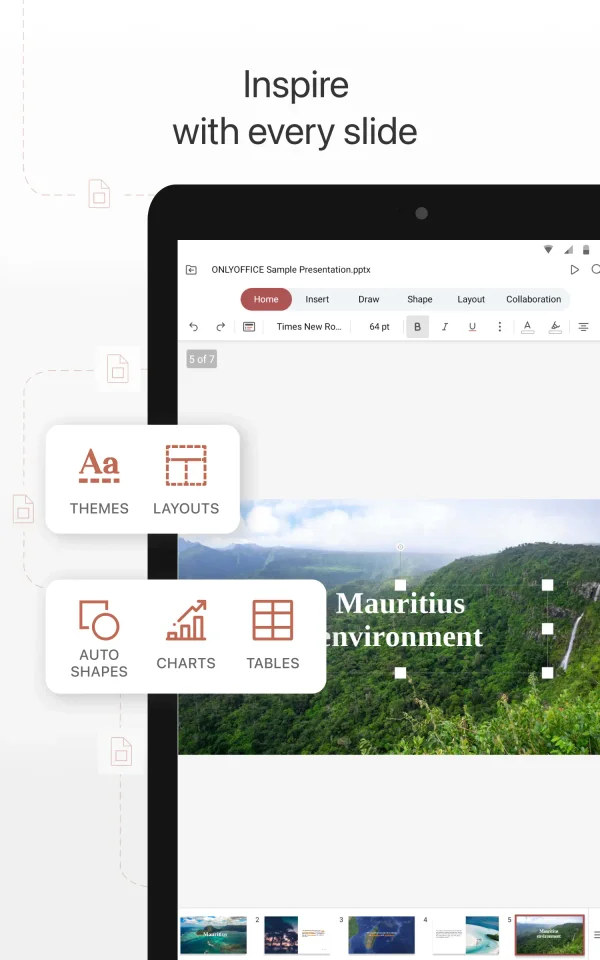
Editor Presentasi
• Penampil presentasi seluler
• Pilih, potong, salin, tempel teks dan objek
• Ubah tata letak slide, parameter, tema, latar belakang slide
• Terapkan Transisi
• Sisipkan tabel, bentuk otomatis, gambar, bagan
• Gunakan pemeriksa ejaan
• Diskusikan slide secara real-time
• Lindungi presentasi dengan kata sandi
• Unduh dan cetak presentasi
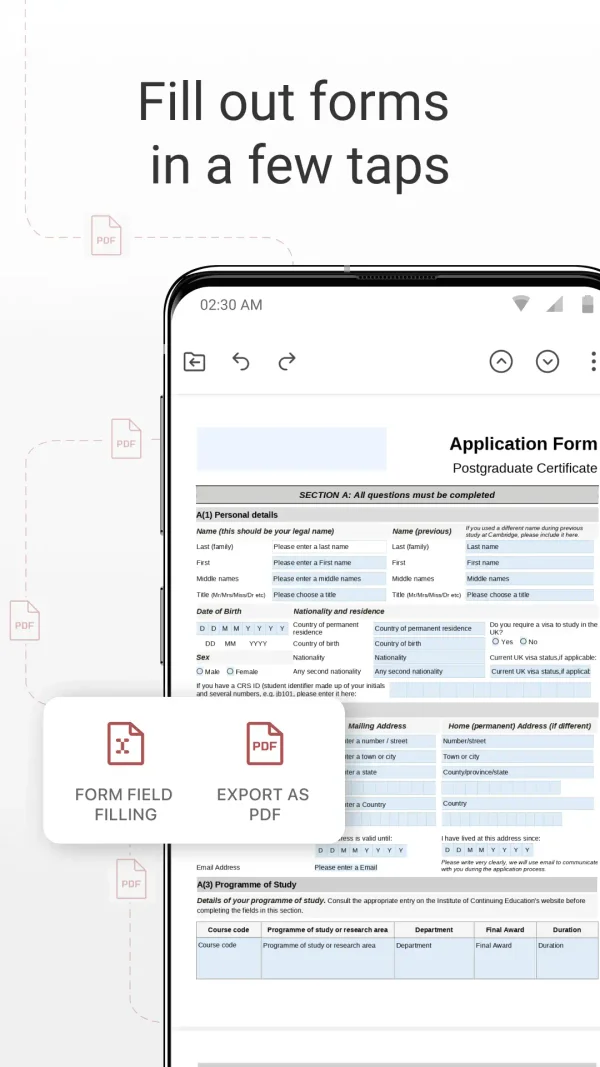
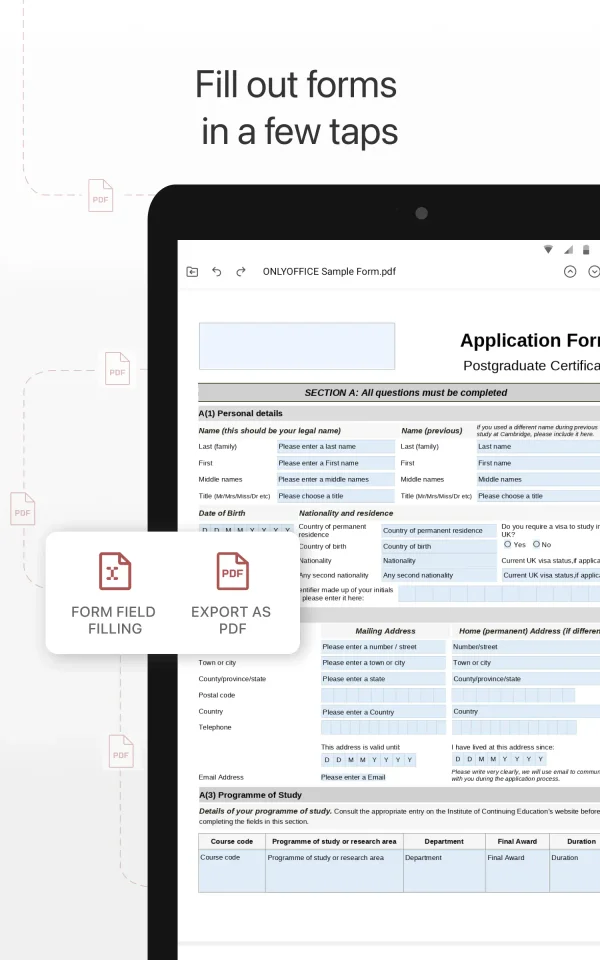
Pengisi formulir PDF
• Buka dan isi formulir yang tersimpan di perangkat Anda
• Gunakan templat siap pakai dari perpustakaan templat
• Lindungi formulir dengan kata sandi
• Ekspor formulir siap pakai dalam format DOCX/PDF
Unduh ONLYOFFICE Documents sekarang dan berkolaborasi lebih cerdas di mana saja.
Tampilkan teks asli
ONLYOFFICE Documents - The ultimate mobile office suite for Android
ONLYOFFICE Documents is a free office suite for Android that lets you edit text, spreadsheets, presentations, PDFs, and fill out online forms. Fully compatible with MS Office formats, it supports real-time collaboration and offline access. Organize, edit, and share documents from your mobile device.
Sync your cloud services: ONLYOFFICE, Nextcloud, OneDrive, ownCloud, kDrive, Dropbox, or WebDAV for instant access to your files.
When connected to your ONLYOFFICE cloud, work collaboratively with teammates in real time: leave comments, track changes, manage document versions, and assign flexible access rights for viewing, commenting, or editing.
Work faster with AI: chat with the AI assistant, get AI help right inside the document, spreadsheet, and presentation editors, generate presentations, fill out forms automatically with Auto Fill, and listen to AI responses read aloud on your device. Choose from multiple AI providers. Scan documents with your camera, extract text, and turn them into editable files.
ONLYOFFICE Documents combines powerful editing tools and collaboration features to keep you productive on the go.
Main features
View and edit Office documents
• Key supported formats: DOCX, XLSX, PPTX
• Other popular formats: DOC, XLS, PPT, ODT, ODS, ODP, DOTX
• View both standard and protected PDF files
• Work with Apple documents (Pages, Numbers, Keynote) and HWP
• Open ODG/Markdown files
• Save files as PDF, TXT, CSV, HTML
Work online or offline
ONLYOFFICE Documents lets you access and edit document files locally on your device, even without an internet connection. Sync all changes effortlessly once you’re back online.
• Edit text documents and spreadsheets
• View presentations, PDFs, photos, and videos
• Sort, rename, move, and create folders
• Mark files as favorites on your portal
To use the app in the cloud, simply create a free ONLYOFFICE cloud account directly from the app if you don’t already have one.
Real-time collaboration
While working in ONLYOFFICE cloud, enjoy handy collaborative features:
• Comment, track and review changes
• Fill out role-based forms in VDR
• Easy sharing, even with external collaborators
• Share and grant different access rights
Document access permissions include:
• Editing – full access
• Review – changes need approval
• Custom filter – view spreadsheets with personal filters
• Form filling – fill out forms only
• Comment – add comments without changing the original content
• Read only – just view the file
Use public sharing to invite users via external links to view documents without registration.
Document Editor
• Insert tables, autoshapes, images, charts
• Insert footnotes, endnotes, page numbers, section breaks
• Set font type, size, and colour
• Change text wrapping
• Use spell-checking
• Protect documents with a password
• Add hyperlinks
Spreadsheet Editor
• Select, cut, copy, paste data
• Set font type, size, and colour
• Apply cell style, add cell borders, align data in cells
• Wrap text in a cell
• Insert tables, autoshapes, images, charts
• Protect spreadsheets with a password
• Sort and filter data
• Work collaboratively on spreadsheets
Presentation Editor
• Mobile presentation viewer
• Select, cut, copy, paste text and objects
• Change slide layout, parameters, theme, slide background
• Apply transitions
• Insert tables, autoshapes, images, charts
• Use spell-checking
• Discuss slides in real-time
• Protect presentations with a password
• Download and print presentations
PDF form filler
• Open and fill out forms stored on your device
• Use ready templates from the template library
• Protect forms with a password
• Export ready forms in DOCX/PDF
Download ONLYOFFICE Documents now and collaborate smarter anywhere.
Keamanan data
Yang dinyatakan Ascensio System SIA di Google Play tentang data yang dikumpulkan dan dibagikan aplikasi ini.
- Aplikasi ini dapat membagikan jenis data ini kepada pihak ketigaInfo pribadi, Pesan, dan 3 lainnya
- Aplikasi ini dapat mengumpulkan jenis data berikutVideo
- Data dienkripsi saat dalam pengiriman
- Anda dapat meminta agar data dihapus
Yang baru
Versi 10.0.0 · 26/10/2026
• AI assistant
• AI chat in editors
• AI-powered presentation generation
• AI-powered form filling
• Text-to-speech for AI responses
• New Grok, DeepSeek
• Improved integration with ONLYOFFICE cloud
• Sign in using a Google account
• Shared and Favorites from the editors for files without co-editing
• Inserting a table into a range in spreadsheets
• Improved HTML / e-book file processing
• Selecting multiple images when uploading
• Disabling SSL certificate verification
Kontak pengembang
- Situs webonlyoffice.com
- Emailsupport@onlyoffice.com
- Kebijakan Privasionlyoffice.com
- Alamat20A - 6 Ernesta Birznieka-Upisa iela Riga, LV-1050 Latvia
Informasi
- Ditawarkan oleh
- Ascensio System SIA
- Kategori
- Produktivitas
- Versi
- 10.0.0
- Diperbarui
- 26/10/2026
- Dirilis
- 13/5/2016
- Memerlukan
- Android 8.0 atau yang lebih baru
- Batasan usia
- Rating 3+
- Harga
- Gratis
- Nama paket
- com.onlyoffice.documents
Aplikasi serupa
-
 DOCX Editor: PDF, DOC, XLSX
Produktivitas
-
 Catatan dengan Folder - Folino
Produktivitas
-
 Catatan: Folder Warna & Daftar
Produktivitas
-
 Bullet: Habit Tracker, Journal
Produktivitas
-
 Semua Pembaca Dokumen
Alat
-
 MobiOffice: Word, Sheets, PDF
Produktivitas
-
 Inkpad - Catatan & Daftar
Produktivitas
-
 Polaris Office - Edit,View,PDF
Produktivitas
-
 UpNote - notes, diary, journal
Produktivitas
-
 Office Reader - PDF,Word,Excel
Produktivitas
-
 Google Dokumen
Produktivitas
-
 Memento: Database & AI Apps
Produktivitas