Time Elegance Watch Face
RADU GHEORGHE TURCU- Rating 3+Batasan usia
- PersonalisasiKategori
- 19/2/2025Diperbarui
- Rp 17.000Harga
Tertaut ke halaman resmi com.turcuradu.timeelegancewatchface di Google Play. Terakhir diperiksa pada 14/11/2026.

Tangkapan layar



Tentang aplikasi ini
Terjemahan otomatis oleh Google. Bahasa asli: Inggris (Amerika Serikat).
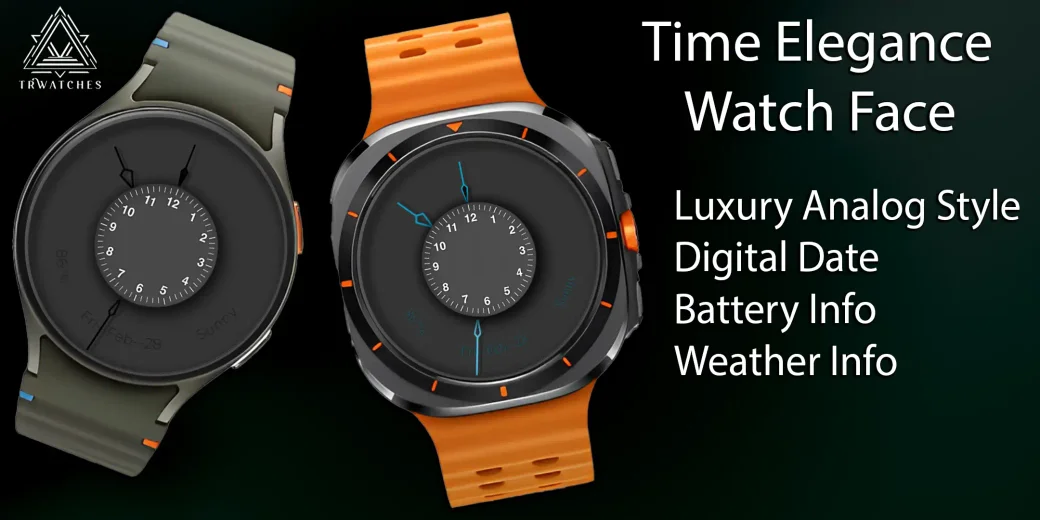
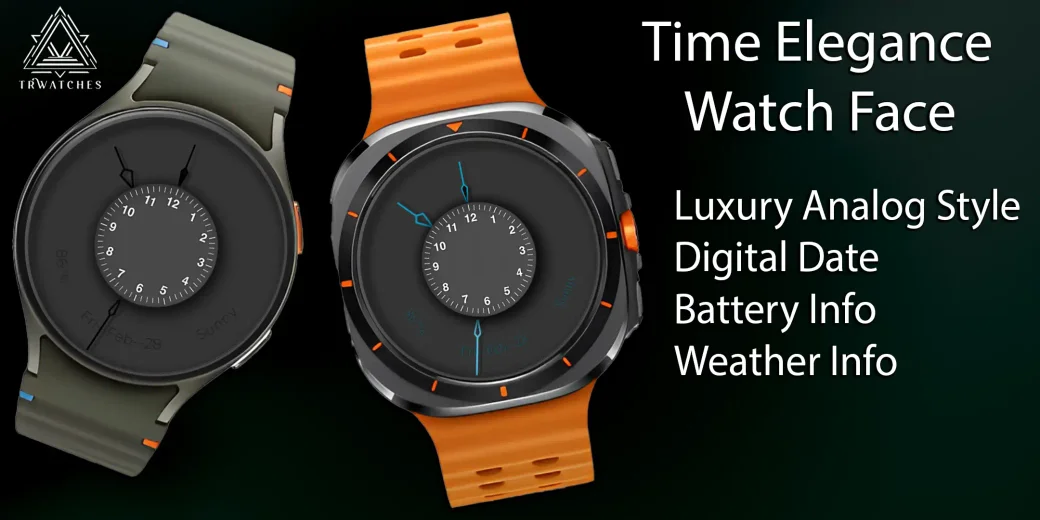
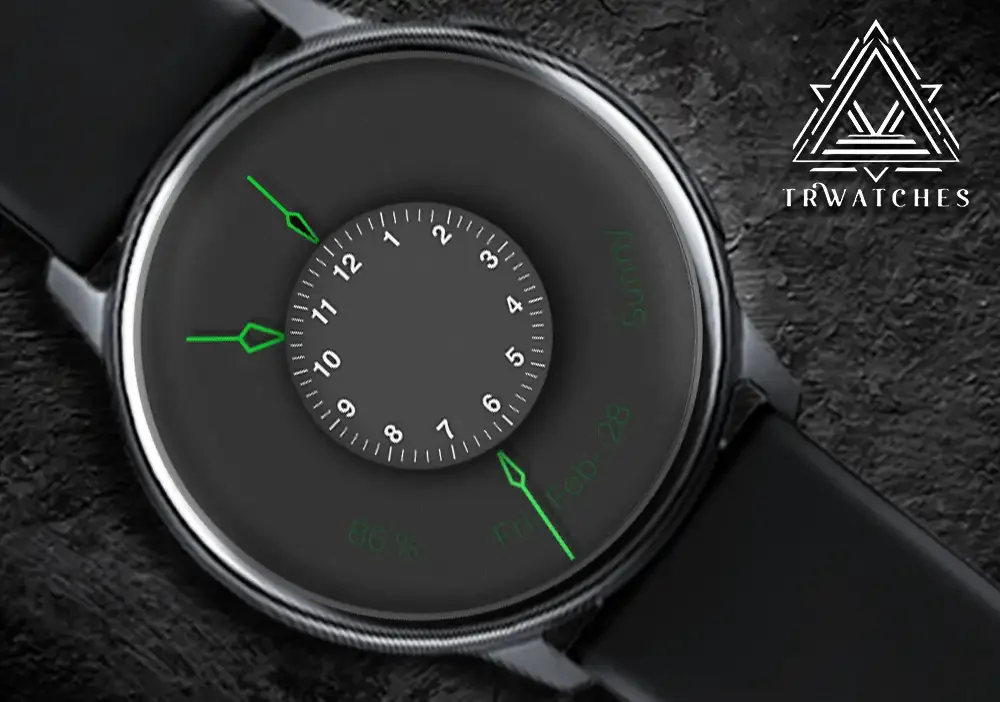
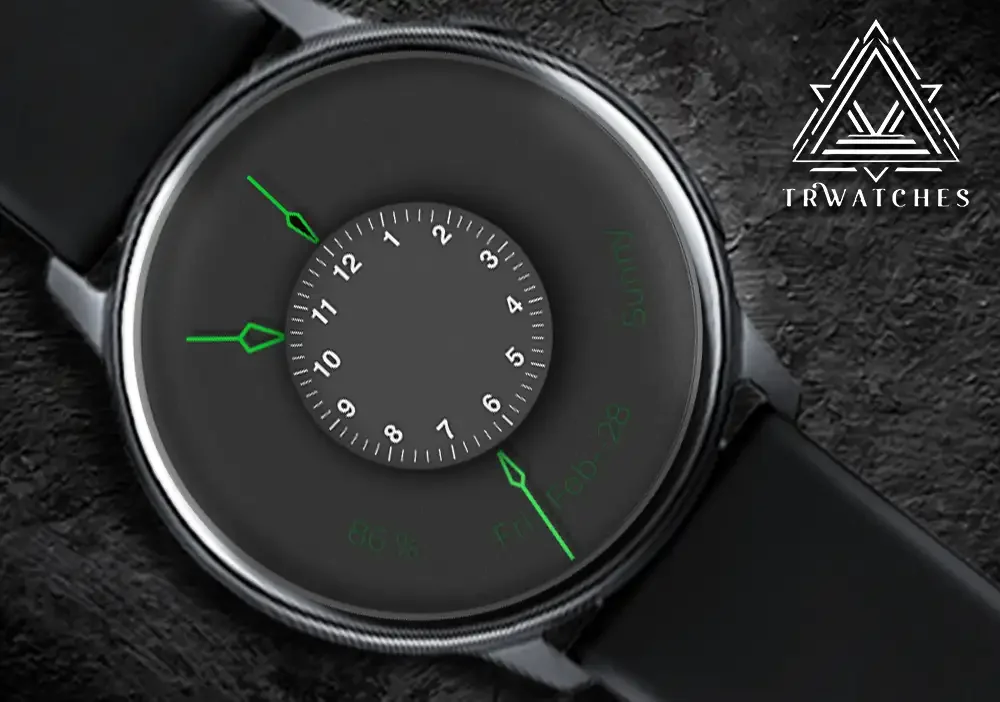
Tampilan jam analog yang elegan dengan tanggal, baterai, cuaca & AOD
Tampilan Jam Keanggunan Waktu – Minimalis Berpadu Kecanggihan! ✨
Tingkatkan jam tangan pintar Anda dengan Time Elegance Watch Face, yang menampilkan jam analog unik, desain minimalis penuh gaya, dan berbagai pilihan warna untuk sentuhan pribadi. Tetap terinformasi dengan tanggal lengkap, status baterai, dan pembaruan cuaca real-time. Always-On Display (AOD) memastikan tampilan yang ramping dan modern setiap saat.
🎨 Fitur Utama:
✔ Jam Analog Unik – Desain modern dan halus 🕰️
✔ Tampilan Tanggal Lengkap – Tetap di jalur dengan mudah 📅
✔ Status Baterai – Pantau tingkat daya Anda 🔋
✔ Pembaruan Cuaca – Sekilas tentang cuaca real-time 🌤️
✔ Berbagai Warna – Sesuaikan agar sesuai dengan gaya Anda 🎨
✔ Cool Always-On Display (AOD) – Minimal & bergaya bahkan dalam mode standby 🌙
Sempurnakan jam tangan pintar Anda dengan keanggunan abadi dan kesederhanaan fungsional. Unduh sekarang! ⌚✨
_________________________________________________________
Catatan pemasangan tampilan jam pada jam tangan pintar:
Aplikasi telepon hanya berfungsi sebagai pengganti untuk memudahkan pemasangan & menemukan tampilan jam di jam tangan Wear OS Anda. Anda harus memilih perangkat jam tangan Anda dari menu tarik-turun instal.
Jika Anda mengunduh pembantu langsung dengan telepon, Anda perlu membuka aplikasi dan menyentuh layar atau tombol unduh. -> akan mulai dipasang di jam tangan.
Jam tangan wear os perlu dihubungkan.
Jika tidak berfungsi dengan cara itu, Anda dapat menyalin tautan itu ke browser chrome ponsel Anda dan mengeklik panah bawah dari kanan, dan Anda memilih tampilan jam untuk dipasang.
__________________________________________________________________
Setelah instalasi, Anda perlu mengatur tampilan jam itu ke layar Anda, dari aplikasi Wear OS, turun ke tampilan jam yang diunduh dan Anda akan menemukannya.
Jika Anda memiliki masalah, silakan hubungi saya di raduturcu03@gmail.com
xxxxxxxxxxxxxxxxxxxxxxxxxxxxxxxxxxxxxxxxxxxxx
IKUTI KAMI DI TELEGRAM : https://t.me/TRWatchfaces
IKUTI SITUS WEB KAMI UNTUK MENDAPATKAN KUPON GRATIS: https://trwatches.odoo.com/
xxxxxxxxxxxxxxxxxxxxxxxxxxxxxxxxxxxxxxxxxxxxx
Coba lihat desain lain di profil Google saya.
Tampilkan teks asli
⏳ Time Elegance Watch Face – Minimalism Meets Sophistication! ✨
Upgrade your smartwatch with the Time Elegance Watch Face, featuring a unique analog clock, stylish minimalist design, and multiple color options for a personalized touch. Stay informed with full date, battery status, and real-time weather updates. The Always-On Display (AOD) ensures a sleek, modern look at all times.
🎨 Key Features:
✔ Unique Analog Clock – A refined, modern design 🕰️
✔ Full Date Display – Stay on track effortlessly 📅
✔ Battery Status – Monitor your power level 🔋
✔ Weather Updates – Real-time weather at a glance 🌤️
✔ Multiple Colors – Customize to match your style 🎨
✔ Cool Always-On Display (AOD) – Minimal & stylish even in standby mode 🌙
Enhance your smartwatch with timeless elegance and functional simplicity. Download now! ⌚✨
_____________________________________________________________________
Watch face installation notes on smart watch:
Phone app serves only as a placeholder to make it easier to install & find the watch face on your Wear OS watch. You have to select your watch device from the install dropdown menu.
If you download the helper directly with the phone , you need to open application and touch on the display or the download button. -> will start to install on the watch.
A wear os watch need to be connected.
If not working in that way , you can copy that link into your phone chrome browser and click on arrow down from right , and you choose the watch face to install.
_________________________________________________________________
After installation you need to set that watch face to your screen , from wear OS app , go down at downloaded watch faces and you will find it.
If you have problems , please contact me on raduturcu03@gmail.com
xxxxxxxxxxxxxxxxxxxxxxxxxxxxxxxxxxxxxxxxxxxxxxxx
FOLLOW US AT TELEGRAM : https://t.me/TRWatchfaces
FOLLOW US WEBSITE TO GET FREE COUPONS : https://trwatches.odoo.com/
xxxxxxxxxxxxxxxxxxxxxxxxxxxxxxxxxxxxxxxxxxxxxxxxx
Try to see others designs in my google profile.
Keamanan data
Yang dinyatakan RADU GHEORGHE TURCU di Google Play tentang data yang dikumpulkan dan dibagikan aplikasi ini.
- Tidak ada data yang dibagikan kepada pihak ketigaPelajari lebih lanjut cara developer menyatakan pembagian data
- Tidak ada data yang dikumpulkanPelajari lebih lanjut cara developer menyatakan pengumpulan data
Kontak pengembang
- Situs webtrwatches.odoo.com
- Emailraduturcu03@gmail.com
- Kebijakan Privasitrwatches.odoo.com
- AlamatStr. Eduard Albert Bielz, Nr. 89d, Bl. b1, Sc. f, et.1, Ap. 60 550031 Sibiu Romania
Informasi
- Ditawarkan oleh
- RADU GHEORGHE TURCU
- Kategori
- Personalisasi
- Diperbarui
- 19/2/2025
- Dirilis
- 19/2/2025
- Batasan usia
- Rating 3+
- Harga
- Rp 17.000
- Nama paket
- com.turcuradu.timeelegancewatchface