Time Elegance Watch Face
RADU GHEORGHE TURCU- 3 歳以上対象年齢
- カスタマイズカテゴリ
- 2025/2/19更新日
- ¥160価格
com.turcuradu.timeelegancewatchfaceのGoogle Play公式ページにリンクしています。最終確認:2026/11/14。

スクリーンショット



このアプリについて
Googleによる英語 (アメリカ合衆国)からの自動翻訳です。
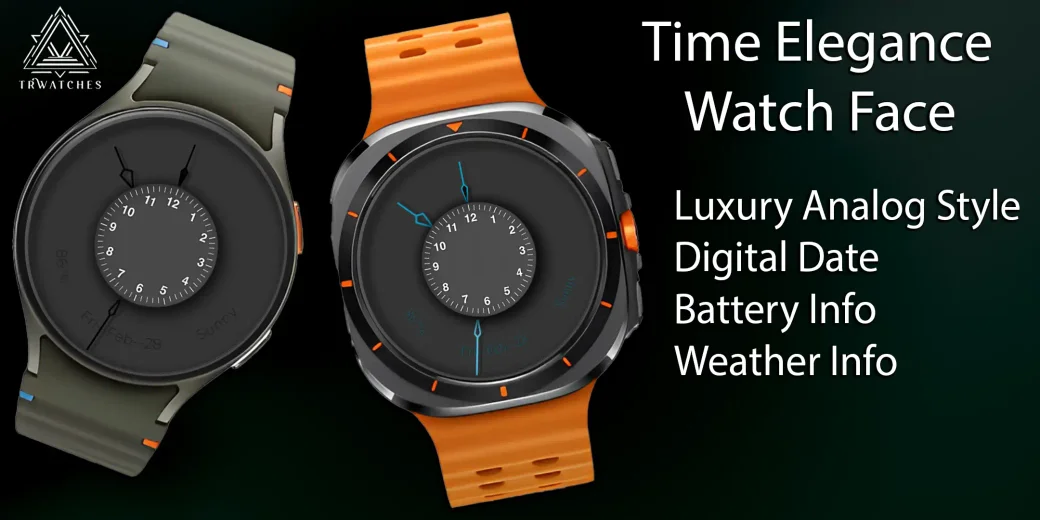
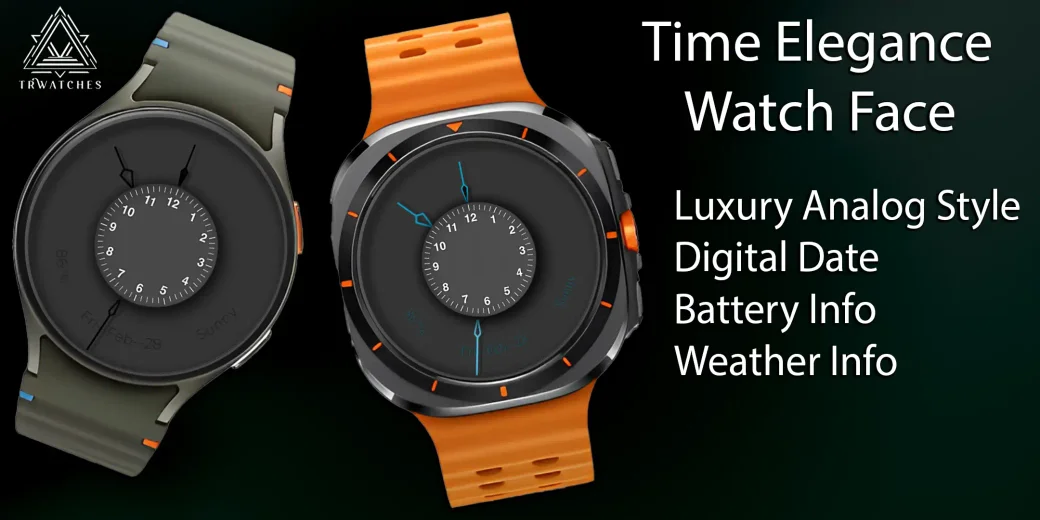
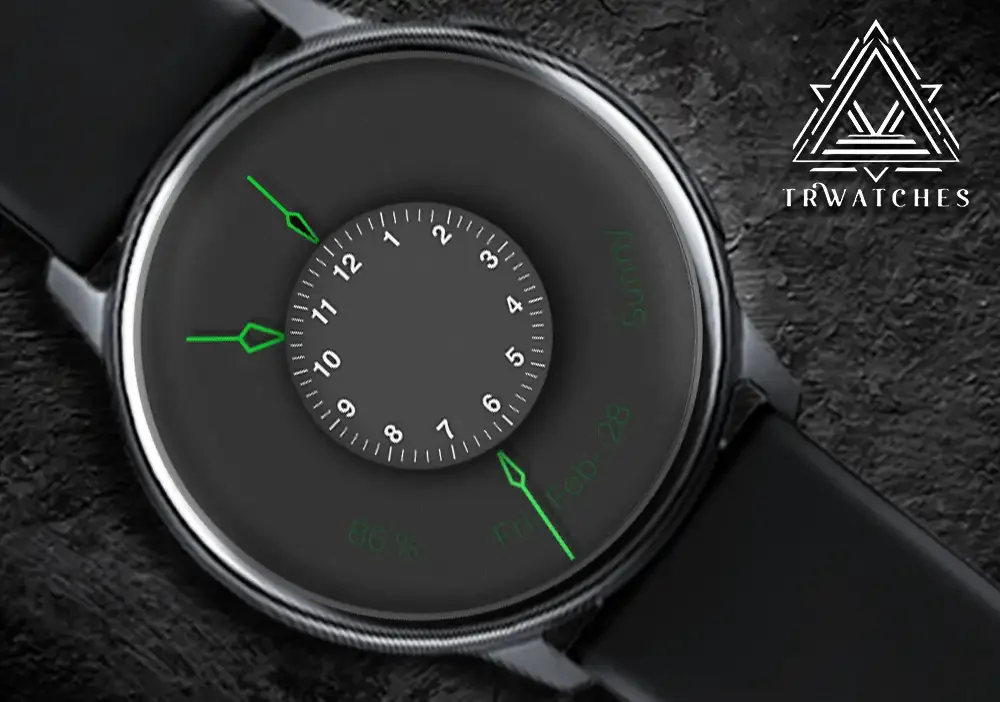
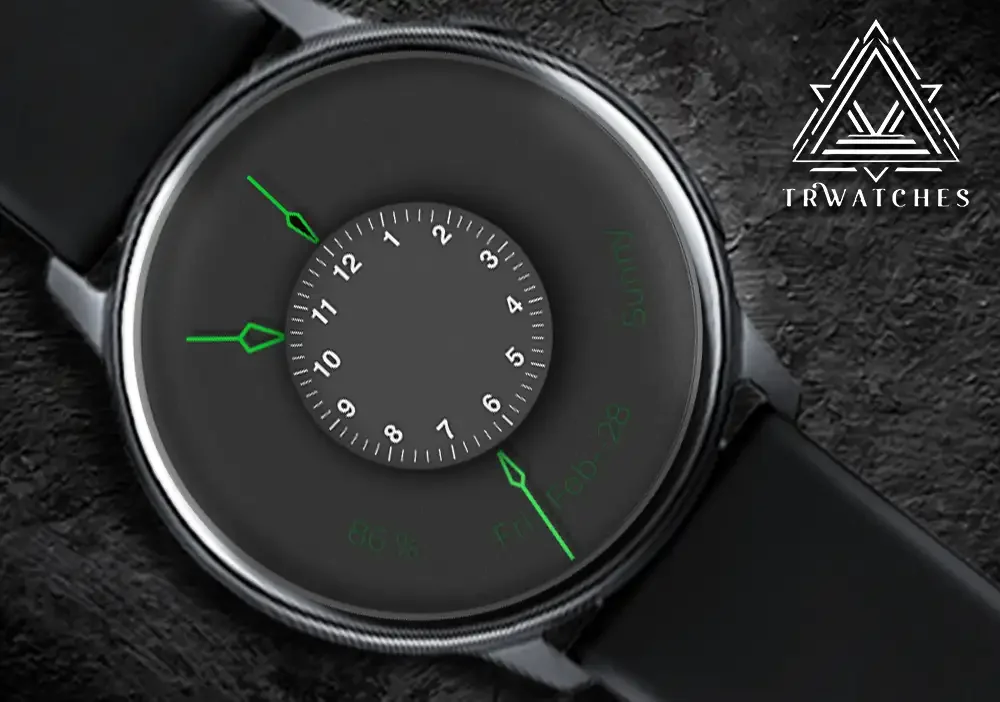
日付、バッテリー、天気、AOD を備えたエレガントなアナログ時計の文字盤
⏳ タイム エレガンス ウォッチフェイス – ミニマリズムと洗練の融合! ✨
ユニークなアナログ時計、スタイリッシュなミニマリスト デザイン、パーソナライズされたタッチを実現する複数のカラー オプションを備えた Time Elegance Watch Face でスマートウォッチをアップグレードしてください。完全な日付、バッテリー状態、リアルタイムの天気情報を常に把握できます。 Always-On ディスプレイ (AOD) により、常に洗練されたモダンな外観が保証されます。
🎨 主な機能:
✔ ユニークなアナログ時計 – 洗練されたモダンなデザイン 🕰️
✔ 完全な日付表示 – 簡単に計画を立てられます 📅
✔ バッテリーステータス – 電力レベルを監視します 🔋
✔ 天気の最新情報 – リアルタイムの天気が一目でわかります 🌤️
✔ 複数の色 - 自分のスタイルに合わせてカスタマイズ 🎨
✔ クールな常時表示ディスプレイ (AOD) – スタンバイモードでも最小限でスタイリッシュ 🌙
時代を超越したエレガンスと機能的なシンプルさでスマートウォッチを強化します。今すぐダウンロードしてください! ⌚✨
____________________________________________________________
スマートウォッチでのウォッチフェイスのインストールに関する注意事項:
電話アプリは、Wear OS ウォッチに文字盤を簡単にインストールして見つけられるようにするためのプレースホルダーとしてのみ機能します。インストールドロップダウンメニューからウォッチデバイスを選択する必要があります。
電話機でヘルパーを直接ダウンロードする場合は、アプリケーションを開いてディスプレイまたはダウンロード ボタンをタッチする必要があります。 -> 時計へのインストールが開始されます。
Wear OS ウォッチを接続する必要があります。
この方法で動作しない場合は、そのリンクを携帯電話の Chrome ブラウザにコピーし、右から下矢印をクリックして、インストールするウォッチフェイスを選択します。
______________________________________________________________________
インストール後、そのウォッチフェイスを画面に設定する必要があります。Wear OS アプリからダウンロードしたウォッチフェイスに移動すると、それが見つかります。
問題がある場合は、raduturcu03@gmail.com までご連絡ください。
xxxxxxxxxxxxxxxxxxxxxxxxxxxxxxxxxxxxxxxxxxxxxxxx
TELEGRAMでフォローしてください: https://t.me/TRWatchfaces
ウェブサイトをフォローして無料クーポンを入手してください: https://trwatches.odoo.com/
xxxxxxxxxxxxxxxxxxxxxxxxxxxxxxxxxxxxxxxxxxxxxxxxx
私のGoogleプロフィールで他のデザインを見てみてください。
原文を表示
⏳ Time Elegance Watch Face – Minimalism Meets Sophistication! ✨
Upgrade your smartwatch with the Time Elegance Watch Face, featuring a unique analog clock, stylish minimalist design, and multiple color options for a personalized touch. Stay informed with full date, battery status, and real-time weather updates. The Always-On Display (AOD) ensures a sleek, modern look at all times.
🎨 Key Features:
✔ Unique Analog Clock – A refined, modern design 🕰️
✔ Full Date Display – Stay on track effortlessly 📅
✔ Battery Status – Monitor your power level 🔋
✔ Weather Updates – Real-time weather at a glance 🌤️
✔ Multiple Colors – Customize to match your style 🎨
✔ Cool Always-On Display (AOD) – Minimal & stylish even in standby mode 🌙
Enhance your smartwatch with timeless elegance and functional simplicity. Download now! ⌚✨
_____________________________________________________________________
Watch face installation notes on smart watch:
Phone app serves only as a placeholder to make it easier to install & find the watch face on your Wear OS watch. You have to select your watch device from the install dropdown menu.
If you download the helper directly with the phone , you need to open application and touch on the display or the download button. -> will start to install on the watch.
A wear os watch need to be connected.
If not working in that way , you can copy that link into your phone chrome browser and click on arrow down from right , and you choose the watch face to install.
_________________________________________________________________
After installation you need to set that watch face to your screen , from wear OS app , go down at downloaded watch faces and you will find it.
If you have problems , please contact me on raduturcu03@gmail.com
xxxxxxxxxxxxxxxxxxxxxxxxxxxxxxxxxxxxxxxxxxxxxxxx
FOLLOW US AT TELEGRAM : https://t.me/TRWatchfaces
FOLLOW US WEBSITE TO GET FREE COUPONS : https://trwatches.odoo.com/
xxxxxxxxxxxxxxxxxxxxxxxxxxxxxxxxxxxxxxxxxxxxxxxxx
Try to see others designs in my google profile.
データ セーフティ
このアプリが収集・共有するデータについて、RADU GHEORGHE TURCUがGoogle Playで申告している内容です。
- 第三者と共有されるデータはありません詳しくは、デベロッパーが共有を申告する方法についての説明をご覧ください
- データは収集されません詳しくは、デベロッパーが収集を申告する方法についての説明をご覧ください
開発元の連絡先
- ウェブサイトtrwatches.odoo.com
- メールraduturcu03@gmail.com
- プライバシーポリシーtrwatches.odoo.com
- 住所Str. Eduard Albert Bielz, Nr. 89d, Bl. b1, Sc. f, et.1, Ap. 60 550031 Sibiu Romania
情報
- 提供元
- RADU GHEORGHE TURCU
- カテゴリ
- カスタマイズ
- 更新日
- 2025/2/19
- リリース
- 2025/2/19
- 対象年齢
- 3 歳以上
- 価格
- ¥160
- パッケージ名
- com.turcuradu.timeelegancewatchface