Timeflik: Widget & Wallpaper
TIMEFLIKBerisi iklan
- Rating 3+Batasan usia
- PersonalisasiKategori
- 28/10/2026Diperbarui
- GratisHarga
Tertaut ke halaman resmi com.apposter.timeflikwidget di Google Play. Terakhir diperiksa pada 13/11/2026.
Tentang aplikasi ini
Terjemahan otomatis oleh Google. Bahasa asli: Inggris (Amerika Serikat).
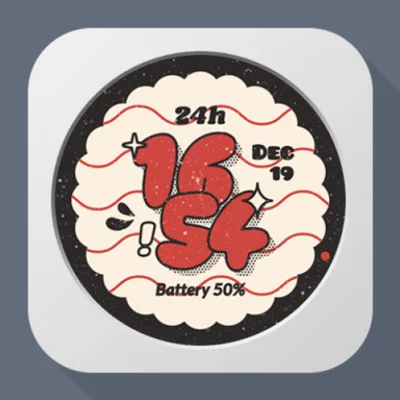
Tampilan jam Timeflik premium sebagai widget layar beranda atau wallpaper hidup.
**Hadirkan tampilan jam Timeflik ke layar beranda Anda — sebagai widget atau wallpaper hidup**
Timeflik Home Clock menghadirkan pilihan tampilan jam premium dari toko tampilan jam Timeflik ke layar beranda Android Anda. Pilih tampilan jam yang Anda sukai dan tempatkan sebagai widget layar beranda, atau ubah menjadi wallpaper hidup dengan latar belakang dan posisi Anda sendiri. Didukung oleh mesin rendering yang sama dengan Timeflik, setiap tampilan jam beranimasi secara real-time di ponsel Anda — tanpa memerlukan smartwatch.
**Fitur Utama**
- **Tampilan Jam Pilihan** — desain premium pilihan dari katalog Timeflik
- **Widget Layar Utama** — widget jam waktu nyata yang dapat diubah ukurannya
- **Wallpaper Animasi** — atur tampilan jam sebagai wallpaper Anda di atas warna solid, preset gradien, atau foto dari galeri Anda
- **Editor Posisi & Ukuran** — seret tampilan jam ke mana saja di wallpaper dan cubit untuk mengubah ukurannya
- **Pilihan Bezel** — pilih dari berbagai desain bezel (logam, emas, keramik, dan lainnya) untuk menyesuaikan gaya Anda
- **Cuaca (opsional)** — menampilkan cuaca saat ini, prakiraan cuaca per jam dan harian, serta indeks UV pada tampilan jam yang mendukungnya
**Cara Penggunaan**
1. Instal dan luncurkan aplikasi
2. Jelajahi daftar tampilan jam dan ketuk salah satu untuk melihat pratinjau
3. Pilih bezel yang sesuai dengan gaya Anda
4. Ketuk "Terapkan" dan pilih **Widget** atau **Wallpaper**
5. Widget: akan langsung ditambahkan ke layar utama Anda
6. Wallpaper: pilih latar belakang dan posisikan di editor, Kemudian pilih "Layar beranda" atau "Layar beranda dan kunci" di layar wallpaper sistem.
**Izin**
- **Notifikasi** — diperlukan agar notifikasi layanan latar depan dapat berjalan, yang menjaga agar widget tetap berjalan lancar di latar belakang.
- **Lokasi (opsional)** — hanya digunakan untuk mengambil cuaca lokal untuk tampilan jam yang menampilkan cuaca; menolak atau melewatkan tidak berpengaruh pada fitur lain.
- **Foto (opsional)** — saat Anda memilih foto sebagai latar belakang wallpaper, hanya foto tunggal yang Anda pilih melalui pemilih foto sistem yang diimpor; tidak ada izin penyimpanan yang diminta.
**Tips**
- Wallpaper hidup hanya berjalan saat layar beranda Anda terlihat, sehingga tetap hemat baterai.
- Pasangkan Timeflik Home Clock dengan aplikasi Timeflik lengkap untuk menemukan lebih banyak tampilan jam dan mengirimkannya ke jam tangan pintar Anda.
Tampilkan teks asli
**Bring Timeflik watch faces to your home screen — as a widget or a live wallpaper**
Timeflik Home Clock brings a curated selection of premium watch faces from the Timeflik watch face store onto your Android home screen. Pick a face you love and place it as a home screen widget, or turn it into a live wallpaper with your own background and position. Powered by the same rendering engine as Timeflik, every face animates in real time on your phone — no smartwatch required.
**Key Features**
- **Curated Watch Faces** — handpicked premium designs from the Timeflik catalog
- **Home Screen Widget** — a resizable, real-time clock widget
- **Live Wallpaper** — set a watch face as your wallpaper over a solid color, a gradient preset, or a photo from your gallery
- **Position & Size Editor** — drag the face anywhere on the wallpaper and pinch to resize
- **Bezel Selection** — choose from multiple bezel designs (metal, gold, ceramic, and more) to match your style
- **Weather (optional)** — display current weather, hourly and daily forecasts, and UV index on faces that support it
**How to Use**
1. Install and launch the app
2. Browse the watch face list and tap one to preview
3. Pick a bezel that matches your style
4. Tap "Apply" and choose **Widget** or **Wallpaper**
5. Widget: it is added to your home screen right away
6. Wallpaper: choose a background and position in the editor, then pick "Home screen" or "Home and lock screen" in the system wallpaper screen
**Permissions**
- **Notifications** — required so the foreground service notification can run, which is what keeps the widget rendering smoothly in the background
- **Location (optional)** — used only to fetch local weather for watch faces that display weather; declining or skipping has no effect on other features
- **Photos (optional)** — when you pick a photo as the wallpaper background, only the single photo you select through the system photo picker is imported; no storage permission is requested
**Tips**
- The live wallpaper only renders while your home screen is visible, so it stays light on battery
- Pair Timeflik Home Clock with the full Timeflik app to discover even more watch faces and send them to your real smartwatch
Keamanan data
Yang dinyatakan TIMEFLIK di Google Play tentang data yang dikumpulkan dan dibagikan aplikasi ini.
- Tidak ada data yang dibagikan kepada pihak ketigaPelajari lebih lanjut cara developer menyatakan pembagian data
- Aplikasi ini dapat mengumpulkan jenis data berikutAktivitas aplikasi, Info dan performa aplikasi, dan Perangkat atau ID lainnya
- Data dienkripsi saat dalam pengiriman
- Anda dapat meminta agar data dihapus
Kontak pengembang
- Situs webtimeflik.com
- Emailhelp@apposter.com
- Kebijakan Privasiapposter.github.io
- Alamat대한민국 서울특별시 마포구 마포구 성암로 189, 7층 705호 (상암동,중소기업 DMC 타워) 03929
Informasi
- Ditawarkan oleh
- TIMEFLIK
- Kategori
- Personalisasi
- Versi
- 1.2.1
- Diperbarui
- 28/10/2026
- Dirilis
- 24/3/2026
- Memerlukan
- Android 8.0 atau yang lebih baru
- Batasan usia
- Rating 3+
- Harga
- Gratis
- Nama paket
- com.apposter.timeflikwidget