Timeflik: Widget & Wallpaper
TIMEFLIK広告を含む
- 3 歳以上対象年齢
- カスタマイズカテゴリ
- 2026/10/28更新日
- 無料価格
com.apposter.timeflikwidgetのGoogle Play公式ページにリンクしています。最終確認:2026/11/13。
このアプリについて
Googleによる英語 (アメリカ合衆国)からの自動翻訳です。
Timeflikのプレミアムウォッチフェイスをホーム画面ウィジェットまたはライブ壁紙として使用できます。
**Timeflikのウォッチフェイスをホーム画面に!ウィジェットまたはライブ壁紙として設定できます**
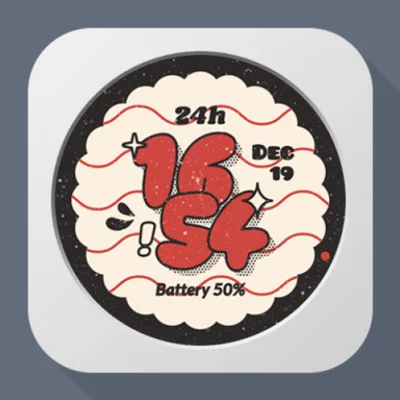
Timeflik Home Clockは、Timeflikウォッチフェイスストアから厳選されたプレミアムウォッチフェイスをAndroidホーム画面に表示します。お気に入りのウォッチフェイスを選んでホーム画面ウィジェットとして設定したり、お好みの背景と位置でライブ壁紙として設定したりできます。Timeflikと同じレンダリングエンジンを搭載しているため、すべてのウォッチフェイスがスマートフォン上でリアルタイムにアニメーション表示されます。スマートウォッチは不要です。
**主な機能**
- **厳選されたウォッチフェイス** — Timeflikカタログから厳選されたプレミアムデザイン
- **ホーム画面ウィジェット** — サイズ変更可能なリアルタイム時計ウィジェット
- **ライブ壁紙** — 単色、グラデーションプリセット、またはギャラリーの写真の上にウォッチフェイスを壁紙として設定
- **位置とサイズエディター** — 壁紙上の任意の場所にウォッチフェイスをドラッグし、ピンチ操作でサイズを変更
- **ベゼル選択** — スタイルに合わせて、複数のベゼルデザイン(メタル、ゴールド、セラミックなど)から選択
- **天気(オプション)** — 対応ウォッチフェイスでは、現在の天気、時間別・日別予報、UV指数を表示
**使用方法**
1. アプリをインストールして起動します
2. ウォッチフェイスのリストを閲覧し、プレビューするためにタップします
3. スタイルに合ったベゼルを選択します
4. 「適用」をタップし、**ウィジェット**または**壁紙**を選択します
5. ウィジェット:ホーム画面に追加されますすぐに
6. 壁紙:エディターで背景と位置を選択し、システム壁紙画面で「ホーム画面」または「ホーム画面とロック画面」を選択します。
**権限**
- **通知** — フォアグラウンドサービス通知を実行するために必要です。これにより、ウィジェットがバックグラウンドでスムーズにレンダリングされます。
- **位置情報(オプション)** — 天気を表示するウォッチフェイスのためにローカルの天気を取得する場合にのみ使用されます。拒否またはスキップしても、他の機能には影響しません。
- **写真(オプション)** — 壁紙の背景として写真を選択した場合、システム写真ピッカーで選択した1枚の写真のみがインポートされます。ストレージへのアクセス許可は要求されません。
**ヒント**
- ライブ壁紙はホーム画面が表示されている間だけレンダリングされるため、バッテリー消費を抑えます。
- Timeflik Home ClockをTimeflikアプリとペアリングすると、さらに多くのウォッチフェイスを見つけて、実際のスマートウォッチに送信できます。
原文を表示
**Bring Timeflik watch faces to your home screen — as a widget or a live wallpaper**
Timeflik Home Clock brings a curated selection of premium watch faces from the Timeflik watch face store onto your Android home screen. Pick a face you love and place it as a home screen widget, or turn it into a live wallpaper with your own background and position. Powered by the same rendering engine as Timeflik, every face animates in real time on your phone — no smartwatch required.
**Key Features**
- **Curated Watch Faces** — handpicked premium designs from the Timeflik catalog
- **Home Screen Widget** — a resizable, real-time clock widget
- **Live Wallpaper** — set a watch face as your wallpaper over a solid color, a gradient preset, or a photo from your gallery
- **Position & Size Editor** — drag the face anywhere on the wallpaper and pinch to resize
- **Bezel Selection** — choose from multiple bezel designs (metal, gold, ceramic, and more) to match your style
- **Weather (optional)** — display current weather, hourly and daily forecasts, and UV index on faces that support it
**How to Use**
1. Install and launch the app
2. Browse the watch face list and tap one to preview
3. Pick a bezel that matches your style
4. Tap "Apply" and choose **Widget** or **Wallpaper**
5. Widget: it is added to your home screen right away
6. Wallpaper: choose a background and position in the editor, then pick "Home screen" or "Home and lock screen" in the system wallpaper screen
**Permissions**
- **Notifications** — required so the foreground service notification can run, which is what keeps the widget rendering smoothly in the background
- **Location (optional)** — used only to fetch local weather for watch faces that display weather; declining or skipping has no effect on other features
- **Photos (optional)** — when you pick a photo as the wallpaper background, only the single photo you select through the system photo picker is imported; no storage permission is requested
**Tips**
- The live wallpaper only renders while your home screen is visible, so it stays light on battery
- Pair Timeflik Home Clock with the full Timeflik app to discover even more watch faces and send them to your real smartwatch
データ セーフティ
このアプリが収集・共有するデータについて、TIMEFLIKがGoogle Playで申告している内容です。
- 第三者と共有されるデータはありません詳しくは、デベロッパーが共有を申告する方法についての説明をご覧ください
- このアプリは以下の種類のデータを収集することがありますアプリのアクティビティ、アプリの情報、パフォーマンス、デバイスまたはその他の ID
- データは送信中に暗号化されます
- データを削除するようリクエストできます
開発元の連絡先
- ウェブサイトtimeflik.com
- メールhelp@apposter.com
- プライバシーポリシーapposter.github.io
- 住所대한민국 서울특별시 마포구 마포구 성암로 189, 7층 705호 (상암동,중소기업 DMC 타워) 03929
情報
- 提供元
- TIMEFLIK
- カテゴリ
- カスタマイズ
- バージョン
- 1.2.1
- 更新日
- 2026/10/28
- リリース
- 2026/3/24
- 必要条件
- Android 8.0以降
- 対象年齢
- 3 歳以上
- 価格
- 無料
- パッケージ名
- com.apposter.timeflikwidget