
- Batasan usia4+
- KategoriProduktivitas
- PengembangAlexander Thompson
- BahasaInggris+ 1 lainnya
- Ukuran27,5 MB
AnchorGrid mungkin sedang tidak tersedia di App Store
Halaman di toko tidak dapat dijangkau saat terakhir kami periksa. Tautan tetap mengarah ke halaman resmi App Store.
Tangkapan layar

Tentang
Pengembang belum menyediakan teks ini dalam bahasa Anda.
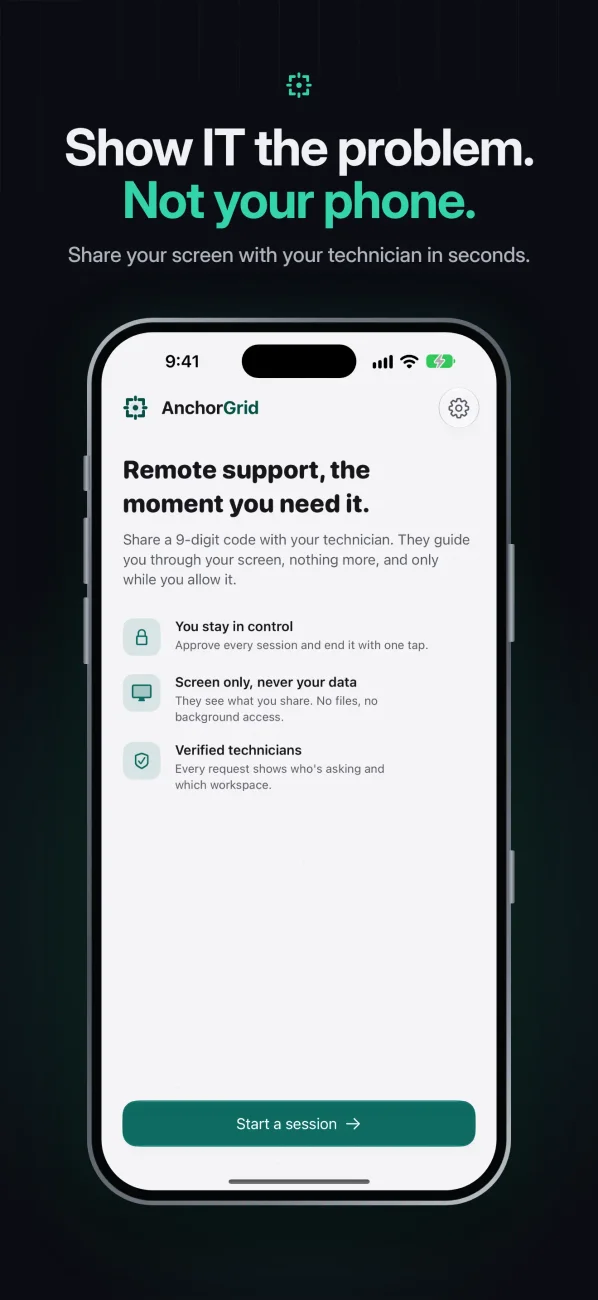
AnchorGrid is remote screen sharing for iPhone, built for IT teams.
When your IT team needs to see what's on your iPhone screen, to fix a setting, troubleshoot, or guide you through a process, you open AnchorGrid, share a 9-digit code, and they see your screen live in their browser tab.
HOW A SESSION WORKS
1. Tap Start Session. The app shows a 9-digit code.
2. Share the code with your technician.
3. They enter it in their workspace's web portal.
4. Your iPhone asks you to start a Screen Broadcast. Tap Start.
5. Your technician sees your screen in real time.
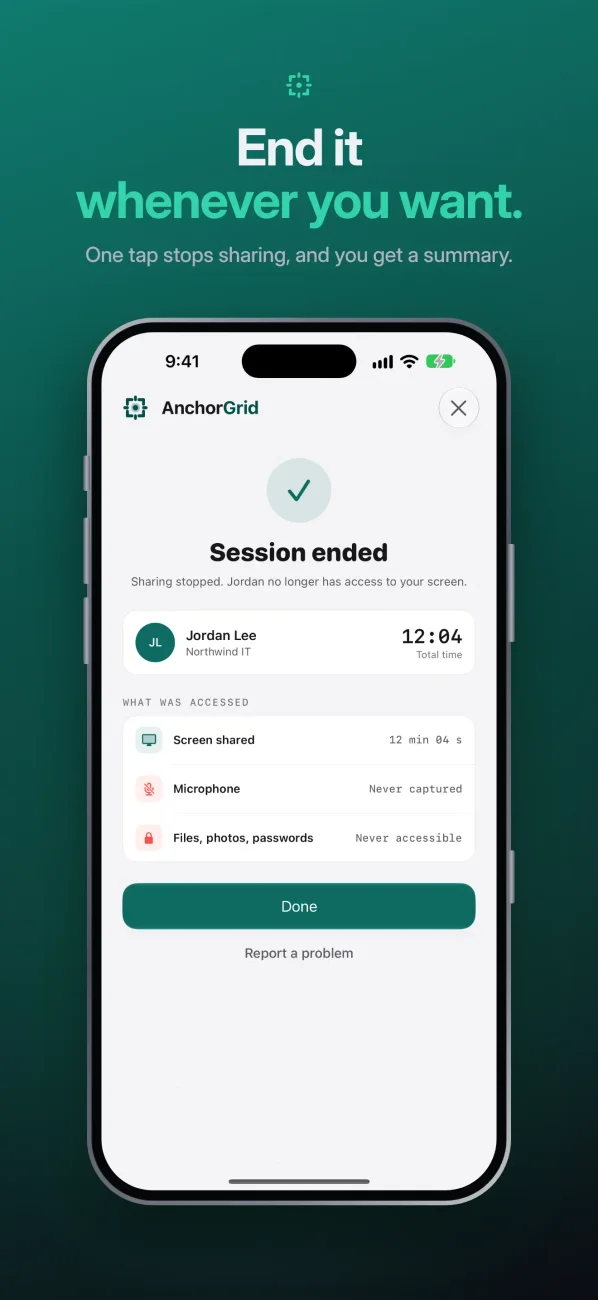
6. Tap the red status bar at the top to end the session anytime.
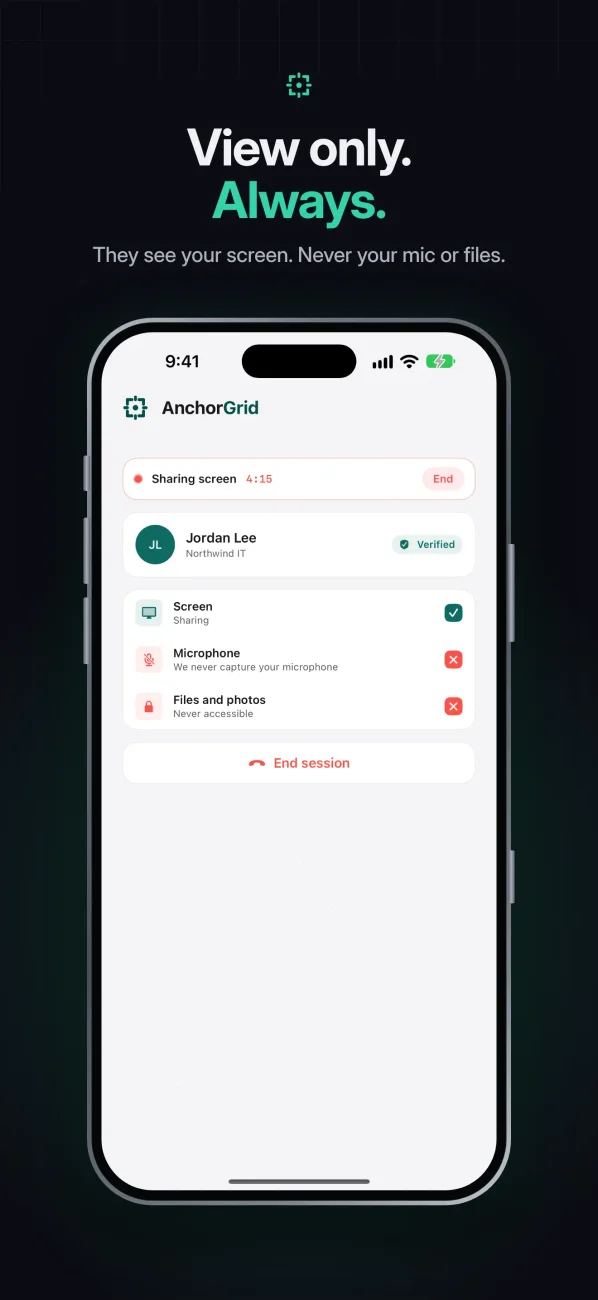
VIEW-ONLY BY DESIGN
Your technician can SEE your screen. They cannot tap, type, or control your iPhone in any way. Enforced by the system itself.
PRIVACY YOU CAN VERIFY
• Codes expire 10 minutes after generation and are single-use.
• Screen frames are never stored on AnchorGrid's servers, direct peer-to-peer when possible, and an encrypted relay when not.
• AnchorGrid staff cannot view your workspace without a time-limited grant that your admin explicitly creates.
FOR IT TEAMS
Each workspace runs at a dedicated subdomain with strict tenant isolation, audit logs of every technician join, role-based access, Microsoft 365 single sign-on, and TOTP two-factor authentication.
Learn more: anchorgrid.io
Privacy: https://anchorgrid.io/privacy
Terms: https://anchorgrid.io/terms
Yang baru
Versi 2026.11.22 · 23/11/2026
Sessions recover more reliably when your connection drops or switches networks, and the shared screen stays smoother throughout.
Privasi aplikasi
Yang dinyatakan Alexander Thompson di App Store tentang cara aplikasi ini menangani data.
-
Data yang tidak ditautkan dengan Anda
Dapat dikumpulkan, tetapi tidak ditautkan dengan identitas Anda.
- Info kontak
- Diagnostik
Praktik privasi dapat bervariasi, misalnya berdasarkan fitur yang Anda gunakan atau usia Anda.
Informasi
- Penjual
- Alexander Thompson
- Kategori
- Produktivitas
- Versi
- 2026.11.22
- Diperbarui
- 23/11/2026
- Dirilis
- 22/6/2026
- Ukuran
- 27,5 MB
- Memerlukan
- iOS 18.0 atau yang lebih baru
- Batasan usia
- 4+
- Bahasa
- Inggris, Spanyol
- Hak cipta
- © 2026 Alex Thompson
Mungkin Anda juga suka
-
 Easy LiveChatProduktivitas
-
 SierraBooks: Invoices & SyncProduktivitas
-
 Blick for Microsoft 365Produktivitas
-
 Schluter®-APPProduktivitas
-
 JumpCloud AdminProduktivitas
-
 Tips & Tricks - for iPhoneProduktivitas
-
 Clone Master - 2nd App SpaceProduktivitas
-
 AT&T Personal CloudProduktivitas
-
 Tiny Calendar: Planner & TasksProduktivitas
-
 Device HelpProduktivitas