ArtInstall Lite
Wall layout & screw positions
Dirancang untuk iPhone, iPad, Mac
Gratis
- Batasan usia4+
- KategoriProduktivitas
- PengembangAKITOSHI OKAMOTO
- BahasaJepang
- Ukuran1,8 MB
Tertaut ke halaman resmi App Store
Download.org tidak menyimpan file ArtInstall Lite apa pun. Tombol ini membuka halaman aplikasi di App Store, tempat AKITOSHI OKAMOTO menerbitkannya. Halaman terakhir diperiksa pada 25/11/2026.
Tangkapan layar

Tentang
Pengembang belum menyediakan teks ini dalam bahasa Anda.
ArtInstall Lite helps museums and galleries prepare exhibitions. Build the wall layout on Mac; on install day, enter each work's hanging measurements on iPhone or iPad and get the screw positions on the wall.
The app's interface is in Japanese only.
■ Mac: build the wall layout
• Register walls and the outer size of each work (photos optional)
• Quick bulk entry: type only width and height in a table (up to 200 rows)
• Select with click, Shift-click or drag, and move works together
• Align top/middle/bottom and left/center/right, distribute evenly, set exact gaps, center on the wall
• Type the position from the wall's left edge and the floor in mm; nudge 1 mm with arrow keys
• Undo/redo, zoom in and out
• Dimension lines to wall edges, between works and to the floor
• Artwork numbers per wall (a1, a2, b1…)
• A3 landscape PDF with numbers and dimensions: preview, save and print
• Illustrated guide and a coach mode that highlights each step on screen
■ iPhone and iPad: screw positions on install day
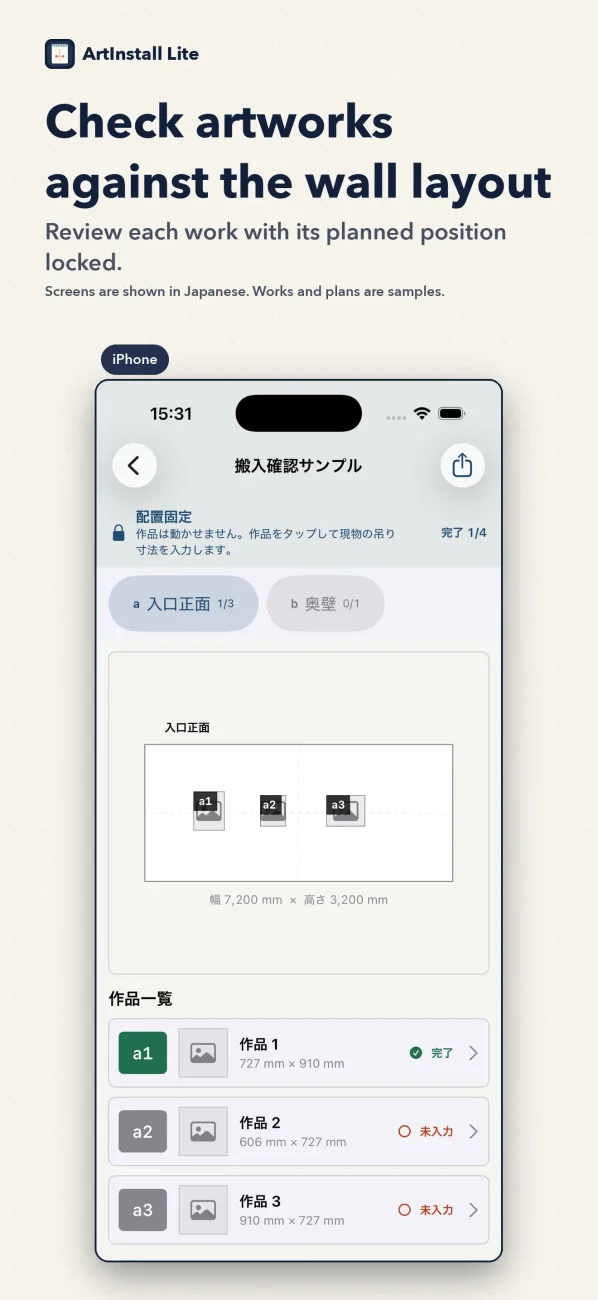
• Install mode keeps the layout from your Mac locked
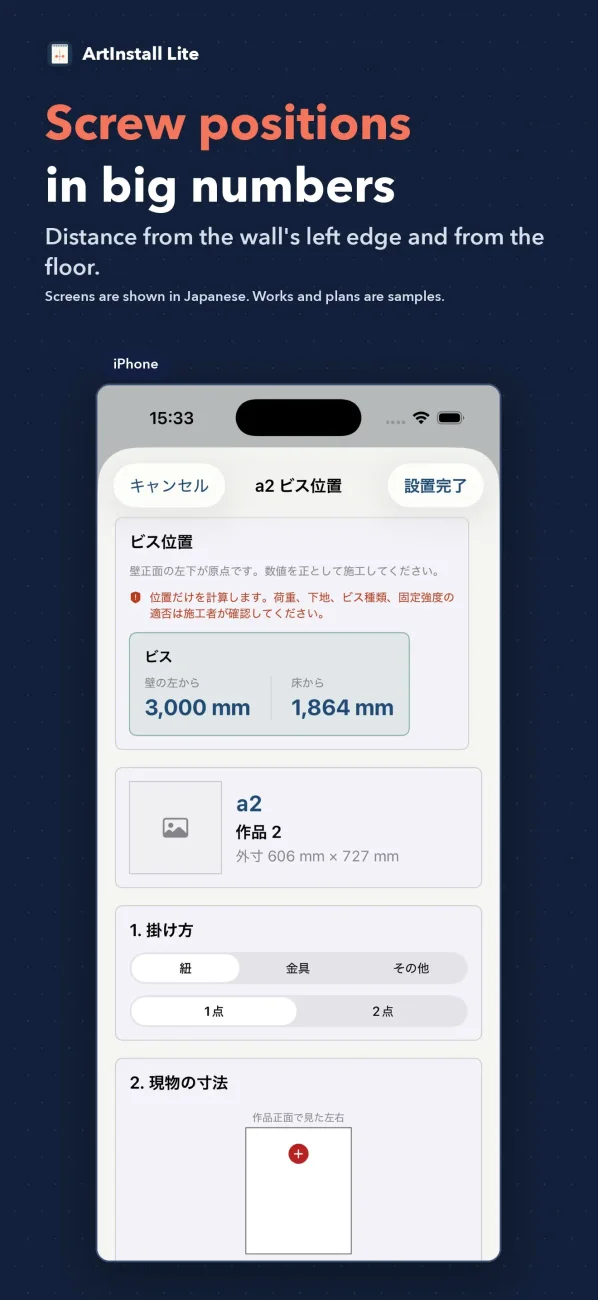
• Choose how a work hangs (wire, hardware or other; one or two points) and enter only the needed measurements
• Screw positions from the wall's left edge and from the floor, in large numbers
• Works with the same size and hanging method start with the last saved measurements
• Saving measurements and marking a work as installed are separate; track not measured / measured / installed
• Search by number, title or wall, and jump to the next work to measure
• Installation record as an A3 PDF with screw positions, to save or print
■ Hand over with one plan file
• Images, walls, layout, hanging measurements and install status in one plan file
• Share it by AirDrop, Mail, Files or any method you choose
• When a newer version of the same plan arrives, replace it or keep both
■ Your data
No account needed. Plans, images and measurements are stored on your device and are not sent to the developer's servers.
■ Please note
Screw positions are calculated from the layout and the measurements you enter. Check the wall structure, load, screw type and fixing strength on site.
Yang baru
Versi 1.2.2 · 23/11/2026
• A new hands-on tutorial walks you through choosing a hanging method, entering measurements, calculating screw positions, and marking a practice artwork as installed. Practice changes are discarded when you exit.
• A dedicated numeric keypad makes it easier to enter measurements. Required measurements must be entered before the first calculation.
• When importing another copy of an exhibition plan, it is easier to compare the files’ original update dates.
Privasi aplikasi
Yang dinyatakan AKITOSHI OKAMOTO di App Store tentang cara aplikasi ini menangani data.
-
Data tidak dikumpulkan
Pengembang tidak mengumpulkan data apa pun dari aplikasi ini.
Praktik privasi dapat bervariasi, misalnya berdasarkan fitur yang Anda gunakan atau usia Anda.
Informasi
- Penjual
- AKITOSHI OKAMOTO
- Kategori
- Produktivitas
- Versi
- 1.2.2
- Diperbarui
- 23/11/2026
- Dirilis
- 25/8/2026
- Ukuran
- 1,8 MB
- Memerlukan
- iOS 17.0 atau yang lebih baru
- Batasan usia
- 4+
- Harga
- Gratis
- Bahasa
- Jepang
- Hak cipta
- © 2026 AKITOSHI OKAMOTO