ArtInstall Lite
Wall layout & screw positions
Được thiết kế cho iPhone, iPad, Mac
Miễn phí
- Độ tuổi4+
- Danh mụcHiệu Suất
- Nhà phát triểnAKITOSHI OKAMOTO
- Ngôn ngữTiếng Nhật
- Kích thước1,8 MB
Liên kết đến trang App Store chính thức
Download.org không lưu trữ tệp nào của ArtInstall Lite. Nút này mở trang ứng dụng trên App Store, nơi AKITOSHI OKAMOTO phát hành ứng dụng. Trang được kiểm tra lần cuối: 25/11/2026.
Ảnh chụp màn hình

Giới thiệu
Nhà phát triển chưa cung cấp nội dung này bằng ngôn ngữ của bạn.
ArtInstall Lite helps museums and galleries prepare exhibitions. Build the wall layout on Mac; on install day, enter each work's hanging measurements on iPhone or iPad and get the screw positions on the wall.
The app's interface is in Japanese only.
■ Mac: build the wall layout
• Register walls and the outer size of each work (photos optional)
• Quick bulk entry: type only width and height in a table (up to 200 rows)
• Select with click, Shift-click or drag, and move works together
• Align top/middle/bottom and left/center/right, distribute evenly, set exact gaps, center on the wall
• Type the position from the wall's left edge and the floor in mm; nudge 1 mm with arrow keys
• Undo/redo, zoom in and out
• Dimension lines to wall edges, between works and to the floor
• Artwork numbers per wall (a1, a2, b1…)
• A3 landscape PDF with numbers and dimensions: preview, save and print
• Illustrated guide and a coach mode that highlights each step on screen
■ iPhone and iPad: screw positions on install day
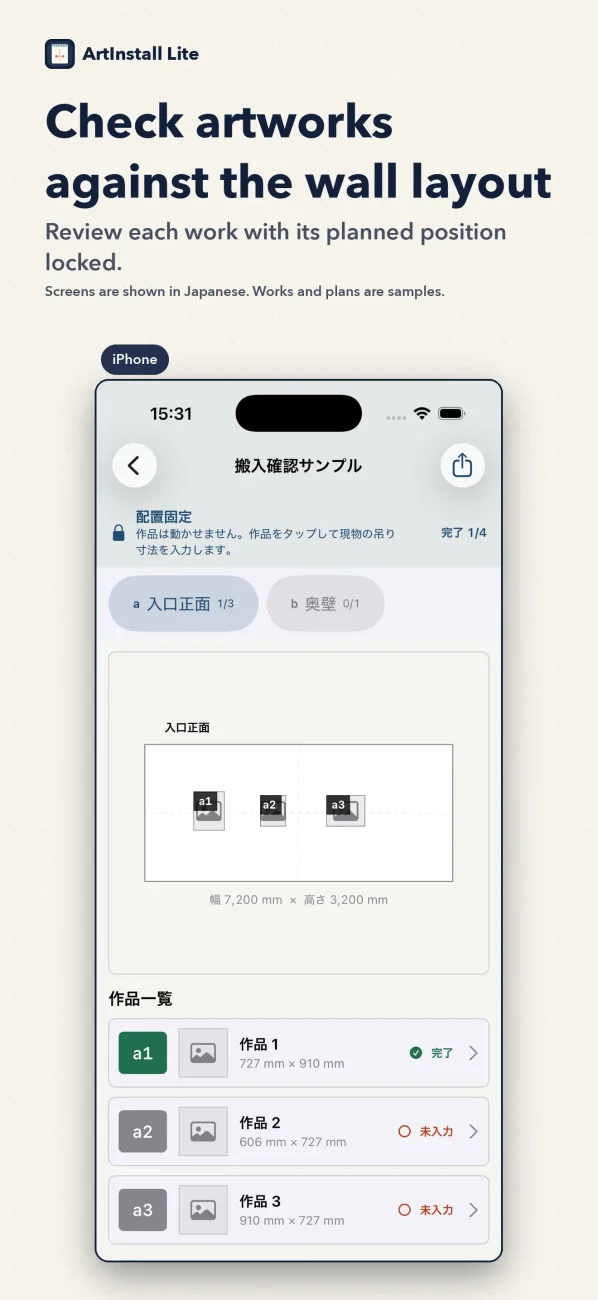
• Install mode keeps the layout from your Mac locked
• Choose how a work hangs (wire, hardware or other; one or two points) and enter only the needed measurements
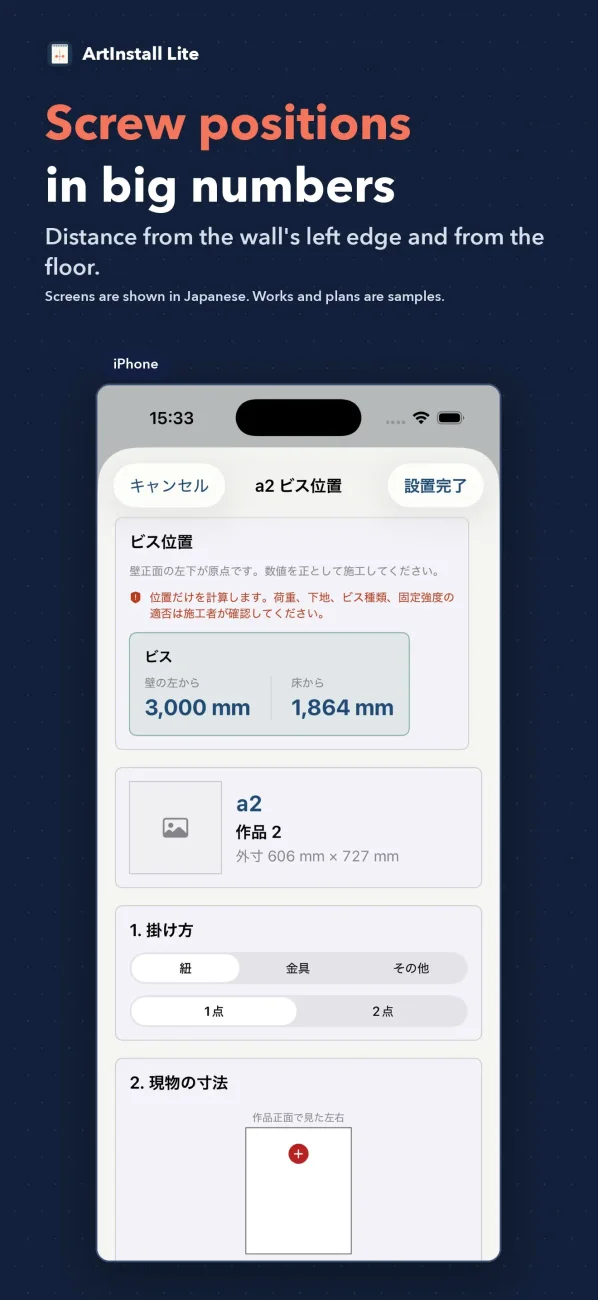
• Screw positions from the wall's left edge and from the floor, in large numbers
• Works with the same size and hanging method start with the last saved measurements
• Saving measurements and marking a work as installed are separate; track not measured / measured / installed
• Search by number, title or wall, and jump to the next work to measure
• Installation record as an A3 PDF with screw positions, to save or print
■ Hand over with one plan file
• Images, walls, layout, hanging measurements and install status in one plan file
• Share it by AirDrop, Mail, Files or any method you choose
• When a newer version of the same plan arrives, replace it or keep both
■ Your data
No account needed. Plans, images and measurements are stored on your device and are not sent to the developer's servers.
■ Please note
Screw positions are calculated from the layout and the measurements you enter. Check the wall structure, load, screw type and fixing strength on site.
Có gì mới
Phiên bản 1.2.2 · 23/11/2026
• A new hands-on tutorial walks you through choosing a hanging method, entering measurements, calculating screw positions, and marking a practice artwork as installed. Practice changes are discarded when you exit.
• A dedicated numeric keypad makes it easier to enter measurements. Required measurements must be entered before the first calculation.
• When importing another copy of an exhibition plan, it is easier to compare the files’ original update dates.
Quyền riêng tư của ứng dụng
Những gì AKITOSHI OKAMOTO khai báo trên App Store về cách ứng dụng này xử lý dữ liệu.
-
Dữ liệu không được thu thập
Nhà phát triển không thu thập bất kỳ dữ liệu nào từ ứng dụng này.
Phương thức đảm bảo quyền riêng tư có thể khác nhau, chẳng hạn như tuỳ theo các tính năng bạn sử dụng hoặc độ tuổi của bạn.
Thông tin
- Người bán
- AKITOSHI OKAMOTO
- Danh mục
- Hiệu Suất
- Phiên bản
- 1.2.2
- Cập nhật
- 23/11/2026
- Phát hành
- 25/08/2026
- Kích thước
- 1,8 MB
- Yêu cầu
- iOS 17.0 trở lên
- Độ tuổi
- 4+
- Giá
- Miễn phí
- Ngôn ngữ
- Tiếng Nhật
- Bản quyền
- © 2026 AKITOSHI OKAMOTO