
Aulivis
Class notes, practice & plans
Dirancang untuk iPhone, iPad
Gratis · Pembelian dalam aplikasi
- Batasan usia4+
- KategoriPendidikan
- PengembangShenzhen Dimension Brush Technology Co., Ltd
- BahasaInggris+ 7 lainnya
- Ukuran64,8 MB
Tertaut ke halaman resmi App Store
Download.org tidak menyimpan file Aulivis apa pun. Tombol ini membuka halaman aplikasi di App Store, tempat Shenzhen Dimension Brush Technology Co., Ltd menerbitkannya. Halaman terakhir diperiksa pada 17/11/2026.
Tangkapan layar




Tentang
Pengembang belum menyediakan teks ini dalam bahasa Anda.
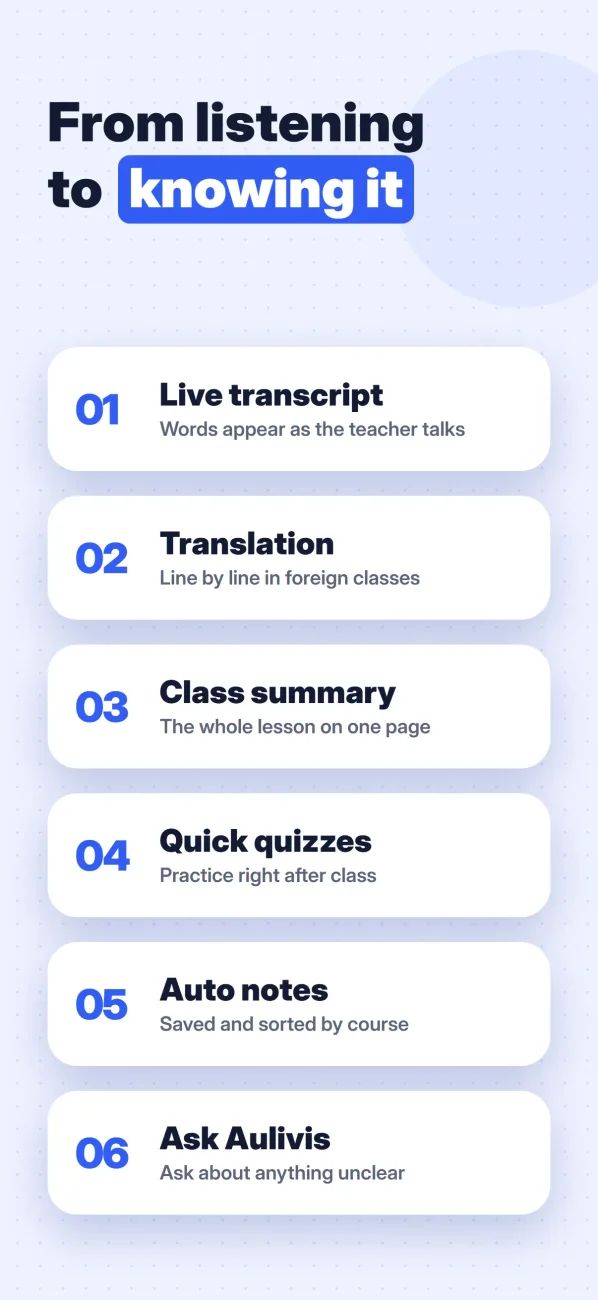
From the first lecture to the last revision session, keep each course together.
aulivis connects lecture transcripts, your notes, practice questions and your schedule. What you capture in class stays useful when it is time to study.
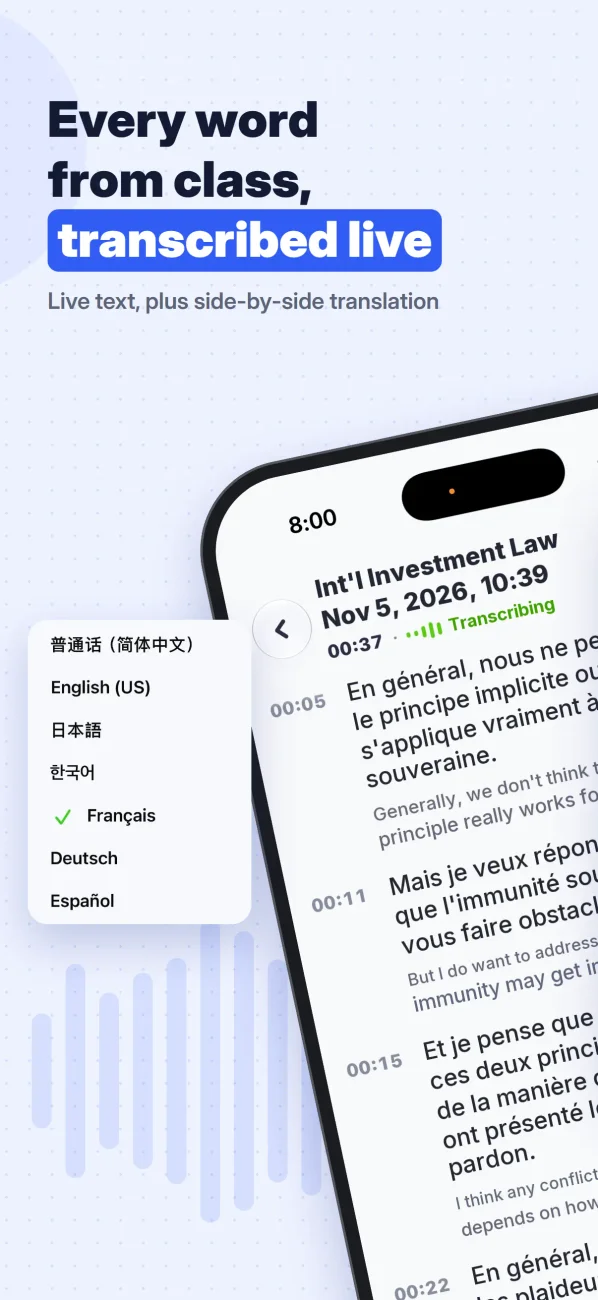
FOLLOW THE LECTURE
Start a transcript and take your own notes alongside it. aulivis organizes the material into sections and creates practice questions as enough lecture content becomes available. Check what you have just learned, then return to missed questions in your mistake notebook.
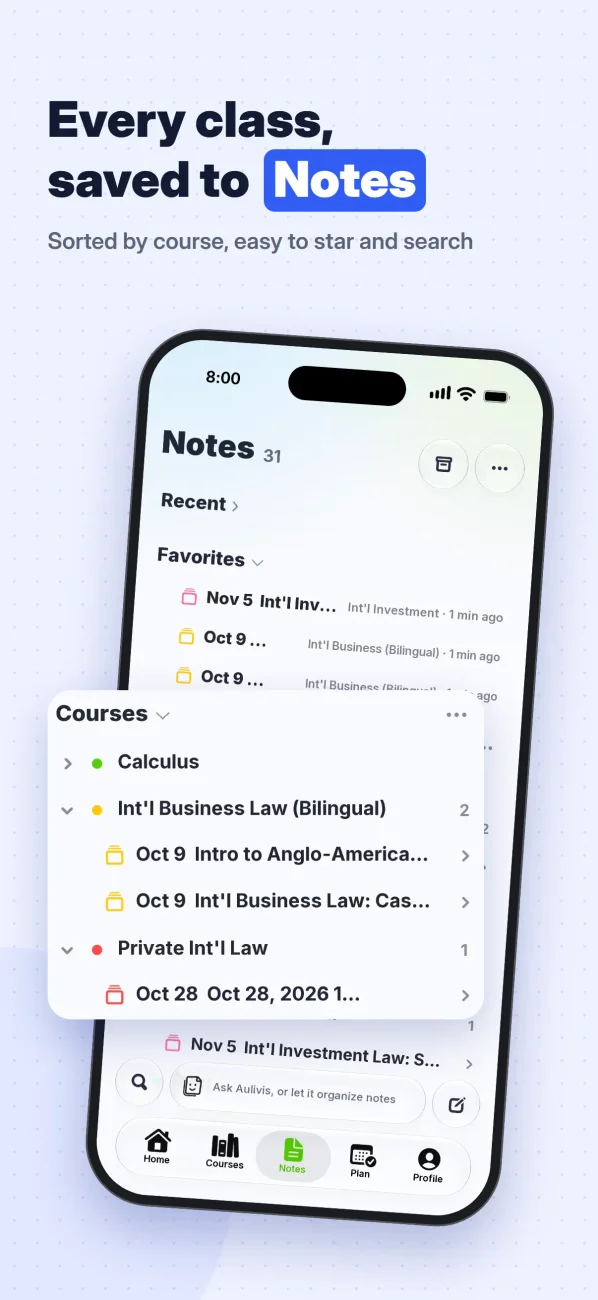
COME BACK TO THE WHOLE CLASS
Your transcript, key points, practice, personal notes and class summary belong to one class notebook. Review an explanation, check the original words or add your own thinking. Course-based organization keeps related material close at hand.
SEE THE WEEK AHEAD
Your timetable connects with your learning calendar and timeline. Link tasks to courses and use reminders to plan assignments and revision. Supported university connections can import academic information; availability varies by institution and data type.
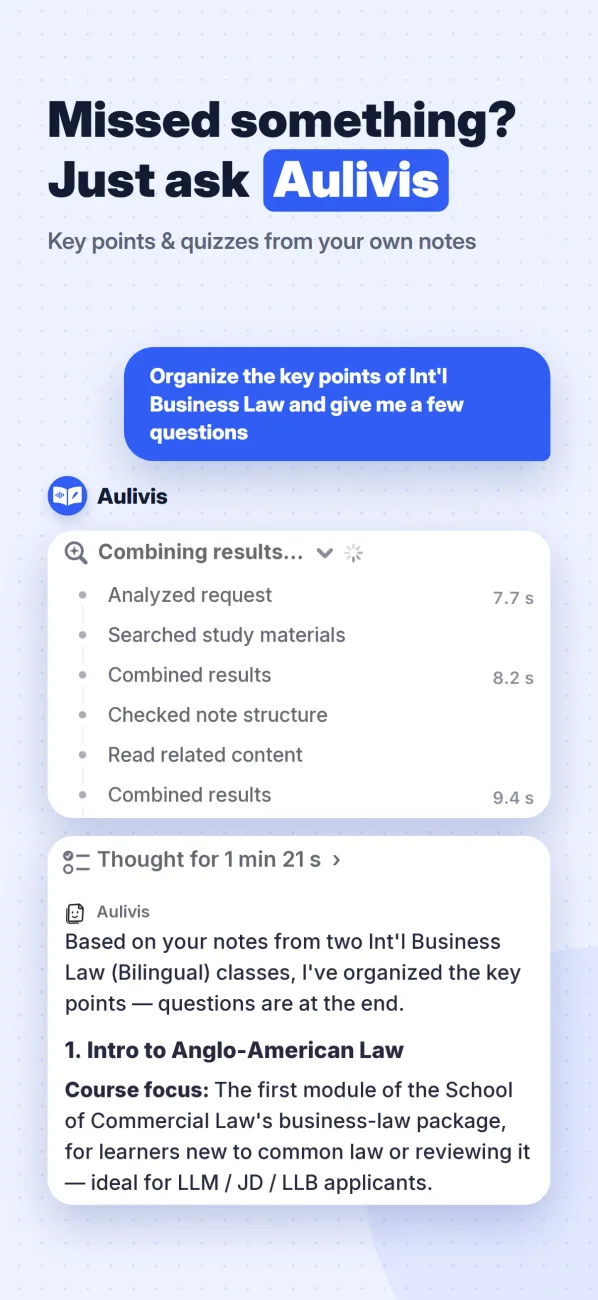
ASK WITH YOUR MATERIALS AT HAND
The AI assistant can use the notes and study information you authorize to find details, explain a topic and help organize a plan. Access is limited by the permissions you grant, and changes that require confirmation are yours to approve.
MAKE THE NOTES YOUR OWN
Combine text, images and handwriting. On iPad, view class material, notes and practice side by side, with room to work through an idea using Apple Pencil.
Some features require an internet connection, system permissions or available AI credits. See the app for subscription and purchase details. Obtain any necessary permission before transcribing a class. AI-generated content can contain errors; check it against your course materials.
Support: support@aulivis.com
Privacy: https://aulivis.com/en/privacy/
Terms: https://aulivis.com/en/terms/
Yang baru
Versi 1.3.0 · 12/11/2026
• Major improvements to note-taking performance, formatting, layout, and visual styles.
Privasi aplikasi
Yang dinyatakan Shenzhen Dimension Brush Technology Co., Ltd di App Store tentang cara aplikasi ini menangani data.
-
Data yang ditautkan dengan Anda
Dapat dikumpulkan dan ditautkan dengan identitas Anda.
- Pembelian
- Info kontak
- Konten pengguna
- Riwayat pencarian
- Pengenal
- Data penggunaan
- Diagnostik
Praktik privasi dapat bervariasi, misalnya berdasarkan fitur yang Anda gunakan atau usia Anda.
Informasi
- Penjual
- Shenzhen Dimension Brush Technology Co., Ltd
- Kategori
- Pendidikan
- Versi
- 1.3.0
- Diperbarui
- 12/11/2026
- Dirilis
- 15/10/2026
- Ukuran
- 64,8 MB
- Memerlukan
- iOS 17.0 atau yang lebih baru
- Batasan usia
- 4+
- Harga
- Gratis
- Pembelian dalam aplikasi
- Ya
- Bahasa
- Inggris, Prancis, Jerman, Jepang, Korea, Tionghoa Sederhana, Spanyol, Tionghoa Tradisional
- Hak cipta
- © 2026 深圳次元笔触科技有限公司
Mungkin Anda juga suka
-
 Pocket Tomo: Japanese TravelPendidikan
-
 满绩课表 - 干净的大学生课表Pendidikan
-
 BrainHero: Game Latihan OtakMemori, logika, hitung & fokus
-
 CLocker - 应用锁&专注学习计时器,家长管理防沉迷Pendidikan
-
 Guzili: Calligraphy GamesPendidikan
-
 无印有迹Pendidikan
-
 Easy Timetable: Class SchedulePendidikan
-
 星链课表Pendidikan
-
 Piksi — Scan & Define WordsReferensi
-
 Castlingo: 英语播客口语平台Pendidikan