autoforward: Forward SMS
Texts to Email, SMS Forwarder
Dirancang untuk iPhone
Gratis · Pembelian dalam aplikasi
- Batasan usia4+
- KategoriBisnis
- Pengembangabove the fold GmbH
- BahasaInggris+ 21 lainnya
- Ukuran5,7 MB
Tertaut ke halaman resmi App Store
Download.org tidak menyimpan file autoforward: Forward SMS apa pun. Tombol ini membuka halaman aplikasi di App Store, tempat above the fold GmbH menerbitkannya. Halaman terakhir diperiksa pada 22/11/2026.
Tangkapan layar
Tentang
Pengembang belum menyediakan teks ini dalam bahasa Anda.
autoforward forwards text messages to email automatically. Every incoming SMS or iMessage on your iPhone, or only the ones from a sender or with a keyword you choose, goes straight to any email address. Whether you’re managing two-factor authentication codes, delivery updates or appointment reminders, text message forwarding to email means you never miss one, and you can read your texts on a PC or Mac.
Key Features:
• SMS to Email Forwarding: Receive your text messages directly in your email inbox, perfect for archiving or managing SMS alongside emails.
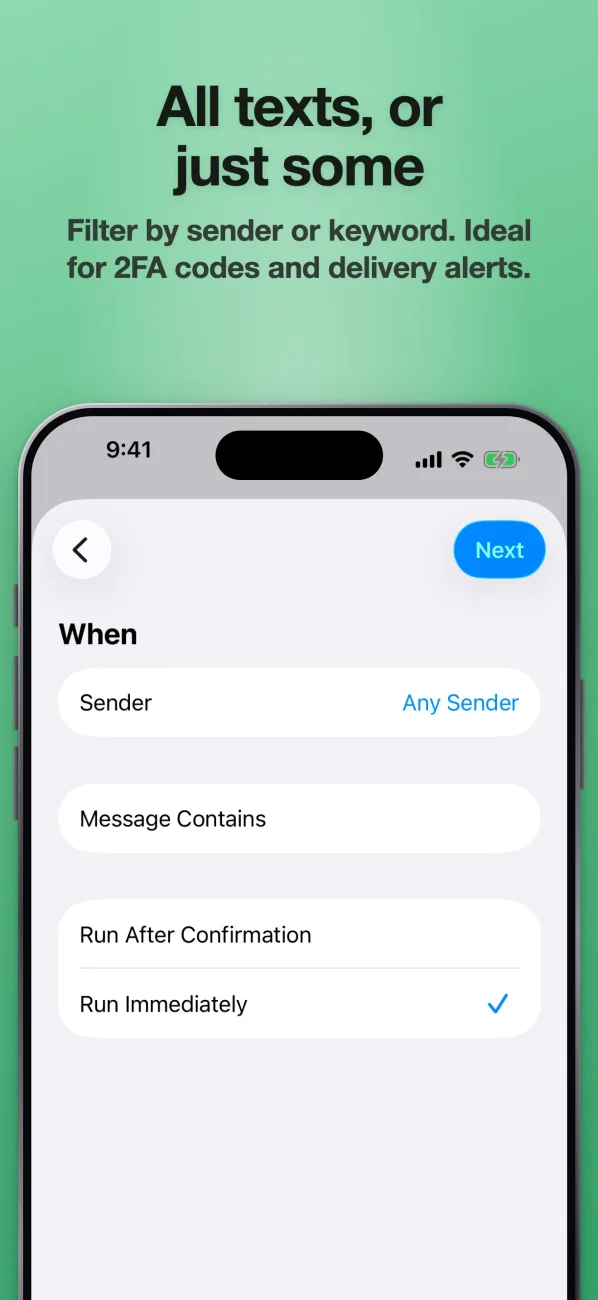
• Every Text or Just Some: Forward everything, or filter by sender or keyword right in the automation.
• Sender in Subject: Show who texted you in the email subject, so your mail app groups every message from the same sender into one conversation.
• Reliable Delivery: Messages are processed securely and are never stored longer than necessary for forwarding.
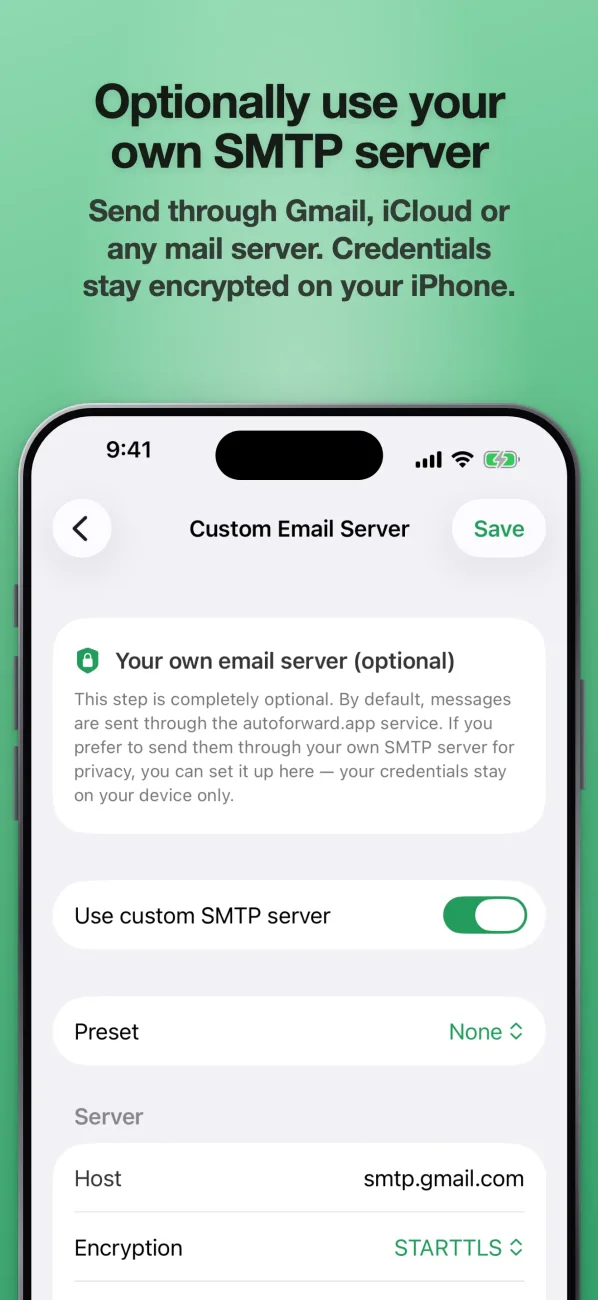
• Your Own Mail Server: Optionally send through your own SMTP server (Gmail, iCloud or any mail server), so messages go directly through your infrastructure. Credentials stay encrypted on your iPhone.
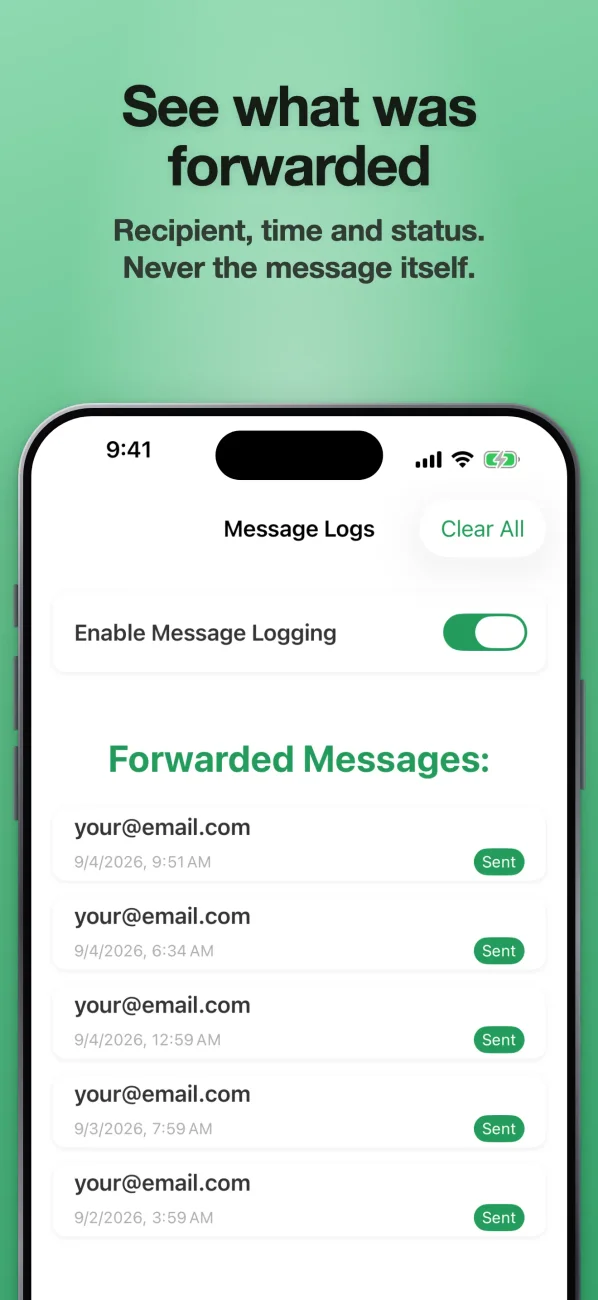
• History Without Contents: See recipient, time and status of every forward. The message itself is never logged.
• Free to Use: autoforward has a free tier with daily and monthly limits.
Common Uses:
• Two-Factor Authentication (2FA): Reliably forward OTP and login codes by email, to yourself or a coworker.
• Delivery & Appointment Updates: Forward delivery notifications and appointment reminders.
• Texts on Your Computer: Read and search your SMS in your inbox on any device.
How It Works:
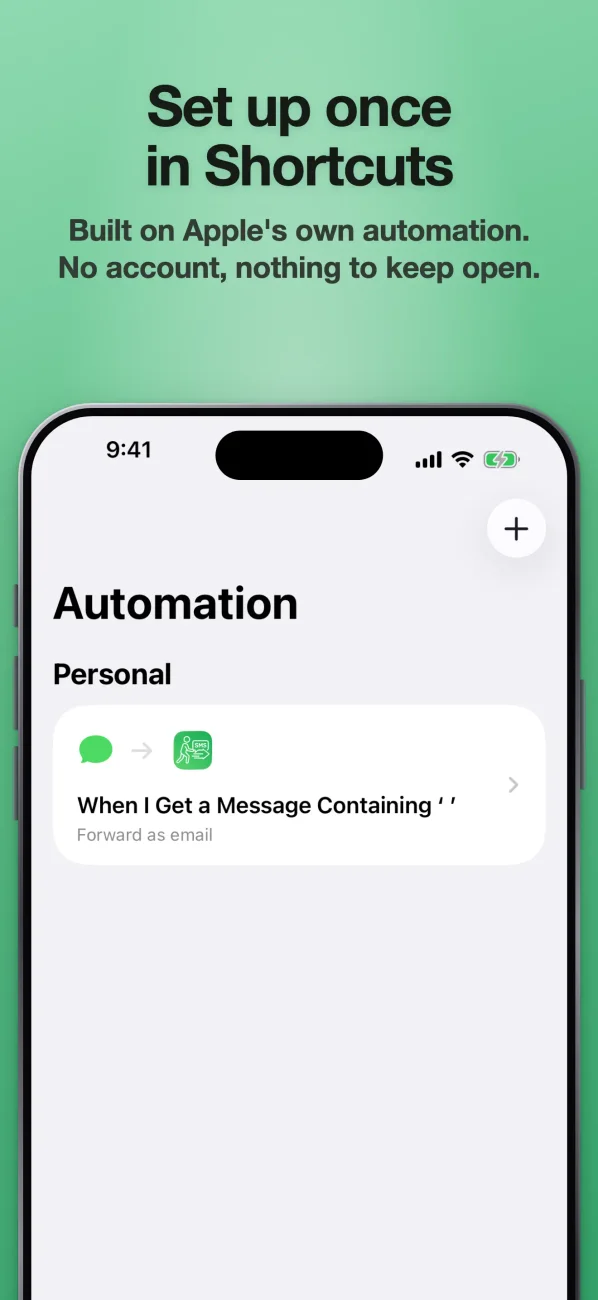
autoforward adds a “Forward as email” action to Apple Shortcuts. A Message automation runs it on every incoming text; set it up once, in a couple of minutes, with the guide and video in the app. No account, no jailbreak, nothing to keep open. If you have been looking for an SMS forwarder for iPhone, this is it.
Privacy First:
Your privacy is our priority. Messages are processed securely and are never stored longer than necessary for forwarding. With your own SMTP server, forwarding runs entirely on your iPhone.
Privacy Policy:
https://autoforward.app/en/privacy
Terms of use:
https://www.apple.com/legal/internet-services/itunes/dev/stdeula/
Yang baru
Versi 0.3.1 · 18/11/2026
Bug fixes and stability improvements.
Privasi aplikasi
Yang dinyatakan above the fold GmbH di App Store tentang cara aplikasi ini menangani data.
-
Data tidak dikumpulkan
Pengembang tidak mengumpulkan data apa pun dari aplikasi ini.
Praktik privasi dapat bervariasi, misalnya berdasarkan fitur yang Anda gunakan atau usia Anda.
Informasi
- Penjual
- above the fold GmbH
- Kategori
- Bisnis
- Versi
- 0.3.1
- Diperbarui
- 18/11/2026
- Dirilis
- 7/5/2025
- Ukuran
- 5,7 MB
- Memerlukan
- iOS 18.4 atau yang lebih baru
- Batasan usia
- 4+
- Harga
- Gratis
- Pembelian dalam aplikasi
- Ya
- Bahasa
- Inggris, Katalan, Kroat (Kroasia), Cheska (Republik Cheska), Dansk (Denmark), Belanda, Suomi (Finlandia), Prancis, Jerman, Magyar (Hungaria), Bahasa Indonesia, Italia + 10 lainnya
- Hak cipta
- © above the fold GmbH