autoforward: Forward SMS
Texts to Email, SMS Forwarder
Designed for iPhone
Free · In-app purchases
- Age rating4+
- CategoryBusiness
- Developerabove the fold GmbH
- LanguagesEnglish+ 21 more
- Size5.7 MB
Links to the official App Store page
Download.org hosts no file of autoforward: Forward SMS. The button opens its official App Store page, published by above the fold GmbH. Listing last checked on Nov 22, 2026.
Screenshots


About
autoforward forwards text messages to email automatically. Every incoming SMS or iMessage on your iPhone, or only the ones from a sender or with a keyword you choose, goes straight to any email address. Whether you’re managing two-factor authentication codes, delivery updates or appointment reminders, text message forwarding to email means you never miss one, and you can read your texts on a PC or Mac.
Key Features:
• SMS to Email Forwarding: Receive your text messages directly in your email inbox, perfect for archiving or managing SMS alongside emails.
• Every Text or Just Some: Forward everything, or filter by sender or keyword right in the automation.
• Sender in Subject: Show who texted you in the email subject, so your mail app groups every message from the same sender into one conversation.
• Reliable Delivery: Messages are processed securely and are never stored longer than necessary for forwarding.
• Your Own Mail Server: Optionally send through your own SMTP server (Gmail, iCloud or any mail server), so messages go directly through your infrastructure. Credentials stay encrypted on your iPhone.
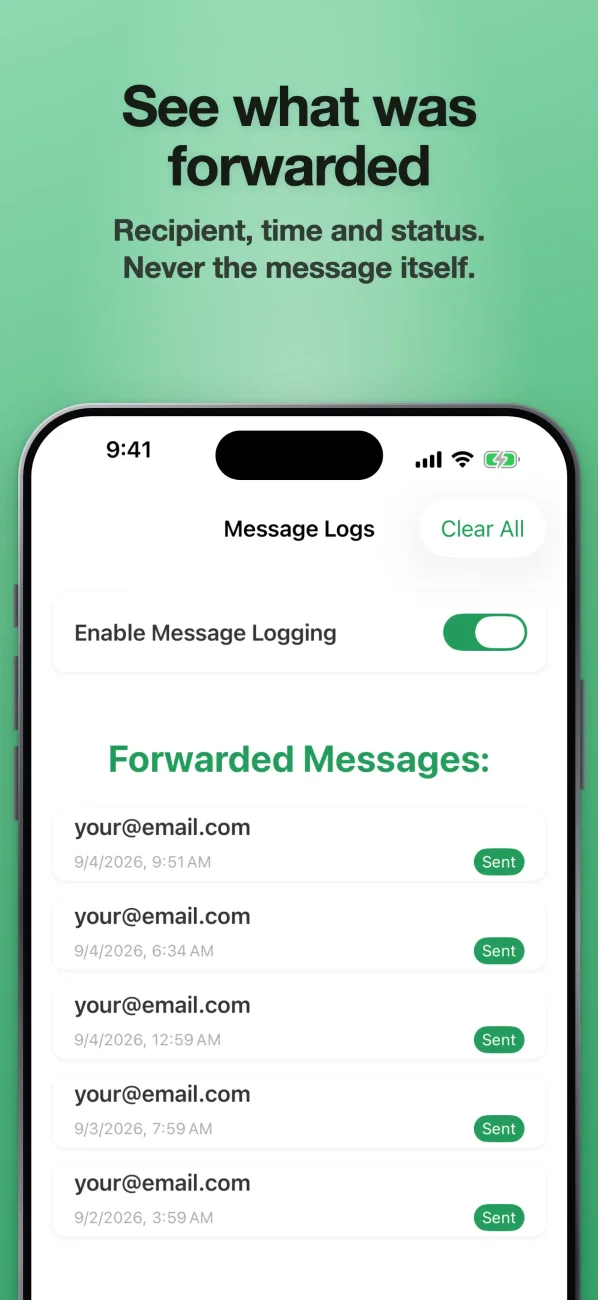
• History Without Contents: See recipient, time and status of every forward. The message itself is never logged.
• Free to Use: autoforward has a free tier with daily and monthly limits.
Common Uses:
• Two-Factor Authentication (2FA): Reliably forward OTP and login codes by email, to yourself or a coworker.
• Delivery & Appointment Updates: Forward delivery notifications and appointment reminders.
• Texts on Your Computer: Read and search your SMS in your inbox on any device.
How It Works:
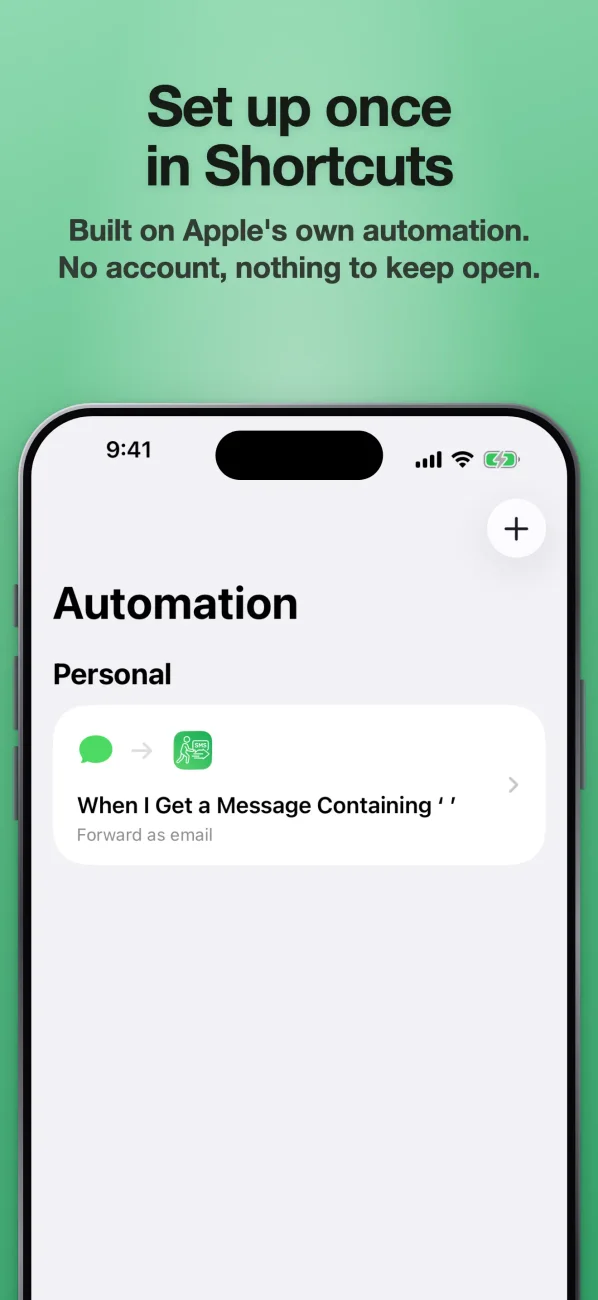
autoforward adds a “Forward as email” action to Apple Shortcuts. A Message automation runs it on every incoming text; set it up once, in a couple of minutes, with the guide and video in the app. No account, no jailbreak, nothing to keep open. If you have been looking for an SMS forwarder for iPhone, this is it.
Privacy First:
Your privacy is our priority. Messages are processed securely and are never stored longer than necessary for forwarding. With your own SMTP server, forwarding runs entirely on your iPhone.
Privacy Policy:
https://autoforward.app/en/privacy
Terms of use:
https://www.apple.com/legal/internet-services/itunes/dev/stdeula/
What’s new
Version 0.3.1 · Nov 18, 2026
Bug fixes and stability improvements.
App privacy
What above the fold GmbH declares on the App Store about how this app handles data.
-
Data not collected
The developer does not collect any data from this app.
Privacy practices may vary, for example with the features you use or your age.
Information
- Seller
- above the fold GmbH
- Category
- Business
- Version
- 0.3.1
- Updated
- Nov 18, 2026
- Released
- May 7, 2025
- Size
- 5.7 MB
- Requires
- iOS 18.4 or later
- Age rating
- 4+
- Price
- Free
- In-app purchases
- Yes
- Languages
- English, Catalan, Croatian, Czech, Danish, Dutch, Finnish, French, German, Hungarian, Indonesian, Italian + 10 more
- Copyright
- © above the fold GmbH
You might also like
-
 Forward SMS: SMS ForwarderAutomatically forward your SMS
-
 SMS to Email ForwarderText Messages Forward to Email
-
 SMS Forwarder: Forward SMSMessage & Text Forwarding
-
 mySMSBusiness
-
 Callcentric SMSSMS with your Callcentric #'s
-
 SMS from PCSend SMS from PC comfort
-
 Texty Pro - Business TextingGet texts on you landline!
-
 TextMagicBusiness SMS app
-
 Web Browser SMSSend texts from your keyboard
-
 SedaVPNYour Ultimate Privacy Shield