BITEK Print
Print QR, photos and labels
Dirancang untuk iPhone, iPad, iPod touch
Gratis
- Batasan usia4+
- KategoriKegunaan
- Pengembangdaejin kim
- BahasaInggris
- Ukuran23,0 MB
Tertaut ke halaman resmi App Store
Download.org tidak menyimpan file BITEK Print apa pun. Tombol ini membuka halaman aplikasi di App Store, tempat daejin kim menerbitkannya. Halaman terakhir diperiksa pada 11/11/2026.
Tangkapan layar



Tentang
Pengembang belum menyediakan teks ini dalam bahasa Anda.
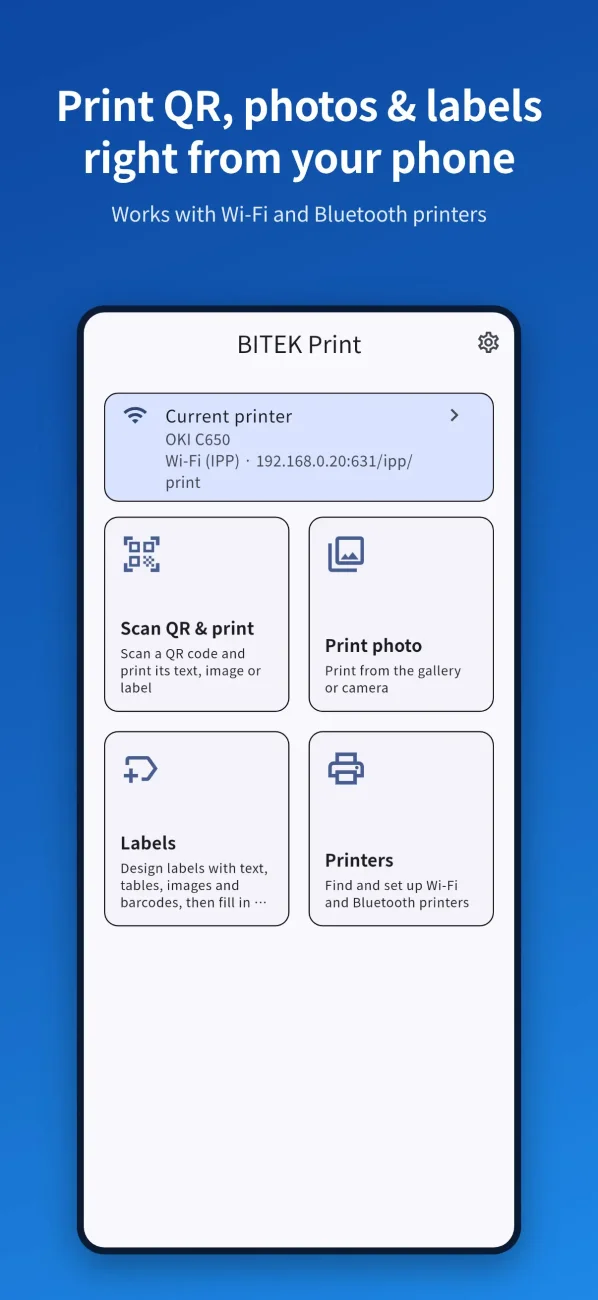
BITEK Print lets you print QR codes, photos and labels from your iPhone or iPad to Wi-Fi and Bluetooth printers.
Whether you need to tag equipment, print a photo or put the contents of a QR code on paper, you can do it on the spot without a PC.
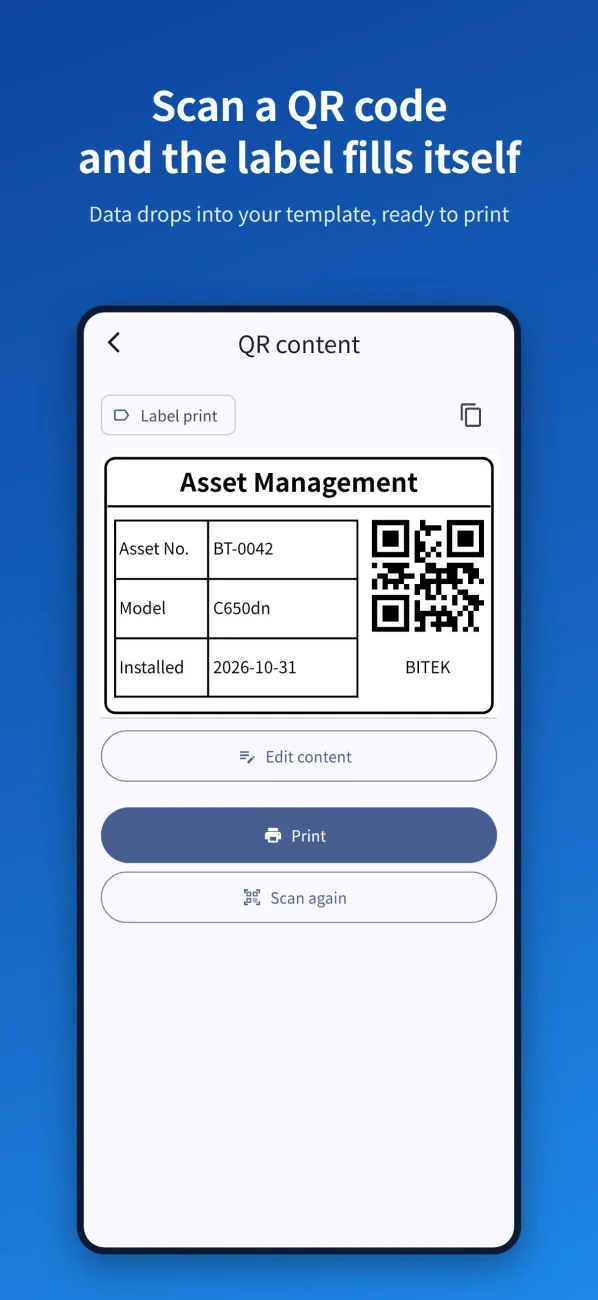
■ Scan a QR code and print
• The app recognizes what is inside a QR code and prints it automatically.
• Supports text, web links, image and PDF links, Wi-Fi details and contacts (vCard).
• Scan a label QR code and its values drop straight into your saved label template.
• Read QR codes from photos, or type the content yourself.
■ Print photos
• Print photos from your photo library or camera on A4, 4×6, L-size or label-sized paper.
• Choose fit or fill.
■ Design labels
• Set the label size in millimeters.
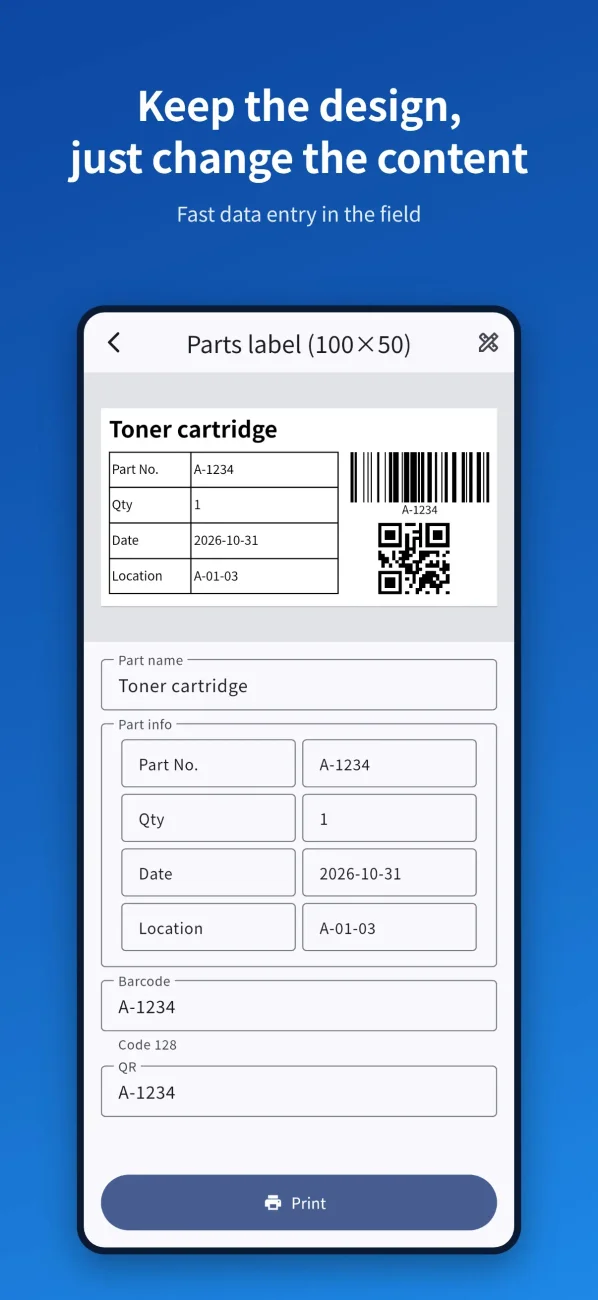
• Add text, tables, images, barcodes, QR codes, lines and boxes, then move and resize them freely.
• Barcodes: Code 128, Code 39, EAN-13, EAN-8, UPC-A, ITF, Codabar, Data Matrix, PDF417
• Keep the design and change only the content on the quick fill-in screen.
• Fill a whole A4 label sheet with the same label.
■ Printers
• Automatically finds printers on the same Wi-Fi network and shows whether each one can print.
• Office network printers (IPP): sends PDF/JPEG directly, for example to the OKI C650dn
• AirPrint printers
• Label and receipt printer languages: ZPL, TSPL, ESC/POS
• Finds and prints to Bluetooth LE label printers
• Save or share the output as a PDF
■ Why it is handy
• What you see is what prints, so Korean, Japanese and Chinese text never turns into broken characters.
• No sign-up or login.
• Label templates and printer settings stay on your device, and print data goes only to the printer you choose.
• Available in English, 한국어, 日本語, 简体中文 and 繁體中文
Some features may work differently depending on the printer model and its settings.
Contact: sales.kr@bitekps.com
Yang baru
Versi 1.2 · 5/11/2026
• New "Send to PC": send QR contents, photos and label values from your phone to the BITEK Print PC program, which prints them on your PC's printers. Works from anywhere with an internet connection.
• Connect once by scanning the QR code in the PC program.
• Label templates are now made in the PC program. On your phone, pick a template, enter values and send.
• "Print from this phone" still prints directly to a printer.
• Stability and usability improvements
※ PC program: sales.kr@bitekps.com
Privasi aplikasi
Yang dinyatakan daejin kim di App Store tentang cara aplikasi ini menangani data.
-
Data tidak dikumpulkan
Pengembang tidak mengumpulkan data apa pun dari aplikasi ini.
Praktik privasi dapat bervariasi, misalnya berdasarkan fitur yang Anda gunakan atau usia Anda.
Informasi
- Penjual
- daejin kim
- Kategori
- Kegunaan
- Versi
- 1.2
- Diperbarui
- 5/11/2026
- Dirilis
- 1/11/2026
- Ukuran
- 23,0 MB
- Memerlukan
- iOS 15.0 atau yang lebih baru
- Batasan usia
- 4+
- Harga
- Gratis
- Bahasa
- Inggris
- Hak cipta
- © 2026 BITEK TECHNOLOGY INC.