BITEK Print
Print QR, photos and labels
iPhone, iPad, iPod touch için tasarlandı
Ücretsiz
- Yaş sınırı4+
- KategoriYardımcılar
- Geliştiricidaejin kim
- Dillerİngilizce
- Boyut23,0 MB
Resmi App Store sayfasına bağlanır
Download.org, BITEK Print için hiçbir dosya barındırmaz. Düğme, uygulamanın App Store üzerindeki sayfasını açar; uygulamayı orada daejin kim yayınlar. Sayfanın son kontrolü: 11.11.2026.
Ekran görüntüleri



Hakkında
Geliştirici bu metni dilinizde sunmamış.
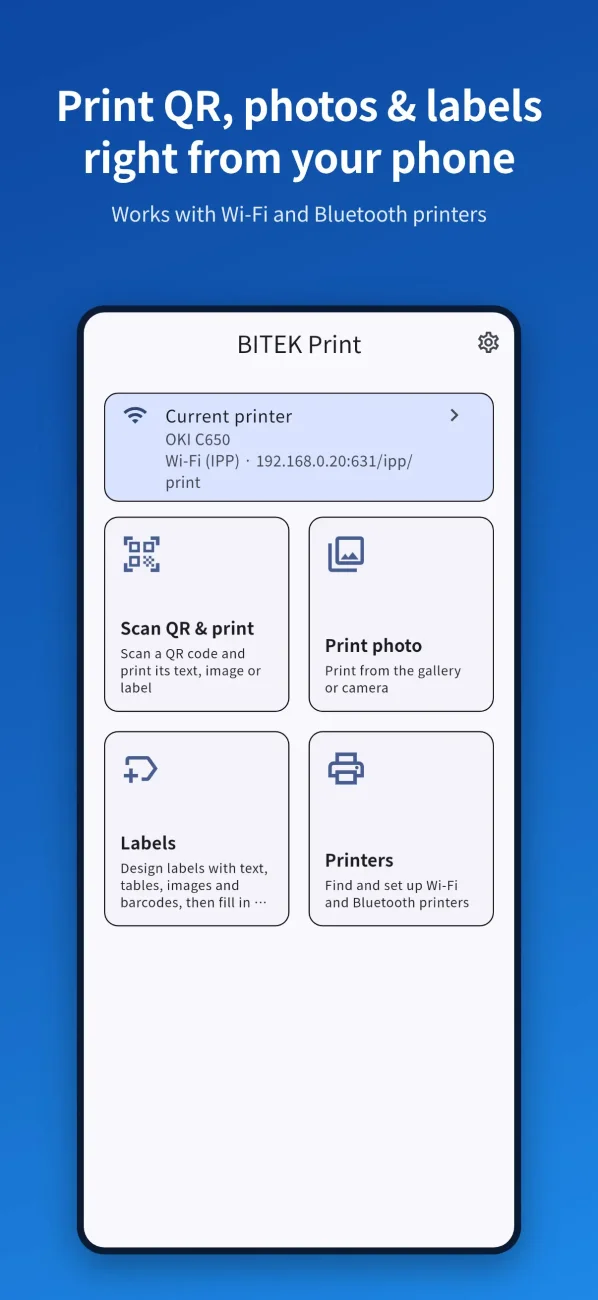
BITEK Print lets you print QR codes, photos and labels from your iPhone or iPad to Wi-Fi and Bluetooth printers.
Whether you need to tag equipment, print a photo or put the contents of a QR code on paper, you can do it on the spot without a PC.
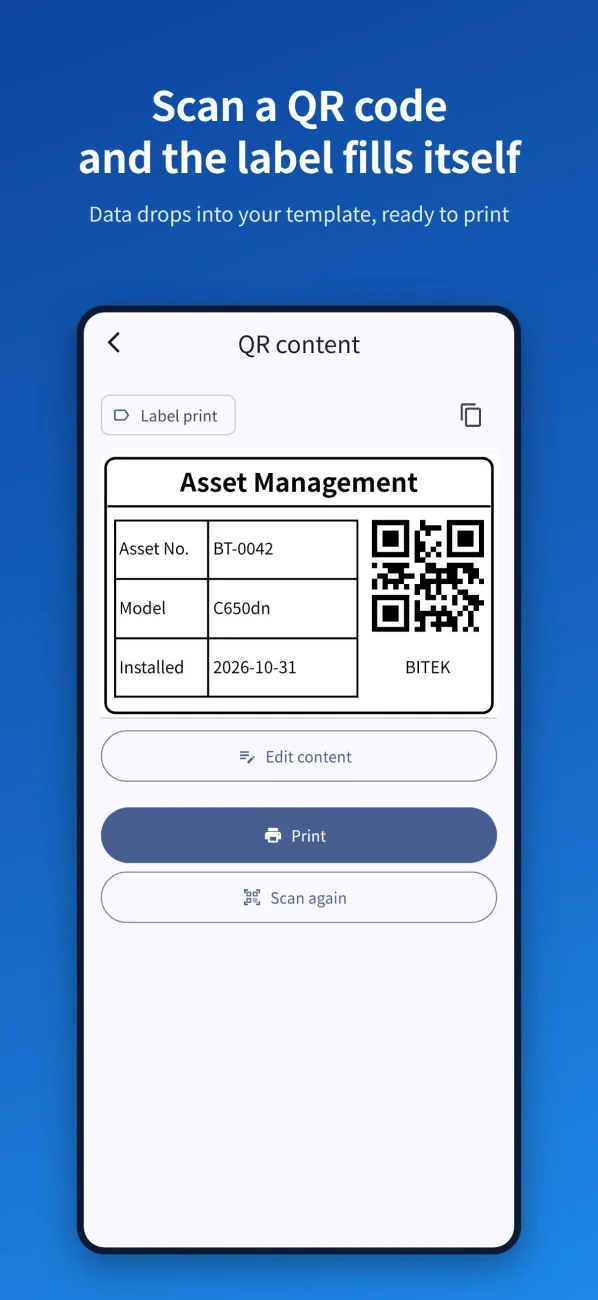
■ Scan a QR code and print
• The app recognizes what is inside a QR code and prints it automatically.
• Supports text, web links, image and PDF links, Wi-Fi details and contacts (vCard).
• Scan a label QR code and its values drop straight into your saved label template.
• Read QR codes from photos, or type the content yourself.
■ Print photos
• Print photos from your photo library or camera on A4, 4×6, L-size or label-sized paper.
• Choose fit or fill.
■ Design labels
• Set the label size in millimeters.
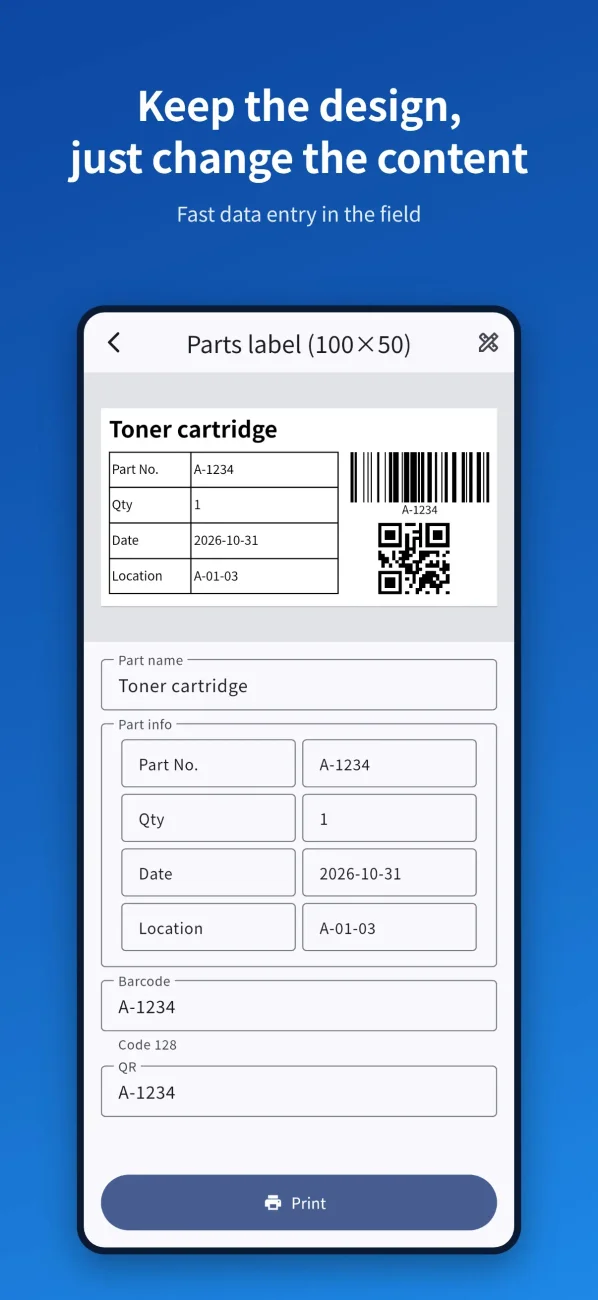
• Add text, tables, images, barcodes, QR codes, lines and boxes, then move and resize them freely.
• Barcodes: Code 128, Code 39, EAN-13, EAN-8, UPC-A, ITF, Codabar, Data Matrix, PDF417
• Keep the design and change only the content on the quick fill-in screen.
• Fill a whole A4 label sheet with the same label.
■ Printers
• Automatically finds printers on the same Wi-Fi network and shows whether each one can print.
• Office network printers (IPP): sends PDF/JPEG directly, for example to the OKI C650dn
• AirPrint printers
• Label and receipt printer languages: ZPL, TSPL, ESC/POS
• Finds and prints to Bluetooth LE label printers
• Save or share the output as a PDF
■ Why it is handy
• What you see is what prints, so Korean, Japanese and Chinese text never turns into broken characters.
• No sign-up or login.
• Label templates and printer settings stay on your device, and print data goes only to the printer you choose.
• Available in English, 한국어, 日本語, 简体中文 and 繁體中文
Some features may work differently depending on the printer model and its settings.
Contact: sales.kr@bitekps.com
Yenilikler
Sürüm 1.2 · 05.11.2026
• New "Send to PC": send QR contents, photos and label values from your phone to the BITEK Print PC program, which prints them on your PC's printers. Works from anywhere with an internet connection.
• Connect once by scanning the QR code in the PC program.
• Label templates are now made in the PC program. On your phone, pick a template, enter values and send.
• "Print from this phone" still prints directly to a printer.
• Stability and usability improvements
※ PC program: sales.kr@bitekps.com
Uygulama gizliliği
Bu uygulamanın verileri nasıl işlediği hakkında daejin kim tarafından App Store üzerinde yapılan beyan.
-
Veri toplanmıyor
Geliştirici bu uygulamadan hiçbir veri toplamıyor.
Gizlilik uygulamaları, örneğin kullandığınız özelliklere veya yaşınıza göre değişiklik gösterebilir.
Bilgiler
- Satıcı
- daejin kim
- Kategori
- Yardımcılar
- Sürüm
- 1.2
- Güncellendi
- 05.11.2026
- Yayın tarihi
- 01.11.2026
- Boyut
- 23,0 MB
- Gereksinim
- iOS 15.0 veya sonrası
- Yaş sınırı
- 4+
- Fiyat
- Ücretsiz
- Diller
- İngilizce
- Telif hakkı
- © 2026 BITEK TECHNOLOGY INC.