Camo Camera
Webcam for Mac and PC
Dirancang untuk iPhone, iPad, iPod touch
Gratis
- Batasan usia4+
- KategoriKegunaan
- PengembangReincubate
- BahasaInggris+ 12 lainnya
- Ukuran106,9 MB
Tertaut ke halaman resmi App Store
Download.org tidak menyimpan file Camo Camera apa pun. Tombol ini membuka halaman aplikasi di App Store, tempat Reincubate menerbitkannya. Halaman terakhir diperiksa pada 25/11/2026.
Tangkapan layar

Tentang
Pengembang belum menyediakan teks ini dalam bahasa Anda.
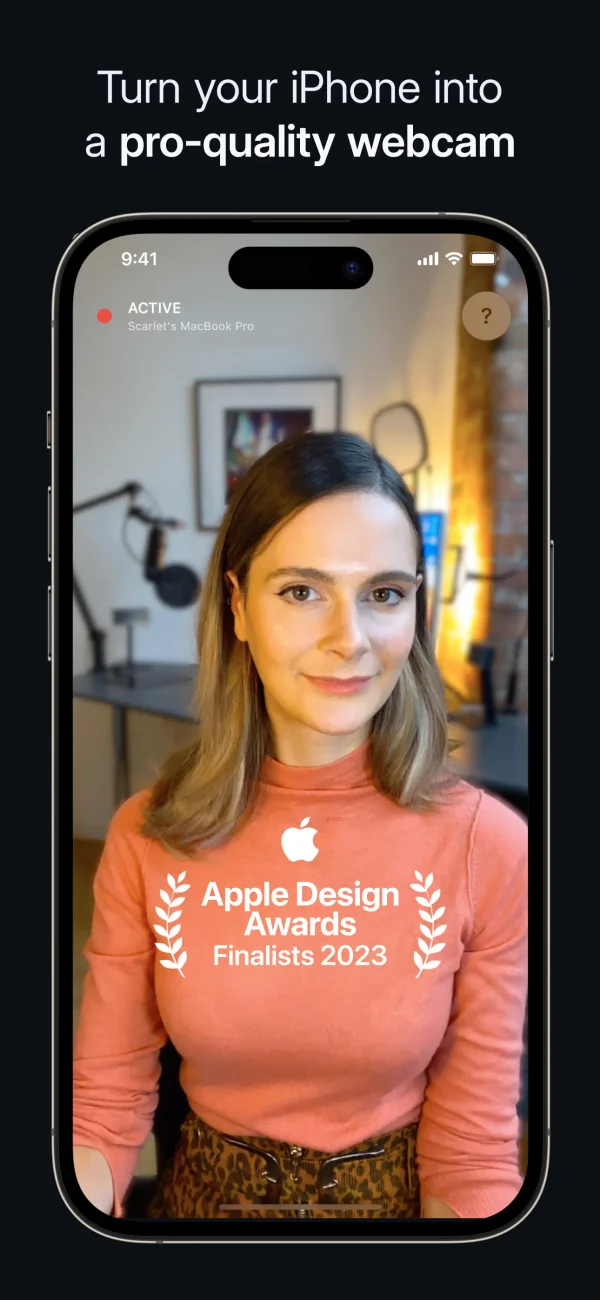
The Apple Design Awards Finalist 2023 app, Camo, uses the incredible cameras in your iPhone to produce pro-quality video, whether you’re meeting, streaming, or recording.
Joanna Stern, The Wall St. Journal – “how I do all my live TV hits”
MacWorld US – “full-featured, easy-to-use, and delightful”
9to5Mac – “an easy way to seriously improve your video call quality”
WIRED – “there are a number of apps which let you use your iOS device’s camera as your webcam, but the best one is Camo”
MacWorld UK – “an easy way to beef up the video quality on your calls”
With over 10 million users helped over the last decade, Reincubate is one of the UK’s most-loved software companies.
— EASY TO USE / PLUG AND PLAY / Wi-Fi —
No extra hardware needed, just connect your device to your Mac or PC. Choose between connecting wirelessly, for the most flexible experience, or opt for a trusty USB connection. With Wi-Fi connectivity, get set up for a call in seconds – no more looking around for a spare cable or a free port.
— POWERFUL ADJUSTMENTS & FILTERS —
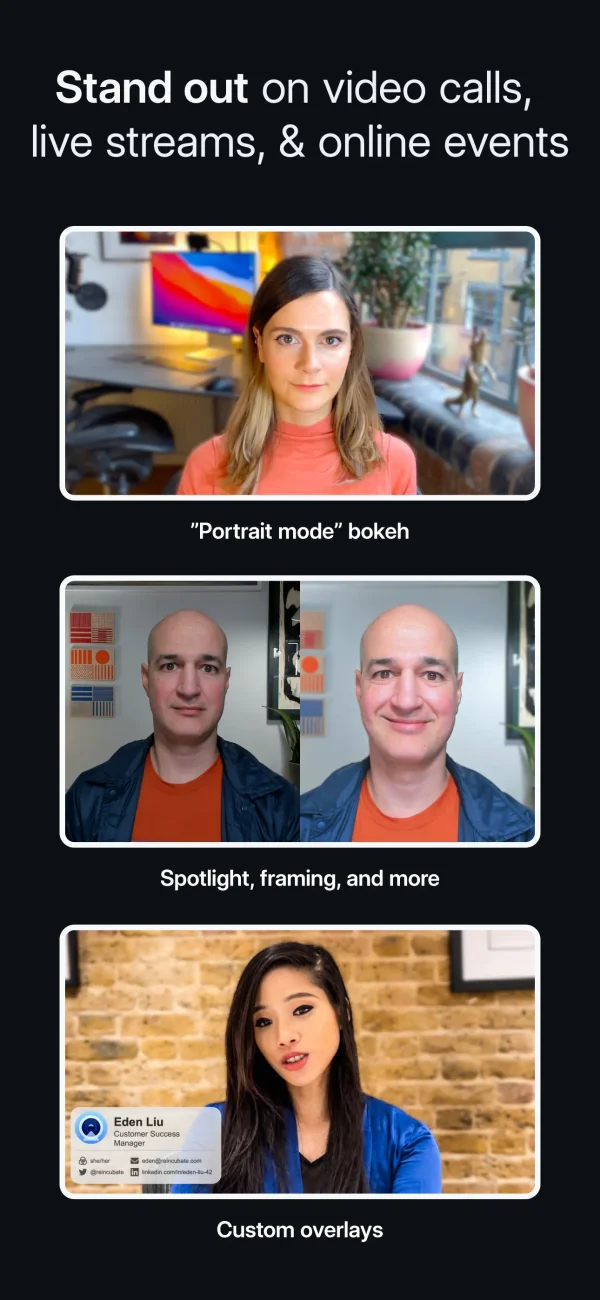
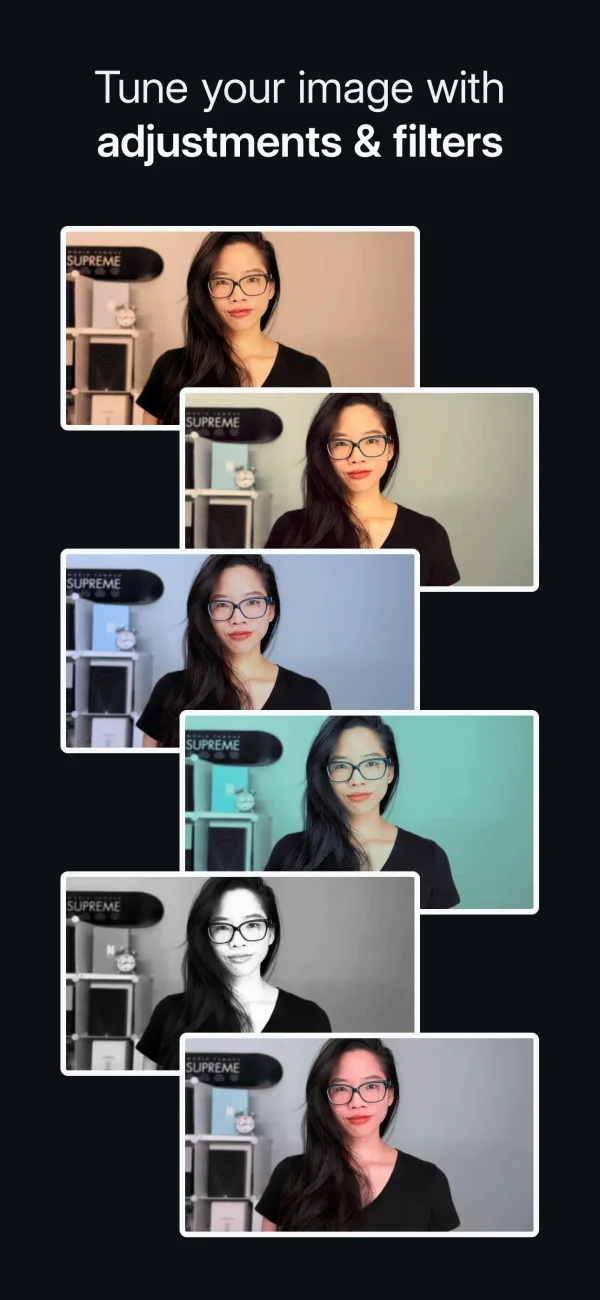
Camo Studio gives you full control of your video, letting you adjust lenses, exposure, colours, contrast, and more; and it lets you zoom, crop, and focus your image precisely how you want it. Apply cinematic styling and color grading to your video with 18 bespoke filters, including support for custom Cube, 3DL, and LUT files.
— STAND OUT WITH SPOTLIGHT & PORTRAIT —
Use Spotlight to compensate for less-than-ideal lighting conditions, such as backlit or under-lit environments, by brightening yourself against your background. Portrait creates a sophisticated bokeh effect that cleanly separates you from the background and gives you full control over the depth of focus.
— VIRTUAL GREEN SCREEN AND PRIVACY —
Use Replace, Camo’s virtual green screen, to cleanly swap any image into your background. Or activate Privacy to cloak your surroundings with a pleasing diffused image effect. Both offer industry-leading performance, enabling video that foregrounds clarity without sacrificing appearance.
— FIND FREEDOM WITH AUTO FRAMING —
Camo’s auto-framing functionality keeps you at the center of the action, whether you’re shuffling around at your desk or presenting at a whiteboard. With a range of zoom options, you’ll remain firmly centered and proportioned on screen.
— COMPATIBLE WITH OVER 40 APPS —
Camo works perfectly with Zoom, Google Meet, Microsoft Teams, Safari, FaceTime, QuickTime, Chrome, OBS Studio, Streamlabs, Skype, Twitch, Panopto, ScreenFlow, Final Cut Pro X, and dozens of other video recording and streaming products.
— SECURITY AND PRIVACY FIRST —
Camo doesn’t know what you’re using it for, and doesn’t capture or transmit your video feed. It simply routes it from your iPhone to your computer. Your data is your business, not ours.
— NOT ONLY BUT ALSO! —
- Super low latency, high speed video with a range of resolutions
- Powerful presets to save and quickly switch to your favourite adjustments and settings
- Native support for iPadOS as well as your iPhone, and beautiful Dark Mode support throughout
- Camo offloads all processing to your iOS device, keeping your computer cool and fast
- Crop your video without losing quality with dynamic-resolution Smart Zoom
- Automatic image stabilisation minimises bumps and vibrations
- Virtually rotate your video without touching your device
- Switch between video from multiple iOS devices and lenses in real-time
- No ads in the app, not ever
— WE’RE HERE TO HELP —
We’re fanatical about supporting users, and we’d love to help you make the most of Camo. Reach out to us any time: support@reincubate.com
Camo Studio supports macOS 10.13 or later & Windows 10 or later.
— LEARN MORE —
About us: https://reincubate.com/camo/
How to make the most of Camo: https://reincubate.com/support/how-to/look-best-webcam-video/
FAQ: https://reincubate.com/support/camo/camo-faq/
Yang baru
Versi 2.4.2 · 23/11/2026
Today's update lets you sign in with your Camo account, makes Camo Camera feel at home on iPhone Duo and iPhone 18 Pro, and brings smoother face tracking along with a batch of fixes. Let us know what you think by using the in-app feedback mechanism or via camo.com/support. We'd love to help and hear from you.
• Optimised Camo Camera for iPhone Duo, with a preview and controls that adapt as you fold it, and support for its selfie cameras
• Added support for the adjustable aperture on iPhone 18 Pro, controlled from Camo Studio's manual exposure settings
• Added an in-app support form, so you can get in touch without leaving Camo Camera
• Improved face tracking, which now glides smoothly like Center Stage instead of chasing every movement
• Improved exposure compensation, which now adjusts your iPhone's camera itself to keep highlights and detail intact
• Improved wireless connection reliability by adapting video quality when your Wi-Fi slows down
• Fixed video occasionally stopping during long sessions, particularly with Bluetooth audio devices connected
• Fixed background effects not coming back after switching down from 4K while auto-framing is on
• Fixed the Wide 2x lens not being applied when your iPhone first connects
• Fixed the camera preview staying in the wrong orientation after rotating your iPhone and laying it flat
• Fixed rare crashes when opening Camo Camera and when using Snap Lenses
Privasi aplikasi
Yang dinyatakan Reincubate di App Store tentang cara aplikasi ini menangani data.
-
Data yang ditautkan dengan Anda
Dapat dikumpulkan dan ditautkan dengan identitas Anda.
- Data penggunaan
-
Data yang tidak ditautkan dengan Anda
Dapat dikumpulkan, tetapi tidak ditautkan dengan identitas Anda.
- Diagnostik
Praktik privasi dapat bervariasi, misalnya berdasarkan fitur yang Anda gunakan atau usia Anda.
Informasi
- Penjual
- Reincubate Ltd
- Kategori
- Kegunaan
- Versi
- 2.4.2
- Diperbarui
- 23/11/2026
- Dirilis
- 16/7/2020
- Ukuran
- 106,9 MB
- Memerlukan
- iOS 15.6 atau yang lebih baru
- Batasan usia
- 4+
- Harga
- Gratis
- Bahasa
- Inggris, Arab, Belanda, Prancis, Jerman, Italia, Jepang, Korea, Portugis, Rusia, Tionghoa Sederhana, Spanyol + 1 lainnya
- Hak cipta
- © 2026 Reincubate Ltd.
Mungkin Anda juga suka
-
 iVCam WebcamKegunaan
-
 DroidCam Webcam & OBS CameraPonsel Anda adalah webcam!
-
 NDI HX Camera - Stream CaptureKegunaan
-
 OBS BladeKegunaan
-
 Screen Mirroring: LetsViewKegunaan
-
 HollyAudioKegunaan
-
 Remote MouseRemote komputer yang praktis
-
 TikFinity Mobile - Alerts&TTSKegunaan
-
 ApowerMirror- Screen MirroringKegunaan
-
 AirDroid Cast-screen mirroringKegunaan