Checklist: Simple Smart
Packing & to-do lists by date
Dirancang untuk iPhone, iPad, iPod touch
Gratis
- Batasan usia4+
- KategoriProduktivitas
- PengembangM8M Labs
- BahasaInggris+ 1 lainnya
- Ukuran19,6 MB
Tertaut ke halaman resmi App Store
Download.org tidak menyimpan file Checklist: Simple Smart apa pun. Tombol ini membuka halaman aplikasi di App Store, tempat M8M Labs menerbitkannya. Halaman terakhir diperiksa pada 14/11/2026.
Tangkapan layar

Tentang
Pengembang belum menyediakan teks ini dalam bahasa Anda.
Type what you are preparing for and when. A checklist is built from the app's templates, and most items get a do-by date counted back from that day.
When it is over, note what you forgot and what you never used. The next checklist in the same category adds the forgotten items and leaves out the unused ones.
Also: 23 templates, Lock Screen and Home Screen widgets, blank lists, swipe to rename or delete, sharing as text, export and import.
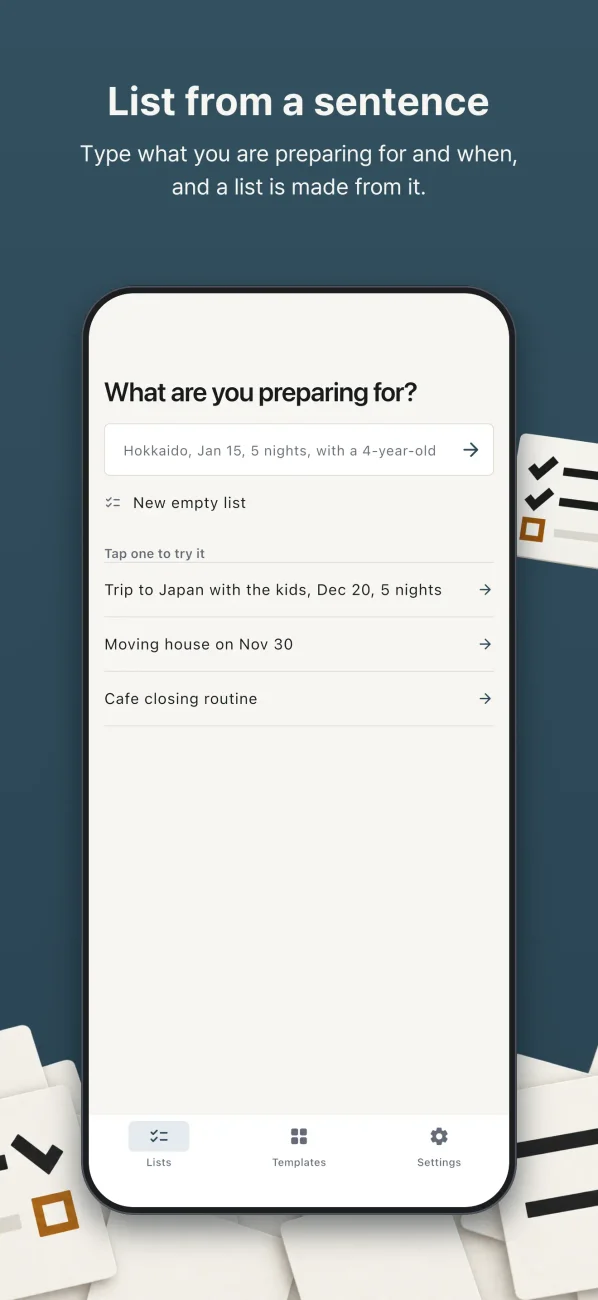
Checklists from one sentence
Type what you are preparing for, such as "Hokkaido, Jan 15, 5 nights, with a 4-year-old". The kind of event, the date, the number of nights and details such as children, winter or a car determine which template sections are included. A sentence with no kind of event and no such details makes an empty list named after it. Sentences in English and Korean both work. The examples on the first screen make a checklist in one tap.
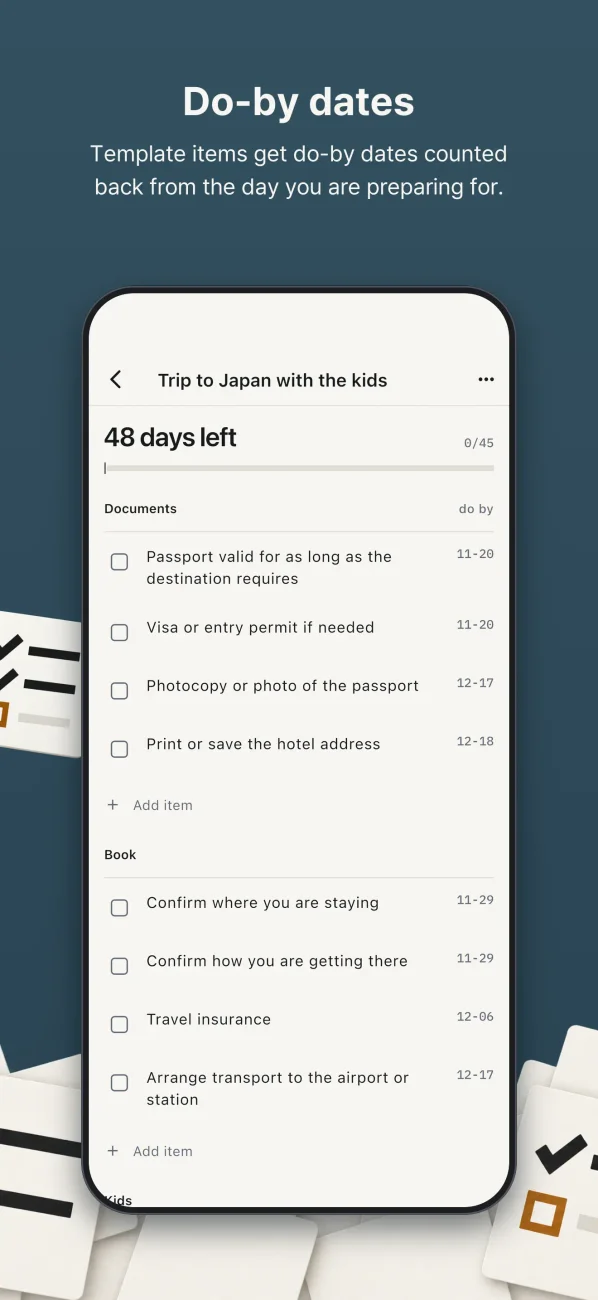
Do-by dates
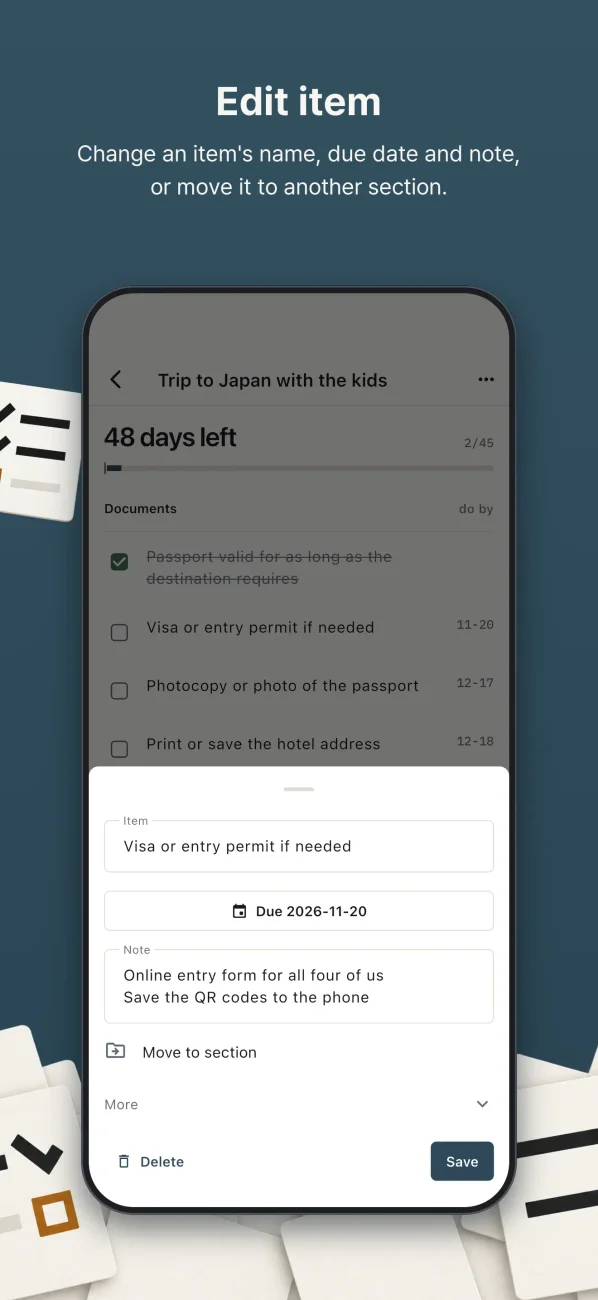
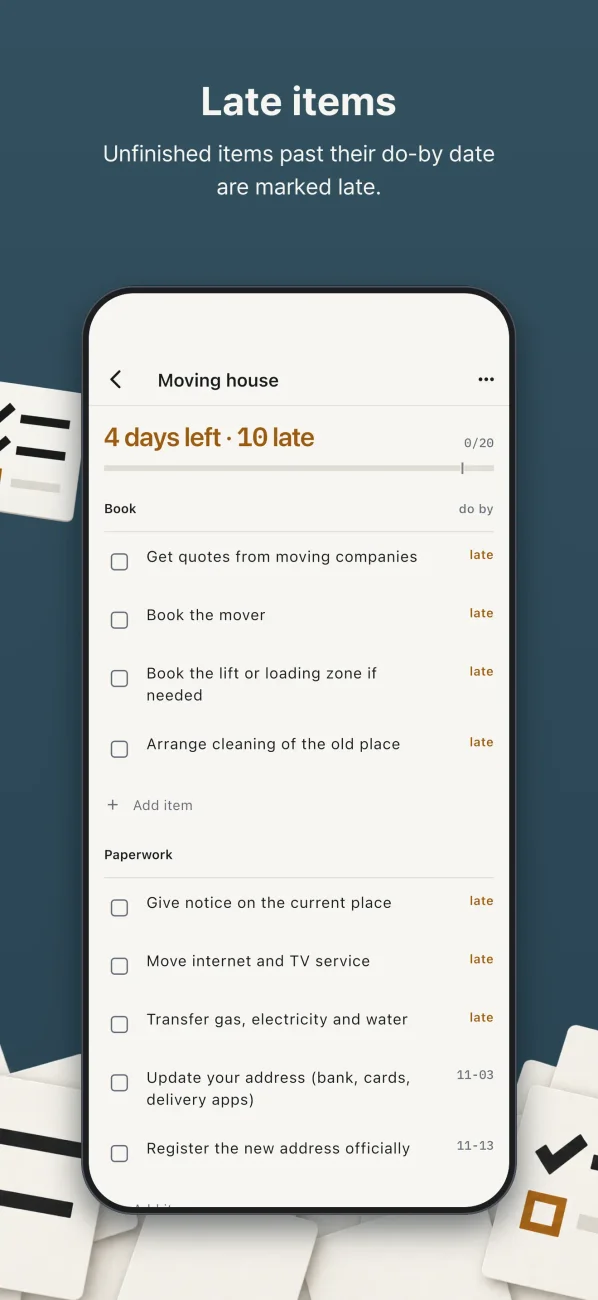
Most template items are set a number of days before the event, so they get a do-by date. For a move, "Book the mover" is due 30 days before moving day. Routines such as cafe closing have no dates.
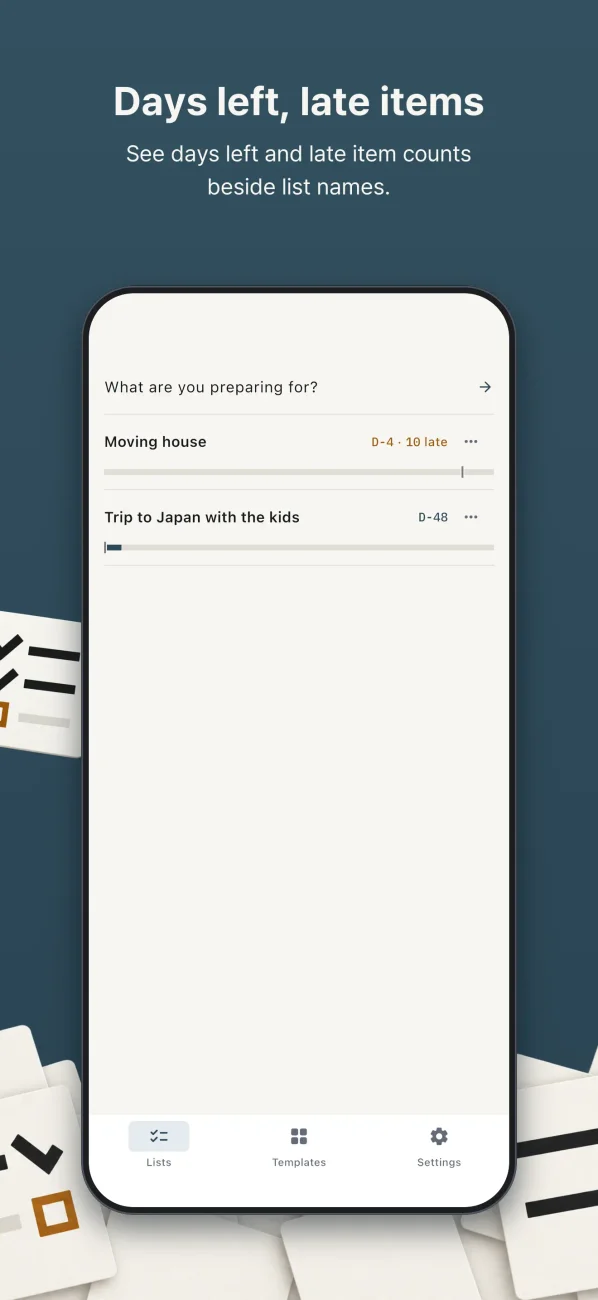
Days left and late items
A list in progress shows a progress bar and, if it has a date, the days left. Open items past their date are marked late, and on the Lists tab a list with late items shows how many.
What you missed last time
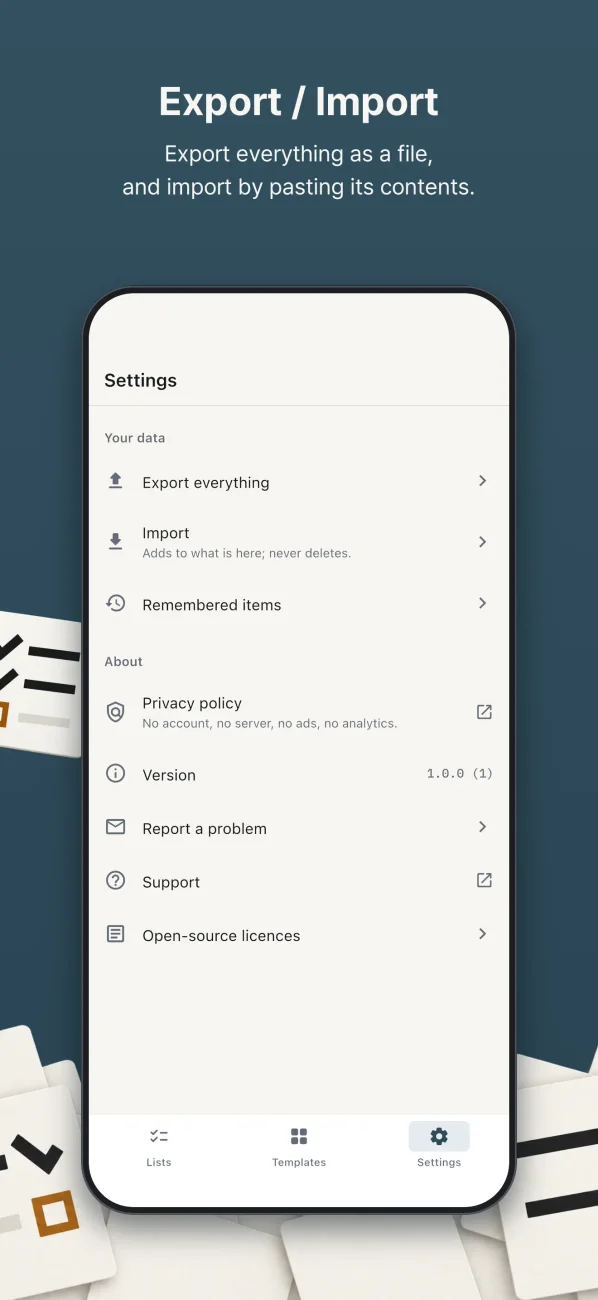
After a list is marked complete, write down what you forgot and what you never used, one per line. The next checklist in the same category gets a section with the forgotten items and leaves out the unused ones. Use again on a finished list makes a new copy of it with the same changes. Saved lines can be reviewed and removed in Settings.
23 templates
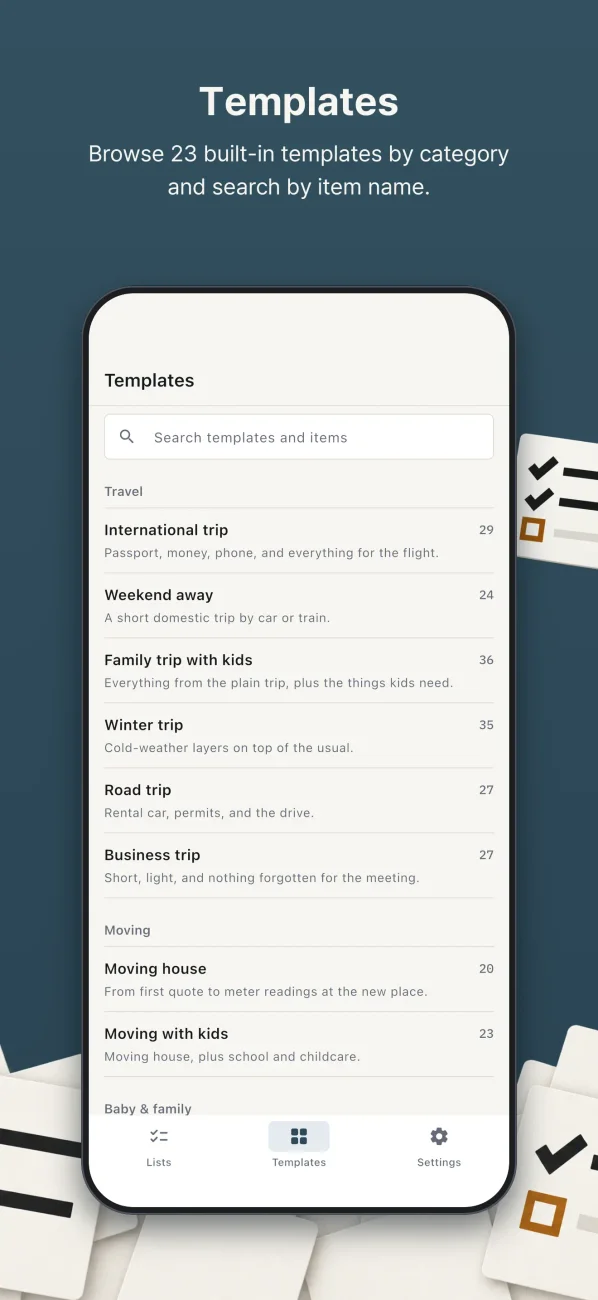
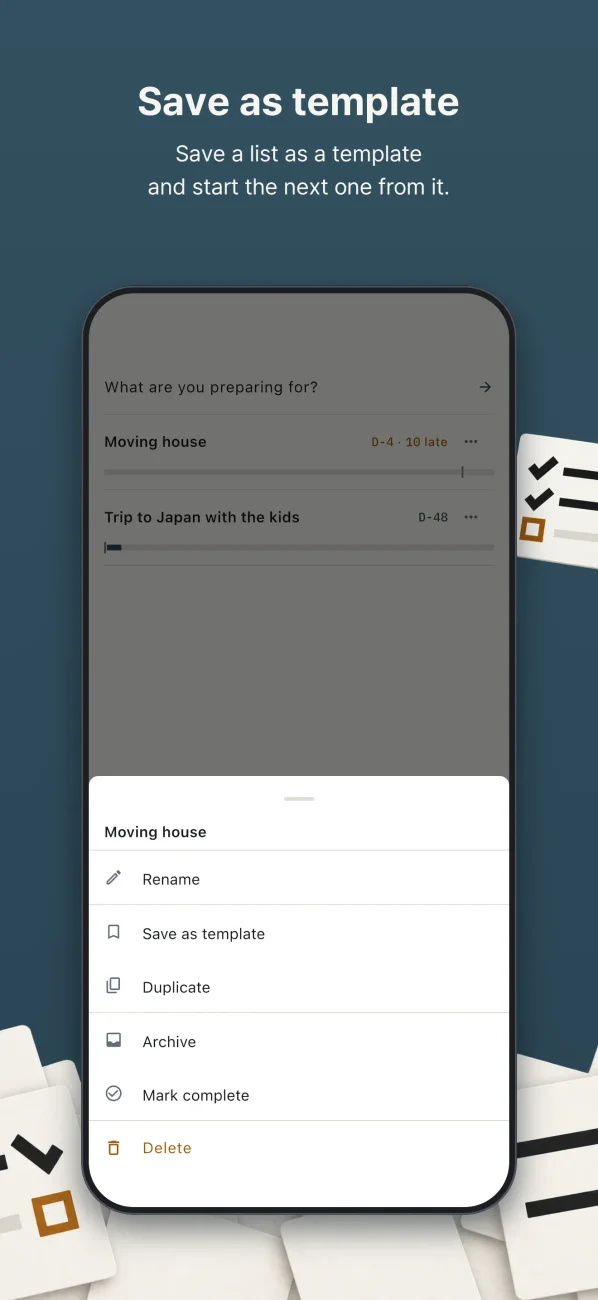
Travel, business trips, moving, a new baby, camping, car camping, home maintenance, car service, a new pet, cafe opening and closing, new hire onboarding, weddings, parties, race day and exams. Search covers template names and the items inside them. Any list can be saved as your own template.
Your own lists
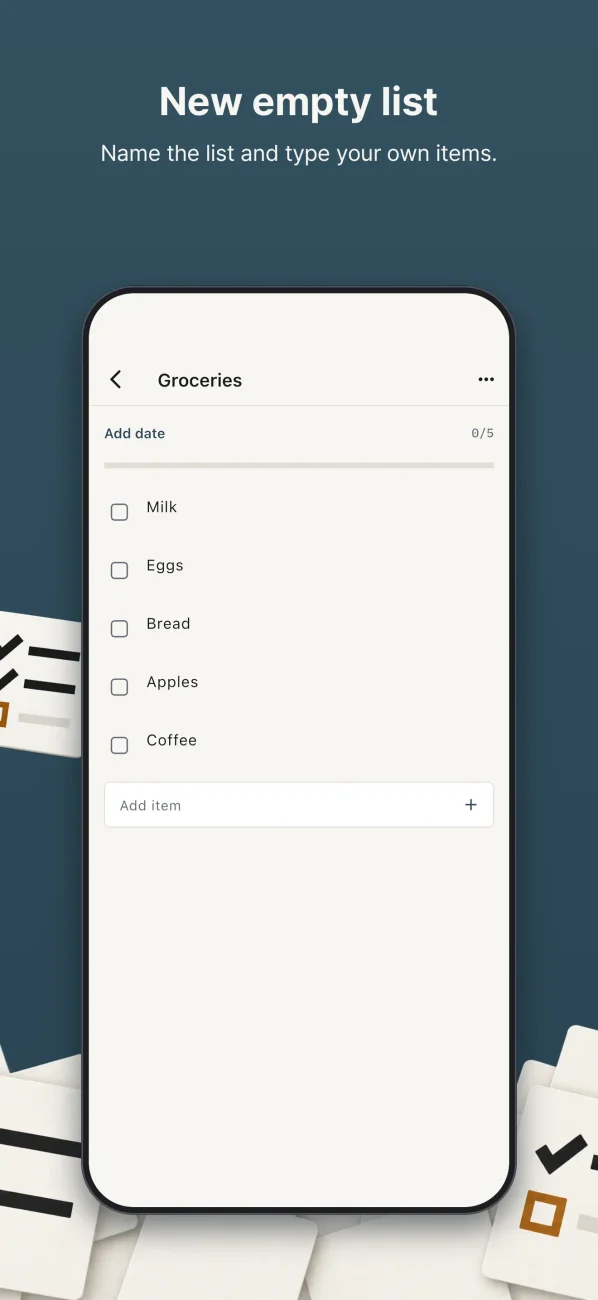
Start a blank list and type the items, or paste several lines into "What are you preparing for?": each line becomes an item, and bullets and numbers are removed. Add sections, reorder items and duplicate a list.
Editing items
Tap to tick. Swipe right to rename an item and left to delete it, with Undo. Long press to change its name, date and note, or to mark it as in progress or skipped.
Widgets
Lock Screen and Home Screen widgets show the first list on the Lists tab, where lists are sorted by date, earliest first: days left, items done and the next items. Archived and finished lists are not shown on the widgets. Tap a widget to open that list. Widgets need iOS 17 or later.
Share, export and import
Share a list as plain text. Export everything as a file or copy it to the clipboard. Import adds a pasted export to the lists already on the device and deletes nothing.
Privacy
No account, no ads and no analytics. Your lists are stored on your device and never reach us. If iCloud Backup is on, your backup includes them.
Languages
English and Korean, following the device language. The built-in templates are in both languages.
Support
In Settings, Report a problem opens an email with the app version filled in.
Privasi aplikasi
Yang dinyatakan M8M Labs di App Store tentang cara aplikasi ini menangani data.
-
Data tidak dikumpulkan
Pengembang tidak mengumpulkan data apa pun dari aplikasi ini.
Praktik privasi dapat bervariasi, misalnya berdasarkan fitur yang Anda gunakan atau usia Anda.
Informasi
- Penjual
- Wishmon Inc.
- Kategori
- Produktivitas
- Versi
- 1.0.1
- Diperbarui
- 30/10/2026
- Dirilis
- 30/10/2026
- Ukuran
- 19,6 MB
- Memerlukan
- iOS 15.0 atau yang lebih baru
- Batasan usia
- 4+
- Harga
- Gratis
- Bahasa
- Inggris, Korea
- Hak cipta
- © 2026 Wishmon Inc. M8M Labs
Mungkin Anda juga suka
-
 Aurora ChecklistProduktivitas
-
 Mobile ElectricianProduktivitas
-
 NoteBox: Sticky Notes & To-DoProduktivitas
-
 ToDo: Simple ToDo ListProduktivitas
-
 JW Habits: Study TrackerProduktivitas
-
 To do: Daftar BelanjaRencanakan pembelian dan tugas
-
 Chaos Control 2: AI OrganizerProduktivitas
-
 Task: To do listTugas & Pengingat
-
 Reminders & Alarms - Beep MeProduktivitas
-
 Memo Widget - Smart NotepadProduktivitas