Checklist: Simple Smart
Packing & to-do lists by date
Được thiết kế cho iPhone, iPad, iPod touch
Miễn phí
- Độ tuổi4+
- Danh mụcHiệu Suất
- Nhà phát triểnM8M Labs
- Ngôn ngữTiếng Anh+ 1 ngôn ngữ khác
- Kích thước19,6 MB
Liên kết đến trang App Store chính thức
Download.org không lưu trữ tệp nào của Checklist: Simple Smart. Nút này mở trang ứng dụng trên App Store, nơi M8M Labs phát hành ứng dụng. Trang được kiểm tra lần cuối: 14/11/2026.
Ảnh chụp màn hình

Giới thiệu
Nhà phát triển chưa cung cấp nội dung này bằng ngôn ngữ của bạn.
Type what you are preparing for and when. A checklist is built from the app's templates, and most items get a do-by date counted back from that day.
When it is over, note what you forgot and what you never used. The next checklist in the same category adds the forgotten items and leaves out the unused ones.
Also: 23 templates, Lock Screen and Home Screen widgets, blank lists, swipe to rename or delete, sharing as text, export and import.
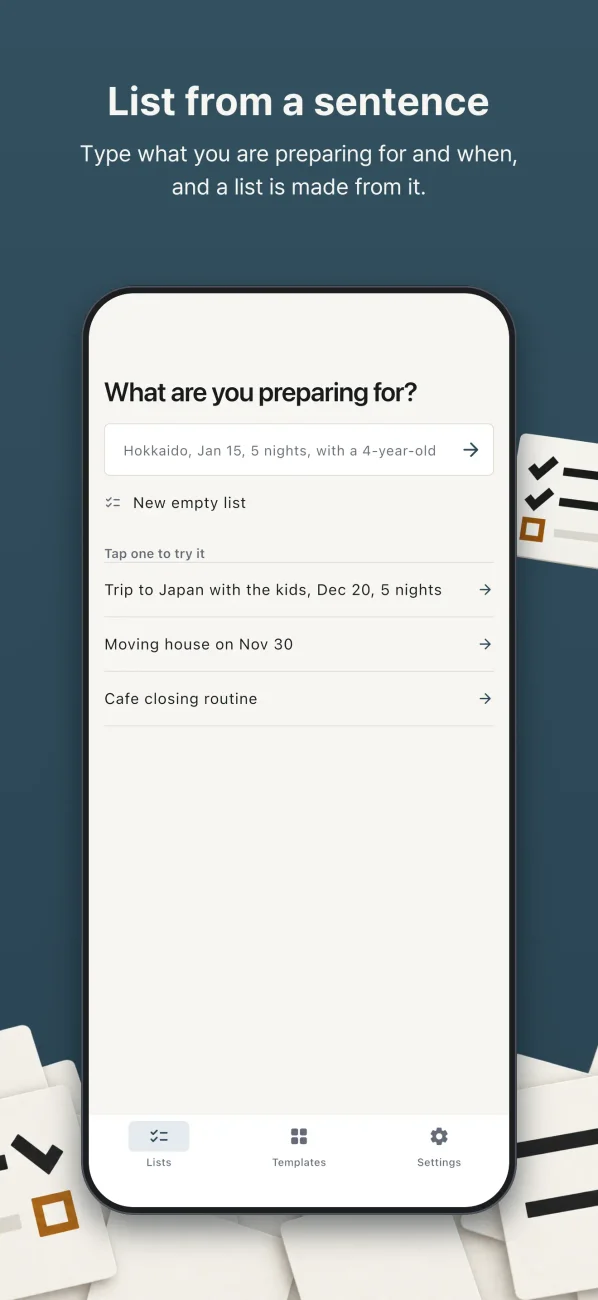
Checklists from one sentence
Type what you are preparing for, such as "Hokkaido, Jan 15, 5 nights, with a 4-year-old". The kind of event, the date, the number of nights and details such as children, winter or a car determine which template sections are included. A sentence with no kind of event and no such details makes an empty list named after it. Sentences in English and Korean both work. The examples on the first screen make a checklist in one tap.
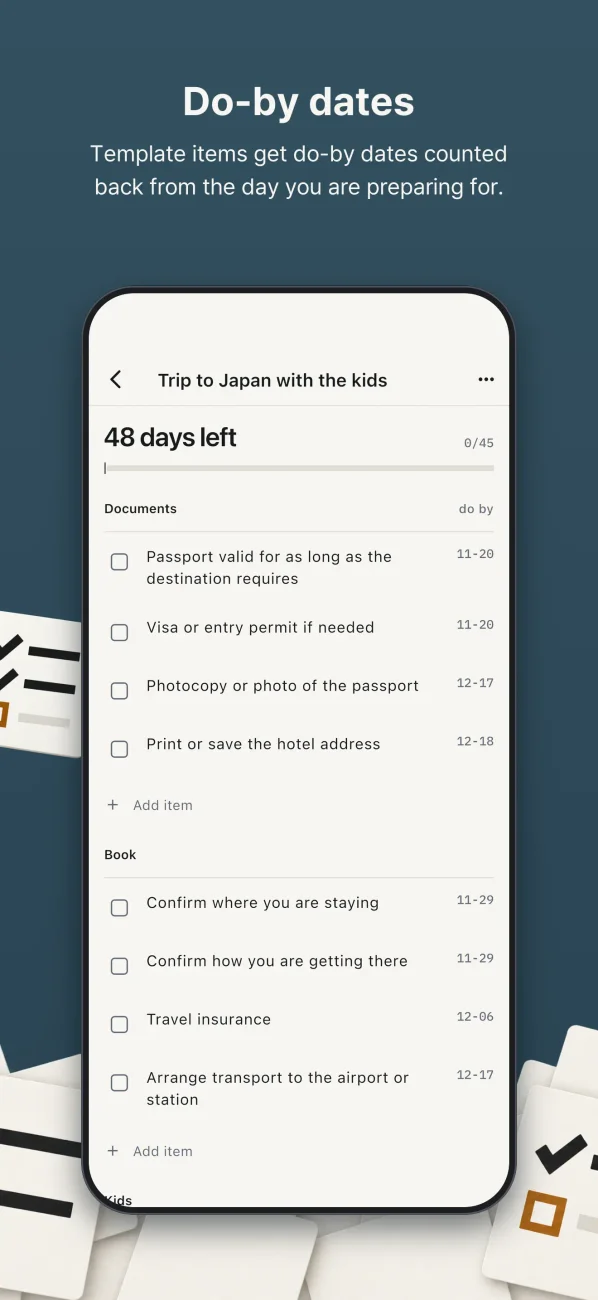
Do-by dates
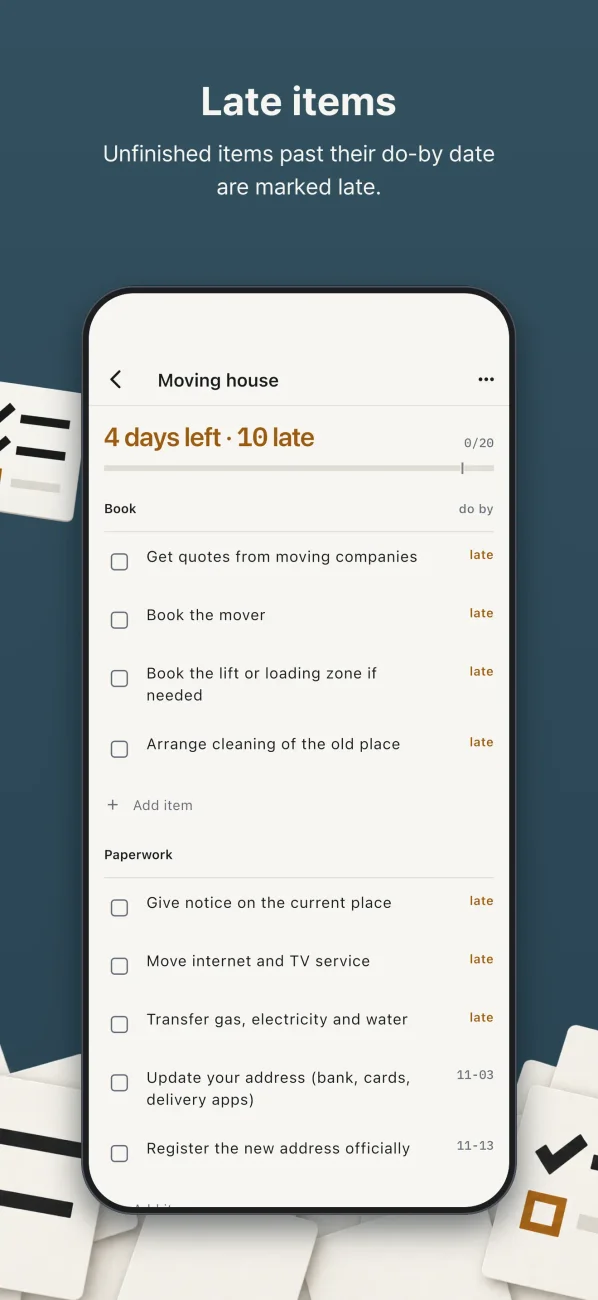
Most template items are set a number of days before the event, so they get a do-by date. For a move, "Book the mover" is due 30 days before moving day. Routines such as cafe closing have no dates.
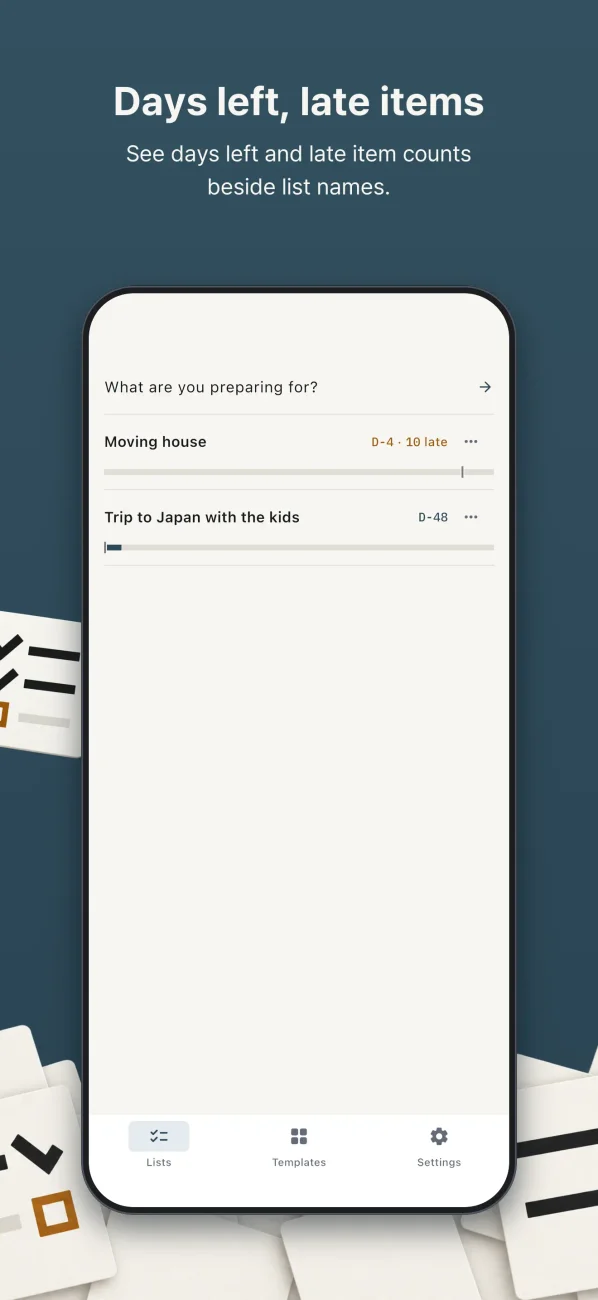
Days left and late items
A list in progress shows a progress bar and, if it has a date, the days left. Open items past their date are marked late, and on the Lists tab a list with late items shows how many.
What you missed last time
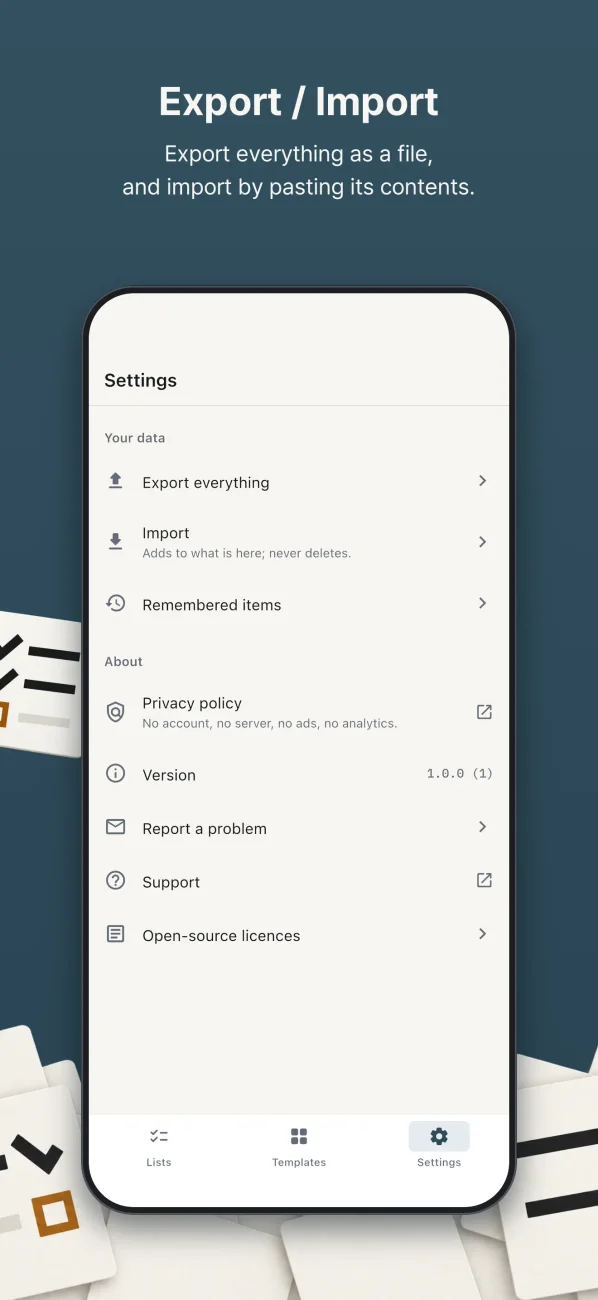
After a list is marked complete, write down what you forgot and what you never used, one per line. The next checklist in the same category gets a section with the forgotten items and leaves out the unused ones. Use again on a finished list makes a new copy of it with the same changes. Saved lines can be reviewed and removed in Settings.
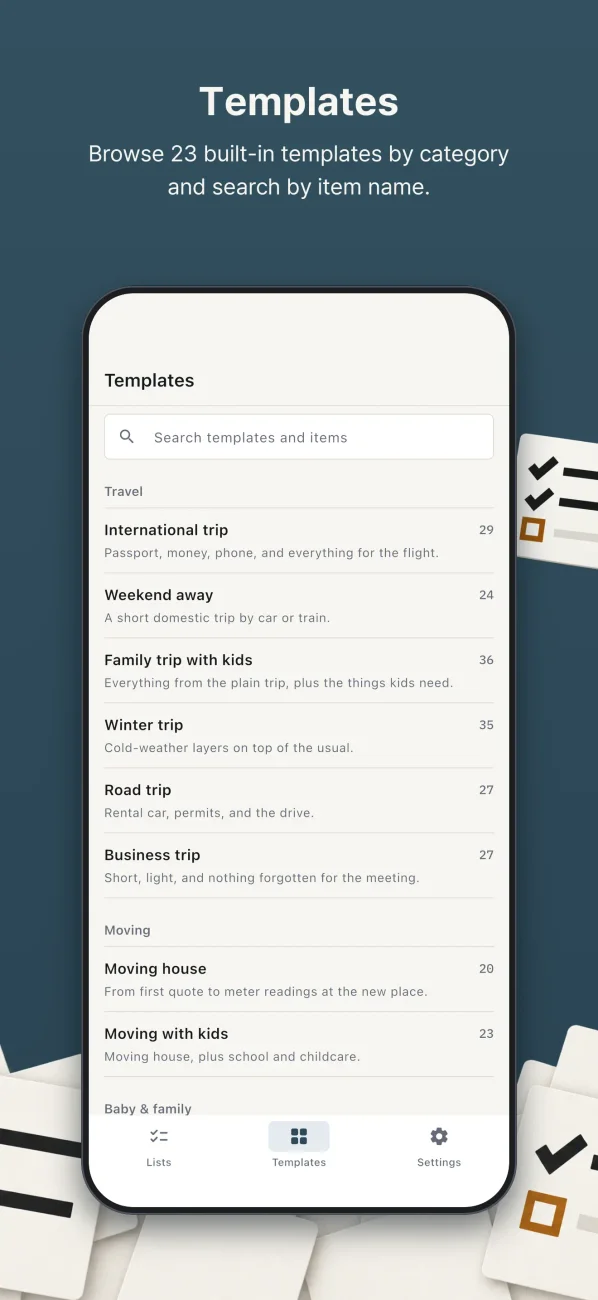
23 templates
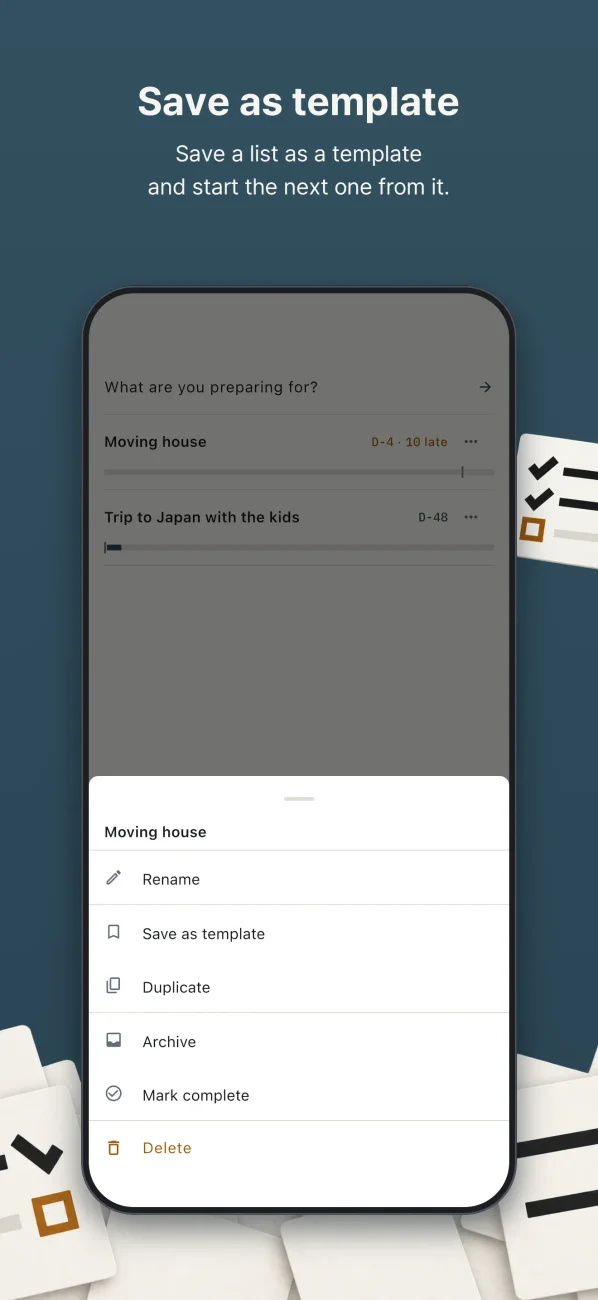
Travel, business trips, moving, a new baby, camping, car camping, home maintenance, car service, a new pet, cafe opening and closing, new hire onboarding, weddings, parties, race day and exams. Search covers template names and the items inside them. Any list can be saved as your own template.
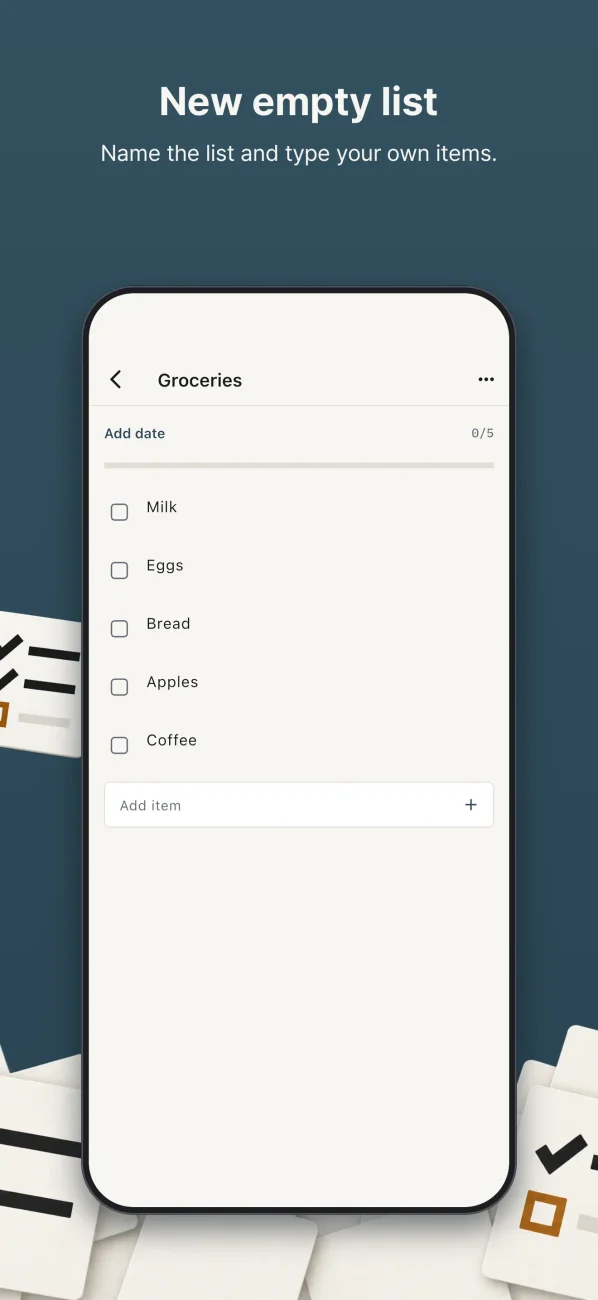
Your own lists
Start a blank list and type the items, or paste several lines into "What are you preparing for?": each line becomes an item, and bullets and numbers are removed. Add sections, reorder items and duplicate a list.
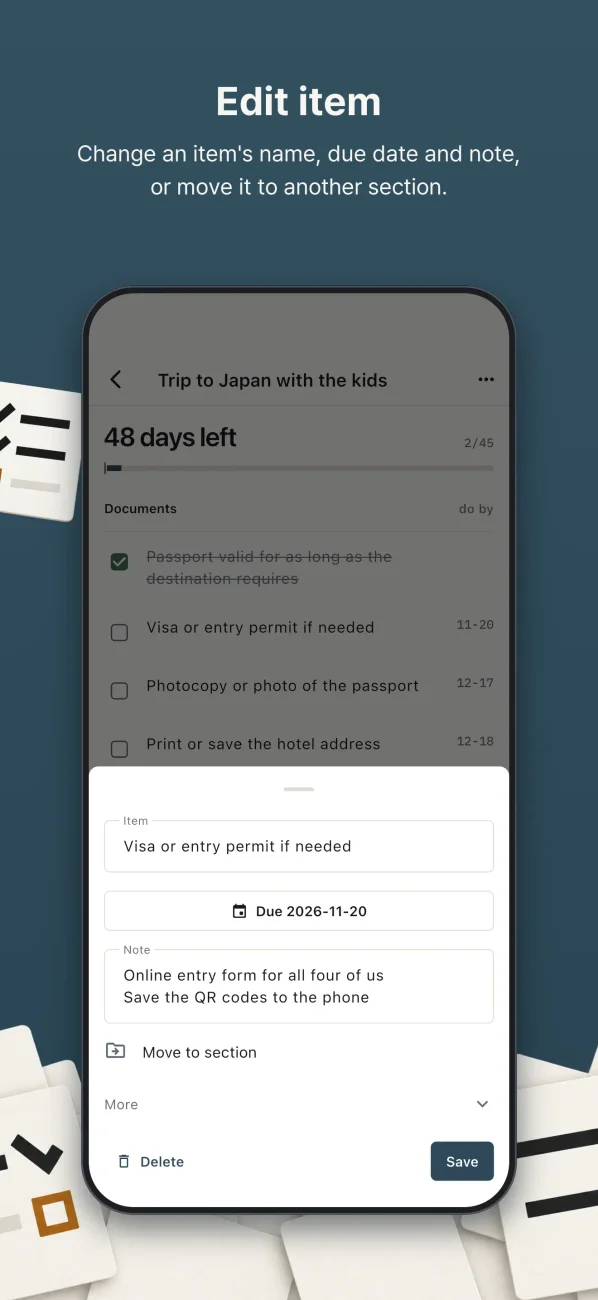
Editing items
Tap to tick. Swipe right to rename an item and left to delete it, with Undo. Long press to change its name, date and note, or to mark it as in progress or skipped.
Widgets
Lock Screen and Home Screen widgets show the first list on the Lists tab, where lists are sorted by date, earliest first: days left, items done and the next items. Archived and finished lists are not shown on the widgets. Tap a widget to open that list. Widgets need iOS 17 or later.
Share, export and import
Share a list as plain text. Export everything as a file or copy it to the clipboard. Import adds a pasted export to the lists already on the device and deletes nothing.
Privacy
No account, no ads and no analytics. Your lists are stored on your device and never reach us. If iCloud Backup is on, your backup includes them.
Languages
English and Korean, following the device language. The built-in templates are in both languages.
Support
In Settings, Report a problem opens an email with the app version filled in.
Quyền riêng tư của ứng dụng
Những gì M8M Labs khai báo trên App Store về cách ứng dụng này xử lý dữ liệu.
-
Dữ liệu không được thu thập
Nhà phát triển không thu thập bất kỳ dữ liệu nào từ ứng dụng này.
Phương thức đảm bảo quyền riêng tư có thể khác nhau, chẳng hạn như tuỳ theo các tính năng bạn sử dụng hoặc độ tuổi của bạn.
Thông tin
- Người bán
- Wishmon Inc.
- Danh mục
- Hiệu Suất
- Phiên bản
- 1.0.1
- Cập nhật
- 30/10/2026
- Phát hành
- 30/10/2026
- Kích thước
- 19,6 MB
- Yêu cầu
- iOS 15.0 trở lên
- Độ tuổi
- 4+
- Giá
- Miễn phí
- Ngôn ngữ
- Tiếng Anh, Tiếng Hàn
- Bản quyền
- © 2026 Wishmon Inc. M8M Labs
Có thể bạn cũng thích
-
 Aurora ChecklistHiệu Suất
-
 Mobile ElectricianHiệu Suất
-
 NoteBox: Sticky Notes & To-DoHiệu Suất
-
 ToDo: Simple ToDo ListHiệu Suất
-
 JW Habits: Study TrackerHiệu Suất
-
 To do: Danh sách mua sắmLên kế hoạch chợ và công việc
-
 Chaos Control 2: AI OrganizerHiệu Suất
-
 Task: To do listLập kế hoạch mỗi ngày
-
 Reminders & Alarms - Beep MeHiệu Suất
-
 Sổ tay thông minh memo widgetSổ tay với các tiện ích hữu