
Chrono flip timer
Minimal Flip Timer for Focus
Dirancang untuk iPhone, iPad, Mac
Gratis
- Batasan usia4+
- KategoriKegunaan
- Pengembang书玉 简
- BahasaInggris+ 12 lainnya
- Ukuran6,4 MB
Tertaut ke halaman resmi App Store
Download.org tidak menyimpan file Chrono flip timer apa pun. Tombol ini membuka halaman aplikasi di App Store, tempat 书玉 简 menerbitkannya. Halaman terakhir diperiksa pada 13/11/2026.
Tangkapan layar

Tentang
Pengembang belum menyediakan teks ini dalam bahasa Anda.
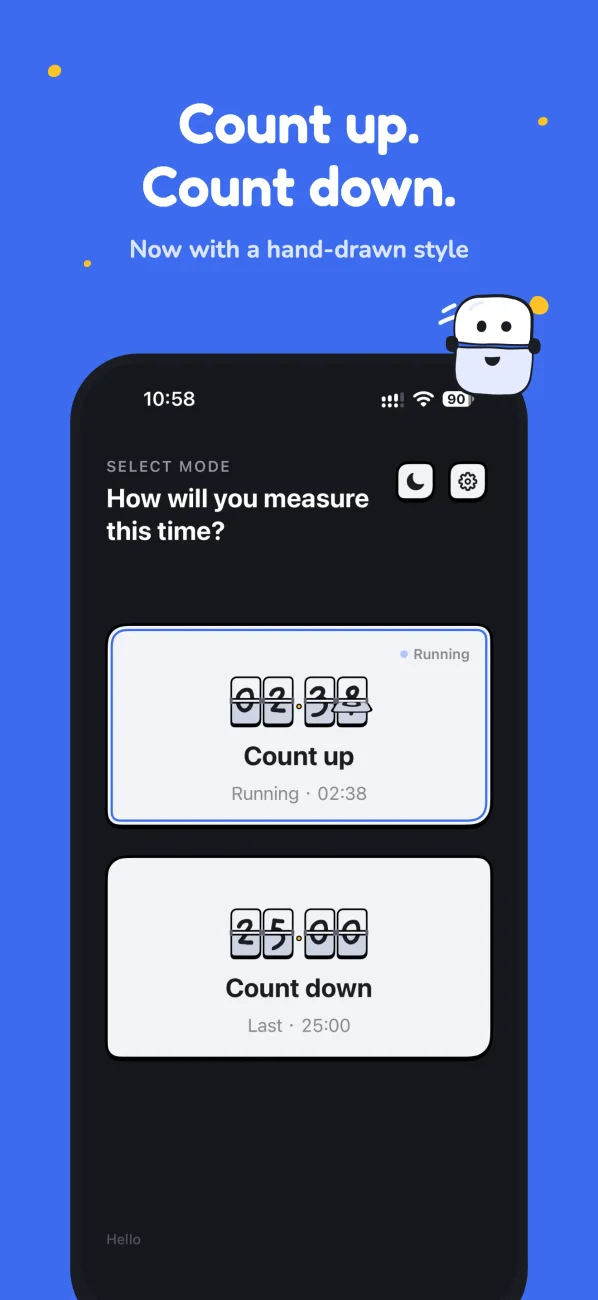
Chrono flip timer brings count-up and countdown timing together in a clean, classic flip-clock interface. Large, readable digits and smooth flip animations help you stay focused on every passing second.
COUNT UP & COUNT DOWN
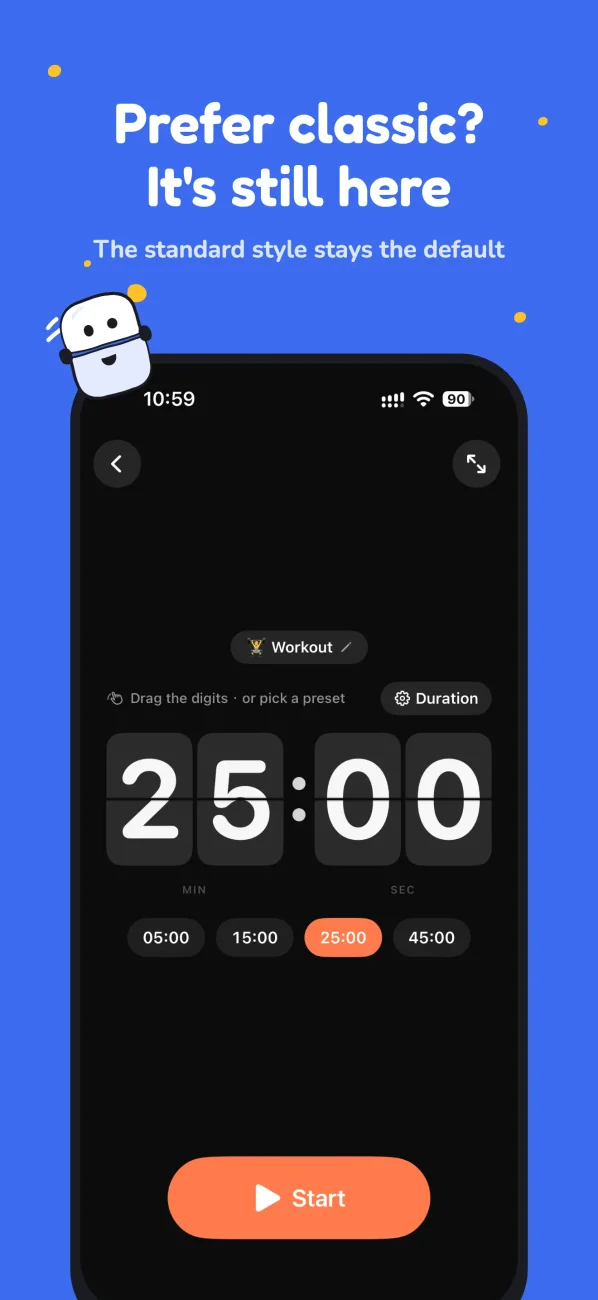
• Count up starts automatically after a 3-2-1 countdown (optional) — perfect for workouts, talks, meetings, and study sessions
• Record laps during count up and copy them all after pausing
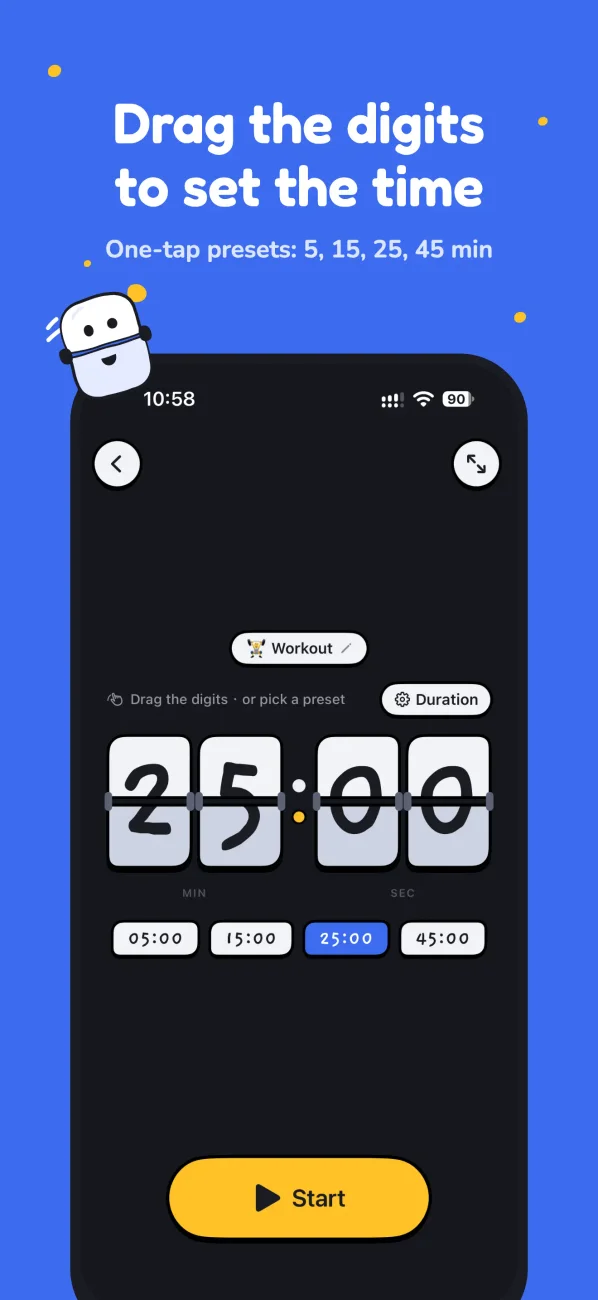
• Tap or drag the flip digits to set a countdown
• Use quick presets for 5, 15, 25, or 45 minutes, or set hours, minutes, and seconds precisely
• Add a label to your countdown (like Study or Break) and see it on the Lock Screen, in notifications, and on the start screen
• Timers continue across app launches until you pause or reset them
LOCK SCREEN & DYNAMIC ISLAND
• Follow the remaining time and progress of a countdown in a Live Activity on the Lock Screen and in the Dynamic Island — no need to open the app
• Get a notification when time is up, even when your iPhone is locked or you are in another app
MADE FOR FOCUS
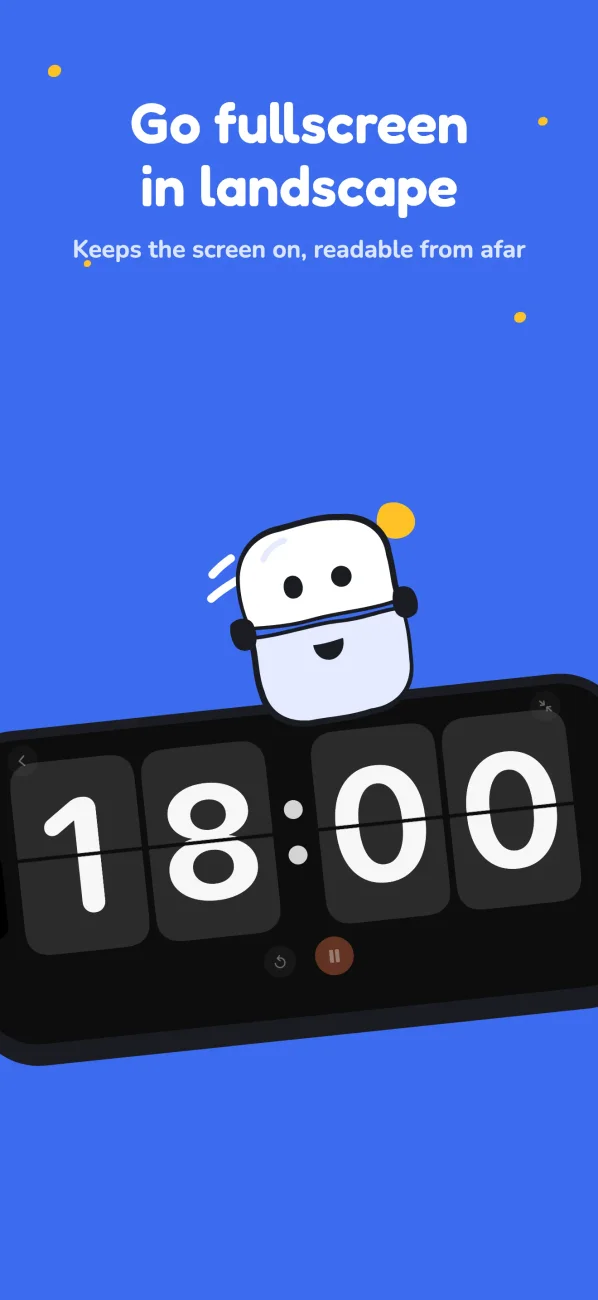
• View an extra-large fullscreen clock in landscape
• Keep the screen awake while a timer is running
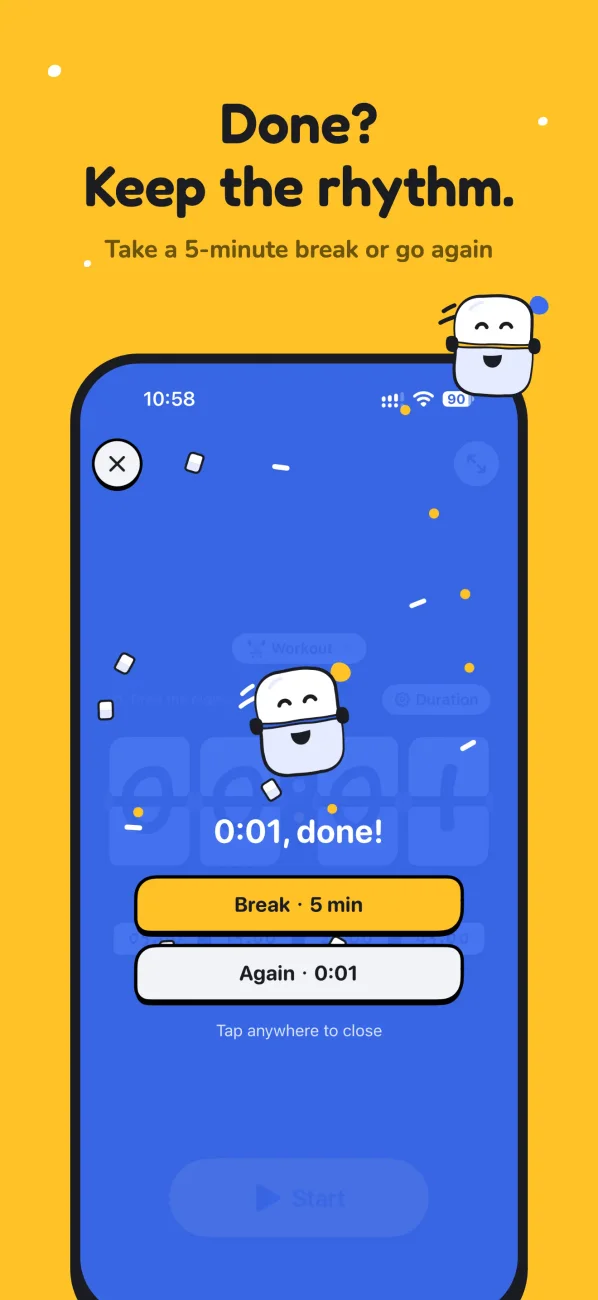
• Get sound, vibration, and a celebration animation when time is up
• Double-tap an empty area to hear the current time
• Automatically remember your last countdown duration
YOUR TIMER, YOUR WAY
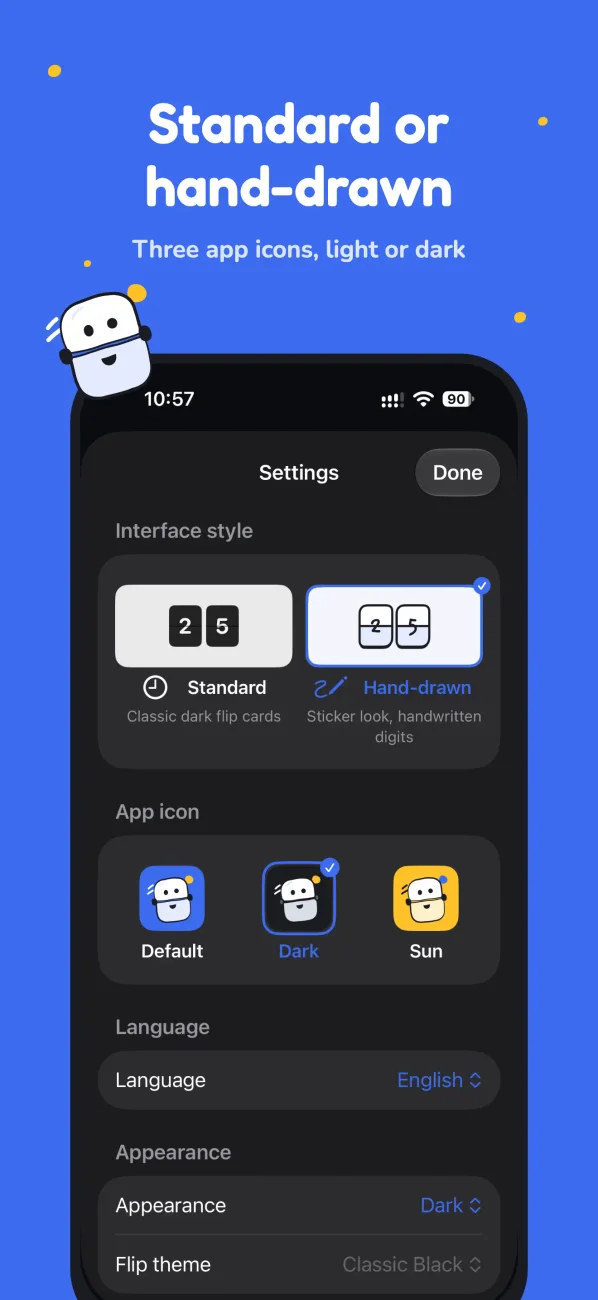
• Two interface styles: clean Standard, or sticker-like Hand-drawn with hand-lettered flip digits and a full-screen 3-2-1 and finish screen
• Choose Classic Black, High Contrast, or Stage flip themes in the Standard style
• Choose light, dark, or system appearance; the app icon follows Dark Mode, with Dark and Sun alternate icons
• Use multiple interface languages with matching voice announcements
• Designed for iPhone, iPad, and Mac
• No ads, no tracking, and no personal data collection
Whether you are focusing with a Pomodoro session, cooking, training, presenting, or running a meeting, Chrono flip timer keeps time clear and easy to see.
Yang baru
Versi 2.1 · 30/9/2026
• A new hand-drawn app icon that turns dark in Dark Mode, plus Dark and Sun alternate icons (Settings › App icon).
• New optional Hand-drawn interface style: sticker-like buttons and cards and hand-lettered flip digits. Switch anytime in Settings › Interface style; the Standard look stays the default.
• In the hand-drawn style: a full-screen 3-2-1 before count up, a smiling celebration with one-tap "Break 5 min" or "Again" when a countdown ends, and a matching Lock Screen Live Activity and Dynamic Island.
• A shorter Home Screen name, "Chrono timer", so it no longer gets cut off under the icon.
• A close button on the hand-drawn finish screen, and paused timers now show "Paused" on the start screen.
• Send feedback by email right from Settings.
• Fixes: notifications no longer arrive late after the first permission prompt, and Live Activities stay in sync when you start, pause or reset quickly.
Privasi aplikasi
Yang dinyatakan 书玉 简 di App Store tentang cara aplikasi ini menangani data.
-
Data tidak dikumpulkan
Pengembang tidak mengumpulkan data apa pun dari aplikasi ini.
Praktik privasi dapat bervariasi, misalnya berdasarkan fitur yang Anda gunakan atau usia Anda.
Informasi
- Penjual
- 书玉 简
- Kategori
- Kegunaan
- Versi
- 2.1
- Diperbarui
- 30/9/2026
- Dirilis
- 8/6/2026
- Ukuran
- 6,4 MB
- Memerlukan
- iOS 17.0 atau yang lebih baru
- Batasan usia
- 4+
- Harga
- Gratis
- Bahasa
- Inggris, Arab, Prancis, Jerman, Italia, Jepang, Korea, Portugis, Rusia, Tionghoa Sederhana, Spanyol, Tibetan + 1 lainnya
- Hak cipta
- © 2026 5lightyear
Mungkin Anda juga suka
-
 Flip Clock SimpleKegunaan
-
 Flip Clock - Timer & FocusKegunaan
-
 Yokoku - ビジュアルタイマーKegunaan
-
 Desk Clock: Flip & DigitalKegunaan
-
 WakePlan - Shift & Date AlarmKegunaan
-
 StepwaveKegunaan
-
 Aurora: Alarm Clock & Wake UpKegunaan
-
 Steady: Focus TimerKegunaan
-
 Times Up! Timer & StopwatchKegunaan
-
 FlipMatic: Flip Clock & BoardKegunaan