Clipaper
PDF Notes & Research Canvas
Dirancang untuk iPhone, iPad
Gratis · Pembelian dalam aplikasi
- Batasan usia4+
- KategoriProduktivitas
- PengembangYasuhiro Yoshimura
- BahasaInggris+ 6 lainnya
- Ukuran4,7 MB
Tertaut ke halaman resmi App Store
Download.org tidak menyimpan file Clipaper apa pun. Tombol ini membuka halaman aplikasi di App Store, tempat Yasuhiro Yoshimura menerbitkannya. Halaman terakhir diperiksa pada 18/11/2026.
Tangkapan layar

Tentang
Pengembang belum menyediakan teks ini dalam bahasa Anda.
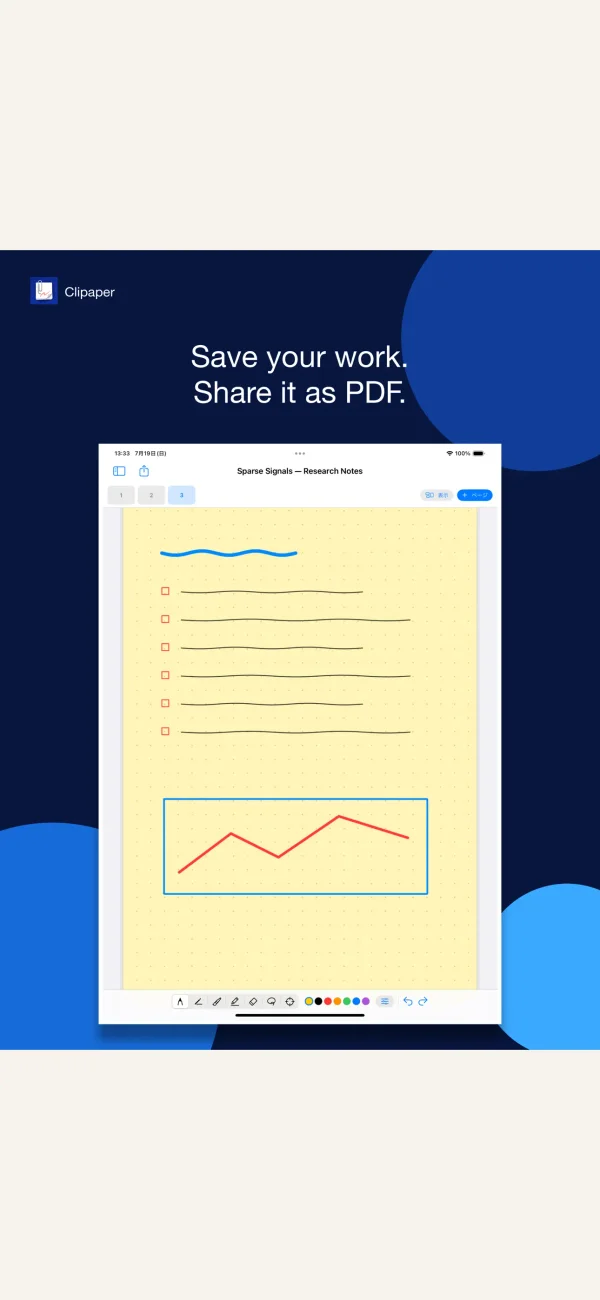
Clipaper is an iPhone and iPad workspace for reading PDFs, writing notes, and keeping important research material in view.
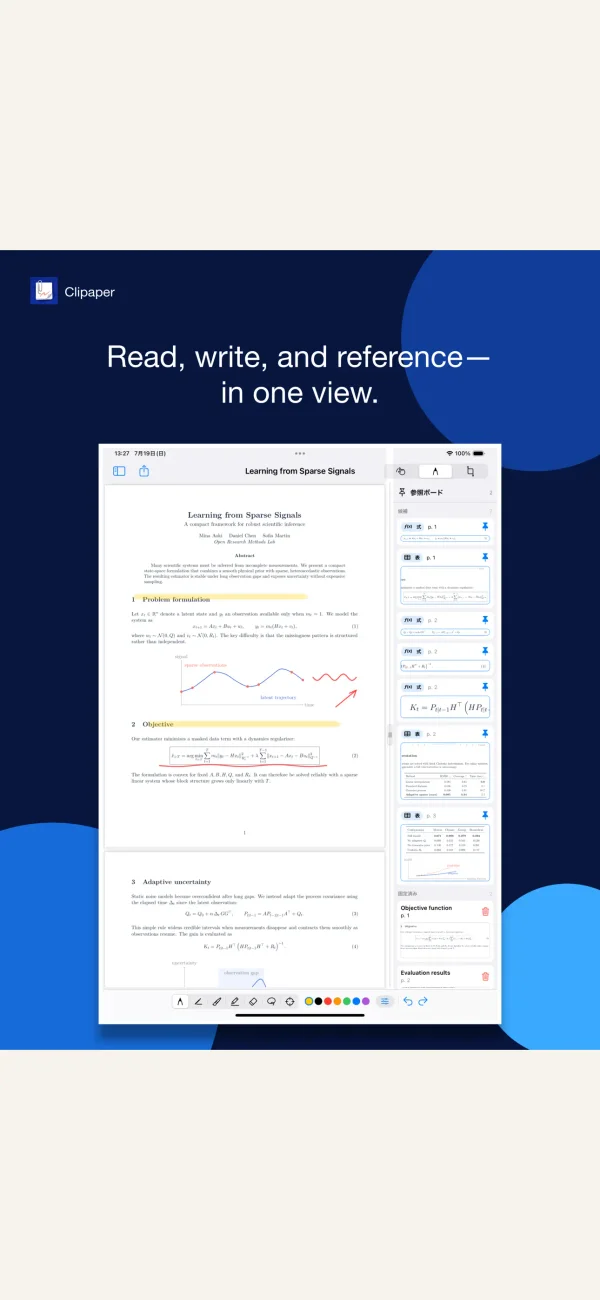
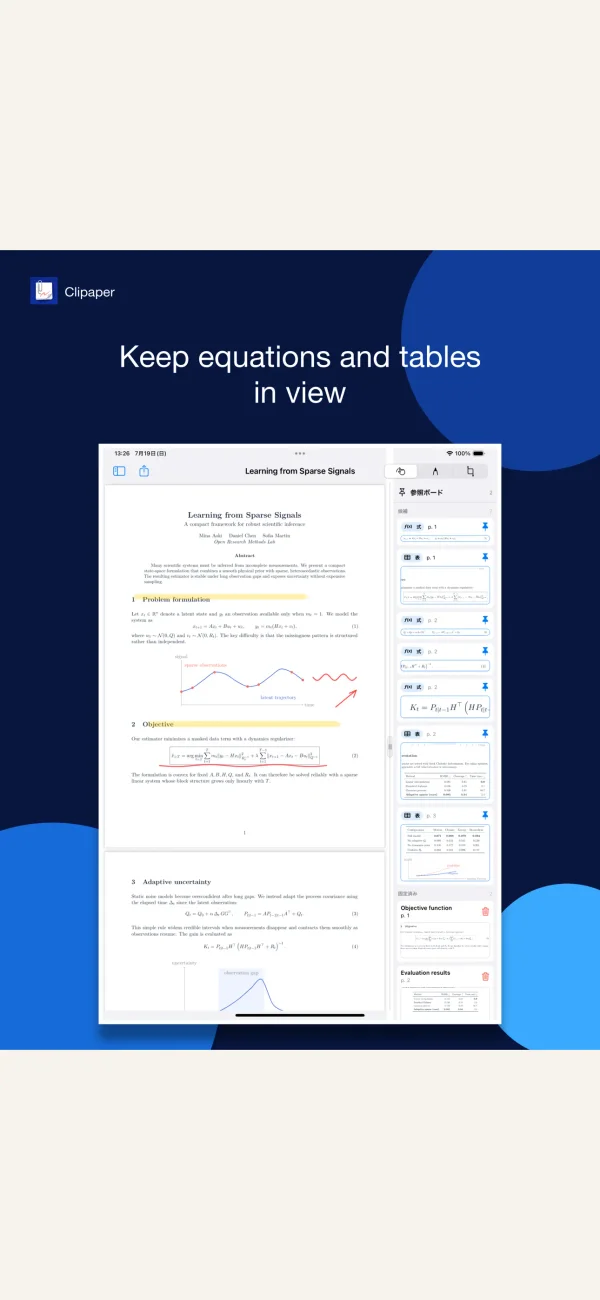
Add papers and documents to your library and annotate them directly with Apple Pencil. Clip an equation or table to the reference board so it stays visible while you move between pages. Clipaper can also suggest equation and table candidates found in a PDF.
Key features
• PDF library
PDFs you open are saved in the app, ready whenever you return.
• Apple Pencil annotation
Write with pens and highlighters, erase, select with the lasso, and use shape recognition in PDFs and notebooks.
• Reference board
Clip and pin equations or tables from a PDF, or choose from automatically detected candidates. Jump from a clip back to its source page.
• Search and outline
Find text in a PDF and jump to a page from the table of contents.
• Library organization
Sort papers and notebooks with folders, tags, and keyword search.
• PDF and notebook side by side
Read and write in the same view. Scanned PDFs can use OCR to suggest equations and tables.
• Flexible notebooks
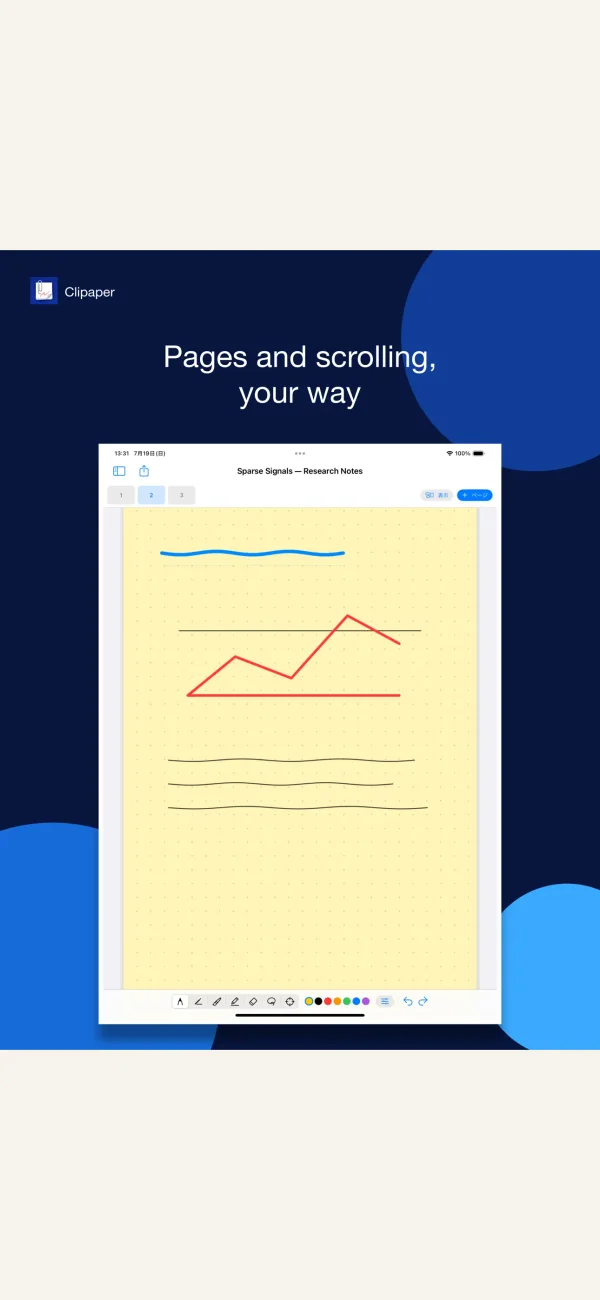
Choose blank, ruled, or dotted pages. Combine white, dark gray, or yellow paper with portrait or landscape pages, single-page or continuous display, and vertical or horizontal scrolling.
• Natural navigation
Swipe between individual pages, scroll continuously, and pinch to zoom around the content currently in view.
• Laser pointer
Highlight an area with a temporary trail while explaining or presenting.
• PDF export
Export annotated documents and complete notebooks as PDF for sharing with other apps.
• iCloud sync
When iCloud is available, Clipaper syncs PDFs, notebooks, handwriting, and reference clips across devices. Work is saved locally while offline and sync is retried after reconnecting.
• Move from Goodnotes
Export a notebook as PDF from Goodnotes, then add that PDF to Clipaper.
No separate Clipaper account is required. Keep reading, writing, and organizing in one focused research and study space.
Pricing
Clipaper is free to use. The free plan stores up to 2 PDFs and 2 notebooks. A one-time in-app purchase of ¥800 removes that limit. It is not a subscription. If you already bought the app, you keep unlimited access.
Yang baru
Versi 1.6.0 · 9/11/2026
Clipaper is now free. The free plan stores up to 2 PDFs and 2 notebooks. A one-time purchase of ¥800 removes the limit.
If you already bought the app, you keep unlimited access.
Privasi aplikasi
Yang dinyatakan Yasuhiro Yoshimura di App Store tentang cara aplikasi ini menangani data.
-
Data tidak dikumpulkan
Pengembang tidak mengumpulkan data apa pun dari aplikasi ini.
Praktik privasi dapat bervariasi, misalnya berdasarkan fitur yang Anda gunakan atau usia Anda.
Informasi
- Penjual
- Yasuhiro Yoshimura
- Kategori
- Produktivitas
- Versi
- 1.6.0
- Diperbarui
- 9/11/2026
- Dirilis
- 23/7/2026
- Ukuran
- 4,7 MB
- Memerlukan
- iOS 17.0 atau yang lebih baru
- Batasan usia
- 4+
- Harga
- Gratis
- Pembelian dalam aplikasi
- Ya
- Bahasa
- Inggris, Prancis, Jerman, Jepang, Korea, Tionghoa Sederhana, Spanyol
- Hak cipta
- © 2026 Yasuhiro Yoshimura
Mungkin Anda juga suka
-
 iPC MeProduktivitas
-
 PDF Edit Studio: Editor & SignProduktivitas
-
 ZOOD PDF: Arabic PDF EditorProduktivitas
-
 Fome FamilyProduktivitas
-
 Swype: Clean Your PhotosProduktivitas
-
 Shorty: Block Shorts & ReelsProduktivitas
-
 PDF Creator – Auto ScanProduktivitas
-
 Khayr – Muslim Daily PlannerProduktivitas
-
 ScanFlow: Doc Scanner & OCRProduktivitas
-
 NotizwerkProduktivitas