Clipaper
PDF Notes & Research Canvas
Được thiết kế cho iPhone, iPad
Miễn phí · Mua hàng trong ứng dụng
- Độ tuổi4+
- Danh mụcHiệu Suất
- Nhà phát triểnYasuhiro Yoshimura
- Ngôn ngữTiếng Anh+ 6 ngôn ngữ khác
- Kích thước4,7 MB
Liên kết đến trang App Store chính thức
Download.org không lưu trữ tệp nào của Clipaper. Nút này mở trang ứng dụng trên App Store, nơi Yasuhiro Yoshimura phát hành ứng dụng. Trang được kiểm tra lần cuối: 18/11/2026.
Ảnh chụp màn hình

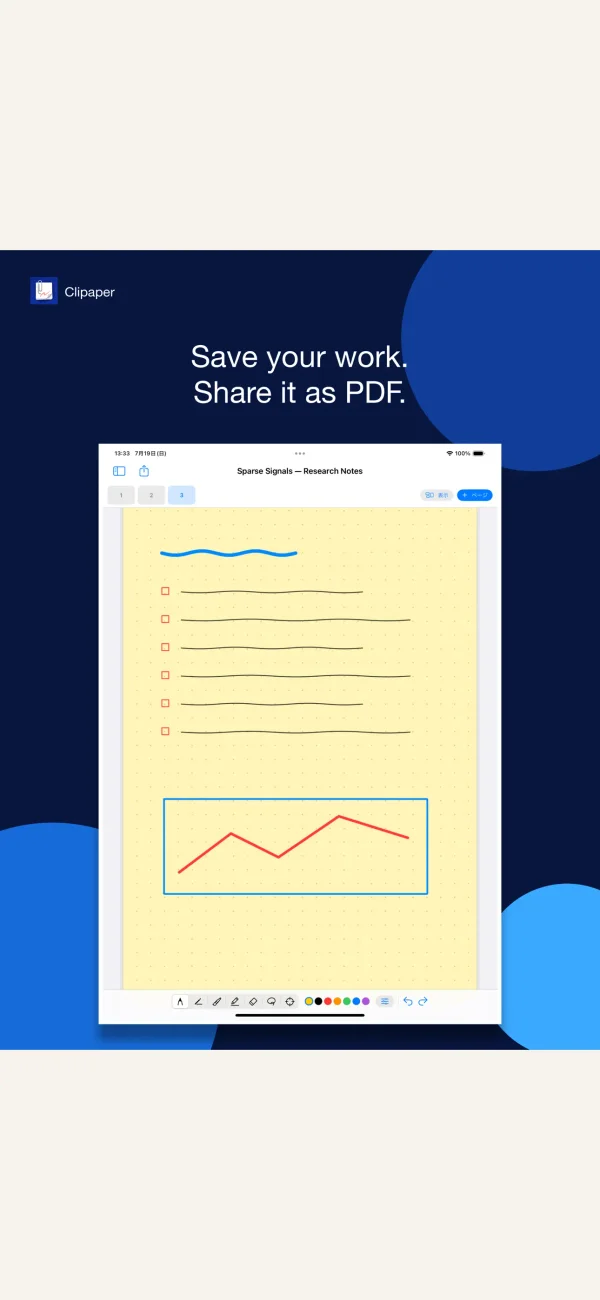
Giới thiệu
Nhà phát triển chưa cung cấp nội dung này bằng ngôn ngữ của bạn.
Clipaper is an iPhone and iPad workspace for reading PDFs, writing notes, and keeping important research material in view.
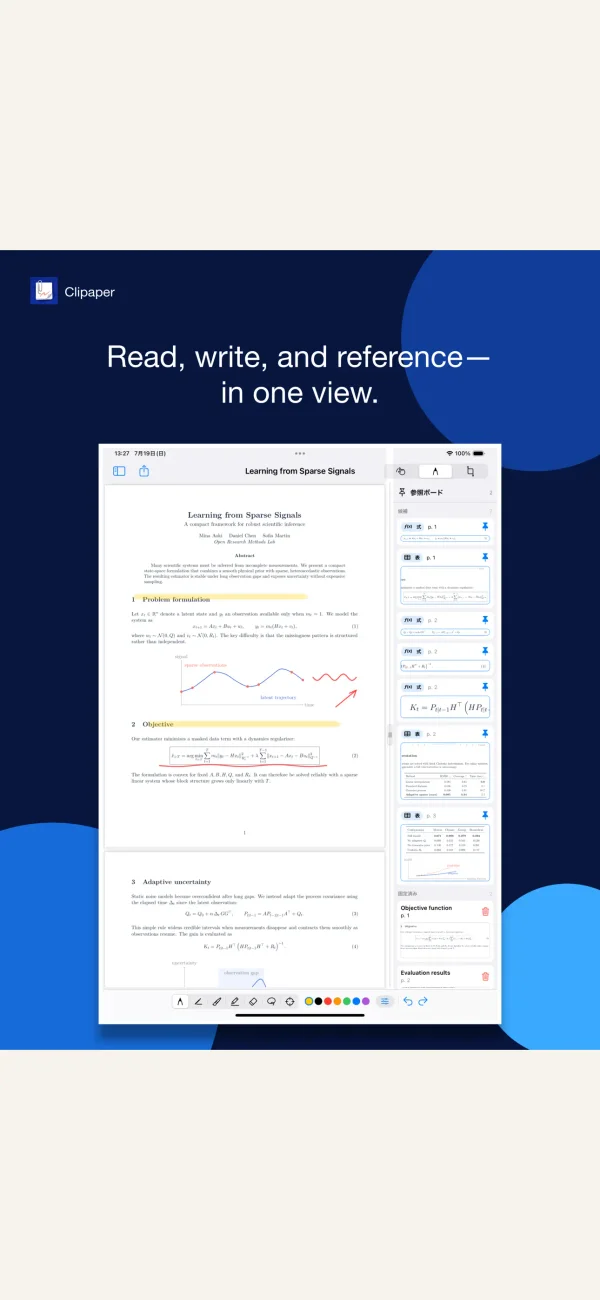
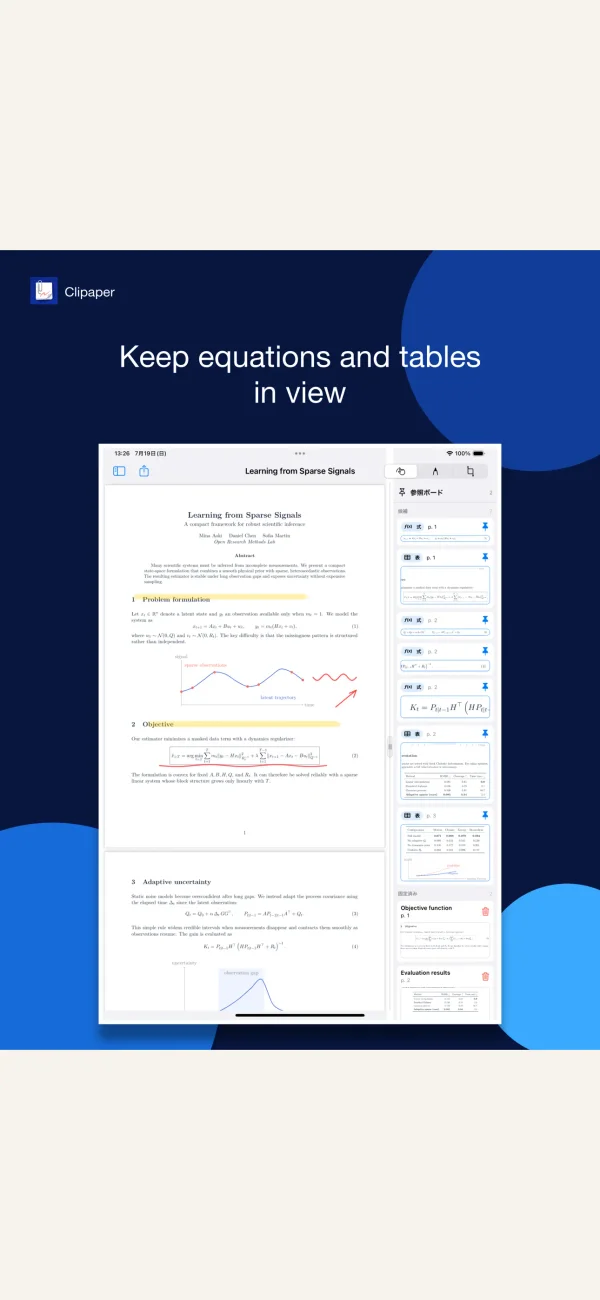
Add papers and documents to your library and annotate them directly with Apple Pencil. Clip an equation or table to the reference board so it stays visible while you move between pages. Clipaper can also suggest equation and table candidates found in a PDF.
Key features
• PDF library
PDFs you open are saved in the app, ready whenever you return.
• Apple Pencil annotation
Write with pens and highlighters, erase, select with the lasso, and use shape recognition in PDFs and notebooks.
• Reference board
Clip and pin equations or tables from a PDF, or choose from automatically detected candidates. Jump from a clip back to its source page.
• Search and outline
Find text in a PDF and jump to a page from the table of contents.
• Library organization
Sort papers and notebooks with folders, tags, and keyword search.
• PDF and notebook side by side
Read and write in the same view. Scanned PDFs can use OCR to suggest equations and tables.
• Flexible notebooks
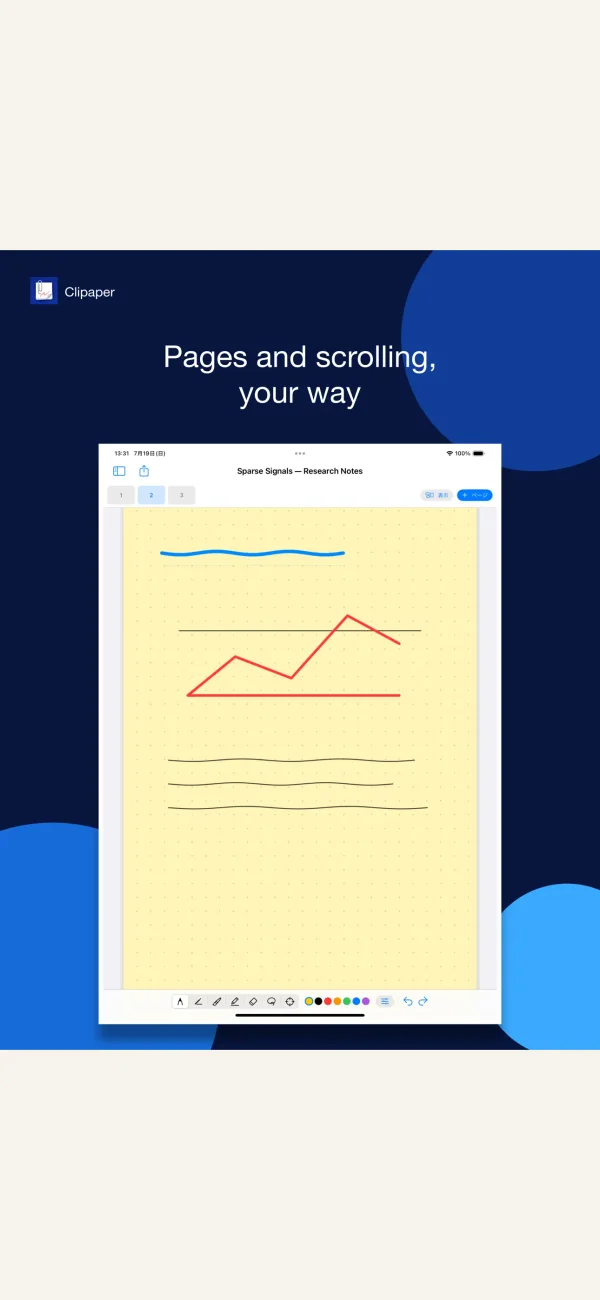
Choose blank, ruled, or dotted pages. Combine white, dark gray, or yellow paper with portrait or landscape pages, single-page or continuous display, and vertical or horizontal scrolling.
• Natural navigation
Swipe between individual pages, scroll continuously, and pinch to zoom around the content currently in view.
• Laser pointer
Highlight an area with a temporary trail while explaining or presenting.
• PDF export
Export annotated documents and complete notebooks as PDF for sharing with other apps.
• iCloud sync
When iCloud is available, Clipaper syncs PDFs, notebooks, handwriting, and reference clips across devices. Work is saved locally while offline and sync is retried after reconnecting.
• Move from Goodnotes
Export a notebook as PDF from Goodnotes, then add that PDF to Clipaper.
No separate Clipaper account is required. Keep reading, writing, and organizing in one focused research and study space.
Pricing
Clipaper is free to use. The free plan stores up to 2 PDFs and 2 notebooks. A one-time in-app purchase of ¥800 removes that limit. It is not a subscription. If you already bought the app, you keep unlimited access.
Có gì mới
Phiên bản 1.6.0 · 09/11/2026
Clipaper is now free. The free plan stores up to 2 PDFs and 2 notebooks. A one-time purchase of ¥800 removes the limit.
If you already bought the app, you keep unlimited access.
Quyền riêng tư của ứng dụng
Những gì Yasuhiro Yoshimura khai báo trên App Store về cách ứng dụng này xử lý dữ liệu.
-
Dữ liệu không được thu thập
Nhà phát triển không thu thập bất kỳ dữ liệu nào từ ứng dụng này.
Phương thức đảm bảo quyền riêng tư có thể khác nhau, chẳng hạn như tuỳ theo các tính năng bạn sử dụng hoặc độ tuổi của bạn.
Thông tin
- Người bán
- Yasuhiro Yoshimura
- Danh mục
- Hiệu Suất
- Phiên bản
- 1.6.0
- Cập nhật
- 09/11/2026
- Phát hành
- 23/07/2026
- Kích thước
- 4,7 MB
- Yêu cầu
- iOS 17.0 trở lên
- Độ tuổi
- 4+
- Giá
- Miễn phí
- Mua hàng trong ứng dụng
- Có
- Ngôn ngữ
- Tiếng Anh, Tiếng Pháp, Tiếng Đức, Tiếng Nhật, Tiếng Hàn, Tiếng Trung Giản thể, Tiếng Tây Ban Nha
- Bản quyền
- © 2026 Yasuhiro Yoshimura
Có thể bạn cũng thích
-
 iPC MeHiệu Suất
-
 PDF Edit Studio: Editor & SignHiệu Suất
-
 ZOOD PDF: Arabic PDF EditorHiệu Suất
-
 Fome FamilyHiệu Suất
-
 Swype: Clean Your PhotosHiệu Suất
-
 Shorty: Block Shorts & ReelsHiệu Suất
-
 PDF Creator – Auto ScanHiệu Suất
-
 Khayr – Muslim Daily PlannerHiệu Suất
-
 ScanFlow: Doc Scanner & OCRHiệu Suất
-
 NotizwerkHiệu Suất