
Code Pocket: Coding Agent
Your coding agent, anywhere
Dirancang untuk iPhone
Gratis · Pembelian dalam aplikasi
- Batasan usia4+
- KategoriAlat Pengembang
- Pengembang佩佩 黄
- BahasaInggris+ 1 lainnya
- Ukuran18,0 MB
Tertaut ke halaman resmi App Store
Download.org tidak menyimpan file Code Pocket: Coding Agent apa pun. Tombol ini membuka halaman aplikasi di App Store, tempat 佩佩 黄 menerbitkannya. Halaman terakhir diperiksa pada 16/11/2026.
Tangkapan layar
Tentang
Pengembang belum menyediakan teks ini dalam bahasa Anda.
Follow and continue Codex coding tasks on your Mac from iPhone. Browse projects, search conversations, review changes, and send your next instruction wherever you are.
Stay on top of your work
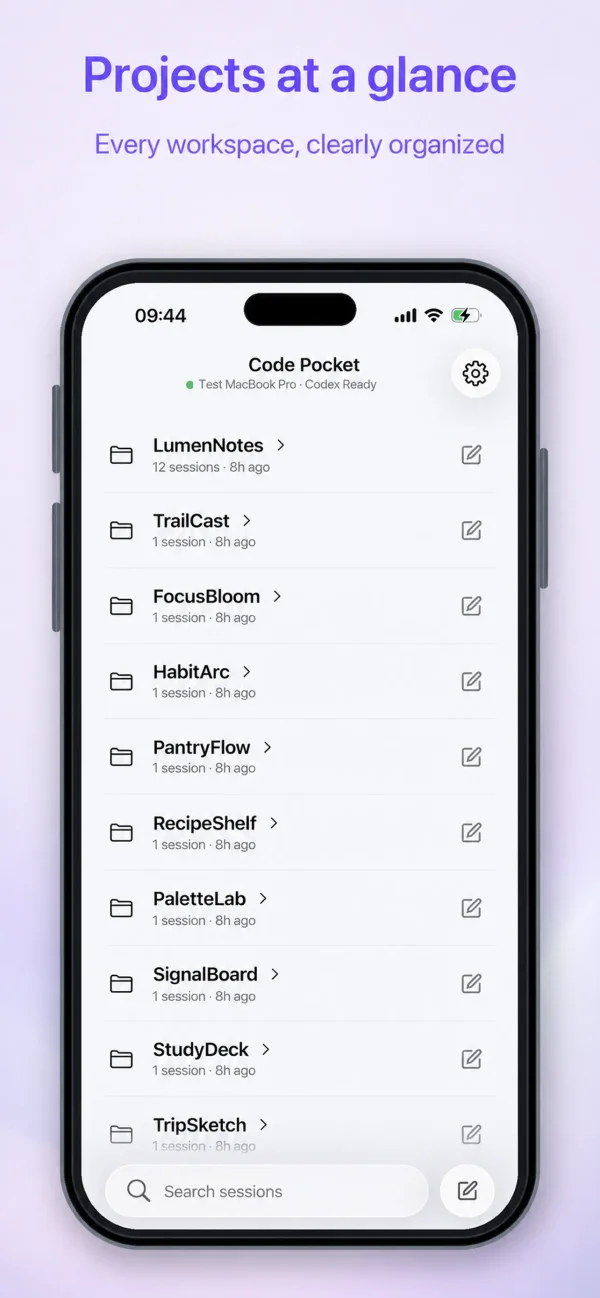
• Browse conversations by project, search titles and message text, and archive conversations you no longer need.
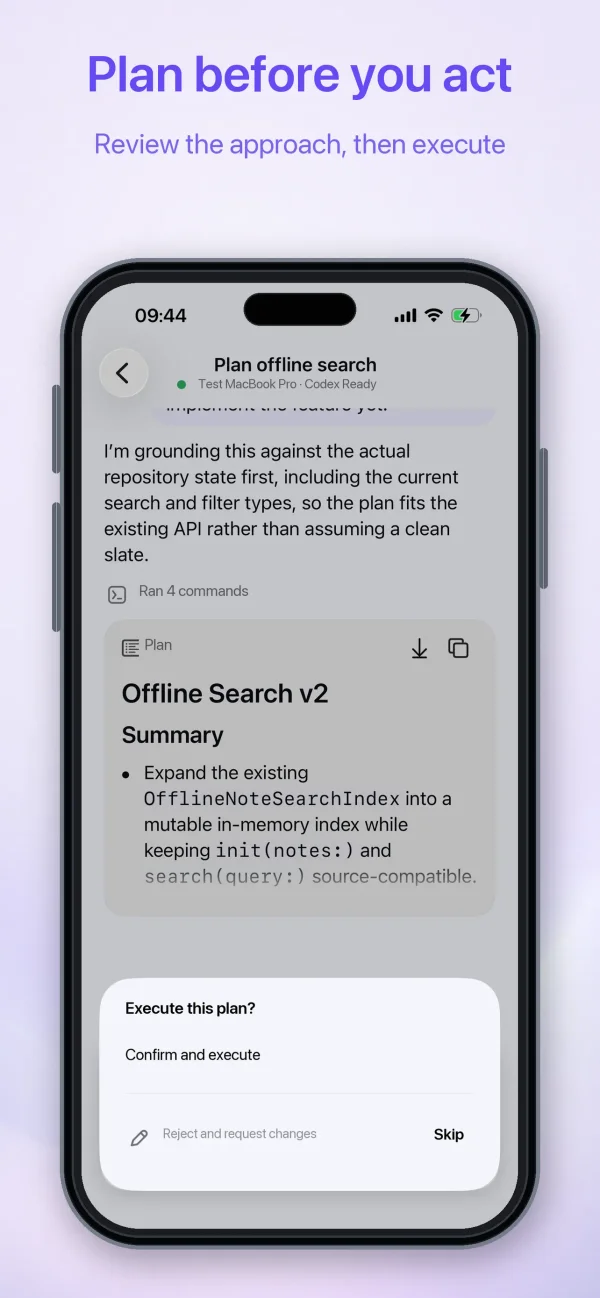
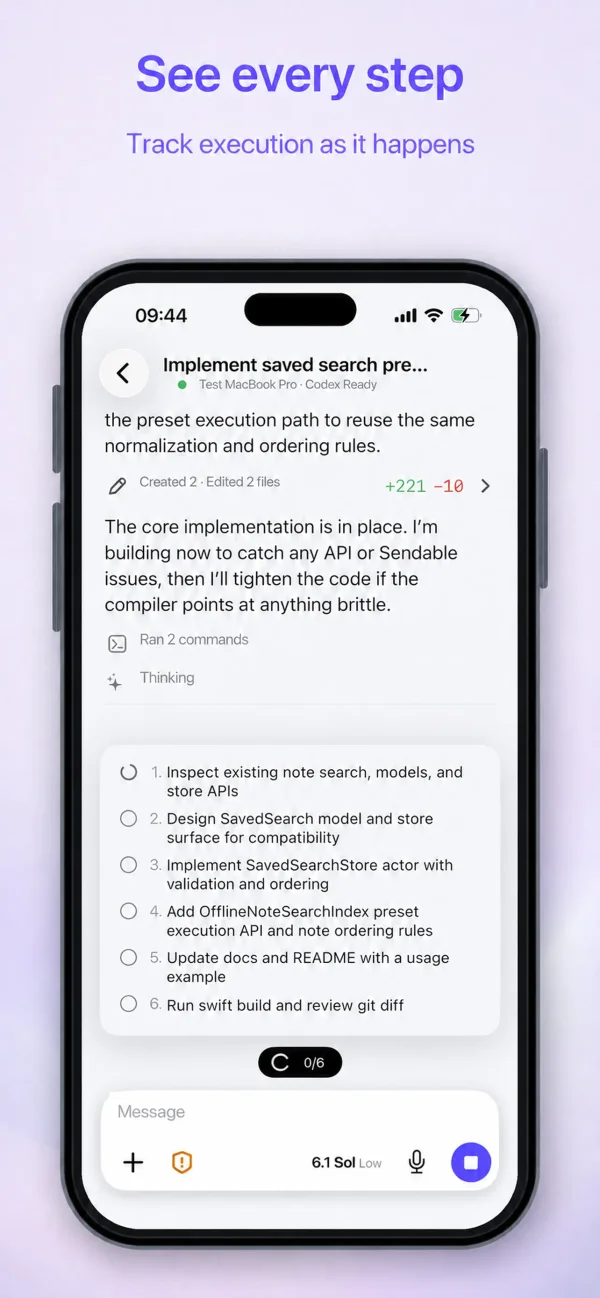
• Read messages, plans, command output, file changes, images, and subagent activity.
• Get notifications for completed replies, ready plans, failures, and items needing your attention. Tap to return to the conversation.
Continue from your phone
• Start conversations using a Mac folder, Git branch, or worktree.
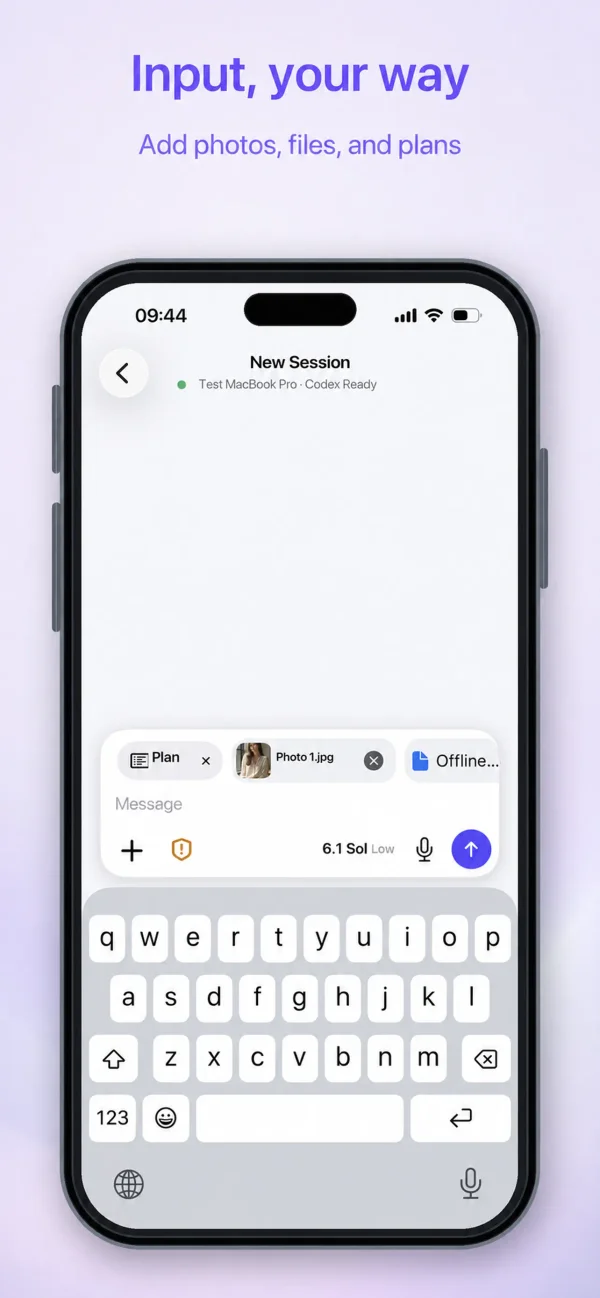
• Send text, images, and files, and search for other conversations to reference. Drafts save automatically.
• Use slash commands, skills, plugins, and code review, with model and Plan mode controls.
• Edit and resend messages, revert later conversation history, and revert or reapply supported file changes.
• View Codex usage, limits, credit balance, and the limit resets available to your account.
Easier input
On-device voice transcription requires iOS 26 and supported hardware and languages. Next-message suggestions depend on your Codex version, account, and model. You choose whether to adopt a suggestion and send it.
Explore before connecting
Tap Try Demo on the initial connection screen to browse sample projects and conversations without a Mac or Codex sign-in. Demo replies and execution results are simulated locally; real tasks require a connection to your own Mac.
Free access and subscriptions
Reading is always free. Each iPhone includes 10 free sends, counted when accepted by the agent; this quota does not reset monthly. After using them, choose a monthly or annual auto-renewable subscription for unlimited Pocket sending. Both plans provide the same benefits. Manage subscriptions in your Apple Account settings.
Pocket subscriptions do not include Codex service access or usage credits. Real execution uses your own Codex account and remains subject to its permissions and usage limits.
Connection and privacy
• Pair iPhone and Mac with a one-time QR code, using a local network or encrypted internet connection.
• End-to-end encryption protects communication between iPhone and Mac. The relay does not read conversation plaintext, and Codex sign-in credentials stay on your Mac.
Requirements
• iPhone: iOS 17 or later.
• Mac: macOS 14 or later, Code Pocket Bridge 1.0.2, and Codex CLI 0.153.4 or later, installed and signed in.
• Real tasks and notifications require Bridge to remain running and online. Notifications apply to conversations you have participated in from Pocket.
• Features depend on Codex version, account, model, and conversation permissions. History revert does not undo project file changes or external actions.
Privacy Policy:
https://hpp20260707.github.io/code-pocket/privacy.html
Terms of Use (EULA):
https://www.apple.com/legal/internet-services/itunes/dev/stdeula/
Yang baru
Versi 1.0.2 · 19/10/2026
• Find and organize conversations faster with title and message search, conversation archiving, Mac folder selection, and new project creation. Choose a Git branch or worktree when starting a conversation.
• Stay informed with push notifications for completed replies, ready plans, failures, and items that need your attention. Tap a notification to return to its conversation.
• Write more easily with on-device voice transcription (requires iOS 26 and supported hardware and languages), next-message suggestions where supported by your Codex account and model, and automatically saved drafts.
• Bring in more context with slash commands, skills, plugins, searchable conversation references, and code review.
• Refine your work by editing and resending messages, rolling back later conversation history, and reverting or reapplying file changes.
• View Codex usage, limits, and credit balance, and redeem available limit resets from your account.
• Improved initial loading, long-history pagination, live scrolling, command output, and image viewing, with lower Bridge resource usage when idle.
• Fixed cross-device sync, reconnection, message ordering, and resuming a send after subscribing.
Update Code Pocket Bridge to 1.0.2 alongside this release to use the new features.
Privasi aplikasi
Yang dinyatakan 佩佩 黄 di App Store tentang cara aplikasi ini menangani data.
-
Data yang ditautkan dengan Anda
Dapat dikumpulkan dan ditautkan dengan identitas Anda.
- Konten pengguna
-
Data yang tidak ditautkan dengan Anda
Dapat dikumpulkan, tetapi tidak ditautkan dengan identitas Anda.
- Pengenal
Praktik privasi dapat bervariasi, misalnya berdasarkan fitur yang Anda gunakan atau usia Anda.
Informasi
- Penjual
- 佩佩 黄
- Kategori
- Alat Pengembang
- Versi
- 1.0.2
- Diperbarui
- 19/10/2026
- Dirilis
- 10/9/2026
- Ukuran
- 18,0 MB
- Memerlukan
- iOS 17.0 atau yang lebih baru
- Batasan usia
- 4+
- Harga
- Gratis
- Pembelian dalam aplikasi
- Ya
- Bahasa
- Inggris, Tionghoa Sederhana
- Hak cipta
- © 2026 Peipei Huang
Mungkin Anda juga suka
-
 Mono Dash - Made for 1PanelAlat Pengembang
-
 艾蒂娜科技 AI人工智能ITAlat Pengembang
-
 AI-HUB DesktopAlat Pengembang
-
 KodexLink: Codex mobile chatAlat Pengembang
-
 MySQL助手Alat Pengembang
-
 Pocket Coder: Remote AI CodeAlat Pengembang
-
 Nex Terminal-SSH & SFTP clientAlat Pengembang
-
 Viber: Vibe Coding with PhoneAlat Pengembang
-
 Happier - Remote Claude, CodexAlat Pengembang
-
 MySQL Client by SQLProAlat Pengembang