
Code Pocket: Coding Agent
Your coding agent, anywhere
Designed for iPhone
In-app purchases
- Age rating4+
- CategoryDeveloper Tools
- Developer佩佩 黄
- LanguagesEnglish+ 1 more
- Size18.0 MB
Links to the official App Store page
Download.org hosts no file of Code Pocket: Coding Agent. The button opens its official App Store page, published by 佩佩 黄. Listing last checked on Nov 16, 2026.
Screenshots
About
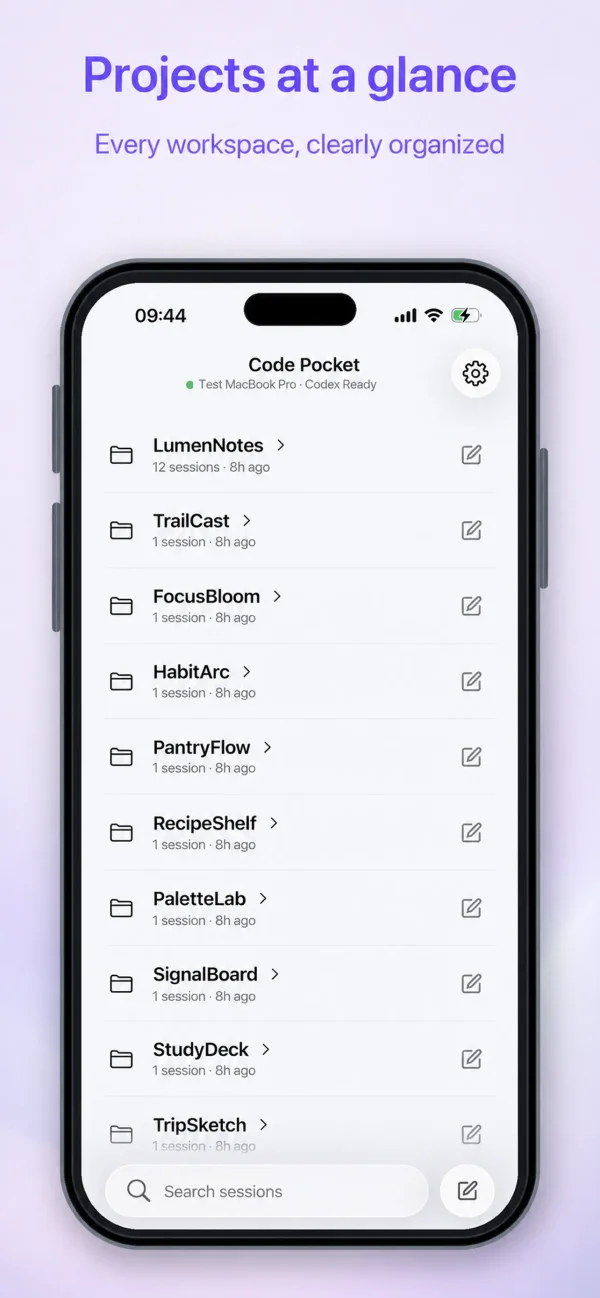
Follow and continue Codex coding tasks on your Mac from iPhone. Browse projects, search conversations, review changes, and send your next instruction wherever you are.
Stay on top of your work
• Browse conversations by project, search titles and message text, and archive conversations you no longer need.
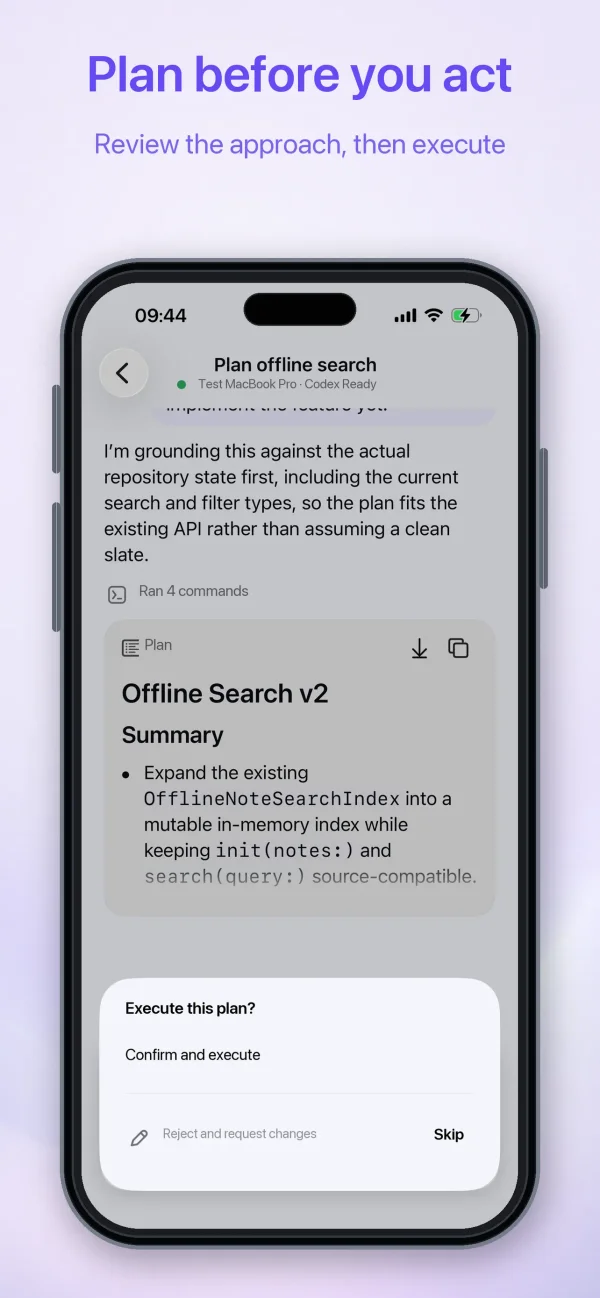
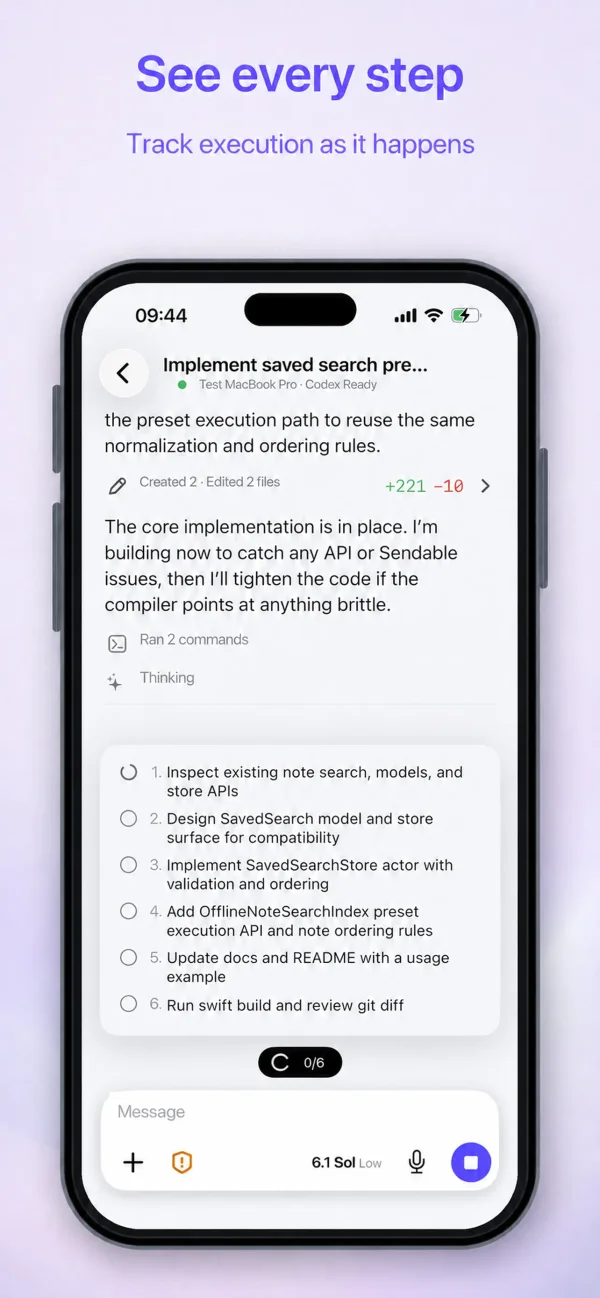
• Read messages, plans, command output, file changes, images, and subagent activity.
• Get notifications for completed replies, ready plans, failures, and items needing your attention. Tap to return to the conversation.
Continue from your phone
• Start conversations using a Mac folder, Git branch, or worktree.
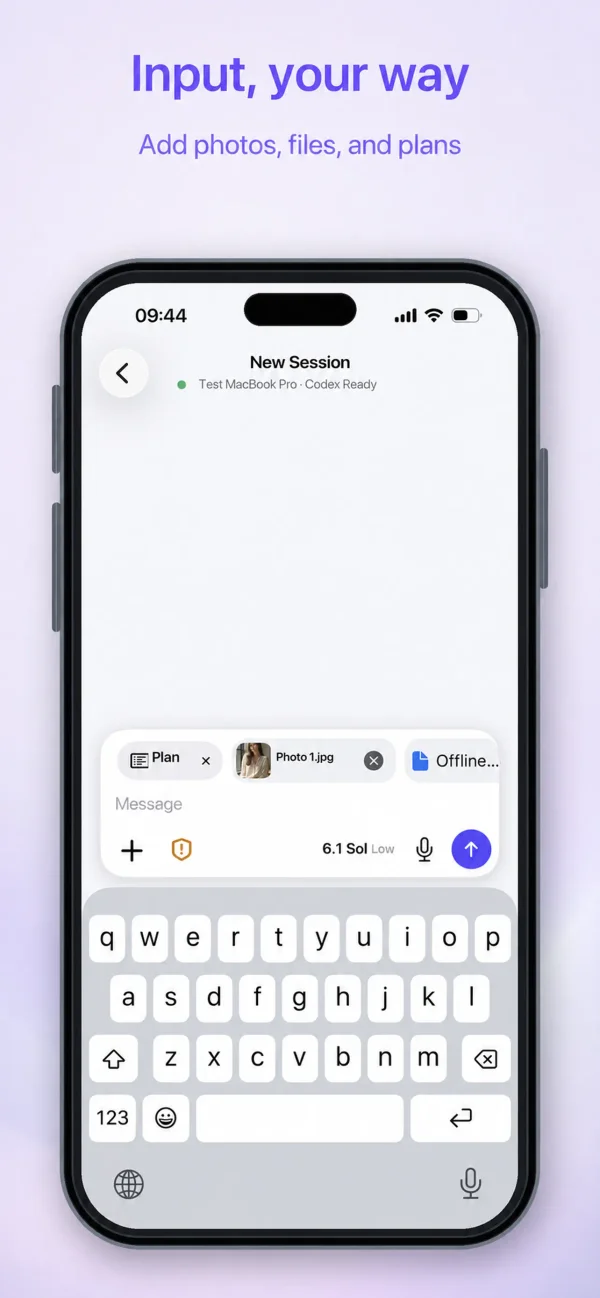
• Send text, images, and files, and search for other conversations to reference. Drafts save automatically.
• Use slash commands, skills, plugins, and code review, with model and Plan mode controls.
• Edit and resend messages, revert later conversation history, and revert or reapply supported file changes.
• View Codex usage, limits, credit balance, and the limit resets available to your account.
Easier input
On-device voice transcription requires iOS 26 and supported hardware and languages. Next-message suggestions depend on your Codex version, account, and model. You choose whether to adopt a suggestion and send it.
Explore before connecting
Tap Try Demo on the initial connection screen to browse sample projects and conversations without a Mac or Codex sign-in. Demo replies and execution results are simulated locally; real tasks require a connection to your own Mac.
Free access and subscriptions
Reading is always free. Each iPhone includes 10 free sends, counted when accepted by the agent; this quota does not reset monthly. After using them, choose a monthly or annual auto-renewable subscription for unlimited Pocket sending. Both plans provide the same benefits. Manage subscriptions in your Apple Account settings.
Pocket subscriptions do not include Codex service access or usage credits. Real execution uses your own Codex account and remains subject to its permissions and usage limits.
Connection and privacy
• Pair iPhone and Mac with a one-time QR code, using a local network or encrypted internet connection.
• End-to-end encryption protects communication between iPhone and Mac. The relay does not read conversation plaintext, and Codex sign-in credentials stay on your Mac.
Requirements
• iPhone: iOS 17 or later.
• Mac: macOS 14 or later, Code Pocket Bridge 1.0.2, and Codex CLI 0.153.4 or later, installed and signed in.
• Real tasks and notifications require Bridge to remain running and online. Notifications apply to conversations you have participated in from Pocket.
• Features depend on Codex version, account, model, and conversation permissions. History revert does not undo project file changes or external actions.
Privacy Policy:
https://hpp20260707.github.io/code-pocket/privacy.html
Terms of Use (EULA):
https://www.apple.com/legal/internet-services/itunes/dev/stdeula/
What’s new
Version 1.0.2 · Oct 19, 2026
• Find and organize conversations faster with title and message search, conversation archiving, Mac folder selection, and new project creation. Choose a Git branch or worktree when starting a conversation.
• Stay informed with push notifications for completed replies, ready plans, failures, and items that need your attention. Tap a notification to return to its conversation.
• Write more easily with on-device voice transcription (requires iOS 26 and supported hardware and languages), next-message suggestions where supported by your Codex account and model, and automatically saved drafts.
• Bring in more context with slash commands, skills, plugins, searchable conversation references, and code review.
• Refine your work by editing and resending messages, rolling back later conversation history, and reverting or reapplying file changes.
• View Codex usage, limits, and credit balance, and redeem available limit resets from your account.
• Improved initial loading, long-history pagination, live scrolling, command output, and image viewing, with lower Bridge resource usage when idle.
• Fixed cross-device sync, reconnection, message ordering, and resuming a send after subscribing.
Update Code Pocket Bridge to 1.0.2 alongside this release to use the new features.
App privacy
What 佩佩 黄 declares on the App Store about how this app handles data.
-
Data linked to you
May be collected and linked to your identity.
- User content
-
Data not linked to you
May be collected but is not linked to your identity.
- Identifiers
Privacy practices may vary, for example with the features you use or your age.
Information
- Seller
- 佩佩 黄
- Category
- Developer Tools
- Version
- 1.0.2
- Updated
- Oct 19, 2026
- Released
- Sep 10, 2026
- Size
- 18.0 MB
- Requires
- iOS 17.0 or later
- Age rating
- 4+
- In-app purchases
- Yes
- Languages
- English, Simplified Chinese
- Copyright
- © 2026 Peipei Huang
You might also like
-
 Mono Dash - Made for 1PanelServer Management Client
-
 艾蒂娜科技 AI人工智能ITDeveloper Tools
-
 AI-HUB DesktopYour desktop AI workspace
-
 KodexLink: Codex mobile chatBring Codex to Your iPhone
-
 MySQL助手Developer Tools
-
 Pocket Coder: Remote AI CodeAI coding agent on your iPhone
-
 Nex Terminal-SSH & SFTP clientProfessional SSH Client
-
 Viber: Vibe Coding with PhoneAI Coding · Made with AirBuild
-
 Happier - Remote Claude, CodexOpenCode, Pi, Grok coding app
-
 MySQL Client by SQLProMySQL & MariaDB database UI