CrispScan
Scan, Sign & Save PDFs Share
Dirancang untuk iPhone, iPad
Gratis · Pembelian dalam aplikasi
- Batasan usia4+
- KategoriProduktivitas
- PengembangLevent Kondakci
- BahasaInggris
- Ukuran8,7 MB
Tertaut ke halaman resmi App Store
Download.org tidak menyimpan file CrispScan apa pun. Tombol ini membuka halaman aplikasi di App Store, tempat Levent Kondakci menerbitkannya. Halaman terakhir diperiksa pada 20/11/2026.
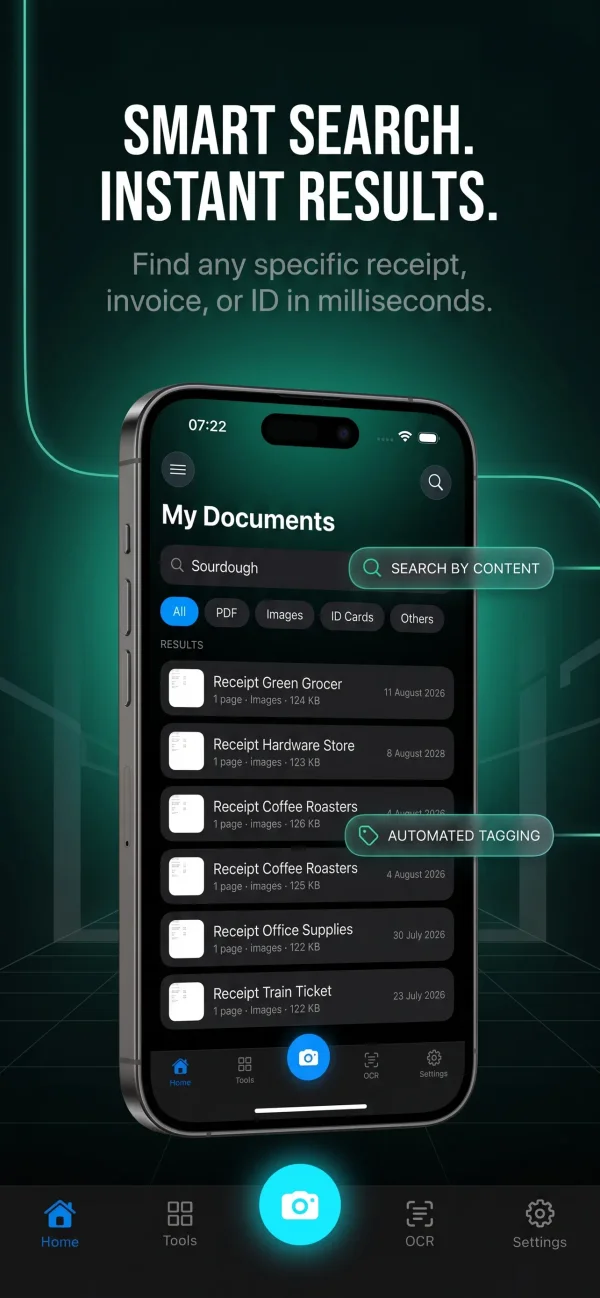
Tangkapan layar

Tentang
Pengembang belum menyediakan teks ini dalam bahasa Anda.
Scan anything into a clean, sharp PDF — then actually find it again.
CrispScan turns your iPhone or iPad into a document scanner, a PDF toolbox and a filing cabinet that remembers what's inside every page. One purchase unlocks it. There is no subscription.
SCAN AS MUCH AS YOU LIKE
Edges are detected automatically, pages are straightened and cleaned up, and multi-page documents are handled in one go. Scanning is free and unlimited.
SEARCH INSIDE YOUR DOCUMENTS
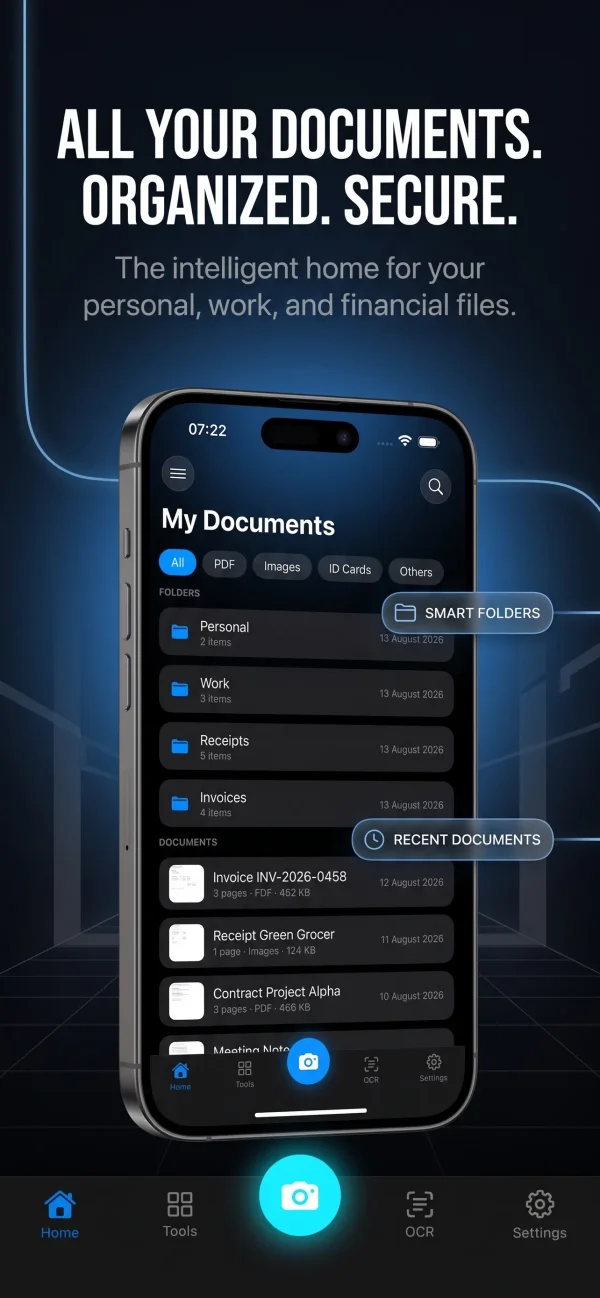
Every scan is read as you save it, so search looks at the words on the page — not just the file name. Type a shop, an invoice number or an amount and the right document comes back.
A PDF TOOLBOX
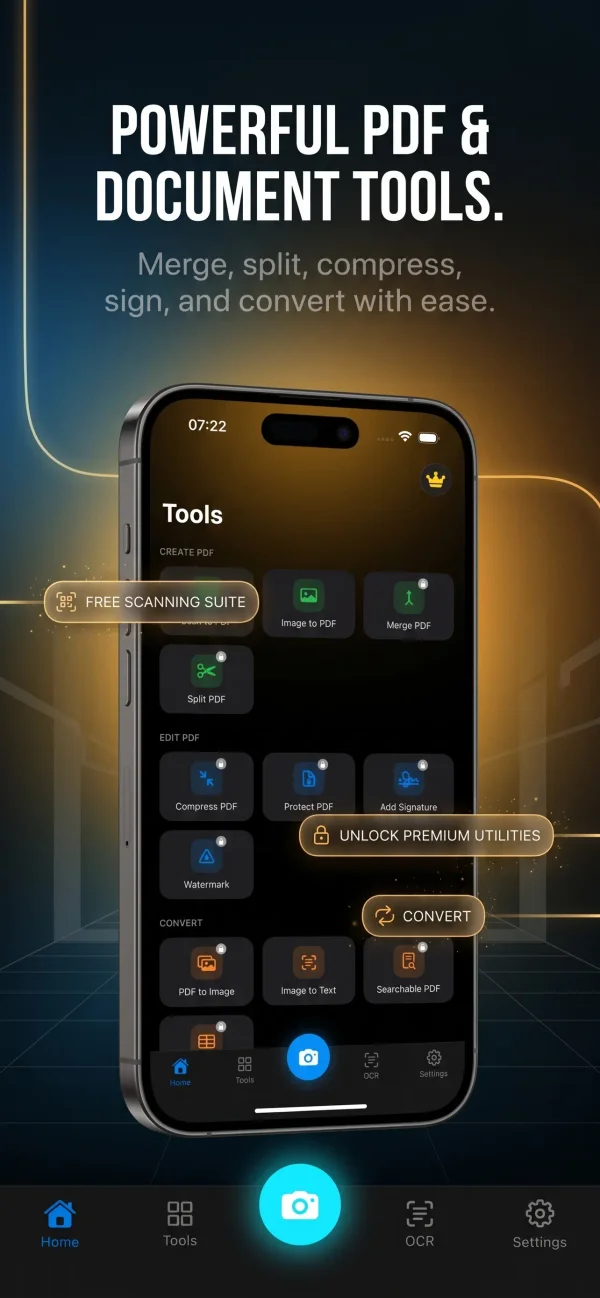
Merge and split PDFs. Compress a file that's too big to email. Add a password. Stamp a watermark. Turn pages into images, or a pile of receipts into a spreadsheet for your expenses.
FILL IN AND SIGN
Sign with your finger, drop in today's date, and type a name, address or reference. Move and resize anything, then share the finished document.
BRING IN PDFs YOU ALREADY HAVE
Open a PDF from Files or iCloud Drive, or share one straight into CrispScan. Its text is read automatically and every tool works on it.
NEVER MISS A RENEWAL
Give a passport, visa, licence or insurance policy an expiry date and CrispScan reminds you 30 days before — the sort of thing that is easy to forget and expensive to miss.
EXTRACT AND TRANSLATE TEXT
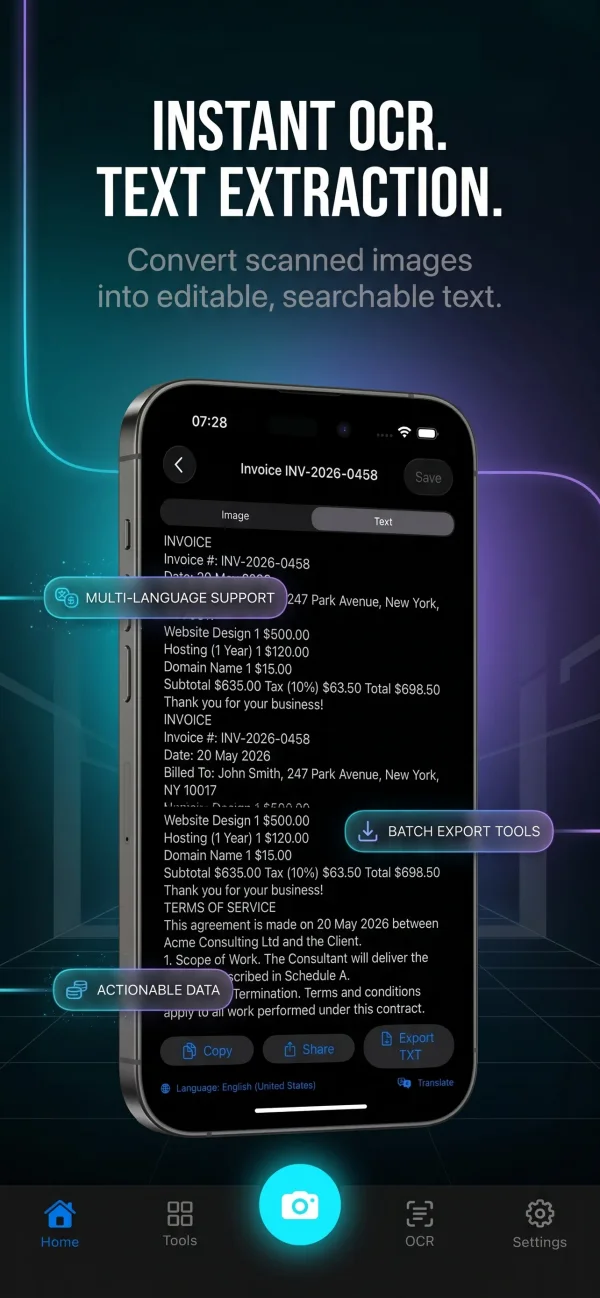
Copy the text out of any scan, export it as a TXT file, or translate it. Recognition and translation both run on your device.
KEEP IT PRIVATE
Scanning, text recognition and translation all happen offline on your device. Lock the whole app behind Face ID, Touch ID or your passcode, and your documents stay hidden from the app switcher while locked. Individual folders can be locked too.
ORGANISE IT PROPERLY
Folders, filters for PDFs, images and ID cards, page counts and file sizes at a glance. Deleted documents wait 30 days in the Trash, so a mistake is easy to undo.
ALSO INCLUDED
A home screen widget and a Siri shortcut to start a scan instantly, and a share extension so you can send images and PDFs to CrispScan from any app.
FREE
Unlimited scanning and storage, search, text recognition, single-page export, Scan to PDF, Image to PDF, Import PDF, Text to PDF, Image to Text, iCloud backup and Trash.
CRISPSCAN PRO — ONE PAYMENT, NO SUBSCRIPTION
Export whole multi-page documents, plus Merge, Split, Compress, Password Protect, Fill & Sign, Watermark, PDF to Image, Searchable PDF and Receipts to CSV. Also unlocks the Face ID app lock, folder locks and unlimited translation.
Buy it once and it stays unlocked. Nothing renews and nothing expires.
Questions or ideas? Get in touch from Settings — we read everything.
Yang baru
Versi 1.2.3 · 4/9/2026
• Performance improvements and faster document scanning
• Improved OCR text recognition and PDF tools
• Minor bug fixes and privacy enhancements
Privasi aplikasi
Yang dinyatakan Levent Kondakci di App Store tentang cara aplikasi ini menangani data.
-
Data yang digunakan untuk melacak Anda
Dapat digunakan untuk melacak Anda di aplikasi dan situs web milik perusahaan lain.
- Pengenal
-
Data yang tidak ditautkan dengan Anda
Dapat dikumpulkan, tetapi tidak ditautkan dengan identitas Anda.
- Pengenal
- Data penggunaan
- Diagnostik
Praktik privasi dapat bervariasi, misalnya berdasarkan fitur yang Anda gunakan atau usia Anda.
Informasi
- Penjual
- Levent Kondakci
- Kategori
- Produktivitas
- Versi
- 1.2.3
- Diperbarui
- 4/9/2026
- Dirilis
- 30/7/2026
- Ukuran
- 8,7 MB
- Memerlukan
- iOS 17.0 atau yang lebih baru
- Batasan usia
- 4+
- Harga
- Gratis
- Pembelian dalam aplikasi
- Ya
- Bahasa
- Inggris
- Hak cipta
- © 2026 Levent Kondakci
Mungkin Anda juga suka
-
 Roastio: AI Habit JudgeProduktivitas
-
 MyScanner: Pindai PDF & QRUrusan kertas, beres sekejap
-
 Slycora: ADHD Daily PlannerProduktivitas
-
 Nemos: Simpan Link, Baca NantiCatatan Suara & Otak Kedua
-
 PodSized: Podcast App AIPemutar podcast & ringkasan
-
 DayByDay Hidup dalam lingkaranWaktu, kebiasaan & tugas
-
 ELMOHRProduktivitas
-
 Trend Micro VPN - Secure ProxyProduktivitas
-
 DocHub: Simple PDF Form EditorProduktivitas
-
 AI Chat Bot - Nova AIProduktivitas