CrispScan
Scan, Sign & Save PDFs Share
Designed for iPhone, iPad
Free · In-app purchases
- Age rating4+
- CategoryProductivity
- DeveloperLevent Kondakci
- LanguagesEnglish
- Size8.7 MB
Links to the official App Store page
Download.org hosts no file of CrispScan. The button opens its official App Store page, published by Levent Kondakci. Listing last checked on Nov 20, 2026.
Screenshots
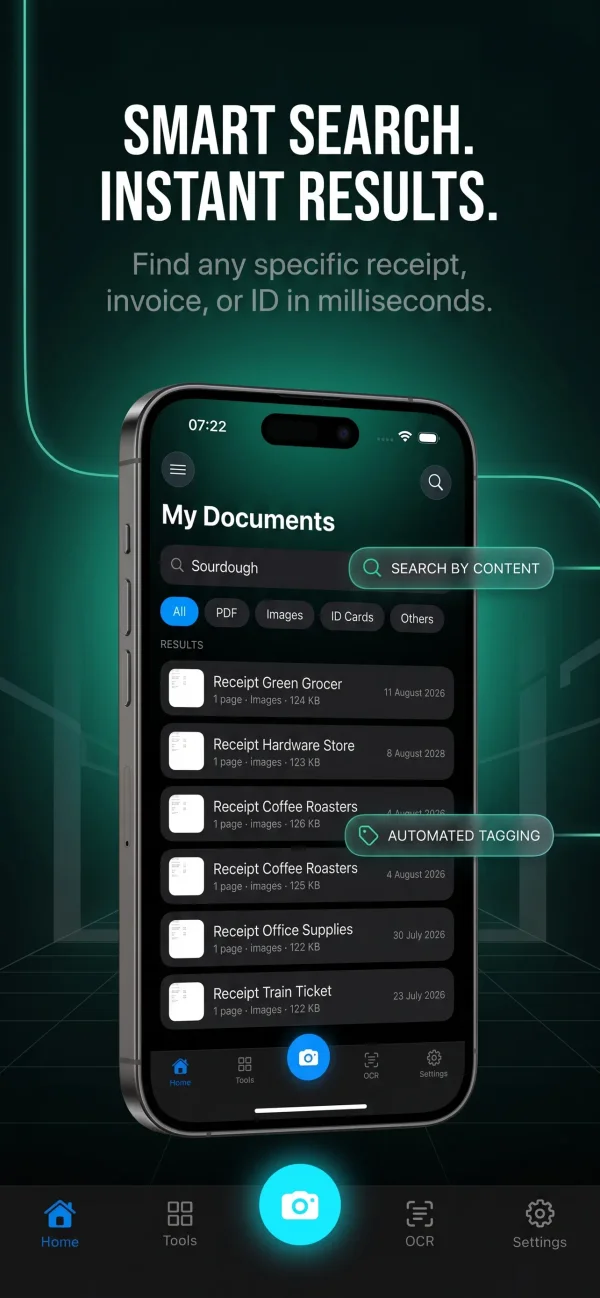

About
Scan anything into a clean, sharp PDF — then actually find it again.
CrispScan turns your iPhone or iPad into a document scanner, a PDF toolbox and a filing cabinet that remembers what's inside every page. One purchase unlocks it. There is no subscription.
SCAN AS MUCH AS YOU LIKE
Edges are detected automatically, pages are straightened and cleaned up, and multi-page documents are handled in one go. Scanning is free and unlimited.
SEARCH INSIDE YOUR DOCUMENTS
Every scan is read as you save it, so search looks at the words on the page — not just the file name. Type a shop, an invoice number or an amount and the right document comes back.
A PDF TOOLBOX
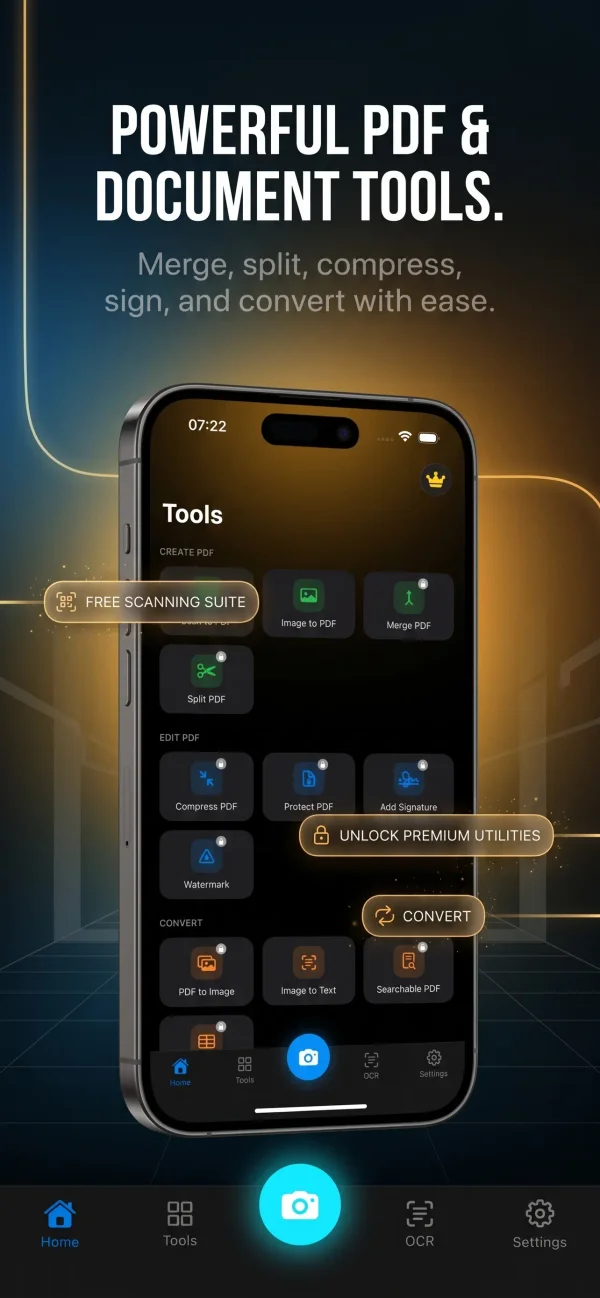
Merge and split PDFs. Compress a file that's too big to email. Add a password. Stamp a watermark. Turn pages into images, or a pile of receipts into a spreadsheet for your expenses.
FILL IN AND SIGN
Sign with your finger, drop in today's date, and type a name, address or reference. Move and resize anything, then share the finished document.
BRING IN PDFs YOU ALREADY HAVE
Open a PDF from Files or iCloud Drive, or share one straight into CrispScan. Its text is read automatically and every tool works on it.
NEVER MISS A RENEWAL
Give a passport, visa, licence or insurance policy an expiry date and CrispScan reminds you 30 days before — the sort of thing that is easy to forget and expensive to miss.
EXTRACT AND TRANSLATE TEXT
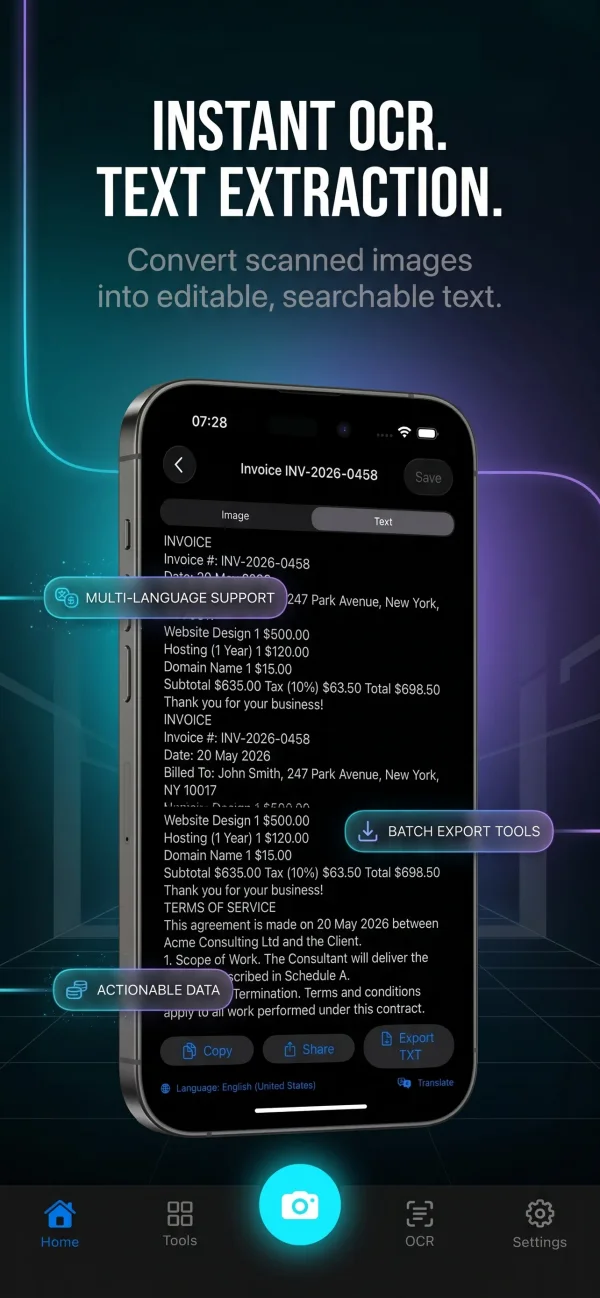
Copy the text out of any scan, export it as a TXT file, or translate it. Recognition and translation both run on your device.
KEEP IT PRIVATE
Scanning, text recognition and translation all happen offline on your device. Lock the whole app behind Face ID, Touch ID or your passcode, and your documents stay hidden from the app switcher while locked. Individual folders can be locked too.
ORGANISE IT PROPERLY
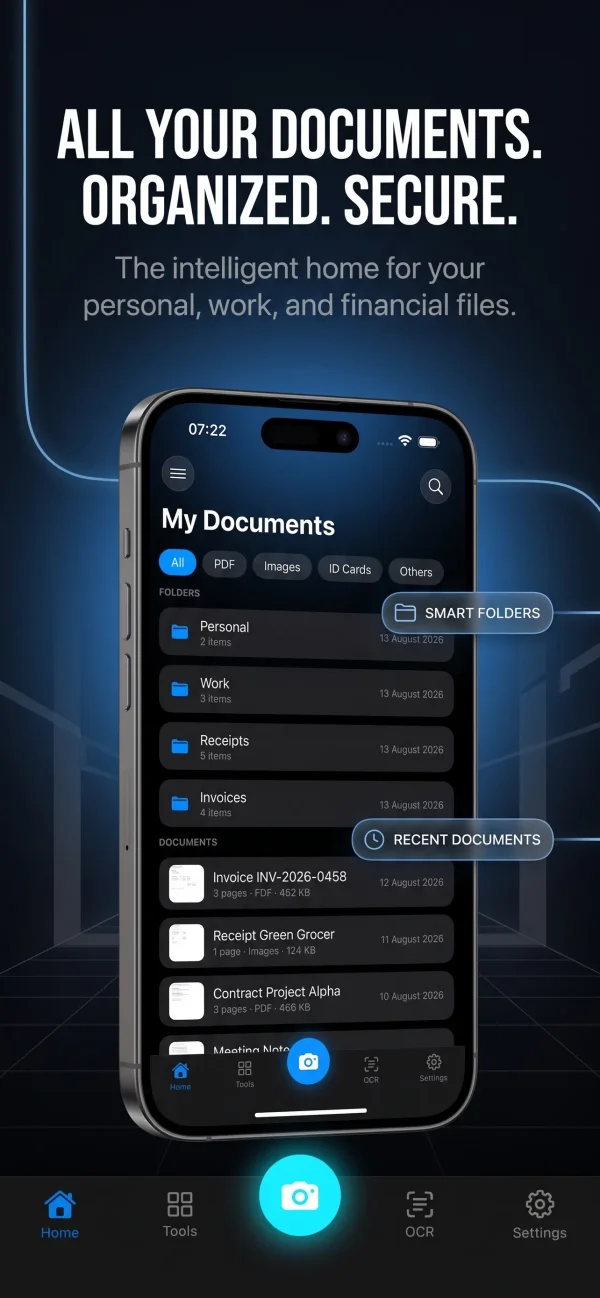
Folders, filters for PDFs, images and ID cards, page counts and file sizes at a glance. Deleted documents wait 30 days in the Trash, so a mistake is easy to undo.
ALSO INCLUDED
A home screen widget and a Siri shortcut to start a scan instantly, and a share extension so you can send images and PDFs to CrispScan from any app.
FREE
Unlimited scanning and storage, search, text recognition, single-page export, Scan to PDF, Image to PDF, Import PDF, Text to PDF, Image to Text, iCloud backup and Trash.
CRISPSCAN PRO — ONE PAYMENT, NO SUBSCRIPTION
Export whole multi-page documents, plus Merge, Split, Compress, Password Protect, Fill & Sign, Watermark, PDF to Image, Searchable PDF and Receipts to CSV. Also unlocks the Face ID app lock, folder locks and unlimited translation.
Buy it once and it stays unlocked. Nothing renews and nothing expires.
Questions or ideas? Get in touch from Settings — we read everything.
What’s new
Version 1.2.3 · Sep 4, 2026
• Performance improvements and faster document scanning
• Improved OCR text recognition and PDF tools
• Minor bug fixes and privacy enhancements
App privacy
What Levent Kondakci declares on the App Store about how this app handles data.
-
Data used to track you
May be used to track you across apps and websites owned by other companies.
- Identifiers
-
Data not linked to you
May be collected but is not linked to your identity.
- Identifiers
- Usage data
- Diagnostics
Privacy practices may vary, for example with the features you use or your age.
Information
- Seller
- Levent Kondakci
- Category
- Productivity
- Version
- 1.2.3
- Updated
- Sep 4, 2026
- Released
- Jul 30, 2026
- Size
- 8.7 MB
- Requires
- iOS 17.0 or later
- Age rating
- 4+
- Price
- Free
- In-app purchases
- Yes
- Languages
- English
- Copyright
- © 2026 Levent Kondakci
You might also like
-
 Roastio: AI Habit JudgeRoast Your Procrastination
-
 MyScanner: Scan PDF & QR CodePaperwork, ready in seconds
-
 Slycora: ADHD Daily PlannerTask Manager for Adult ADHD
-
 Nemos: Second Brain & MemosLink Saver, Screenshots, Notes
-
 PodSized: AI Podcast AppRecaps & Notes From Every Show
-
 DayByDay Circular Life PlannerVisual Time, Habits & Tasks
-
 ELMOHROnline learning on the go
-
 Trend Micro VPN - Secure ProxyWifi Security & Freedom VPN
-
 DocHub: Simple PDF Form EditorEdit, sign, fill & scan docs
-
 AI Chat Bot - Nova AIPowered by ChatGPT & GPT 4