CuaderNote: Notes & Flashcards
Spaced Repetition & PDF Study
Dirancang untuk iPhone, iPad, Mac
Gratis
- Batasan usia4+
- KategoriPendidikan
- PengembangDistributed Ledger SLU
- BahasaInggris+ 2 lainnya
- Ukuran36,9 MB
Tertaut ke halaman resmi App Store
Download.org tidak menyimpan file CuaderNote: Notes & Flashcards apa pun. Tombol ini membuka halaman aplikasi di App Store, tempat Distributed Ledger SLU menerbitkannya. Halaman terakhir diperiksa pada 26/11/2026.
Tangkapan layar

Tentang
Pengembang belum menyediakan teks ini dalam bahasa Anda.
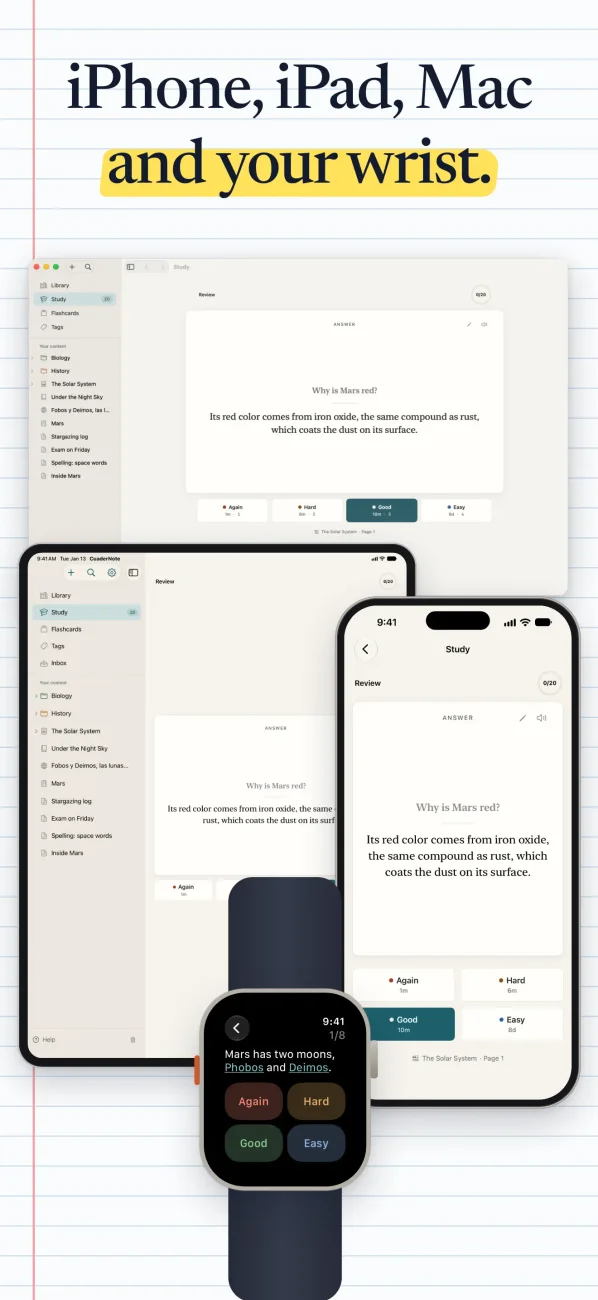
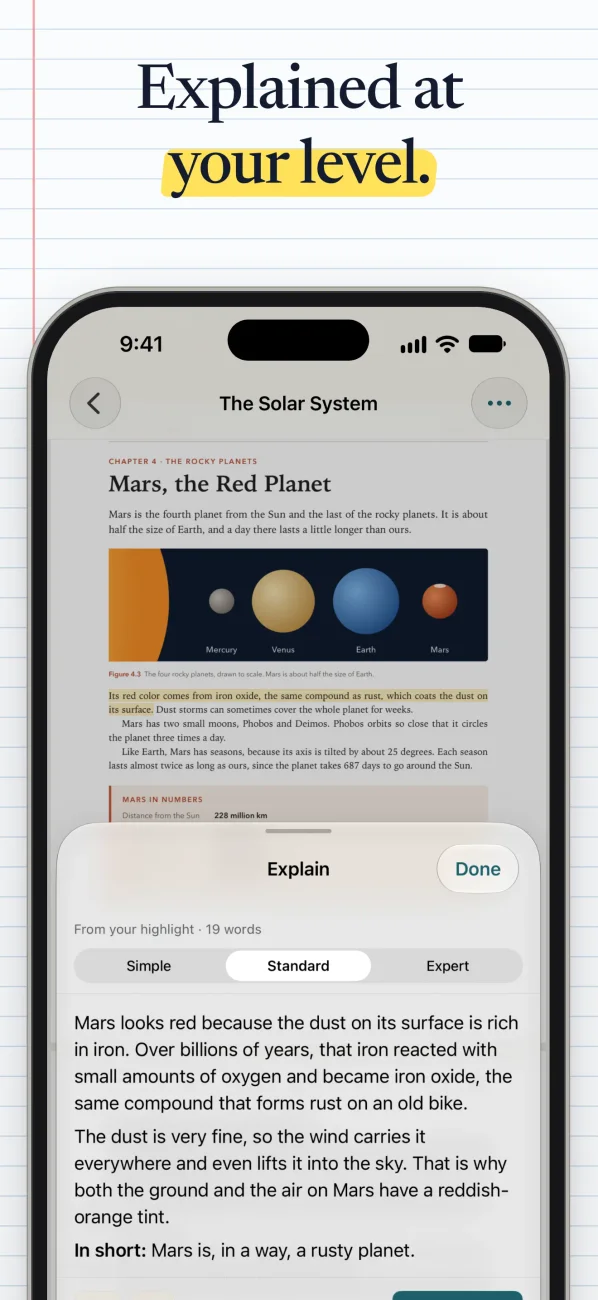
Highlight a PDF, turn what matters into flashcards, and let spaced repetition ask you again right before you'd forget it. CuaderNote keeps your notes, PDFs, handwritten notebooks and flashcards in one app for iPhone, iPad and Mac, and you can review on Apple Watch.
What people use it for:
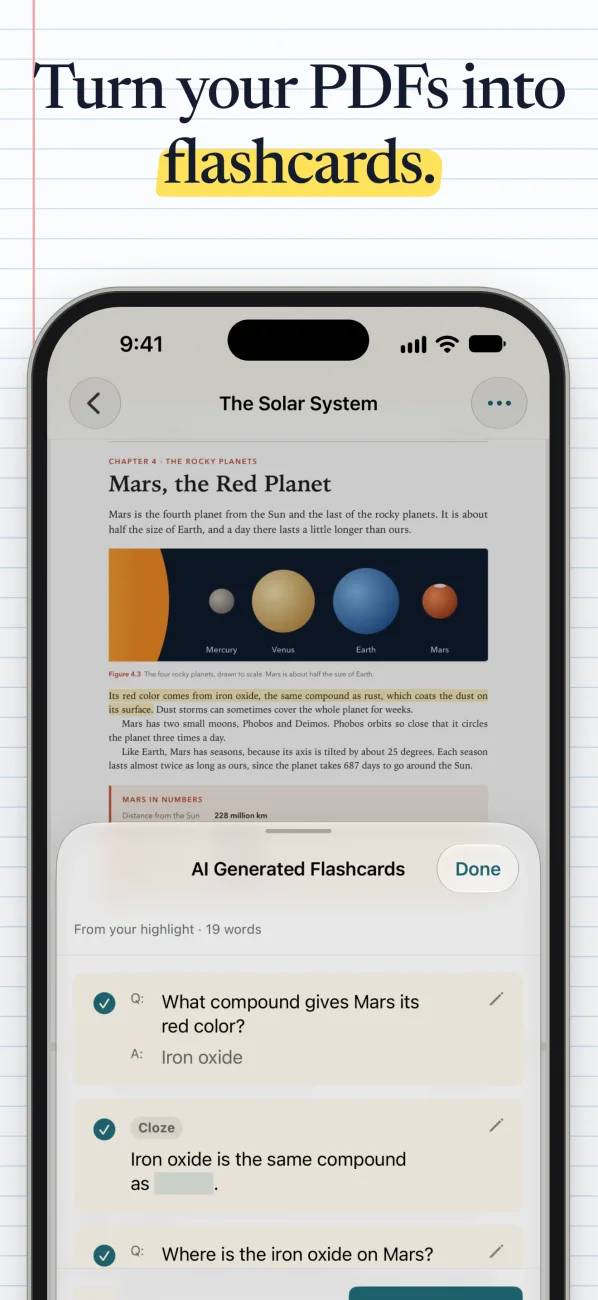
• Exam prep: highlight a passage in your lecture PDF, tap Create Card, and it's in tomorrow's review.
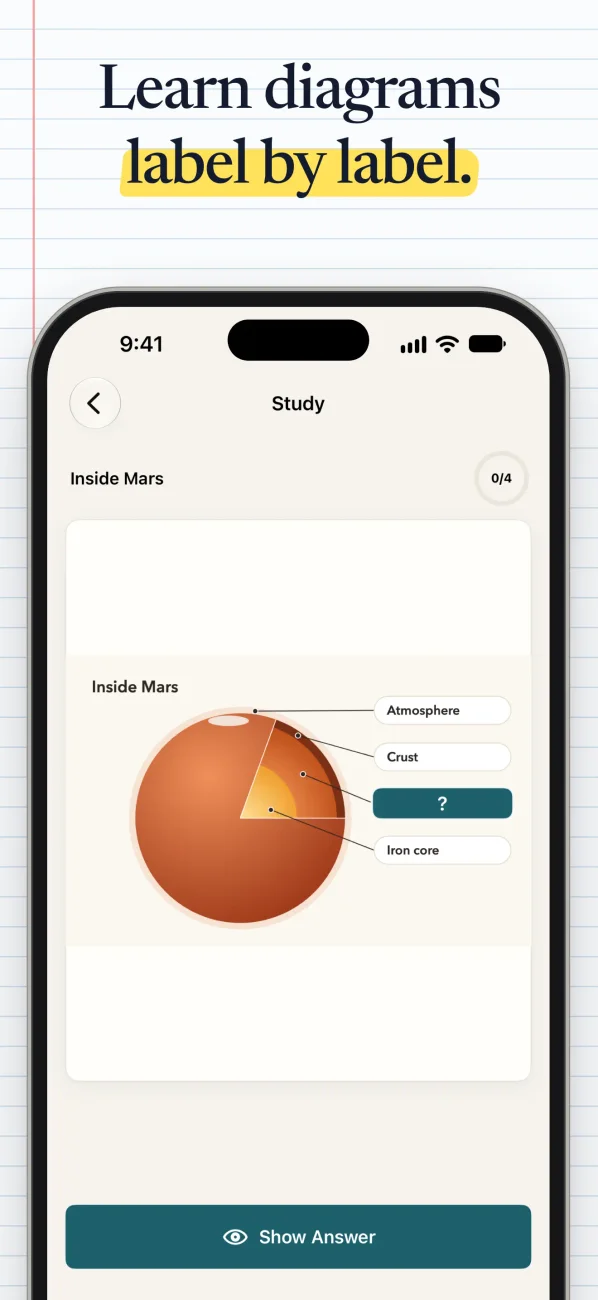
• Med school and anatomy: hide the labels of a diagram and review each one as its own card.
• Language vocabulary: write "perro >> dog" in a note, choose Both Directions, and the card asks you both ways.
• Weekly spelling lists: turn on Dictation and CuaderNote reads each word aloud, then checks your spelling letter by letter.
• Handwritten notes on iPad with Apple Pencil, or typed notes on the Mac with keyboard shortcuts.
HIGHLIGHTING ISN'T STUDYING
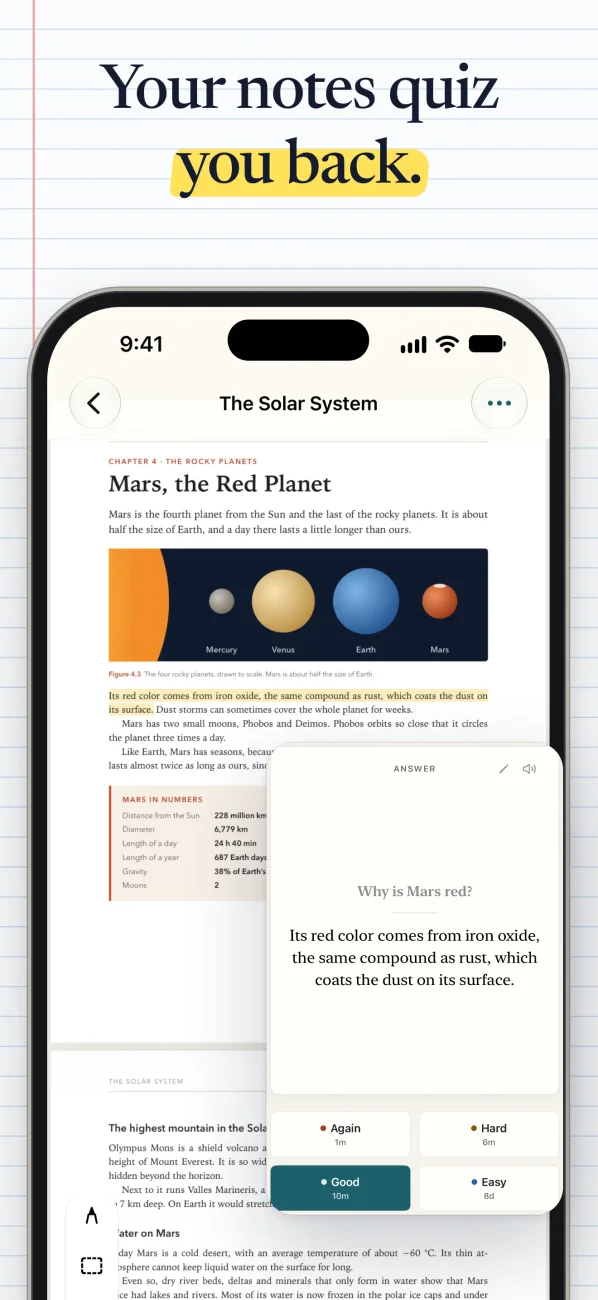
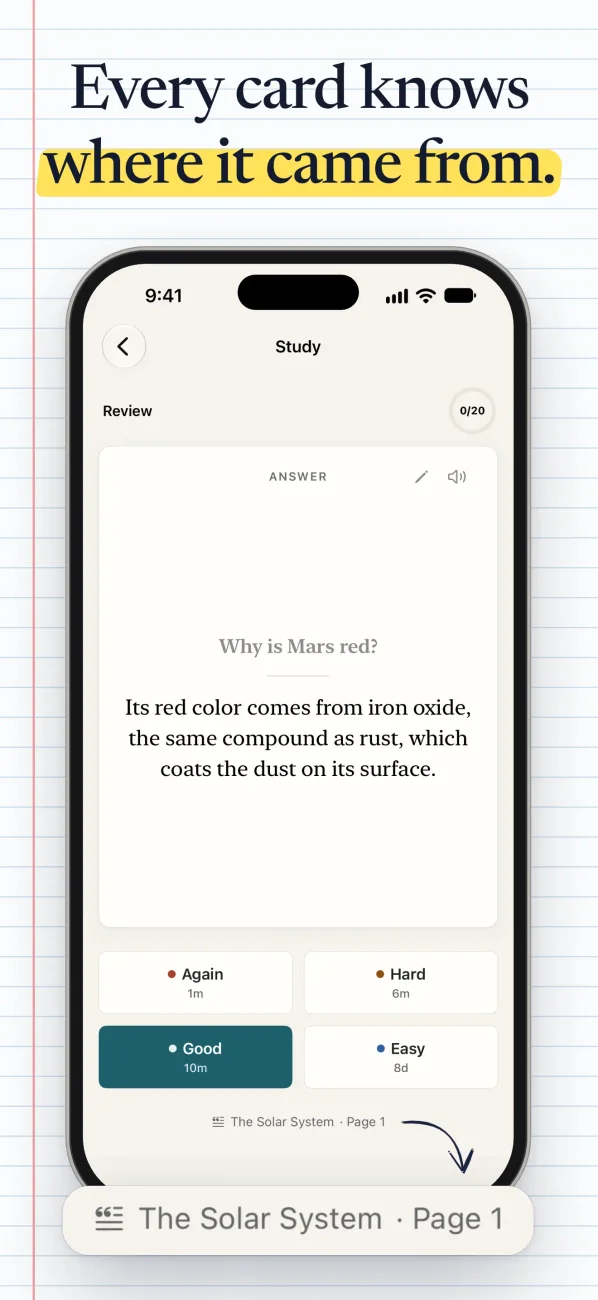
Highlighting feels like progress, but you remember what you practice recalling. In CuaderNote a highlight becomes a card in one tap, with no AI and no account: the passage is the answer and you write the question. In Study, every card says where it came from, the book and page or the note, and one tap takes you back to the passage.
READ
Import PDFs and EPUBs or save web articles. Highlight in four colors, add sticky notes, draw on your PDFs and keep a linked note beside each document. Look up a word in the dictionary, and read books in White, Sepia or Night.
WRITE
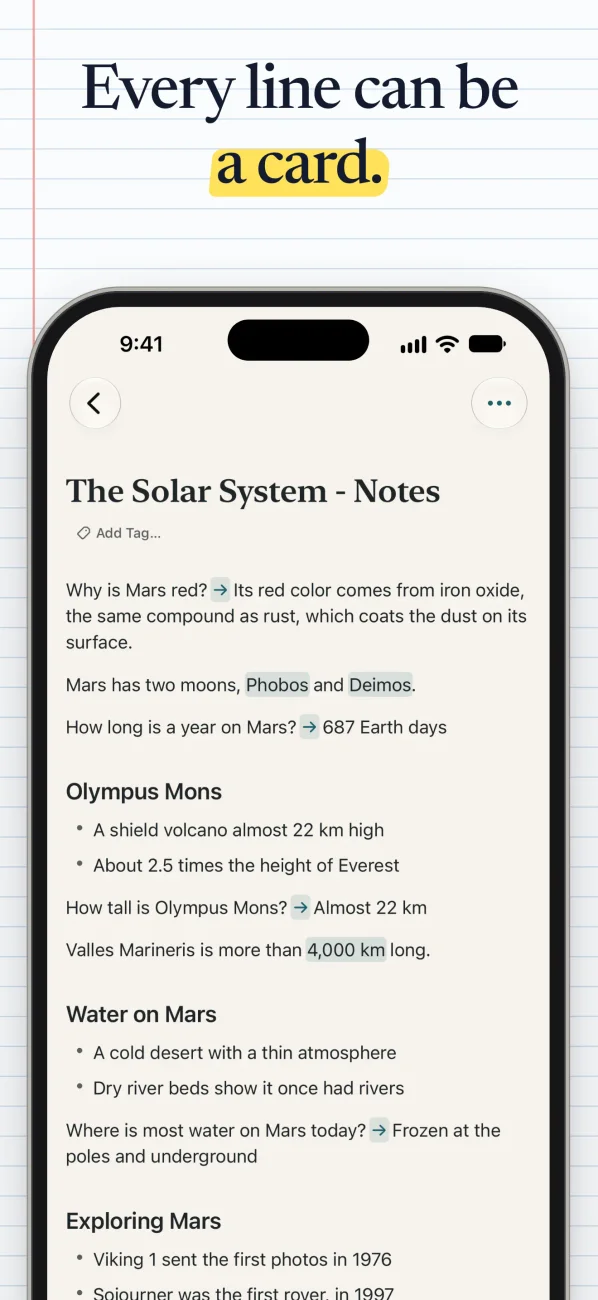
A block editor where a line becomes a card as you type: Question >> Answer, clozes with {{ }}, lists and sets. Link notes with [[ ]], start from templates like Cornell or Zettelkasten, and write math in LaTeX.
DRAW
Notebooks with 19 paper templates. Write with Apple Pencil, a finger or a mouse, select with the lasso, and turn part of a page into an image occlusion card without copying it out again.
REMEMBER
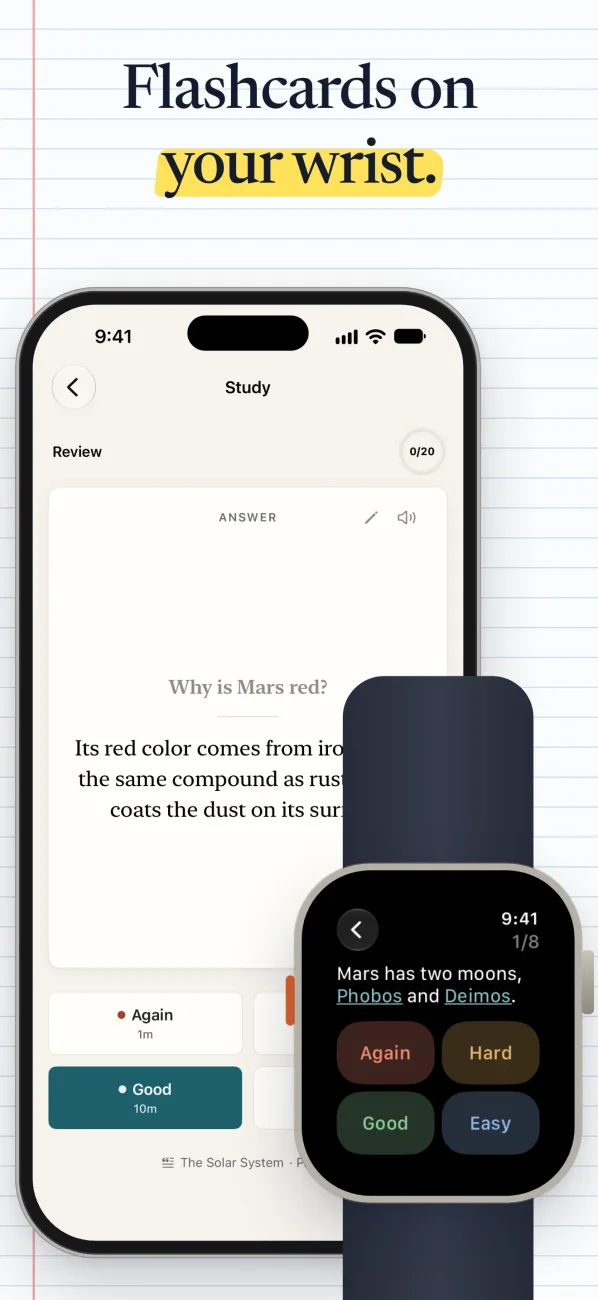
FSRS schedules every card. Each session starts with what's due and adds up to 20 new cards a day. A daily reminder, a Home Screen widget and the badge on the app icon tell you when cards are waiting. On Apple Watch you can review them from your wrist, with your iPhone nearby or not.
OPTIONAL AI
If you want a hand, AI can suggest cards from a passage or a lasso selection, explain or summarize text, translate, and read your handwriting. These tools need an account and come with a limited number of uses. Everything else works without one.
The interface is in English, Spanish and French. Your library lives on your devices and syncs through your own iCloud.
Write. Draw. Read. Remember.
Yang baru
Versi 0.66.0 · 24/11/2026
• Get ready for your exams: give an exam a date and choose what it covers, from folders and notes to PDFs, EPUBs and notebooks. Until that day, the cards you've already studied come back before the exam, and its new cards are shared out over the days left. Start with Prepare for Exam… in the menu of a folder, note or document.
• Hints in clozes: write a hint after the answer, as in {{Paris::city}}, or choose Add Hint… in the cloze's menu. While you study, the gap shows [city] instead of a blank.
• Study's review buttons show long times in months and years, such as 5mo or 1.1y, instead of 150d or 400d.
• Shorter library menus: what you use most comes first and the rest is under More. Dictation is now called Study by Ear.
• Importing a PDF, EPUB or web article you already have now tells you, and Unify Copies joins the copies into one, with all their highlights, notes and cards.
• On iPad and iPhone, the fixed ink bar no longer moves when you change tools.
• A file shared from another app keeps its own name as its title.
Privasi aplikasi
Yang dinyatakan Distributed Ledger SLU di App Store tentang cara aplikasi ini menangani data.
-
Data yang ditautkan dengan Anda
Dapat dikumpulkan dan ditautkan dengan identitas Anda.
- Info kontak
- Konten pengguna
- Pengenal
- Data penggunaan
Praktik privasi dapat bervariasi, misalnya berdasarkan fitur yang Anda gunakan atau usia Anda.
Informasi
- Penjual
- Distributed Ledger SLU
- Kategori
- Pendidikan
- Versi
- 0.66.0
- Diperbarui
- 24/11/2026
- Dirilis
- 1/9/2026
- Ukuran
- 36,9 MB
- Memerlukan
- iOS 17.0 atau yang lebih baru
- Batasan usia
- 4+
- Harga
- Gratis
- Bahasa
- Inggris, Prancis, Spanyol
- Hak cipta
- © 2026 Distributed Ledger SLU
Mungkin Anda juga suka
-
 NaviNotesPendidikan
-
 Claypad: AI NotebookPendidikan
-
 Kanji Loom: Belajar KanjiBagian, keluarga, latihan
-
 Recall: Flashcards & FSRSPendidikan
-
 Cue: kartu tanpa tanganBelajar dengan telinga
-
 Topos: AI Memory PalacePendidikan
-
 Daily Decks: FlashcardsPendidikan
-
 BurmaLang : Learn BurmesePendidikan
-
 Scale ÈtudePendidikan
-
 Hey Memora: Study FlashcardsPendidikan