Custom Keyboard Maker Pro
Build your own smart keyboard
Dirancang untuk iPhone, iPad, iPod touch
Rp 19ribu
- Batasan usia4+
- KategoriKegunaan
- PengembangEyeOS Store Inc.
- BahasaInggris
- Ukuran4,3 MB
Tertaut ke halaman resmi App Store
Download.org tidak menyimpan file Custom Keyboard Maker Pro apa pun. Tombol ini membuka halaman aplikasi di App Store, tempat EyeOS Store Inc. menerbitkannya. Halaman terakhir diperiksa pada 7/11/2026.
Tangkapan layar
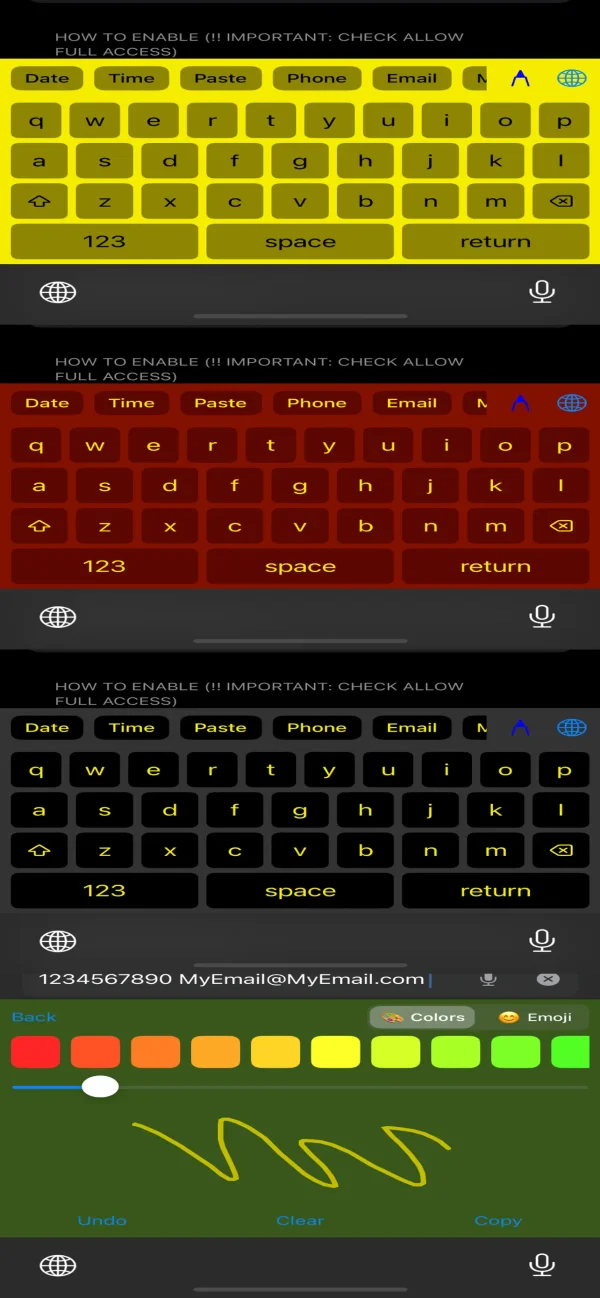

Tentang
Pengembang belum menyediakan teks ini dalam bahasa Anda.
Build the keyboard you wish.
Add powerful one-tap keys and a playful drawing pad that works across your apps.
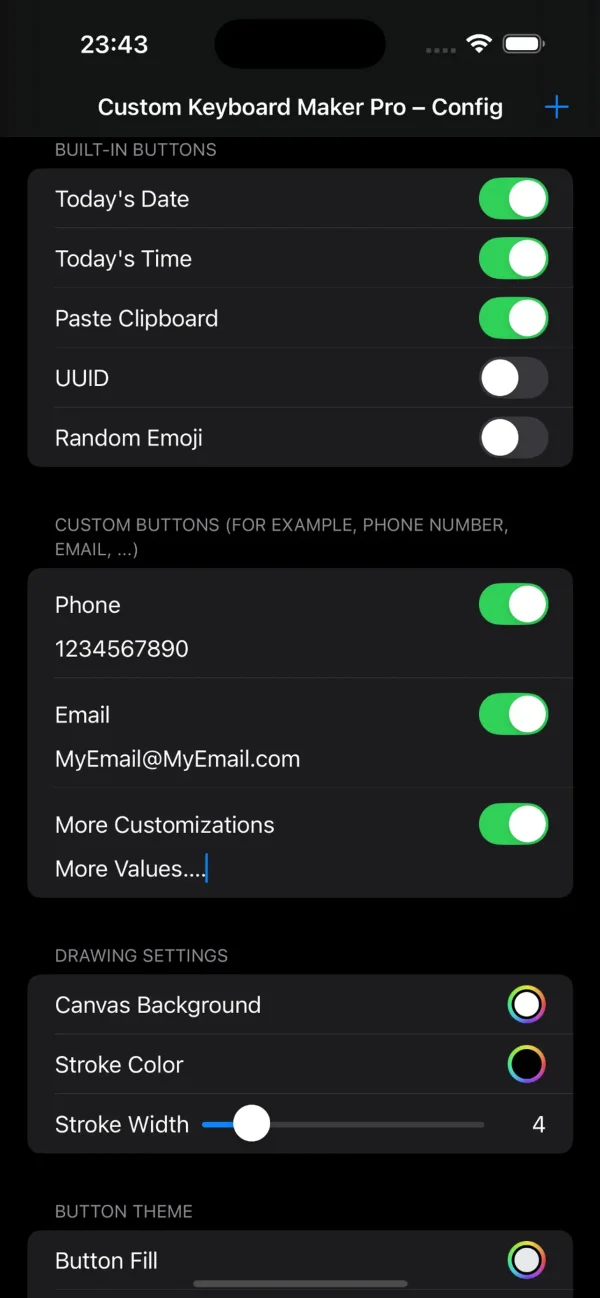
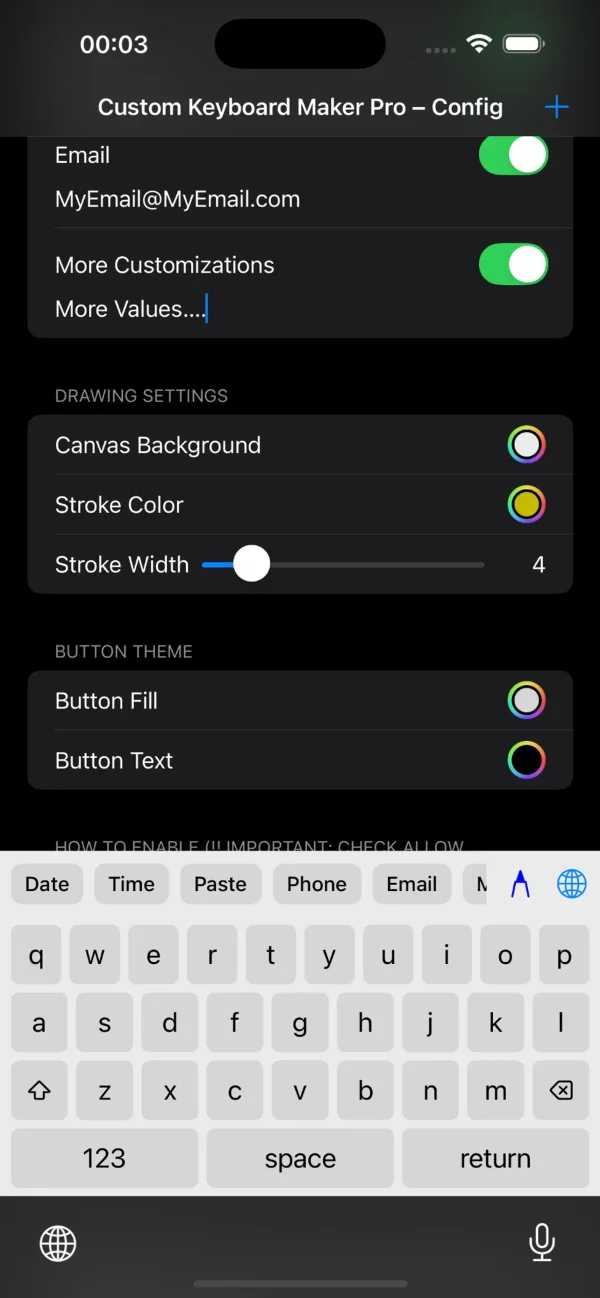
Faster typing: Insert any custom text (your email, phone, ... etc), today’s date, time, clipboard paste, UUID, ... with one tap.
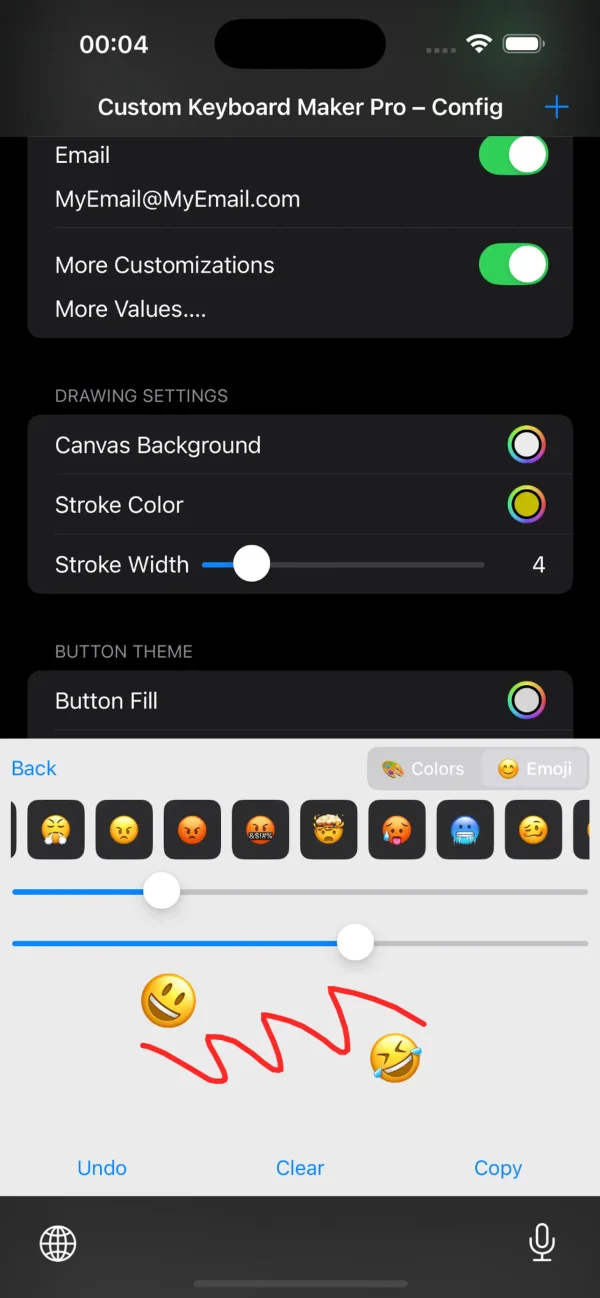
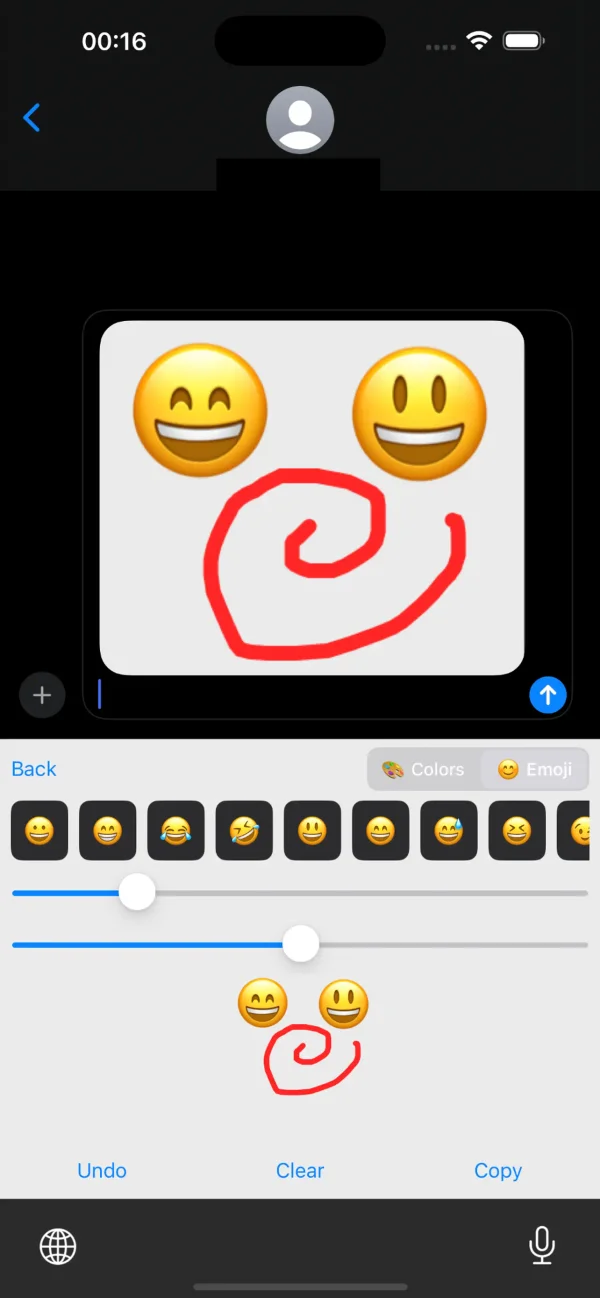
Expressive input: Open the Draw view to sketch quick marks or decorate with emoji, then send via pasteboard where supported.
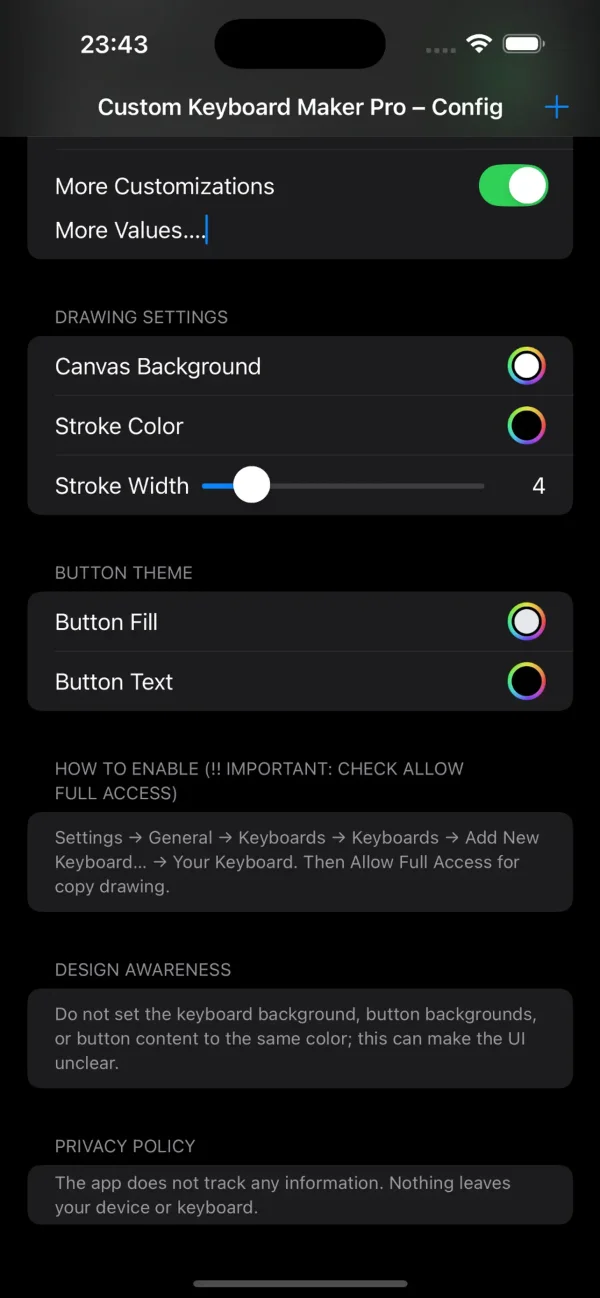
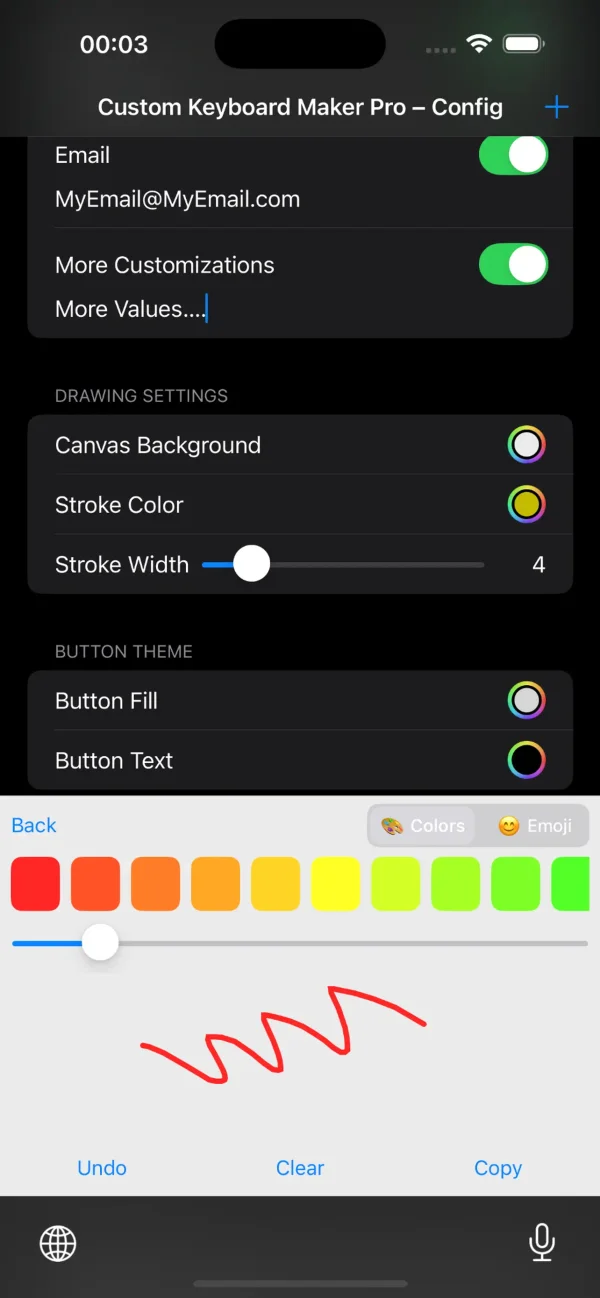
Your look: Pick Canvas Background, Stroke Color, and Stroke Width. Theme Button Fill and Button Text for high contrast.
Works everywhere: iPhone and iPad, any app with a text field.
Private by design: Functions run on-device. No analytics, no third-party SDKs, no tracking.
Config-first keyboard: Built-in toggles for Date, Time, Paste, UUID, Random Emoji, and a named Custom button.
Inline drawing pad: Colors palette, stroke slider, Undo/Clear, and quick emoji row.
One-tap theming: Live preview of canvas, keys, and text for accessibility and style.
No full access required for core features; nothing leaves your device.
Open the app → choose built-in buttons and set your Custom text.
Pick colors for Canvas, Stroke, Button Fill, Button Text.
Enable the keyboard: Settings → General → Keyboard → Keyboards → Add New… → Custom Keyboard Maker Pro.
Note: Image sending relies on pasteboard and only appears in apps that accept images; text-only fields will receive text.
Privasi aplikasi
Yang dinyatakan EyeOS Store Inc. di App Store tentang cara aplikasi ini menangani data.
-
Data tidak dikumpulkan
Pengembang tidak mengumpulkan data apa pun dari aplikasi ini.
Praktik privasi dapat bervariasi, misalnya berdasarkan fitur yang Anda gunakan atau usia Anda.
Informasi
- Penjual
- EyeOS Store Inc.
- Kategori
- Kegunaan
- Versi
- 1.0
- Diperbarui
- 19/9/2025
- Dirilis
- 19/9/2025
- Ukuran
- 4,3 MB
- Memerlukan
- iOS 16 atau yang lebih baru
- Batasan usia
- 4+
- Harga
- Rp 19ribu
- Bahasa
- Inggris
- Hak cipta
- EyeOS Store © 2025