Custom Keyboard Maker Pro
Build your own smart keyboard
Designed for iPhone, iPad, iPod touch
$0.99
- Age rating4+
- CategoryUtilities
- DeveloperEyeOS Store Inc.
- LanguagesEnglish
- Size4.3 MB
Links to the official App Store page
Download.org hosts no file of Custom Keyboard Maker Pro. The button opens its official App Store page, published by EyeOS Store Inc. Listing last checked on Nov 7, 2026.
Screenshots

About
Build the keyboard you wish.
Add powerful one-tap keys and a playful drawing pad that works across your apps.
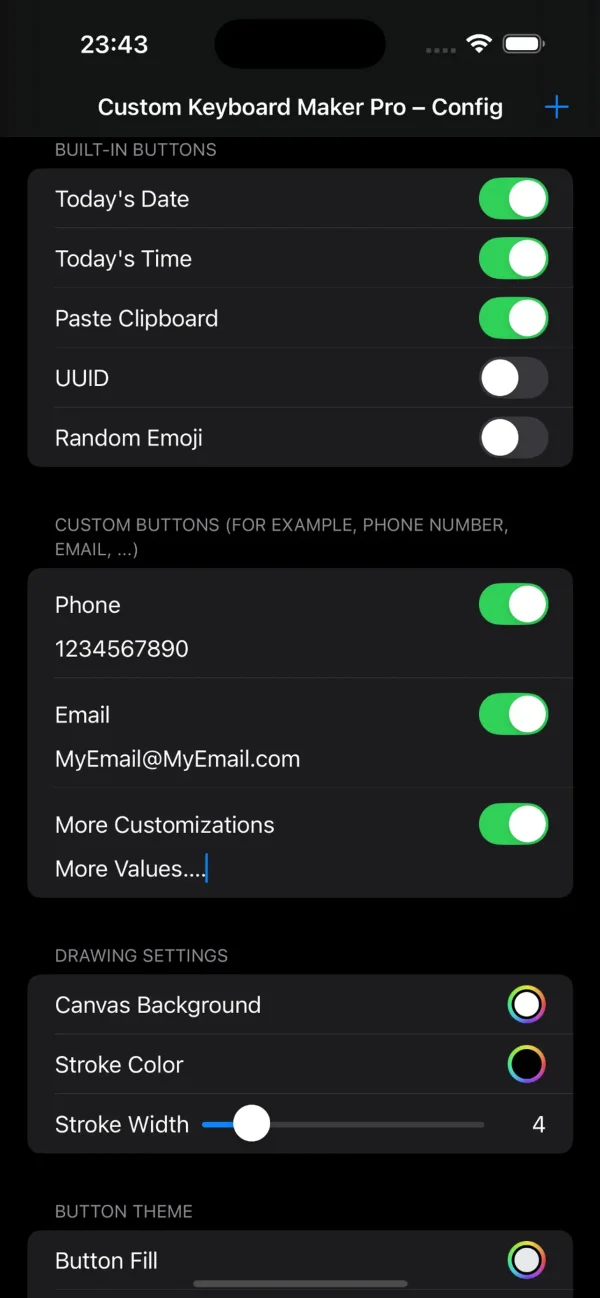
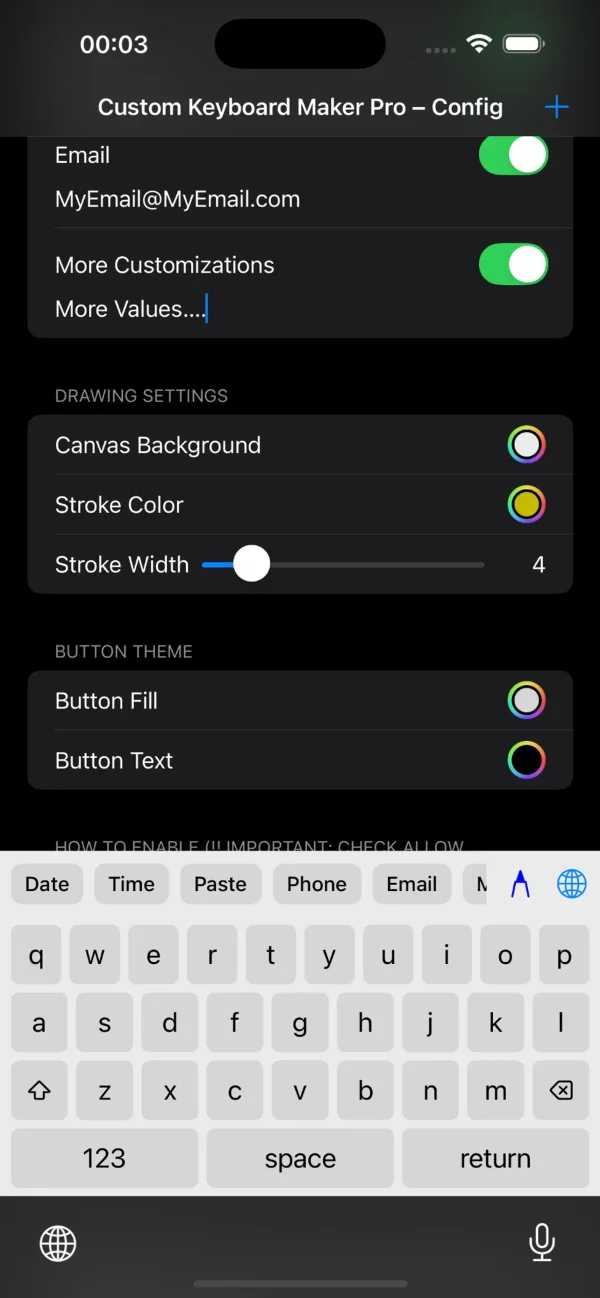
Faster typing: Insert any custom text (your email, phone, ... etc), today’s date, time, clipboard paste, UUID, ... with one tap.
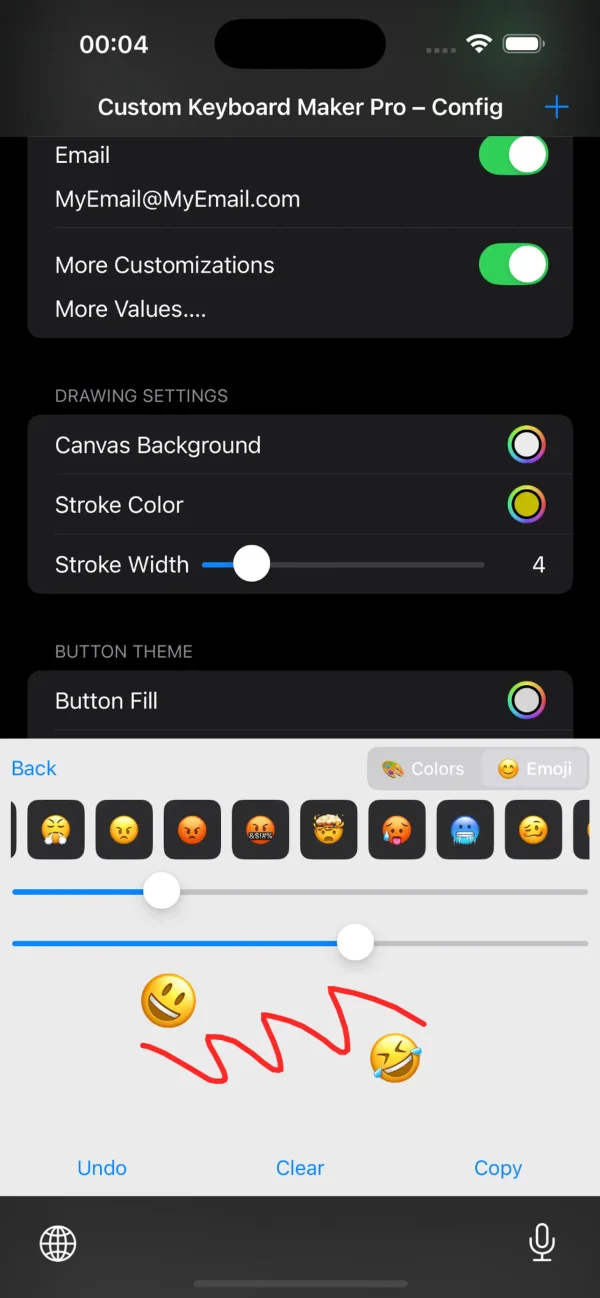
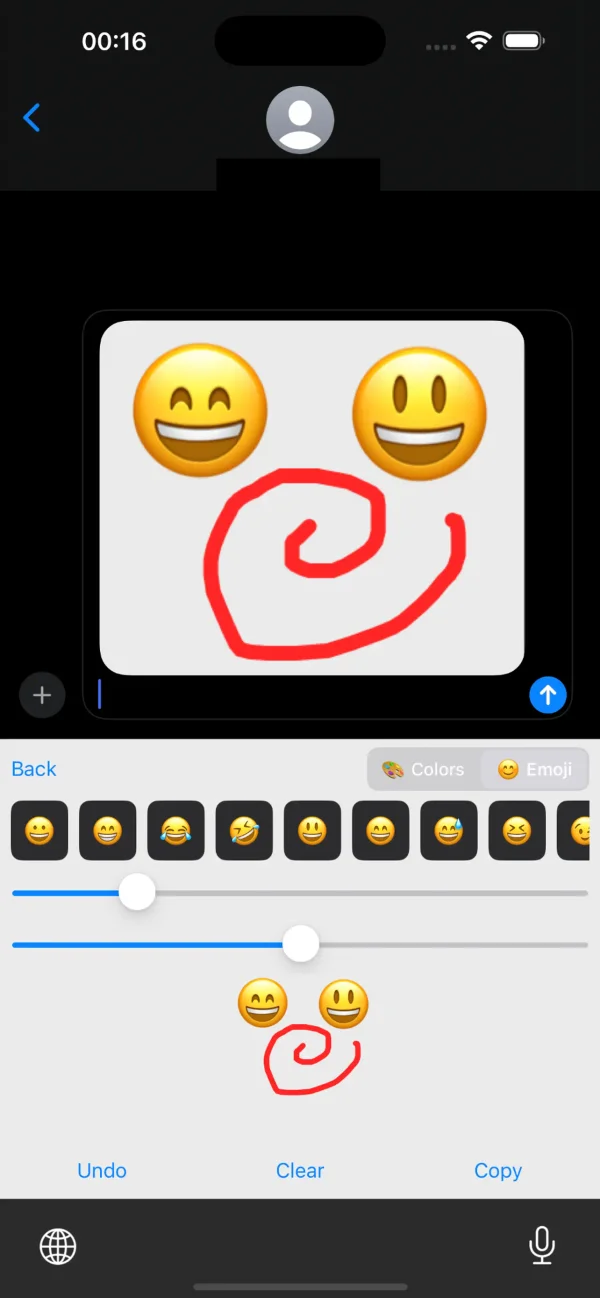
Expressive input: Open the Draw view to sketch quick marks or decorate with emoji, then send via pasteboard where supported.
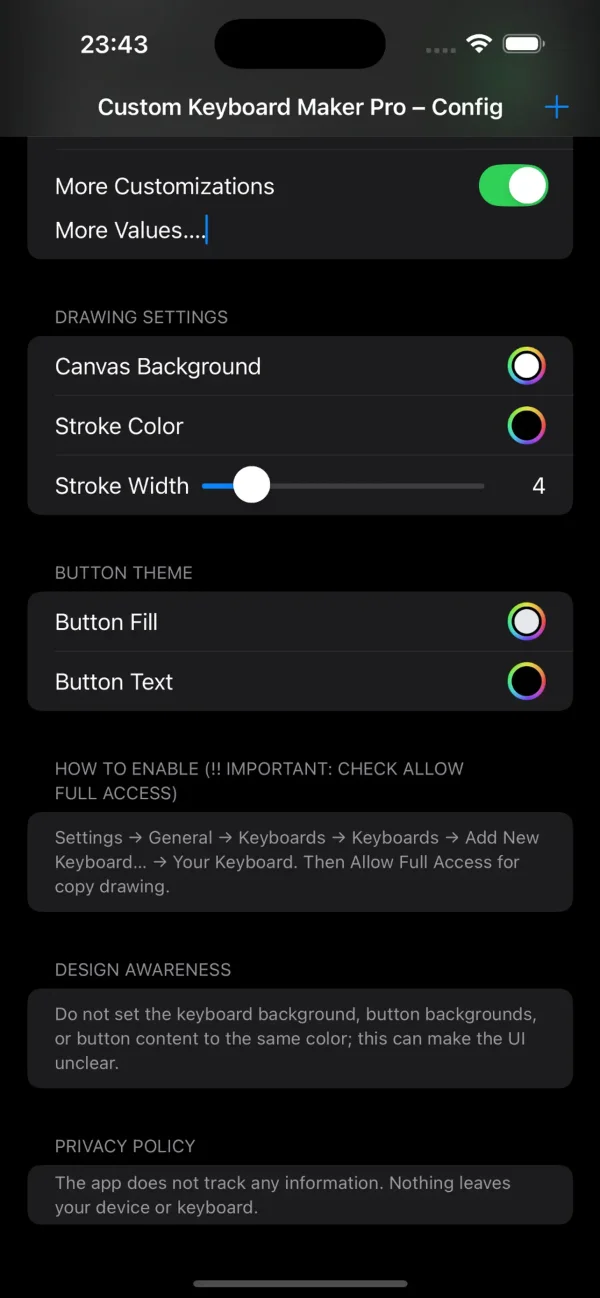
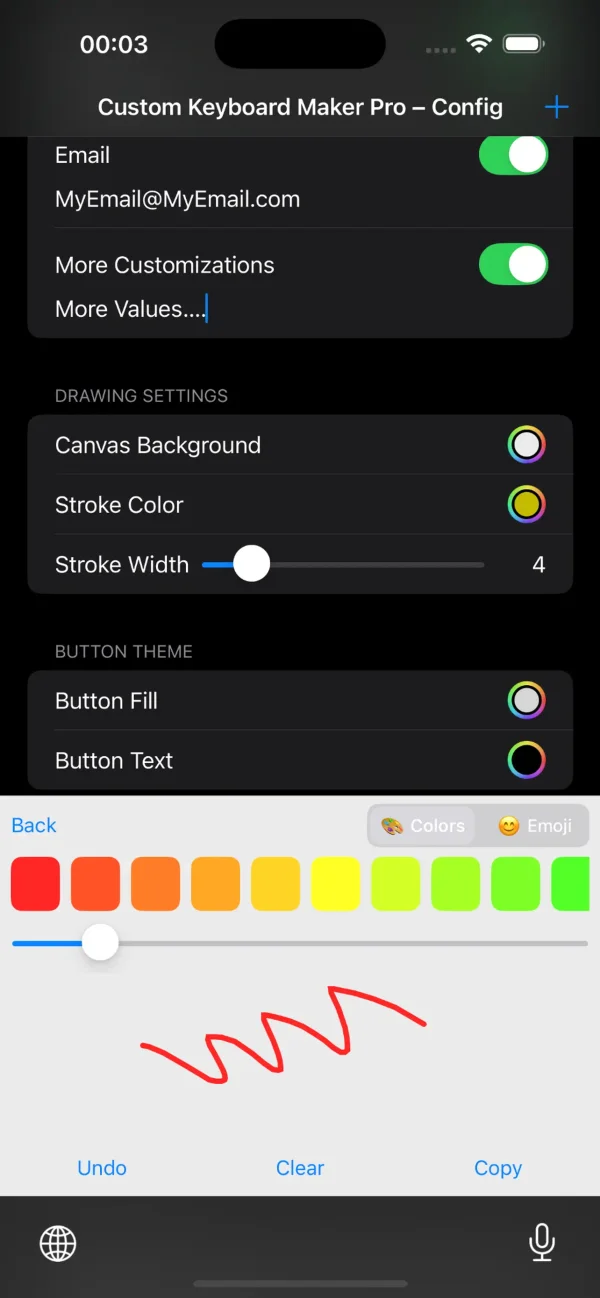
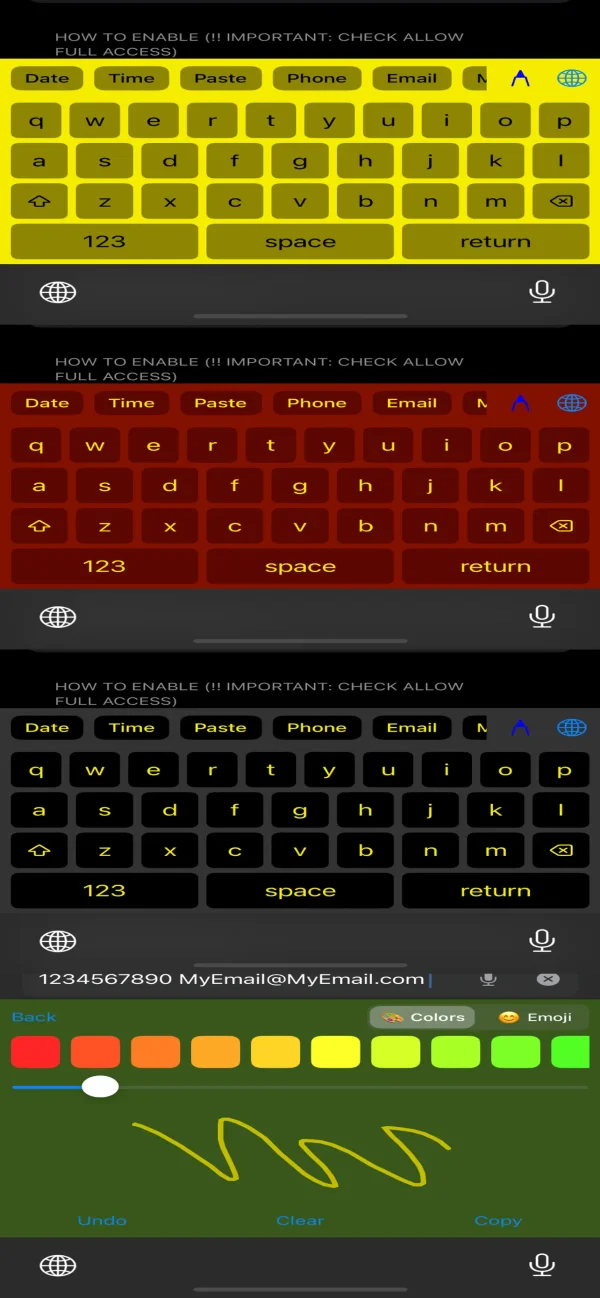
Your look: Pick Canvas Background, Stroke Color, and Stroke Width. Theme Button Fill and Button Text for high contrast.
Works everywhere: iPhone and iPad, any app with a text field.
Private by design: Functions run on-device. No analytics, no third-party SDKs, no tracking.
Config-first keyboard: Built-in toggles for Date, Time, Paste, UUID, Random Emoji, and a named Custom button.
Inline drawing pad: Colors palette, stroke slider, Undo/Clear, and quick emoji row.
One-tap theming: Live preview of canvas, keys, and text for accessibility and style.
No full access required for core features; nothing leaves your device.
Open the app → choose built-in buttons and set your Custom text.
Pick colors for Canvas, Stroke, Button Fill, Button Text.
Enable the keyboard: Settings → General → Keyboard → Keyboards → Add New… → Custom Keyboard Maker Pro.
Note: Image sending relies on pasteboard and only appears in apps that accept images; text-only fields will receive text.
App privacy
What EyeOS Store Inc. declares on the App Store about how this app handles data.
-
Data not collected
The developer does not collect any data from this app.
Privacy practices may vary, for example with the features you use or your age.
Information
- Seller
- EyeOS Store Inc.
- Category
- Utilities
- Version
- 1.0
- Updated
- Sep 19, 2025
- Released
- Sep 19, 2025
- Size
- 4.3 MB
- Requires
- iOS 16 or later
- Age rating
- 4+
- Price
- $0.99
- Languages
- English
- Copyright
- EyeOS Store © 2025
You might also like
-
 KeysembleUtilities
-
 Columbia City Police ScannerRadio Livestream & Police Logs
-
 Quick Kibo: Custom KeyboardFast Typing, Clipboard, Themes
-
 LmkejiLMKEJI
-
 Top Keyboard: Custom ThemesFonts Emoji Colors
-
 Next KeyboardKeyboard Theme maker
-
 KeyboardKitCustomizable Keyboard
-
 xKeyboard - Custom KeyboardCustom Layout & Key
-
 iDOS 3Play Classic DOS Games
-
 LazyBoard: Text ExpanderQuick Reply & Paste Keyboard