
Dawn - Markdown
A beautiful Markdown reader
Dirancang untuk iPhone, iPad
Gratis
- Batasan usia4+
- KategoriProduktivitas
- PengembangHallidai Inc.
- BahasaInggris
- Ukuran7,7 MB
Tertaut ke halaman resmi App Store
Download.org tidak menyimpan file Dawn - Markdown apa pun. Tombol ini membuka halaman aplikasi di App Store, tempat Hallidai Inc. menerbitkannya. Halaman terakhir diperiksa pada 17/11/2026.
Tangkapan layar
Tentang
Pengembang belum menyediakan teks ini dalam bahasa Anda.
Dawn is the calm, beautiful place to read Markdown on iPhone and iPad. And now, to edit it right where you read.
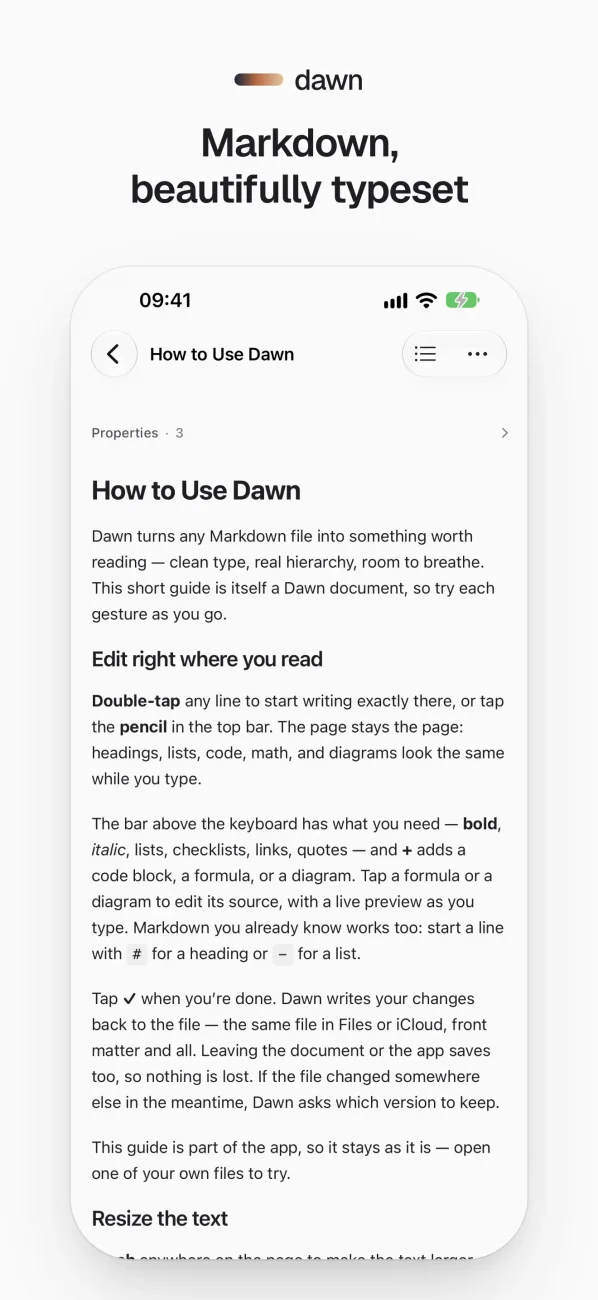
Your AI assistant answers in Markdown: headings, lists, code, tables. On a phone, that usually shows up as a wall of raw symbols. Open it in Dawn and it becomes a page worth reading: clean margins, real hierarchy, a comfortable line length, and type set the way a good book is.
And it isn't only AI. Your notes, your READMEs, your documents — any .md file reads beautifully here.
EDIT ON THE PAGE
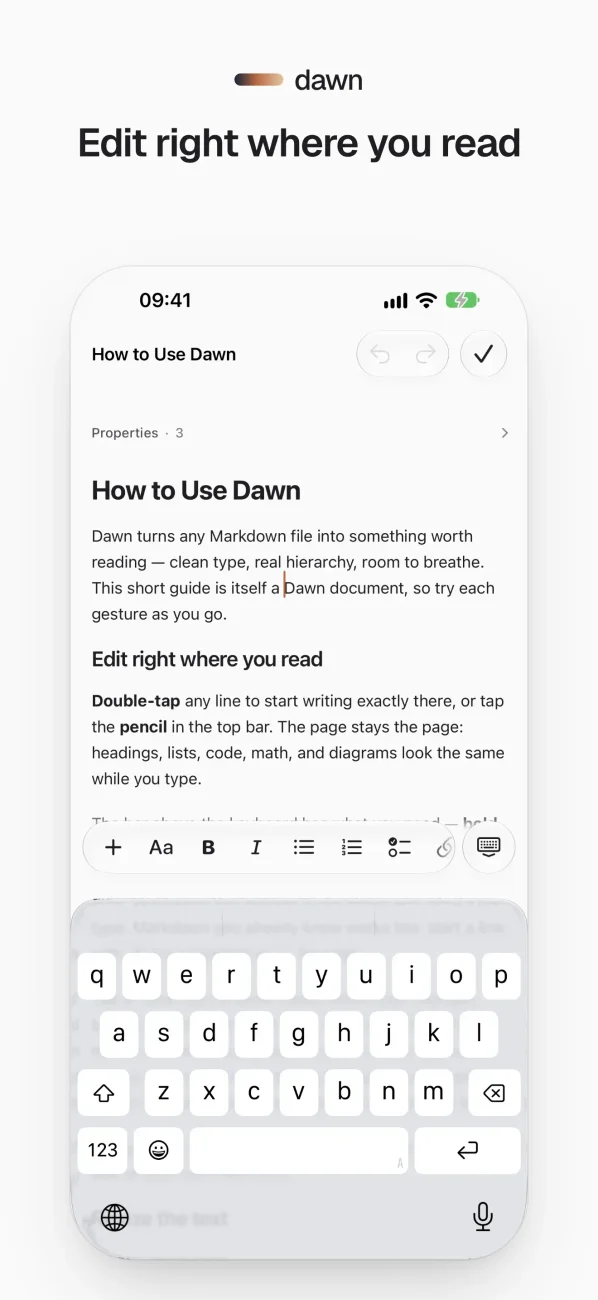
• Double-tap any line to start writing exactly there — no separate editor, no raw symbols
• Bold, italic, headings, lists, checklists, links, quotes, and code from a slim bar above the keyboard
• Add formulas and diagrams, and see them render as you type
• Changes save back to the same file in Files or iCloud, front matter and all
• If a file changed somewhere else, Dawn asks before anything is overwritten
WHAT DAWN RENDERS
• Full CommonMark and GitHub Flavored Markdown
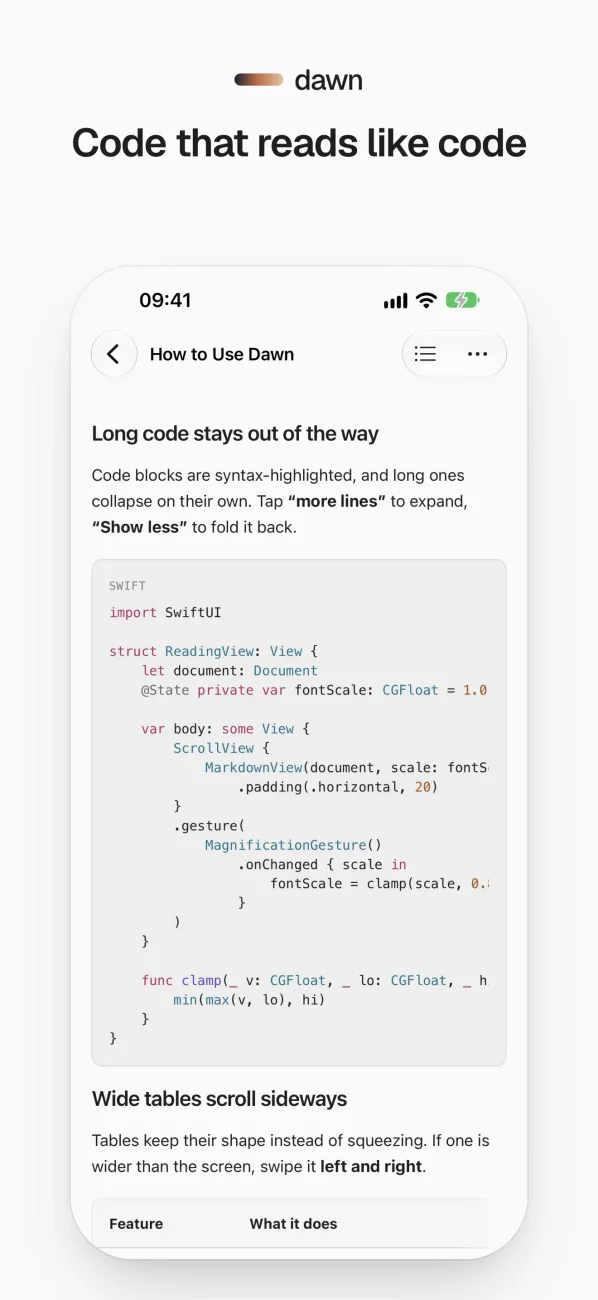
• Syntax-highlighted code blocks that collapse out of the way
• Tables that scroll sideways instead of breaking
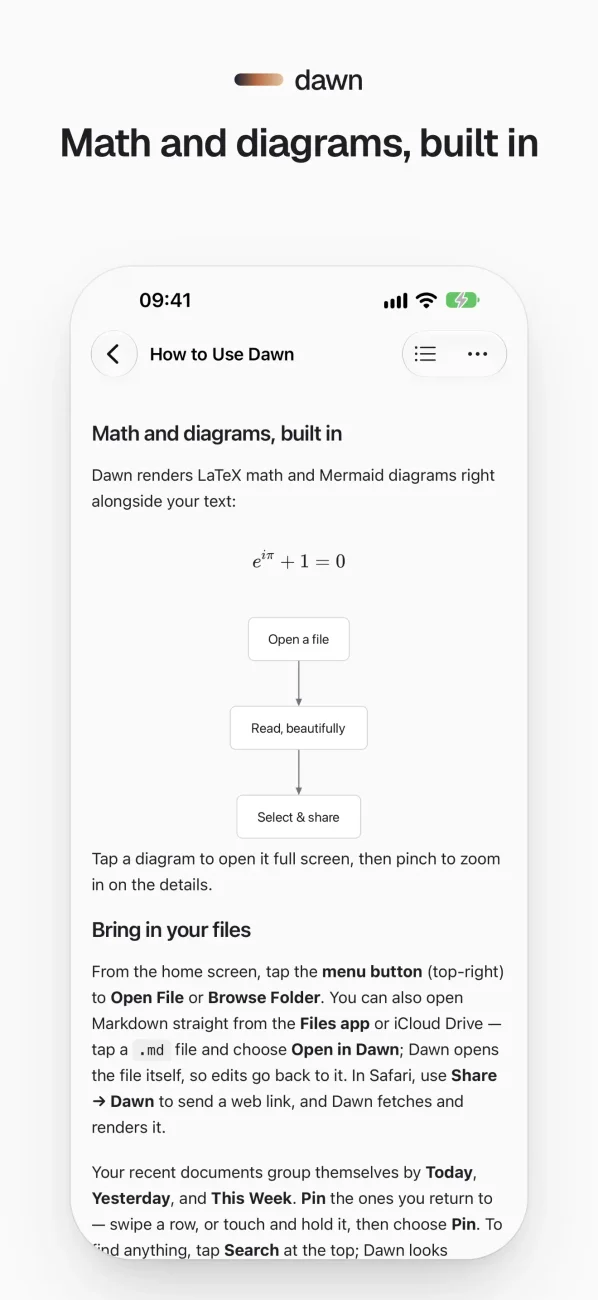
• Math, written in LaTeX and set with KaTeX
• Diagrams, drawn from Mermaid
• Task lists, nested quotes, footnotes, and frontmatter — folded into a tidy Properties strip
BUILT FOR READING
• Pinch to size the text exactly how you like it
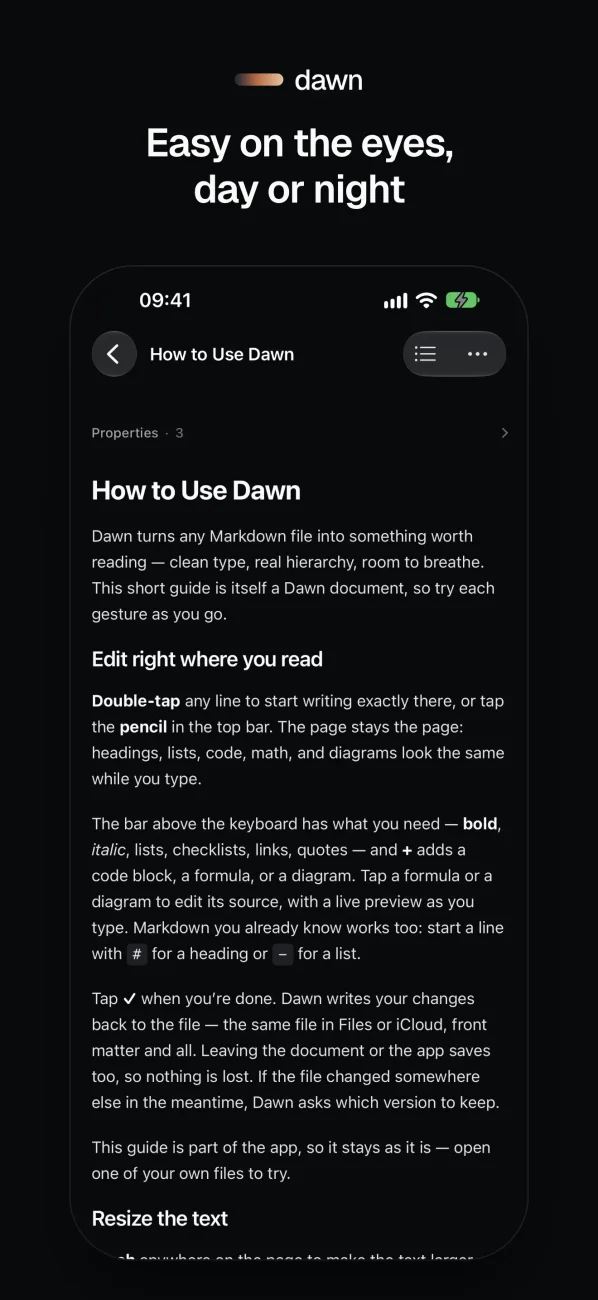
• Light, dark, and automatic themes
• An outline you can open to jump between headings
• A slim progress line so you always know where you are
• A measured column width that keeps long lines easy on the eyes
ON IPAD AND IPHONE DUO
• Your library and the page side by side, with the outline beside them when there's room
• Keyboard shortcuts for editing and formatting
• Open documents in their own windows to read two at once
• On iPhone Duo, the library and the page meet at the fold, and your place is kept as you open, fold, or turn it
YOUR FILES, YOUR WAY
• Open Markdown straight from the Files app or iCloud Drive
• Send a web link from Safari and Dawn fetches and renders it
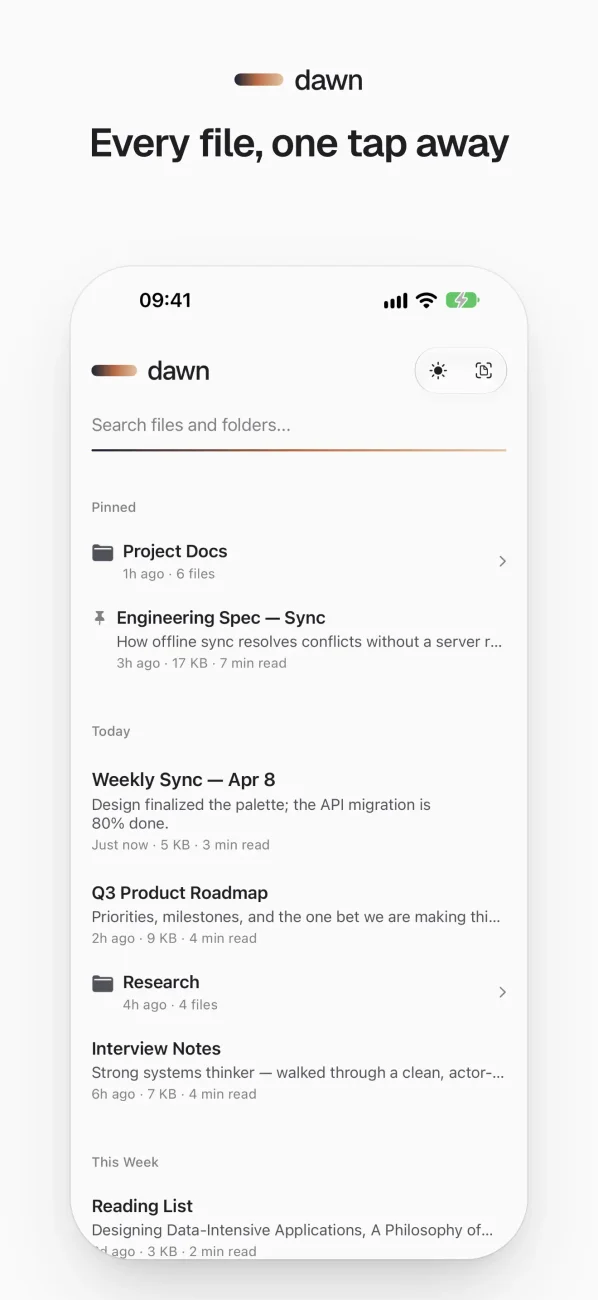
• Recent documents group themselves by Today, Yesterday, and This Week
• Pin the ones you keep coming back to, and search across names and contents
SHARE BEAUTIFULLY
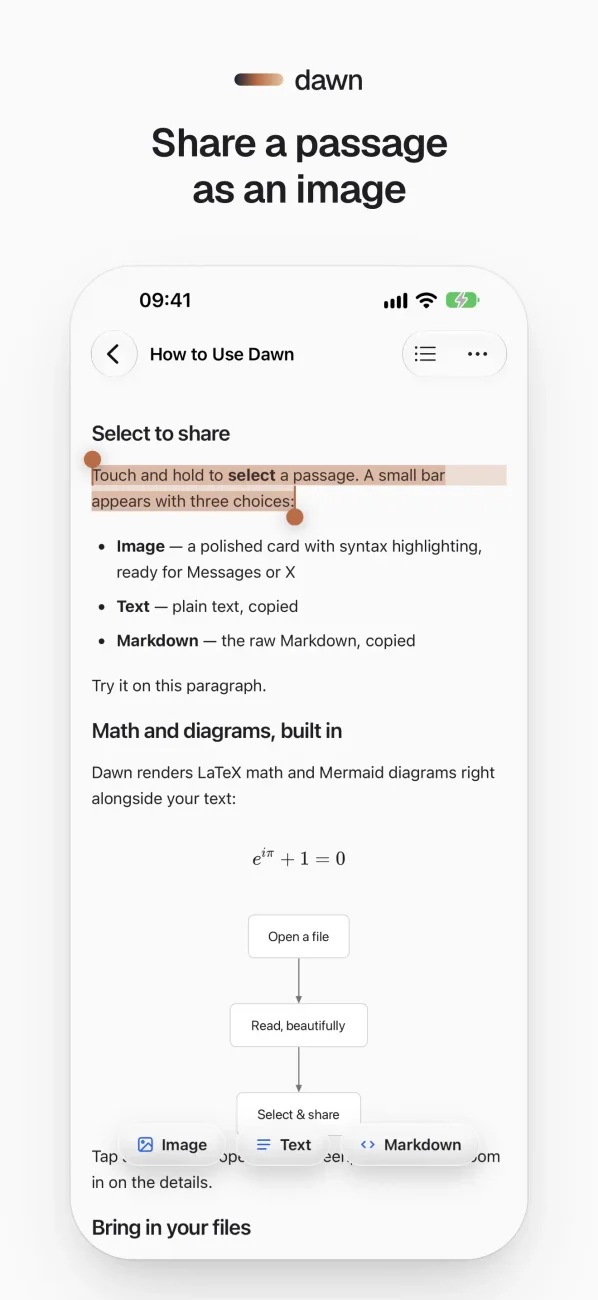
Select any passage and share it as plain text, as Markdown, or as a polished image card with syntax highlighting — ready for Messages, X, or anywhere else.
PRIVATE BY DESIGN
No account, no sign-in, no tracking. Your files stay on your device, and nothing you read or write is sent anywhere. Everything renders on-device, so Dawn works with or without a connection.
Requires iOS 17 or later on iPhone, or iPadOS 17 or later on iPad.
Yang baru
Versi 2.1.0 · 11/11/2026
Huge documents now open in a moment — and you can edit them, too.
• Big files, no wait: documents up to 50 MB (up from 5 MB) open instantly, scroll smoothly, find their place again when you come back, and stay light on memory.
• Edit them like any other: double-tap to write anywhere in a long document. Only what you change is saved; the rest of the file stays exactly as it was.
• Find in the document: tap the magnifying glass in the corner and step through every match.
• iPhone Duo: hold it like a book for the outline on the left page, or put the outline away for two facing pages. Stand it like a laptop for the page above the fold and the outline below.
• iPad: the pointer highlights the button it rests on.
• After an update, Dawn tells you what's new.
• Fixes: dollar amounts no longer turn long stretches of a document into formulas, the outline keeps up after the view changes, and a diagram stays whole on two facing pages.
Privasi aplikasi
Yang dinyatakan Hallidai Inc. di App Store tentang cara aplikasi ini menangani data.
-
Data tidak dikumpulkan
Pengembang tidak mengumpulkan data apa pun dari aplikasi ini.
Praktik privasi dapat bervariasi, misalnya berdasarkan fitur yang Anda gunakan atau usia Anda.
Informasi
- Penjual
- Hallidai Inc.
- Kategori
- Produktivitas
- Versi
- 2.1.0
- Diperbarui
- 11/11/2026
- Dirilis
- 13/7/2026
- Ukuran
- 7,7 MB
- Memerlukan
- iOS 17.0 atau yang lebih baru
- Batasan usia
- 4+
- Harga
- Gratis
- Bahasa
- Inggris
- Hak cipta
- © 2026 Hallidai Inc.
Mungkin Anda juga suka
-
 PureOpen — Markdown EditorProduktivitas
-
 Folio: Notes, PDFs & CanvasProduktivitas
-
 Recly: Record for Your AIProduktivitas
-
 Marked — Markdown EditorProduktivitas
-
 Brain.dmp: Notes & Voice MemosProduktivitas
-
 BlinkPaste: Snippet KeyboardProduktivitas
-
 Marklens: Markdown ReaderProduktivitas
-
 ObsiKO: AI Note + MindmapProduktivitas
-
 Anycap: Capture & BookmarksProduktivitas
-
 ZenNotes: Markdown NotesProduktivitas