
Day Mark - Work Log
To-dos & work log, day by day
Dirancang untuk iPhone, iPad, Mac
Gratis
- Batasan usia4+
- KategoriProduktivitas
- Pengembang潍坊之江明讯教育科技有限公司
- BahasaInggris+ 7 lainnya
- Ukuran10,5 MB
Tertaut ke halaman resmi App Store
Download.org tidak menyimpan file Day Mark - Work Log apa pun. Tombol ini membuka halaman aplikasi di App Store, tempat 潍坊之江明讯教育科技有限公司 menerbitkannya. Halaman terakhir diperiksa pada 26/11/2026.
Tangkapan layar

Tentang
Pengembang belum menyediakan teks ini dalam bahasa Anda.
Day Mark is a to-do app that remembers what you finished.
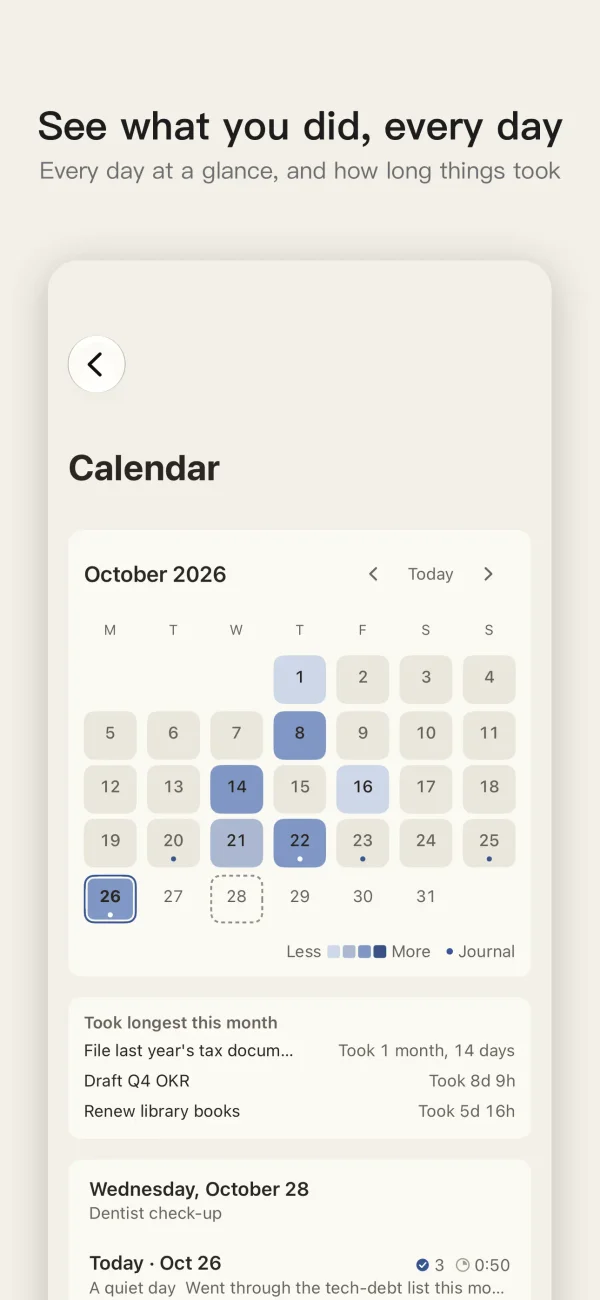
• Calendar heatmap: see what you did on any day at a glance. Color only shows how much got done — it's a ruler, not a medal. No streaks, no scores.
• Lead time: every task shows how long it took from creation to completion.
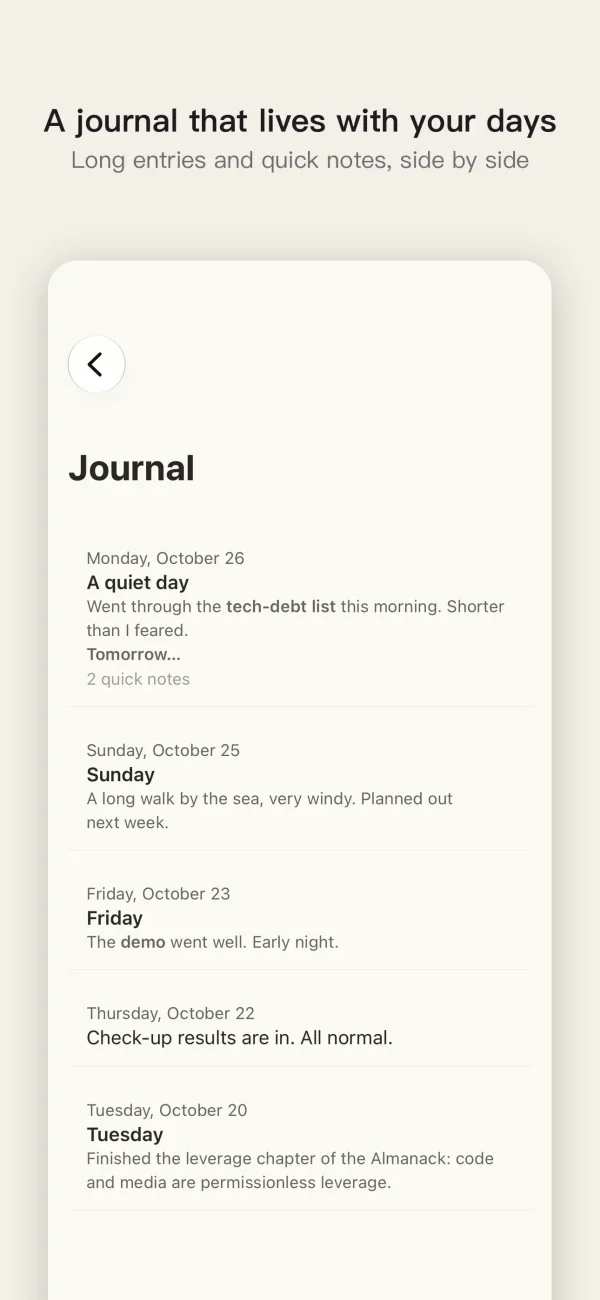
• Journal: write a few lines about a day and read them next to what you finished.
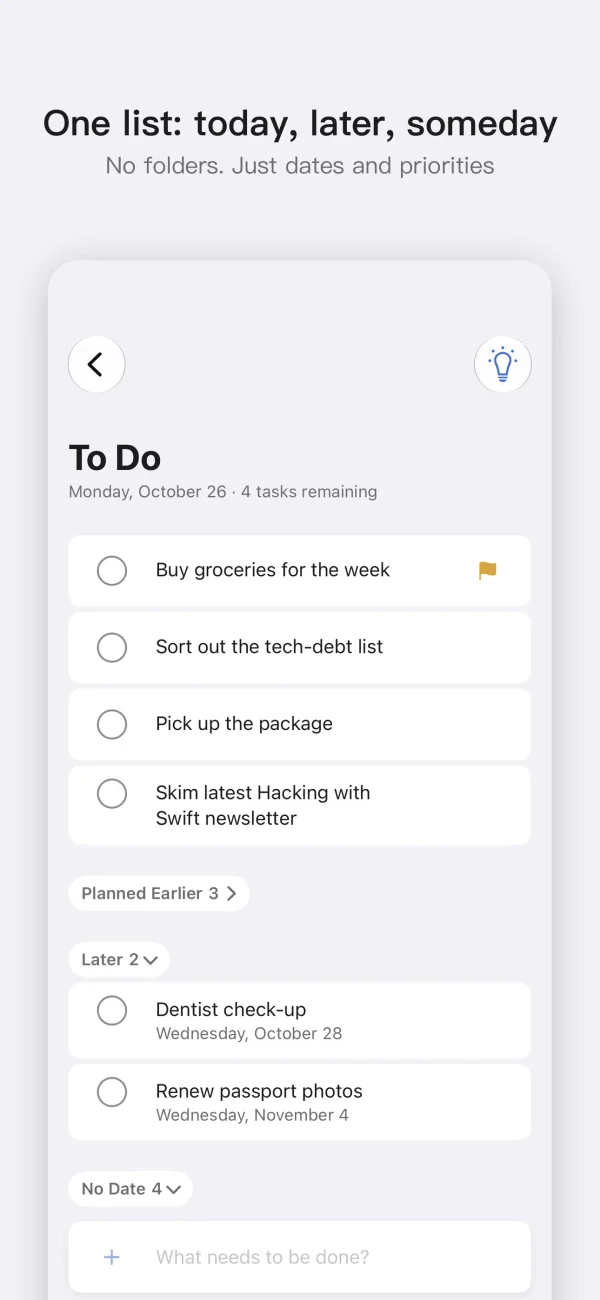
• Today and To Do: Today holds today’s tasks. To Do keeps unfinished tasks planned earlier, later, or without a date. Mark important tasks as a priority to keep them at the top.
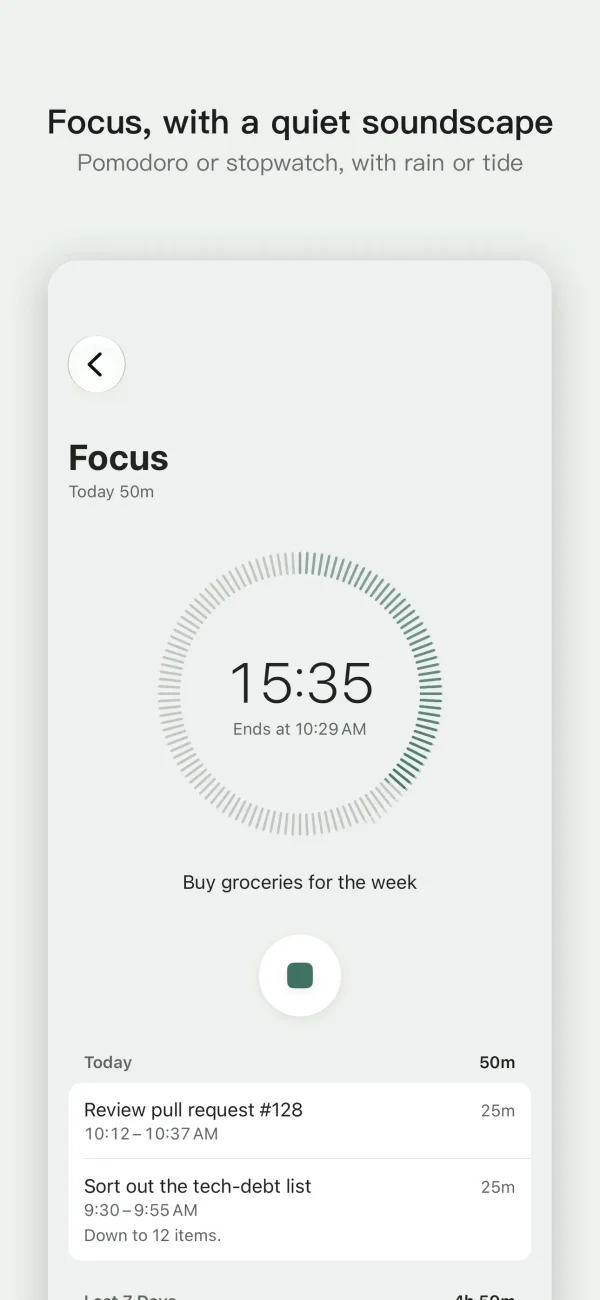
• Focus: Pomodoro or stopwatch, with an optional soundscape (rain, tide, a distant bell) and a soft ticking clock, all synthesized on the device.
• Your data stays yours: syncs across iPhone, iPad and Mac through your own iCloud, and the app keeps a readable Markdown/JSON archive you can copy from the Files app.
• No servers, no sign-up, no ads, no tracking.
Complete backups: choose a folder outside the app in Settings for automatic full copies, or export manually. After reinstalling, open a retained backup as a separate local copy. Recovered copies do not sync with iCloud; you can return to your original data. Keep the external files. A file written to a folder does not confirm its cloud upload.
Yang baru
Versi 1.11.0 · 25/11/2026
• 3D Earth–Moon focus morph on Mac & iPad Today: starting a timer smoothly elevates the camera from 36° to a 90° top-down view with a 60-second sweeping Moon, orbital progress arc, and subtle lunar eclipse shadow.
• Cleaner Earth instrument: removed wireframe sketch lines and decorative constellations in favor of a breathing location dot, back-hemisphere limb beacon, and ISS-only tracking.
• Calendar grid & optional traditional calendar: crisp pixel-aligned hairlines plus an optional local toggle for Chinese lunar dates, 24 solar terms, and Sanjiu/Sanfu.
• Sunrise & Sunset appearance: automatically follows your local daylight by default, with Light and Dark overrides in Settings.
• Cleaner timing: active timers stay local per device while completed sessions sync across iCloud; macOS docks global timers in the left sidebar with zero duplicates.
Privasi aplikasi
Yang dinyatakan 潍坊之江明讯教育科技有限公司 di App Store tentang cara aplikasi ini menangani data.
-
Data tidak dikumpulkan
Pengembang tidak mengumpulkan data apa pun dari aplikasi ini.
Praktik privasi dapat bervariasi, misalnya berdasarkan fitur yang Anda gunakan atau usia Anda.
Informasi
- Penjual
- Weifang Zhijiang Mingxun Education Technology Co., Ltd.
- Kategori
- Produktivitas
- Versi
- 1.11.0
- Diperbarui
- 25/11/2026
- Dirilis
- 28/9/2026
- Ukuran
- 10,5 MB
- Memerlukan
- iOS 18.0 atau yang lebih baru
- Batasan usia
- 4+
- Harga
- Gratis
- Bahasa
- Inggris, Prancis, Jerman, Jepang, Korea, Tionghoa Sederhana, Spanyol, Tionghoa Tradisional
- Hak cipta
- © 2026 Avefig
Mungkin Anda juga suka
-
 Consten: To-Do List & PlannerProduktivitas
-
 Day Blocks: Daily Time TrackerProduktivitas
-
 DayMark: Daily PrioritiesProduktivitas
-
 Mark To DoProduktivitas
-
 Dayflow: Calendar PlannerProduktivitas
-
 Sonnical: AI Work PlannerProduktivitas
-
 Templates for Pages ProProduktivitas
-
 X Calendar: Habit TrackerTandai hari dan kebiasaanmu
-
 Tricket - App Blocker & HabitsProduktivitas
-
 Transom Note-Taker for WritersProduktivitas