
Day Mark - Work Log
To-dos & work log, day by day
Được thiết kế cho iPhone, iPad, Mac
Miễn phí
- Độ tuổi4+
- Danh mụcHiệu Suất
- Nhà phát triển潍坊之江明讯教育科技有限公司
- Ngôn ngữTiếng Anh+ 7 ngôn ngữ khác
- Kích thước10,5 MB
Liên kết đến trang App Store chính thức
Download.org không lưu trữ tệp nào của Day Mark - Work Log. Nút này mở trang ứng dụng trên App Store, nơi 潍坊之江明讯教育科技有限公司 phát hành ứng dụng. Trang được kiểm tra lần cuối: 26/11/2026.
Ảnh chụp màn hình

Giới thiệu
Nhà phát triển chưa cung cấp nội dung này bằng ngôn ngữ của bạn.
Day Mark is a to-do app that remembers what you finished.
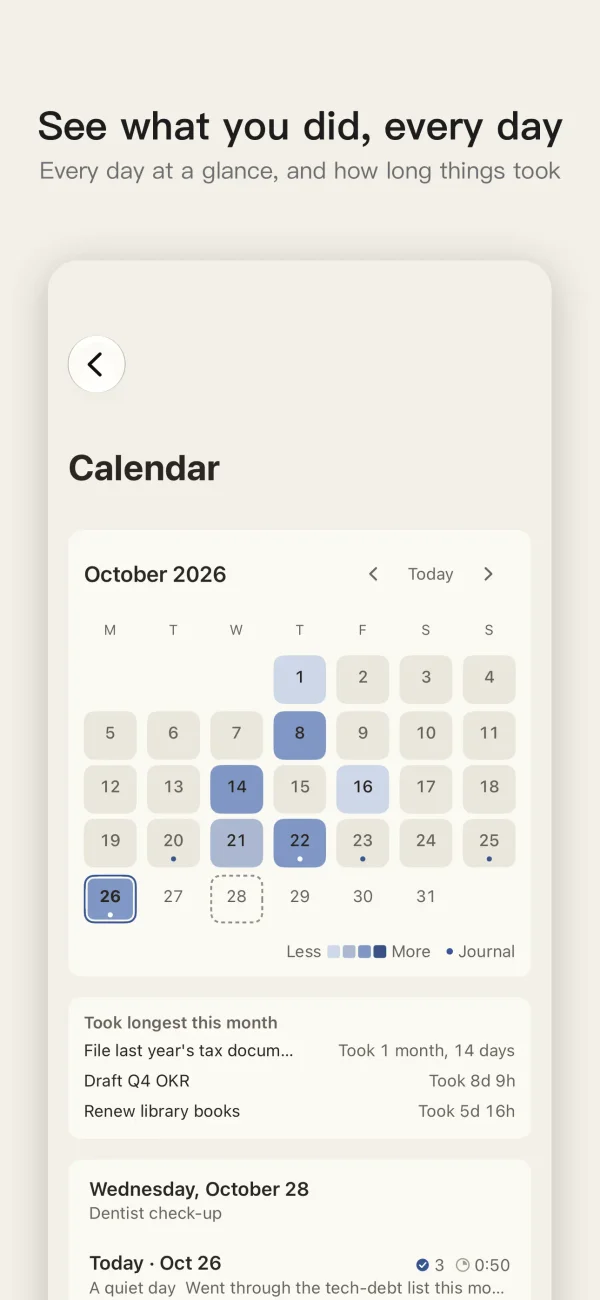
• Calendar heatmap: see what you did on any day at a glance. Color only shows how much got done — it's a ruler, not a medal. No streaks, no scores.
• Lead time: every task shows how long it took from creation to completion.
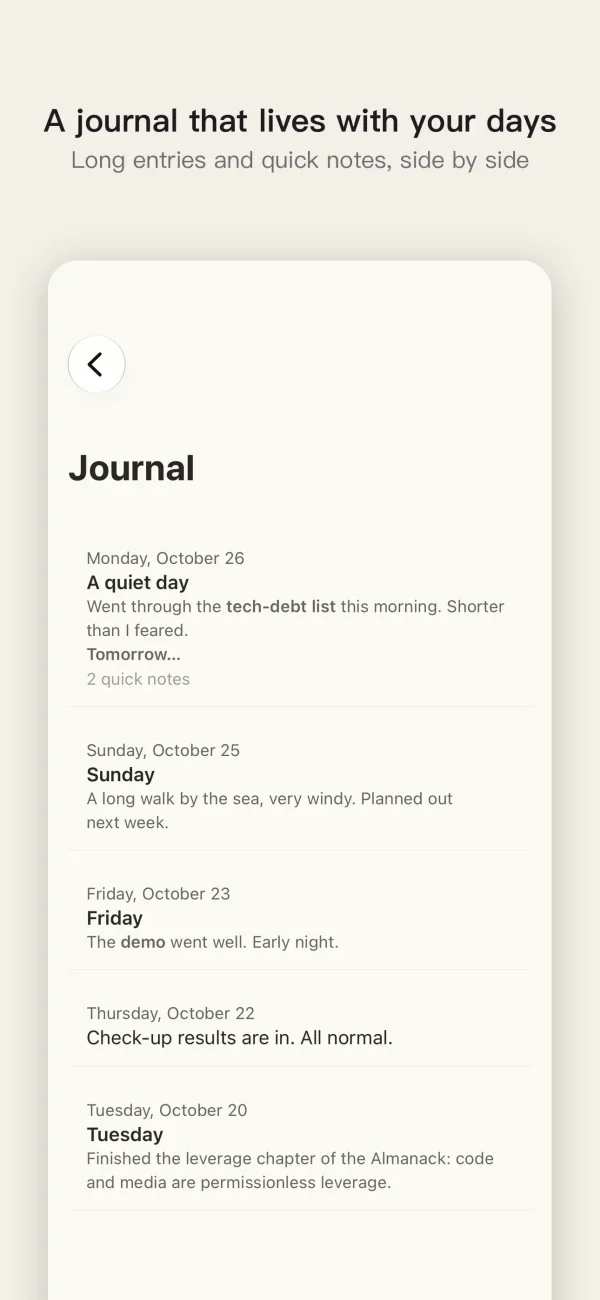
• Journal: write a few lines about a day and read them next to what you finished.
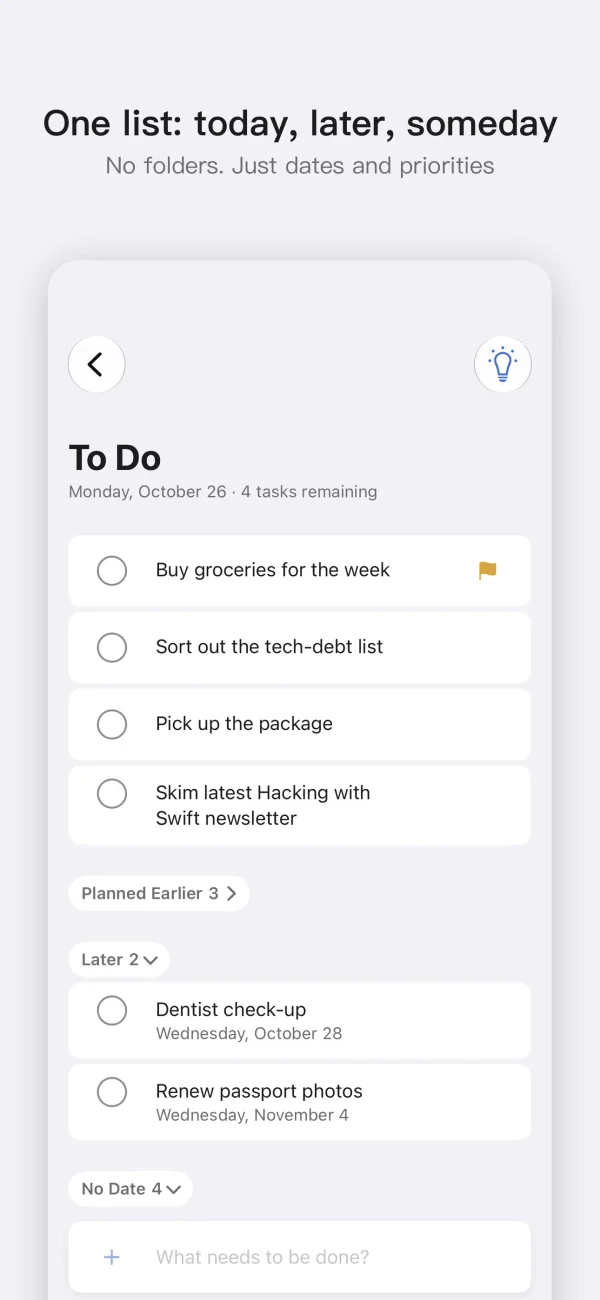
• Today and To Do: Today holds today’s tasks. To Do keeps unfinished tasks planned earlier, later, or without a date. Mark important tasks as a priority to keep them at the top.
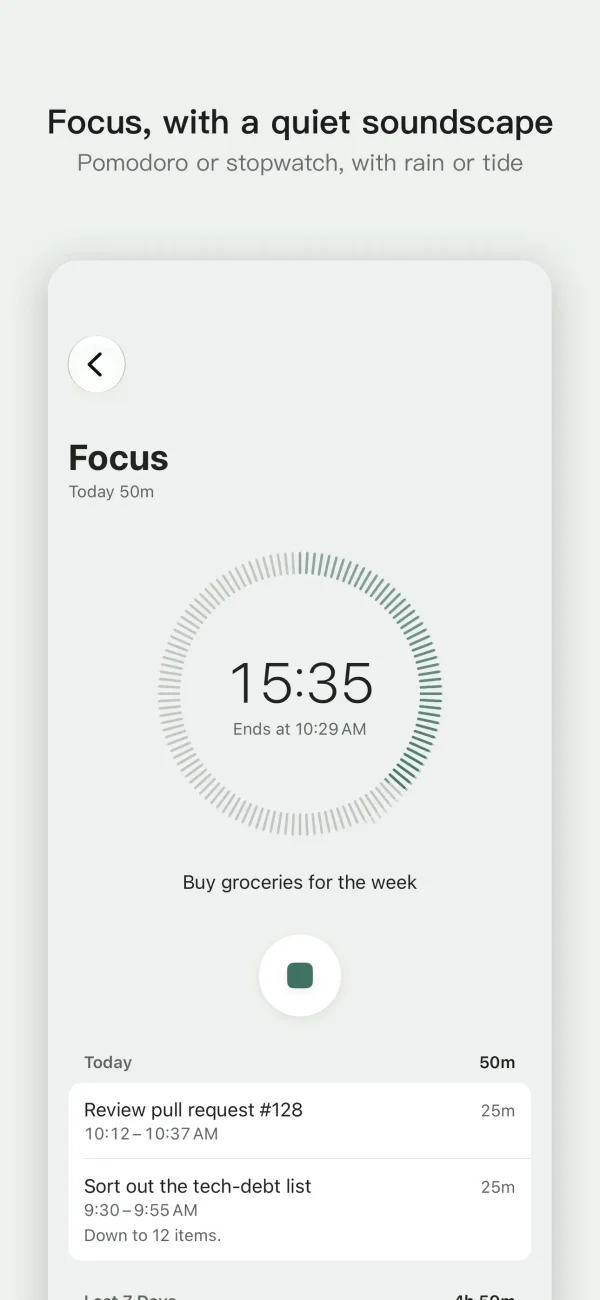
• Focus: Pomodoro or stopwatch, with an optional soundscape (rain, tide, a distant bell) and a soft ticking clock, all synthesized on the device.
• Your data stays yours: syncs across iPhone, iPad and Mac through your own iCloud, and the app keeps a readable Markdown/JSON archive you can copy from the Files app.
• No servers, no sign-up, no ads, no tracking.
Complete backups: choose a folder outside the app in Settings for automatic full copies, or export manually. After reinstalling, open a retained backup as a separate local copy. Recovered copies do not sync with iCloud; you can return to your original data. Keep the external files. A file written to a folder does not confirm its cloud upload.
Có gì mới
Phiên bản 1.11.0 · 25/11/2026
• 3D Earth–Moon focus morph on Mac & iPad Today: starting a timer smoothly elevates the camera from 36° to a 90° top-down view with a 60-second sweeping Moon, orbital progress arc, and subtle lunar eclipse shadow.
• Cleaner Earth instrument: removed wireframe sketch lines and decorative constellations in favor of a breathing location dot, back-hemisphere limb beacon, and ISS-only tracking.
• Calendar grid & optional traditional calendar: crisp pixel-aligned hairlines plus an optional local toggle for Chinese lunar dates, 24 solar terms, and Sanjiu/Sanfu.
• Sunrise & Sunset appearance: automatically follows your local daylight by default, with Light and Dark overrides in Settings.
• Cleaner timing: active timers stay local per device while completed sessions sync across iCloud; macOS docks global timers in the left sidebar with zero duplicates.
Quyền riêng tư của ứng dụng
Những gì 潍坊之江明讯教育科技有限公司 khai báo trên App Store về cách ứng dụng này xử lý dữ liệu.
-
Dữ liệu không được thu thập
Nhà phát triển không thu thập bất kỳ dữ liệu nào từ ứng dụng này.
Phương thức đảm bảo quyền riêng tư có thể khác nhau, chẳng hạn như tuỳ theo các tính năng bạn sử dụng hoặc độ tuổi của bạn.
Thông tin
- Người bán
- Weifang Zhijiang Mingxun Education Technology Co., Ltd.
- Danh mục
- Hiệu Suất
- Phiên bản
- 1.11.0
- Cập nhật
- 25/11/2026
- Phát hành
- 28/09/2026
- Kích thước
- 10,5 MB
- Yêu cầu
- iOS 18.0 trở lên
- Độ tuổi
- 4+
- Giá
- Miễn phí
- Ngôn ngữ
- Tiếng Anh, Tiếng Pháp, Tiếng Đức, Tiếng Nhật, Tiếng Hàn, Tiếng Trung Giản thể, Tiếng Tây Ban Nha, Tiếng Trung Phồn thể
- Bản quyền
- © 2026 Avefig
Có thể bạn cũng thích
-
 Consten: To-Do List & PlannerHiệu Suất
-
 Day Blocks: Daily Time TrackerHiệu Suất
-
 DayMark: Daily PrioritiesHiệu Suất
-
 Mark To DoHiệu Suất
-
 Dayflow: Calendar PlannerHiệu Suất
-
 Sonnical: AI Work PlannerHiệu Suất
-
 Templates for Pages ProHiệu Suất
-
 X Calendar: Habit TrackerĐánh dấu ngày theo ý bạn
-
 Tricket - App Blocker & HabitsHiệu Suất
-
 Transom Note-Taker for WritersHiệu Suất