DeskState
Desktop mode for any display
Dirancang untuk iPhone
Gratis · Pembelian dalam aplikasi
- Batasan usia12+
- KategoriProduktivitas
- PengembangAbraham Rubio
- BahasaSpanyol+ 11 lainnya
- Ukuran45,6 MB
Tertaut ke halaman resmi App Store
Download.org tidak menyimpan file DeskState apa pun. Tombol ini membuka halaman aplikasi di App Store, tempat Abraham Rubio menerbitkannya. Halaman terakhir diperiksa pada 25/11/2026.
Tangkapan layar

Tentang
Pengembang belum menyediakan teks ini dalam bahasa Anda.
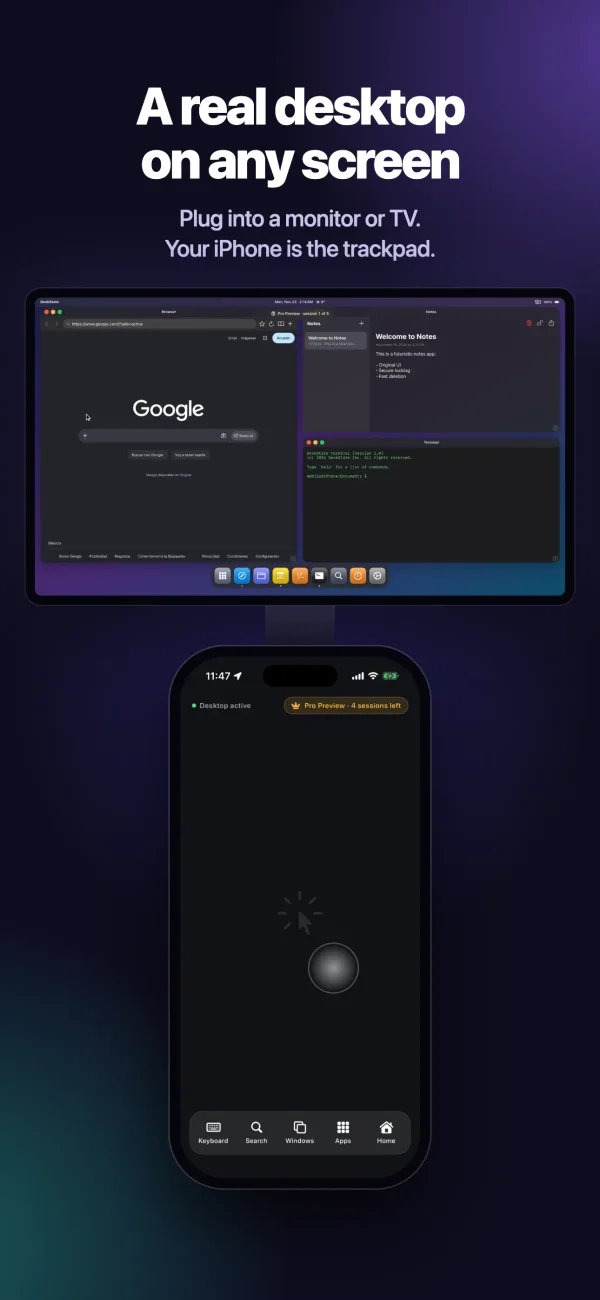
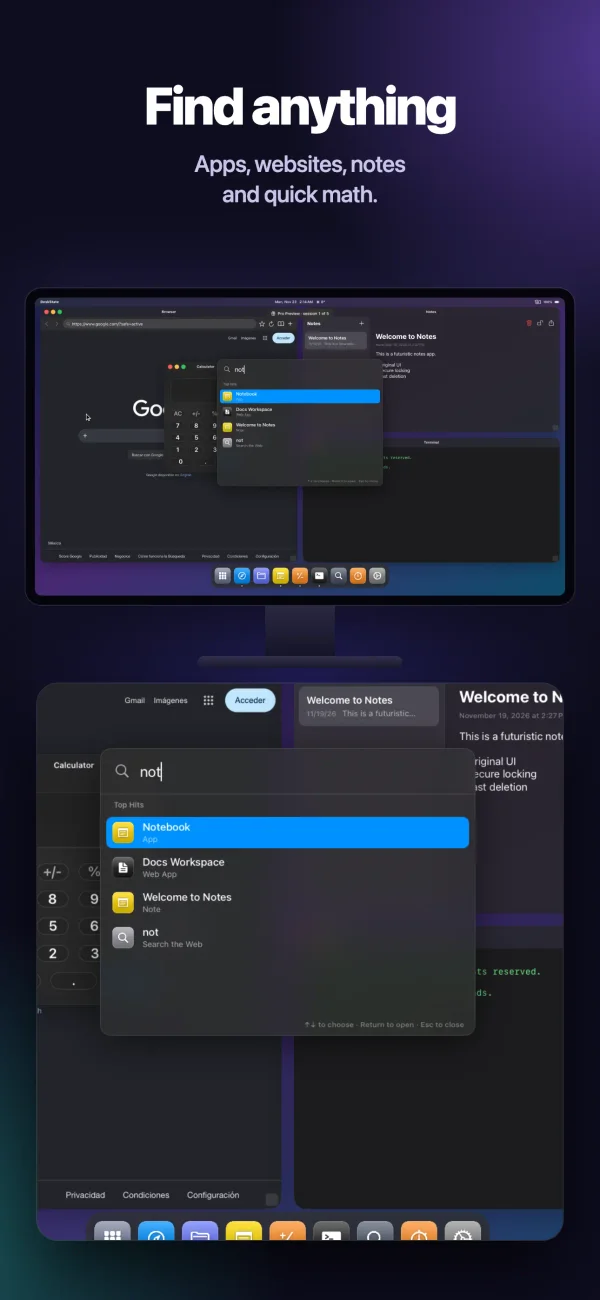
iOS mirrors your iPhone with black bars. DeskState gives you a desktop instead: plug into a monitor, TV or projector and get windows, a Dock, Launchpad, Spotlight and Mission Control at the display's full resolution. Your iPhone becomes the trackpad and keyboard.
A REAL DESKTOP
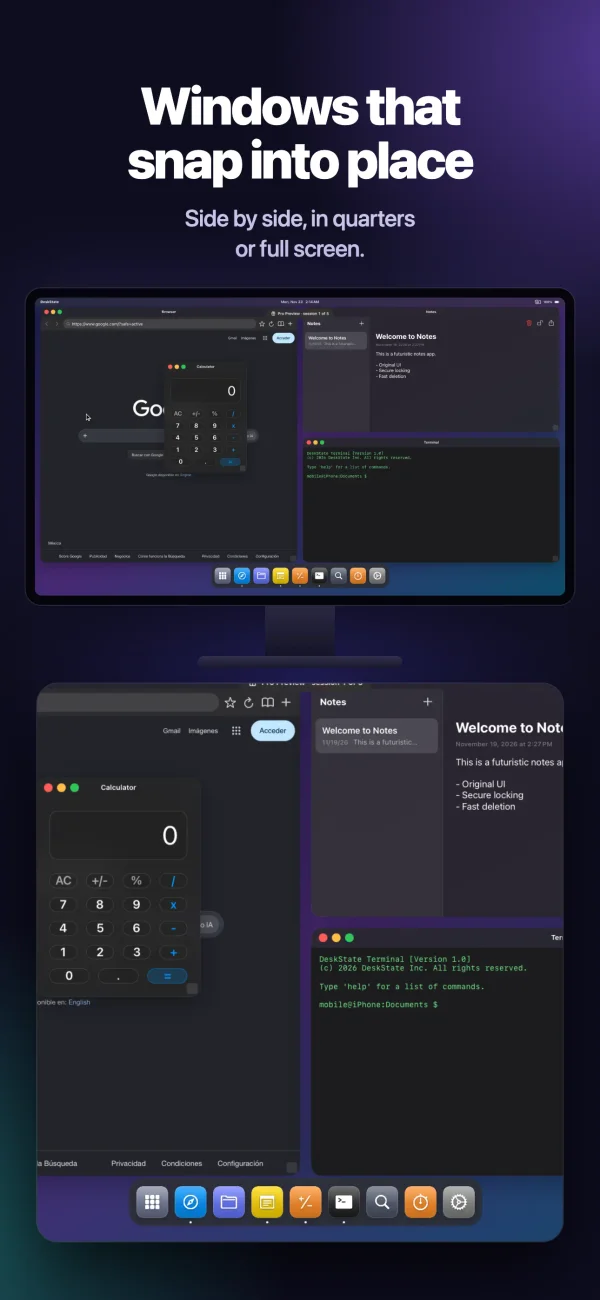
• Windows you move, resize and snap to halves or quarters of the screen
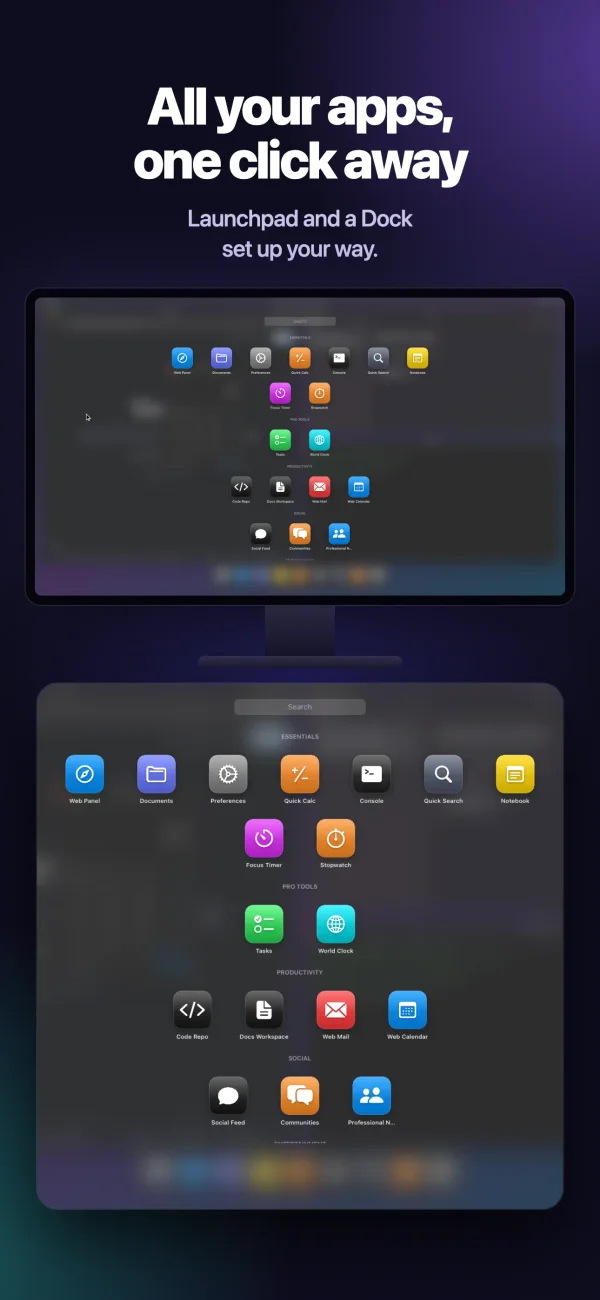
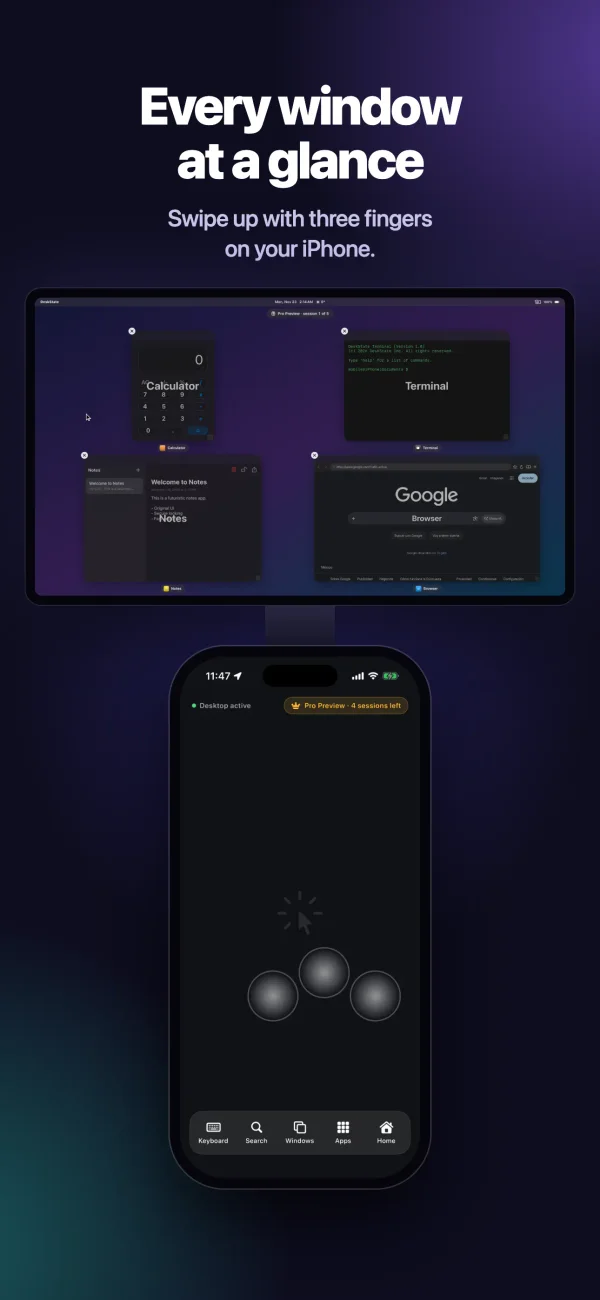
• A Dock you arrange yourself, Launchpad, Spotlight with quick sums, and Mission Control
• A web browser with tabs, bookmarks, history and downloads, and any site as an app in your Dock
• Notes, documents, console, calculator, focus timer and more
• Your desktop remembers: windows come back where you left them
YOUR IPHONE IS THE TRACKPAD
• Swipe, tap, two-finger scroll, double-tap and hold to drag, three fingers for all your windows
• Type with the iPhone keyboard and see what you type; arrow keys, Tab and Esc above it
• Works with a Bluetooth keyboard and mouse too
CONNECT
• iPhone 15 and later: any USB-C to HDMI cable
• Earlier iPhones: Lightning Digital AV Adapter
• Apple TV and AirPlay displays
PLANS
Your first five desktop sessions are Pro, free. After that the free plan gives you 20 minutes of desktop a day. DeskState Pro removes the limit and adds quarter snapping, a desktop for each display, themes and wallpapers, Pro tools and iCloud sync, monthly, yearly or once.
Streaming services with copy protection show video only over a cable, not over AirPlay. DeskState is a desktop inside the app: it runs its own apps and websites, not other iOS apps.
Terms of Use (EULA): https://www.apple.com/legal/internet-services/itunes/dev/stdeula/
Yang baru
Versi 1.6.1 · 23/11/2026
• A new icon
• Ultrawide, 4:3 and other non-16:9 screens now get a desktop that fits: the right size, a pointer that moves evenly in every direction, and a Launchpad that fills the screen
Privasi aplikasi
Yang dinyatakan Abraham Rubio di App Store tentang cara aplikasi ini menangani data.
-
Data yang ditautkan dengan Anda
Dapat dikumpulkan dan ditautkan dengan identitas Anda.
- Pembelian
- Lokasi
- Konten pengguna
- Pengenal
- Data penggunaan
- Diagnostik
Praktik privasi dapat bervariasi, misalnya berdasarkan fitur yang Anda gunakan atau usia Anda.
Informasi
- Penjual
- Abraham Rubio
- Kategori
- Produktivitas
- Versi
- 1.6.1
- Diperbarui
- 23/11/2026
- Dirilis
- 21/1/2026
- Ukuran
- 45,6 MB
- Memerlukan
- iOS 18.6 atau yang lebih baru
- Batasan usia
- 12+
- Harga
- Gratis
- Pembelian dalam aplikasi
- Ya
- Bahasa
- Spanyol, Jerman, Tionghoa Sederhana, Prancis, Hindi, Inggris, Italia, Jepang, Belanda, Portugis, Rusia, Arab
- Hak cipta
- © 2026 DeskState
Mungkin Anda juga suka
-
 Mode Desktop OS: ProDocktiveBrowser Dock Layar Eksternal
-
 XeOS: Desktop Layar EksternalMode Desktop Layar Penuh AR/VR
-
 InfiniteX2P Pro — Desktop ModeProduktivitas
-
 PXS External Screen DesktopProduktivitas
-
 DeskXPengalaman desktop nyata
-
 Halo OSProduktivitas
-
 ScreenExtend - Second MonitorProduktivitas
-
 Any Display: Second MonitorProduktivitas
-
 Jot - Instant Brain DumpProduktivitas
-
 OpenDisplayProduktivitas