- Age rating12+
- CategoryProductivity
- DeveloperAbraham Rubio
- LanguagesSpanish+ 11 more
- Size47.5 MB
Links to the official App Store page
Download.org hosts no file of DeskState. The button opens its official App Store page, published by Abraham Rubio. Listing last checked on Nov 8, 2026.
Screenshots

About
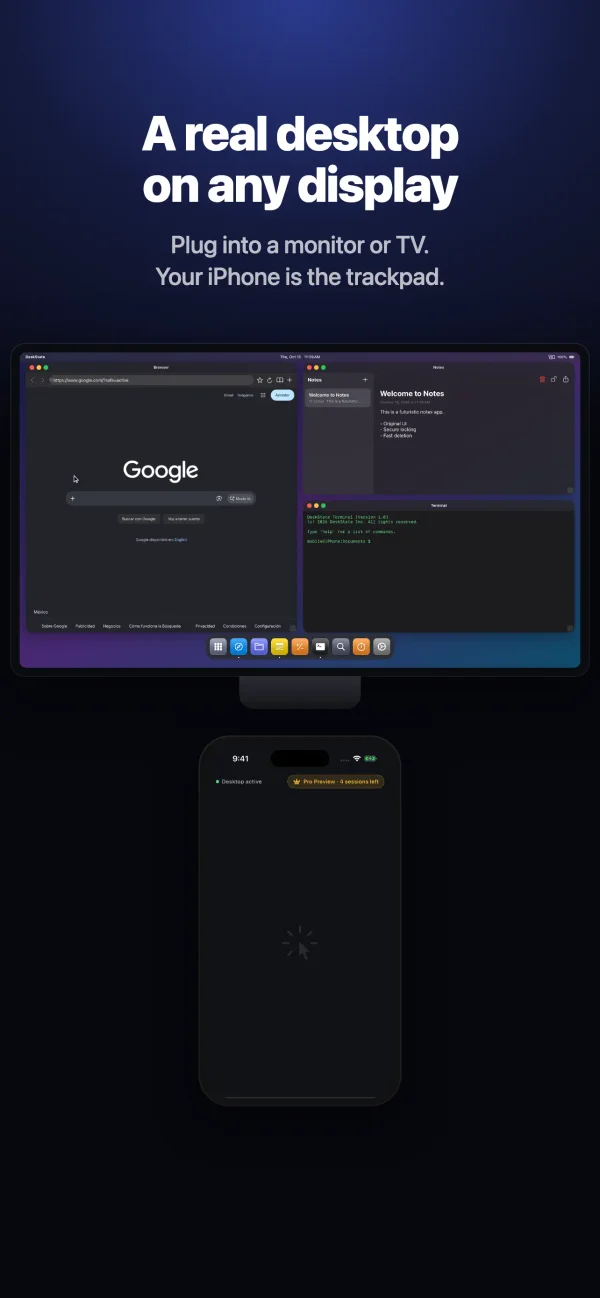
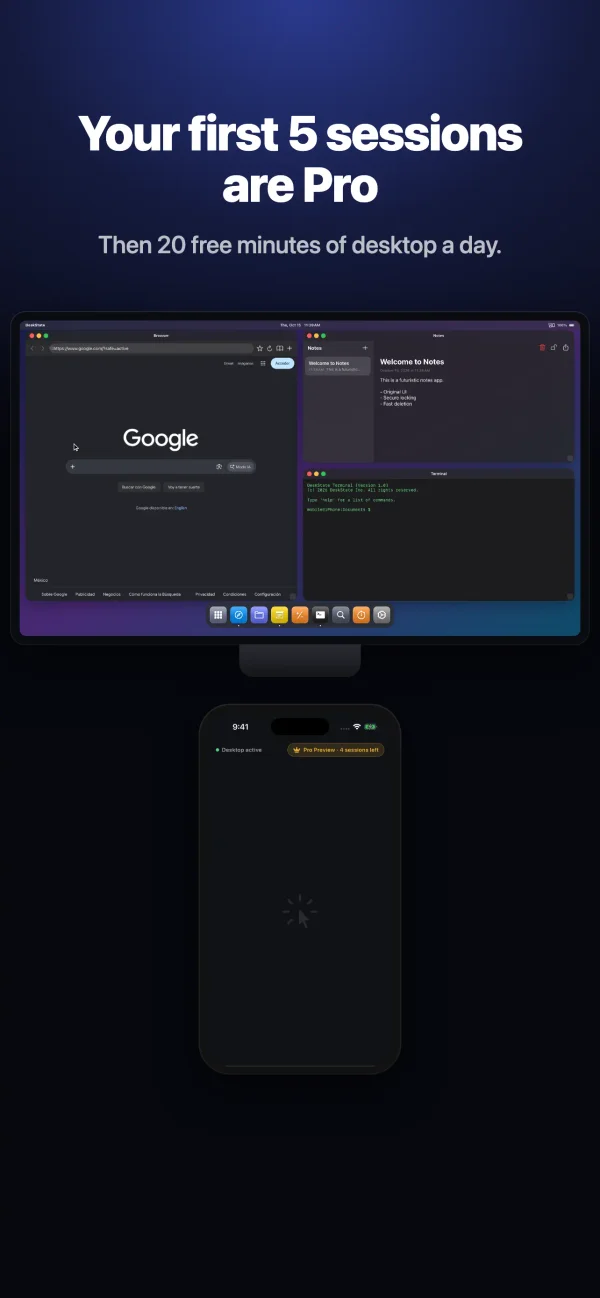
iOS mirrors your iPhone with black bars. DeskState gives you a desktop instead: plug into a monitor, TV or projector and get windows, a Dock, Launchpad, Spotlight and Mission Control at the display's full resolution. Your iPhone becomes the trackpad and keyboard.
A REAL DESKTOP
• Windows you move, resize and snap to halves or quarters of the screen
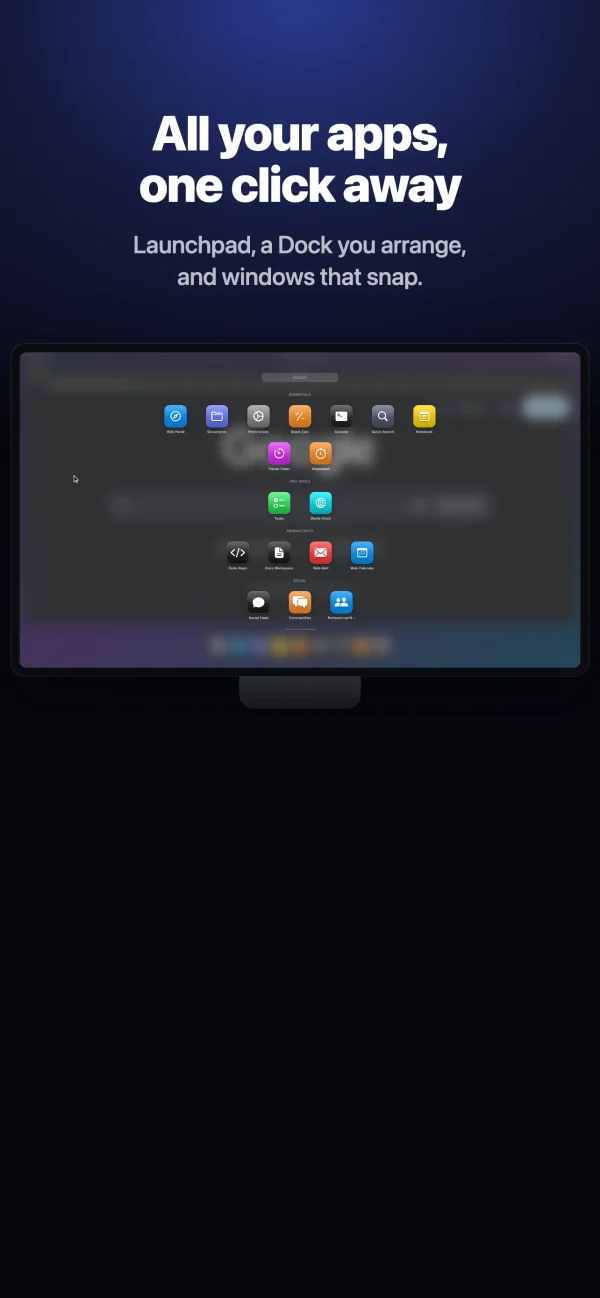
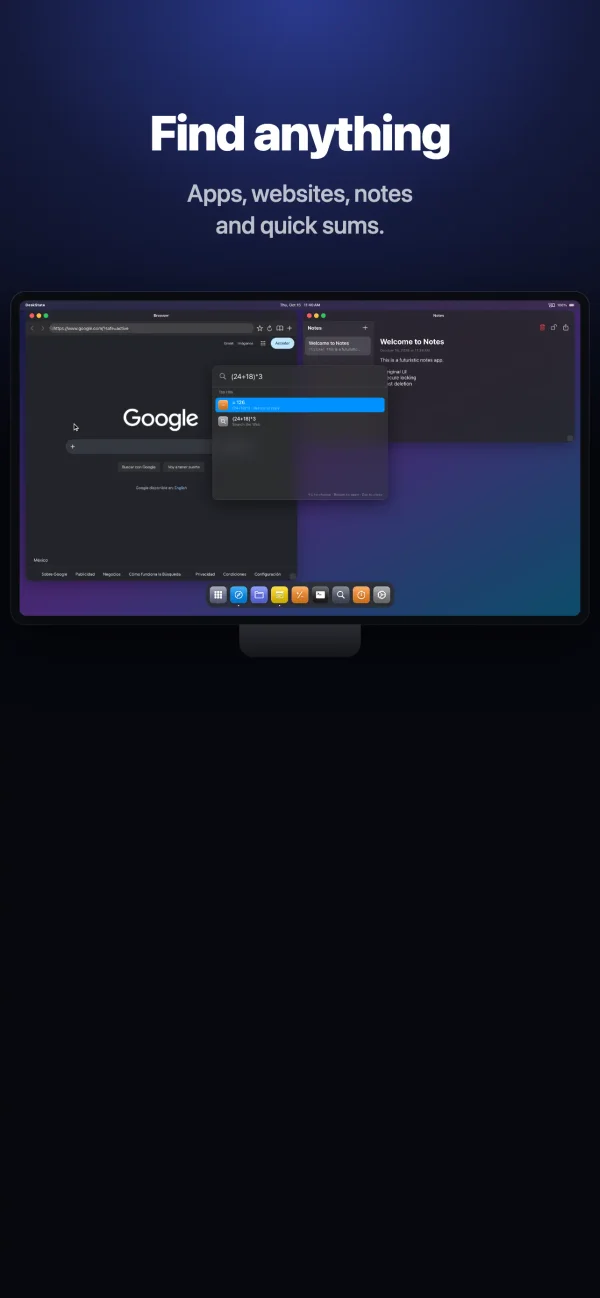
• A Dock you arrange yourself, Launchpad, Spotlight with quick sums, and Mission Control
• A web browser with tabs, bookmarks, history and downloads, and any site as an app in your Dock
• Notes, documents, console, calculator, focus timer and more
• Your desktop remembers: windows come back where you left them
YOUR IPHONE IS THE TRACKPAD
• Swipe, tap, two-finger scroll, double-tap and hold to drag, three fingers for all your windows
• Type with the iPhone keyboard and see what you type; arrow keys, Tab and Esc above it
• Works with a Bluetooth keyboard and mouse too
CONNECT
• iPhone 15 and later: any USB-C to HDMI cable
• Earlier iPhones: Lightning Digital AV Adapter
• Apple TV and AirPlay displays
PLANS
Your first five desktop sessions are Pro, free. After that the free plan gives you 20 minutes of desktop a day. DeskState Pro removes the limit and adds quarter snapping, a desktop for each display, themes and wallpapers, Pro tools and iCloud sync, monthly, yearly or once.
Streaming services with copy protection show video only over a cable, not over AirPlay. DeskState is a desktop inside the app: it runs its own apps and websites, not other iOS apps.
Terms of Use (EULA): https://www.apple.com/legal/internet-services/itunes/dev/stdeula/
What’s new
Version 1.6.0 · Oct 16, 2026
• Your first five desktop sessions are Pro, then 20 free minutes a day that pause when you unplug
• Your desktop remembers: windows and browser tabs come back where you left them
• Browser tabs, bookmarks, history, downloads, and any site as an app in your Dock
• New Launchpad, Spotlight with quick sums and Mission Control with window names
• Drag with a double-tap and hold, three fingers for all windows, pinch to zoom pages
• See what you type, with arrow keys, Tab and Esc above the keyboard
• A redesigned iPhone app and a dark desktop by default
App privacy
What Abraham Rubio declares on the App Store about how this app handles data.
-
Data linked to you
May be collected and linked to your identity.
- Purchases
- Location
- User content
- Identifiers
- Usage data
- Diagnostics
Privacy practices may vary, for example with the features you use or your age.
Information
- Seller
- Abraham Rubio
- Category
- Productivity
- Version
- 1.6.0
- Updated
- Oct 16, 2026
- Released
- Jan 21, 2026
- Size
- 47.5 MB
- Requires
- iOS 18.6 or later
- Age rating
- 12+
- In-app purchases
- Yes
- Languages
- Spanish, German, Simplified Chinese, French, Hindi, English, Italian, Japanese, Dutch, Portuguese, Russian, Arabic
- Copyright
- © 2026 DeskState
You might also like
-
 Desktop Mode OS: ProDocktiveExternal Display Multitasking
-
 XeOS: External Display DesktopPro Full Screen Desktop Mode
-
 InfiniteX2P Pro — Desktop ModePro Desktop for Your iPhone
-
 PXS External Screen DesktopYour phone is the computer
-
 DeskXA Real Desktop Experience
-
 Halo OSYour pocket PC
-
 ScreenExtend - Second MonitoriPhone & iPad as Mac Display
-
 Any Display: Second MonitoriPad as Screen, Pen & Webcam
-
 Jot - Instant Brain DumpQuick ADHD Voice Notes & Lists
-
 OpenDisplayUse your iPad as a Mac Monitor