
DevSnoop - Developer Browser
Mobile Web DevTools
Dirancang untuk iPhone, iPad
Gratis
- Batasan usia17+
- KategoriAlat Pengembang
- PengembangNitin Yadav
- BahasaInggris
- Ukuran6,9 MB
Tertaut ke halaman resmi App Store
Download.org tidak menyimpan file DevSnoop - Developer Browser apa pun. Tombol ini membuka halaman aplikasi di App Store, tempat Nitin Yadav menerbitkannya. Halaman terakhir diperiksa pada 19/11/2026.
Tangkapan layar
Tentang
Pengembang belum menyediakan teks ini dalam bahasa Anda.
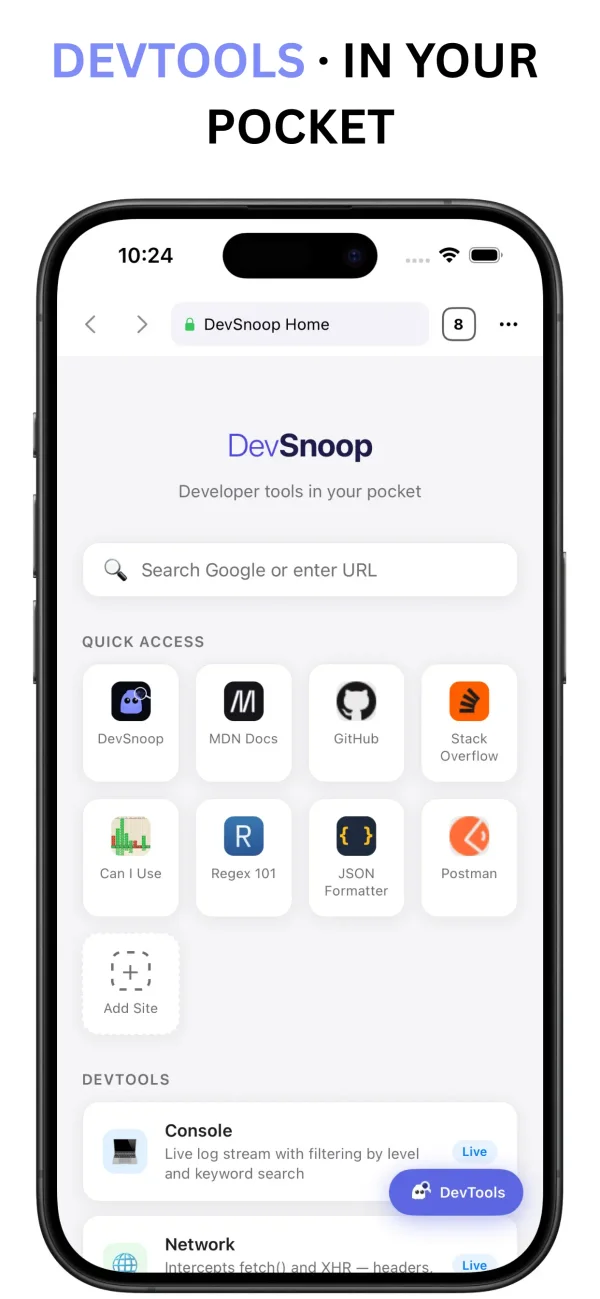
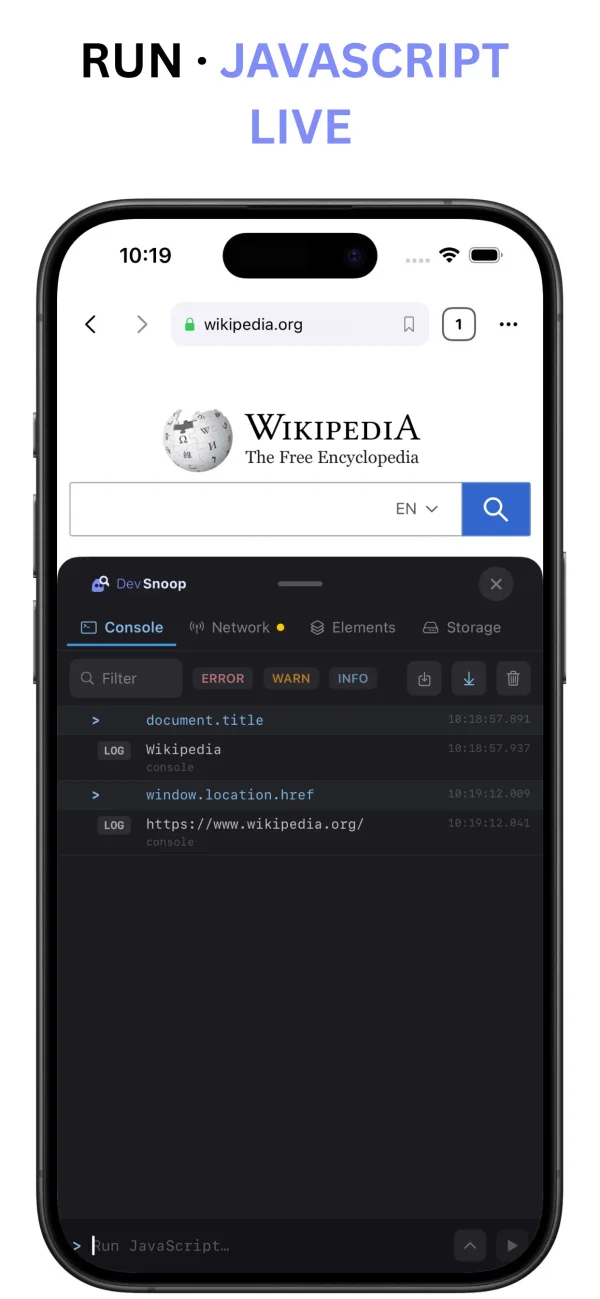
DevSnoop is a web browser with a full developer tools panel built in, for iPhone and iPad. Build a page, load it in DevSnoop, and inspect it right there — no laptop, no cable, no remote debugging setup.
DevSnoop's tools work only on pages you open inside DevSnoop, on your own device.
WHAT'S INSIDE
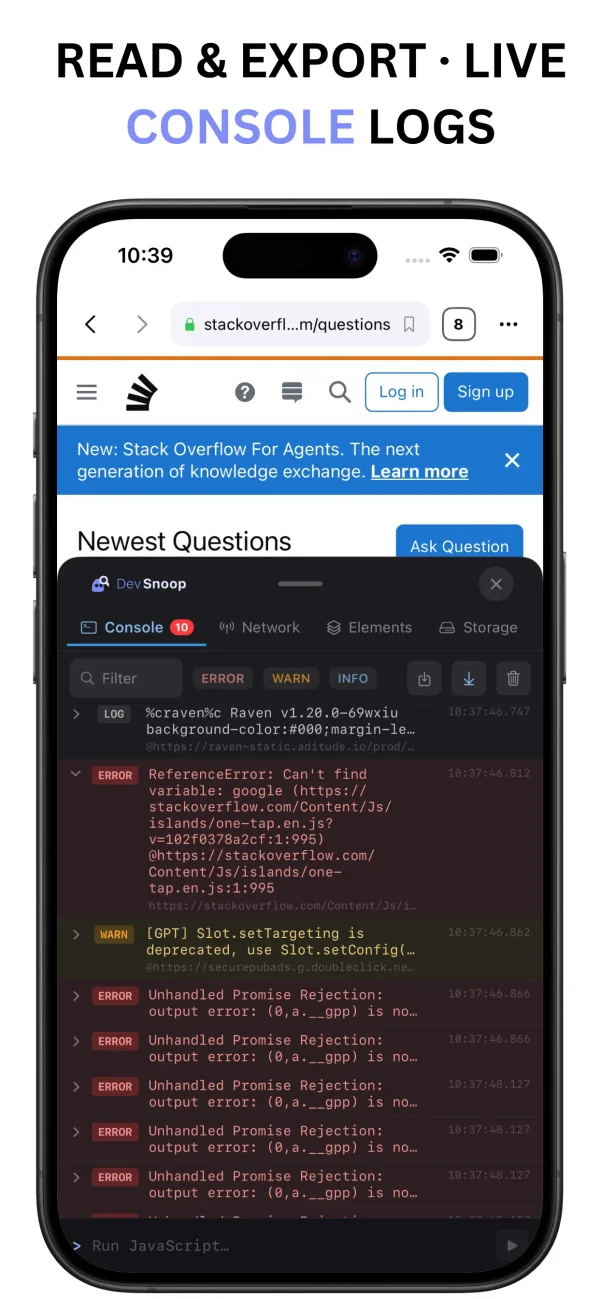
Console — Live log stream with filter chips for error / warn / info, keyword search, and a JavaScript REPL for evaluating expressions against the page you're testing. Errors, warnings and logs carry the complete stack trace — tap to expand it, just like a desktop console. Download the whole log buffer to a file in one tap. Smart-quote autocorrect is off, so code runs exactly as you typed it.
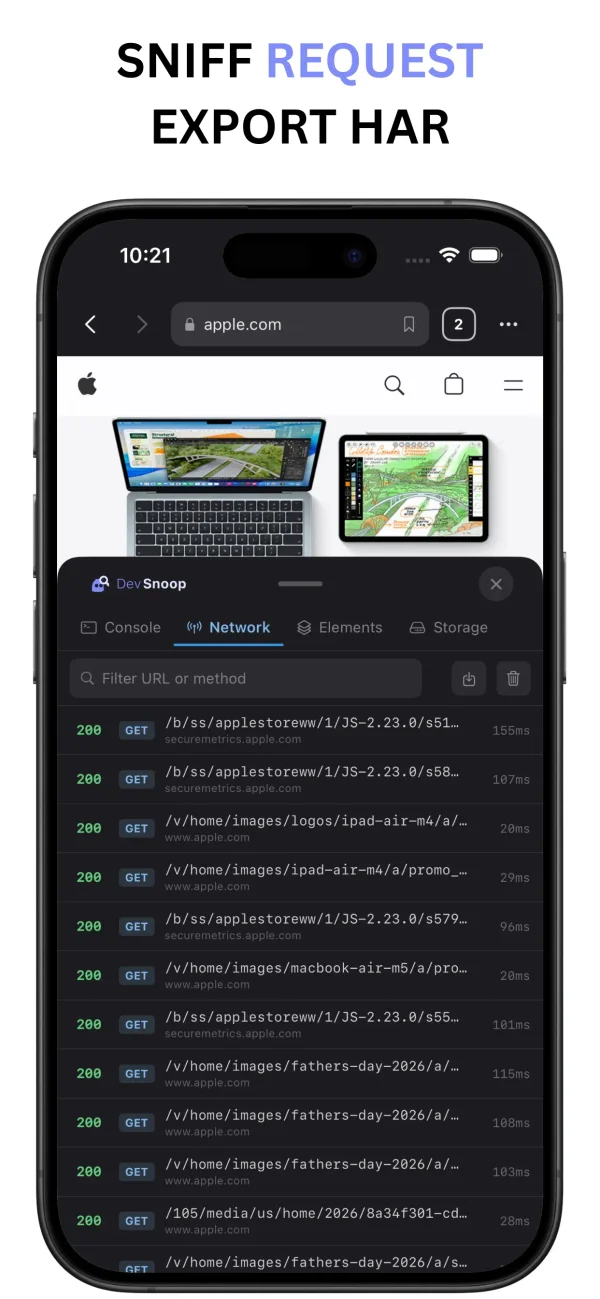
Network — See every request your page makes. fetch() and XMLHttpRequest calls show full headers and bodies; static resources (CSS, scripts, images, fonts, manifest, the main document) are surfaced via the Resource Timing API. WebSocket connections appear too, with a live log of sent and received frames. Tap a row to load its response body on demand, copy it as a cURL command or a fetch() call to reproduce outside the app, or export the session as a standard HAR file you can open in Chrome or Firefox DevTools.
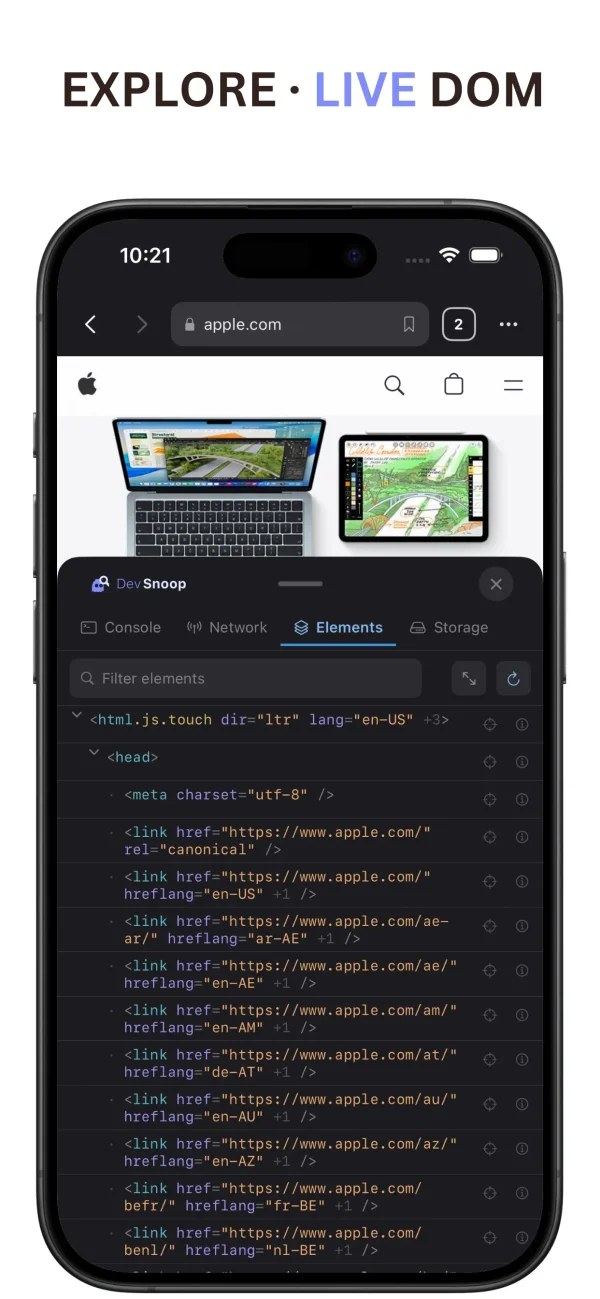
Elements — Walk the live DOM tree, expand nested elements, and tap to highlight a node on the rendered page. Useful for tracking down a stray z-index or unexpected CSS inheritance.
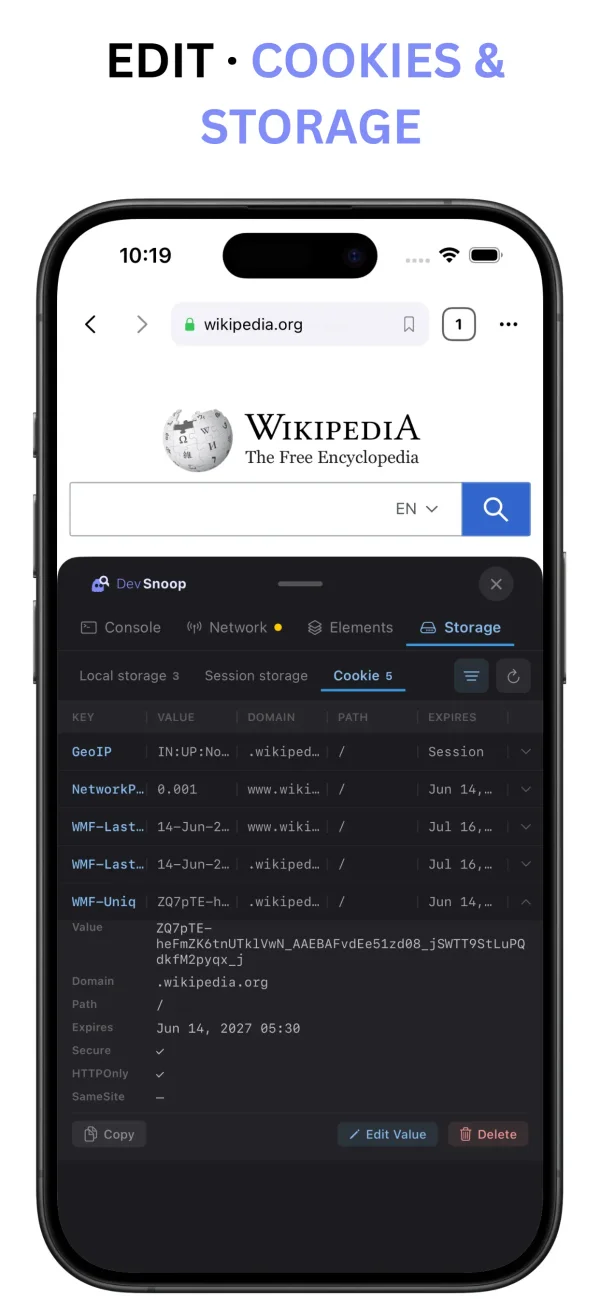
Storage — Inspect and edit local storage, session storage and cookies for the page you're testing, including the full cookie attribute set (domain, path, expiry, Secure, HttpOnly, SameSite). Edit a value, refresh, and watch how your page responds.
BROWSER ESSENTIALS
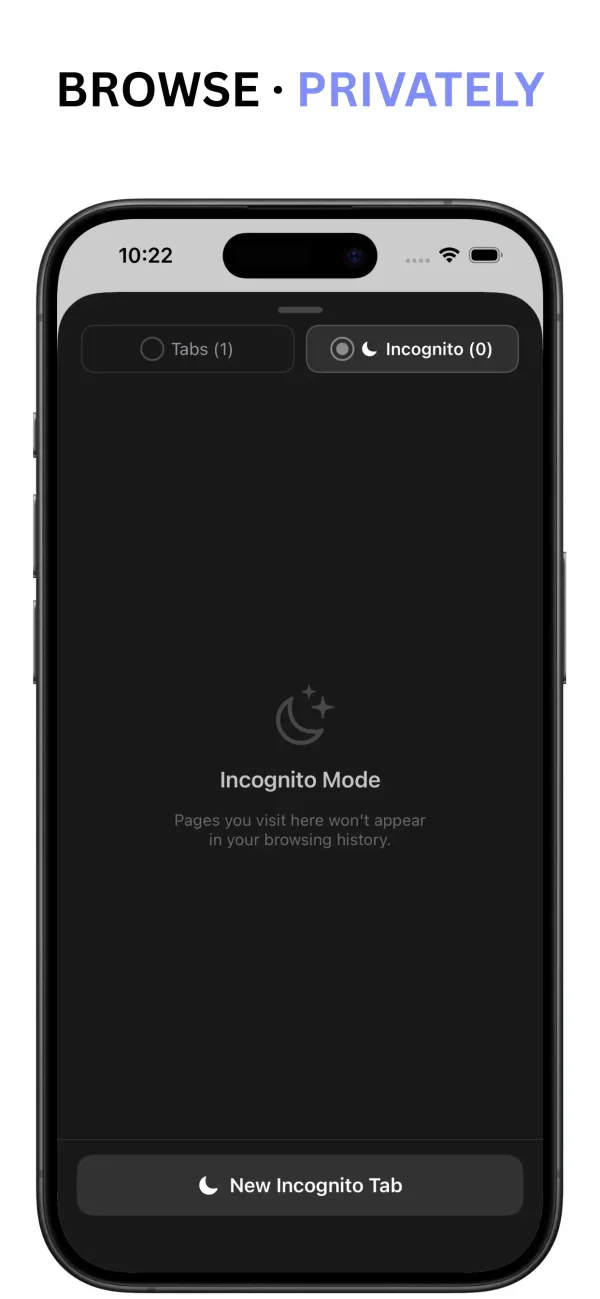
— Tabs, with private tabs that use a non-persistent WebKit data store: cookies and cache stay in memory and are discarded when the tab closes.
— Tab session restoration on next launch.
— Bookmarks, browsing history, and an editable Quick Access grid (long-press a tile to rename, change the URL, or delete it).
— Search engine choice: Google, DuckDuckGo or Bing.
— Clear browsing data selectively — history, cookies and site data, or cache.
— Support for the modern web APIs your pages expect: getUserMedia (camera and microphone), navigator.geolocation, and WebKit-backed media playback.
— Pull-to-refresh, offline error pages, and a mail-app chooser so links open where you want them.
PRIVACY
— Your browsing history, bookmarks, open tabs and Quick Access shortcuts are stored only on your device.
— No accounts, no advertising SDKs, no selling of your data.
— Product analytics are strictly opt-in: you're asked once on first launch, nothing is collected until you agree, the data is anonymous (no account, no URLs, no page content), and you can change your choice anytime in Settings.
— Crash reports go to Sentry for stability monitoring and never include URLs, page content or personal data.
— Full privacy policy: devsnoop.app
DevSnoop is a development and testing tool. Its inspector is intended for debugging and testing your own web pages, for learning how the web platform works, and for accessibility and QA checks on sites you are responsible for.
Built for the developer checking a layout fix on a real iPhone, the QA engineer running through a release candidate on a test device, the student learning how the DOM and the network stack fit together — and anyone who has wished mobile Safari had a real DevTools panel.
Yang baru
Versi 1.4.1 · 20/10/2026
- New: Clear site data for the current site only — Storage tab, trash icon.
- Fixed freezing issue for large storage values.
Privasi aplikasi
Yang dinyatakan Nitin Yadav di App Store tentang cara aplikasi ini menangani data.
-
Data yang tidak ditautkan dengan Anda
Dapat dikumpulkan, tetapi tidak ditautkan dengan identitas Anda.
- Lokasi
- Data penggunaan
- Diagnostik
Praktik privasi dapat bervariasi, misalnya berdasarkan fitur yang Anda gunakan atau usia Anda.
Informasi
- Penjual
- Nitin Yadav
- Kategori
- Alat Pengembang
- Versi
- 1.4.1
- Diperbarui
- 20/10/2026
- Dirilis
- 28/5/2026
- Ukuran
- 6,9 MB
- Memerlukan
- iOS 16.6 atau yang lebih baru
- Batasan usia
- 17+
- Harga
- Gratis
- Bahasa
- Inggris
- Hak cipta
- © 2026 Nitin Yadav
Mungkin Anda juga suka
-
 Text Editor : Code EditorAlat Pengembang
-
 JavaScript IDE & Editor HTMLJalankan & Belajar JS + CSS
-
 DevInspect BrowserInspektor Web & DOM Debugger
-
 Cookie Editor untuk SafariEdit, impor, ekspor cookie
-
 Codeye: Web InspectorAlat Pengembang
-
 JSON View : Editor & FormatterAlat Pengembang
-
 ScutumBROwserAlat Pengembang
-
 Agent BrowserAlat Pengembang
-
 PushwordAlat Pengembang
-
 Web DevTools+Alat Pengembang