Drawello:Learn Drawing & trace
Trace Pictures & Learn Drawing
Dirancang untuk iPhone
Gratis · Pembelian dalam aplikasi
- Batasan usia4+
- KategoriGrafik & Desain
- Pengembangpeak clix llc
- BahasaInggris
- Ukuran44,9 MB
Tertaut ke halaman resmi App Store
Download.org tidak menyimpan file Drawello:Learn Drawing & trace apa pun. Tombol ini membuka halaman aplikasi di App Store, tempat peak clix llc menerbitkannya. Halaman terakhir diperiksa pada 12/11/2026.
Tangkapan layar

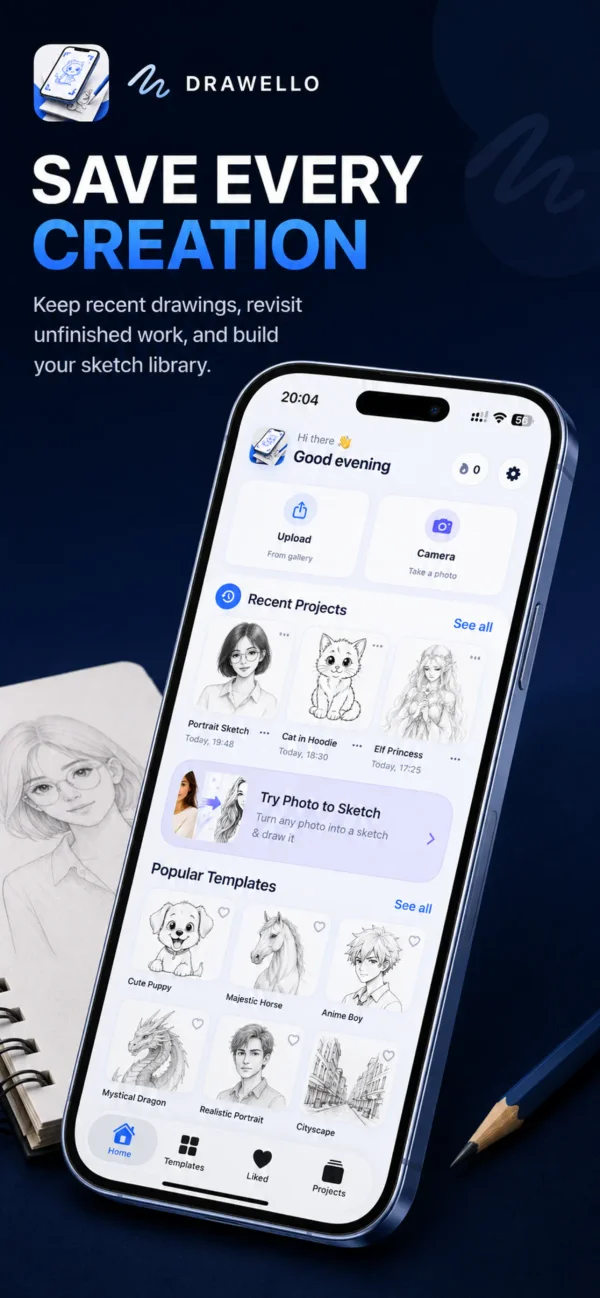
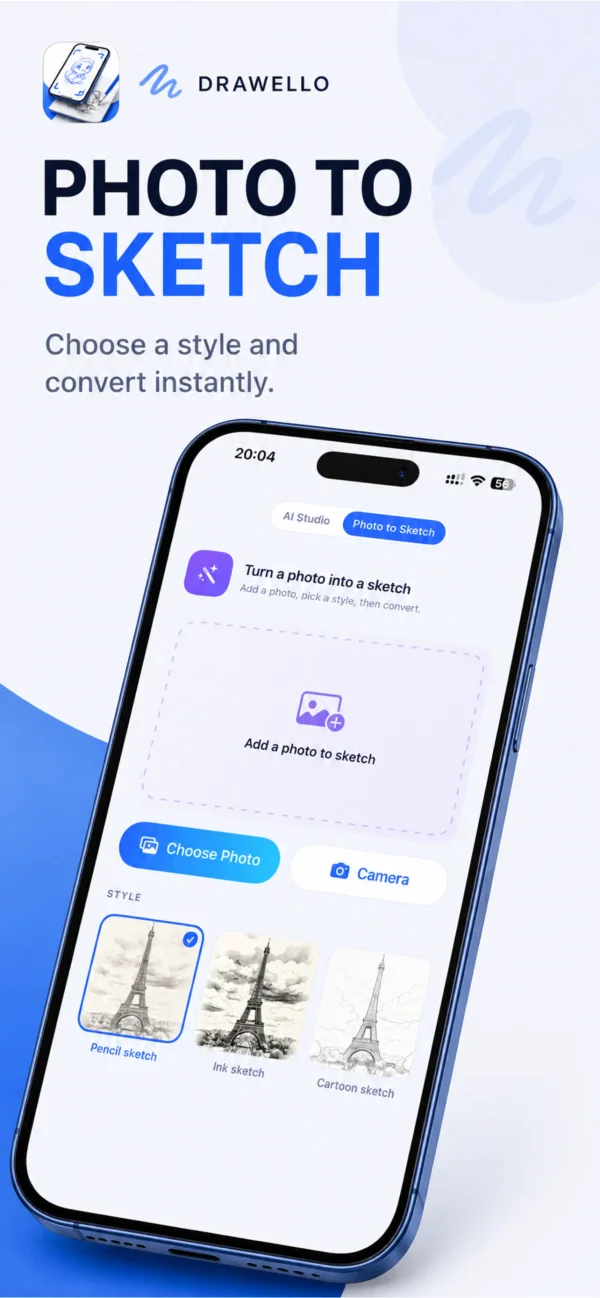
Tentang
Pengembang belum menyediakan teks ini dalam bahasa Anda.
Drawello is an AR drawing and sketch trace app that helps you draw on real paper with a simple camera guide.
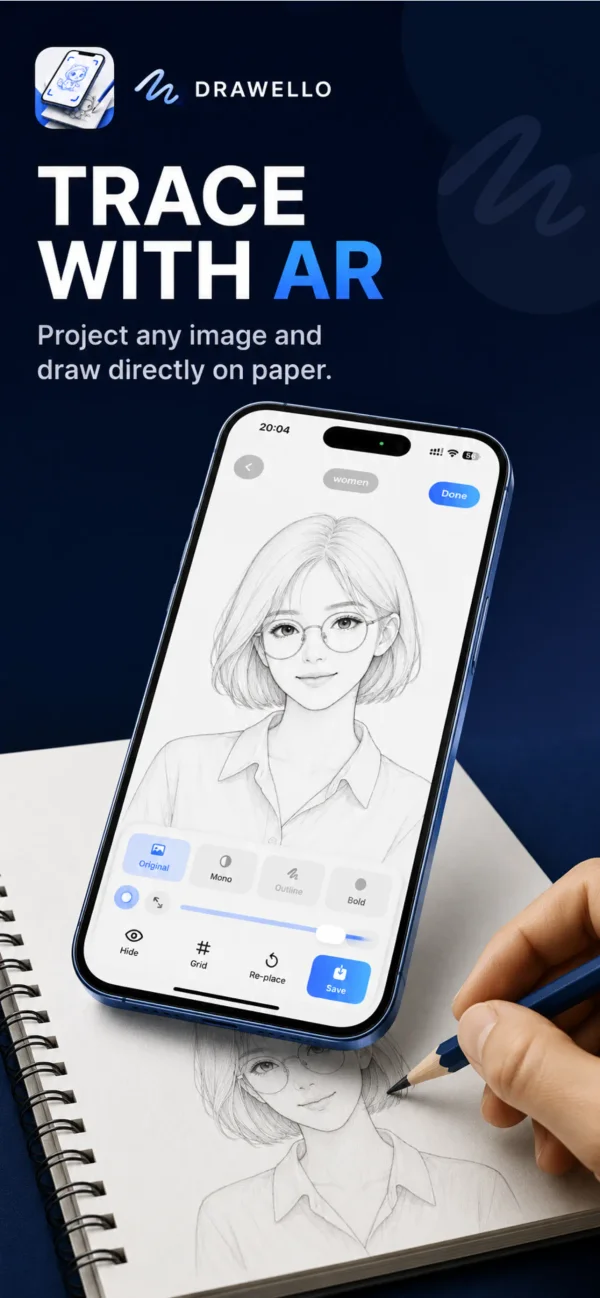
Choose a sketch, place your phone above the page, align the guide, and follow the lines with your pencil. Drawello works like a drawing projector for your iPhone: the artwork stays visible on your screen while you trace it onto the paper underneath.
AR DRAWING ON PAPER
Use augmented reality to position a drawing guide over your real paper. Move it, zoom in, rotate it, and adjust the opacity before you start. The guide helps you see where each line should go, so you can draw cleaner outlines and finish your sketch with more confidence.
SKETCH TRACE MADE EASY
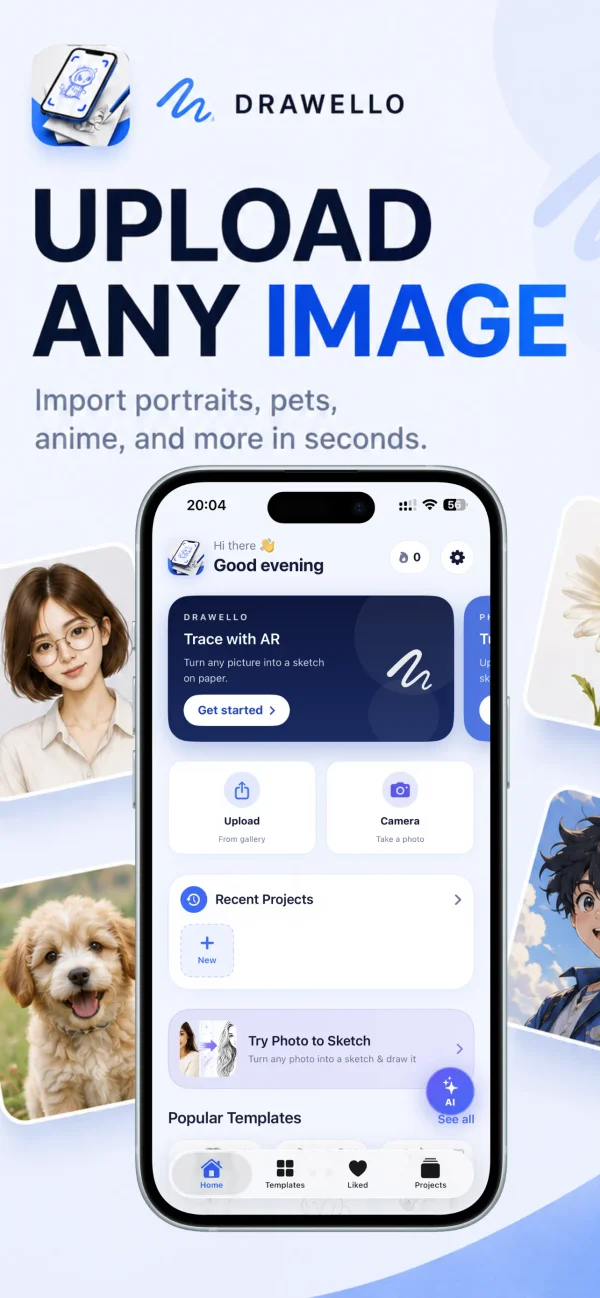
Drawing from a blank page can feel difficult. Drawello gives you a clear outline to follow, so you can focus on hand movement, line control, proportions, and details. It is made for beginners, hobby artists, students, parents, creators, and anyone who wants an easier way to practice drawing by hand.
FROM SCREEN TO PAPER
Drawello is not just a digital drawing screen. It helps you create real artwork on paper. Keep your phone steady, look through the camera view, and draw directly on the page with pencil, pen, marker, or color. The app gives you the guide, and you create the final drawing yourself.
WHAT YOU CAN DO
• Use AR to place a drawing guide on paper
• Trace sketch outlines step by step
• Practice drawing with less frustration
• Resize, rotate, move, and align the guide
• Adjust opacity for easier tracing
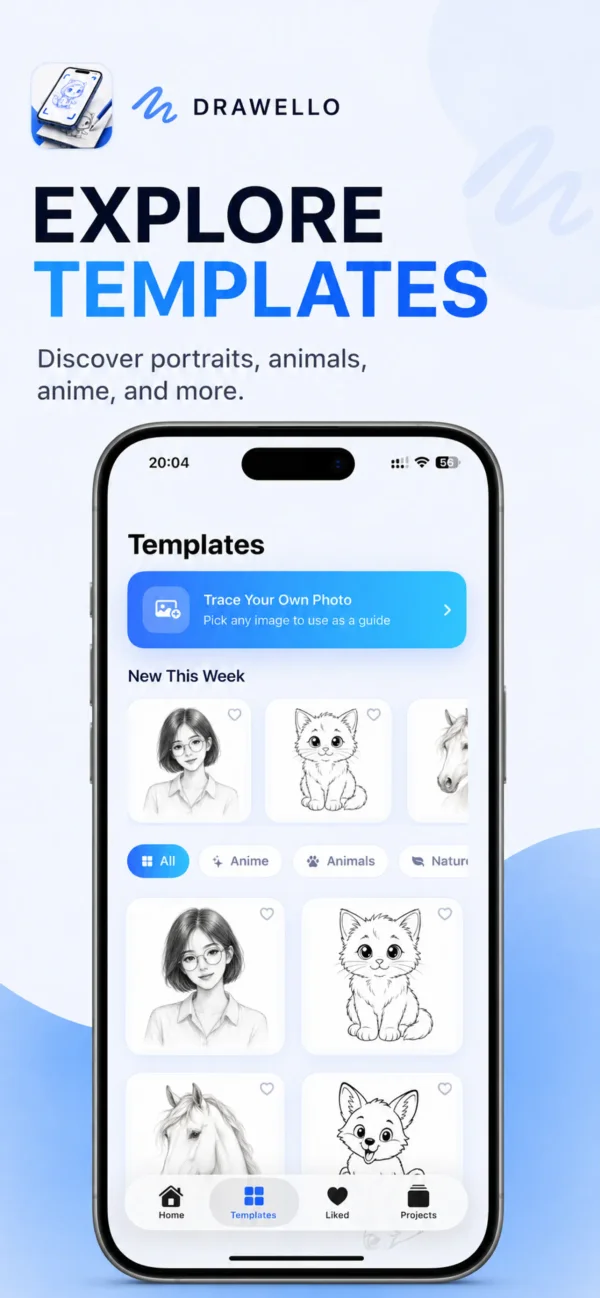
• Explore drawing templates and ideas
• Use guides as a base for your own artwork
• Create physical drawings by hand
DRAWING PROJECTOR STYLE
Drawello brings the idea of a projector into your phone. Instead of printing, measuring, or copying by eye, you can see the guide over the paper through your camera. This makes it easier to transfer the main lines and build the structure of the drawing before adding your own style.
BUILT FOR PRACTICE
Every drawing starts with simple shapes and lines. Drawello helps you see those lines clearly. Trace the main outline first, add smaller details after, then finish the artwork in your own way. You can use it for quick practice, clean outlines, school art, handmade gifts, notebook drawings, and relaxing drawing sessions.
WHY DRAWELLO
• Clear AR drawing experience
• Simple sketch trace workflow
• Easy paper alignment
• Helpful opacity controls
• Templates for daily practice
• Great for learning line placement
• Useful for copying references by hand
• Made for real paper drawing
HOW IT WORKS
1. Open a sketch guide
2. Place your phone above your paper
3. Align the guide with the page
4. Adjust size, rotation, and opacity
5. Follow the lines with your pencil
6. Finish the drawing by hand
MADE FOR BEGINNERS
If you want to draw but do not know where to start, Drawello gives you the first step. You do not need to guess every shape from memory. Start with a guide, follow the outline, and learn the movement of each line while creating something real.
USE IT YOUR WAY
Trace the full design for a clean result, or use the guide only as a base and add your own details after. Start with pencil, finish with pen, add color, or keep the outline simple.
TIPS FOR BEST RESULTS
Use a bright room, place your paper on a flat surface, and keep your phone stable above the page. Adjust the opacity until the guide is easy to see. Start with large shapes before small details.
A SIMPLE TOOL FOR PAPER ART
Drawello is built around one clear purpose: help you trace a sketch onto real paper. It makes drawing easier, clearer, and more fun while keeping the final artwork handmade.
Some features may require active subscription. Subscription options, trial availability, and renewal terms are shown inside the app before purchase. You can manage or cancel your subscription in your App Store account settings.
Terms of Use: https://www.drawello.com/terms
Privacy Policy: https://www.drawello.com/privacy
Yang baru
Versi 1.2 · 12/9/2026
We’ve added more drawing designs and templates, giving you even more inspiration to trace, sketch, and create. We’ve also improved performance and fixed minor bugs.
Privasi aplikasi
Yang dinyatakan peak clix llc di App Store tentang cara aplikasi ini menangani data.
-
Data yang digunakan untuk melacak Anda
Dapat digunakan untuk melacak Anda di aplikasi dan situs web milik perusahaan lain.
- Pembelian
- Pengenal
- Data penggunaan
-
Data yang ditautkan dengan Anda
Dapat dikumpulkan dan ditautkan dengan identitas Anda.
- Pembelian
- Pengenal
- Data penggunaan
Praktik privasi dapat bervariasi, misalnya berdasarkan fitur yang Anda gunakan atau usia Anda.
Informasi
- Penjual
- Peak Clix Llc
- Kategori
- Grafik & Desain
- Versi
- 1.2
- Diperbarui
- 12/9/2026
- Dirilis
- 13/7/2026
- Ukuran
- 44,9 MB
- Memerlukan
- iOS 18.0 atau yang lebih baru
- Batasan usia
- 4+
- Harga
- Gratis
- Pembelian dalam aplikasi
- Ya
- Bahasa
- Inggris
- Hak cipta
- © 2026 Peak Clix LLC
Mungkin Anda juga suka
-
 AnySketch Neo AR Trace DrawingGrafik & Desain
-
 DoodleTop: AR Draw & RecordGrafik & Desain
-
 sketch.AR - Gambar JiplakPanduan Foto ke Seni Kertas
-
 AR Trafaret: Drawing & SketchGrafik & Desain
-
 PaperVision - AR Draw & TraceGrafik & Desain
-
 Drawluma: Trace Photo to PaperGrafik & Desain
-
 Tracer: Trace Drawing CameraGrafik & Desain
-
 Drawing Projector LiteGrafik & Desain
-
 Traceify: AR Sketch & PaintGrafik & Desain
-
 Overtrace: AR Drawing & SketchGrafik & Desain