- 対象年齢4+
- カテゴリグラフィック/デザイン
- 開発元peak clix llc
- 言語英語
- サイズ44.9 MB
App Storeの公式ページにリンクしています
Download.orgはDrawello:Learn Drawing & traceのファイルを一切ホストしていません。ボタンを押すと、peak clix llcが公開しているApp Storeのアプリページが開きます。ページの最終確認:2026/11/12。
スクリーンショット

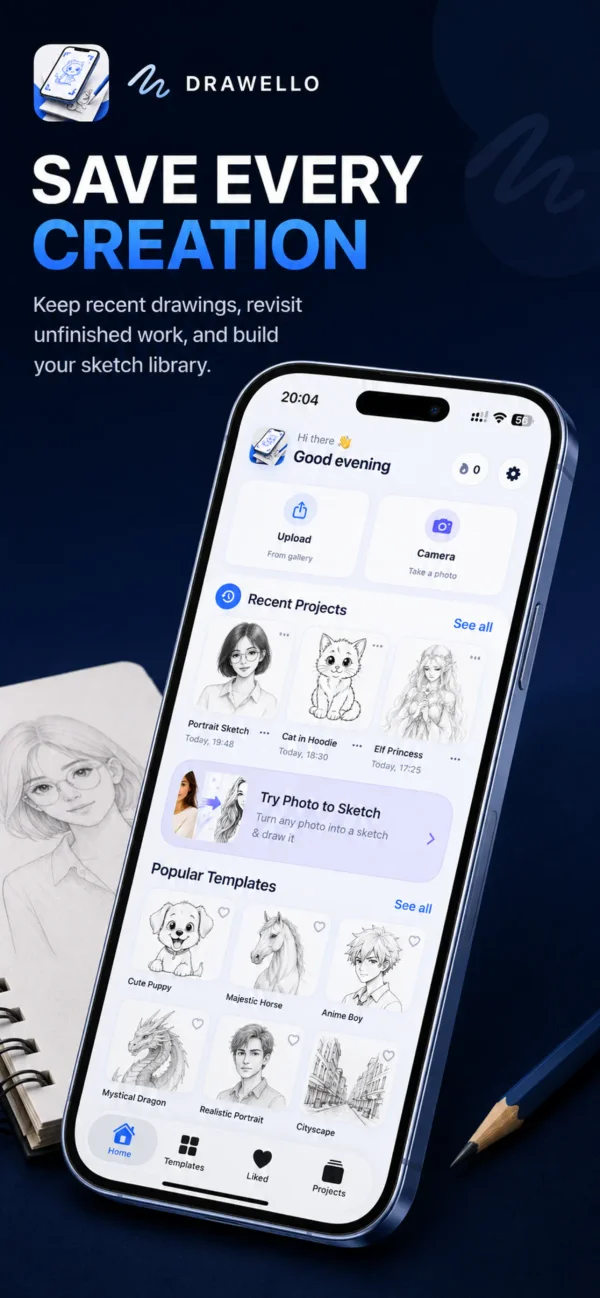
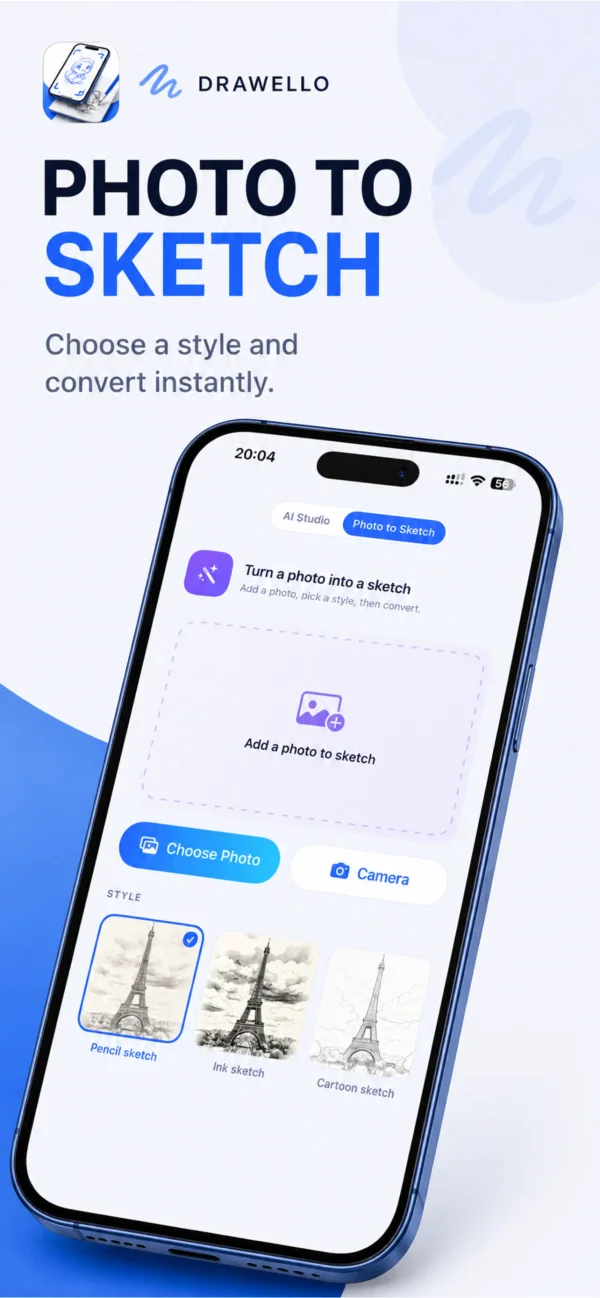
概要
開発元はこのテキストをお使いの言語で提供していません。
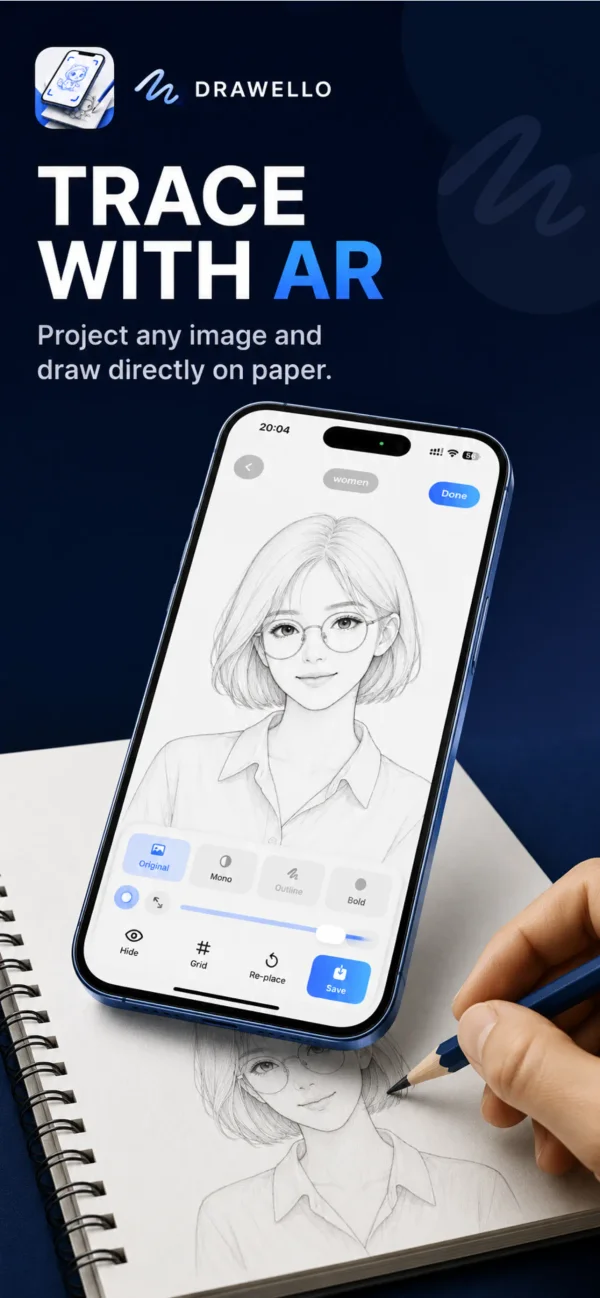
Drawello is an AR drawing and sketch trace app that helps you draw on real paper with a simple camera guide.
Choose a sketch, place your phone above the page, align the guide, and follow the lines with your pencil. Drawello works like a drawing projector for your iPhone: the artwork stays visible on your screen while you trace it onto the paper underneath.
AR DRAWING ON PAPER
Use augmented reality to position a drawing guide over your real paper. Move it, zoom in, rotate it, and adjust the opacity before you start. The guide helps you see where each line should go, so you can draw cleaner outlines and finish your sketch with more confidence.
SKETCH TRACE MADE EASY
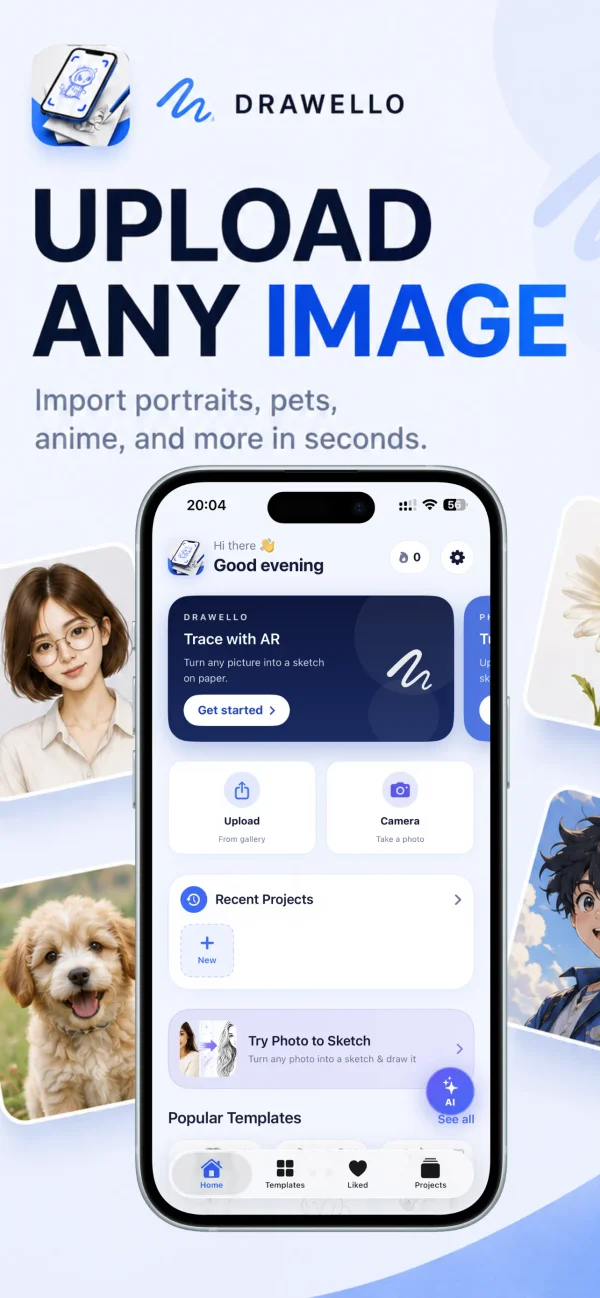
Drawing from a blank page can feel difficult. Drawello gives you a clear outline to follow, so you can focus on hand movement, line control, proportions, and details. It is made for beginners, hobby artists, students, parents, creators, and anyone who wants an easier way to practice drawing by hand.
FROM SCREEN TO PAPER
Drawello is not just a digital drawing screen. It helps you create real artwork on paper. Keep your phone steady, look through the camera view, and draw directly on the page with pencil, pen, marker, or color. The app gives you the guide, and you create the final drawing yourself.
WHAT YOU CAN DO
• Use AR to place a drawing guide on paper
• Trace sketch outlines step by step
• Practice drawing with less frustration
• Resize, rotate, move, and align the guide
• Adjust opacity for easier tracing
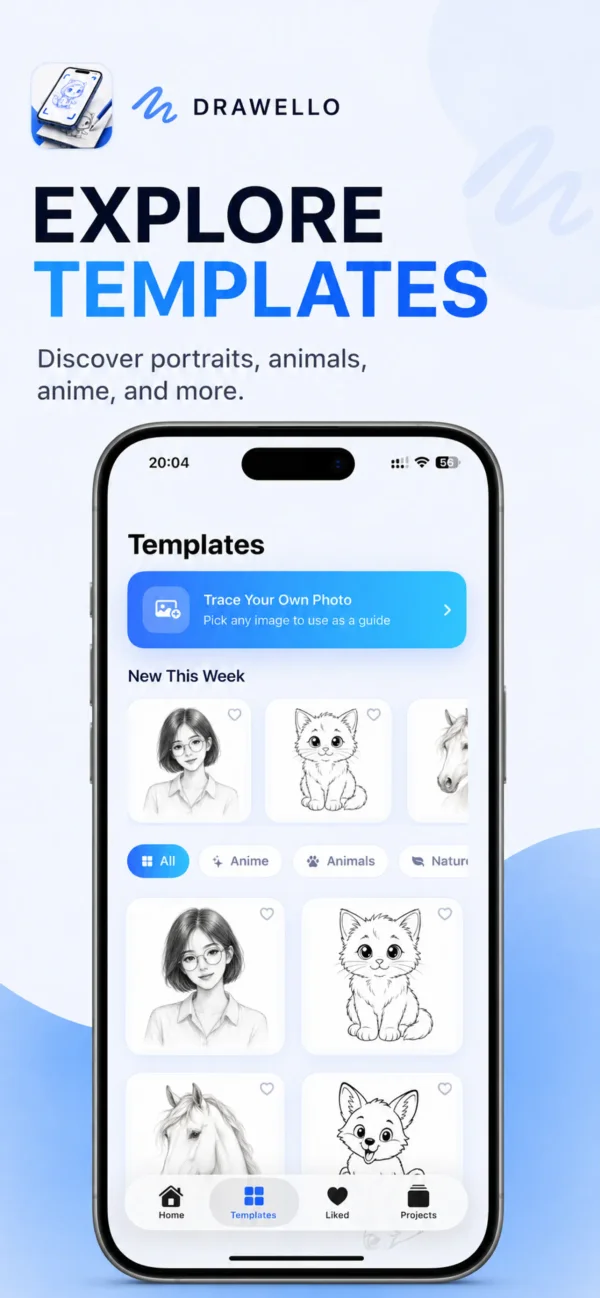
• Explore drawing templates and ideas
• Use guides as a base for your own artwork
• Create physical drawings by hand
DRAWING PROJECTOR STYLE
Drawello brings the idea of a projector into your phone. Instead of printing, measuring, or copying by eye, you can see the guide over the paper through your camera. This makes it easier to transfer the main lines and build the structure of the drawing before adding your own style.
BUILT FOR PRACTICE
Every drawing starts with simple shapes and lines. Drawello helps you see those lines clearly. Trace the main outline first, add smaller details after, then finish the artwork in your own way. You can use it for quick practice, clean outlines, school art, handmade gifts, notebook drawings, and relaxing drawing sessions.
WHY DRAWELLO
• Clear AR drawing experience
• Simple sketch trace workflow
• Easy paper alignment
• Helpful opacity controls
• Templates for daily practice
• Great for learning line placement
• Useful for copying references by hand
• Made for real paper drawing
HOW IT WORKS
1. Open a sketch guide
2. Place your phone above your paper
3. Align the guide with the page
4. Adjust size, rotation, and opacity
5. Follow the lines with your pencil
6. Finish the drawing by hand
MADE FOR BEGINNERS
If you want to draw but do not know where to start, Drawello gives you the first step. You do not need to guess every shape from memory. Start with a guide, follow the outline, and learn the movement of each line while creating something real.
USE IT YOUR WAY
Trace the full design for a clean result, or use the guide only as a base and add your own details after. Start with pencil, finish with pen, add color, or keep the outline simple.
TIPS FOR BEST RESULTS
Use a bright room, place your paper on a flat surface, and keep your phone stable above the page. Adjust the opacity until the guide is easy to see. Start with large shapes before small details.
A SIMPLE TOOL FOR PAPER ART
Drawello is built around one clear purpose: help you trace a sketch onto real paper. It makes drawing easier, clearer, and more fun while keeping the final artwork handmade.
Some features may require active subscription. Subscription options, trial availability, and renewal terms are shown inside the app before purchase. You can manage or cancel your subscription in your App Store account settings.
Terms of Use: https://www.drawello.com/terms
Privacy Policy: https://www.drawello.com/privacy
新機能
バージョン 1.2 · 2026/9/12
We’ve added more drawing designs and templates, giving you even more inspiration to trace, sketch, and create. We’ve also improved performance and fixed minor bugs.
アプリのプライバシー
このアプリのデータの取り扱いについて、peak clix llcがApp Storeで申告している内容です。
-
ユーザーのトラッキングに使用されるデータ
他社のアプリやウェブサイトを横断してユーザーをトラッキングする目的で使用される場合があります。
- 購入
- ID
- 使用状況データ
-
ユーザーに関連付けられたデータ
収集され、ユーザーの識別情報に関連付けられる場合があります。
- 購入
- ID
- 使用状況データ
プライバシーの取り扱いは、ご利用の機能やお客様の年齢などに応じて異なる場合があります。
情報
- 販売元
- Peak Clix Llc
- カテゴリ
- グラフィック/デザイン
- バージョン
- 1.2
- 更新日
- 2026/9/12
- リリース
- 2026/7/13
- サイズ
- 44.9 MB
- 必要条件
- iOS 18.0以降
- 対象年齢
- 4+
- 価格
- 無料
- アプリ内課金
- あり
- 言語
- 英語
- 著作権
- © 2026 Peak Clix LLC
こちらもおすすめ
-
 AnySketch Neo AR Trace Drawingグラフィック/デザイン
-
 DoodleTop: AR Draw & Recordグラフィック/デザイン
-
 sketch.AR - なぞり描き写真を紙のアートに
-
 AR Trafaret: Drawing & Sketchグラフィック/デザイン
-
 PaperVision - AR Draw & Traceグラフィック/デザイン
-
 Drawluma: Trace Photo to Paperグラフィック/デザイン
-
 Tracer: Trace Drawing Cameraグラフィック/デザイン
-
 Drawing Projector Liteグラフィック/デザイン
-
 Traceify: AR Sketch & Paintグラフィック/デザイン
-
 Overtrace: AR Drawing & Sketchグラフィック/デザイン