
Dream Camera
Professional Camera
Dirancang untuk iPhone, iPad, iPod touch
Rp 19ribu
- Batasan usia4+
- KategoriFoto & Video
- PengembangMichal Kasza
- BahasaInggris
- Ukuran7,8 MB
Tertaut ke halaman resmi App Store
Download.org tidak menyimpan file Dream Camera apa pun. Tombol ini membuka halaman aplikasi di App Store, tempat Michal Kasza menerbitkannya. Halaman terakhir diperiksa pada 12/11/2026.
Tangkapan layar

Tentang
Pengembang belum menyediakan teks ini dalam bahasa Anda.
Features manual and semi-automatic exposure modes, plenty of filters, white balance control and more
Exposure
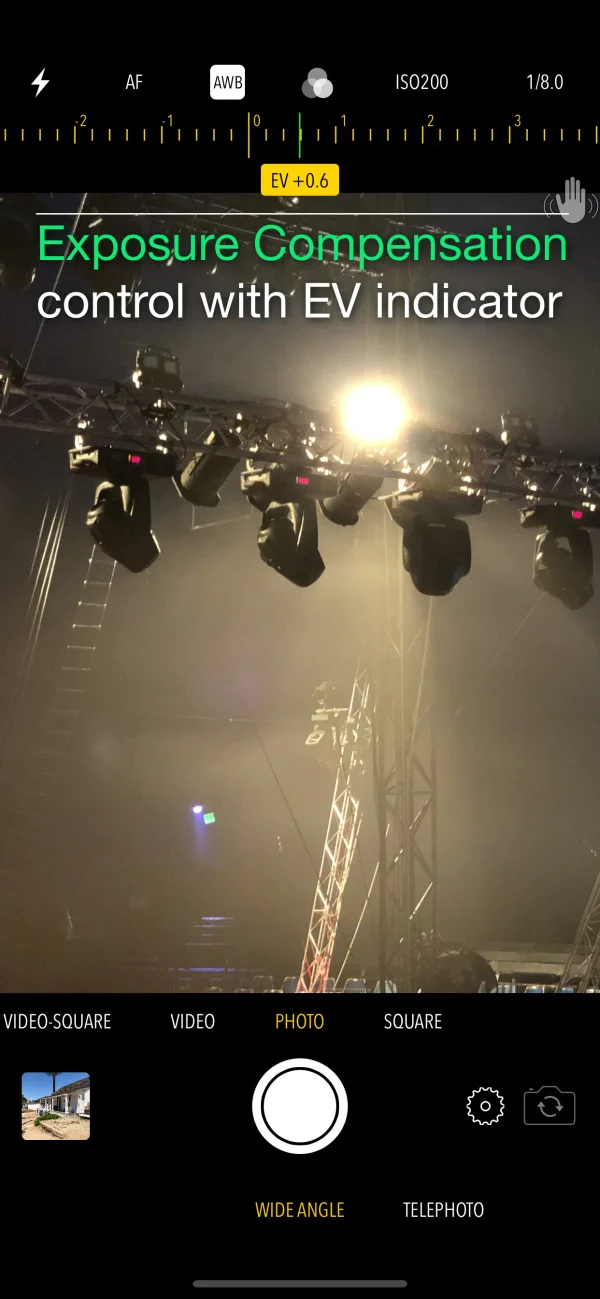
- Easy exposure compensation control with EV indicator. Just slide your finger up/down or right/left anywhere on the screen
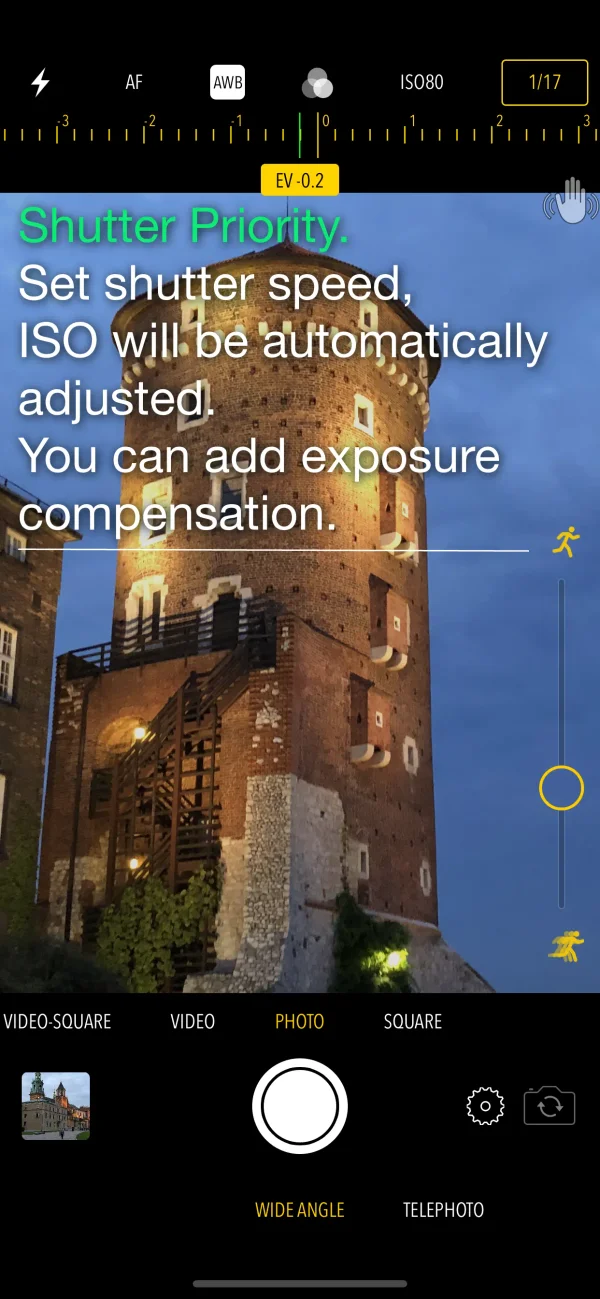
- Shutter Priority. Tap shutter speed indicator and use the slider to set the value, ISO will be automatically adjusted. You can add exposure compensation to it as well.
- ISO Priority. Tap ISO indicator and use the slider to set the value, shutter speed will be automatically adjusted. You can add exposure compensation to it as well.
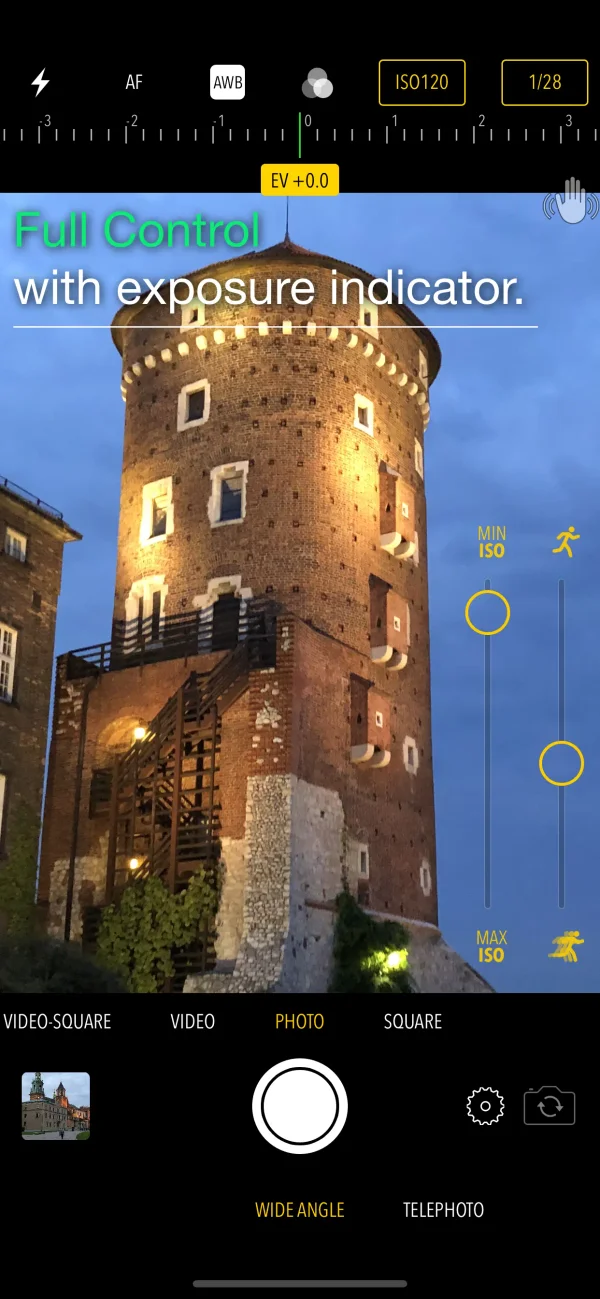
- Full Control. Select both shutter speed and ISO indicators, set the values with the sliders. Exposure indicator will tell you how well you are doing.
Flash/Torch Modes
- On/Off or auto
Focus Modes
- Auto
- Manual - set the value with the slider
- Macro
- Landscape
White Balance Presets
- Auto
- Daylight
- Cloudy
- Shade
- Fluorescent
- Tungsten
- Candle
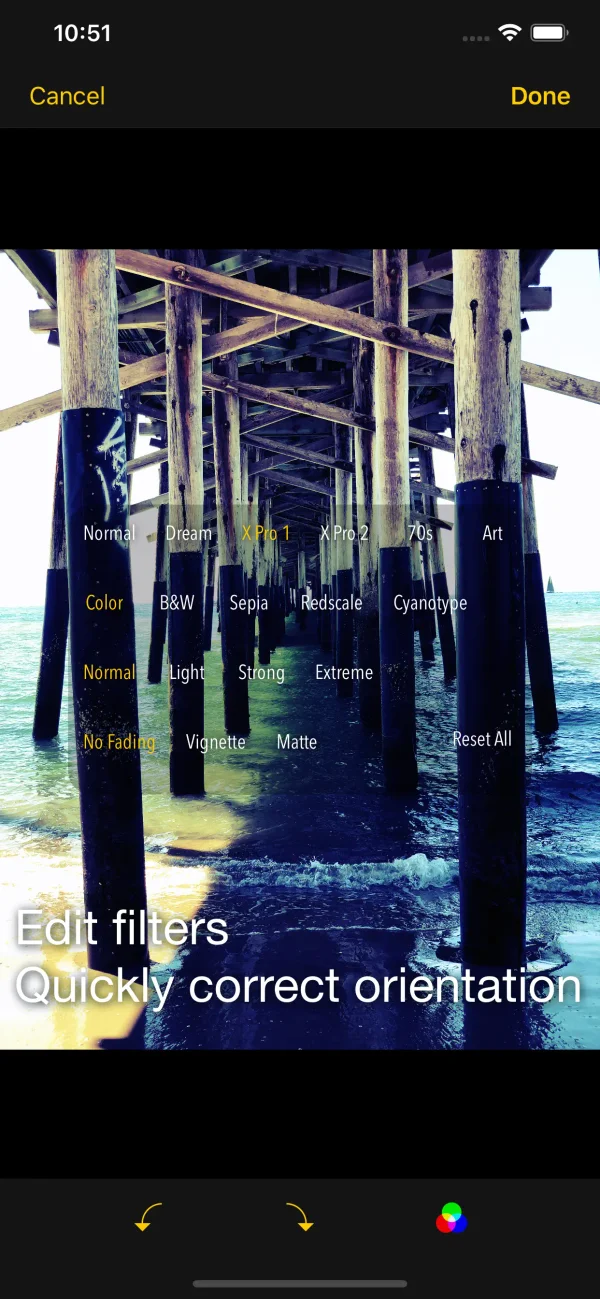
Filters
- Effect: Dream, XPro1, XPro2, 70s, Art
- Color: Normal, Black & White, Sepia, Redscale, Cyanotype
- Contrast & Brightness: Light, Strong, Extreme
- Edges: No Fading, Vignette, Mate
Mix and match the filters from each category above
Cameras
- Front, Back, Tele and Ultra Wide (if available)
Shooting Modes
- Photo and Square Photo
- Video and Square Video
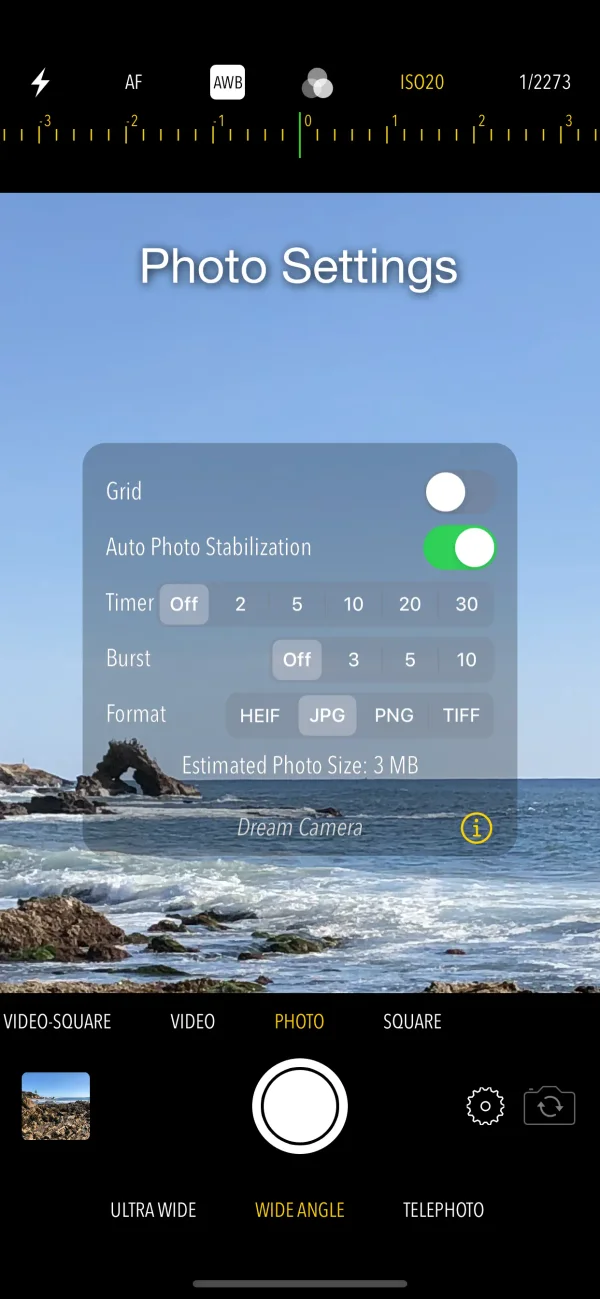
Photo Settings
- Guide grid On/Off
- Auto Photo Stabilization for longer shutter speed settings
- Timer with 2, 5, 10, 20 or 30 second delay
- Burst of 3, 5 or 10 photos; can be combined with timer
- File format: JPG, PNG, TIFF or HEIF (if supported by the device)
- Information about estimated photo file size
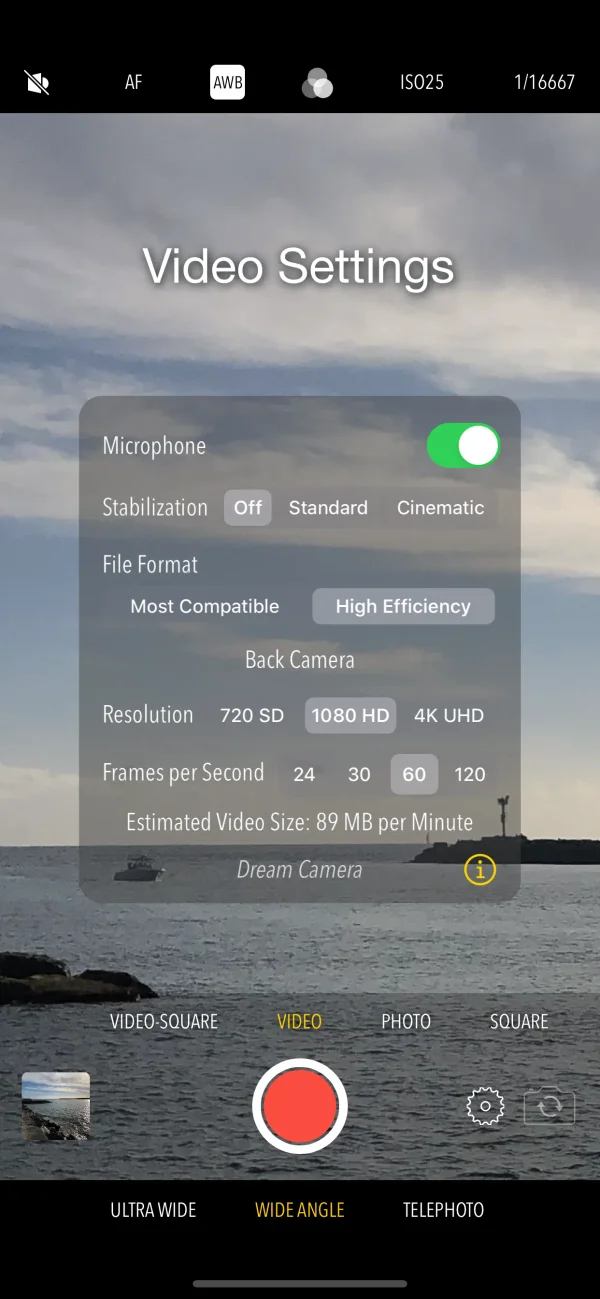
Video Settings
- Microphone On/Off
- Stabilization Off/Standard/Cinematic (if supported by the device)
- File Format: Most Compatible (H.264), High Efficiency (HEVC-H.265) (if supported by the device)
- Resolution: 720SD, 1080HD, 4K UHD (if supported by the device)
- Frames per Second: 24, 30, 60 or 120 (requires iPhone 7 or newer)
- Information about estimated video file size
Browser
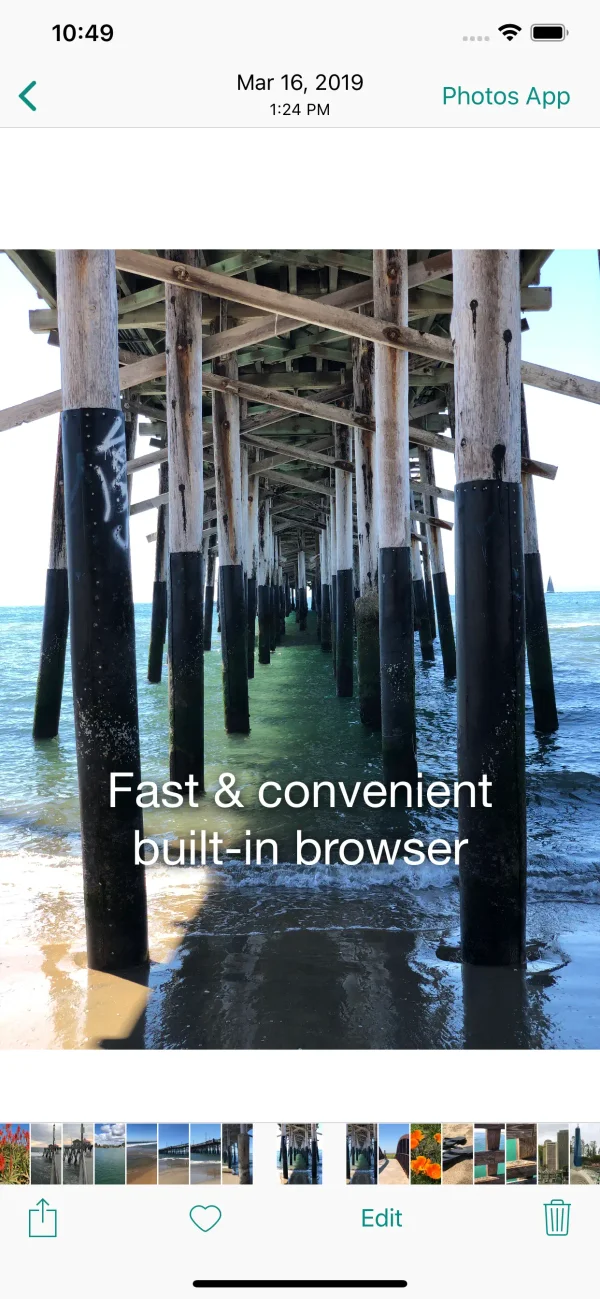
- Photo preview and edit
- Video playback
- Scrubber bar to skim through your photos and videos
- Sharing using standard iOS features
Photo Editor
- Orientation correction
- Filter manipulation
Dream Camera saves your photos and video directly to Camera Roll.
You can access them either through the built-in browser or standard Photos app.
Taking pictures is fun, enjoy it!
Yang baru
Versi 5.2 · 22/8/2026
- improve photo preview for ultra wide camera
- add 4K UHD 60fps video mode for qualifying devices
Privasi aplikasi
Yang dinyatakan Michal Kasza di App Store tentang cara aplikasi ini menangani data.
-
Data tidak dikumpulkan
Pengembang tidak mengumpulkan data apa pun dari aplikasi ini.
Praktik privasi dapat bervariasi, misalnya berdasarkan fitur yang Anda gunakan atau usia Anda.
Informasi
- Penjual
- Michal Kasza
- Kategori
- Foto & Video
- Versi
- 5.2
- Diperbarui
- 22/8/2026
- Dirilis
- 6/2/2012
- Ukuran
- 7,8 MB
- Memerlukan
- iOS 15.6 atau yang lebih baru
- Batasan usia
- 4+
- Harga
- Rp 19ribu
- Bahasa
- Inggris
- Hak cipta
- © Palm Shadow Apps
Mungkin Anda juga suka
-
 PicCa - Film CameraFoto & Video
-
 YESTER - Retro Film CameraFoto & Video
-
 NickyMono - Monochrome CameraFoto & Video
-
 My Dream CamFoto & Video
-
 FilmHantong - Film CameraFoto & Video
-
 Candens - 90's Film CameraFoto & Video
-
 Emulsine Film Emulation CameraFoto & Video
-
 Story Maker & Collage UnevenFoto & Video
-
 Nostalgia 2010 - Retro CameraFoto & Video
-
 AcetateFoto & Video