
- Age rating4+
- CategoryPhoto & Video
- DeveloperMichal Kasza
- LanguagesEnglish
- Size7.8 MB
Links to the official App Store page
Download.org hosts no file of Dream Camera. The button opens its official App Store page, published by Michal Kasza. Listing last checked on Nov 12, 2026.
Screenshots

About
Features manual and semi-automatic exposure modes, plenty of filters, white balance control and more
Exposure
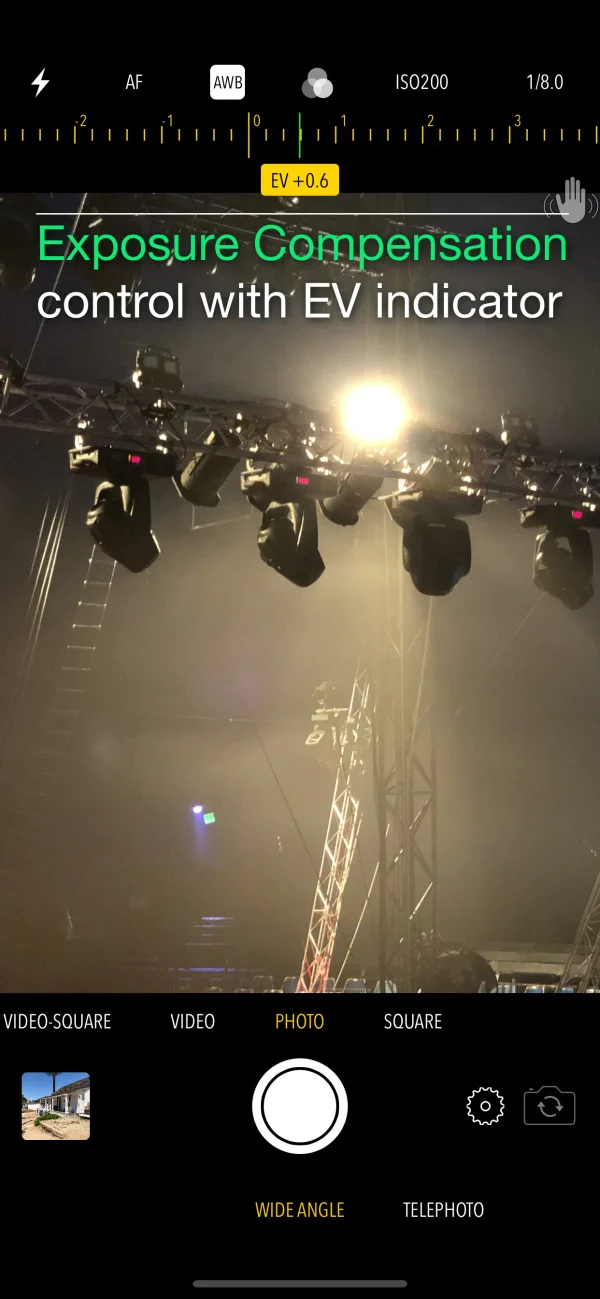
- Easy exposure compensation control with EV indicator. Just slide your finger up/down or right/left anywhere on the screen
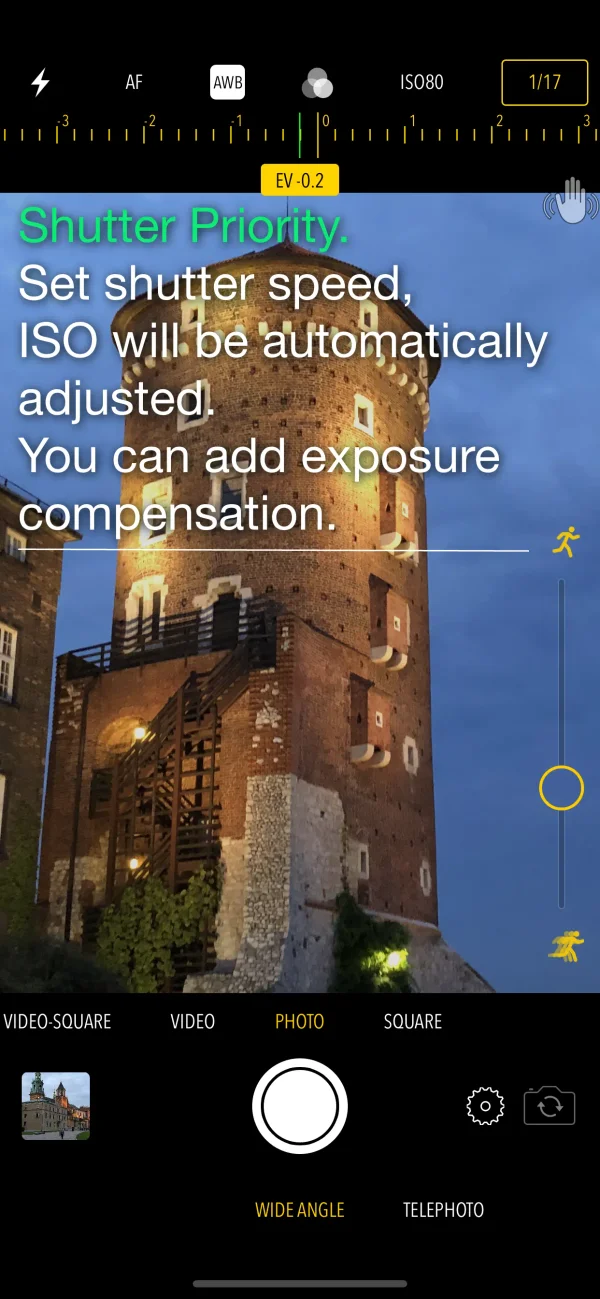
- Shutter Priority. Tap shutter speed indicator and use the slider to set the value, ISO will be automatically adjusted. You can add exposure compensation to it as well.
- ISO Priority. Tap ISO indicator and use the slider to set the value, shutter speed will be automatically adjusted. You can add exposure compensation to it as well.
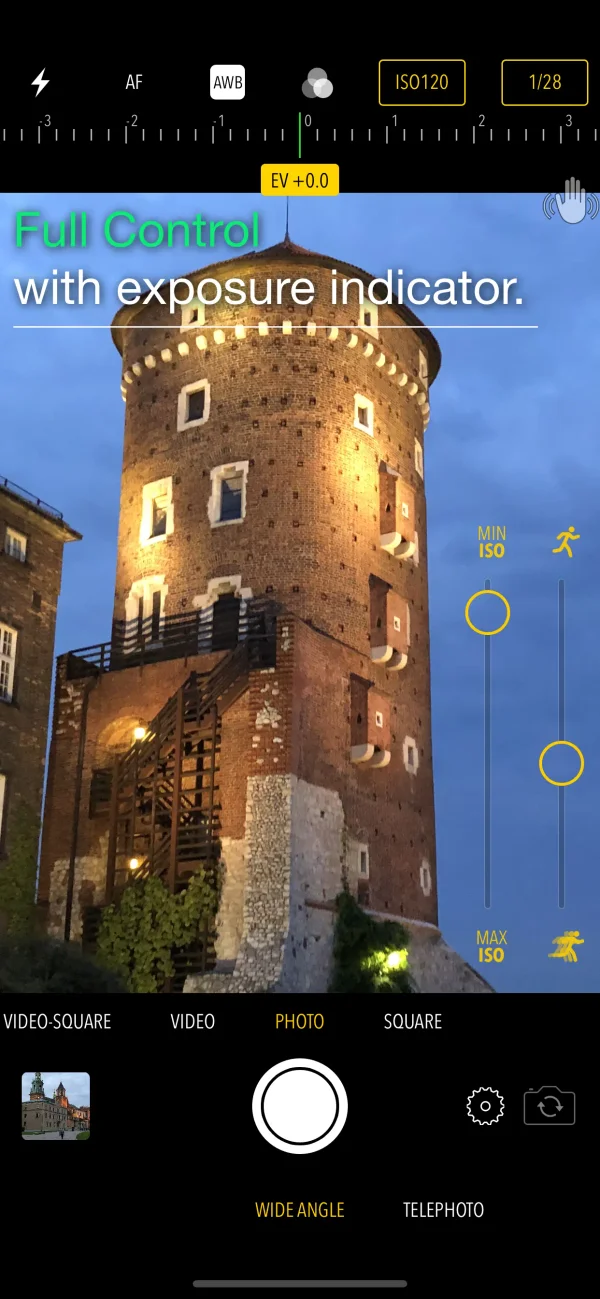
- Full Control. Select both shutter speed and ISO indicators, set the values with the sliders. Exposure indicator will tell you how well you are doing.
Flash/Torch Modes
- On/Off or auto
Focus Modes
- Auto
- Manual - set the value with the slider
- Macro
- Landscape
White Balance Presets
- Auto
- Daylight
- Cloudy
- Shade
- Fluorescent
- Tungsten
- Candle
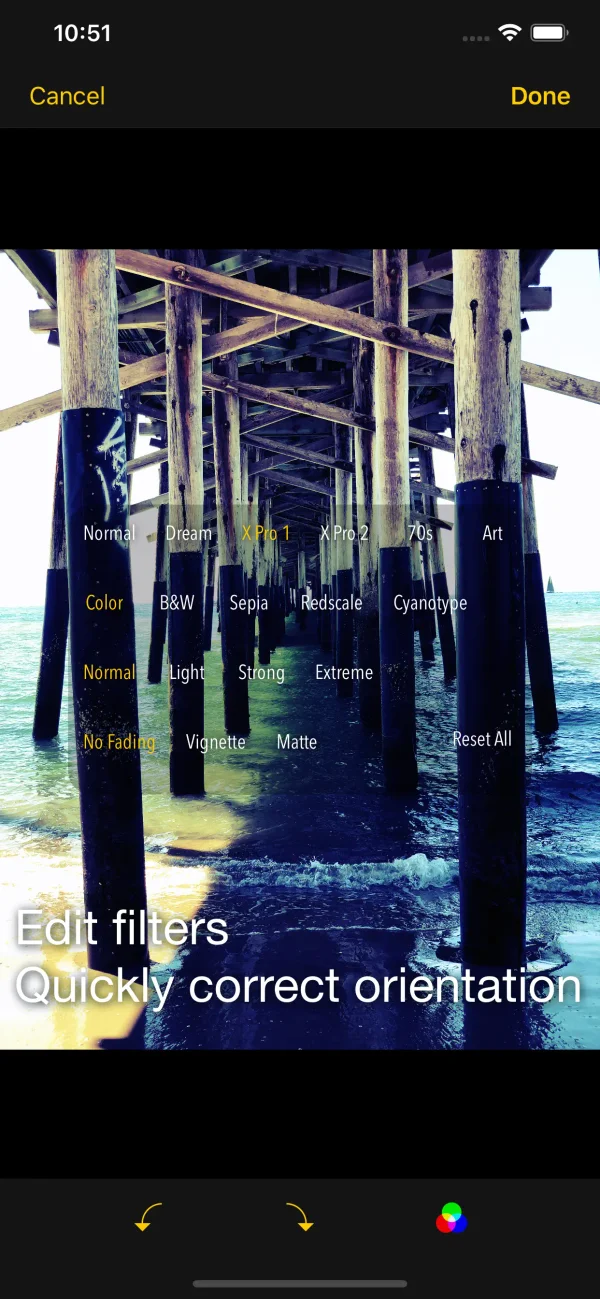
Filters
- Effect: Dream, XPro1, XPro2, 70s, Art
- Color: Normal, Black & White, Sepia, Redscale, Cyanotype
- Contrast & Brightness: Light, Strong, Extreme
- Edges: No Fading, Vignette, Mate
Mix and match the filters from each category above
Cameras
- Front, Back, Tele and Ultra Wide (if available)
Shooting Modes
- Photo and Square Photo
- Video and Square Video
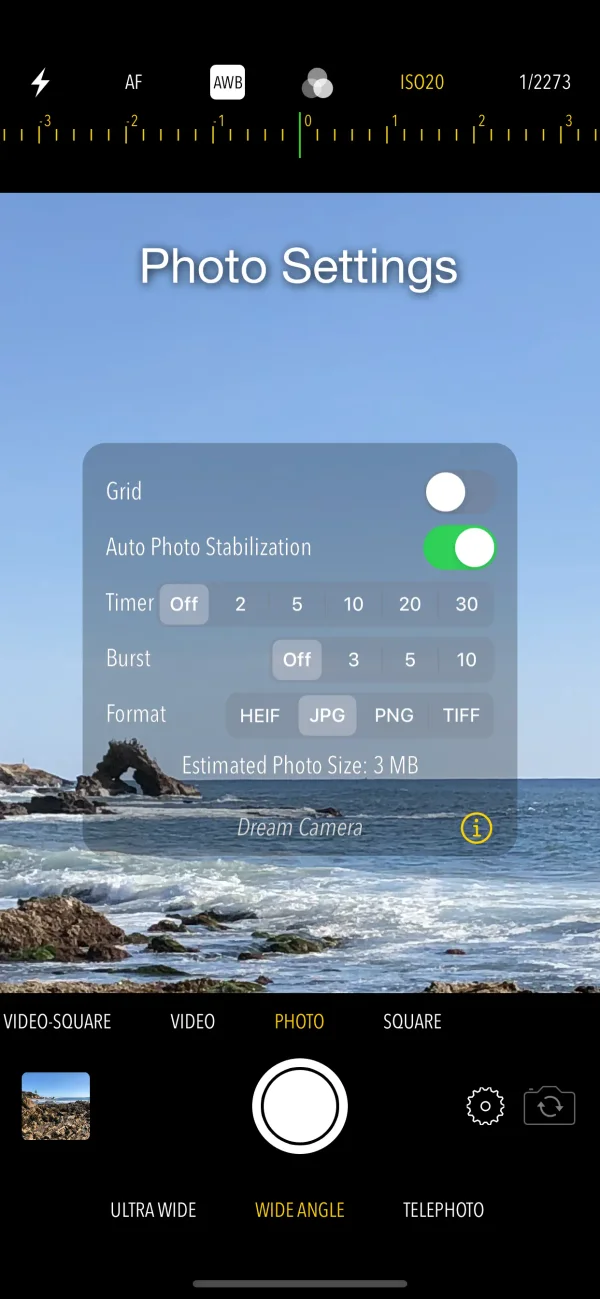
Photo Settings
- Guide grid On/Off
- Auto Photo Stabilization for longer shutter speed settings
- Timer with 2, 5, 10, 20 or 30 second delay
- Burst of 3, 5 or 10 photos; can be combined with timer
- File format: JPG, PNG, TIFF or HEIF (if supported by the device)
- Information about estimated photo file size
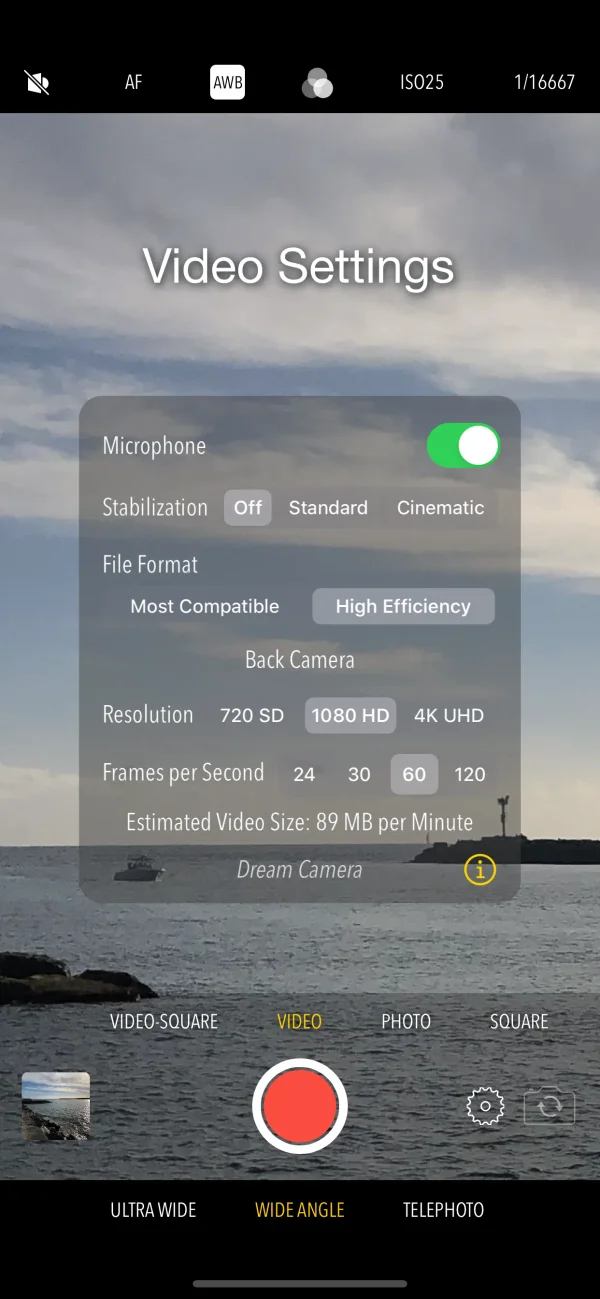
Video Settings
- Microphone On/Off
- Stabilization Off/Standard/Cinematic (if supported by the device)
- File Format: Most Compatible (H.264), High Efficiency (HEVC-H.265) (if supported by the device)
- Resolution: 720SD, 1080HD, 4K UHD (if supported by the device)
- Frames per Second: 24, 30, 60 or 120 (requires iPhone 7 or newer)
- Information about estimated video file size
Browser
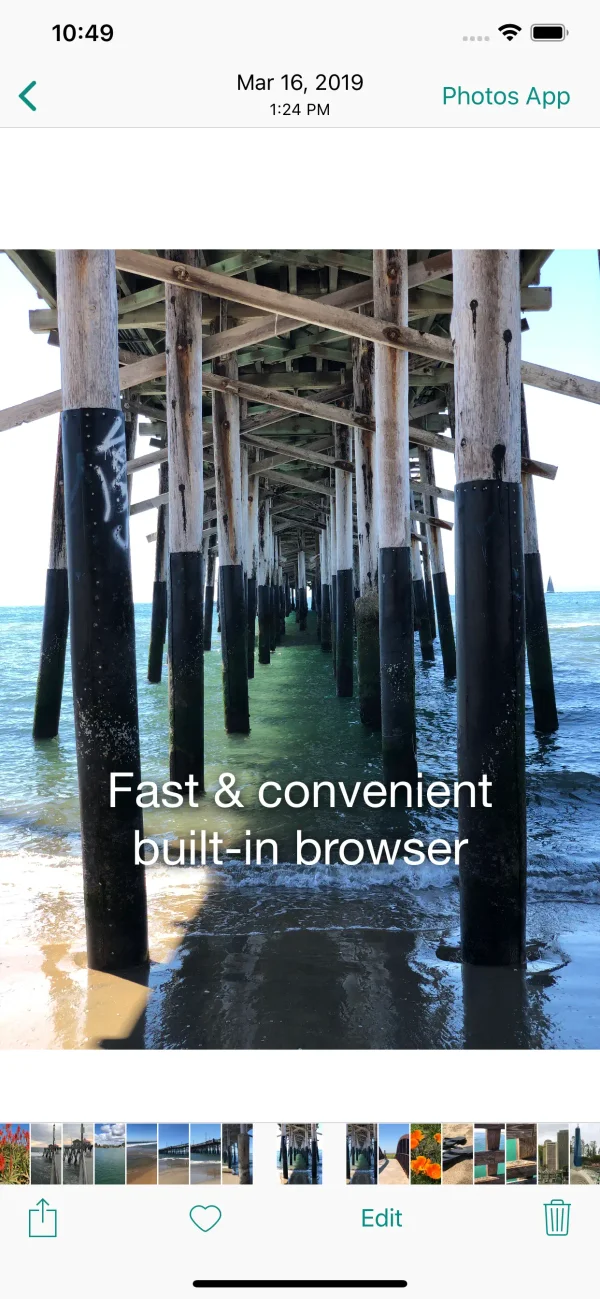
- Photo preview and edit
- Video playback
- Scrubber bar to skim through your photos and videos
- Sharing using standard iOS features
Photo Editor
- Orientation correction
- Filter manipulation
Dream Camera saves your photos and video directly to Camera Roll.
You can access them either through the built-in browser or standard Photos app.
Taking pictures is fun, enjoy it!
What’s new
Version 5.2 · Aug 22, 2026
- improve photo preview for ultra wide camera
- add 4K UHD 60fps video mode for qualifying devices
App privacy
What Michal Kasza declares on the App Store about how this app handles data.
-
Data not collected
The developer does not collect any data from this app.
Privacy practices may vary, for example with the features you use or your age.
Information
- Seller
- Michal Kasza
- Category
- Photo & Video
- Version
- 5.2
- Updated
- Aug 22, 2026
- Released
- Feb 6, 2012
- Size
- 7.8 MB
- Requires
- iOS 15.6 or later
- Age rating
- 4+
- Price
- $0.99
- Languages
- English
- Copyright
- © Palm Shadow Apps
You might also like
-
 PicCa - Film CameraEdit together, fine-tune each
-
 YESTER - Retro Film CameraShoot & decorate in 17 eras
-
 NickyMono - Monochrome CameraReal Monochrome Camera
-
 My Dream CamCelebrity Camera
-
 FilmHantong - Film CameraDisposable cam & photo strips
-
 Candens - 90's Film CameraEvery Light Leaves a Memory
-
 Emulsine Film Emulation CameraFilm Emulation Camera
-
 Story Maker & Collage UnevenPhoto & Video
-
 Nostalgia 2010 - Retro CameraRetro camera from the 2010s
-
 AcetatePro RAW camera + film LUTs