Easy MIDI Player
Easy MP3 Player, for MIDI
Dirancang untuk iPhone, iPad, Mac, iPod touch
Gratis · Pembelian dalam aplikasi
- Batasan usia4+
- KategoriMusik
- PengembangKenichi Ando
- BahasaJerman+ 9 lainnya
- Ukuran63,9 MB
Tertaut ke halaman resmi App Store
Download.org tidak menyimpan file Easy MIDI Player apa pun. Tombol ini membuka halaman aplikasi di App Store, tempat Kenichi Ando menerbitkannya. Halaman terakhir diperiksa pada 23/11/2026.
Tangkapan layar

Tentang
Pengembang belum menyediakan teks ini dalam bahasa Anda.
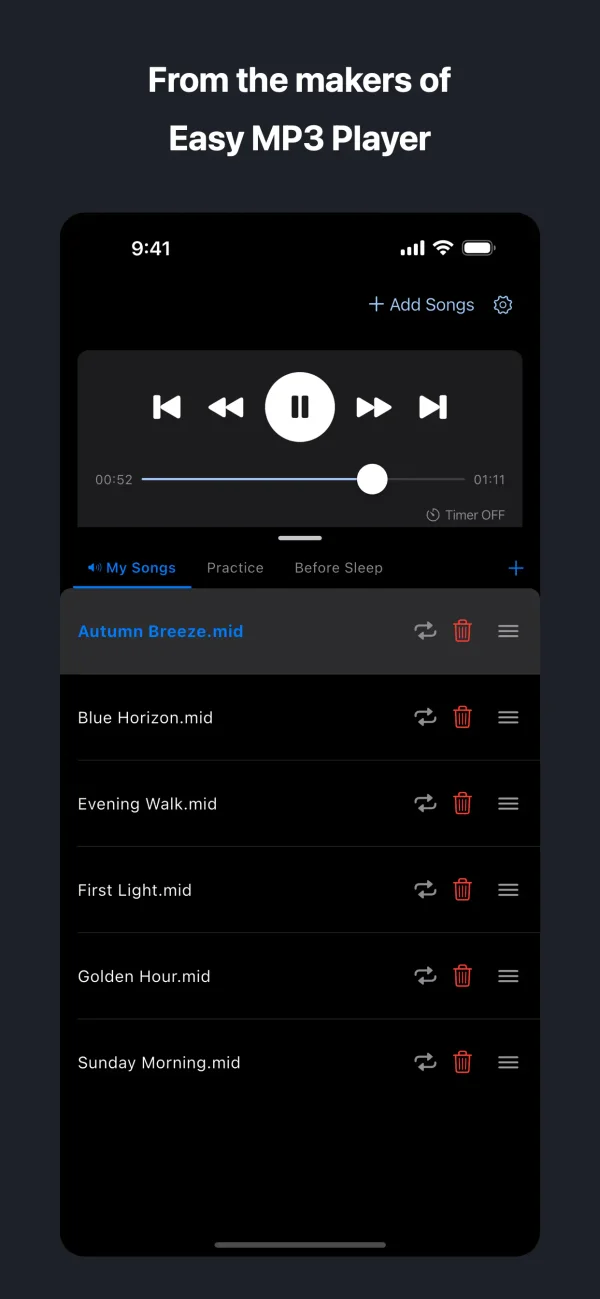
The player you know from Easy MP3 Player, now as an app made just for MIDI.
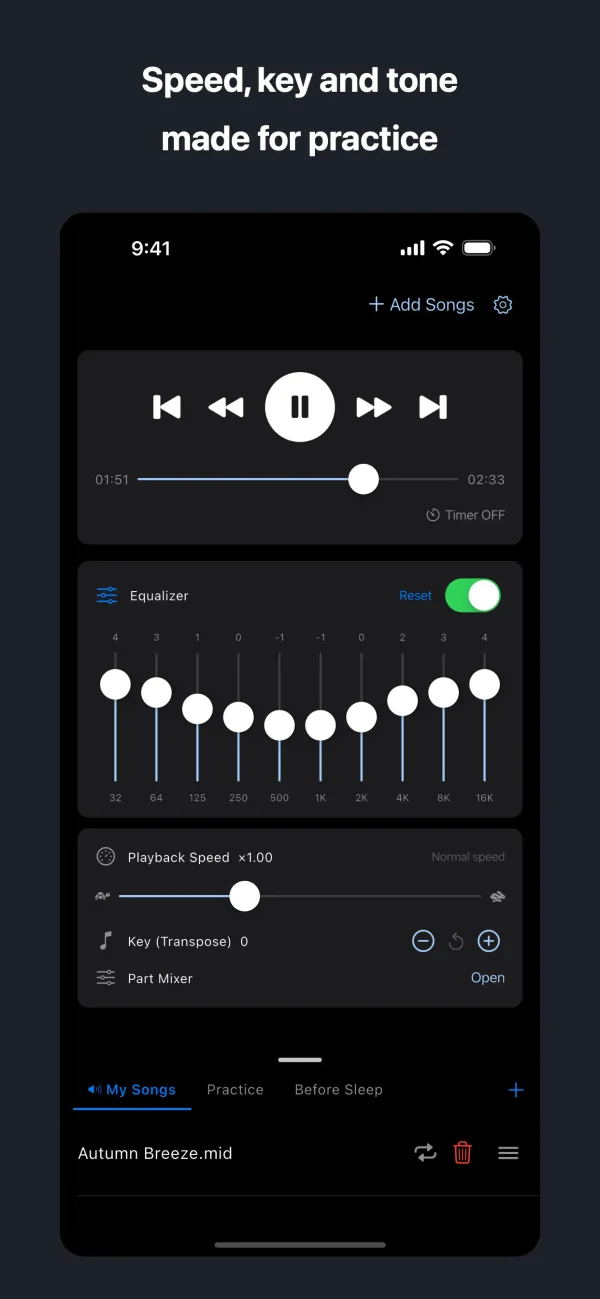
Same screens, same controls: pick a song and press play. The only difference is that it plays MIDI files. A built-in GM sound set does the playing, so there is no separate sound module to set up.
What makes it different
1. Open it and it plays
Pick a MIDI file (.mid, .midi, .smf, .kar) and it starts. No sound setup, no converting.
2. Choose your folder once
Point the app at the folder holding your songs, one time. From then on they are waiting the moment you open the app. No walking through the Files app again. You can register as many folders as you like.
3. Reorder with your finger
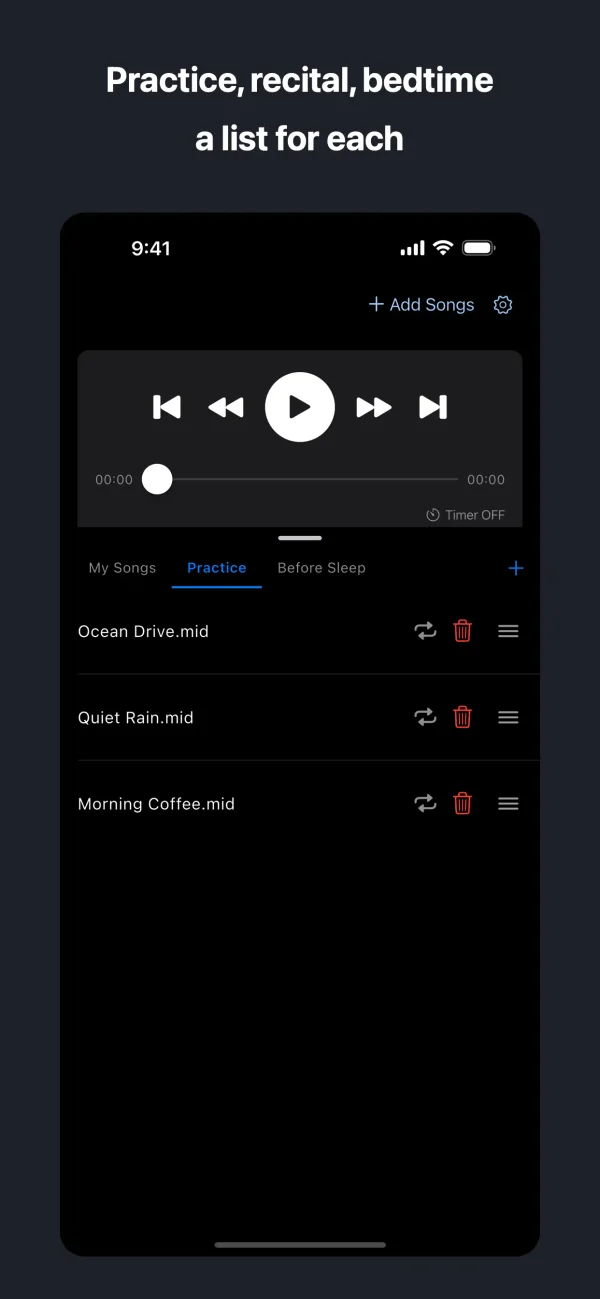
Press and hold a song, then drag it up or down. Remove the ones you no longer want, right there.
4. A playlist for each occasion
Make playlists with names that suit you: Practice, Recital, Before Sleep. Switching between them does not interrupt playback.
5. Ten-band equalizer
Adjust from low to high across ten bands. Your settings are still there next time you open the app.
6. A sleep timer that stops for you
Choose 15, 30, 45, 60 or 90 minutes. When the time is up, playback stops on its own.
7. Control it from the lock screen
Play, pause, skip and seek from the lock screen or Control Center.
Unlocked with a one-time purchase
- Playback speed
From 0.5x to 2x. The pitch stays where it is; only the speed changes. Useful when you want to slow a fast piece down and hear what is happening.
- Key (transpose)
Up to twelve semitones up or down. The drum part is left alone.
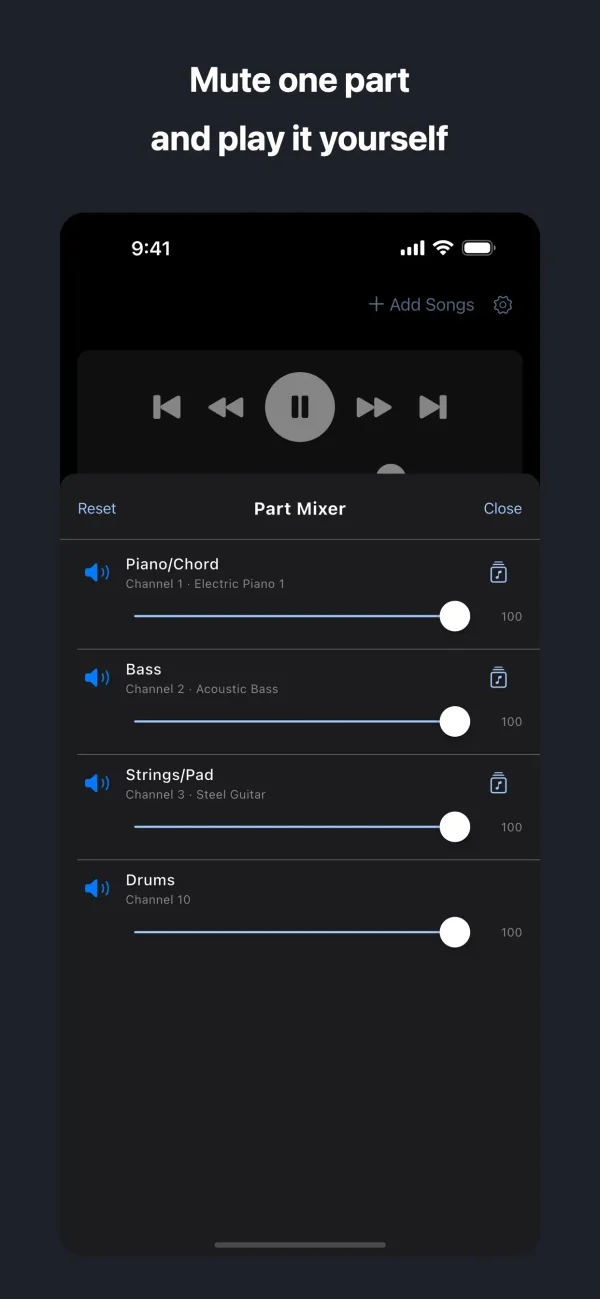
- Part mixer
Mute a part, change its volume, or swap its instrument. Mute the part you are practising and play along with the rest.
- No ads
The banner at the bottom of the screen goes away.
- Export and import playlists
Save the playlists you made to a file, and load them back.
One payment. Nothing further to pay.
Supported files
Standard MIDI File format 0 and 1 (.mid, .midi, .smf, .kar)
Supported devices
iPhone and iPad
Open-source software
MIDI playback uses TinySoundFont.
Copyright (C) 2017-2023 Bernhard Schelling (Based on SFZero, Copyright (C) 2012 Steve Folta)
MIT License
Sounds: GeneralUser GS by S. Christian Collins.
Contact
https://tenmais.jp/contact/
Yang baru
Versi 2.1.1 · 12/11/2026
Version 2.1.1
- Internal adjustments.
Privasi aplikasi
Yang dinyatakan Kenichi Ando di App Store tentang cara aplikasi ini menangani data.
-
Data yang digunakan untuk melacak Anda
Dapat digunakan untuk melacak Anda di aplikasi dan situs web milik perusahaan lain.
- Lokasi
- Pengenal
-
Data yang ditautkan dengan Anda
Dapat dikumpulkan dan ditautkan dengan identitas Anda.
- Lokasi
- Pengenal
Praktik privasi dapat bervariasi, misalnya berdasarkan fitur yang Anda gunakan atau usia Anda.
Informasi
- Penjual
- Kenichi Ando
- Kategori
- Musik
- Versi
- 2.1.1
- Diperbarui
- 12/11/2026
- Dirilis
- 14/9/2026
- Ukuran
- 63,9 MB
- Memerlukan
- iOS 15.0 atau yang lebih baru
- Batasan usia
- 4+
- Harga
- Gratis
- Pembelian dalam aplikasi
- Ya
- Bahasa
- Jerman, Inggris, Prancis, Italia, Jepang, Korea, Portugis, Spanyol, Tionghoa Tradisional, Tionghoa Sederhana
- Hak cipta
- © Kenichi Ando