Easy MIDI Player
Easy MP3 Player, for MIDI
Designed for iPhone, iPad, Mac, iPod touch
In-app purchases
- Age rating4+
- CategoryMusic
- DeveloperKenichi Ando
- LanguagesGerman+ 9 more
- Size63.9 MB
Links to the official App Store page
Download.org hosts no file of Easy MIDI Player. The button opens its official App Store page, published by Kenichi Ando. Listing last checked on Nov 23, 2026.
Screenshots
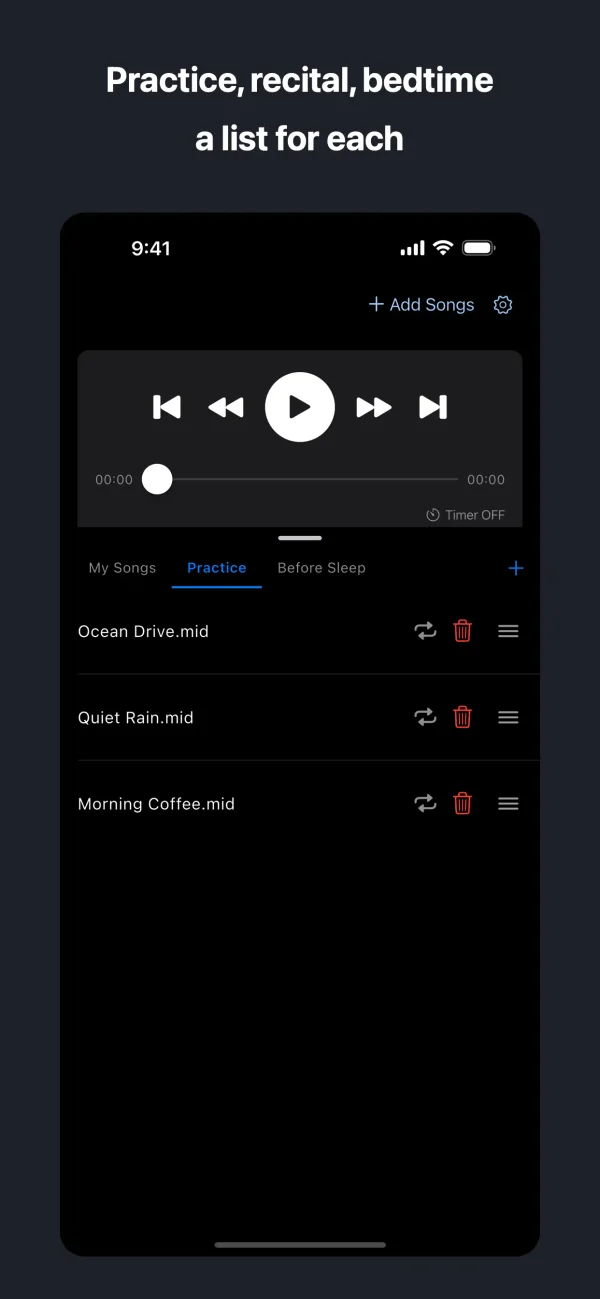

About
The player you know from Easy MP3 Player, now as an app made just for MIDI.
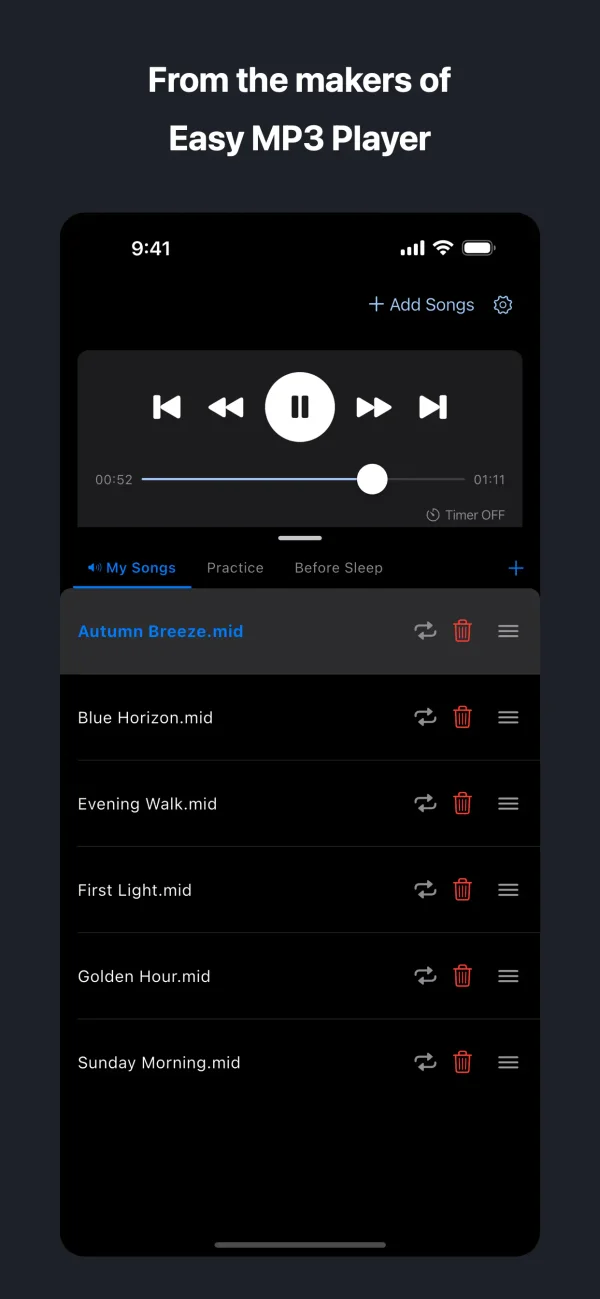
Same screens, same controls: pick a song and press play. The only difference is that it plays MIDI files. A built-in GM sound set does the playing, so there is no separate sound module to set up.
What makes it different
1. Open it and it plays
Pick a MIDI file (.mid, .midi, .smf, .kar) and it starts. No sound setup, no converting.
2. Choose your folder once
Point the app at the folder holding your songs, one time. From then on they are waiting the moment you open the app. No walking through the Files app again. You can register as many folders as you like.
3. Reorder with your finger
Press and hold a song, then drag it up or down. Remove the ones you no longer want, right there.
4. A playlist for each occasion
Make playlists with names that suit you: Practice, Recital, Before Sleep. Switching between them does not interrupt playback.
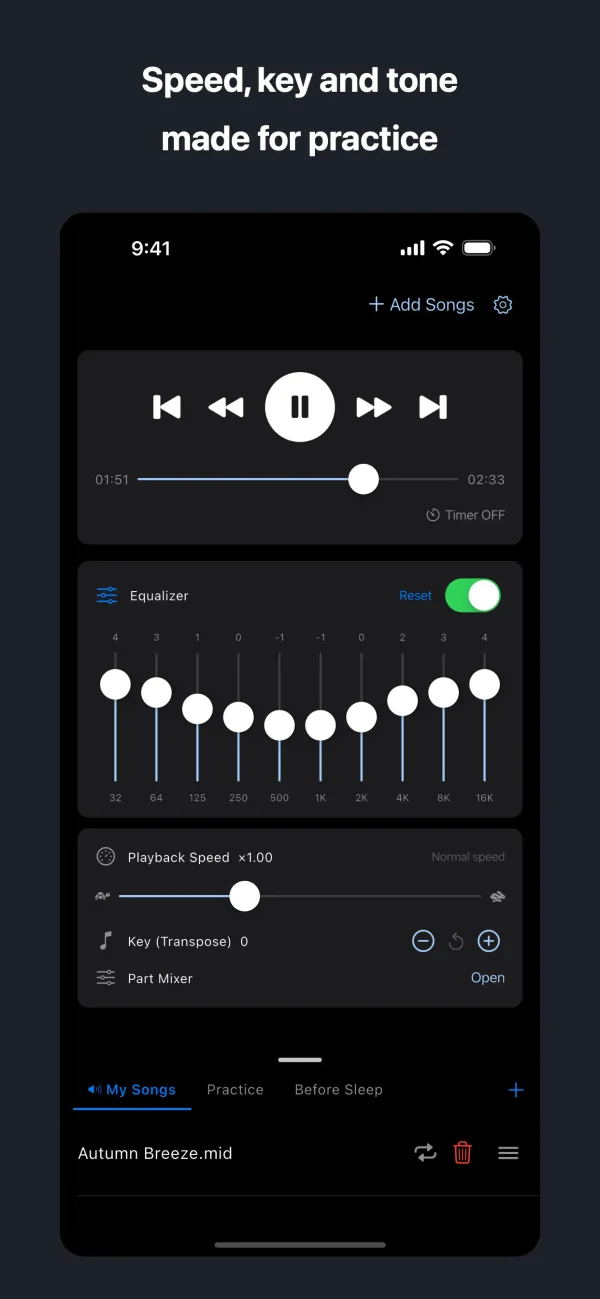
5. Ten-band equalizer
Adjust from low to high across ten bands. Your settings are still there next time you open the app.
6. A sleep timer that stops for you
Choose 15, 30, 45, 60 or 90 minutes. When the time is up, playback stops on its own.
7. Control it from the lock screen
Play, pause, skip and seek from the lock screen or Control Center.
Unlocked with a one-time purchase
- Playback speed
From 0.5x to 2x. The pitch stays where it is; only the speed changes. Useful when you want to slow a fast piece down and hear what is happening.
- Key (transpose)
Up to twelve semitones up or down. The drum part is left alone.
- Part mixer
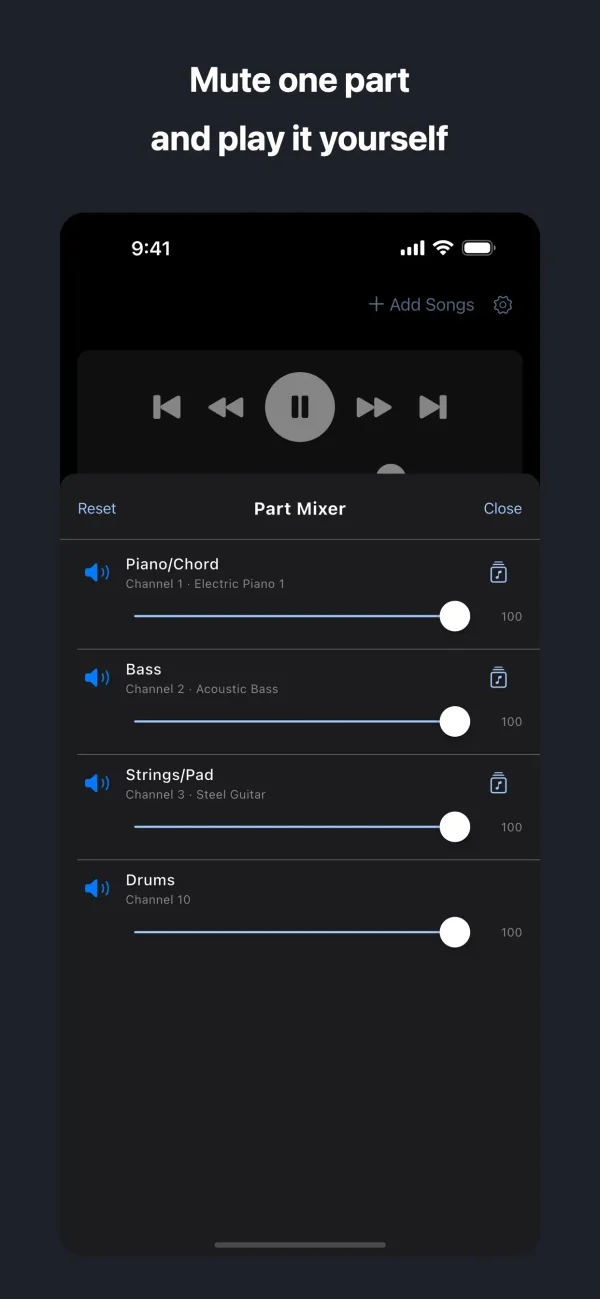
Mute a part, change its volume, or swap its instrument. Mute the part you are practising and play along with the rest.
- No ads
The banner at the bottom of the screen goes away.
- Export and import playlists
Save the playlists you made to a file, and load them back.
One payment. Nothing further to pay.
Supported files
Standard MIDI File format 0 and 1 (.mid, .midi, .smf, .kar)
Supported devices
iPhone and iPad
Open-source software
MIDI playback uses TinySoundFont.
Copyright (C) 2017-2023 Bernhard Schelling (Based on SFZero, Copyright (C) 2012 Steve Folta)
MIT License
Sounds: GeneralUser GS by S. Christian Collins.
Contact
https://tenmais.jp/contact/
What’s new
Version 2.1.1 · Nov 12, 2026
Version 2.1.1
- Internal adjustments.
App privacy
What Kenichi Ando declares on the App Store about how this app handles data.
-
Data used to track you
May be used to track you across apps and websites owned by other companies.
- Location
- Identifiers
-
Data linked to you
May be collected and linked to your identity.
- Location
- Identifiers
Privacy practices may vary, for example with the features you use or your age.
Information
- Seller
- Kenichi Ando
- Category
- Music
- Version
- 2.1.1
- Updated
- Nov 12, 2026
- Released
- Sep 14, 2026
- Size
- 63.9 MB
- Requires
- iOS 15.0 or later
- Age rating
- 4+
- In-app purchases
- Yes
- Languages
- German, English, French, Italian, Japanese, Korean, Portuguese, Spanish, Traditional Chinese, Simplified Chinese
- Copyright
- © Kenichi Ando
You might also like
-
 Midi HubMIDI Library & Piano Practice
-
 PodCall|Podcast Voice RecorderPress to record. Easy Editting
-
 Answer Tuner バイオリン音程チューナーMusic
-
 SMFPlayer PortableMusic
-
 NoteHoundSlow down songs to learn them
-
 CalcophonyThe Composer's Calculator
-
 MIDI MACHINEEndless melodic inspiration
-
 S98Player for iPhoneMusic
-
 Notely - Sheet Music ComposerCompose & Edit Sheet Music
-
 Fingering Strings •Interactive Fingering Guide