
Exacto
Photo Cut | Background Eraser
Dirancang untuk iPhone, iPad, iPod touch
Rp 59ribu
- Batasan usia4+
- KategoriFoto & Video
- PengembangTinkerworks Apps
- BahasaInggris+ 12 lainnya
- Ukuran29,7 MB
Tertaut ke halaman resmi App Store
Download.org tidak menyimpan file Exacto apa pun. Tombol ini membuka halaman aplikasi di App Store, tempat Tinkerworks Apps menerbitkannya. Halaman terakhir diperiksa pada 21/11/2026.
Tangkapan layar


Tentang
Pengembang belum menyediakan teks ini dalam bahasa Anda.
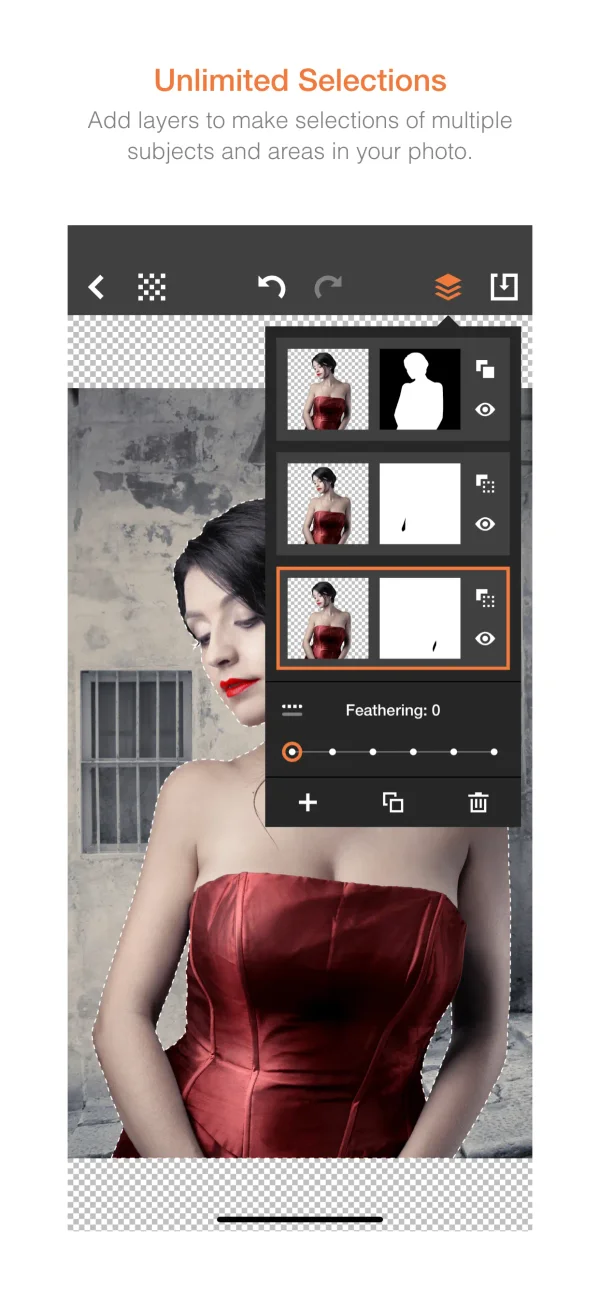
Quickly remove unwanted backgrounds or create razor-sharp photo cutouts with the Pen Selection Tool. Previously found only in advanced desktop programs, now available for the very first time on iPhone and iPad with a streamlined and much simplified implementation optimized for touch. This incredibly versatile tool offers unique capabilities unmatched by anything else on the App Store. It’s an integral part of the professional toolbox and artists and photographers have relied on it for decades. Now you can too! You no longer have to waste hours working on a single photo only to achieve less than satisfactory results. With Exacto you can make pixel-perfect selections that precisely trace the contours of any subject, no matter how intricate or complex. But that’s not all! Exacto even goes beyond the standard functionality of the Pen Selection Tool by introducing features that provide greater flexibility and control such as the ability to delete and insert points anywhere in the selection, the ability to reset control points, and most importantly, unlimited layers for making multiple selections. In addition, Exacto offers other advanced features that greatly enhance the user experience including unlimited undo / redo, projects autosave, instant preview, and much more!
Here’s how it works:
1 - Place points around an area of interest then drag them into position to make a selection.
2 - Add layers to make selections of multiple subjects and areas in your photo.
3 - Keep track of your progress with the full-size instant preview option.
4 - Made a mistake? With unlimited undo / redo your entire editing history is preserved, from start to finish. So you can go backward or forward as many steps as you need.
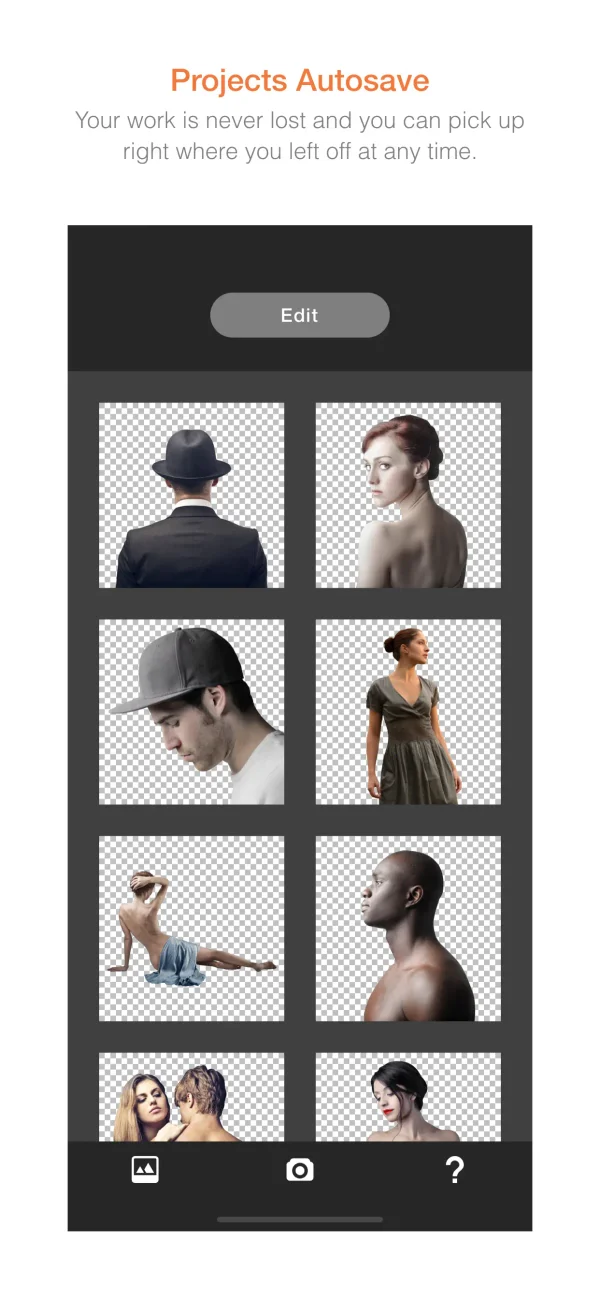
5 - Must leave in a hurry? With autosave your work is never lost and you can pick up right where you left off at any time.
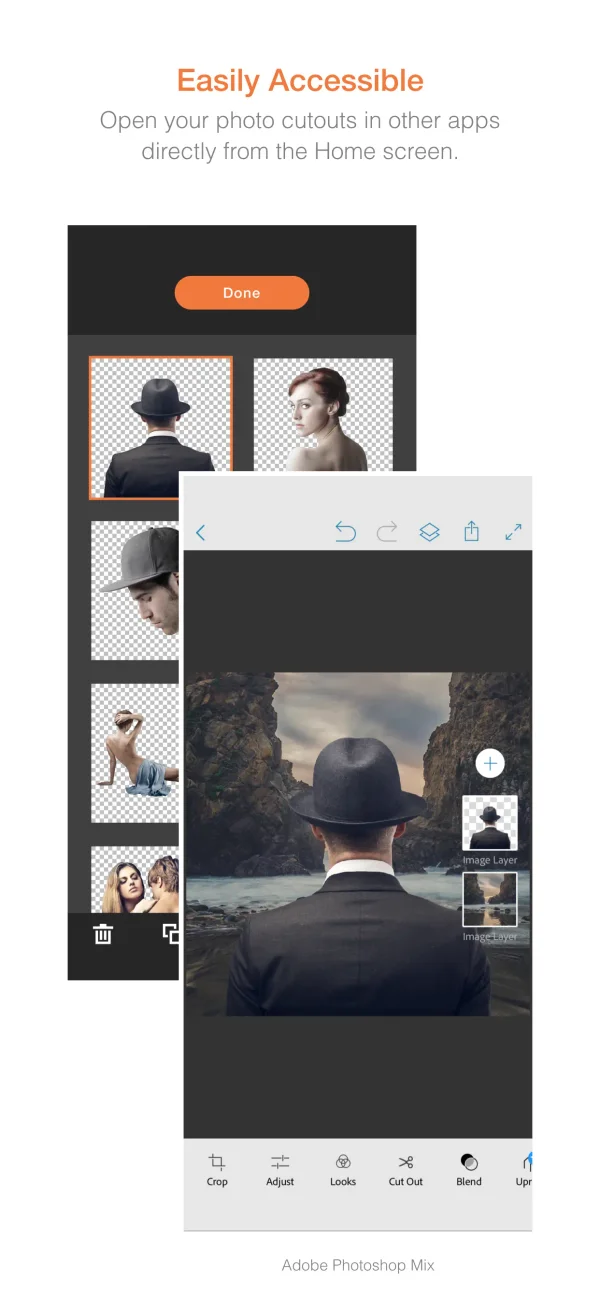
6 - All done? Save your photo cutout to the Camera Roll or open it in other apps.
There’s no limit to the fun and exciting ways you could use your photo cutouts. For example, you could:
1 - Superimpose them on different backgrounds.
2 - Insert them in work or school presentations.
3 - Use them as stickers in chats.
4 - Use them in creating decorative art.
5 - Print them out and make actual cardboard cutouts for special occasions.
and on and on!
Experiencing issues? Have comments or suggestions for future updates? Please contact us at support@exactoapp.com.
Yang baru
Versi 3.0 · 5/6/2024
◉ General improvements and optimizations.
Experiencing issues? Have comments or suggestions for future updates? Please contact us at support@exactoapp.com.
Privasi aplikasi
Yang dinyatakan Tinkerworks Apps di App Store tentang cara aplikasi ini menangani data.
-
Data tidak dikumpulkan
Pengembang tidak mengumpulkan data apa pun dari aplikasi ini.
Praktik privasi dapat bervariasi, misalnya berdasarkan fitur yang Anda gunakan atau usia Anda.
Informasi
- Penjual
- Tinkerworks Apps
- Kategori
- Foto & Video
- Versi
- 3.0
- Diperbarui
- 5/6/2024
- Dirilis
- 25/12/2016
- Ukuran
- 29,7 MB
- Memerlukan
- iOS 12.0 atau yang lebih baru
- Batasan usia
- 4+
- Harga
- Rp 59ribu
- Bahasa
- Inggris, Arab, Prancis, Jerman, Italia, Jepang, Korea, Portugis, Rusia, Tionghoa Sederhana, Spanyol, Tionghoa Tradisional + 1 lainnya
- Hak cipta
- © Tinkerworks Apps
Mungkin Anda juga suka
-
 Superimpose+:Background EraserFoto & Video
-
 Slow Shutter CamFoto & Video
-
 SuperimposeFoto & Video
-
 Photo Cutout- Potongan fotoPenghapus Latar Belakang
-
 LumaFusionFoto & Video
-
 Spectre CameraFoto & Video
-
 PhotoLayersFoto & Video
-
 Epson Print LayoutFoto & Video
-
 Affinity Photo 2 for iPadFoto & Video
-
 Penghapus BackgroundEdit Foto Latar Belakang