
Exacto
Photo Cut | Background Eraser
Được thiết kế cho iPhone, iPad, iPod touch
99.000đ
- Độ tuổi4+
- Danh mụcẢnh & Video
- Nhà phát triểnTinkerworks Apps
- Ngôn ngữTiếng Anh+ 12 ngôn ngữ khác
- Kích thước29,7 MB
Liên kết đến trang App Store chính thức
Download.org không lưu trữ tệp nào của Exacto. Nút này mở trang ứng dụng trên App Store, nơi Tinkerworks Apps phát hành ứng dụng. Trang được kiểm tra lần cuối: 21/11/2026.
Ảnh chụp màn hình


Giới thiệu
Nhà phát triển chưa cung cấp nội dung này bằng ngôn ngữ của bạn.
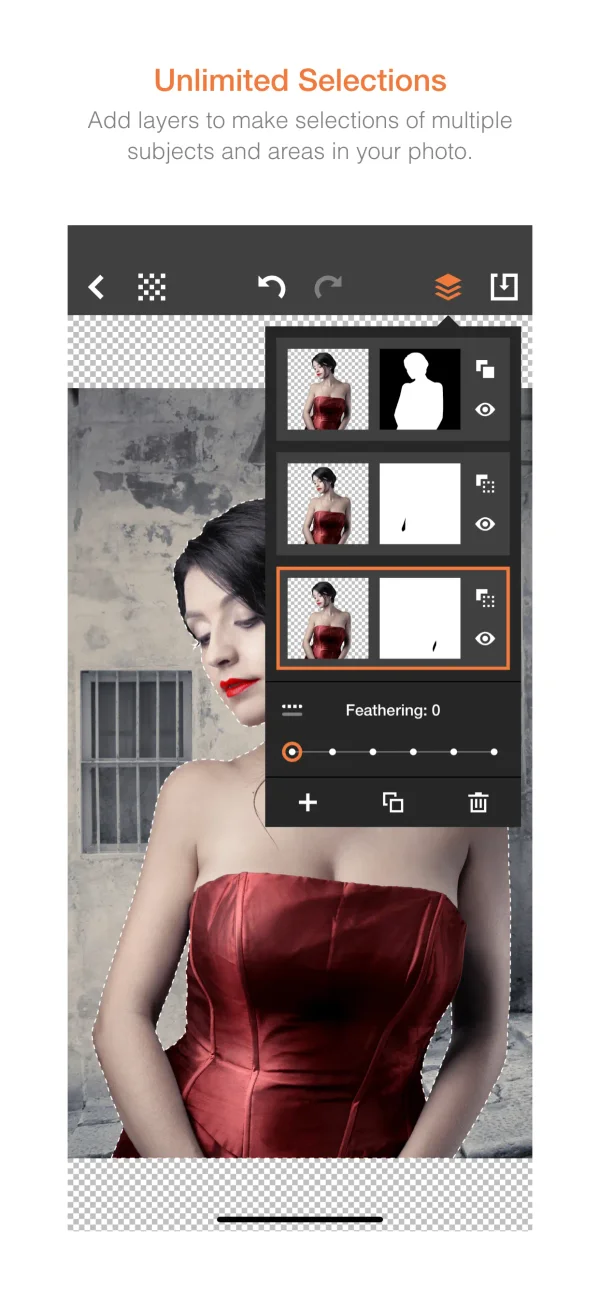
Quickly remove unwanted backgrounds or create razor-sharp photo cutouts with the Pen Selection Tool. Previously found only in advanced desktop programs, now available for the very first time on iPhone and iPad with a streamlined and much simplified implementation optimized for touch. This incredibly versatile tool offers unique capabilities unmatched by anything else on the App Store. It’s an integral part of the professional toolbox and artists and photographers have relied on it for decades. Now you can too! You no longer have to waste hours working on a single photo only to achieve less than satisfactory results. With Exacto you can make pixel-perfect selections that precisely trace the contours of any subject, no matter how intricate or complex. But that’s not all! Exacto even goes beyond the standard functionality of the Pen Selection Tool by introducing features that provide greater flexibility and control such as the ability to delete and insert points anywhere in the selection, the ability to reset control points, and most importantly, unlimited layers for making multiple selections. In addition, Exacto offers other advanced features that greatly enhance the user experience including unlimited undo / redo, projects autosave, instant preview, and much more!
Here’s how it works:
1 - Place points around an area of interest then drag them into position to make a selection.
2 - Add layers to make selections of multiple subjects and areas in your photo.
3 - Keep track of your progress with the full-size instant preview option.
4 - Made a mistake? With unlimited undo / redo your entire editing history is preserved, from start to finish. So you can go backward or forward as many steps as you need.
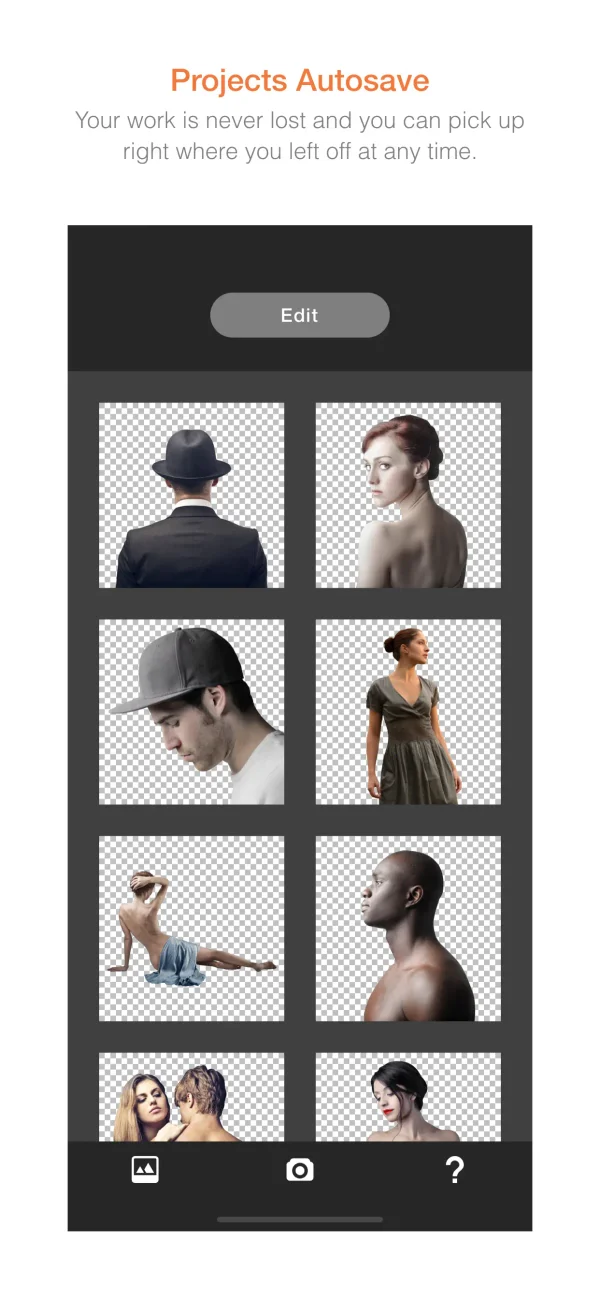
5 - Must leave in a hurry? With autosave your work is never lost and you can pick up right where you left off at any time.
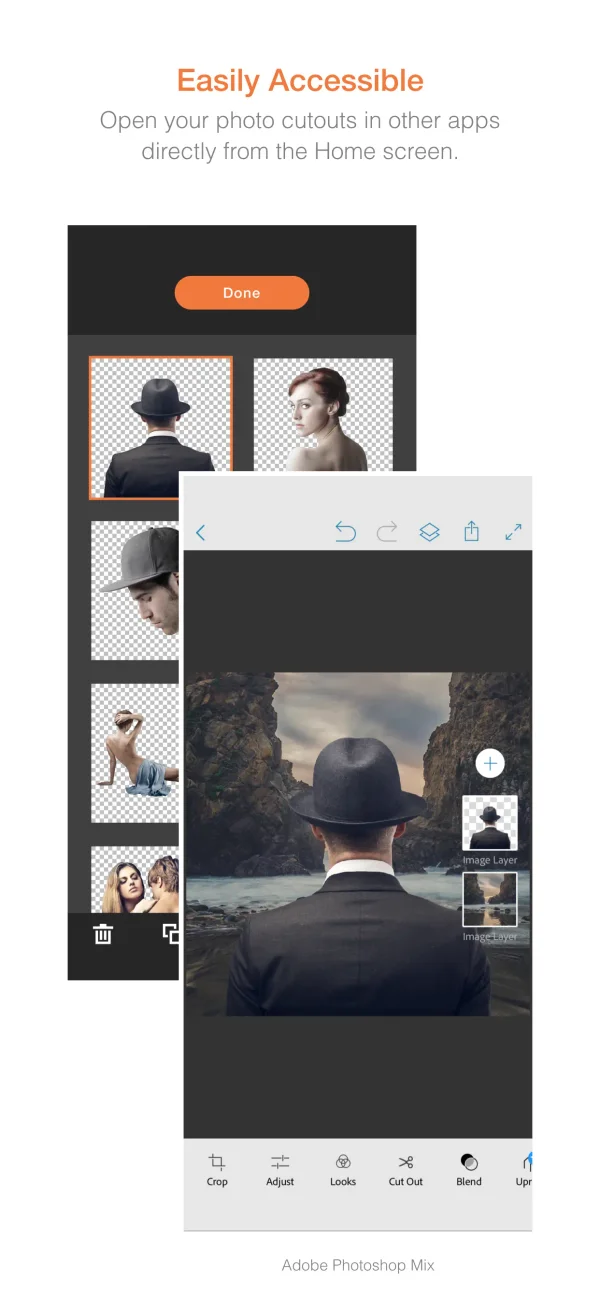
6 - All done? Save your photo cutout to the Camera Roll or open it in other apps.
There’s no limit to the fun and exciting ways you could use your photo cutouts. For example, you could:
1 - Superimpose them on different backgrounds.
2 - Insert them in work or school presentations.
3 - Use them as stickers in chats.
4 - Use them in creating decorative art.
5 - Print them out and make actual cardboard cutouts for special occasions.
and on and on!
Experiencing issues? Have comments or suggestions for future updates? Please contact us at support@exactoapp.com.
Có gì mới
Phiên bản 3.0 · 05/06/2024
◉ General improvements and optimizations.
Experiencing issues? Have comments or suggestions for future updates? Please contact us at support@exactoapp.com.
Quyền riêng tư của ứng dụng
Những gì Tinkerworks Apps khai báo trên App Store về cách ứng dụng này xử lý dữ liệu.
-
Dữ liệu không được thu thập
Nhà phát triển không thu thập bất kỳ dữ liệu nào từ ứng dụng này.
Phương thức đảm bảo quyền riêng tư có thể khác nhau, chẳng hạn như tuỳ theo các tính năng bạn sử dụng hoặc độ tuổi của bạn.
Thông tin
- Người bán
- Tinkerworks Apps
- Danh mục
- Ảnh & Video
- Phiên bản
- 3.0
- Cập nhật
- 05/06/2024
- Phát hành
- 25/12/2016
- Kích thước
- 29,7 MB
- Yêu cầu
- iOS 12.0 trở lên
- Độ tuổi
- 4+
- Giá
- 99.000đ
- Ngôn ngữ
- Tiếng Anh, Tiếng Ả Rập, Tiếng Pháp, Tiếng Đức, Tiếng Ý, Tiếng Nhật, Tiếng Hàn, Tiếng Bồ Đào Nha, Tiếng Nga, Tiếng Trung Giản thể, Tiếng Tây Ban Nha, Tiếng Trung Phồn thể + 1 ngôn ngữ khác
- Bản quyền
- © Tinkerworks Apps
Có thể bạn cũng thích
-
 Superimpose+:Background EraserẢnh & Video
-
 Slow Shutter CamẢnh & Video
-
 SuperimposeẢnh & Video
-
 Photo Cutout-Xóa NềnChỉnh sửa ảnh, làm đẹp ảnh
-
 LumaFusionẢnh & Video
-
 Spectre CameraẢnh & Video
-
 PhotoLayersẢnh & Video
-
 Epson Print LayoutẢnh & Video
-
 Affinity Photo 2 for iPadẢnh & Video
-
 tách nền ảnhai ghép ảnh thẻ,cắt ghép hình