Fav Timer
Your fav, your timer
Dirancang untuk iPhone
Gratis · Pembelian dalam aplikasi
- Batasan usia4+
- KategoriProduktivitas
- PengembangHYUNGKI KIM
- BahasaJepang+ 5 lainnya
- Ukuran4,5 MB
Tertaut ke halaman resmi App Store
Download.org tidak menyimpan file Fav Timer apa pun. Tombol ini membuka halaman aplikasi di App Store, tempat HYUNGKI KIM menerbitkannya. Halaman terakhir diperiksa pada 12/11/2026.
Tangkapan layar

Tentang
Pengembang belum menyediakan teks ini dalam bahasa Anda.
Fav Timer — your fav, in the frame.
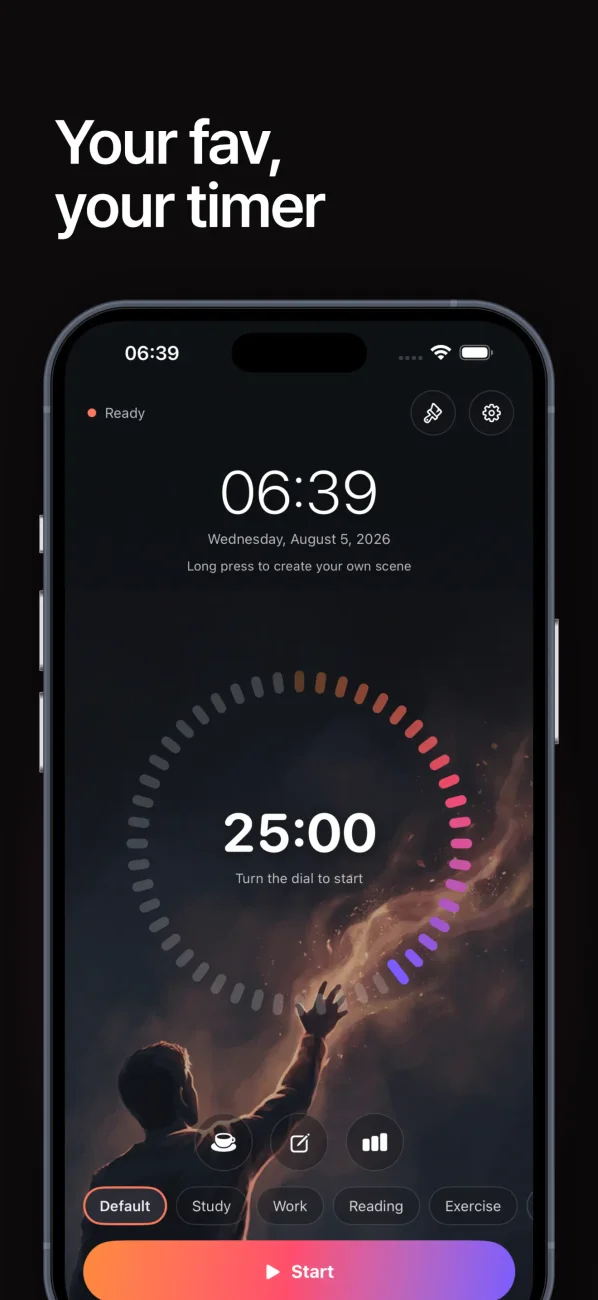
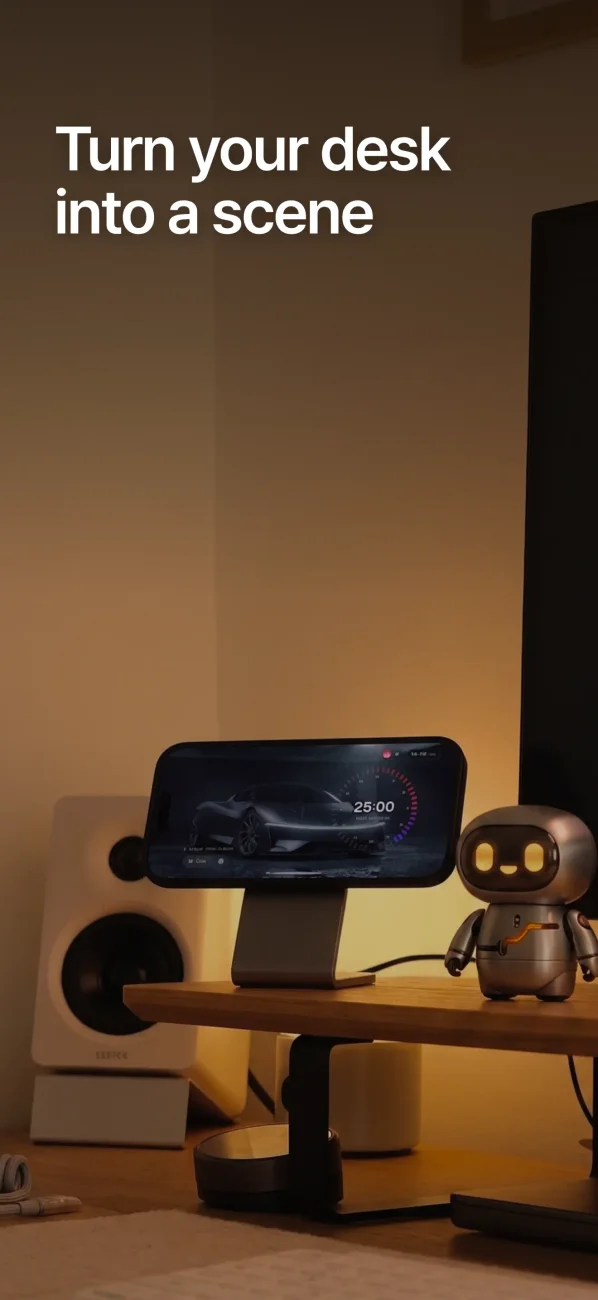
Most timers sit on top of your wallpaper. Fav Timer puts the timer inside the picture — your image, GIF, or video and the analog dial become one scene. Spin to start, watch the time drain away, and focus with your fav right there.
Make it a scene
Any photo or GIF as your background — or video, with Premium. Crop it, position it, make it fit — your original file is never touched. Your favorite character. Your bias. Your fighter jet. That one photo that calms you down. If you love it, it goes on the dial.
Spin, don't type
A 48-tick analog dial. Spin to start, tap to pause, hold to end. Time drains as a gradient, so you feel it instead of reading it. Pomodoro for deep work, or any length you want.
One tap, a whole new mood (Premium)
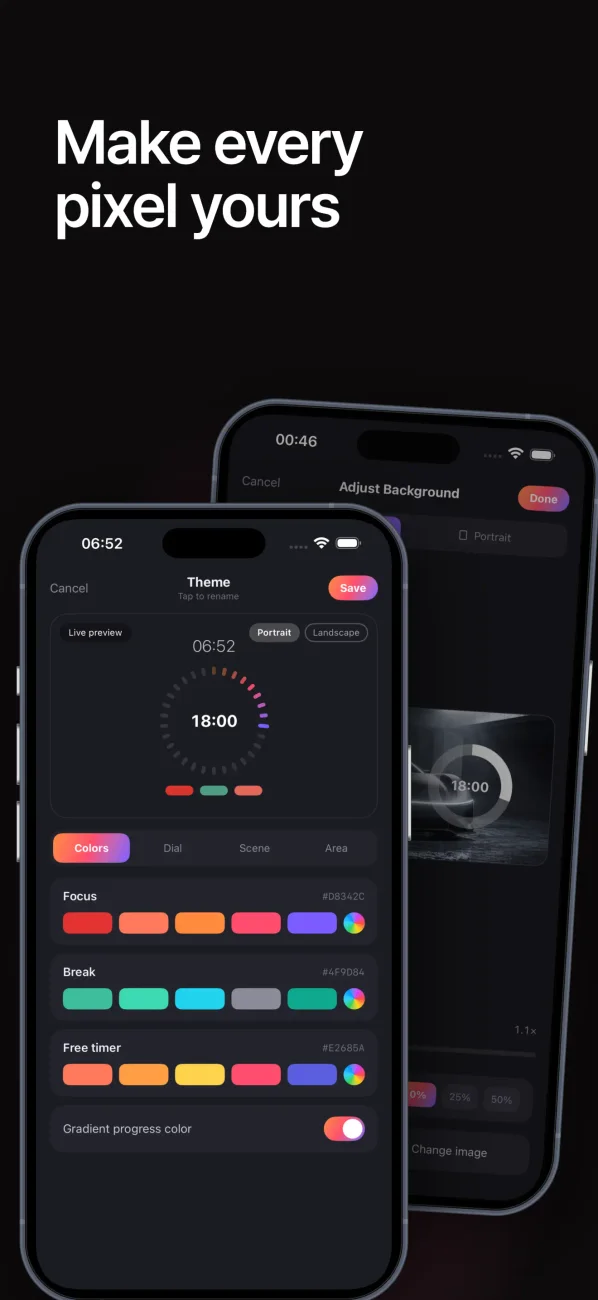
Give each tag its own theme — #study, #workout, #reading. Then tap that tag on the main screen and the whole scene swaps before you start. A different fav for every part of your day.
Nothing but the scene
Double-tap the background and the interface disappears — just your fav and the time left. Nothing else to look at. That it makes a good screenshot is a side effect.
Focus, rewarded
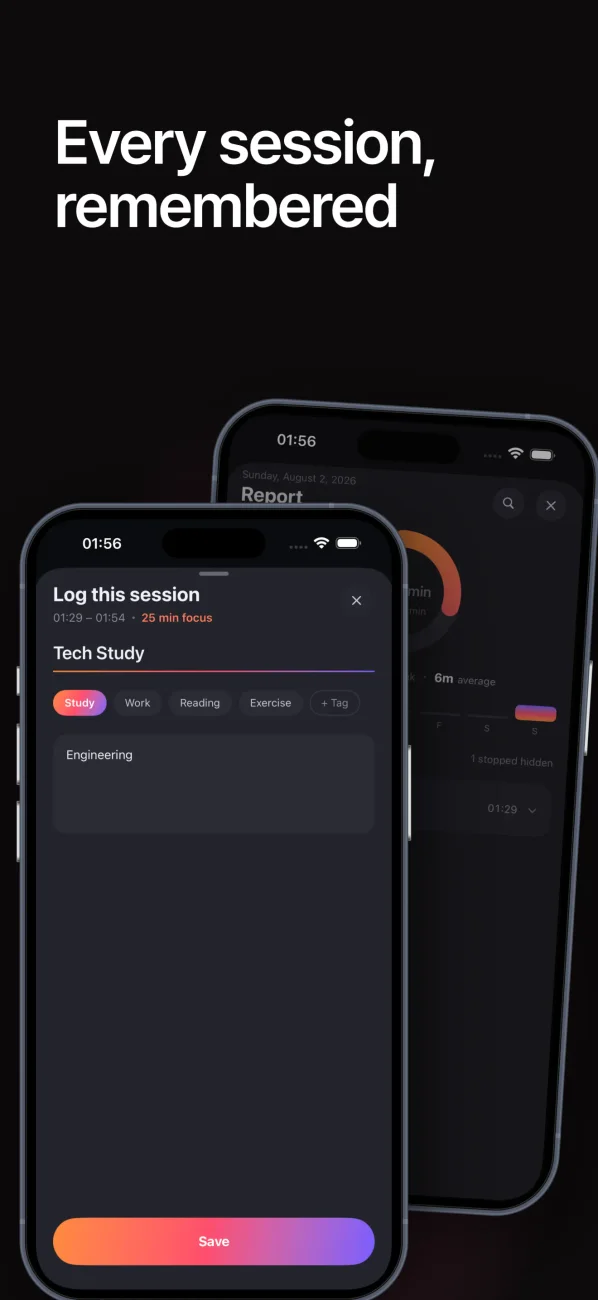
Titles, tags, and notes on every session — tagging is free. A daily goal ring, weekly charts, and a Lock Screen Live Activity so you can start your break without opening the app.
Yours, and only yours
No account. No server. No ads. No analytics. Photos you set as a background are copied into the app's private storage on your device and never leave it.
Free includes the full timer, image and GIF scenes, one custom theme, and your recent history. Premium is a one-time purchase — not a subscription — unlocking unlimited themes, Arc and Wedge dial styles, tag auto-swap, video backgrounds with loop trimming, and full history search.
Yang baru
Versi 1.1.1 · 18/10/2026
What's new in 1.1.1
• You can now end a timer from the button at the bottom: press and hold Pause or Resume for 1 second. A line fills around the button as you hold
• In landscape, a stop button now appears next to Pause and Resume. Press and hold it for 1 second to end the timer
Fixes
• Tapping the middle of the dial to pause no longer changes the remaining time by mistake
• Ending a timer by holding is more reliable: if the timer finishes while you're holding, the break that starts automatically keeps going, and opening Control Center mid-hold no longer ends the timer
Privasi aplikasi
Yang dinyatakan HYUNGKI KIM di App Store tentang cara aplikasi ini menangani data.
-
Data tidak dikumpulkan
Pengembang tidak mengumpulkan data apa pun dari aplikasi ini.
Praktik privasi dapat bervariasi, misalnya berdasarkan fitur yang Anda gunakan atau usia Anda.
Informasi
- Penjual
- HYUNGKI KIM
- Kategori
- Produktivitas
- Versi
- 1.1.1
- Diperbarui
- 18/10/2026
- Dirilis
- 18/8/2026
- Ukuran
- 4,5 MB
- Memerlukan
- iOS 17.0 atau yang lebih baru
- Batasan usia
- 4+
- Harga
- Gratis
- Pembelian dalam aplikasi
- Ya
- Bahasa
- Jepang, Spanyol, Portugis, Tionghoa Sederhana, Inggris, Korea
- Hak cipta
- © 2026 AssistLabs
Mungkin Anda juga suka
-
 Pomodoro Timer: Oshipomo!Produktivitas
-
 AtoNannichi CountdownProduktivitas
-
 Leveling: RPG FokusBelajar, bekerja, naik level
-
 Pomodoro: 심플한 뽀모도로 타이머Produktivitas
-
 ttokidoki - Focus with FriendsProduktivitas
-
 Focus Train: Pomodoro TimerProduktivitas
-
 Petatto TODOProduktivitas
-
 PiPButtonProduktivitas
-
 FocusBeats: Study Music TimerProduktivitas
-
 Pomodoro Timer: CoffeePomodoroFokus & Produktivitas