
Fav Timer
Your fav, your timer
Được thiết kế cho iPhone
Miễn phí · Mua hàng trong ứng dụng
- Độ tuổi4+
- Danh mụcHiệu Suất
- Nhà phát triểnHYUNGKI KIM
- Ngôn ngữTiếng Nhật+ 5 ngôn ngữ khác
- Kích thước4,5 MB
Liên kết đến trang App Store chính thức
Download.org không lưu trữ tệp nào của Fav Timer. Nút này mở trang ứng dụng trên App Store, nơi HYUNGKI KIM phát hành ứng dụng. Trang được kiểm tra lần cuối: 12/11/2026.
Ảnh chụp màn hình

Giới thiệu
Nhà phát triển chưa cung cấp nội dung này bằng ngôn ngữ của bạn.
Fav Timer — your fav, in the frame.
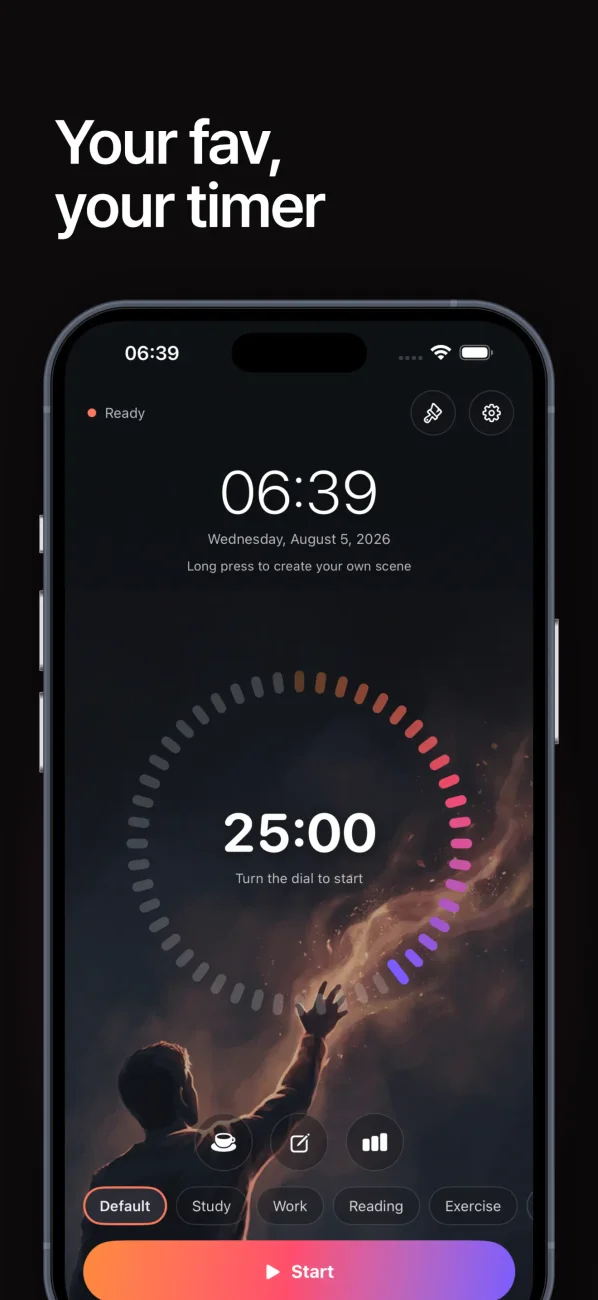
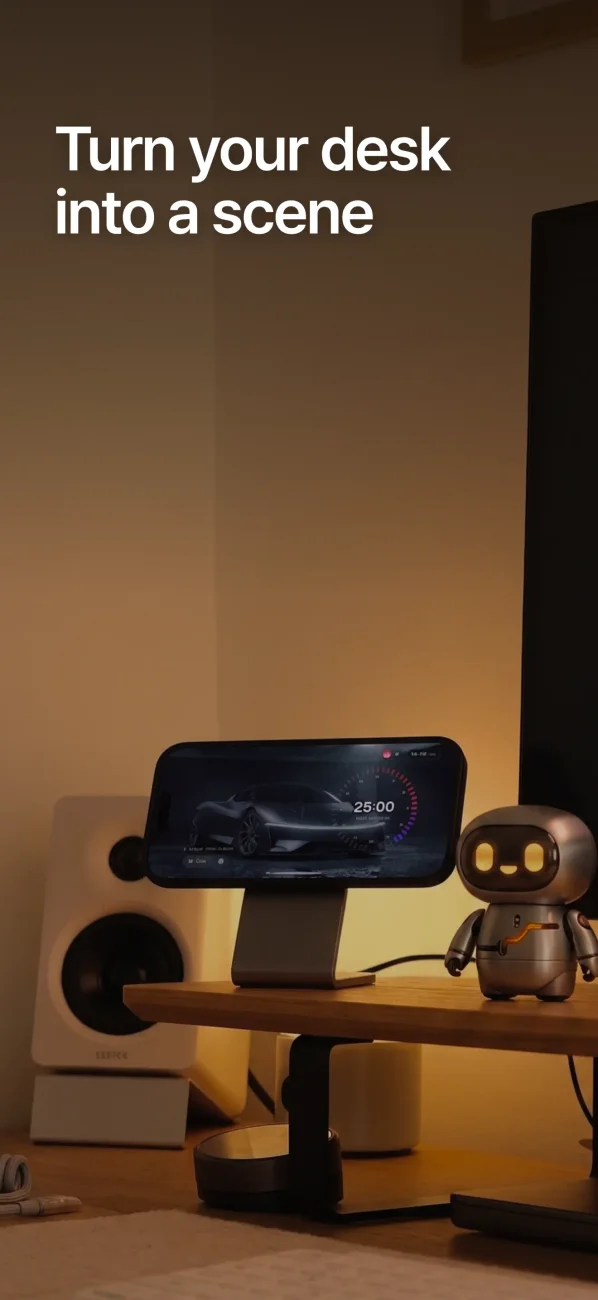
Most timers sit on top of your wallpaper. Fav Timer puts the timer inside the picture — your image, GIF, or video and the analog dial become one scene. Spin to start, watch the time drain away, and focus with your fav right there.
Make it a scene
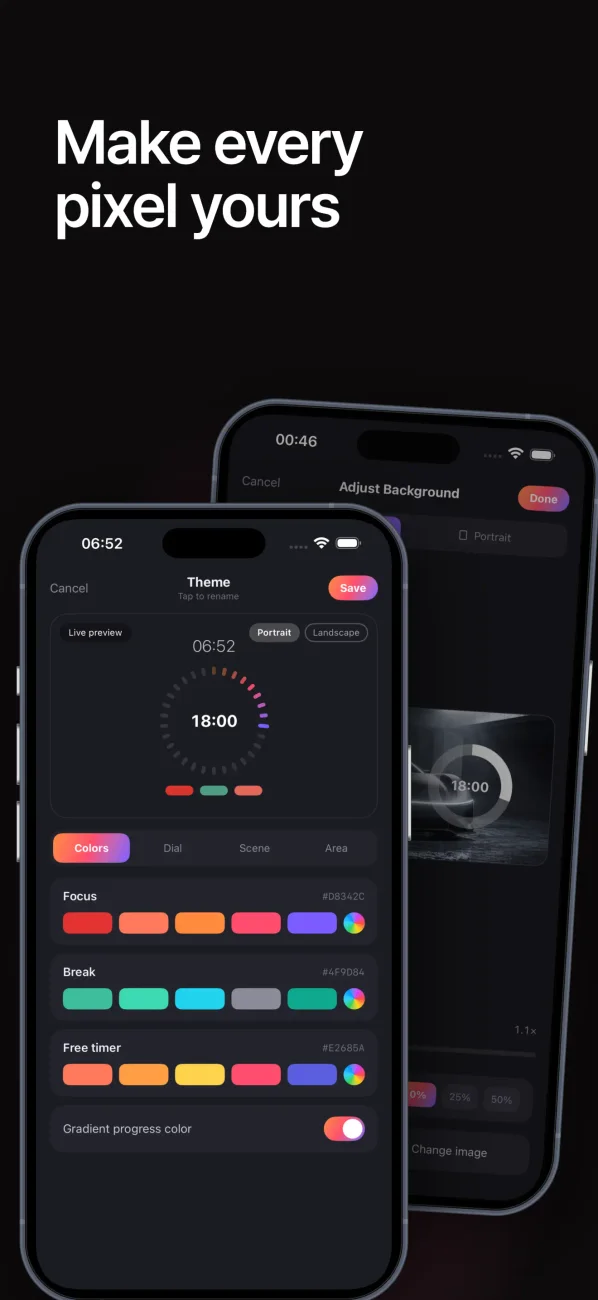
Any photo or GIF as your background — or video, with Premium. Crop it, position it, make it fit — your original file is never touched. Your favorite character. Your bias. Your fighter jet. That one photo that calms you down. If you love it, it goes on the dial.
Spin, don't type
A 48-tick analog dial. Spin to start, tap to pause, hold to end. Time drains as a gradient, so you feel it instead of reading it. Pomodoro for deep work, or any length you want.
One tap, a whole new mood (Premium)
Give each tag its own theme — #study, #workout, #reading. Then tap that tag on the main screen and the whole scene swaps before you start. A different fav for every part of your day.
Nothing but the scene
Double-tap the background and the interface disappears — just your fav and the time left. Nothing else to look at. That it makes a good screenshot is a side effect.
Focus, rewarded
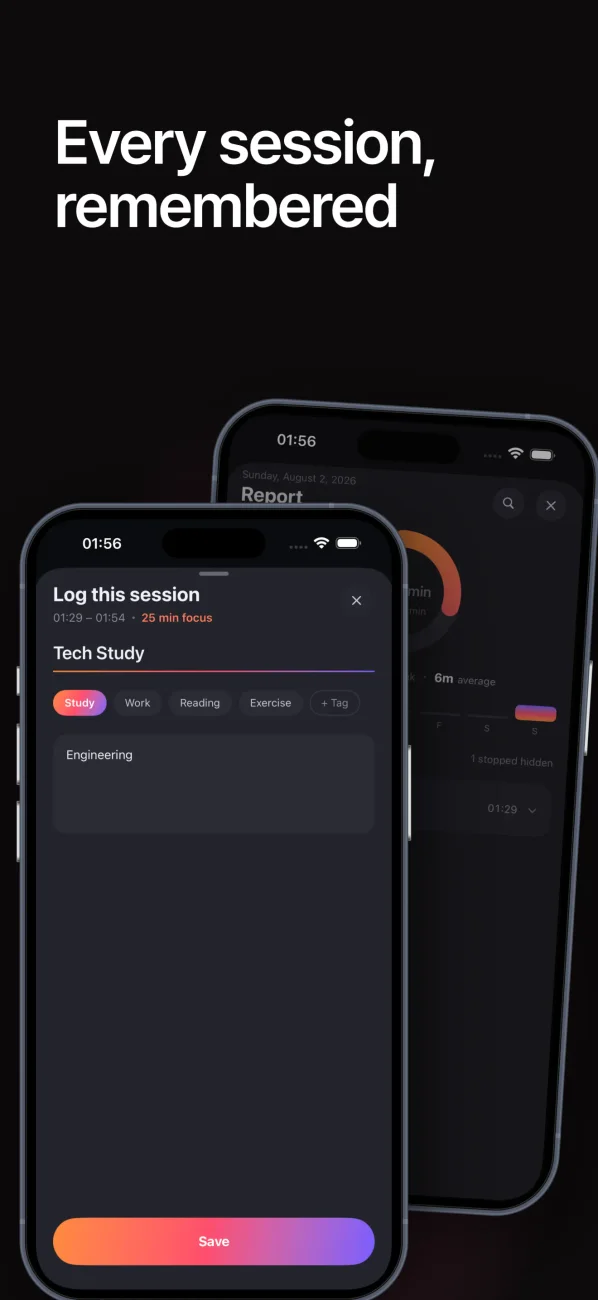
Titles, tags, and notes on every session — tagging is free. A daily goal ring, weekly charts, and a Lock Screen Live Activity so you can start your break without opening the app.
Yours, and only yours
No account. No server. No ads. No analytics. Photos you set as a background are copied into the app's private storage on your device and never leave it.
Free includes the full timer, image and GIF scenes, one custom theme, and your recent history. Premium is a one-time purchase — not a subscription — unlocking unlimited themes, Arc and Wedge dial styles, tag auto-swap, video backgrounds with loop trimming, and full history search.
Có gì mới
Phiên bản 1.1.1 · 18/10/2026
What's new in 1.1.1
• You can now end a timer from the button at the bottom: press and hold Pause or Resume for 1 second. A line fills around the button as you hold
• In landscape, a stop button now appears next to Pause and Resume. Press and hold it for 1 second to end the timer
Fixes
• Tapping the middle of the dial to pause no longer changes the remaining time by mistake
• Ending a timer by holding is more reliable: if the timer finishes while you're holding, the break that starts automatically keeps going, and opening Control Center mid-hold no longer ends the timer
Quyền riêng tư của ứng dụng
Những gì HYUNGKI KIM khai báo trên App Store về cách ứng dụng này xử lý dữ liệu.
-
Dữ liệu không được thu thập
Nhà phát triển không thu thập bất kỳ dữ liệu nào từ ứng dụng này.
Phương thức đảm bảo quyền riêng tư có thể khác nhau, chẳng hạn như tuỳ theo các tính năng bạn sử dụng hoặc độ tuổi của bạn.
Thông tin
- Người bán
- HYUNGKI KIM
- Danh mục
- Hiệu Suất
- Phiên bản
- 1.1.1
- Cập nhật
- 18/10/2026
- Phát hành
- 18/08/2026
- Kích thước
- 4,5 MB
- Yêu cầu
- iOS 17.0 trở lên
- Độ tuổi
- 4+
- Giá
- Miễn phí
- Mua hàng trong ứng dụng
- Có
- Ngôn ngữ
- Tiếng Nhật, Tiếng Tây Ban Nha, Tiếng Bồ Đào Nha, Tiếng Trung Giản thể, Tiếng Anh, Tiếng Hàn
- Bản quyền
- © 2026 AssistLabs
Có thể bạn cũng thích
-
 Pomodoro Timer: Oshipomo!Hiệu Suất
-
 AtoNannichi CountdownHiệu Suất
-
 Leveling: RPG tập trungHọc, làm việc và lên cấp
-
 Pomodoro: 심플한 뽀모도로 타이머Hiệu Suất
-
 ttokidoki - Focus with FriendsHiệu Suất
-
 Focus Train: Pomodoro TimerHiệu Suất
-
 Petatto TODOHiệu Suất
-
 PiPButtonHiệu Suất
-
 FocusBeats: Study Music TimerHiệu Suất
-
 Đồng hồ Pomodoro: CoffeePomoTập Trung & Năng Suất