Fire Notes: Burn Journal
Diary, scanner & voice notes
Dirancang untuk iPhone
Gratis · Pembelian dalam aplikasi
- Batasan usia4+
- KategoriProduktivitas
- PengembangIvan Trendafilovski
- BahasaInggris+ 8 lainnya
- Ukuran27,0 MB
Tertaut ke halaman resmi App Store
Download.org tidak menyimpan file Fire Notes: Burn Journal apa pun. Tombol ini membuka halaman aplikasi di App Store, tempat Ivan Trendafilovski menerbitkannya. Halaman terakhir diperiksa pada 28/11/2026.
Tangkapan layar
Tentang
Pengembang belum menyediakan teks ini dalam bahasa Anda.
Some thoughts are meant to be written down. Not all of them are meant to be kept.
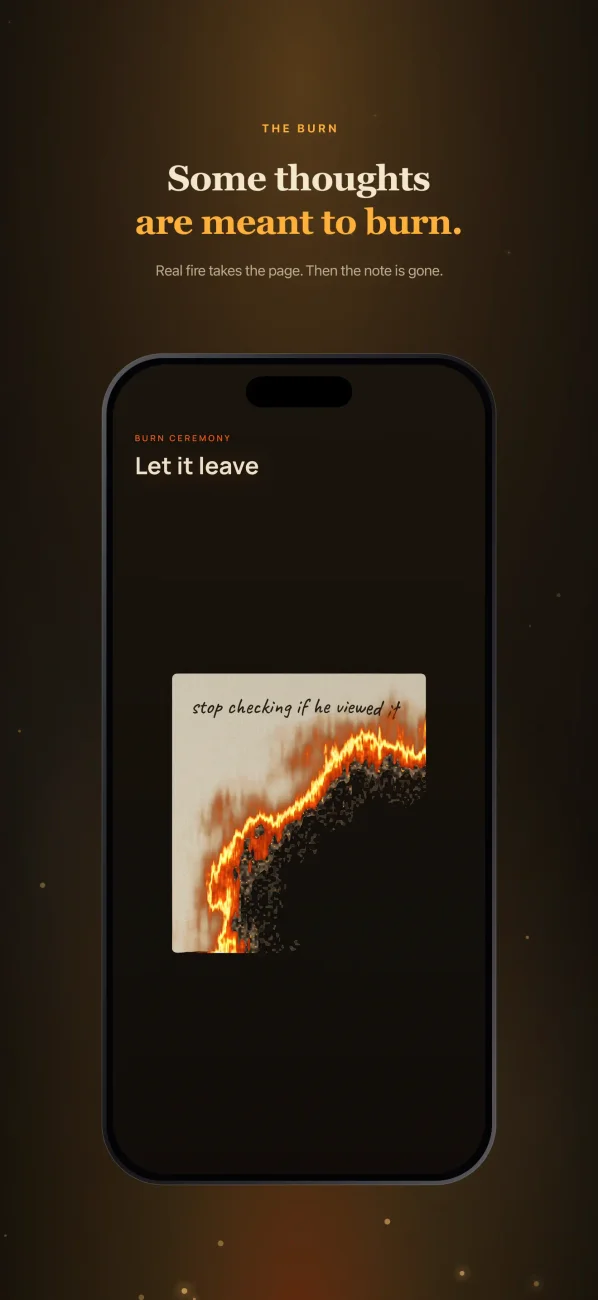
Fire Notes is a private notebook with one unusual feature: you can burn a note. Fire, rendered live on your screen — the paper catches, chars and falls away as ash. When the flame goes out, the note is gone.
It's oddly satisfying. It's also the point.
WRITE ANYTHING
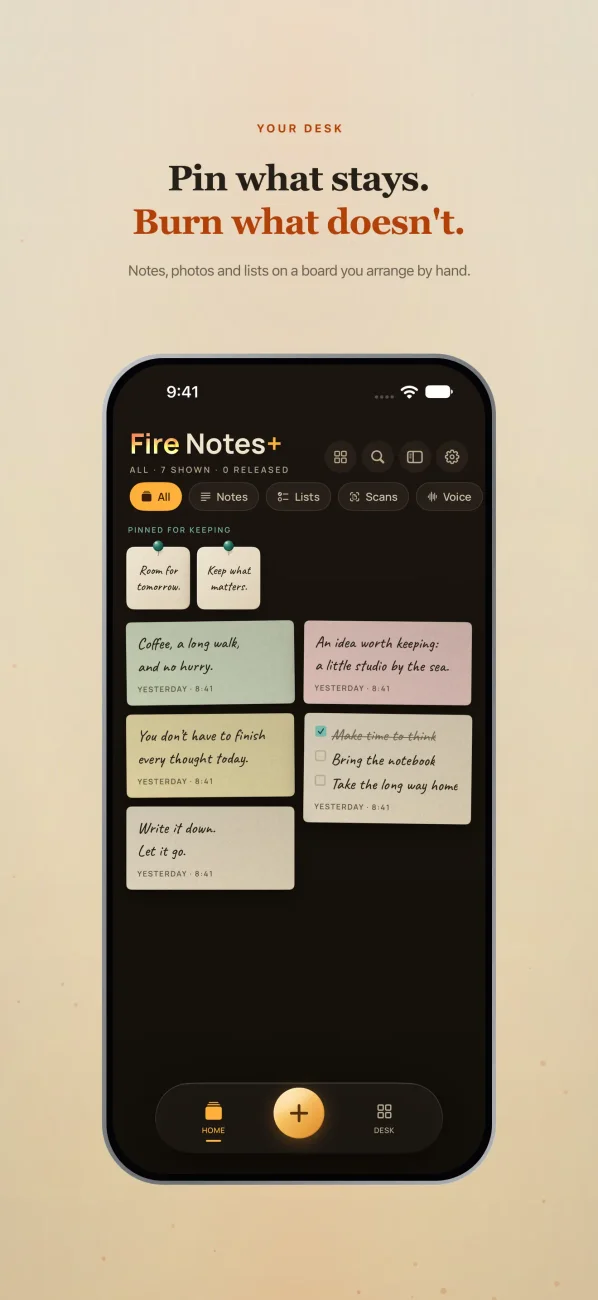
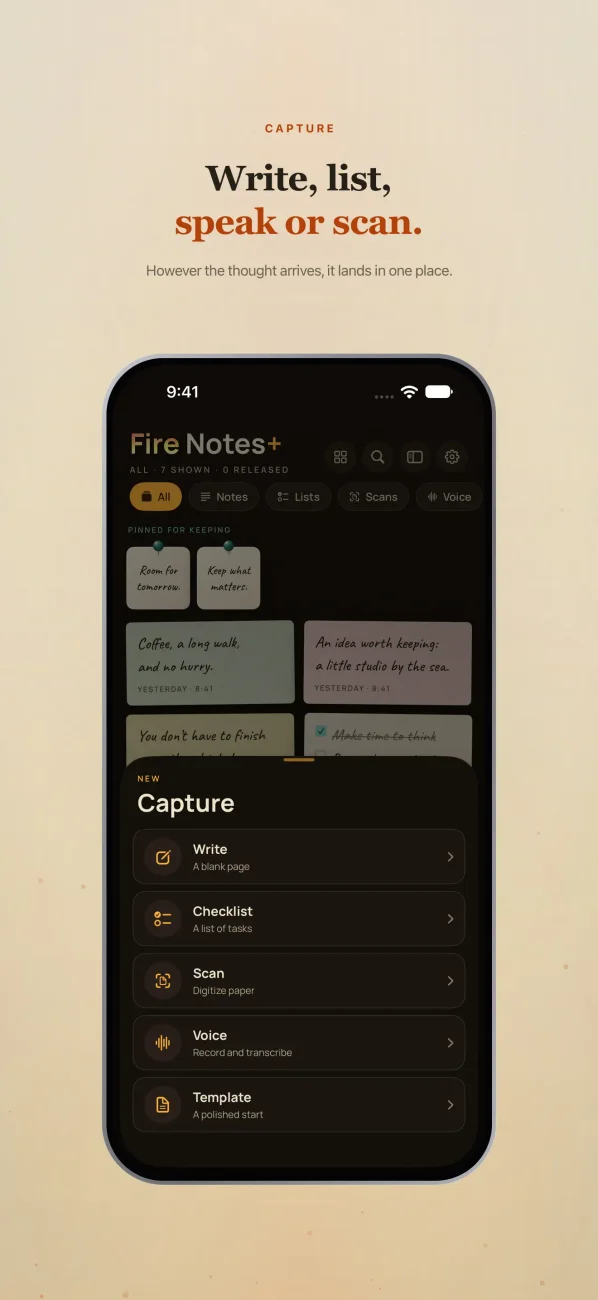
• A fast, beautiful editor with rich text, checklists, headings and highlights
• Choose your paper and your handwriting — from clean type to a looping script
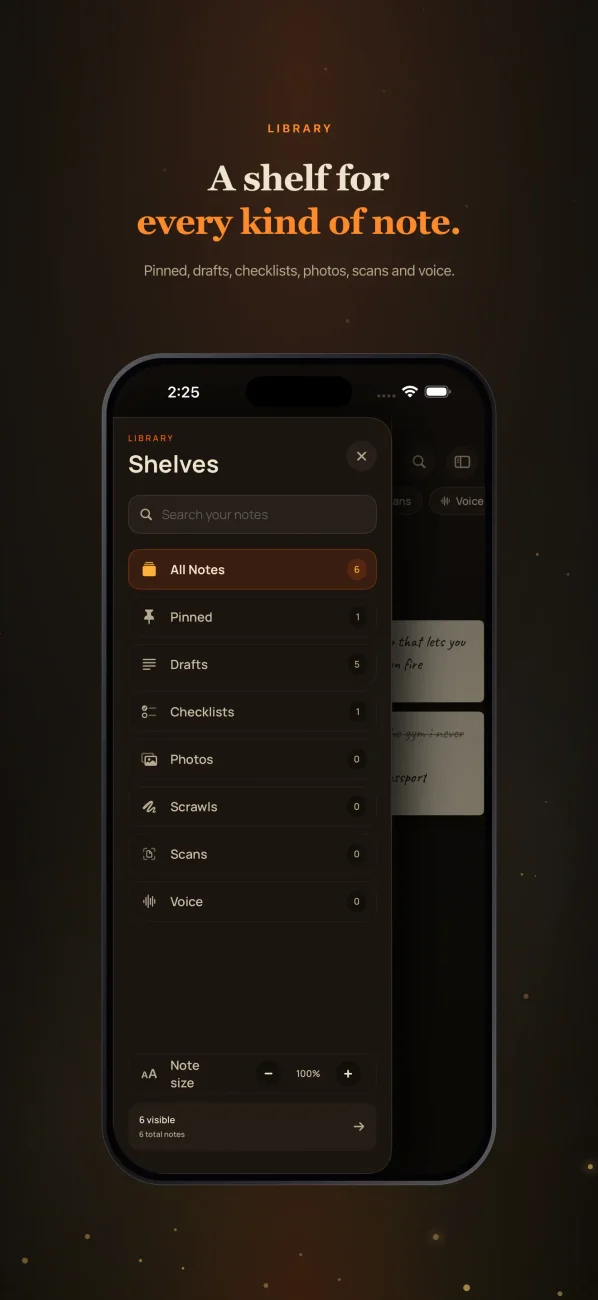
• Photos, shelves and compact pinned notes on a board you can rearrange by hand
• Choose from 20 pin designs in one compact Settings gallery
• Share a web link or selected text straight to Clippings and reopen the source later
• Find and save searches with Smart Shelves, including open checklists and upcoming burns
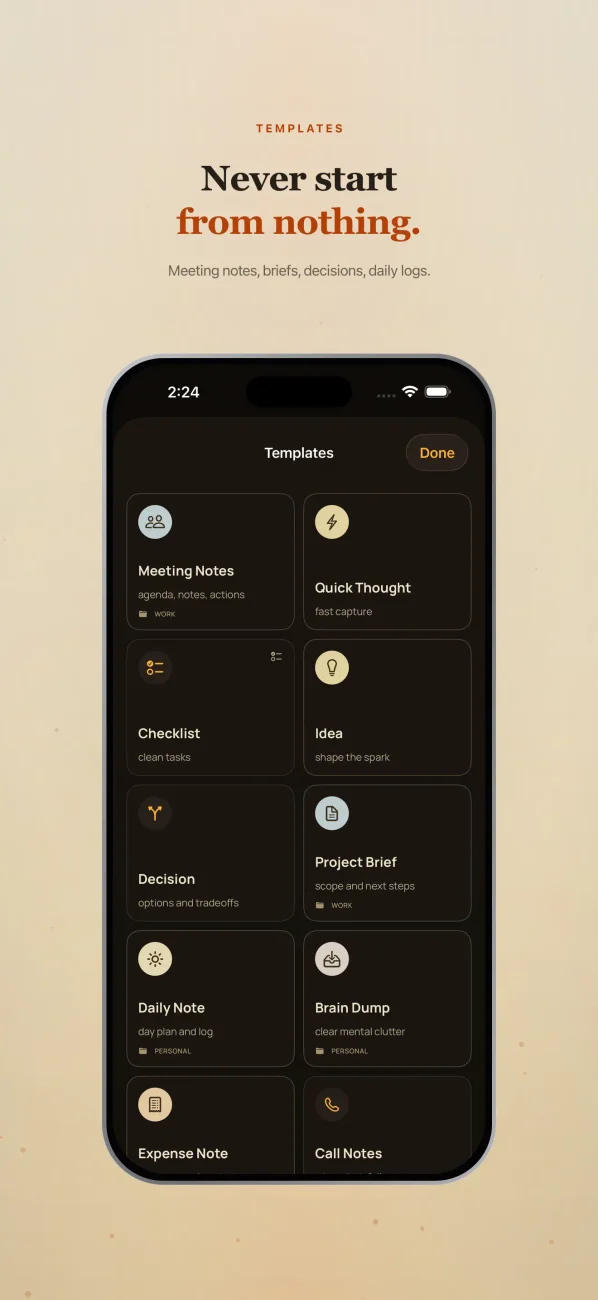
• Make reusable text and checklist templates with your own words
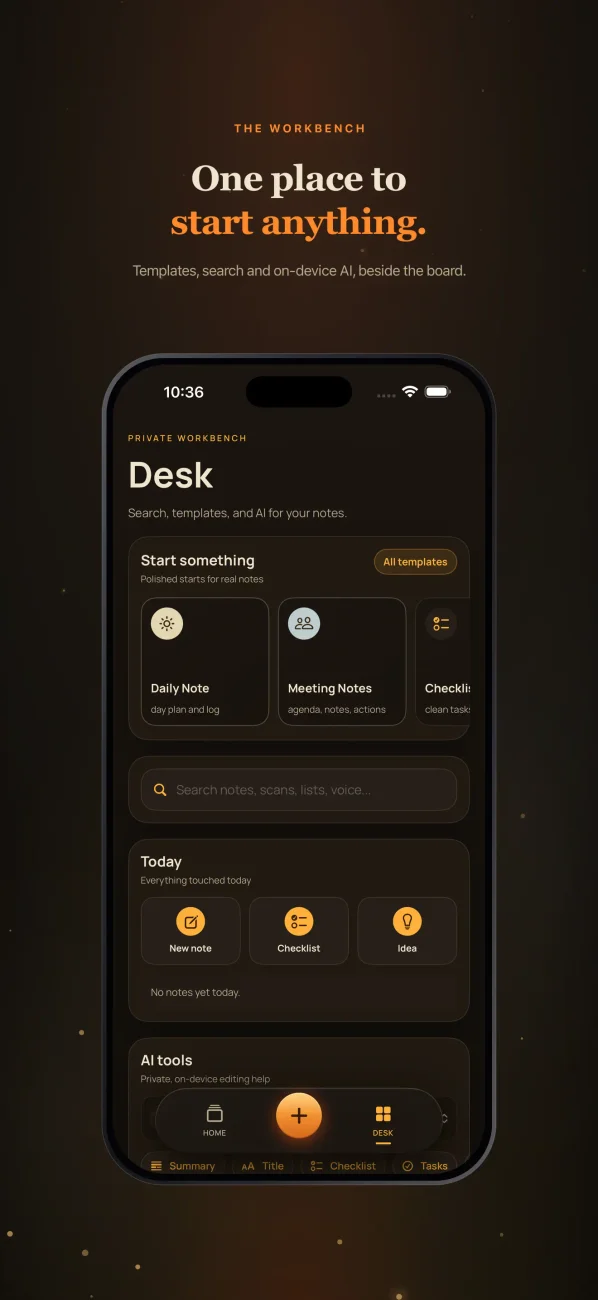
• Search notes and checklist items, duplicate a note, or shuffle loose notes with undo
LET IT GO
• Burn a note in a moment, or hold for the full cinematic ceremony
• A slow, soft flame with drifting smoke, glowing embers and falling ash
• Use the microphone or press and hold to light the flame
• Set an auto-burn timer when a note is only for now
• Ashes records released notes with a date and an optional one-word tag
• Turn on Quiet Burn to return to your notebook after the flame goes out
SCAN YOUR PAPER
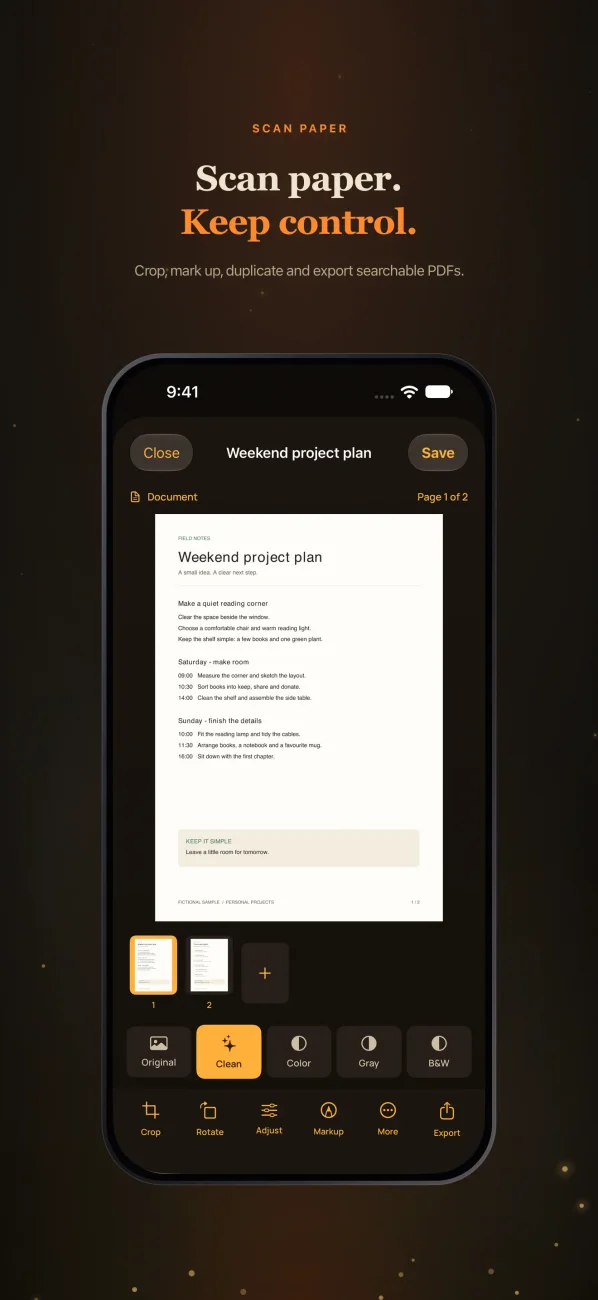
• Scan receipts, bills and letters, or import photos and PDFs into a multipage document
• Find page edges, correct perspective, crop, rotate and adjust the image
• Clean up the page with filters; duplicate a page or apply one filter to the whole document
• Add pen marks, highlights or handwriting, with undo for page edits
• Read and correct recognized text on your device, then find a scan by the words inside it
• Export a searchable PDF, page images or plain text, with the current page order and markup
• Keep documents in their own shelves, show one on Home, or move it to Shoebox when you're done
CAPTURE YOUR VOICE
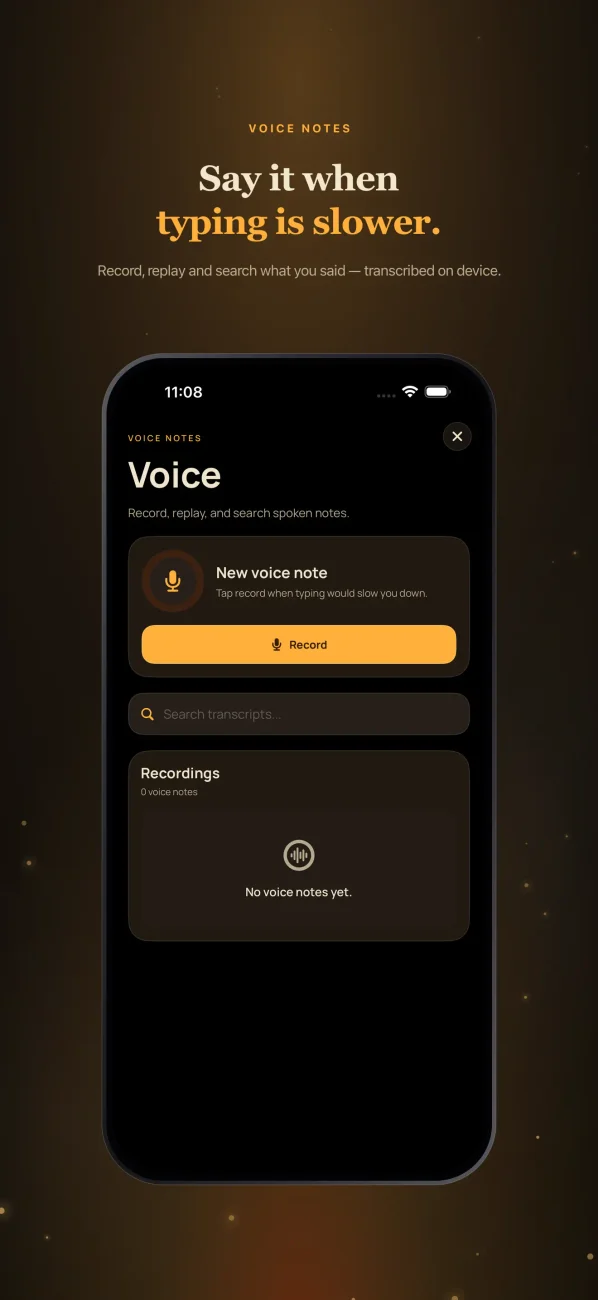
• Record, pause, replay and seek through a voice note
• Read, copy or retry its on-device transcript
• Share the recording with its transcript, or keep it safely in Shoebox
PRIVATE BY DESIGN
• Notes and scans live on your device and in your own iCloud, never on our servers
• Face ID app lock, plus a separate lock for the notes that matter most
• Locked and sealed content stays out of previews and content search
• No account. No ads.
ALSO IN THE BOX
• A gold capture button that catches the light as you tilt your iPhone
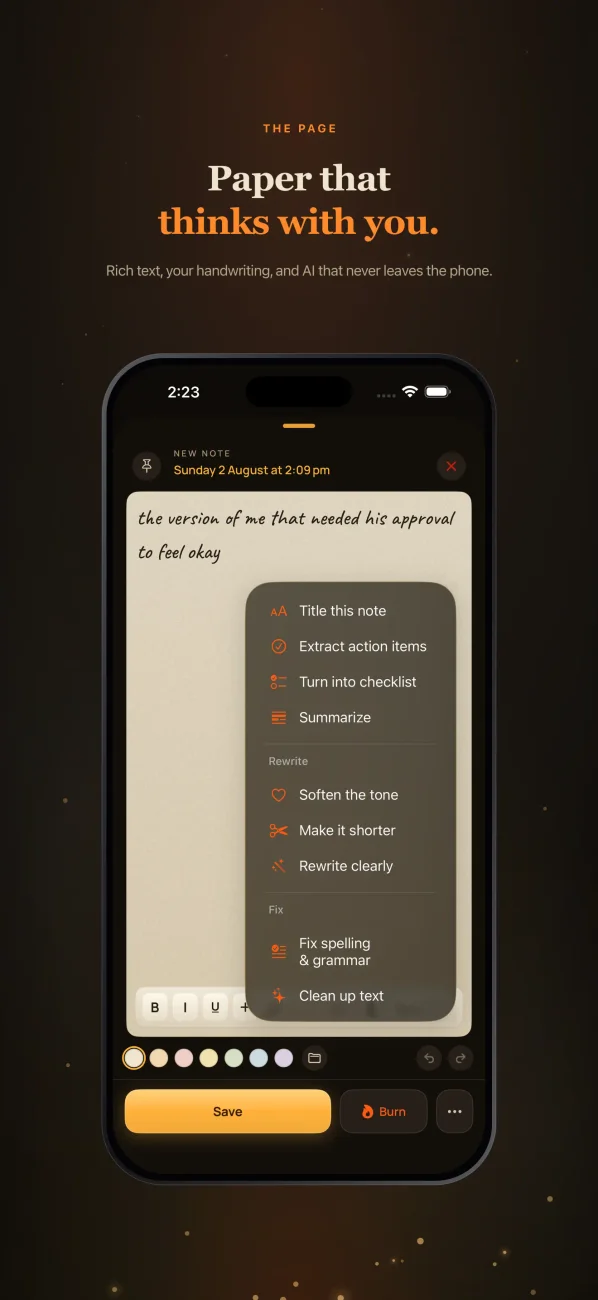
• On-device AI to fix, rewrite or reshape your words on compatible Apple Intelligence devices
• Export notes, checklists and drawings when you decide to keep them
• Reduce Motion support and a readable menu for note actions
FIRE NOTES+
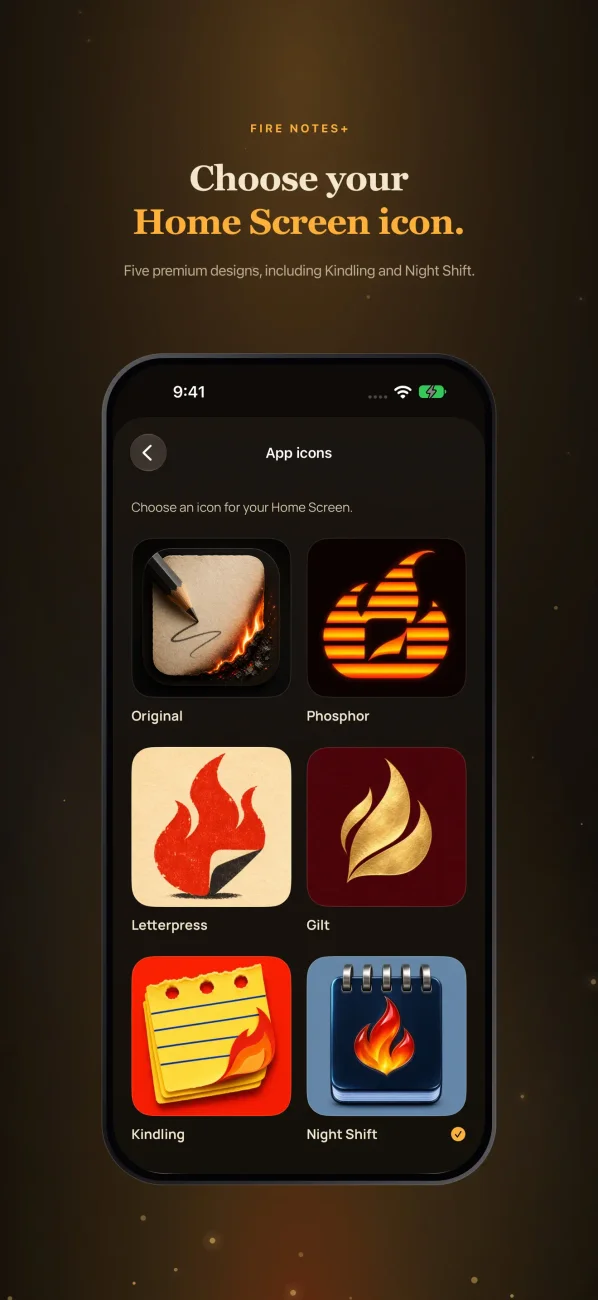
A one-time purchase. No subscription, ever. It unlocks the document scanner, voice capture and dictation, AI writing tools on compatible devices, premium burn styles, clean exports and five alternate Home Screen icons. Choose Phosphor, Letterpress, Gilt, Kindling or Night Shift. Buy it once and it's yours on every device you sign in with.
The notebook itself stays free. Write as much as you like. Burn as much as you like.
Write it down. Let it go.
Yang baru
Versi 1.2 · 27/11/2026
Save a link or a passage while you’re reading. Share it to Fire Notes, add a thought, and find it in Clippings. Tap the arrow on a saved link to return to the original page.
• Keep a Smart Shelf for unfinished checklists or upcoming burns. It updates as your notes change.
• Turn a favorite note or checklist into a reusable template. Each use starts a fresh copy.
• Turn on Quiet Burn to return to your notebook as soon as the flame goes out.
• Choose from five new Fire Notes+ Home Screen icons, including Phosphor’s amber scan lines, Kindling’s paper flame, and the Night Shift spiral notepad.
Home opens faster on return visits, and Desk loads recent notes more quickly in large notebooks. You can revisit these highlights anytime in Settings → What’s New.
Privasi aplikasi
Yang dinyatakan Ivan Trendafilovski di App Store tentang cara aplikasi ini menangani data.
-
Data yang tidak ditautkan dengan Anda
Dapat dikumpulkan, tetapi tidak ditautkan dengan identitas Anda.
- Pembelian
- Pengenal
Praktik privasi dapat bervariasi, misalnya berdasarkan fitur yang Anda gunakan atau usia Anda.
Informasi
- Penjual
- Ivan Trendafilovski
- Kategori
- Produktivitas
- Versi
- 1.2
- Diperbarui
- 27/11/2026
- Dirilis
- 2/9/2026
- Ukuran
- 27,0 MB
- Memerlukan
- iOS 17.0 atau yang lebih baru
- Batasan usia
- 4+
- Harga
- Gratis
- Pembelian dalam aplikasi
- Ya
- Bahasa
- Inggris, Prancis, Jerman, Italia, Jepang, Korea, Makedonia, Portugis, Spanyol
- Hak cipta
- © 2026 Studio84
Mungkin Anda juga suka
-
 Journal Write: Minimal DiaryProduktivitas
-
 PomoTask: Pomodoro Focus TimerProduktivitas
-
 MemNote: Context-Aware MemoryProduktivitas
-
 Where is it kept?Produktivitas
-
 Noteleaf: Handwritten NotesProduktivitas
-
 HabitaraProduktivitas
-
 LifeHack: AI Life CoachProduktivitas
-
 Bible Notes AIProduktivitas
-
 Offprint: Web to PDF & EPUBProduktivitas
-
 Blip NotesProduktivitas