Fire Notes: Burn Journal
Diary, scanner & voice notes
Được thiết kế cho iPhone
Miễn phí · Mua hàng trong ứng dụng
- Độ tuổi4+
- Danh mụcHiệu Suất
- Nhà phát triểnIvan Trendafilovski
- Ngôn ngữTiếng Anh+ 8 ngôn ngữ khác
- Kích thước27,0 MB
Liên kết đến trang App Store chính thức
Download.org không lưu trữ tệp nào của Fire Notes: Burn Journal. Nút này mở trang ứng dụng trên App Store, nơi Ivan Trendafilovski phát hành ứng dụng. Trang được kiểm tra lần cuối: 28/11/2026.
Ảnh chụp màn hình
Giới thiệu
Nhà phát triển chưa cung cấp nội dung này bằng ngôn ngữ của bạn.
Some thoughts are meant to be written down. Not all of them are meant to be kept.
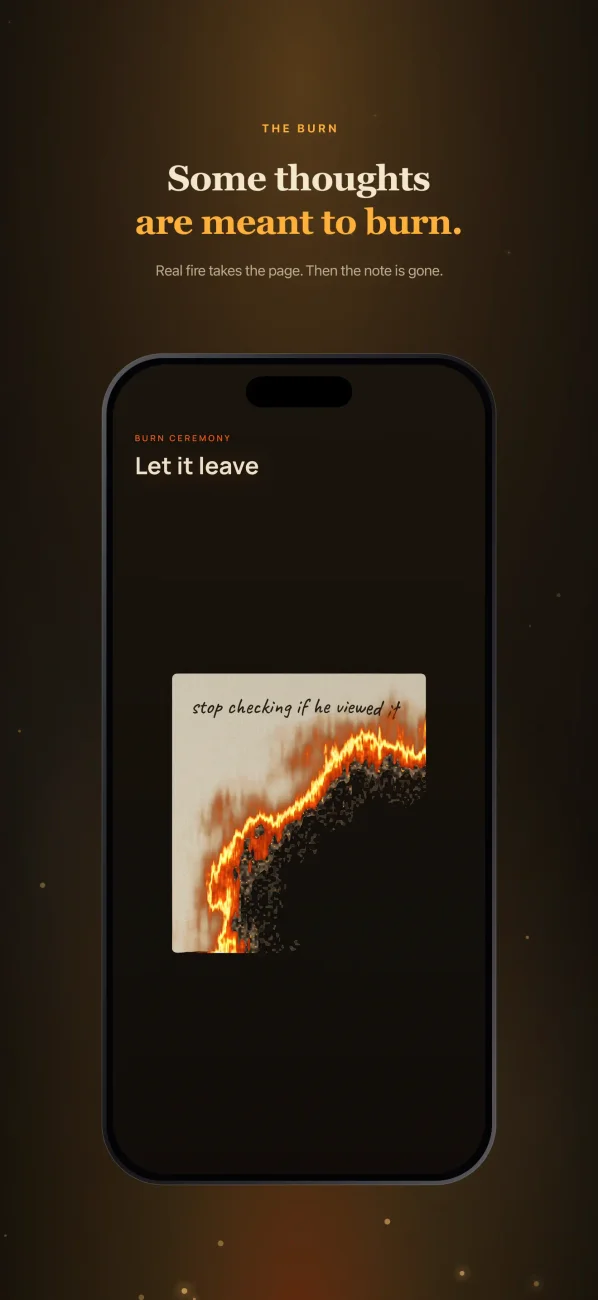
Fire Notes is a private notebook with one unusual feature: you can burn a note. Fire, rendered live on your screen — the paper catches, chars and falls away as ash. When the flame goes out, the note is gone.
It's oddly satisfying. It's also the point.
WRITE ANYTHING
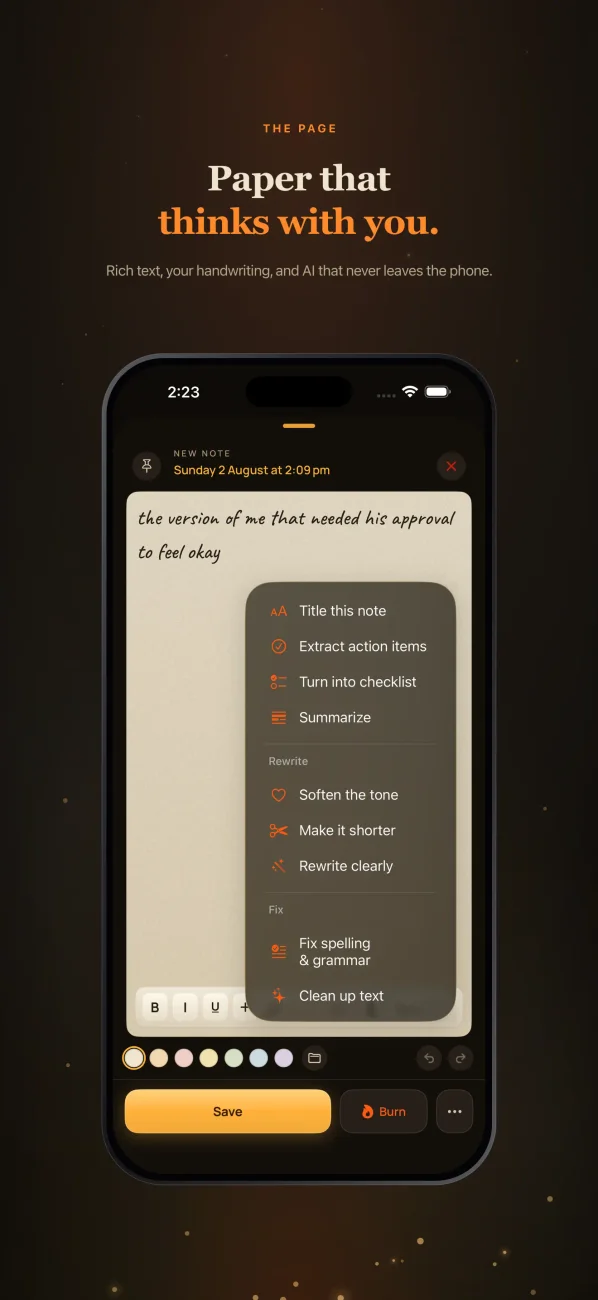
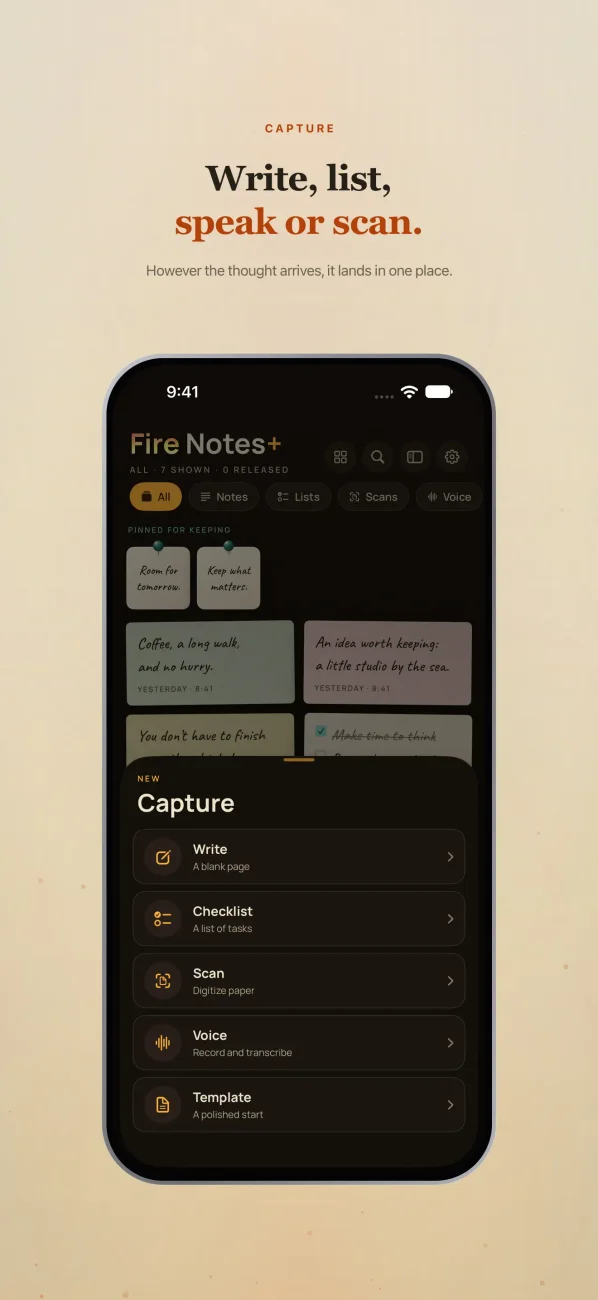
• A fast, beautiful editor with rich text, checklists, headings and highlights
• Choose your paper and your handwriting — from clean type to a looping script
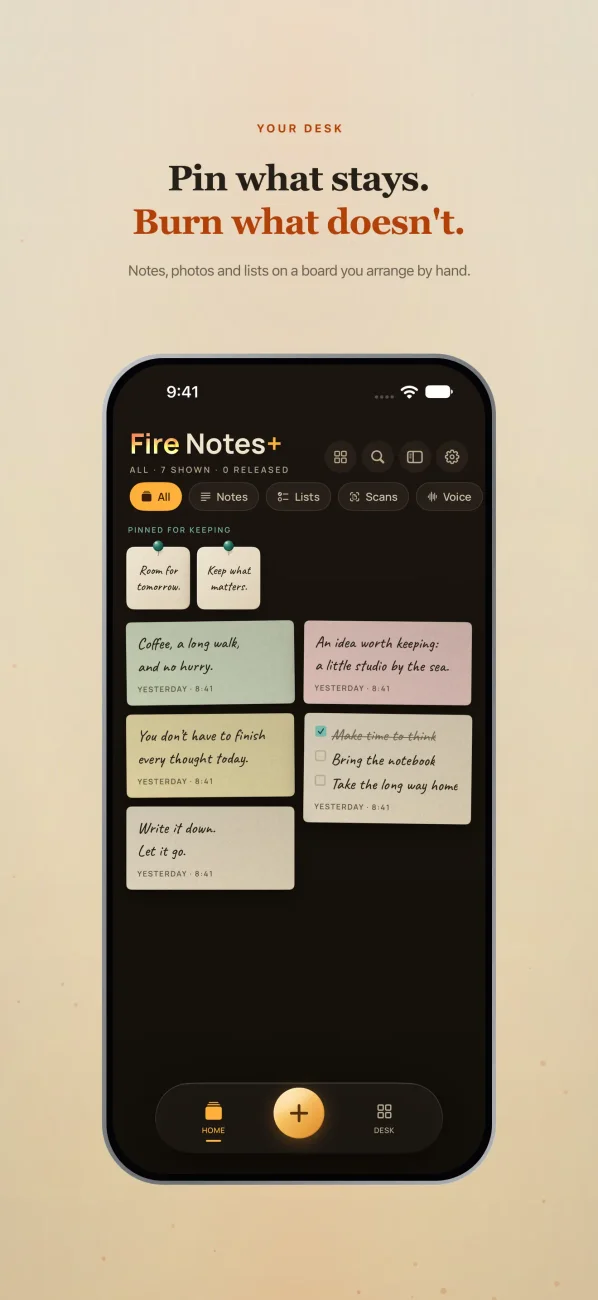
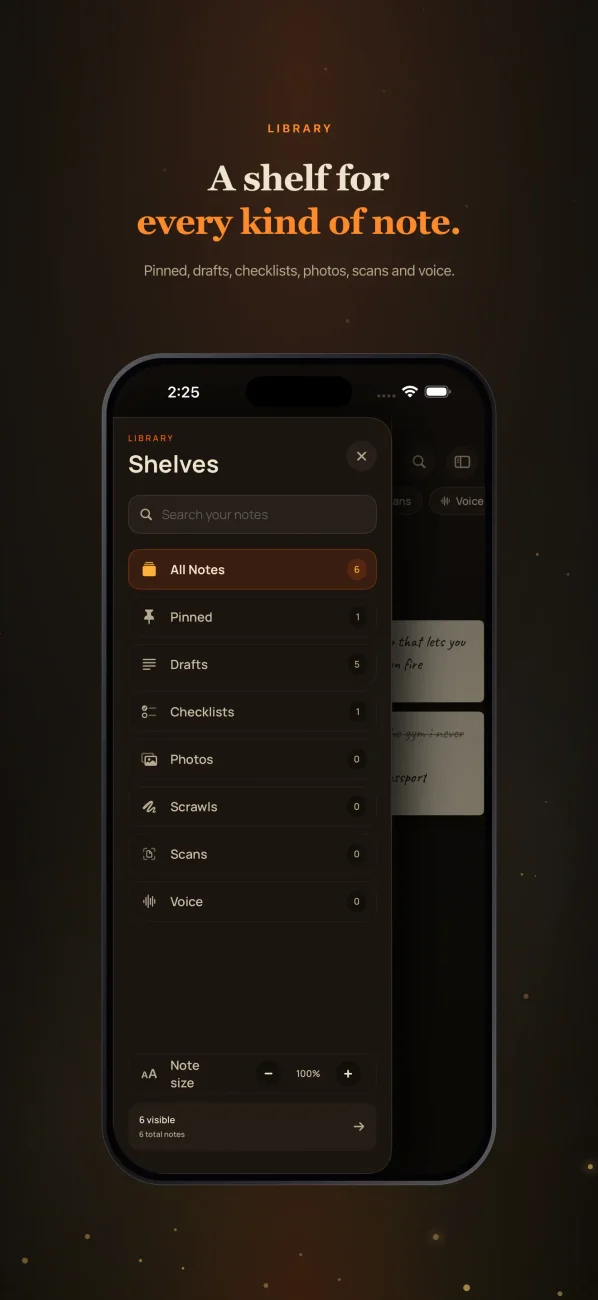
• Photos, shelves and compact pinned notes on a board you can rearrange by hand
• Choose from 20 pin designs in one compact Settings gallery
• Share a web link or selected text straight to Clippings and reopen the source later
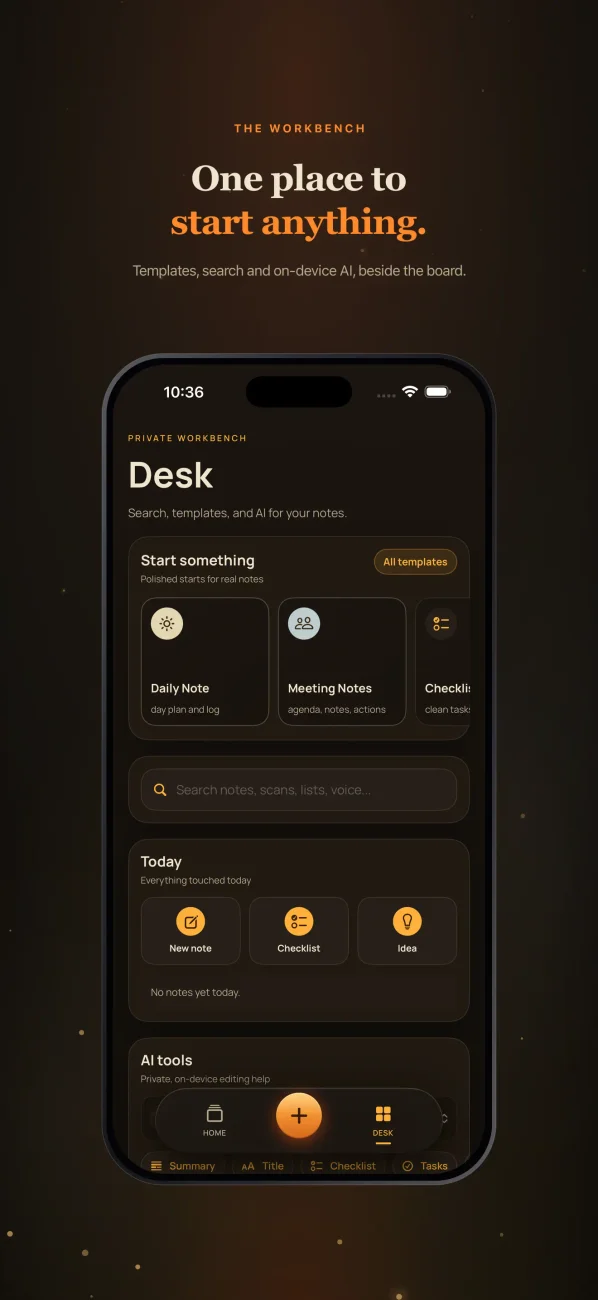
• Find and save searches with Smart Shelves, including open checklists and upcoming burns
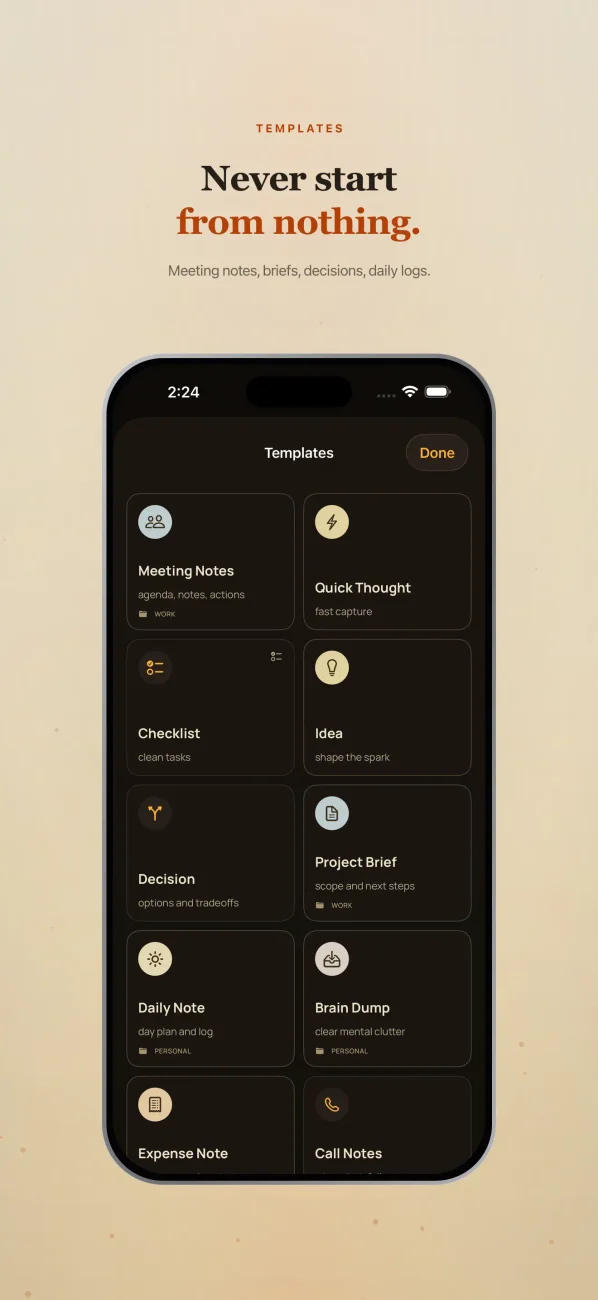
• Make reusable text and checklist templates with your own words
• Search notes and checklist items, duplicate a note, or shuffle loose notes with undo
LET IT GO
• Burn a note in a moment, or hold for the full cinematic ceremony
• A slow, soft flame with drifting smoke, glowing embers and falling ash
• Use the microphone or press and hold to light the flame
• Set an auto-burn timer when a note is only for now
• Ashes records released notes with a date and an optional one-word tag
• Turn on Quiet Burn to return to your notebook after the flame goes out
SCAN YOUR PAPER
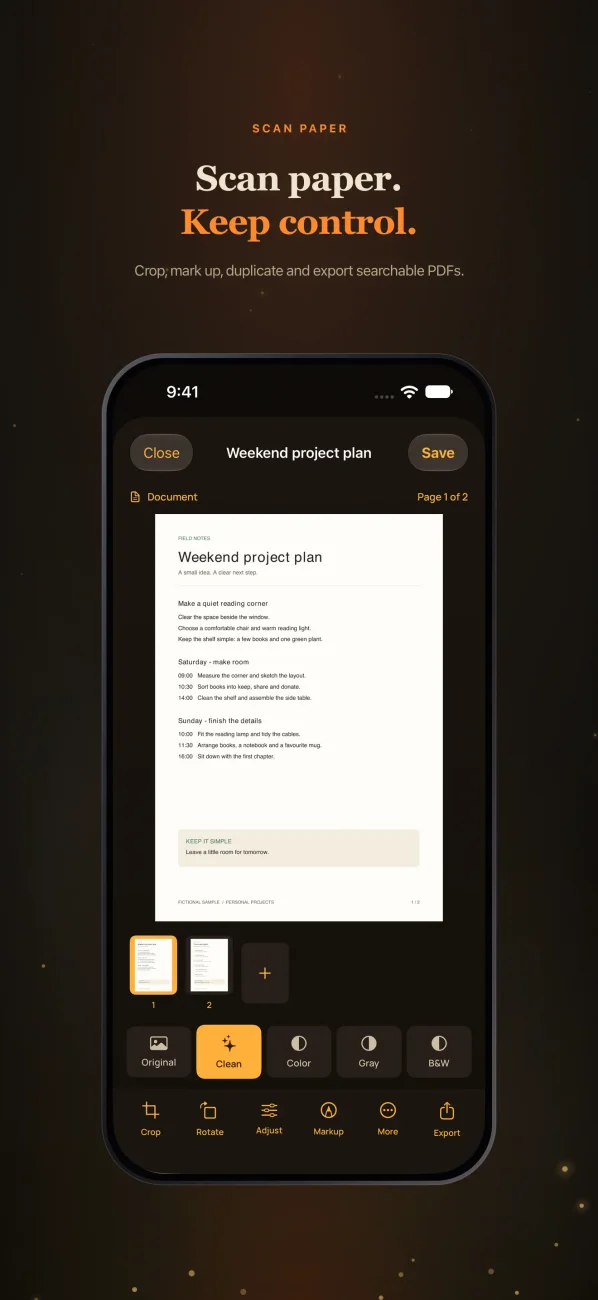
• Scan receipts, bills and letters, or import photos and PDFs into a multipage document
• Find page edges, correct perspective, crop, rotate and adjust the image
• Clean up the page with filters; duplicate a page or apply one filter to the whole document
• Add pen marks, highlights or handwriting, with undo for page edits
• Read and correct recognized text on your device, then find a scan by the words inside it
• Export a searchable PDF, page images or plain text, with the current page order and markup
• Keep documents in their own shelves, show one on Home, or move it to Shoebox when you're done
CAPTURE YOUR VOICE
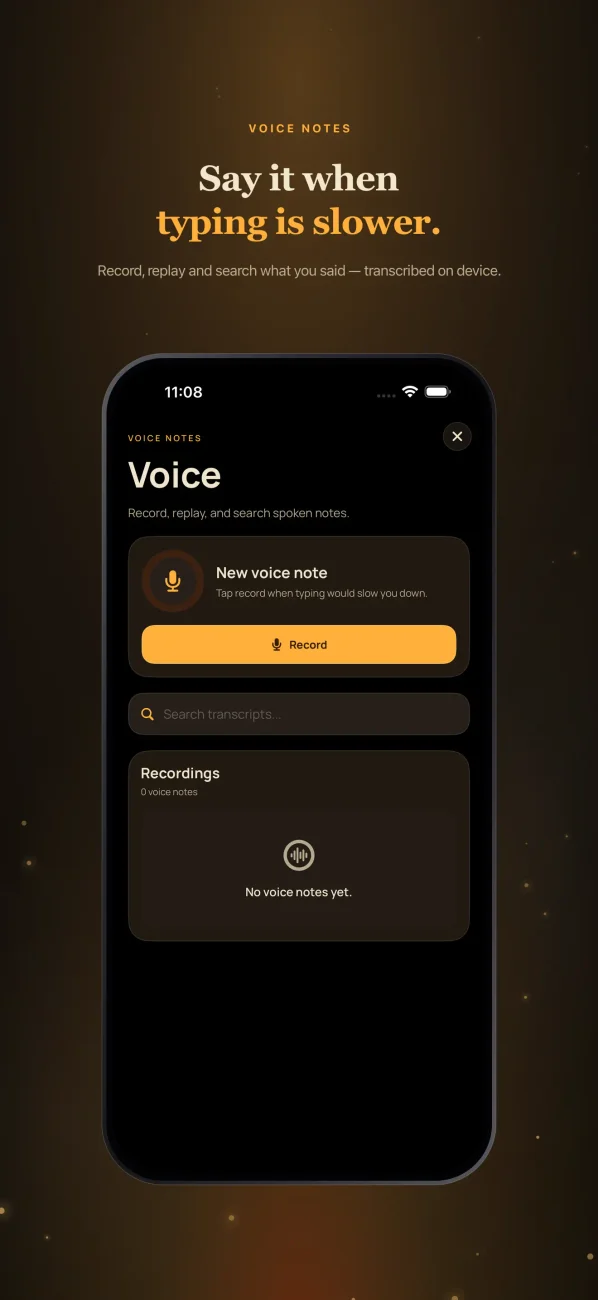
• Record, pause, replay and seek through a voice note
• Read, copy or retry its on-device transcript
• Share the recording with its transcript, or keep it safely in Shoebox
PRIVATE BY DESIGN
• Notes and scans live on your device and in your own iCloud, never on our servers
• Face ID app lock, plus a separate lock for the notes that matter most
• Locked and sealed content stays out of previews and content search
• No account. No ads.
ALSO IN THE BOX
• A gold capture button that catches the light as you tilt your iPhone
• On-device AI to fix, rewrite or reshape your words on compatible Apple Intelligence devices
• Export notes, checklists and drawings when you decide to keep them
• Reduce Motion support and a readable menu for note actions
FIRE NOTES+
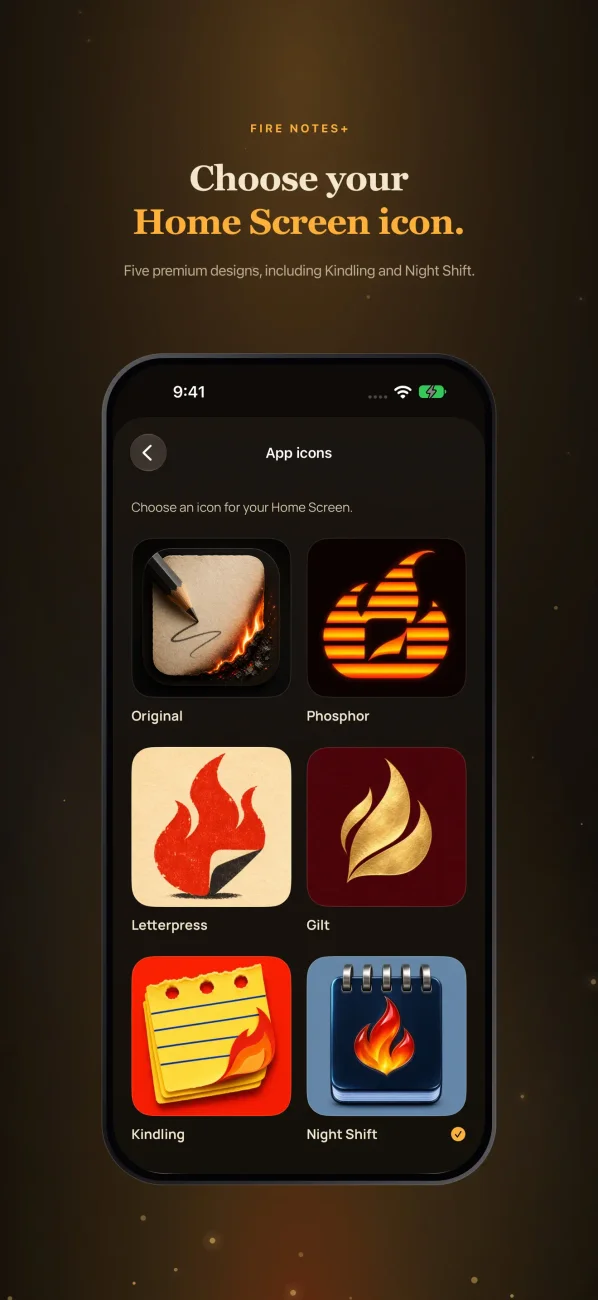
A one-time purchase. No subscription, ever. It unlocks the document scanner, voice capture and dictation, AI writing tools on compatible devices, premium burn styles, clean exports and five alternate Home Screen icons. Choose Phosphor, Letterpress, Gilt, Kindling or Night Shift. Buy it once and it's yours on every device you sign in with.
The notebook itself stays free. Write as much as you like. Burn as much as you like.
Write it down. Let it go.
Có gì mới
Phiên bản 1.2 · 27/11/2026
Save a link or a passage while you’re reading. Share it to Fire Notes, add a thought, and find it in Clippings. Tap the arrow on a saved link to return to the original page.
• Keep a Smart Shelf for unfinished checklists or upcoming burns. It updates as your notes change.
• Turn a favorite note or checklist into a reusable template. Each use starts a fresh copy.
• Turn on Quiet Burn to return to your notebook as soon as the flame goes out.
• Choose from five new Fire Notes+ Home Screen icons, including Phosphor’s amber scan lines, Kindling’s paper flame, and the Night Shift spiral notepad.
Home opens faster on return visits, and Desk loads recent notes more quickly in large notebooks. You can revisit these highlights anytime in Settings → What’s New.
Quyền riêng tư của ứng dụng
Những gì Ivan Trendafilovski khai báo trên App Store về cách ứng dụng này xử lý dữ liệu.
-
Dữ liệu không liên kết với bạn
Có thể được thu thập nhưng không liên kết với danh tính của bạn.
- Mục mua
- Mã định danh
Phương thức đảm bảo quyền riêng tư có thể khác nhau, chẳng hạn như tuỳ theo các tính năng bạn sử dụng hoặc độ tuổi của bạn.
Thông tin
- Người bán
- Ivan Trendafilovski
- Danh mục
- Hiệu Suất
- Phiên bản
- 1.2
- Cập nhật
- 27/11/2026
- Phát hành
- 02/09/2026
- Kích thước
- 27,0 MB
- Yêu cầu
- iOS 17.0 trở lên
- Độ tuổi
- 4+
- Giá
- Miễn phí
- Mua hàng trong ứng dụng
- Có
- Ngôn ngữ
- Tiếng Anh, Tiếng Pháp, Tiếng Đức, Tiếng Ý, Tiếng Nhật, Tiếng Hàn, Tiếng Macedonia, Tiếng Bồ Đào Nha, Tiếng Tây Ban Nha
- Bản quyền
- © 2026 Studio84
Có thể bạn cũng thích
-
 Journal Write: Minimal DiaryHiệu Suất
-
 PomoTask: Pomodoro Focus TimerHiệu Suất
-
 MemNote: Context-Aware MemoryHiệu Suất
-
 Where is it kept?Hiệu Suất
-
 Noteleaf: Handwritten NotesHiệu Suất
-
 HabitaraHiệu Suất
-
 LifeHack: AI Life CoachHiệu Suất
-
 Bible Notes AIHiệu Suất
-
 Offprint: Web to PDF & EPUBHiệu Suất
-
 Blip NotesHiệu Suất