Folda: PDF Document Scanner
Scan to PDF, OCR & ID Card
Dirancang untuk iPhone, iPad
Gratis · Pembelian dalam aplikasi
- Batasan usia4+
- KategoriProduktivitas
- PengembangAnh Nguyen
- BahasaInggris+ 12 lainnya
- Ukuran44,5 MB
Tertaut ke halaman resmi App Store
Download.org tidak menyimpan file Folda: PDF Document Scanner apa pun. Tombol ini membuka halaman aplikasi di App Store, tempat Anh Nguyen menerbitkannya. Halaman terakhir diperiksa pada 23/11/2026.
Tangkapan layar
Tentang
Pengembang belum menyediakan teks ini dalam bahasa Anda.
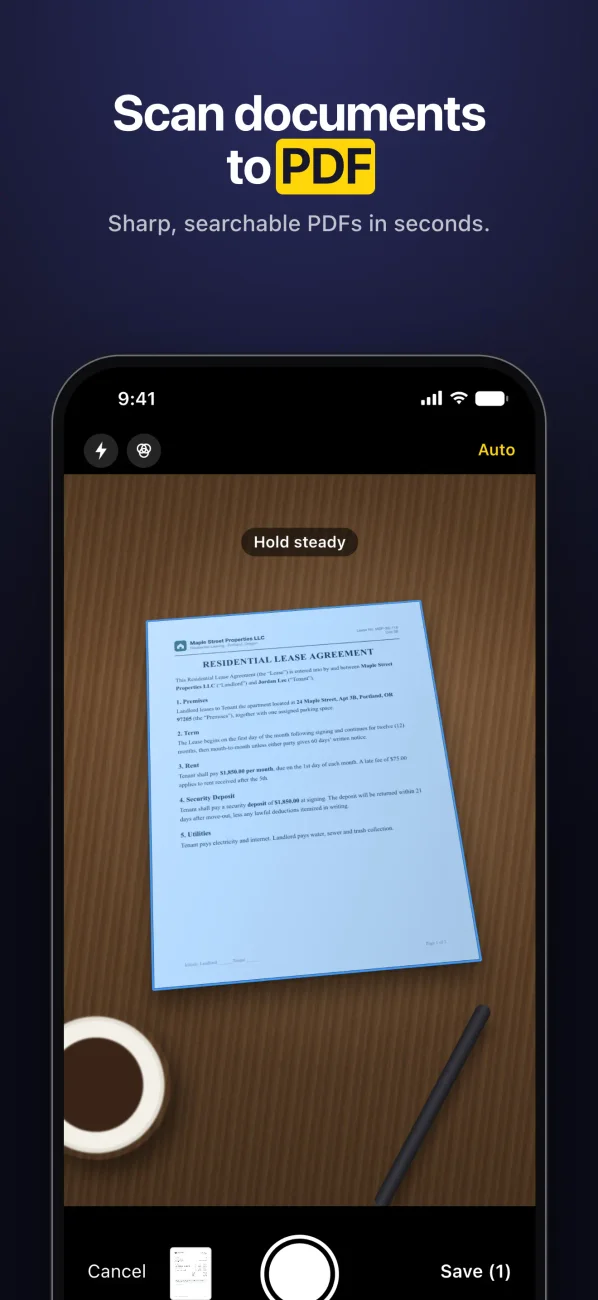
Turn paper into sharp, searchable PDFs. Folda scans, reads and organizes your documents right on your iPhone and iPad — free and unlimited, with no watermark and no account.
SCAN ANYTHING
• Apple’s document camera finds the page, captures it automatically and scans many pages in a row
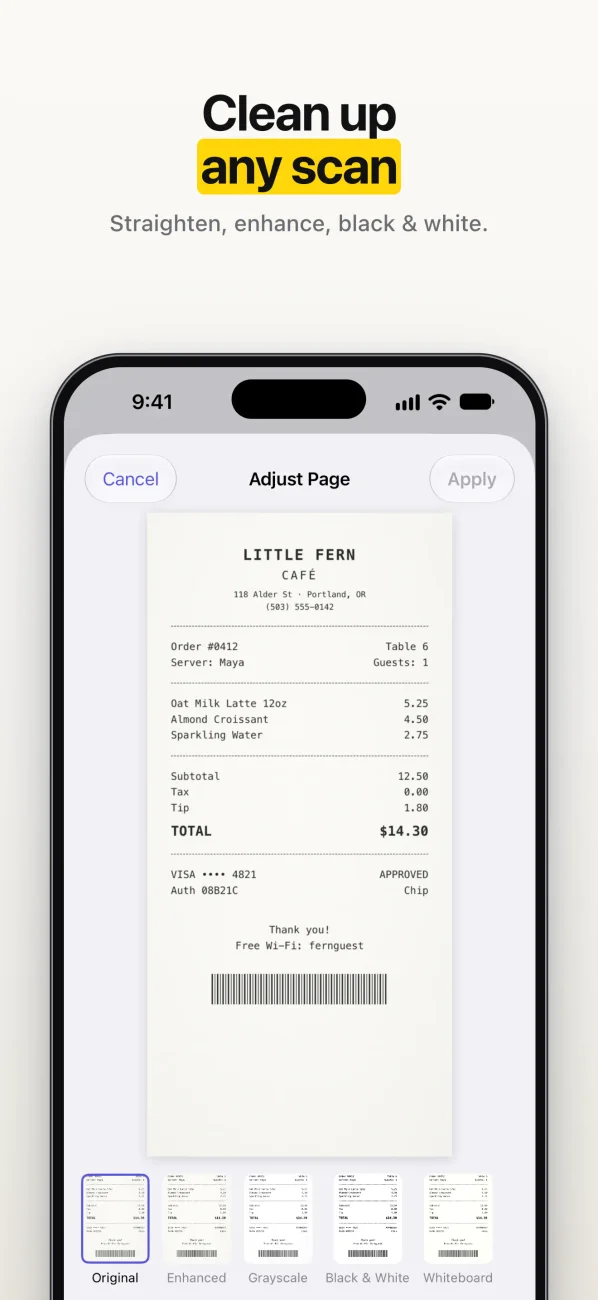
• Straighten, rotate and clean up with Enhanced, Grayscale, Black & White and Whiteboard filters
• Import photos and PDFs from Photos and Files, or open them in Folda from other apps
FIND ANY WORD
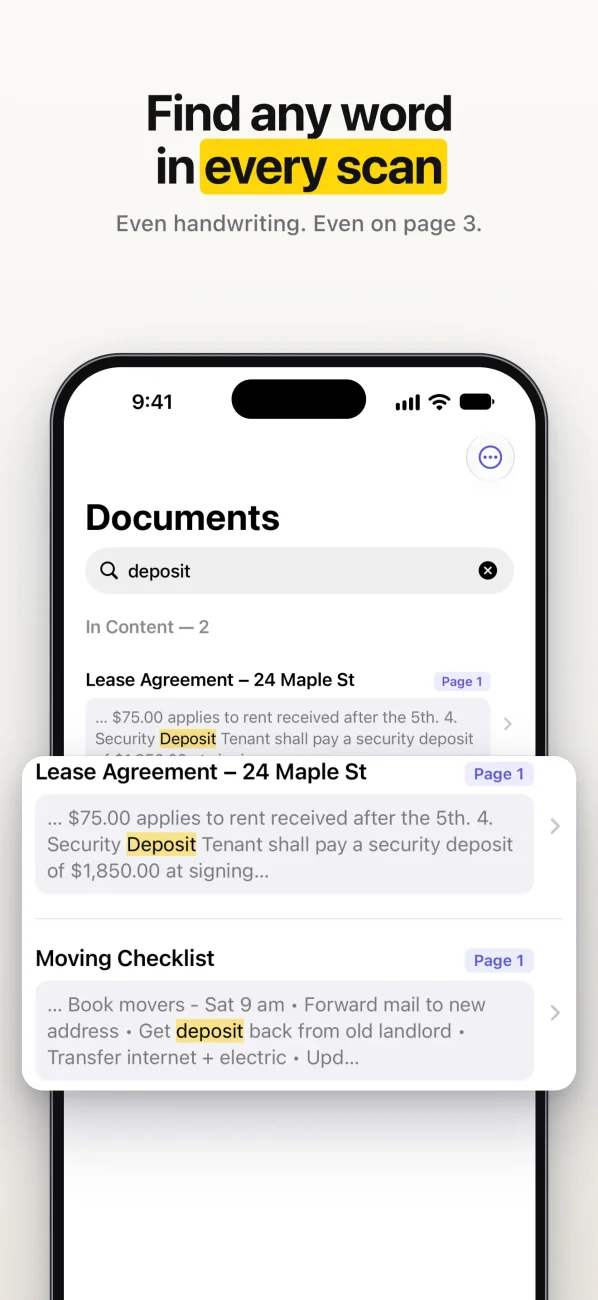
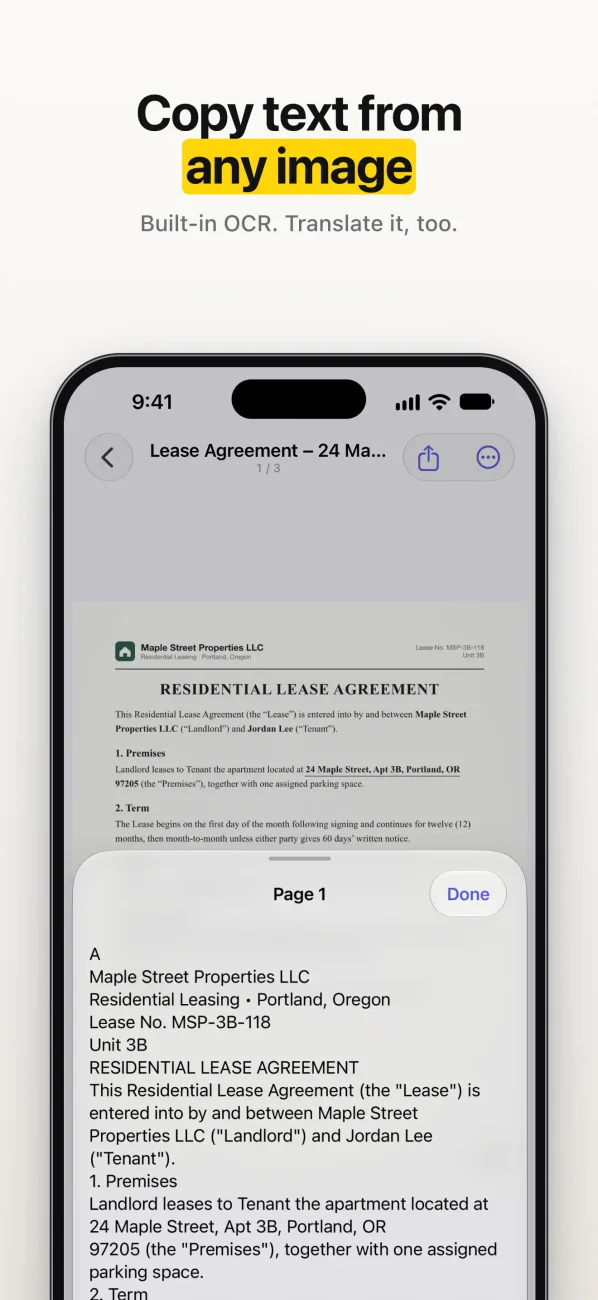
• On-device text recognition (OCR) makes every page searchable
• Search all your scans at once, even handwriting, and jump straight to the right page
• Copy text from any page, have it read aloud, or translate it
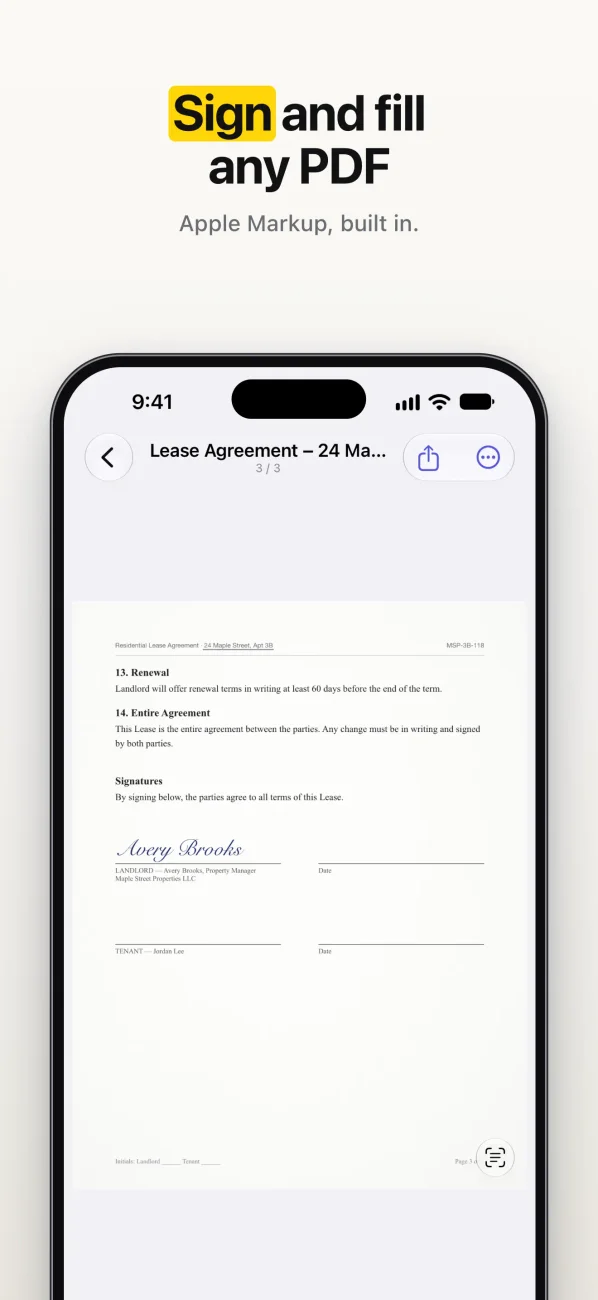
SIGN, REDACT AND SHARE
• Fill in and sign with Apple Markup
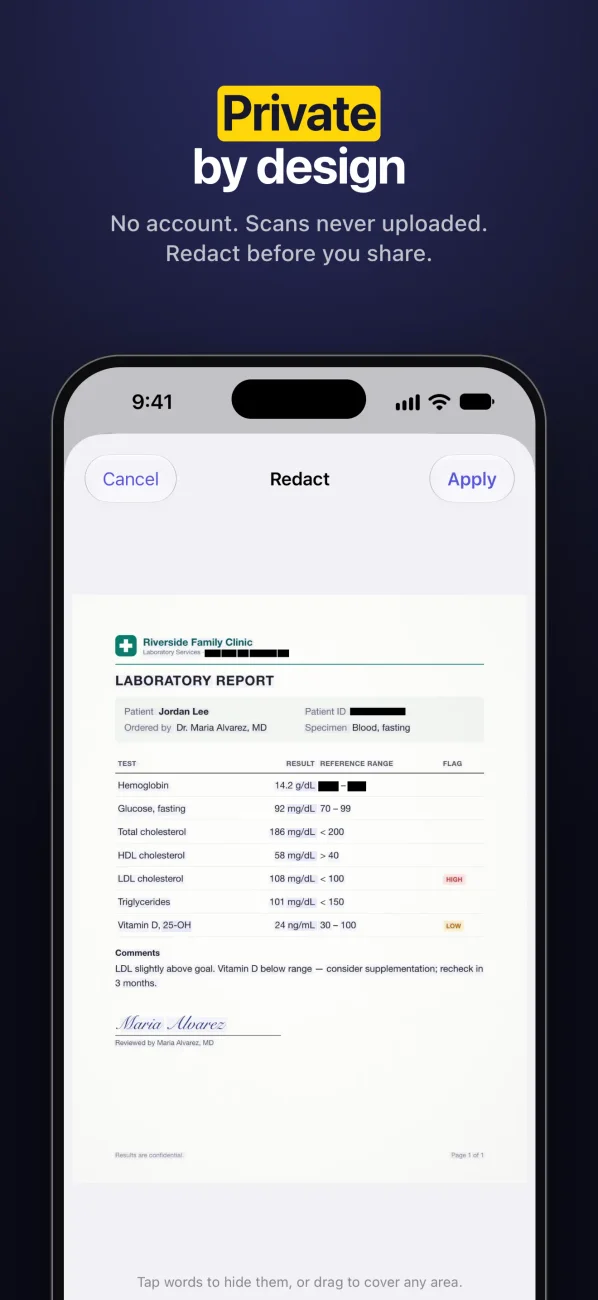
• Redact names and numbers for good before you share
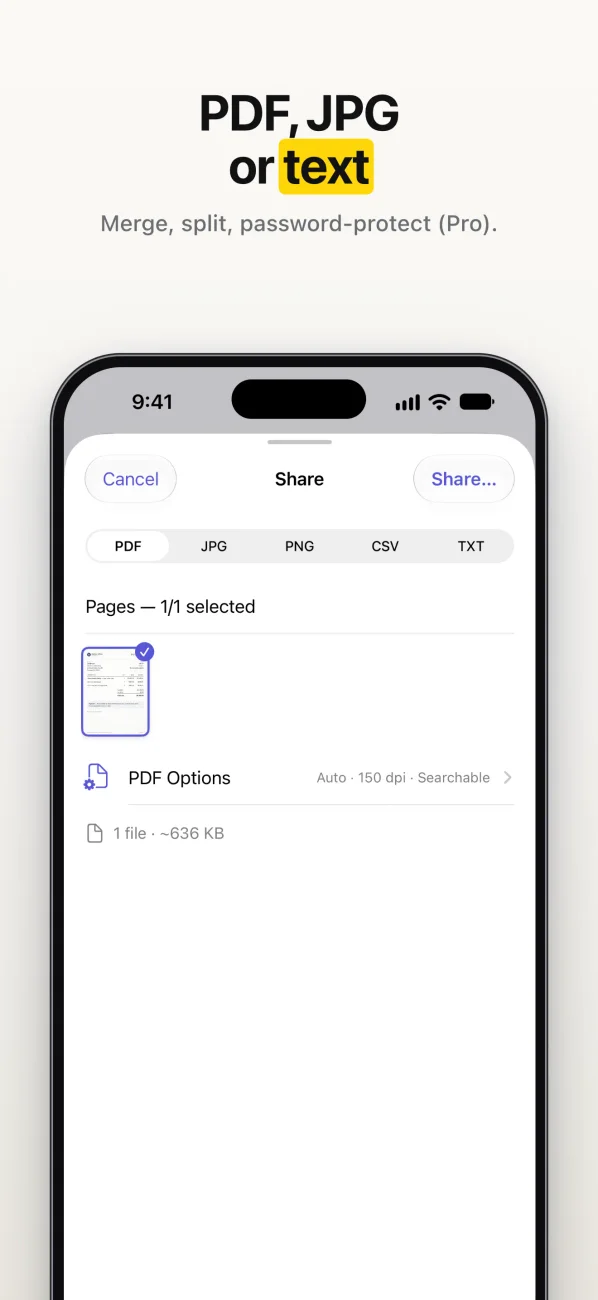
• Share as searchable PDF, JPG, PNG or plain text; merge, split and reorder pages; print
• Scan QR codes and barcodes
ORGANIZED FOR YOU
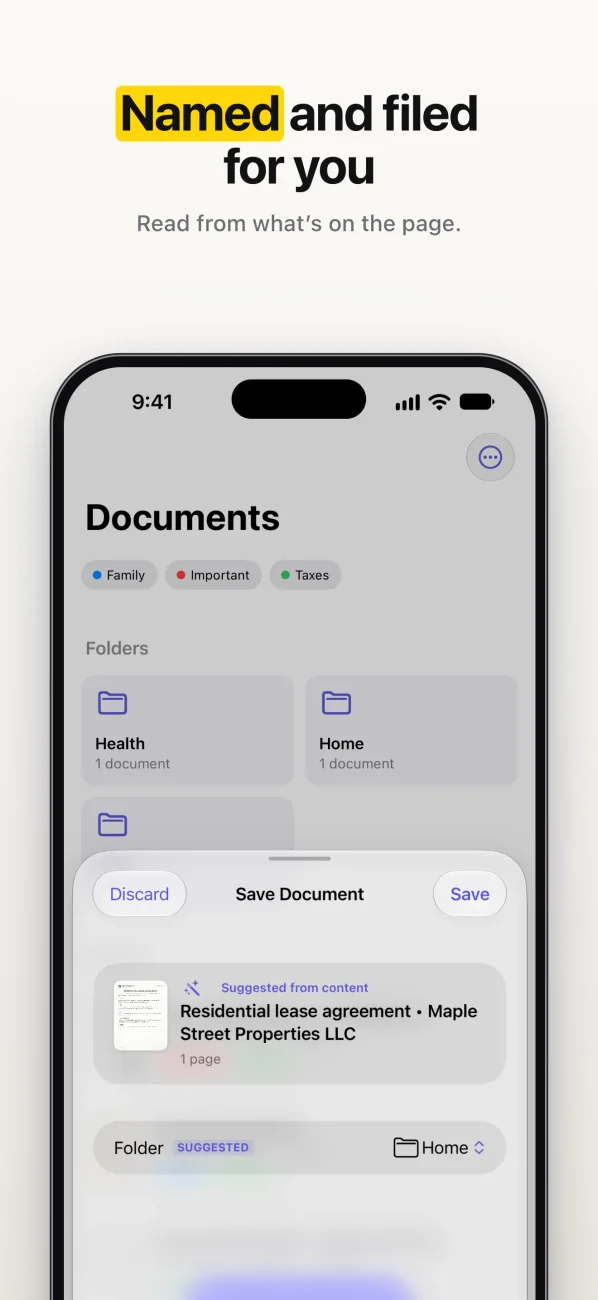
• Names suggested from what’s on the page
• Folders, tags, list or grid, and Recently Deleted
• Spotlight search, Siri Shortcuts, a Quick Scan widget and Control Center buttons
PRIVATE BY DESIGN
• Scanning, text recognition, search and naming happen on your device
• No account, no tracking, and your documents are never uploaded
Folda PRO (optional subscription or one-time purchase)
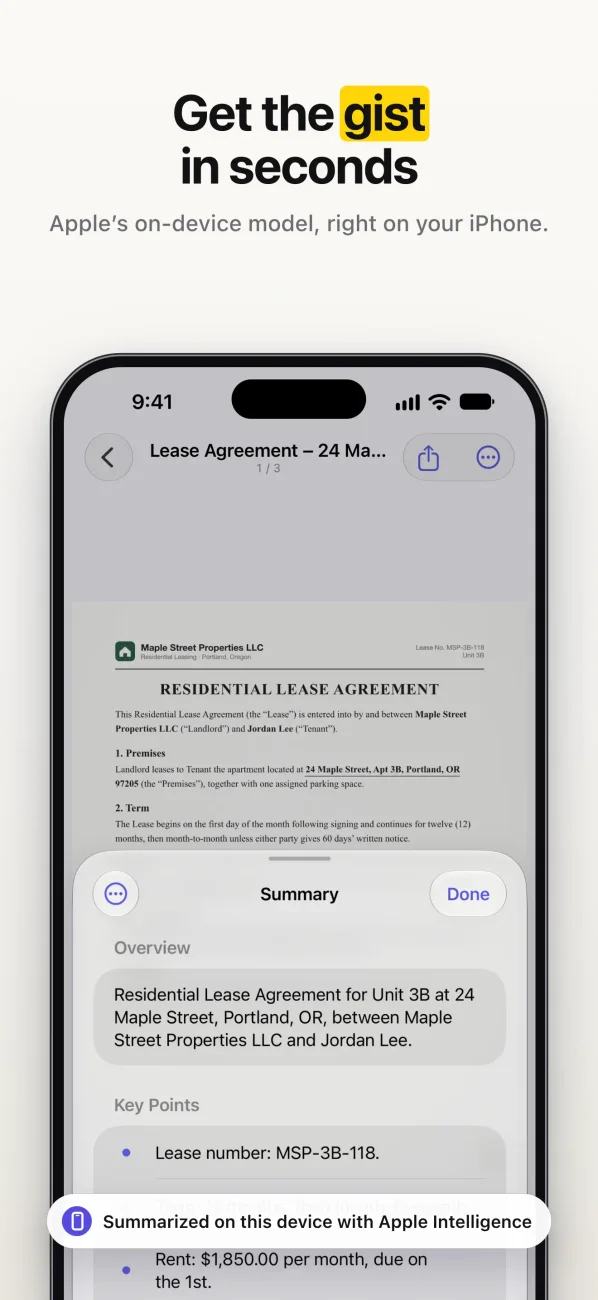
• Apple Intelligence, on the device: summaries of long documents, questions about a document, smart names and folders, and expense CSVs from receipts (supported devices)
• 300 dpi exports and password-protected PDFs
• App Lock with Face ID or passcode
• Share many documents at once and automatic backup to a folder you choose
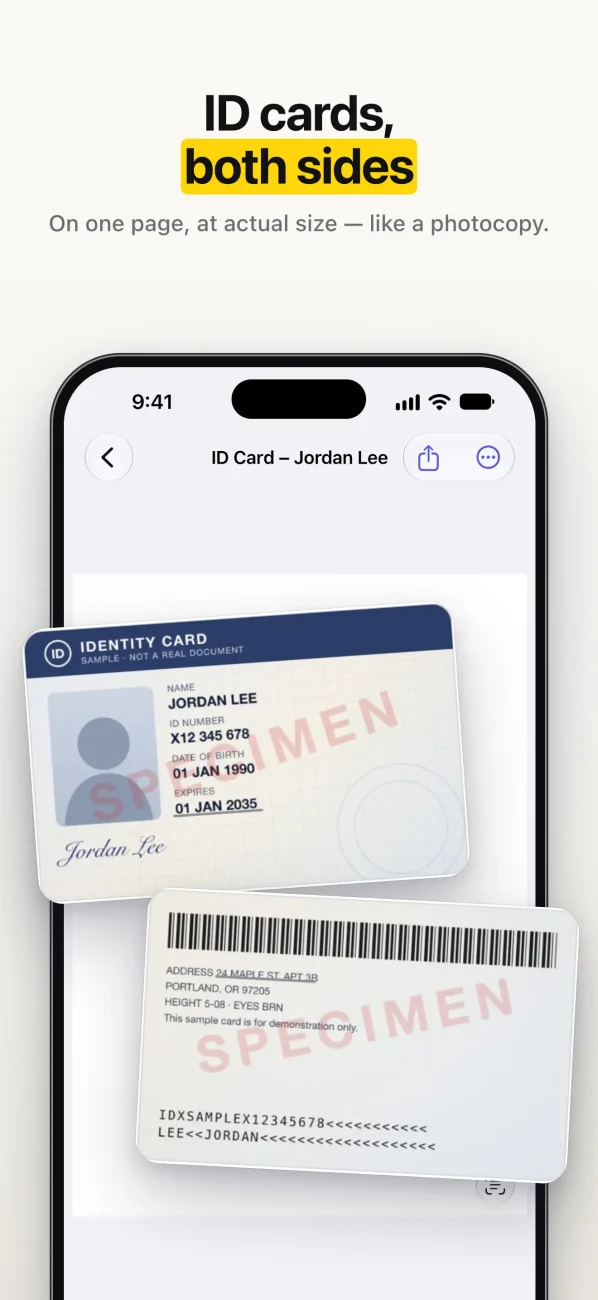
• Scan the front and back of an ID card or driver’s license onto one page at actual size, so a printout works like a photocopy
• Book mode that splits an open book into pages, and business cards straight to Contacts
Scanning, text recognition and PDF export stay free and unlimited without Pro.
Terms of Use: https://navlab.app/terms
Privacy Policy: https://navlab.app/privacy
Questions? support@navlab.app
Yang baru
Versi 2.0.4 · 22/11/2026
Smaller PDFs, safer passwords and smoother search.
• PDFs are much smaller: pages are stored as JPEG, and the quality you pick now sets the resolution. Auto makes real A4 or Letter pages, so ID cards print at actual size.
• Password-protected PDFs use AES encryption.
• Search finds phrases that run onto the next line, and stays smooth in big libraries.
• Summaries and answers handle long documents better, including Chinese, Japanese and Korean.
• Fixes for imports, Undo after saving, Save PDFs to a Folder, Spotlight and App Lock.
Privasi aplikasi
Yang dinyatakan Anh Nguyen di App Store tentang cara aplikasi ini menangani data.
-
Data yang tidak ditautkan dengan Anda
Dapat dikumpulkan, tetapi tidak ditautkan dengan identitas Anda.
- Pembelian
- Lokasi
- Pengenal
- Data penggunaan
- Diagnostik
Praktik privasi dapat bervariasi, misalnya berdasarkan fitur yang Anda gunakan atau usia Anda.
Informasi
- Penjual
- Anh Nguyen
- Kategori
- Produktivitas
- Versi
- 2.0.4
- Diperbarui
- 22/11/2026
- Dirilis
- 7/4/2020
- Ukuran
- 44,5 MB
- Memerlukan
- iOS 18.0 atau yang lebih baru
- Batasan usia
- 4+
- Harga
- Gratis
- Pembelian dalam aplikasi
- Ya
- Bahasa
- Inggris, Belanda, Prancis, Jerman, Italia, Jepang, Korea, Portugis, Tionghoa Sederhana, Spanyol, Tionghoa Tradisional, Turki + 1 lainnya
- Hak cipta
- © Anh Nguyen
Mungkin Anda juga suka
-
 Scanner - convert photo to pdfProduktivitas
-
 Pemindai Dokumen & TerjemahPindai: PDF, Word, Excel, OCR
-
 Text Scanner & Image to TextProduktivitas
-
 PDF Translate ProProduktivitas
-
 PDF File Translator AppProduktivitas
-
 Scanner: Document Scan AppProduktivitas
-
 PDF Translator: Dokumen, OCRPenerjemah Word, Excel & Scan
-
 Text Capture: Image to TextProduktivitas
-
 My Scans, best PDF Scanner AppProduktivitas
-
 Gambar ke teks - Pindai teksOCR Konverter Gambar ke Teks