Font Studio: Font Engineer
Create, Edit & Engineer Fonts
Dirancang untuk iPhone, iPad, iPod touch
Gratis · Pembelian dalam aplikasi
- Batasan usia4+
- KategoriGrafik & Desain
- PengembangAhmed Nader
- BahasaInggris+ 6 lainnya
- Ukuran106,9 MB
Tertaut ke halaman resmi App Store
Download.org tidak menyimpan file Font Studio: Font Engineer apa pun. Tombol ini membuka halaman aplikasi di App Store, tempat Ahmed Nader menerbitkannya. Halaman terakhir diperiksa pada 13/11/2026.
Tangkapan layar
Tentang
Pengembang belum menyediakan teks ini dalam bahasa Anda.
Font Studio: Font Editor
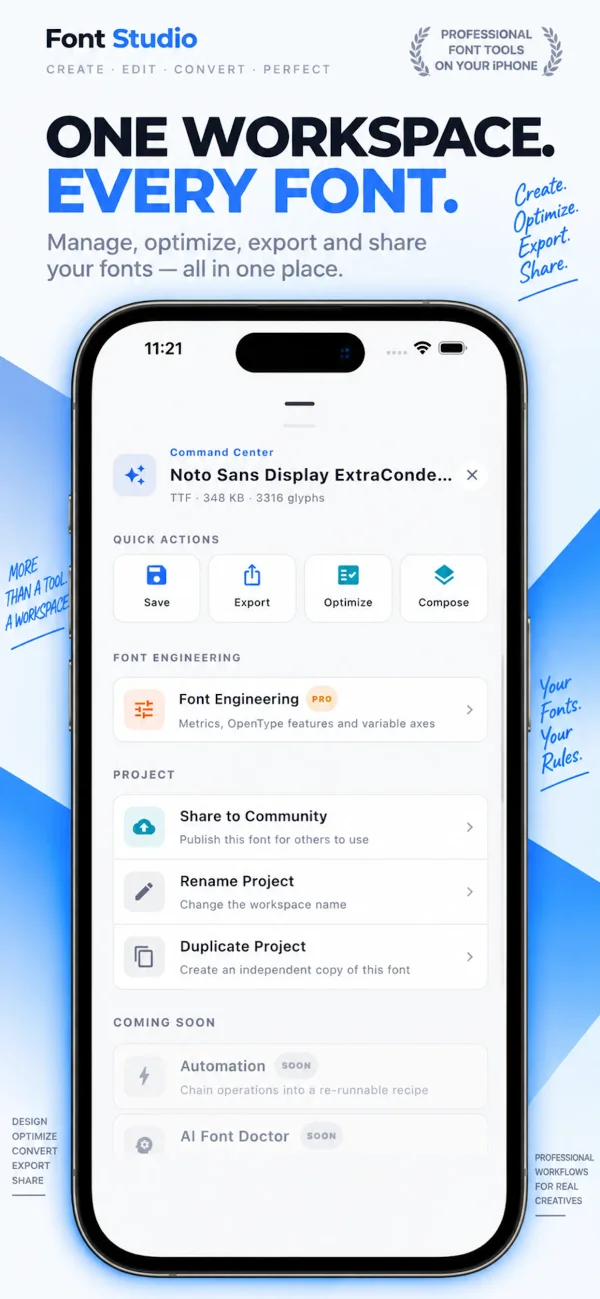
A professional font toolkit for creating, editing, inspecting, composing, repairing and converting fonts — entirely on-device.
Font Studio brings real font engineering tools to iPhone and iPad. Work directly with your fonts without sending files to a server or relying on a desktop computer.
CREATE AND EDIT FONTS
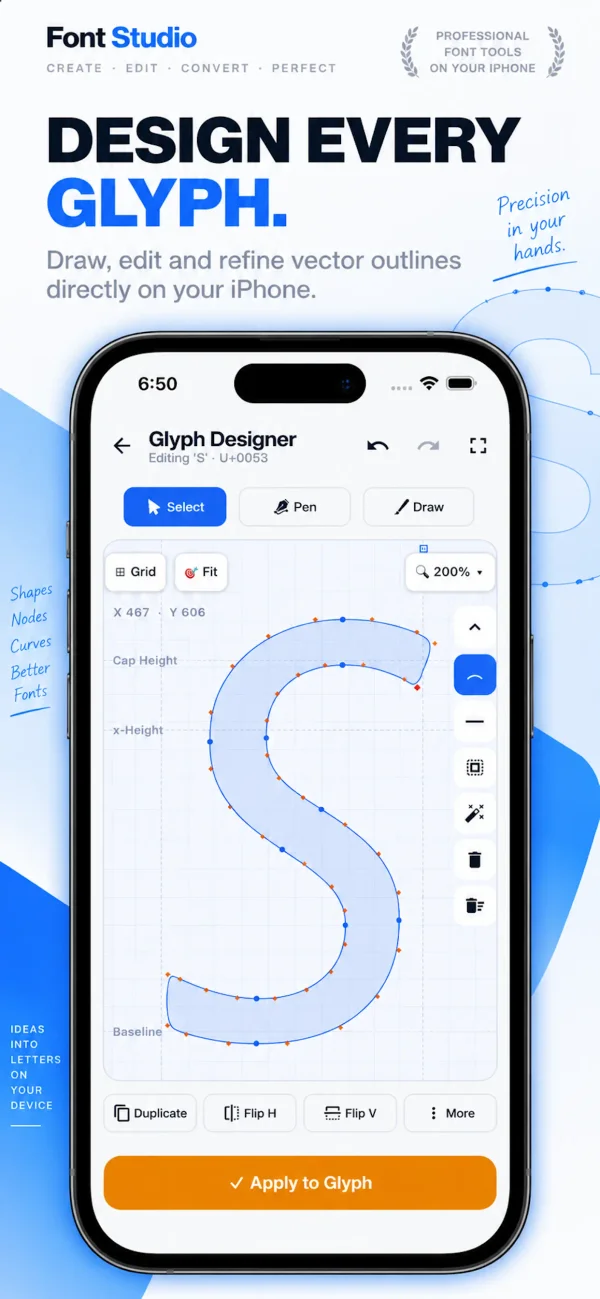
Build and refine fonts with professional vector tools.
• Design glyphs with Bézier paths
• Draw and edit vector outlines
• Transform, duplicate and flip glyphs
• Inspect individual glyph structures
• Create new fonts from scratch
• Import and work with existing typefaces
WORK WITH GLYPHS
Explore and manage the characters inside your fonts.
• Browse glyphs visually
• Search Unicode characters
• Inspect glyph mappings
• Remove unwanted glyphs
• Replace glyphs
• Subset fonts by character coverage
• Compare glyphs and font coverage
PERFECT TYPOGRAPHY
Fine-tune the details that make type look right.
• Edit glyph metrics
• Adjust advance widths
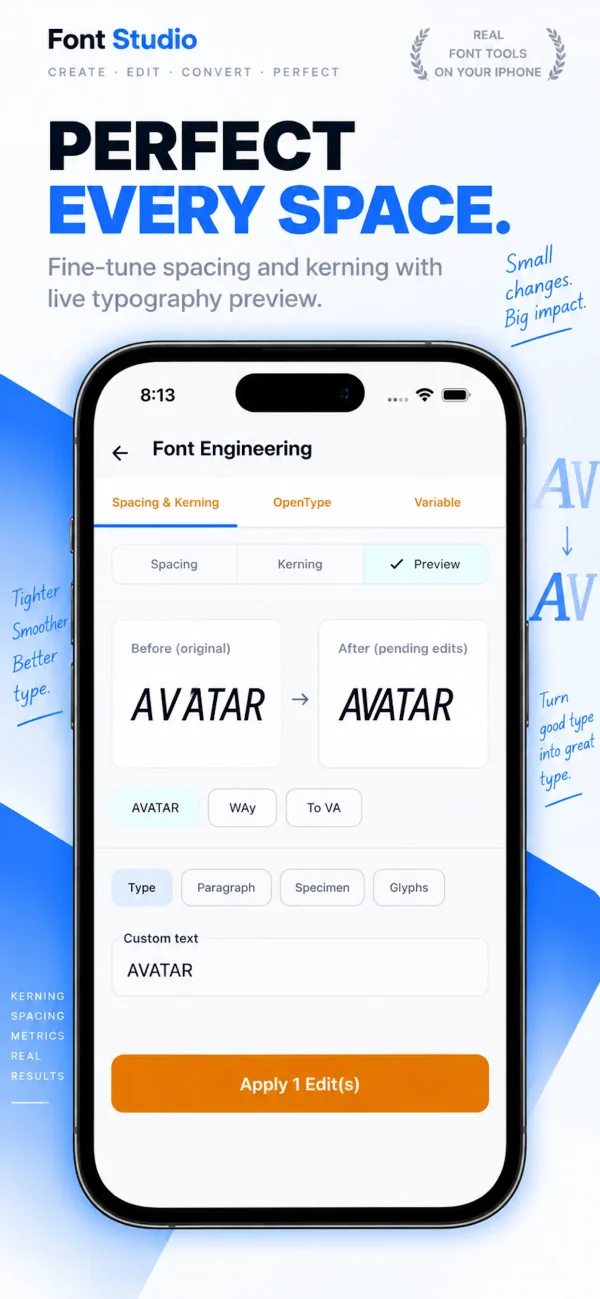
• Fine-tune spacing
• Edit kerning
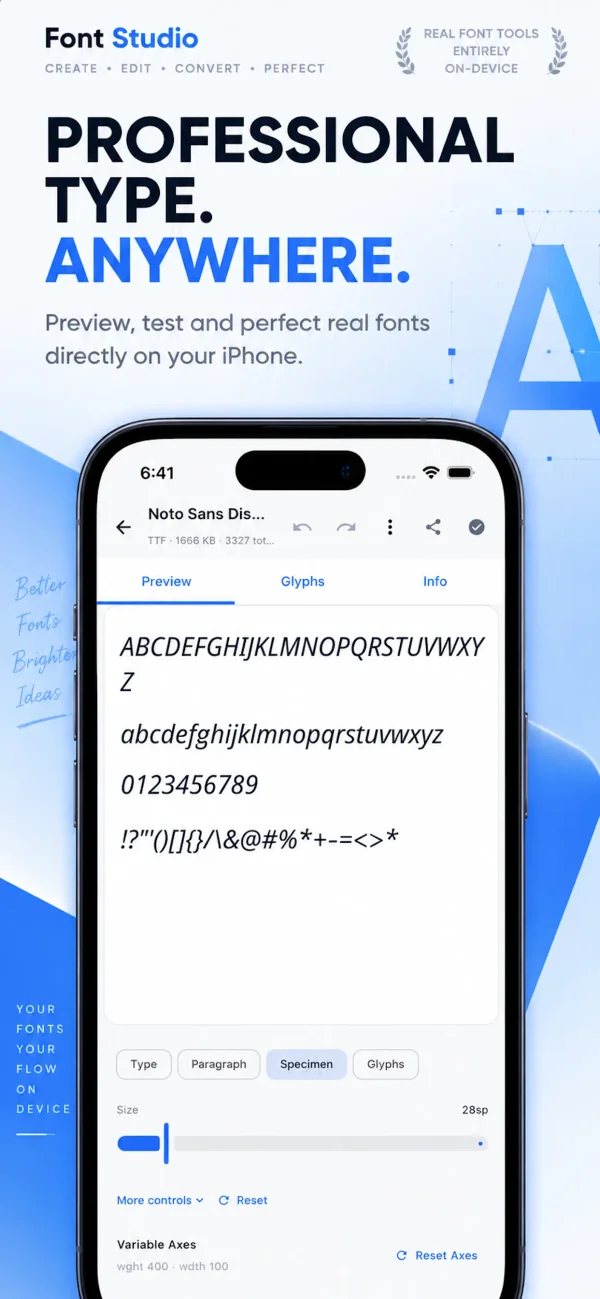
• Preview typography with real font rendering
• Compare changes against the original
• Test custom text, paragraphs and specimens
COMPOSE FONTS
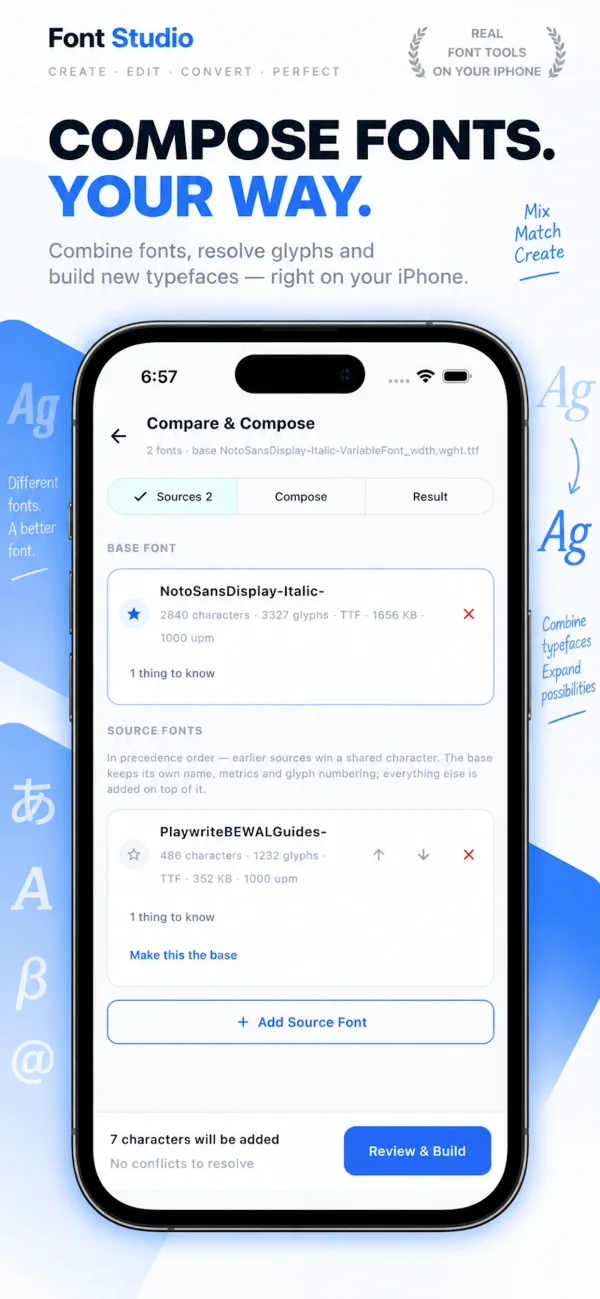
Combine typefaces while keeping control over what gets added.
• Compare source and destination fonts
• Find missing characters
• Resolve glyph conflicts
• Choose which glyph to keep
• Compose new font files
• Handle composite glyph dependencies
• Review changes before building the result
VARIABLE FONT TOOLS
Work with variable font technology directly on your device.
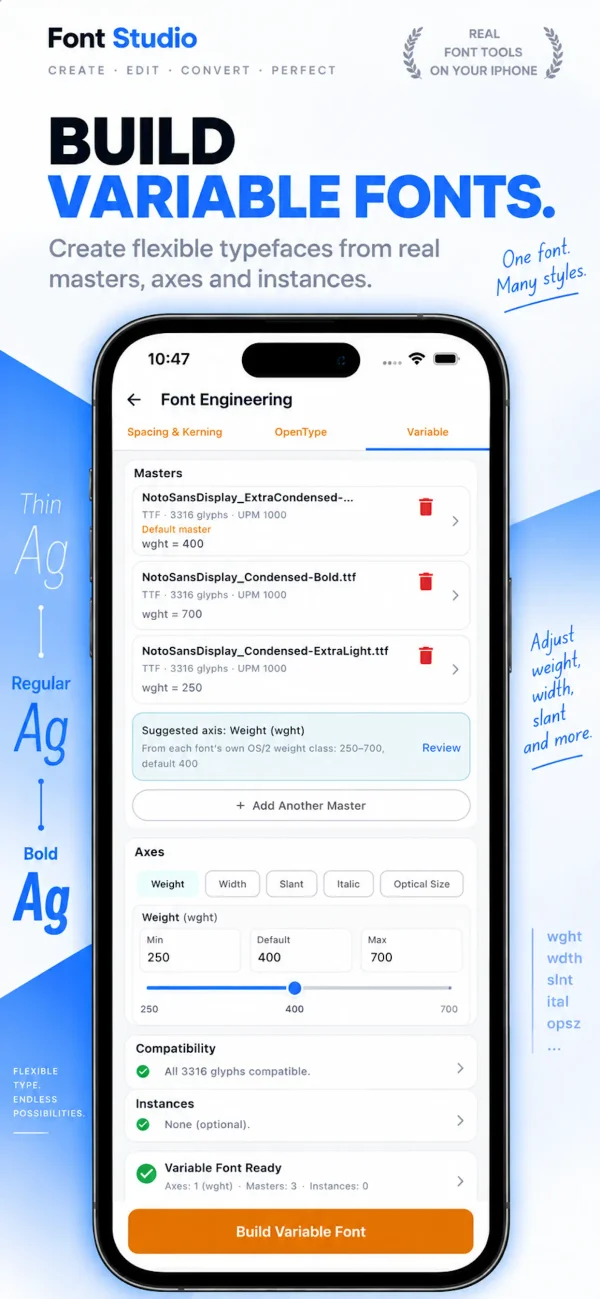
• Inspect variable axes
• Work with multiple font masters
• Build variable fonts from compatible masters
• Configure axes and instances
• Preview variable font output
• Export production-ready font files
INSPECT OPENTYPE
Go beyond the visible glyphs.
Inspect:
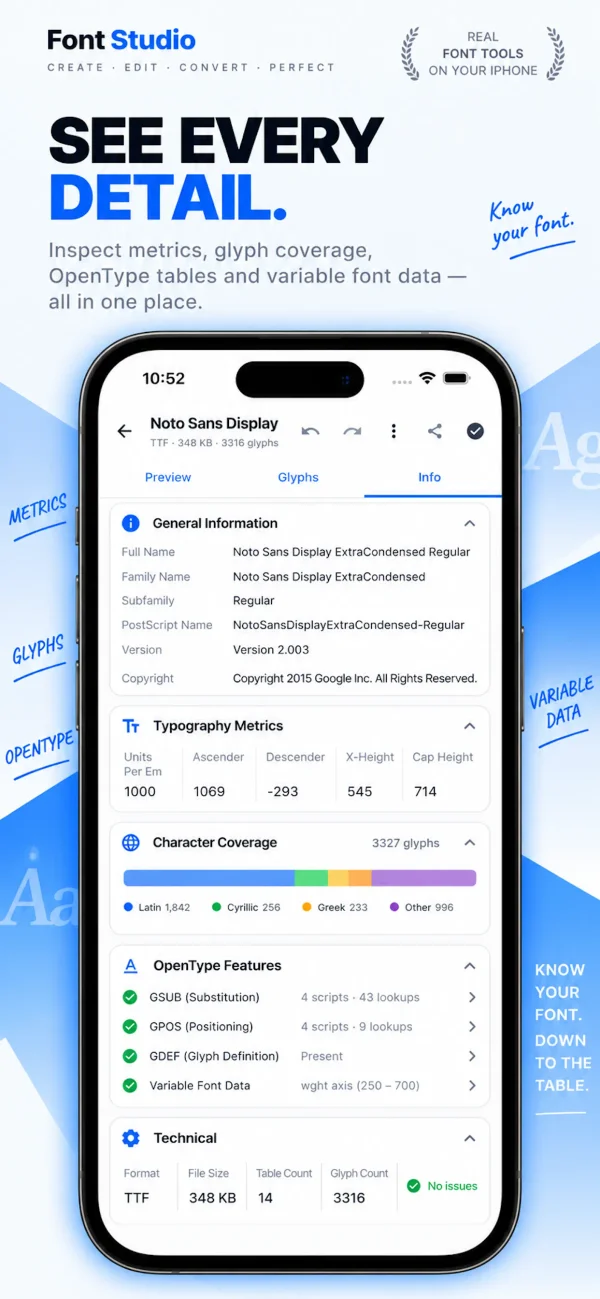
• GSUB
• GPOS
• GDEF
• kern
• cmap
• glyf
• gvar
• hmtx
• name
• OS/2
• STAT
• fvar
• MVAR
• and other font tables
View scripts, lookups, feature information, metrics, coverage and technical metadata.
REPAIR AND OPTIMIZE
Analyze your fonts before they reach production.
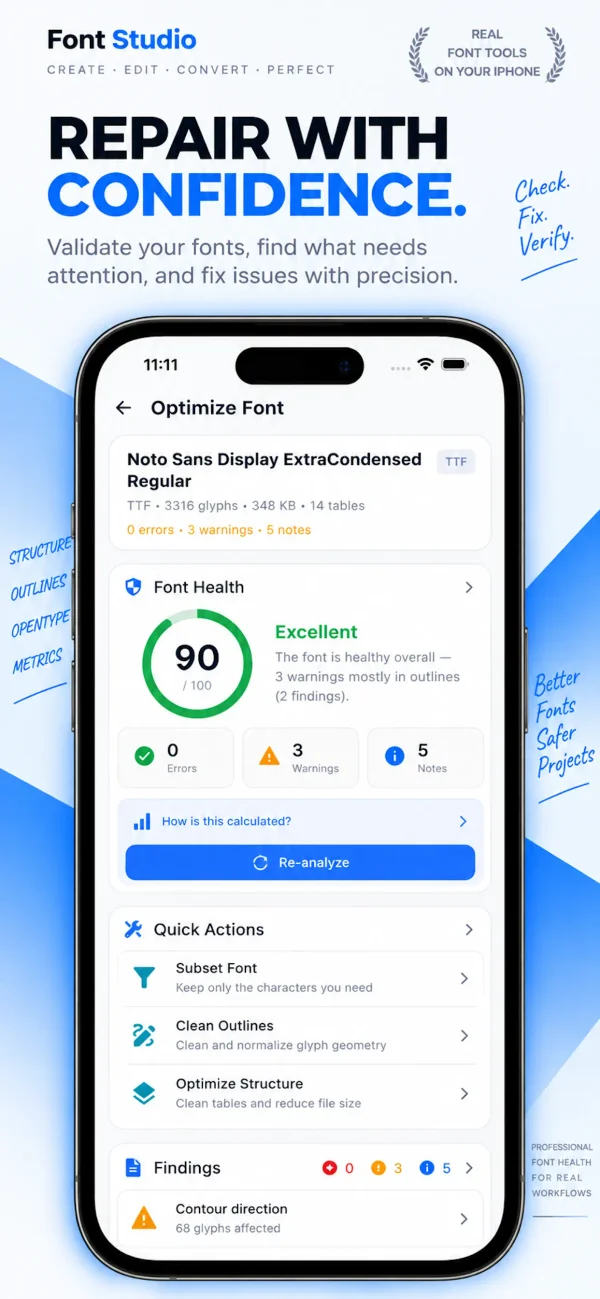
• Detect font health issues
• Inspect warnings and diagnostics
• Clean problematic outlines
• Optimize font structure
• Review technical findings
• Re-analyze after changes
CONVERT AND EXPORT
Work with common font formats on-device.
• TTF
• OTF
• WOFF
• WOFF2
Convert, process and export your fonts without uploading them to a remote service.
FONT PREVIEW
Test your typeface before exporting it.
Use:
• Type preview
• Paragraph preview
• Specimen preview
• Glyph preview
• Custom text
• Typography metrics
• Spacing and kerning
• Variable font axes
BUILT FOR iPHONE AND iPAD
Font Studio is designed as a real font workspace rather than a simplified desktop companion.
Use it on iPhone for focused font work, or take advantage of the larger iPad workspace for detailed editing, inspection and typography.
PRIVATE BY DESIGN
Your font files can stay on your device.
Font processing is performed locally, so you can work with your typefaces without needing to upload them to a cloud font-processing service.
Create. Edit. Engineer. Perfect.
Font Studio by Podzi.
Yang baru
Versi 1.8.3 · 4/11/2026
App Localization & 7 Languages
- Complete UI Localization: Font Studio is now available in 7 languages — English, Arabic (العربية), Spanish (Español), French (Français), German (Deutsch), Portuguese (Português), and Indonesian (Bahasa Indonesia).
- Native Right-to-Left (RTL) Layout: full Arabic RTL interface alignment, mirror-aware toolbars, and Arabic typography workflows.
- In-App Language Selector: switch your preferred UI language anytime from Settings > Language without changing your device-wide settings.
Glyph Designer & Handwriting Creation
- Letter Shadow Watermark: display a faint, proportional watermark template of the active character directly on the canvas to guide optical proportions, stem weights, and styling.
- Onion Skin Across All Modes: reference the previously drawn glyph in Draw, Pen, and Edit modes to maintain consistent slant, height, and rhythm.
- Live Canvas Brush Preview: real-time brush circle preview directly on the canvas drawing area at actual scale, with exact font-unit size readout while adjusting brush settings.
- Continuous Lettering Workflow: Draw mode and brush settings persist across glyph navigation for seamless, uninterrupted font making.
- Instant Undo & Redo: dedicated undo/redo buttons in contextual toolbars across all modes with immediate reactive history updates.
- Natural Alphabetical Sequence: letter strips and font wizard rows are now ordered in standard alphabetical order (A-Z, a-z, 0-9).
Type Engineering & Precision Tools
- Class-Based Kerning Matrix: 2D heatmap grid, smart auto-grouping by shape similarity, negative value support, and compact GPOS Format 2 compression.
- Vertical Metrics Harmonization: 1-click audit and resolution of line clipping across Windows GDI/DirectWrite, macOS CoreText, and Web CSS.
- OpenType Auto-Feature Generator: 1-click automatic synthesis of standard OpenType features (liga, dlig, smcp, c2sc, onum, tnum, pnum, frac, ordn, case, locl), plus direct AFDKO FEA code editing.
- Outline QA & Fix Extrema: automated detection of missing extrema and inflections with 1-click automatic on-curve extrema insertion.
- Live Metrics HUD & Spacing Ribbons: real-time LSB/RSB nudging, customizable word proofing ribbons, and cursive ribbon for Arabic and connected scripts.
Fixes & Reliability
- Large projects: fixed crashes when saving or reopening big projects. Undo history now keeps your most recent steps, so projects stay fast and small.
- Compose Fonts: no more crashes with large fonts (thousands of glyphs) and much faster. Your base font now keeps its OpenType features, kerning, and Arabic joining and mark positioning.
- Export, Check & Fix and Optimize no longer crash on very large fonts.
- Opening fonts from other apps: TTC font collections, WOFF and WOFF2 files opened or shared from outside Font Studio now open reliably.
Privasi aplikasi
Yang dinyatakan Ahmed Nader di App Store tentang cara aplikasi ini menangani data.
-
Data yang digunakan untuk melacak Anda
Dapat digunakan untuk melacak Anda di aplikasi dan situs web milik perusahaan lain.
- Pengenal
- Data penggunaan
-
Data yang ditautkan dengan Anda
Dapat dikumpulkan dan ditautkan dengan identitas Anda.
- Pembelian
- Info kontak
- Konten pengguna
- Pengenal
- Data penggunaan
- Diagnostik
-
Data yang tidak ditautkan dengan Anda
Dapat dikumpulkan, tetapi tidak ditautkan dengan identitas Anda.
- Pengenal
- Data penggunaan
- Diagnostik
Praktik privasi dapat bervariasi, misalnya berdasarkan fitur yang Anda gunakan atau usia Anda.
Informasi
- Penjual
- Ahmed Nader
- Kategori
- Grafik & Desain
- Versi
- 1.8.3
- Diperbarui
- 4/11/2026
- Dirilis
- 25/9/2026
- Ukuran
- 106,9 MB
- Memerlukan
- iOS 15.0 atau yang lebih baru
- Batasan usia
- 4+
- Harga
- Gratis
- Pembelian dalam aplikasi
- Ya
- Bahasa
- Inggris, Arab, Prancis, Jerman, Bahasa Indonesia, Portugis, Spanyol
- Hak cipta
- © Podzi
Mungkin Anda juga suka
-
 Font Creator StudioGrafik & Desain
-
 Vector CurveGrafik & Desain
-
 JaMo - Font Design ToolGrafik & Desain
-
 Ampersand ∙ Explore TypographyGrafik & Desain
-
 Font Design & Convert - FonterGrafik & Desain
-
 FontStudio: Buat fontTulisan tangan jadi font
-
 FontMaker: Make Your Own FontGrafik & Desain
-
 LeFont: Handwriting Font MakerGrafik & Desain
-
 Spritelove - Pixel Art StudioGrafik & Desain
-
 editPaintGrafik & Desain