Font Studio: Font Engineer
Create, Edit & Engineer Fonts
iPhone, iPad, iPod touch向けに設計
無料 · アプリ内課金
- 対象年齢4+
- カテゴリグラフィック/デザイン
- 開発元Ahmed Nader
- 言語英語ほか6言語
- サイズ106.9 MB
App Storeの公式ページにリンクしています
Download.orgはFont Studio: Font Engineerのファイルを一切ホストしていません。ボタンを押すと、Ahmed Naderが公開しているApp Storeのアプリページが開きます。ページの最終確認:2026/11/13。
スクリーンショット
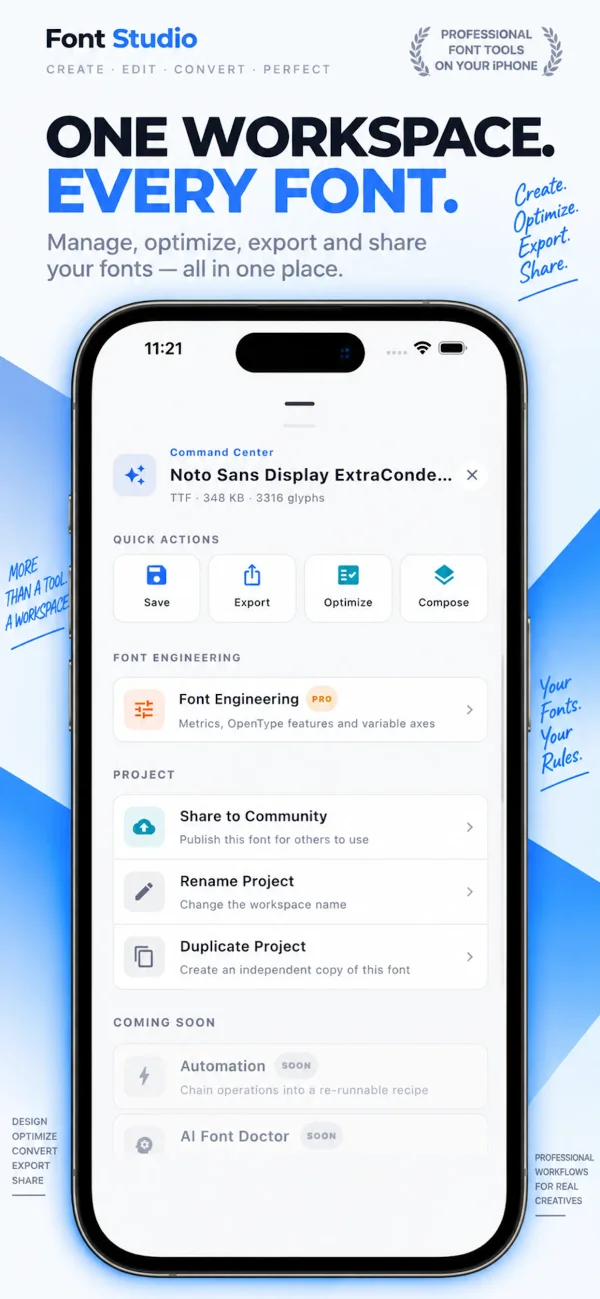
概要
開発元はこのテキストをお使いの言語で提供していません。
Font Studio: Font Editor
A professional font toolkit for creating, editing, inspecting, composing, repairing and converting fonts — entirely on-device.
Font Studio brings real font engineering tools to iPhone and iPad. Work directly with your fonts without sending files to a server or relying on a desktop computer.
CREATE AND EDIT FONTS
Build and refine fonts with professional vector tools.
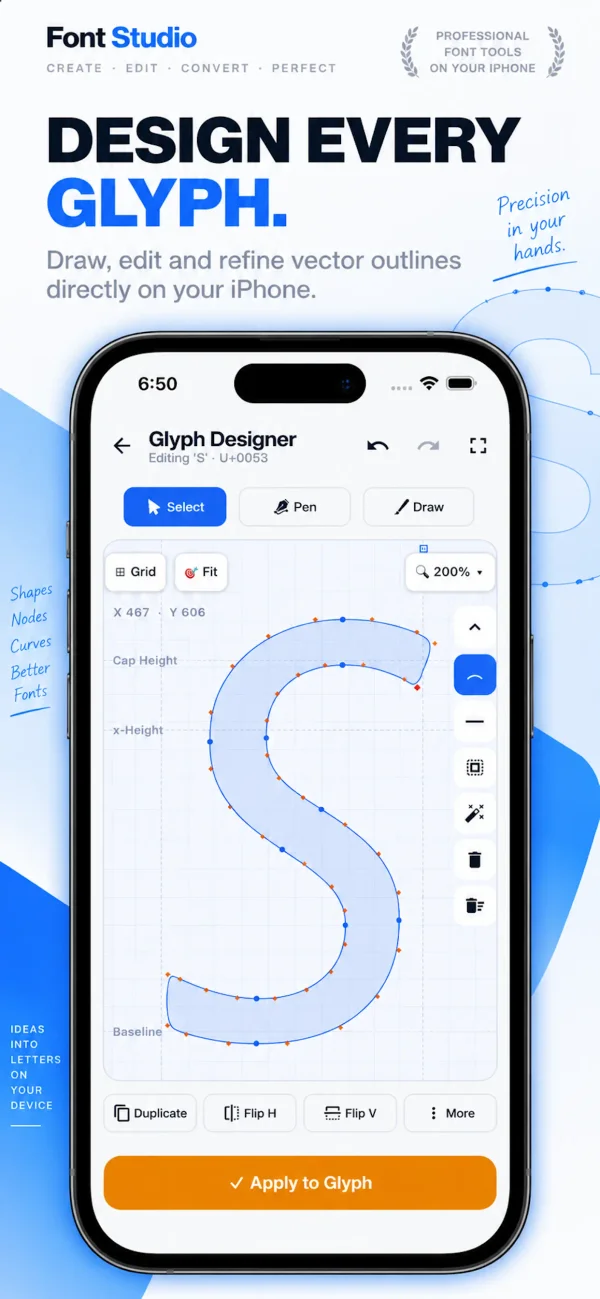
• Design glyphs with Bézier paths
• Draw and edit vector outlines
• Transform, duplicate and flip glyphs
• Inspect individual glyph structures
• Create new fonts from scratch
• Import and work with existing typefaces
WORK WITH GLYPHS
Explore and manage the characters inside your fonts.
• Browse glyphs visually
• Search Unicode characters
• Inspect glyph mappings
• Remove unwanted glyphs
• Replace glyphs
• Subset fonts by character coverage
• Compare glyphs and font coverage
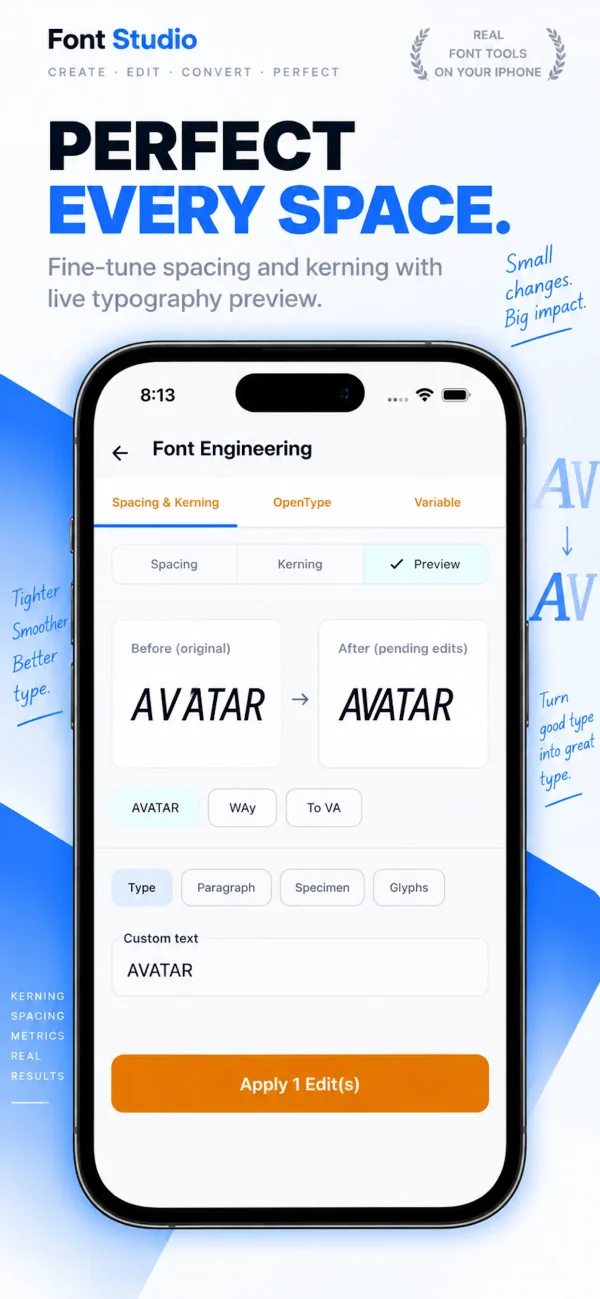
PERFECT TYPOGRAPHY
Fine-tune the details that make type look right.
• Edit glyph metrics
• Adjust advance widths
• Fine-tune spacing
• Edit kerning
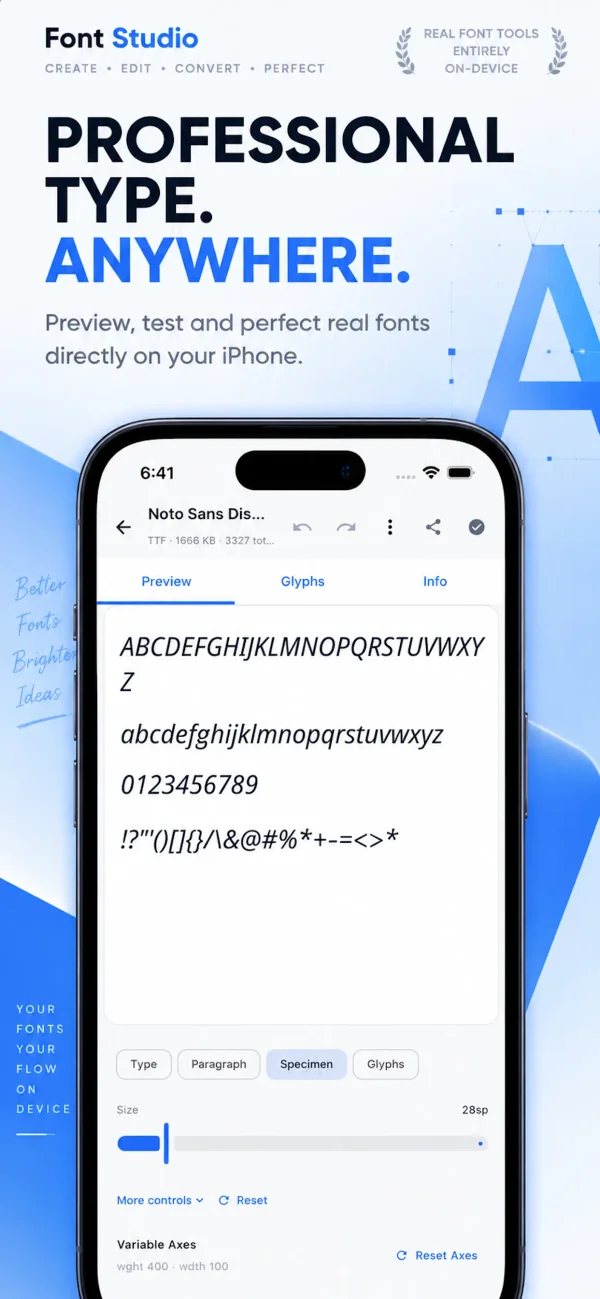
• Preview typography with real font rendering
• Compare changes against the original
• Test custom text, paragraphs and specimens
COMPOSE FONTS
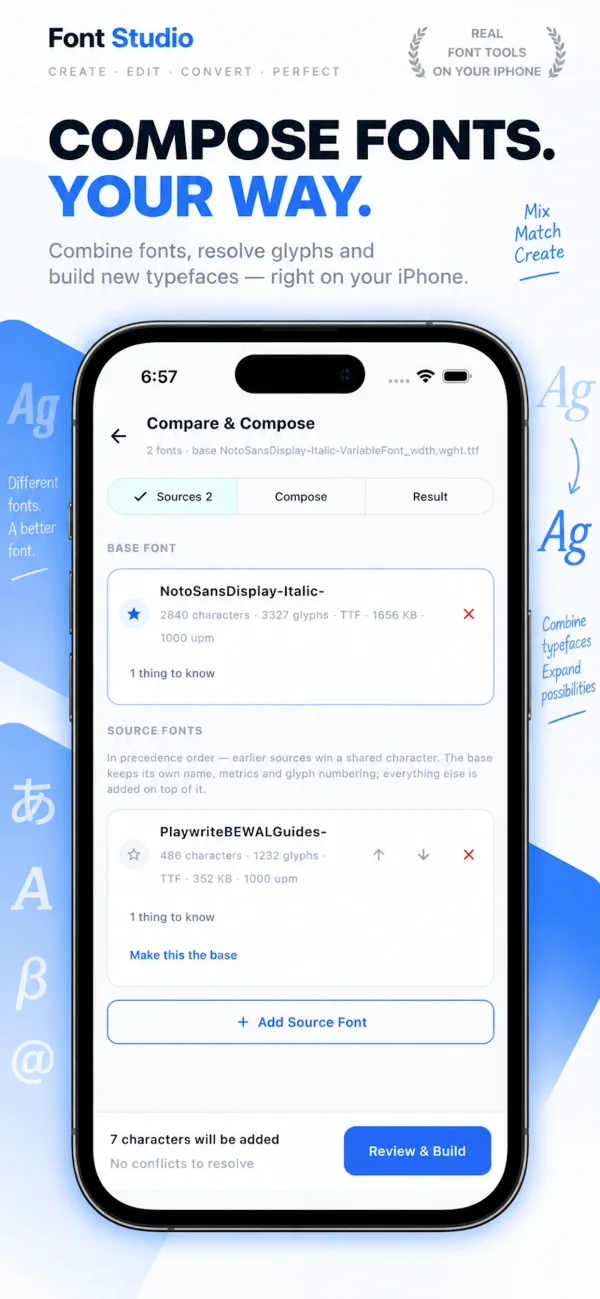
Combine typefaces while keeping control over what gets added.
• Compare source and destination fonts
• Find missing characters
• Resolve glyph conflicts
• Choose which glyph to keep
• Compose new font files
• Handle composite glyph dependencies
• Review changes before building the result
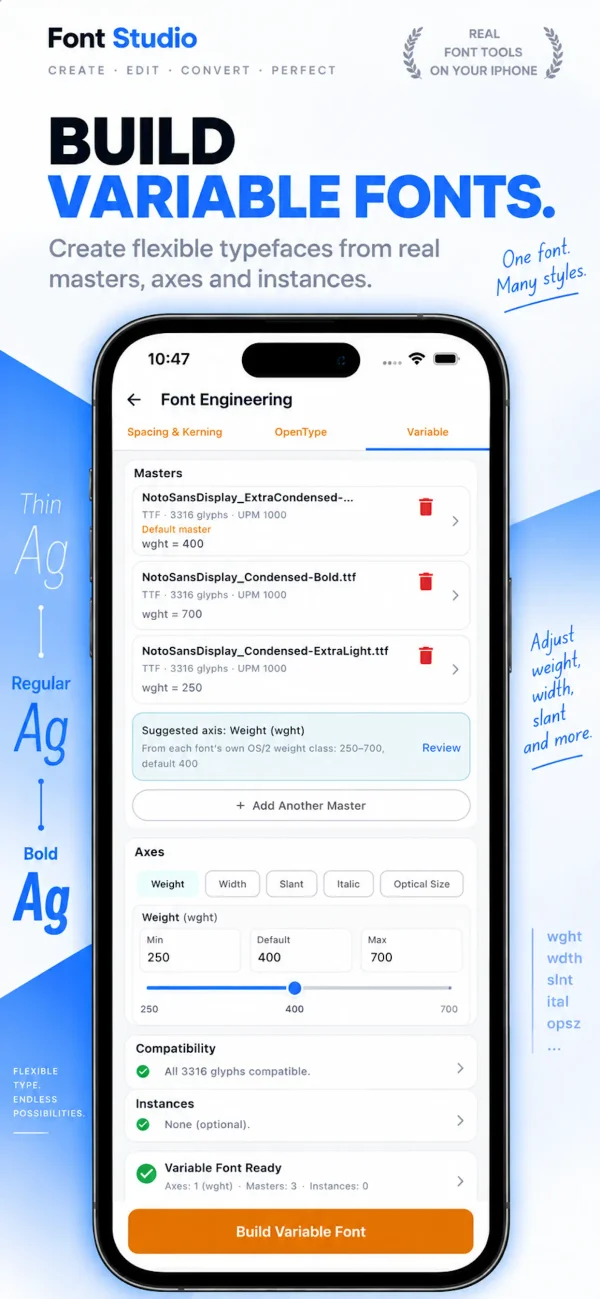
VARIABLE FONT TOOLS
Work with variable font technology directly on your device.
• Inspect variable axes
• Work with multiple font masters
• Build variable fonts from compatible masters
• Configure axes and instances
• Preview variable font output
• Export production-ready font files
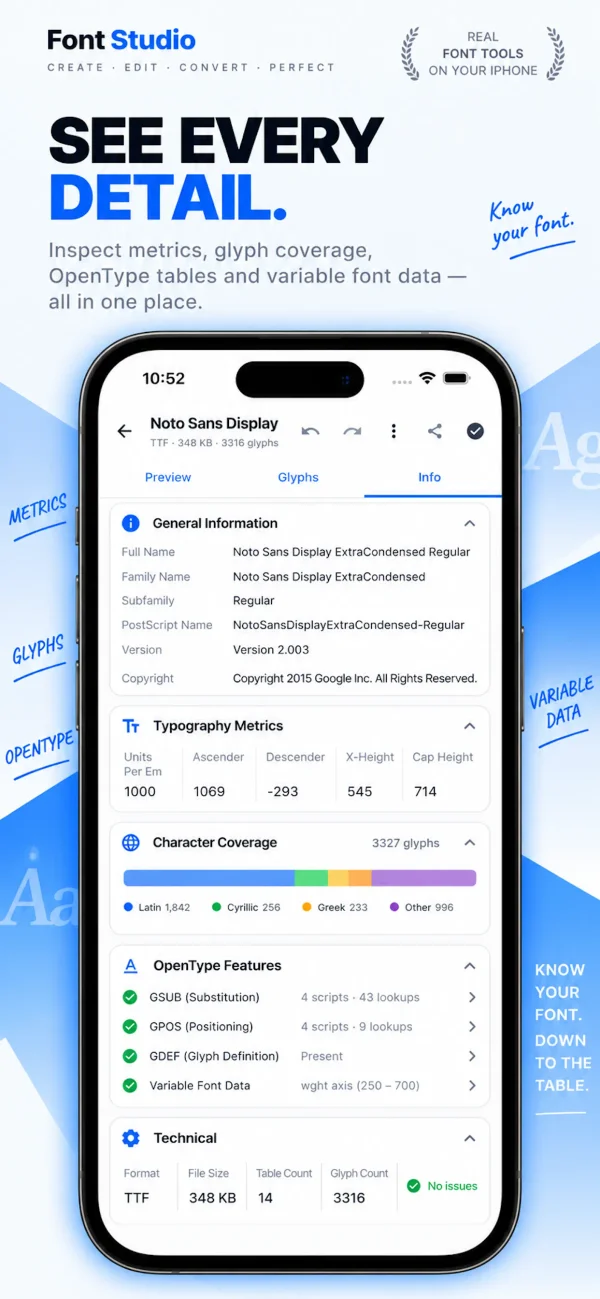
INSPECT OPENTYPE
Go beyond the visible glyphs.
Inspect:
• GSUB
• GPOS
• GDEF
• kern
• cmap
• glyf
• gvar
• hmtx
• name
• OS/2
• STAT
• fvar
• MVAR
• and other font tables
View scripts, lookups, feature information, metrics, coverage and technical metadata.
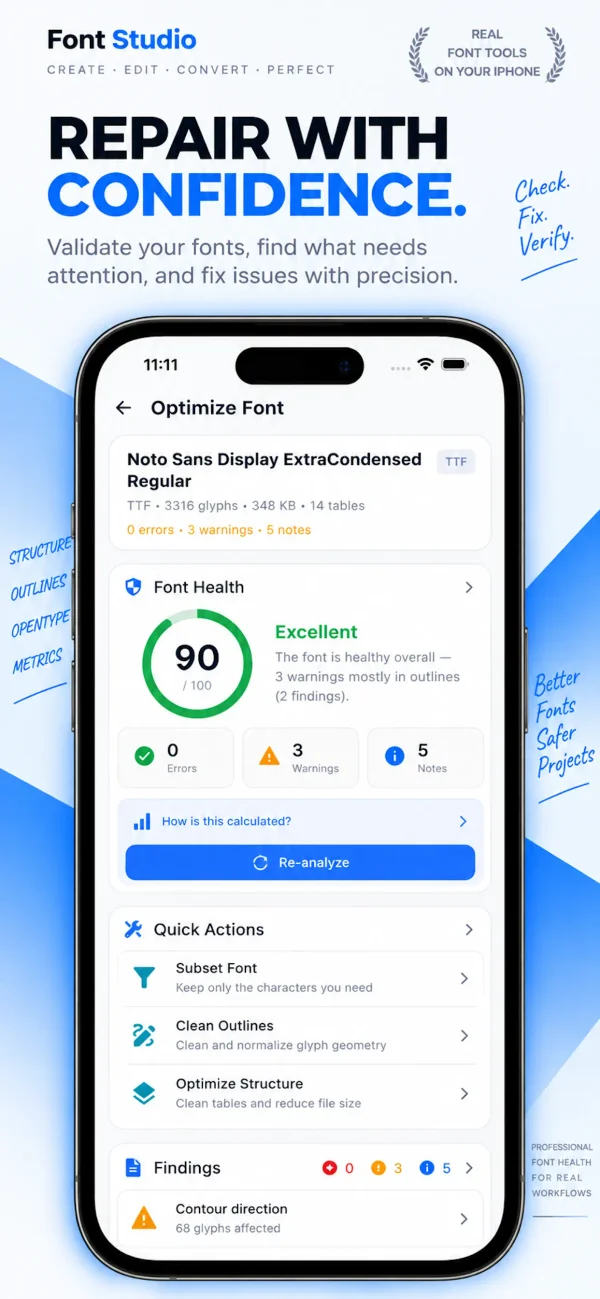
REPAIR AND OPTIMIZE
Analyze your fonts before they reach production.
• Detect font health issues
• Inspect warnings and diagnostics
• Clean problematic outlines
• Optimize font structure
• Review technical findings
• Re-analyze after changes
CONVERT AND EXPORT
Work with common font formats on-device.
• TTF
• OTF
• WOFF
• WOFF2
Convert, process and export your fonts without uploading them to a remote service.
FONT PREVIEW
Test your typeface before exporting it.
Use:
• Type preview
• Paragraph preview
• Specimen preview
• Glyph preview
• Custom text
• Typography metrics
• Spacing and kerning
• Variable font axes
BUILT FOR iPHONE AND iPAD
Font Studio is designed as a real font workspace rather than a simplified desktop companion.
Use it on iPhone for focused font work, or take advantage of the larger iPad workspace for detailed editing, inspection and typography.
PRIVATE BY DESIGN
Your font files can stay on your device.
Font processing is performed locally, so you can work with your typefaces without needing to upload them to a cloud font-processing service.
Create. Edit. Engineer. Perfect.
Font Studio by Podzi.
新機能
バージョン 1.8.3 · 2026/11/4
App Localization & 7 Languages
- Complete UI Localization: Font Studio is now available in 7 languages — English, Arabic (العربية), Spanish (Español), French (Français), German (Deutsch), Portuguese (Português), and Indonesian (Bahasa Indonesia).
- Native Right-to-Left (RTL) Layout: full Arabic RTL interface alignment, mirror-aware toolbars, and Arabic typography workflows.
- In-App Language Selector: switch your preferred UI language anytime from Settings > Language without changing your device-wide settings.
Glyph Designer & Handwriting Creation
- Letter Shadow Watermark: display a faint, proportional watermark template of the active character directly on the canvas to guide optical proportions, stem weights, and styling.
- Onion Skin Across All Modes: reference the previously drawn glyph in Draw, Pen, and Edit modes to maintain consistent slant, height, and rhythm.
- Live Canvas Brush Preview: real-time brush circle preview directly on the canvas drawing area at actual scale, with exact font-unit size readout while adjusting brush settings.
- Continuous Lettering Workflow: Draw mode and brush settings persist across glyph navigation for seamless, uninterrupted font making.
- Instant Undo & Redo: dedicated undo/redo buttons in contextual toolbars across all modes with immediate reactive history updates.
- Natural Alphabetical Sequence: letter strips and font wizard rows are now ordered in standard alphabetical order (A-Z, a-z, 0-9).
Type Engineering & Precision Tools
- Class-Based Kerning Matrix: 2D heatmap grid, smart auto-grouping by shape similarity, negative value support, and compact GPOS Format 2 compression.
- Vertical Metrics Harmonization: 1-click audit and resolution of line clipping across Windows GDI/DirectWrite, macOS CoreText, and Web CSS.
- OpenType Auto-Feature Generator: 1-click automatic synthesis of standard OpenType features (liga, dlig, smcp, c2sc, onum, tnum, pnum, frac, ordn, case, locl), plus direct AFDKO FEA code editing.
- Outline QA & Fix Extrema: automated detection of missing extrema and inflections with 1-click automatic on-curve extrema insertion.
- Live Metrics HUD & Spacing Ribbons: real-time LSB/RSB nudging, customizable word proofing ribbons, and cursive ribbon for Arabic and connected scripts.
Fixes & Reliability
- Large projects: fixed crashes when saving or reopening big projects. Undo history now keeps your most recent steps, so projects stay fast and small.
- Compose Fonts: no more crashes with large fonts (thousands of glyphs) and much faster. Your base font now keeps its OpenType features, kerning, and Arabic joining and mark positioning.
- Export, Check & Fix and Optimize no longer crash on very large fonts.
- Opening fonts from other apps: TTC font collections, WOFF and WOFF2 files opened or shared from outside Font Studio now open reliably.
アプリのプライバシー
このアプリのデータの取り扱いについて、Ahmed NaderがApp Storeで申告している内容です。
-
ユーザーのトラッキングに使用されるデータ
他社のアプリやウェブサイトを横断してユーザーをトラッキングする目的で使用される場合があります。
- ID
- 使用状況データ
-
ユーザーに関連付けられたデータ
収集され、ユーザーの識別情報に関連付けられる場合があります。
- 購入
- 連絡先情報
- ユーザーコンテンツ
- ID
- 使用状況データ
- 診断
-
ユーザーに関連付けられないデータ
収集される場合がありますが、ユーザーの識別情報には関連付けられません。
- ID
- 使用状況データ
- 診断
プライバシーの取り扱いは、ご利用の機能やお客様の年齢などに応じて異なる場合があります。
情報
- 販売元
- Ahmed Nader
- カテゴリ
- グラフィック/デザイン
- バージョン
- 1.8.3
- 更新日
- 2026/11/4
- リリース
- 2026/9/25
- サイズ
- 106.9 MB
- 必要条件
- iOS 15.0以降
- 対象年齢
- 4+
- 価格
- 無料
- アプリ内課金
- あり
- 言語
- 英語, アラビア語, フランス語, ドイツ語, インドネシア語, ポルトガル語, スペイン語
- 著作権
- © Podzi
こちらもおすすめ
-
 Font Creator Studioグラフィック/デザイン
-
 Vector Curveグラフィック/デザイン
-
 JaMo - Font Design Toolグラフィック/デザイン
-
 Ampersand ∙ Explore Typographyグラフィック/デザイン
-
 Font Design & Convert - Fonterグラフィック/デザイン
-
 FontStudio: フォント作成手書き文字がフォントに
-
 FontMaker: Make Your Own Fontグラフィック/デザイン
-
 LeFont: Handwriting Font Makerグラフィック/デザイン
-
 Spritelove - Pixel Art Studioグラフィック/デザイン
-
 editPaintグラフィック/デザイン