- Batasan usia4+
- KategoriPerjalanan
- PengembangGiovanni Monaco
- BahasaJerman+ 7 lainnya
- Ukuran38,0 MB
Tertaut ke halaman resmi App Store
Download.org tidak menyimpan file Geoshot apa pun. Tombol ini membuka halaman aplikasi di App Store, tempat Giovanni Monaco menerbitkannya. Halaman terakhir diperiksa pada 12/11/2026.
Tangkapan layar


Tentang
Pengembang belum menyediakan teks ini dalam bahasa Anda.
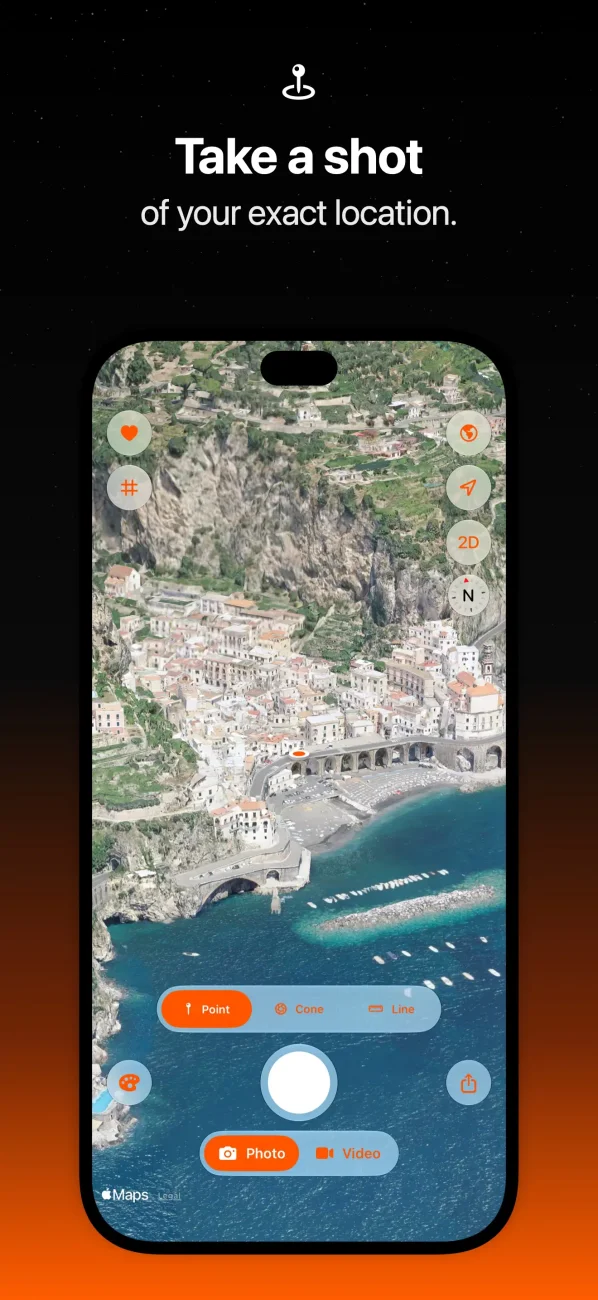
Geoshot turns the map around you into clean, shareable photos and cinematic videos.
Open the app and the map is already centered on your precise position, ready to capture.
PHOTO
• Point – mark exactly where you are.
• Field of view – draw a cone to show where you’re looking. Set direction, aperture, reach and opacity by dragging on the map or with precise sliders.
• Measurement line – draw a line from your position and see its distance.
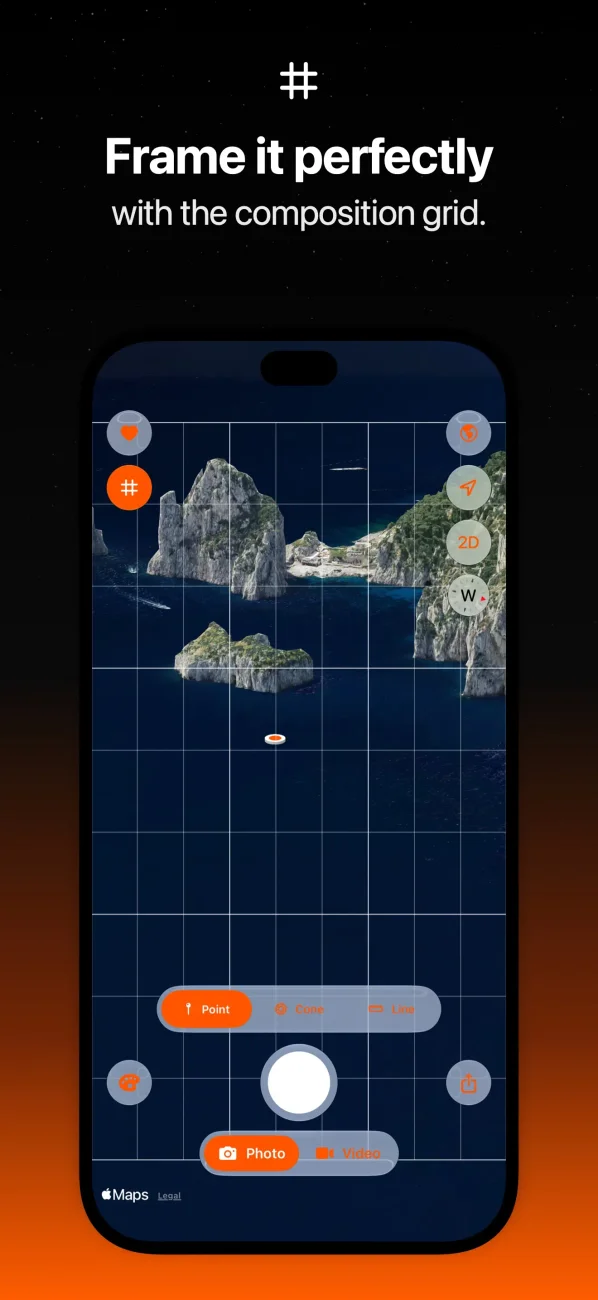
• Grid – compose your shot with a framing grid.
• Pick the marker color that fits your style.
VIDEO
• Drone shots – choose Orbit to circle your position clockwise or counterclockwise, Push in for a closer view, or Push out to reveal the landscape.
• Preview the movement before recording, choose the duration and save the video straight to Photos.
MAP STYLES
Satellite, Hybrid, Standard and Minimal, in 3D or 2D.
SAVE AND SHARE
Save to Photos or share in one tap. An optional Geoshot watermark can sign your exports.
Made for hikers, travelers, guides, photographers and anyone who wants to say "I’m here" with style.
Geoshot uses your location only while you use the app and never collects your data.
Yang baru
Versi 2.0 · 28/10/2026
• Field of view – draw a cone to show where you’re looking, then adjust its direction, aperture, reach and opacity.
• Measurement line – draw a line from your position and see its distance.
• Drone-style videos – Orbit, Push in and Push out shots of the map around you. Preview the movement, choose the duration and save to Photos.
• Composition grid, marker colors and four map styles (Satellite, Hybrid, Standard and Minimal) in 3D or 2D.
• Optional Geoshot watermark on exported photos and videos.
• Geoshot now speaks Italian, French, Spanish, German, Simplified Chinese, Traditional Chinese and Russian.
• A brand-new app icon.
• Performance improvements and bug fixes.
Privasi aplikasi
Yang dinyatakan Giovanni Monaco di App Store tentang cara aplikasi ini menangani data.
-
Data tidak dikumpulkan
Pengembang tidak mengumpulkan data apa pun dari aplikasi ini.
Praktik privasi dapat bervariasi, misalnya berdasarkan fitur yang Anda gunakan atau usia Anda.
Informasi
- Penjual
- Giovanni Monaco
- Kategori
- Perjalanan
- Versi
- 2.0
- Diperbarui
- 28/10/2026
- Dirilis
- 14/6/2024
- Ukuran
- 38,0 MB
- Memerlukan
- iOS 18.0 atau yang lebih baru
- Batasan usia
- 4+
- Harga
- Gratis
- Bahasa
- Jerman, Inggris, Prancis, Italia, Rusia, Spanyol, Tionghoa Tradisional, Tionghoa Sederhana
- Hak cipta
- © 2026 Giovanni Monaco